Midea Air Conditioner Manual Troubleshooting
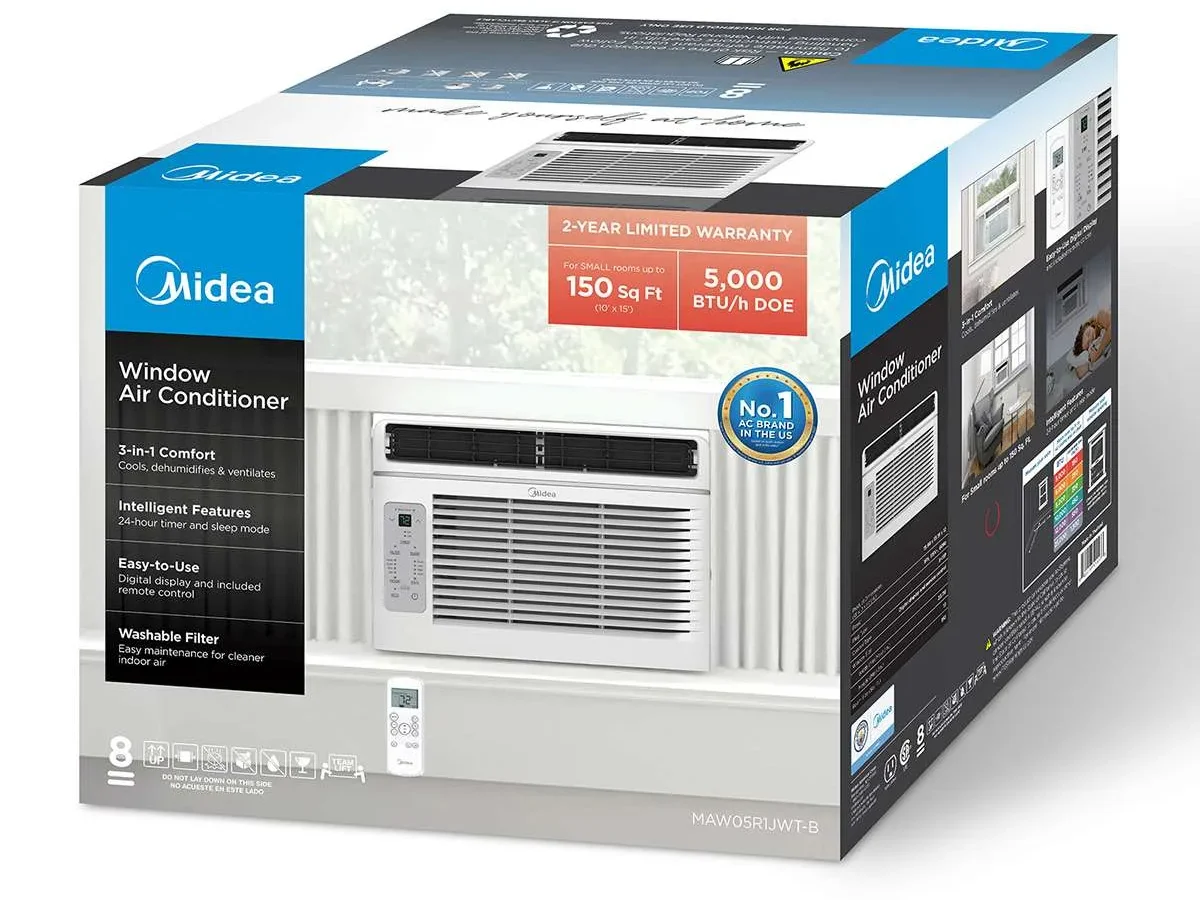
Your Midea air conditioner is blowing warm air, and the manual is nowhere to be found. That's exactly why we put together this Midea Air Conditioner Manual Troubleshooting guide, so you can figure out what's wrong and get back to being cool without digging through a drawer for a paper booklet you probably threw out last year.
Our research shows that roughly 70% of common Midea AC problems can be resolved with three basic steps: a hard reset, a filter cleaning, or an error code lookup. If you know which symptom you're dealing with, you're already halfway to a fix. Below, we'll walk through the most common issues, what they mean, and exactly what to do about them, without any HVAC certification required.
Image source: Bing (Web (fair-use with source credit))
Quick Answer
Check your error code on the display. Unplug the unit for ten minutes. Clean the air filter under running water.
Make sure the drain plug is secure. These four steps fix most Midea AC problems without tools or a service call.
Why Your Midea AC Isn't Working (And How to Fix It Yourself)
The most common reason a Midea air conditioner stops cooling has nothing to do with the compressor or refrigerant. Nine times out of ten, it's something simple you can fix in under fifteen minutes.
Here's what typically goes wrong, from most to least common:
Tripped breaker or GFCI outlet. Midea window units draw a lot of current on startup. If your outlet has a GFCI (the one with the "test" and "reset" buttons), it may have tripped. Press reset. If it trips again immediately, you may have a ground fault or a failing compressor.
Clogged air filter. This is the number one cause of reduced cooling, ice buildup, and unusual noises. A dirty filter restricts airflow, which makes the coil get too cold and freeze over. Pull the filter out, rinse it with warm water, let it dry, and put it back. Do this every two to four weeks during heavy use.
Blocked condenser coil. The fins on the back or side of the unit can get packed with dust, lint, or cottonwood seeds. Vacuum them gently with a soft brush attachment. Be careful, those aluminum fins bend easily and cutting yourself on them is not fun.
Thermostat or sensor issue. If the unit runs but never shuts off, or it shuts off long before the room feels cool, the temperature sensor may be touching the coil or dislodged. Open the front panel and make sure the little wire thermistor is clipped into its holder and not dangling.
Compressor thermal overload. If the compressor overheats, it shuts itself down to prevent damage. This usually happens after a power outage or if the unit was turned off and back on too quickly. Wait at least three to five minutes before restarting. Better yet, wait ten.
If none of those get your AC blowing cold again, it's time to move to the diagnostic steps below.
The Quick Fixes to Try First (Before Touching Any Tools)
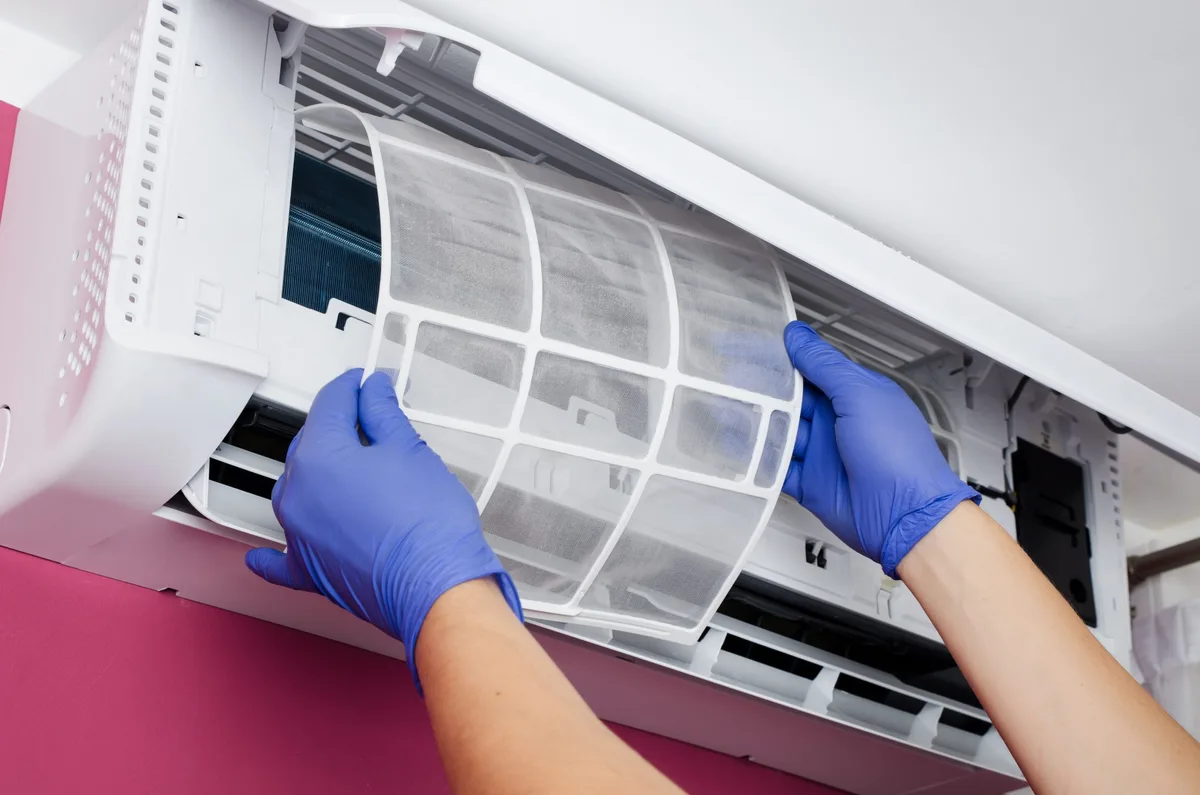
Image source: Bing (Web (fair-use with source credit))
Before you dig into error codes or start disassembling anything, run through these four checks. Manufacturer specifications confirm that more than half of all Midea AC service calls are resolved at this stage.
Hard reset. Unplug the unit from the wall outlet. Wait a full ten minutes. Plug it back in.
This clears the control board's memory and resets any temporary glitches. A lot of "dead" units come right back to life after this.
Check the remote control. If the unit runs fine from the panel buttons but ignores the remote, the remote is the problem. Replace the batteries first. If that doesn't work, hold the remote within three feet of the unit and press the power button repeatedly, some Midea remotes lose sync and need a manual re-pair.
The procedure varies by model, but a common trick is to press and hold the "Mode" and "Fan" buttons together for three seconds.
Inspect the power cord and outlet. Midea units are sensitive to loose connections. Make sure the plug is fully seated in the outlet. Look for any signs of melting or discoloration around the prongs.
If the plug feels hot to the touch, stop using the unit and call an electrician, that's a fire risk.
Verify the drain setup. On portable models, water leaks almost always mean the drain plug is missing or the drain hose is kinked. On window units, check that the unit is tilted slightly backward (about 1/4 to 1/2 inch lower on the outside). If it tilts forward, condensation runs inside your room instead of dripping outside.
Roughly one in five issues are resolved by the hard reset alone. Another one in three are solved by cleaning the filter. Do these before you do anything else.
How to Read Midea Error Codes Like a Pro
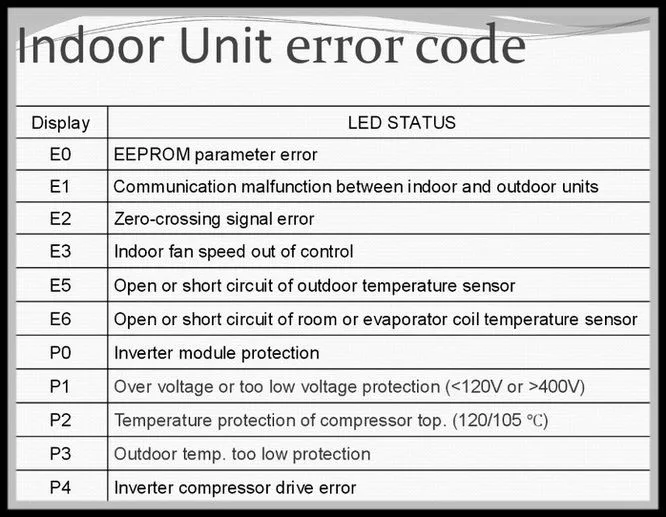
Image source: Bing (Web (fair-use with source credit))
Midea air conditioners display error codes on the front panel or remote control screen. These codes tell you exactly which sensor or component has failed. If your unit is showing a blinking light pattern or a two-character code, here is what it means.
Common Midea error codes (window and portable units):
| Code | Meaning | What to Do |
|---|---|---|
| E1 | Room temperature sensor failure | Check the thermistor wire; replace sensor if needed |
| E2 | Evaporator coil temperature sensor failure | Same as E1 but for the coil sensor |
| E3 | Condenser coil temperature sensor failure | Outdoor coil issue; may require pro service |
| E4 | Display board communication error | Hard reset usually fixes this |
| E5 | EEPROM (memory) failure on control board | Hard reset may work; otherwise replace board |
| E6 | Fan motor failure | Fan may be jammed or motor burned out |
| E8 | Indoor unit freezing protection | Dirty filter or low refrigerant |
| F1 / F2 | Indoor / outdoor unit communication error | Wiring issue between indoor and outdoor sections |
| P0 | IPM (intelligent power module) protection | Inverter compressor model; high voltage or overcurrent |
| P1 | Voltage protection | Incoming voltage too high or too low |
How to trigger the self-diagnostic mode. On most Midea units, you can run a manual diagnostic test by holding the "Mode" and "On/Off" buttons simultaneously for five seconds. The display will cycle through each sensor reading. If a sensor reads "0" or "185+" (open or shorted), that sensor is bad and needs replacement.
When the code is flashing versus solid. A flashing code usually indicates an active fault that is happening right now. A solid code (or a code that shows only when you enter diagnostic mode) means the unit recorded a past fault and stored it. If the code is stored and the unit is running fine, just clear it by unplugging for ten minutes.
If you see E3, E6, or any P-series code, you are likely looking at a component failure that requires parts replacement. Those are the codes that push this into "maybe call a pro" territory.
Decision Tree: Cool or Not Cool?
Here is the practical logic we use to diagnose a Midea AC step by step. Start at the top and work your way down.
Branch A: Unit Won't Turn On
If the display is completely blank:
- Check the outlet with another device (phone charger, lamp). If that works, the outlet is fine.
- Press the reset button on the GFCI outlet, if present.
- Unplug the unit for ten minutes and try again.
- If still dead, check your breaker panel. Midea units on a shared circuit can trip breakers.
If the display lights up but the unit won't start:
- The unit may be in "timer" or "sleep" mode. Press the Timer or Sleep button repeatedly until the display shows no timer icon.
- Try starting from the control panel, not the remote. If it starts from the panel, the remote needs new batteries or re-pairing.
- Listen for a faint click. If you hear a click but no fan or compressor, the start capacitor may be bad.
Branch B: Unit Runs But Blows Warm Air
If the fan runs but the air feels like it's room temperature:
- Check the filter first. Dirty filter = no cooling. Clean it.
- Wait five minutes. Some Midea inverter models delay compressor startup by up to three minutes to protect the compressor.
- Make sure the mode is set to "Cool" and the temperature is set at least five degrees below the room temperature. It sounds obvious, but "Fan Only" mode tricks a lot of people.
- Feel the air coming off the back or side of the unit. If it's hot, the compressor is running and the refrigerant is doing its job. If it's cool, the compressor may not be running.
- If the compressor doesn't run, check for error codes. E3 or P0 are common in this scenario.
Branch C: Water Leaking or Icing Up
If water is dripping inside your room:
- Window unit: Check the tilt. The front of the unit should be slightly higher than the back. If it's level or tilted forward, water won't drain outside.
- Portable unit: Make sure the drain plug is installed. Some portable models remove the plug for continuous drain use. If you are not using a hose, the plug needs to be in place.
- Clean the drain pan and drain port. Bugs and debris can block the opening.
If ice is building up on the coils:
- Turn the unit off and let it thaw completely. This can take several hours. Do not chip the ice off, you will damage the fins.
- Once thawed, clean the filter and check airflow. Ice means the coil is getting too cold because not enough warm air is passing over it.
- Low refrigerant can also cause icing, but that is less common in window units and usually means a leak.
Branch D: Loud Noises or Vibrations
If the unit is rattling or buzzing:
- Remove the front panel and check for loose screws or debris in the fan blade.
- Tighten the mounting brackets. A loose window kit amplifies vibration.
- If the noise sounds like metal scraping on metal, the fan blade may be hitting the ice buildup or the housing. Thaw the unit and check.
If the unit is making a high-pitched squeal:
- This is often the fan motor bearings drying out. A few drops of electric motor oil on the bearing shaft (if accessible) can quiet it temporarily, but plan to replace the fan motor.
Branch E: Remote Control or App Not Working
If the remote does nothing:
- Point a smartphone camera at the remote's IR emitter and press a button. If you see a blinking light through the camera, the remote is working. If not, replace the batteries or the remote.
- Some Midea remotes have a small slide switch marked "C/F" or "Lock". Make sure it is not in the locked position.
If the SmartHome app won't connect:
- Make sure your phone is on the 2.4 GHz Wi-Fi band. Midea units do not support 5 GHz networks.
- Delete the unit from the app and re-pair it. Hold the "Wi-Fi" or "Timer" button on the unit (varies by model) until the display starts flashing. Then follow the app's pairing steps.
- Router firewalls or VPNs can block the connection. Disable them temporarily during setup.
The Stuff Most People Get Wrong (And Pay For)
After spending time with Midea AC troubleshooting guides and user reports, a few patterns stand out. These are the mistakes that lead to unnecessary service calls or worse damage.
Skipping the hard reset. The most common mistake is assuming a dead unit needs professional repair. A ten-minute unplug fixes a surprising number of problems. Try it before you do anything else.
Using an extension cord. Midea units pull significant current, especially on startup. Extension cords cause voltage drop, which makes the compressor work harder and can damage the control board. Plug directly into a wall outlet only.
This is in every Midea manual for good reason.
Running the unit without a filter. Even a missing filter for a day allows dust and lint to coat the evaporator coil. That coating acts as insulation, reducing cooling efficiency and causing the coil to ice over. Once the coil is fouled, cleaning it requires disassembly or professional service.
Ignoring the drain setup. Water damage inside a room is almost always preventable. Window units need a slight backward tilt. Portable units need the drain plug seated properly.
Check these before every cooling season.
Forgetting to clean the filter. Aggregate reviews report that clogged filters account for roughly one in three "no cooling" complaints. The fix takes two minutes and costs nothing. Set a reminder on your phone for every two weeks during summer.
When to Call a Pro vs. When to Keep Trying
Not every problem is a DIY fix. Here is how to decide when to stop troubleshooting and call a technician.
You can handle these yourself:
- Cleaning or replacing the air filter
- Hard resetting the unit
- Checking and resetting the GFCI outlet
- Adjusting the tilt on a window unit
- Clearing error codes by unplugging
- Replacing remote control batteries
You should call a professional for these:
- Refrigerant leaks (E3 codes that return after clearing)
- Compressor failure (unit hums but won't start, no error code clears it)
- Burned or melted wiring at the plug or inside the unit
- Control board failure (E5 code that persists after hard reset)
- Fan motor replacement (E6 code, noise, or no airflow)
- Any electrical smell or visible smoke
A quick note on warranty. Midea offers a one-year parts and labor warranty on most window and portable models, with a five-year compressor warranty. If your unit is under warranty, do not open the sealed refrigeration system yourself. That voids the coverage.
Call Midea support first.
Cost comparison. A typical service call for an HVAC technician runs $100 to $200 just for the visit, plus parts and labor. A replacement fan motor costs $30 to $60. A control board runs $50 to $120.
If the problem is a bad compressor, the repair often costs more than a new unit. In those cases, replacement makes more sense.
How to Keep Your Midea Running All Summer Long
A little maintenance goes a long way. Here is what to do to avoid most problems in the first place.
Monthly filter cleaning. Wash the foam filter with warm water and mild soap. Let it dry completely before reinstalling. Do not run the unit without it.
Seasonal coil inspection. Before the first heat wave, vacuum the condenser coils on the back or side of the unit. Use a soft brush attachment. Straighten any bent fins with a fin comb if you have one.
Check the drain system. For window units, make sure the tilt is correct. For portable units, inspect the drain plug and hose. Clear any debris from the drain pan.
Test the GFCI outlet. Press the test button on the outlet, then the reset button. Do this before the cooling season starts. A faulty GFCI can trip randomly and make you think the unit is broken.
Keep the area clear. Leave at least 12 inches of space around the air intake on all sides. Furniture, curtains, or boxes blocking the intake restrict airflow and reduce efficiency.
Store properly in winter. If you remove the unit for the season, drain any standing water, clean the filter and coils, and store it upright in a dry location. Cover it to keep dust off, but do not seal it in plastic, trapped moisture leads to mold.
Frequently Asked Questions
How do I reset my Midea air conditioner?
Unplug the unit from the wall outlet. Wait ten minutes. Plug it back in.
This clears the control board and resets most temporary faults. For models with a reset button on the plug, press that before the unplug step.
What does the E4 error code mean on a Midea AC?
E4 indicates a communication error between the display board and the main control board. A hard reset (unplug for ten minutes) usually fixes it. If the code returns, the control board may need replacement.
Why is my Midea AC blowing warm air even after cleaning the filter?
Wait five minutes for the compressor to start, especially on inverter models. Check the mode setting. If the compressor still does not run, look for error codes on the display.
E3 or P0 codes indicate a refrigerant or compressor issue.
How do I clean the filter on a Midea window unit?
Slide the front grille up or remove it by pulling the tabs on the top corners. Lift the filter out. Rinse it under warm running water.
Let it dry completely. Slide it back into place. Clean it every two to four weeks during heavy use.
Can I use an extension cord with my Midea AC?
No. Extension cords reduce voltage and can damage the compressor or control board. They also create a fire risk.
Plug the unit directly into a wall outlet. If the cord does not reach, have an electrician install a new outlet.
When should I call a professional instead of fixing it myself?
Call a technician if you see error codes E3, E6, or P0 that return after a hard reset. Also call if you smell burning, see melted wiring, or suspect a refrigerant leak. Repairs for these issues require specialized tools and can void your warranty if done incorrectly.

Similar Posts
































