How To Clean Wireless Earbuds: Easy Cleaning Guide
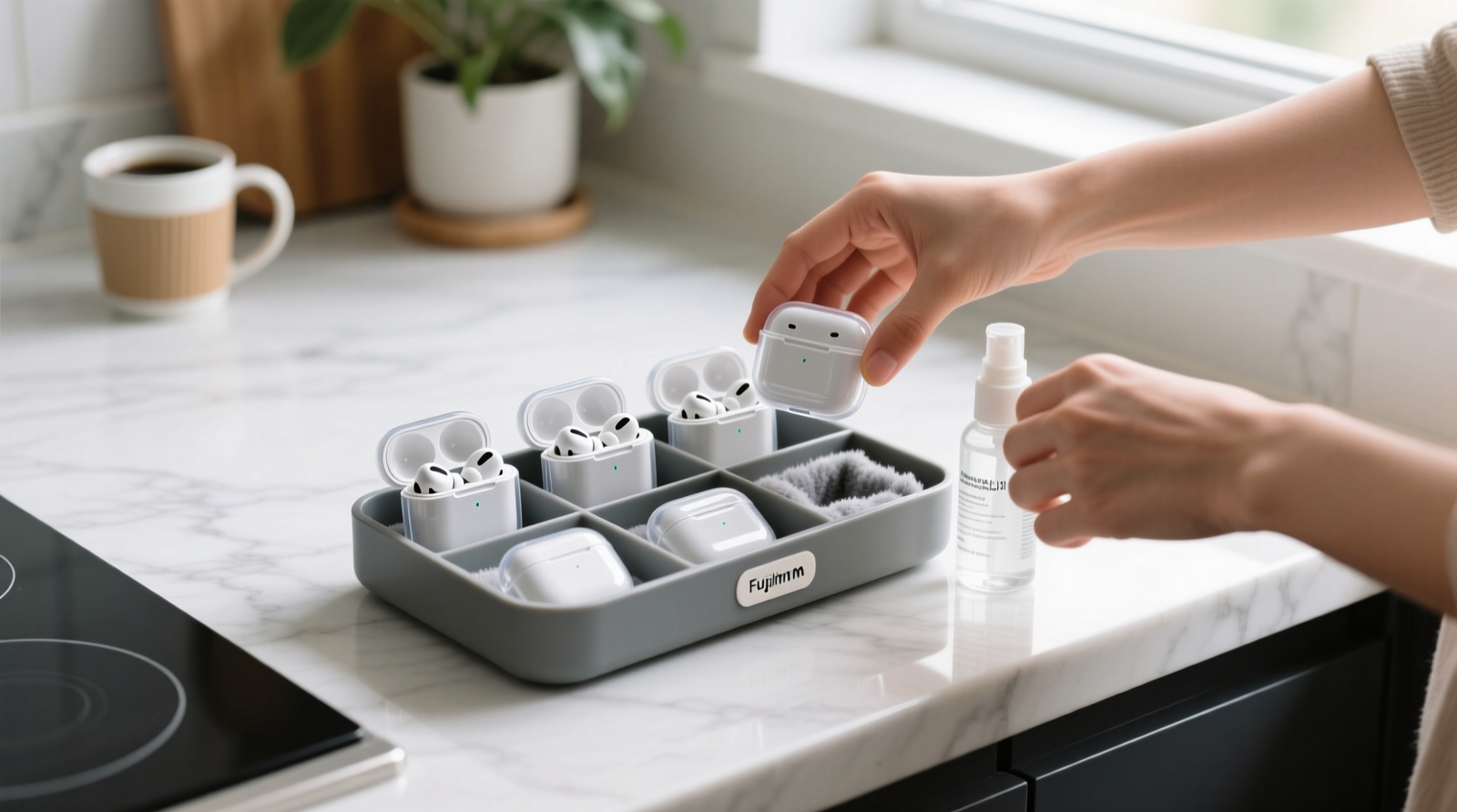
Clean wireless earbuds with a dry, soft brush, then wipe them gently with a lightly damp cloth.
Knowing how to clean wireless earbuds helps protect sound quality, comfort, and battery life. Earwax, sweat, skin oil, and dust can collect in small openings, but the wrong tool or too much liquid can cause serious damage. This guide explains how to clean wireless earbuds safely, based on common manufacturer care advice, basic electronics safety, and practical daily use.
Why You Should Clean Wireless Earbuds
Wireless earbuds sit inside or near the ear, so they quickly collect wax, oil, sweat, makeup, and dust. These materials can block the speaker mesh and make audio sound quiet, dull, or uneven.
Regular cleaning also supports better hygiene. Earbuds can carry bacteria from your ears, hands, pockets, gym bags, and other surfaces. Cleaning them does not sterilize them, but it removes much of the buildup that makes them feel dirty.
Learning how to clean wireless earbuds can also help extend their useful life. Blocked mesh may make you raise the volume, while moisture and debris can affect charging contacts and microphones.
Common signs that your earbuds need cleaning include:
• Lower volume in one earbud
• Muffled or distorted sound
• Poor microphone quality during calls
• Earbuds that feel sticky or slippery
• Visible wax or dirt on the speaker grille
In my experience, the biggest mistake is waiting until earbuds look heavily soiled. A quick cleaning once or twice a week is easier and safer than trying to remove a thick layer of buildup later.

What You Need Before Cleaning
The safest way to clean wireless earbuds is to use gentle, low-moisture tools. You do not need expensive equipment or strong chemicals.
Gather these items:
• A soft, dry microfiber cloth
• A clean, dry cotton swab
• A soft-bristled brush, such as a clean toothbrush or electronics brush
• A wooden toothpick for hard-to-reach case edges
• A small amount of 70% isopropyl alcohol for approved exterior surfaces
• A dry, well-lit workspace
Avoid using sharp metal tools, pins, needles, abrasive cloths, bleach, glass cleaner, or household spray. These items may scratch the finish, push wax deeper into the mesh, or damage seals.
Before you start, check the cleaning instructions for your specific model. Water resistance varies between earbuds. An IPX4 rating, for example, can handle limited splashes but does not mean the earbuds are safe to soak or rinse.

How to Clean Wireless Earbuds Step by Step
Follow these steps for most in-ear wireless earbuds. If your model has removable silicone tips, clean the tips separately.
1. Turn Off and Disconnect the Earbuds
Remove both earbuds from your ears and turn them off if the controls allow it. Disconnect Bluetooth, and place them away from the charging case while you work.
This step reduces the risk of accidental controls and helps prevent moisture from reaching active components. Never clean earbuds while they are charging.
2. Remove the Silicone Ear Tips
Gently pull the silicone tips away from the earbuds. Do not twist them with force, as the rubber can stretch or tear.
Place the tips in a small bowl of warm water with a drop of mild soap. Let them soak for a few minutes, then rinse them well and dry them completely with a soft cloth.
Do not put the earbuds themselves in water. The tips may be washable, but the electronic housing is not designed for this type of cleaning.
3. Brush Away Loose Dirt
Hold the earbud with the speaker opening facing downward. Use a soft, dry brush to sweep away wax and dust.
Use light strokes. Think of the mesh as a small window, not a surface that needs scrubbing. Hard pressure can push debris through the grille or loosen the mesh.
If buildup is stubborn, brush around the edges first. Avoid pressing directly into the speaker opening.
4. Wipe the Earbud Housing
Dampen a microfiber cloth very slightly with water or approved isopropyl alcohol. The cloth should feel nearly dry, not wet.
Wipe the plastic or metal housing, touch controls, and outer surfaces. Keep liquid away from speaker openings, seams, microphones, vents, and charging contacts.
When learning how to clean wireless earbuds, moisture control is one of the most important rules. A damp cloth is safer than spraying cleaner onto the earbud.
5. Clean the Speaker Mesh Carefully
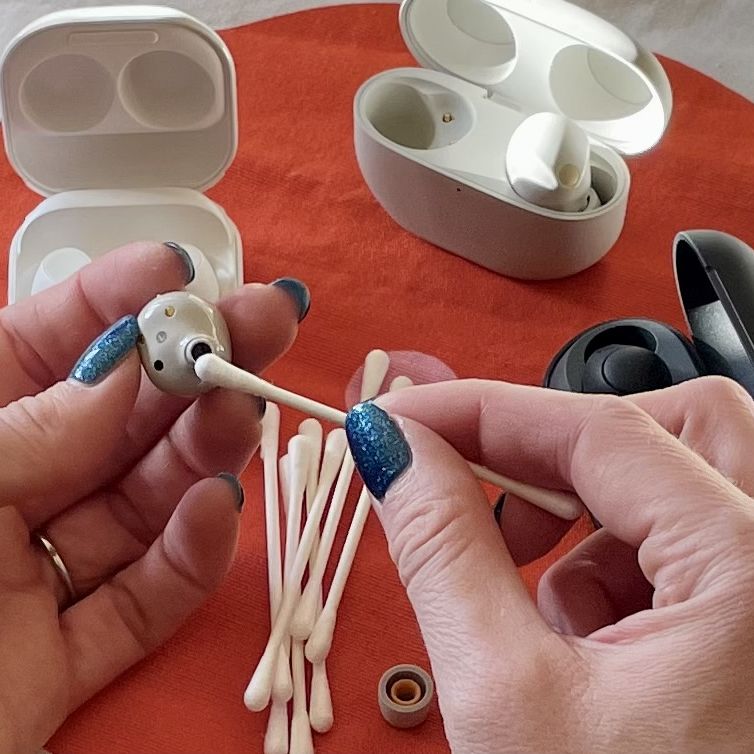
Use a dry cotton swab or soft brush around the speaker grille. Move in small circles without pushing inward.
Some earbuds use a fine metal mesh that can trap wax. If the manufacturer allows it, a tiny amount of 70% isopropyl alcohol on a cotton swab may help loosen surface residue. The swab must not be dripping, and you should never pour alcohol onto the earbud.
Let the surface air-dry before replacing the ear tip.
6. Clean the Charging Contacts
Use a dry cotton swab to wipe the metal charging contacts on each earbud. Clean the matching contacts inside the case as well.
If the contacts have oily residue, lightly moisten the swab with isopropyl alcohol. Use very little liquid, and allow everything to dry fully before charging.
Dirty contacts can prevent a proper connection. This may cause one earbud to stop charging even when the case battery is full.
7. Clean the Charging Case
Remove loose dust from the case with a dry brush. Wipe the outside with a nearly dry microfiber cloth.
Pay close attention to the wells where the earbuds sit. Wax and pocket lint often collect there and block the charging pins.
Never fill the case with liquid or rinse it under a faucet. The case usually has more openings and electrical parts than people expect.
8. Dry Everything Completely
Leave the earbuds, ear tips, and case open in a dry room. Give them enough time to air-dry before reassembly.
Do not use a hair dryer, radiator, oven, or direct heat. Heat can damage batteries, soften adhesives, and deform silicone parts.
A useful rule is simple: if you can still feel moisture, wait longer.
How to Clean Wireless Earbuds With Earwax Buildup
Heavy earwax buildup needs patience. Scraping aggressively may remove the visible wax but can damage the speaker mesh or push residue into the earbud.
Start by holding the earbud with the opening pointed down. Use a soft brush to loosen the outer layer, then wipe the surrounding area with a dry cotton swab.
For a removable mesh filter or ear tip, follow the manufacturer’s instructions. Some models have replaceable filters, while others have fixed grilles that should not be removed by the user.
Do not use:
• Needles or safety pins
• Metal tweezers near the grille
• Sticky putty pressed into the speaker opening
• Hydrogen peroxide poured onto the earbud
• Compressed air held close to the mesh
Compressed air may force wax and moisture deeper into the device. It can also stress delicate microphones and seals.
If the earbud still sounds quiet after cleaning, the problem may be internal blockage, software settings, hearing imbalance, or hardware failure. In that case, contact the manufacturer or an authorized repair service.

How to Clean Wireless Earbuds After Exercise
Sweat contains salt and minerals that may leave residue on earbud surfaces. After exercise, wipe the earbuds with a clean, dry cloth as soon as possible.
If the earbuds have a suitable water-resistance rating, you can use a barely damp cloth for the outer housing. Do not assume that water-resistant means waterproof. Resistance can weaken as seals age or become damaged.
Keep sweaty earbuds out of a closed charging case until they are dry. A warm, damp case can trap moisture around charging contacts and create a poor environment for the electronics.
For workouts, consider these habits:
• Wipe earbuds after each sweaty session
• Dry your ears before inserting them
• Keep the case in a dry pocket or bag
• Do not share earbuds
• Clean the ear tips more often than the main housing
In my experience, storing wet earbuds in the case is one of the fastest ways to create charging trouble. A two-minute wipe can prevent a much bigger problem.
How to Clean Different Earbud Materials
Earbuds have different finishes, so the same cleaning method may not suit every model.
Plastic Earbuds
Plastic surfaces usually tolerate a soft cloth and gentle wiping. Avoid rough paper towels, which may leave fine scratches or fibers around vents.
Metal Earbuds
Metal housings can still have painted or coated surfaces. Use a soft cloth and avoid abrasive cleaners that may remove the finish.
Silicone Ear Tips
Silicone tips can usually be washed with mild soap and water. Rinse away all soap and allow them to dry completely before attaching them.
Foam Ear Tips
Foam tips often absorb sweat and oils. Many are not designed for washing, so check the care instructions. Replace them when they become stained, soft, cracked, or difficult to clean.
Charging Cases
Cases need low-moisture cleaning. Focus on the outside, charging wells, hinges, and contacts, but keep liquid away from openings.
The safest approach to how to clean wireless earbuds is always model-specific. A method that works for one pair may void the care instructions for another.

Mistakes to Avoid When Cleaning Wireless Earbuds
A careful cleaning routine should remove dirt without creating new damage. Avoid these common errors:
• Submerging the earbuds in water
• Spraying cleaner directly onto the earbuds
• Using too much rubbing alcohol
• Scrubbing the speaker mesh
• Cleaning while the earbuds are charging
• Reattaching wet ear tips
• Using a vacuum with strong suction
• Inserting sharp tools into openings
• Applying heat to speed up drying
• Ignoring the charging case
Do not rely only on an IP rating. Water resistance is measured under specific test conditions. It does not guarantee protection from soap, sweat buildup, steam, salt water, or long exposure to moisture.
Also avoid cleaning the earbuds with household disinfectant wipes unless the manufacturer specifically approves them. Some wipes contain chemicals that can dull plastic, weaken coatings, or irritate the skin.

How Often Should You Clean Wireless Earbuds?
The right schedule depends on how often you use them and where you wear them.
A simple routine works well for most people:
• Daily: Wipe away sweat and skin oil with a dry cloth
• Weekly: Brush the speaker mesh and clean the charging case
• Every few weeks: Wash removable silicone tips
• After illness: Clean the earbuds and replace heavily soiled tips
• After outdoor or gym use: Wipe them before storage
People with oily skin, frequent earwax buildup, or daily workouts may need to clean their earbuds more often. If your ears feel itchy or irritated, stop using the earbuds and clean the parts that touch your skin.
Cleaning does not replace ear care. Do not insert cotton swabs deep into your ear canal. If you have pain, discharge, hearing loss, or persistent itching, speak with a health professional.
How to Keep Wireless Earbuds Cleaner
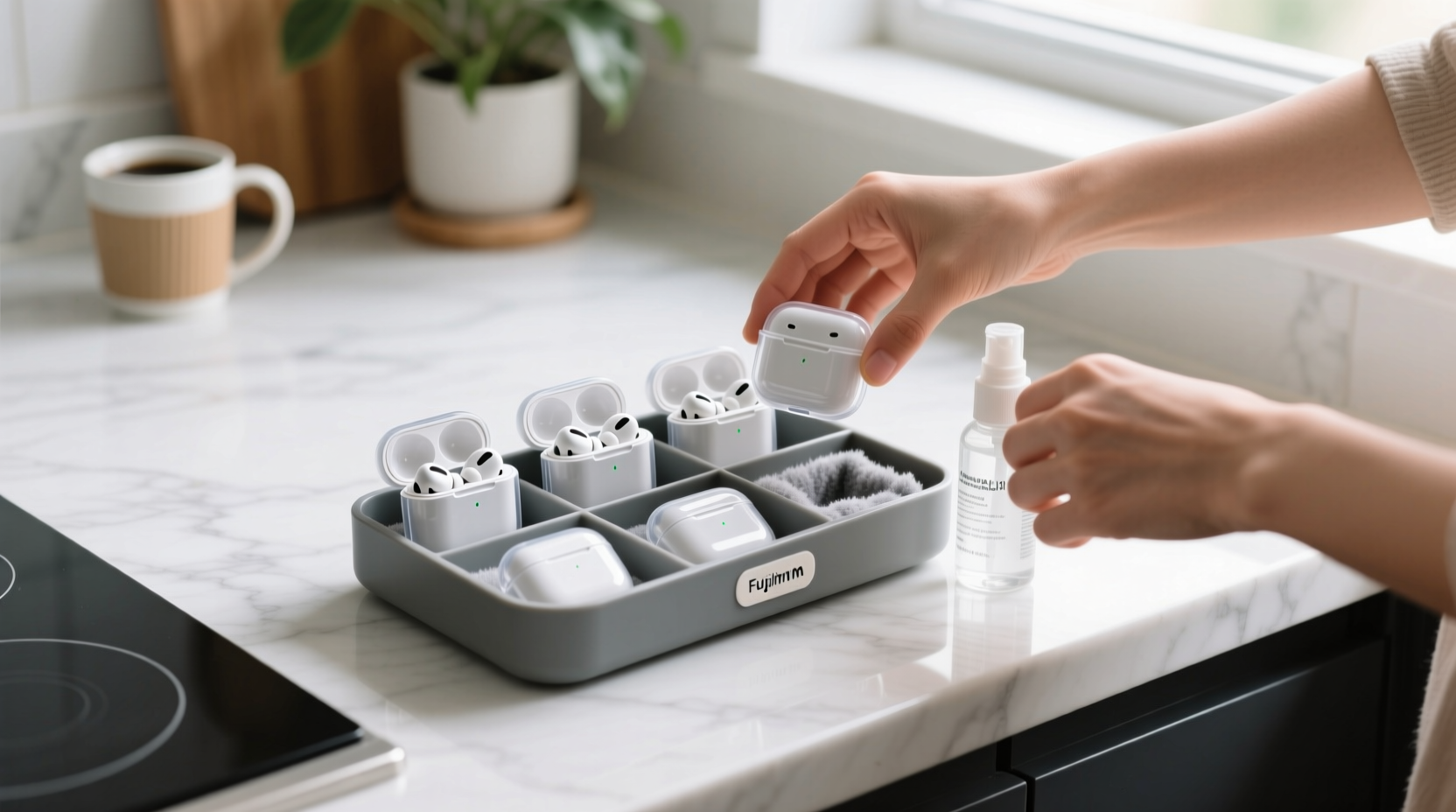
Good storage habits reduce the amount of cleaning required. Your earbuds spend much of their time in a case, pocket, backpack, or gym bag, so those areas matter.
Use these simple habits:
• Store earbuds in their charging case
• Keep the case away from loose lint and dust
• Wash your hands before handling them
• Keep the case clean and dry
• Do not place earbuds on dirty tables or gym equipment
• Avoid sharing earbuds with other people
• Replace damaged or cracked ear tips
• Let earbuds dry before closing the case
Earwax is normal, and some people produce more of it than others. The goal is not to make the earbuds perfectly sterile. The goal is to remove buildup without harming the device or your ears.
When to Replace or Repair Wireless Earbuds
Cleaning can solve surface problems, but it cannot repair every fault. Consider professional support when an earbud remains quiet, will not charge, overheats, or shows signs of liquid damage.
Replace ear tips when they become:
• Torn or cracked
• Permanently stained
• Loose during use
• Uncomfortable
• Difficult to clean
Contact the manufacturer if the earbuds are under warranty. Opening the housing yourself may damage seals and cancel warranty coverage.
Battery performance also declines over time. If the earbuds have very short battery life or become unusually hot, stop using them and seek support. Damaged lithium-ion batteries should not be punctured, opened, or placed in household trash.
Frequently Asked Questions About How to Clean Wireless Earbuds
Can I use rubbing alcohol to clean wireless earbuds?
You can use a small amount of 70% isopropyl alcohol on a cloth or cotton swab for some exterior surfaces. Keep it away from speaker openings, charging ports, seams, and microphones, and follow the manufacturer’s instructions first.
Can I wash silicone ear tips with soap and water?
Yes, removable silicone ear tips can usually be washed with mild soap and warm water. Rinse them well and let them dry fully before putting them back on the earbuds.
Can I clean wireless earbuds with a toothbrush?
A clean, soft-bristled toothbrush can help remove dry dust and wax from the outer mesh. Use gentle strokes and never push the bristles deep into the speaker grille.
How often should I clean my wireless earbuds?
Wipe them after sweaty use and perform a deeper clean about once a week. Clean them more often if you wear them during workouts or notice wax and dirt buildup.
Why is one wireless earbud quieter after cleaning?
The speaker mesh may still be blocked, or your phone may have an audio balance setting that favors one side. If cleaning and checking settings do not help, the earbud may need professional service.
Can water-resistant earbuds be rinsed under a faucet?
Usually, no. Water resistance does not mean the earbuds are safe to rinse, soak, or expose to soap, and the rating may not cover the charging case.
Conclusion
Learning how to clean wireless earbuds is mostly about using less force and less liquid. Turn them off, remove the tips, brush away dry debris, wipe the housing, clean the contacts, and let every part dry fully before charging.
A short weekly routine can protect sound quality, comfort, charging performance, and the life of your earbuds. Start with your next cleaning today, then share your favorite earbud-care tip or explore more practical device-care guides.

Similar Posts