Can AI Translation Devices Translate Without A Phone: Yes
Yes, many AI translation devices can translate without a phone, but offline language support varies by model.
The answer depends on the device, its built-in software, and whether it stores language packs for offline use. Some handheld translators work fully on their own, while others need a phone, Wi-Fi, or cellular data for advanced AI features. This guide explains how offline translation works, what these devices can and cannot do, and how to choose one with confidence.
How AI translation devices work without a phone
AI translation devices use microphones, speakers, processors, and language software to convert speech from one language into another. A standalone model can listen to your words, process them, and play the translation through its own speaker.
When asking “can AI translation devices translate without a phone,” the key issue is where the translation happens. There are two main options:
• On-device processing happens inside the translator itself.
• Cloud processing sends your speech to an online server for analysis.
A device with on-device processing can translate without a phone or internet connection. However, it may support fewer languages and offer less accurate results than a cloud-based system.
Cloud translation often provides stronger speech recognition and more natural sentences. Yet it usually needs Wi-Fi or mobile data. In that case, the device may connect to a phone hotspot, a local network, or its own cellular service.
Think of offline translation like carrying a small phrasebook with a smart brain. It can handle common words and phrases, but it may struggle with new slang, complex topics, or fast speech.
Can AI translation devices translate without internet access?
Yes, some can. Offline translation works when a device has downloaded language packs and the required speech software before you leave an internet connection.
Offline mode usually covers basic tasks such as:
• Translating common travel phrases
• Converting short spoken sentences
• Reading simple text through a camera
• Supporting two-way conversations
• Giving directions, greetings, and food-related translations
The quality depends on the language pair. Offline English-to-Spanish translation may work well on a modern device. Less common language pairs may have limited vocabulary or poor speech recognition.
Some products advertise support for dozens of offline languages, but this does not always mean every feature works offline. A device may offer offline text translation but require internet access for voice translation or image translation.
Before buying, check the product specifications for these details:
• Offline voice translation
• Offline text translation
• Offline camera translation
• Number of downloadable language packs
• Support for two-way conversations
• Whether offline packs require a subscription
This distinction is important. A device can technically translate without a phone while still needing internet access for its best features.
Standalone translator vs. phone-based translator
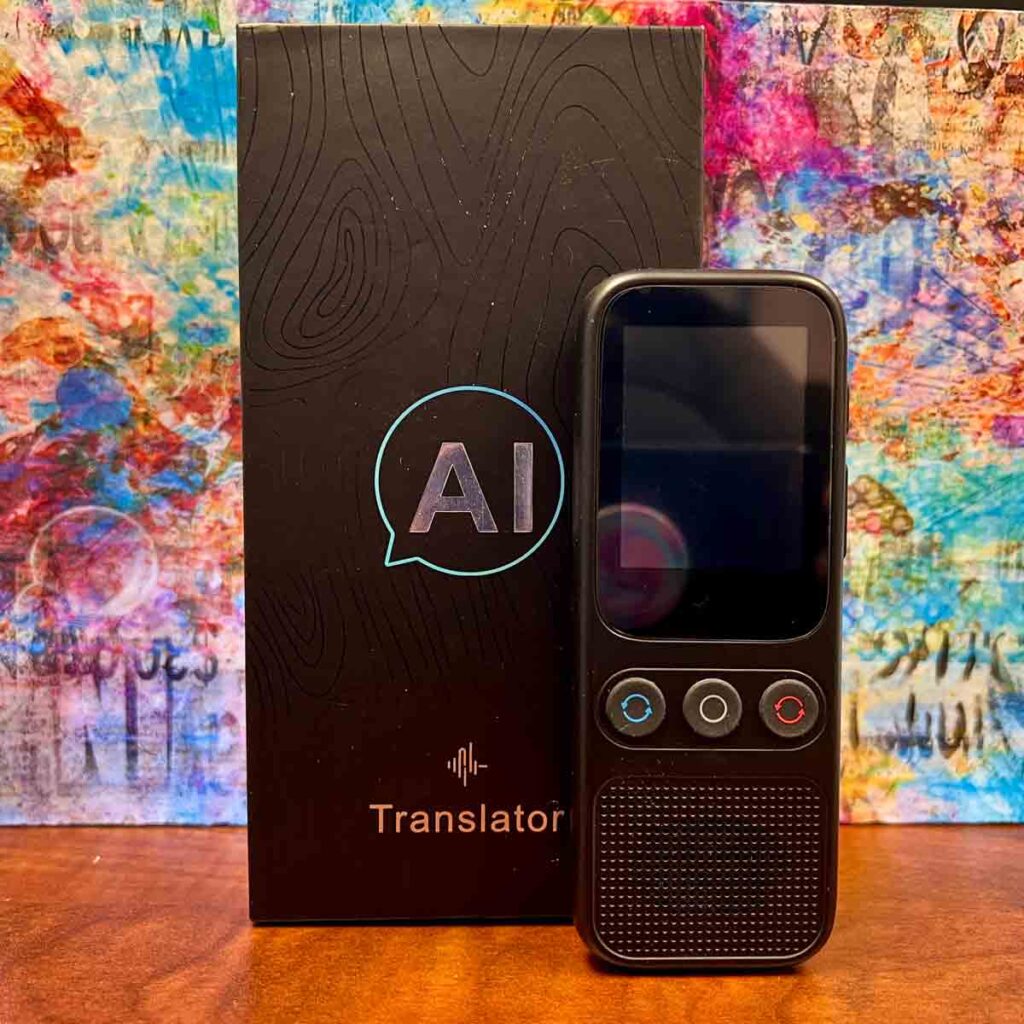
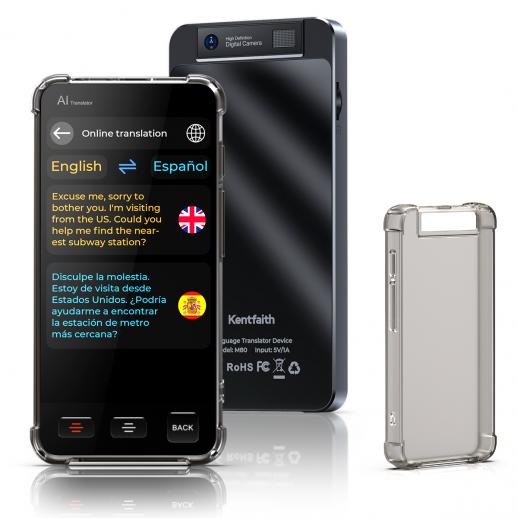
A standalone translator is a separate device built for language conversion. It normally has a screen, microphone, speaker, battery, and translation app built into the hardware.
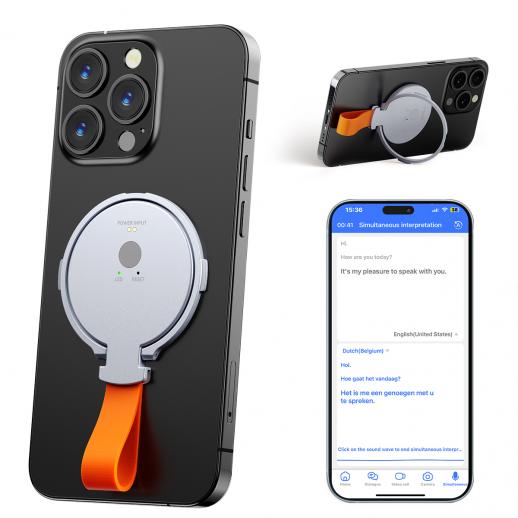
A phone-based translator uses an app on your smartphone. It may offer more languages and better updates, but it also depends on your phone’s battery, signal, storage, and settings.
Here is a simple comparison:
| Feature | Standalone translator | Phone translation app |
|---|---|---|
| Needs a phone | No, if it supports offline use | Yes |
| Needs internet | Sometimes | Often |
| Battery use | Uses its own battery | Uses phone battery |
| Ease in conversation | Designed for quick use | May require opening an app |
| Language updates | Depends on the device | Usually frequent |
| Privacy | Some processing may stay on the device | Cloud use may send audio online |
| Camera translation | Depends on the model | Common on modern phones |
When people ask “can AI translation devices translate without a phone,” they often want freedom from phone dependence. A standalone device can be easier to hand to another person, especially in a busy market, airport, clinic, or taxi.
Still, a phone app may be better for long text, maps, email, and unusual words. The best tool depends on the situation rather than brand loyalty.

What features work offline?
Offline features vary widely. Read the fine print before assuming that a device works as a complete offline translator.
Offline voice translation
This feature records speech through the built-in microphone and processes it on the device. It is useful in places with weak signal, such as rural roads, remote villages, underground stations, and international flights.
Offline voice translation is often best with:
• Short sentences
• Clear speech
• Quiet surroundings
• Common words
• Supported language pairs
It may fail when people speak quickly, use strong accents, or mix languages. Background noise can also confuse the microphone.
Offline text translation
Text translation is often easier to run offline. The device can match words and sentence patterns using stored language data.
This feature can help with menus, signs, labels, and short notes. Some devices allow you to type on a small screen, while others use a physical keyboard or handwriting input.
Offline camera translation
Camera translation uses optical character recognition to read printed words. The device then translates the text on the screen.
This is helpful for restaurant menus and road signs. However, poor lighting, decorative fonts, curved surfaces, and handwritten text can reduce accuracy.
Offline pronunciation
Many devices can speak translated words without internet access. This is useful when you need to order food, ask for help, or say a place name correctly.
The voice may sound less natural than online speech. Even so, clear pronunciation can be more useful than a perfect written translation in a real conversation.
Limitations of offline AI translation devices
Offline translation is useful, but it is not magic. When considering “can AI translation devices translate without a phone,” remember that independence often comes with trade-offs.
Common limitations include:
• Fewer supported languages
• Smaller vocabulary
• Less natural sentence structure
• Weak handling of slang and humor
• Difficulty with names and local accents
• No live access to new words
• Limited support for technical subjects
• Reduced accuracy in noisy places
An offline device may translate “I need a doctor” well. It may struggle with “My prescription causes a reaction when combined with this medicine.” For medical, legal, or safety-related communication, confirm the message with a qualified human.
Privacy is another concern. Some offline devices keep audio on the device, which may reduce data exposure. Cloud-based tools may send recordings to remote servers. Read the privacy policy before using any translator for sensitive conversations.
A translation device also cannot replace cultural awareness. A direct translation may be grammatically correct but still sound rude or strange. A friendly gesture and a simple sentence often work better than a complex sentence translated perfectly.
How accurate are phone-free AI translation devices?
Accuracy depends on the language, device, setting, and type of speech. Major languages tend to receive more training data, which can improve recognition and sentence quality.
Offline systems often use compressed language models to fit inside a small device. This saves space and power, but it can reduce performance. Online systems may use larger models and receive regular updates.
In practical testing, short and clear sentences usually produce the best results. For example:
-
Say one idea at a time.
-
Use common words.
-
Pause between sentences.
-
Avoid jokes and idioms.
-
Ask the listener to confirm important details.
Instead of saying, “Could you possibly point me in the direction of the nearest pharmacy?” say, “Where is the nearest pharmacy?”
This approach helps almost every translation system. It also makes the conversation easier for the other person.
How to use an AI translation device without a phone
Setting up a device before travel can prevent many problems. Follow these steps:
-
Charge the device fully before leaving.
-
Connect it to Wi-Fi during setup.
-
Download all needed offline language packs.
-
Test both directions of the language pair.
-
Check whether voice, text, and camera tools work offline.
-
Learn how to switch languages quickly.
-
Pack a charging cable or power bank.
-
Save a few essential phrases as favorites.
-
Test the microphone in a noisy room.
-
Keep a paper backup for emergencies.
A common mistake is downloading English to French but forgetting French to English. Two-way communication needs both directions.
Another mistake is testing only at home in a quiet room. Try the device outdoors, near traffic, or in a busy shop. Real travel conditions can reveal problems that a calm living room hides.
In hands-on use, the most helpful habit is keeping sentences short. I have found that people respond better when the device speaks one clear thought instead of a long paragraph. It feels less like talking to a machine and more like passing a small bridge between two people.
Best situations for phone-free translation
A device that can translate without a phone is especially useful in certain settings.
International travel
A standalone translator can help at airports, hotels, train stations, and border crossings. You do not need to unlock your phone each time someone asks a question.
Rural and remote areas
Some regions have weak mobile service or costly roaming plans. Offline language packs can provide basic help when data service is unavailable.
Business meetings
A dedicated device can reduce distractions during a meeting. It also gives both people a clear screen for reading translated text.
For important business terms, use a human interpreter or professional translation service. AI tools can support a meeting but should not handle sensitive contracts alone.
Healthcare visits
Translation devices may help with simple questions about pain, time, and location. They should not be the only method used for diagnosis, medication, allergies, or consent.
Family communication
A standalone device can help relatives speak across language barriers without giving a phone to each person. This may be easier for older adults or children.

When a phone is still the better choice
A standalone translator is not always the best option. Your phone may provide more value when you need:
• Long document translation
• Email and messaging support
• Map searches
• Web-based research
• Fast access to many languages
• Translation of unusual terms
• Regular software updates
• A larger screen
Phone apps also make it easier to copy, save, and share translated text. If you already have a reliable data plan, a phone may be the more affordable choice.
The main disadvantage is dependence. A dead battery, locked screen, poor signal, or missing app can stop the process. A standalone device provides a backup when your phone is busy or unavailable.
For many travelers, the most reliable setup is to use both. Keep a standalone translator for quick offline conversations and a phone app for online research and longer text.
How to choose an AI translation device that works alone
Use this checklist before buying:
• Confirm that offline voice translation is available.
• Check the exact language pairs, not just the total language count.
• Look for battery life of at least a full travel day.
• Test whether the device has a loud, clear speaker.
• Check screen size and text readability.
• Review the cost of language packs and subscriptions.
• Ask whether updates require Wi-Fi.
• Review the privacy settings.
• Check the return policy.
• Look for independent reviews that test offline mode.
Do not rely only on phrases such as “AI-powered” or “supports 100 languages.” Marketing language can hide important limits. The real question is whether the exact language and feature you need work without a phone and without internet access.
PAA-style questions about offline translation
Can AI translation devices translate without a phone or Wi-Fi?
Some can, if they include offline language packs and on-device processing. Others need Wi-Fi or a phone hotspot for voice recognition and advanced features.
Do offline translators work with every language?
No. Offline support is usually smaller than the total language list shown in advertisements. Always check the specific offline language pairs before buying.
Is offline translation as accurate as online translation?
Usually, no. Offline tools can handle common phrases well, but online systems often perform better with accents, slang, long sentences, and less common languages.
Frequently Asked Questions
Can AI translation devices translate without a phone?
Yes, many standalone AI translation devices can translate without a phone. They need built-in language software, and offline features may work only for selected languages.
Do standalone translation devices need internet access?
Not always. Offline models can translate stored language pairs without internet, while cloud-based features need Wi-Fi, cellular data, or a phone hotspot.
Can a translation device work without a SIM card?
Yes, if it supports offline translation. A SIM card is needed only for models that use cellular data for online translation or updates.
Can offline translators translate spoken conversations?
Many can translate short spoken conversations in two directions. Accuracy may drop with background noise, fast speech, accents, slang, or complex topics.
Are offline AI translation devices good for travel?
They can be very useful for basic travel needs, such as ordering food, asking for directions, and checking into a hotel. Download and test the correct language packs before your trip.
Can these devices translate medical or legal information?
They can help with simple words, but they should not replace a trained interpreter for medical, legal, or safety-related information. Small translation errors in these settings can create serious risks.
Are phone-free translation devices private?
Offline processing may offer stronger privacy because audio does not need to leave the device. However, privacy depends on the model, so review its data policy and microphone settings.
Conclusion
So, can AI translation devices translate without a phone? Yes, if the device supports on-device processing and has the right offline language packs. These tools can make travel and daily conversations easier, but they may offer fewer languages and lower accuracy than online services.
Check offline voice support, language pairs, battery life, privacy, and subscription terms before you buy. For the best results, use short sentences, speak clearly, and keep a backup plan for important conversations.
Choose a device based on your real travel needs, test it before you leave, and explore more language tools to make every conversation easier.