Do AI Translators Work Without Internet: Offline Guide
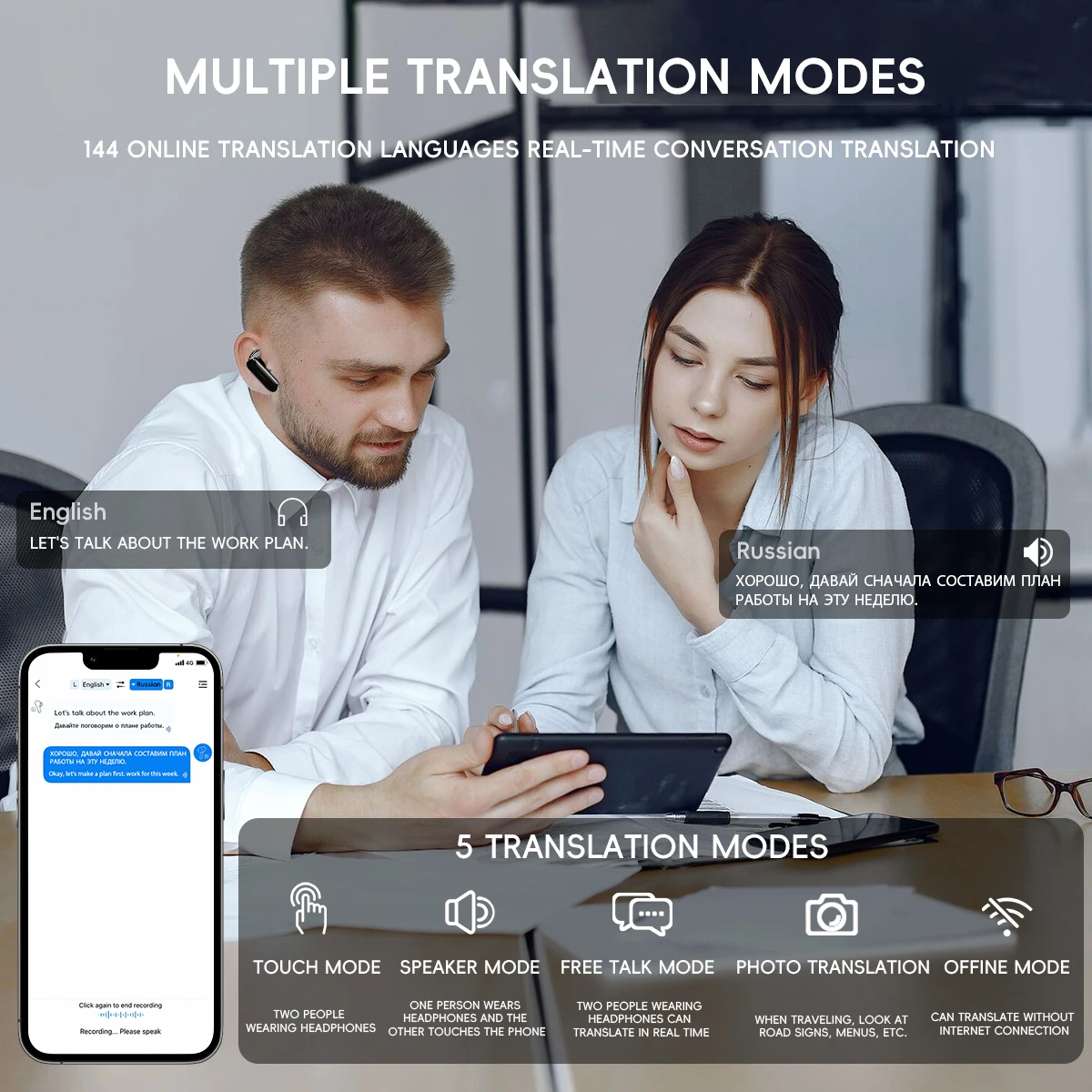
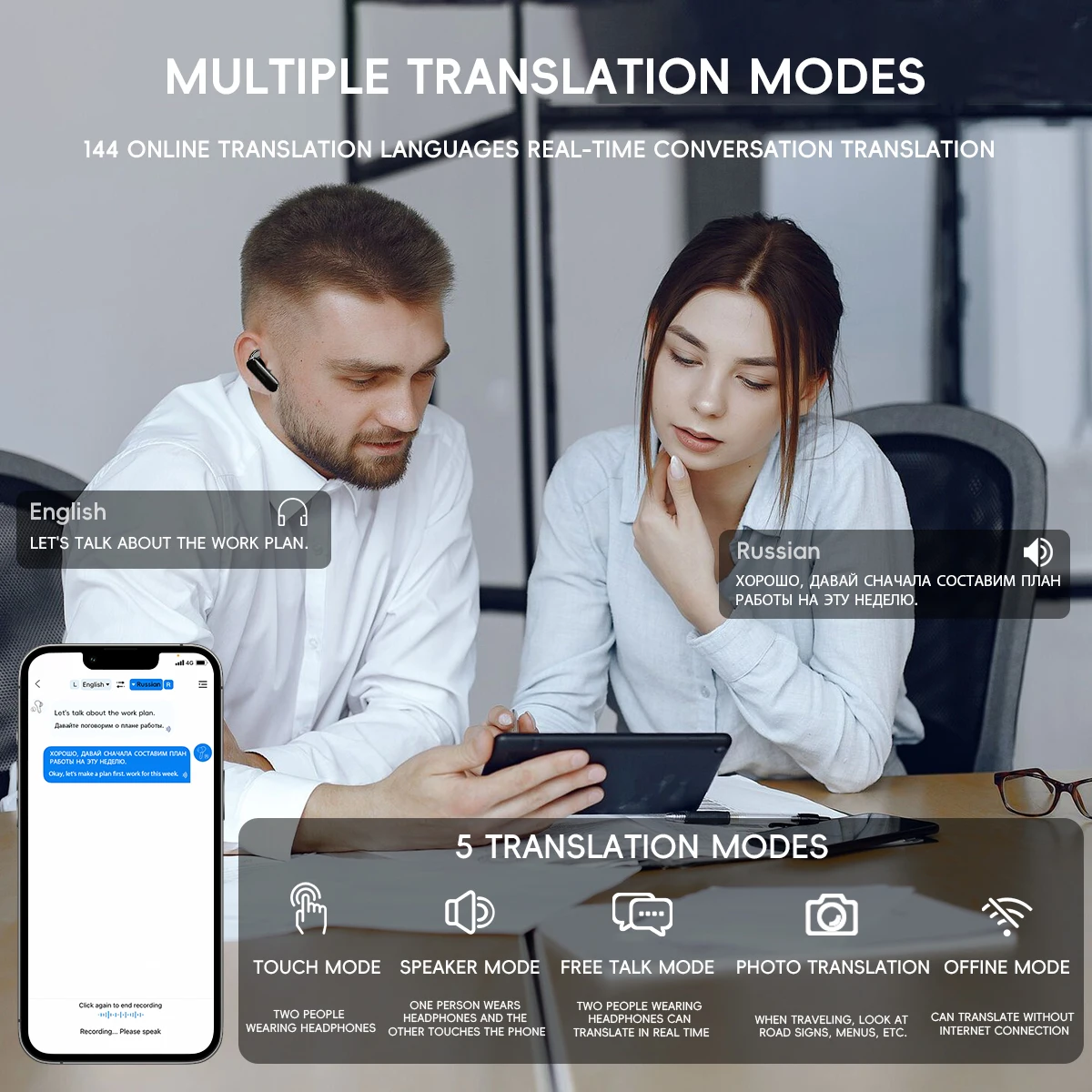
Yes, AI translators can work without internet when language models and translation packs are stored on your device.
The answer to “do AI translators work without internet” depends on the app, language pair, and features you need. Some tools translate speech, text, and images offline, while others need a cloud connection for their most advanced results. This guide explains how offline AI translation works, what it can do, where it falls short, and how to prepare before traveling or working without reliable service.

Do AI translators work without internet?
Yes, some AI translators work without internet. They use an offline translation model saved on your phone, tablet, or computer. The model reads your text or speech and creates a translation without sending data to a remote server.
However, not every translator has this ability. Many popular translation apps use cloud servers because they can store larger models and offer more computing power. If you open one of these apps without a connection, you may see an error or receive only limited service.
Offline translation works best when you download the needed language pack before losing internet access. For example, you might download Spanish and English before a trip to Mexico. The app can then translate common text between those languages while your phone is offline.
The phrase “AI translator” covers several types of tools:
• Offline mobile apps with downloadable language packs
• Online translation services that process requests in the cloud
• Device features built into phones, earbuds, and laptops
• Portable translator devices with stored language models
• AI chat apps that usually require an internet connection
The key difference is where the translation model runs. If it runs on your device, the translator may work offline. If it runs on a company’s server, you need an internet connection.

How offline AI translation works
An offline AI translator uses a compact language model. This model has learned patterns in words, grammar, and common phrases. It does not “look up” every sentence on the internet. Instead, it uses the information already stored on your device.
Think of it as carrying a small language expert in your pocket. A cloud translator can ask a large team of experts for help. An offline translator works alone with the knowledge it downloaded earlier.
The basic process usually looks like this:
You type, speak, or scan text.
Your device turns the input into data it can read.
The offline model analyzes the words and sentence structure.
The model creates a translation.
The app displays or speaks the result.
Speech translation adds another step. The app must first convert your voice into text. It then translates that text and may convert the result back into speech. Each step can affect accuracy.
Image translation also needs optical character recognition, often called OCR. OCR identifies printed words in a photo. The translation model then changes those words into another language. Menus, street signs, and product labels often work well when the image is clear.
Modern phones can run smaller AI models because mobile chips now handle more machine learning tasks. Still, offline models are usually smaller than cloud models. That difference affects speed, language support, and translation quality.
What can an offline AI translator do?
An offline AI translator can handle many everyday tasks. Its strongest use is often simple communication with common words and short sentences.
You can usually use offline translation for:
• Basic conversations
• Travel phrases
• Restaurant menus
• Road signs
• Hotel information
• Shopping questions
• Short messages
• Common directions
• Simple work notes
• Emergency phrases
Some apps also support offline voice translation. You may say a phrase, wait for the device to process it, and show the translated words to another person. The experience may feel slower than online translation, but it can be very useful in a subway, airplane, rural area, or foreign country.
Offline text translation is often the most reliable feature. Written input is clear, and the app does not need to handle background noise or different accents. If you type a short sentence with simple grammar, the result may be quite good.
Offline camera translation can also help. For example, you can photograph a menu and understand the main dishes without using mobile data. Yet small text, poor lighting, handwriting, and unusual fonts can reduce accuracy.
Some offline tools offer downloaded voice files. These files allow the app to read translations aloud. Other tools may provide text only, especially on older devices or with less common languages.

What are the limits of offline AI translation?
Offline AI translation is useful, but it is not magic. It has less processing power and fewer resources than a large online system. You should treat it as a helpful assistant, not a perfect human interpreter.
Common limits include:
• Fewer supported languages
• Lower accuracy with rare languages
• Weaker handling of slang and humor
• Problems with accents and background noise
• Limited understanding of local culture
• Less natural translation of long passages
• No live access to updated terms
• Reduced support for image and voice features
An offline model may translate each word correctly but miss the meaning of the full sentence. Idioms are a common problem. The phrase “break a leg,” for example, does not usually mean that someone should injure themselves. A skilled human translator understands the cultural meaning. A basic offline tool may translate the words too literally.
Technical language can also cause trouble. Medical, legal, engineering, and financial terms need context. A small error in a contract or prescription instruction can have serious results.
Offline models may also struggle with names and places. A device may mistake a proper name for a common word. This problem can become worse when speech recognition hears an unfamiliar accent.
Privacy is a benefit, but storage is a tradeoff. Downloaded language packs use space. Some models may require hundreds of megabytes or more. Check your device before downloading several languages.
Online versus offline AI translators
The best choice depends on your situation. Online translators usually offer stronger performance, while offline tools offer access and privacy when no connection is available.
| Feature | Online AI translator | Offline AI translator |
|---|---|---|
| Internet access | Required | Not required after download |
| Model size | Often larger | Usually smaller |
| Language support | Usually broader | Often more limited |
| Translation quality | Often higher | Good for common phrases |
| Privacy | Data may leave your device | Input can stay on your device |
| Updates | Automatic or frequent | Requires manual downloads |
| Speed | Depends on connection | Depends on device power |
| Data cost | May use mobile data | No data use during translation |
Online systems can process longer documents and unusual sentence structures. They may also use newer models that understand context more deeply. Some services can translate live conversations with better timing and pronunciation.
Offline tools shine when access matters more than perfection. They can work during flights, road trips, power outages, international travel, and visits to areas with weak service.
When people ask, “do AI translators work without internet,” they often want to know whether they can depend on one while traveling. The honest answer is yes, but preparation matters. Download the language packs, test them in airplane mode, and keep a second method ready.

How to use an AI translator offline
You should prepare before you need the translator. Do not wait until you are standing at an airport with no signal.
Follow these steps:
Choose an app that clearly supports offline translation.
Connect to trusted Wi-Fi.
Open the app’s language or offline settings.
Download both the source and target languages.
Download voice files if speech output is available.
Turn on airplane mode.
Test text, speech, and camera tools.
Save key phrases as screenshots or favorites.
Charge your device before leaving.
Carry a backup translation method.
You need both language directions for some tools. If you want to translate English to French and French to English, download both language packs. Some apps download one combined package, while others list each direction separately.
Test the exact feature you need. A language pack may support typed text but not offline speech. Another may translate text but lack offline camera support. A short test can reveal these limits before they cause stress.
It also helps to write short, clear sentences. Instead of typing, “Would you perhaps be able to tell me where I might find the nearest pharmacy?” try “Where is the nearest pharmacy?” Simple language gives the model less room to misunderstand.
Keep important phrases ready:
• “I need medical help.”
• “I am allergic to peanuts.”
• “Please call the police.”
• “Where is the train station?”
• “I do not understand.”
• “Can you write that down?”
These phrases can help when the battery is low, the network fails, or communication becomes difficult.
Are offline translators private and secure?
Offline AI translators can offer stronger privacy because your input may remain on your device. This matters when you translate personal messages, workplace notes, travel documents, or sensitive information.
Still, offline does not always mean completely private. An app may collect usage data when you reconnect. It may also request microphone, camera, storage, or location permissions. Read the app’s privacy settings and give only the access it needs.
Before using an offline translator, check:
• Whether speech is processed on the device
• Whether photos are uploaded for OCR
• Whether translation history is stored
• Whether the app shares diagnostic data
• Whether downloaded models come from a trusted provider
Avoid placing sensitive documents into an unknown app. For legal, medical, or business content, use a trusted service and review its data policy.
A useful privacy test is simple. Turn on airplane mode, enter a harmless sentence, and watch whether the app completes the translation. You can also review network activity with approved device tools, although these checks may not prove every detail about data handling.
Offline processing can reduce exposure, but it does not guarantee perfect security. Keep your operating system and translation app updated. Use a screen lock and avoid downloading apps from unofficial stores.

Which languages work best offline?
Offline AI translation usually performs best with widely used languages. English, Spanish, French, German, Italian, Portuguese, Chinese, Japanese, Korean, and other major languages often have better model support.
Performance varies by app and device. One tool may offer offline Arabic translation, while another may support Arabic only online. Dialects can also create problems. A model trained mostly on standard language may struggle with regional words and speech patterns.
Offline support may be weaker for:
• Low-resource languages
• Indigenous languages
• Regional dialects
• Mixed-language sentences
• Historical language forms
• Highly specialized vocabulary
Do not assume that online support means offline support. Always check the app’s current language list. Companies change features, file sizes, and device requirements over time.
Translation quality also depends on the direction. English to Spanish may work better than a less common language pair. Reverse translation can produce a different result because language models do not always handle both directions equally well.
If the language is important, download more than one tool. Compare them with a few real sentences before your trip. This small test can show which app understands local terms best.
Real-world examples of offline AI translation
Imagine you are in a mountain village with no mobile service. You need to ask for a bus stop. An offline translator can turn “Where is the bus stop?” into the local language and read it aloud. That simple exchange may solve the problem.
Now imagine a different case. You need to understand a long rental agreement. An offline translator may help you understand general topics, but it should not replace a qualified human translator. Legal words often depend on local rules and exact wording.
Offline translation can also help at work. A technician may use it to understand a basic safety label or communicate with a supplier. Yet safety instructions should be checked by a fluent speaker when mistakes could cause injury.
In testing offline translation tools, one practical lesson stands out: short sentences work better than clever sentences. Users often write long, polite messages with several ideas at once. Breaking the message into two or three short lines usually improves the result.
Another common mistake is forgetting speech settings. A phone may recognize one accent well and another poorly. If the app lets you choose a language variety, select it before starting a conversation.
Use the tool as a bridge, not a wall. Show the translated text, confirm the answer, and use gestures or pictures when needed. Human patience still matters more than any app.
How accurate are offline AI translators?
Offline translation accuracy depends on the model, language pair, sentence length, and input type. Short, common sentences can be accurate enough for travel. Complex writing needs more caution.
Text input is often more accurate than speech. Clear typed words remove accent and noise problems. A clean photo may also work well, but curved pages, shadows, and handwriting can confuse OCR.
You can improve results by following these tips:
• Use standard words.
• Avoid slang and jokes.
• Write one idea per sentence.
• Check names and numbers carefully.
• Confirm medical and legal terms.
• Ask the other person to repeat key details.
• Translate the result back into your language.
Back translation can reveal major errors. If you translate “I have a severe allergy” into another language and then back into English, the meaning should remain clear. This method is not perfect, but it can catch missing words or changed meanings.
For high-risk communication, use a professional interpreter. This includes medical care, immigration documents, court matters, contracts, and emergency instructions. AI tools can support the conversation, but they should not carry the full risk.
So, do AI translators work without internet accurately enough for daily use? Often, yes. They are less dependable for complex or high-stakes situations.
How to choose the best offline AI translator
Look beyond the word “AI” in an app listing. A good offline translator should explain its offline features clearly. It should also let you test the downloaded languages before you leave home.
Compare these features:
• Offline text translation
• Offline speech recognition
• Offline text-to-speech
• Offline camera translation
• Supported language pairs
• Download size
• Device compatibility
• Translation history controls
• Privacy settings
• Update frequency
Read recent user reviews, but do not rely on ratings alone. Look for comments from travelers who used the app without service. Pay attention to complaints about missing language packs, poor speech recognition, or unexpected internet requirements.
A free app may be enough for a short trip. A paid app may provide better voice tools, more languages, or fewer ads. The right choice depends on your needs, not the price.
If you use an iPhone or Android phone, check the app while offline. If you use a laptop, download the language model and confirm that it runs without cloud access. Some desktop AI tools support local models, but they may need more memory and storage.
A backup is wise. Save essential phrases in a note, carry a small phrasebook, or download an offline dictionary. Technology can fail, and a second option can make a difficult moment much easier.
Frequently asked questions about do AI translators work without internet
Do AI translators work without internet on a phone?
Some phone translation apps work without internet after you download the required language packs. Offline text translation is common, but voice and camera features may have separate requirements.
Can Google Translate work without internet?
Google Translate can support offline translation for selected languages when you download their language packs in advance. Features and language availability may vary by device and app version.
Do offline AI translators need mobile data?
No, an offline AI translator does not need mobile data while using a stored language model. You usually need Wi-Fi or data first to download the app and language files.
Are offline translators as accurate as online translators?
Offline translators are often good for short, common phrases, but online systems may handle context and rare terms better. Do not rely on either type alone for medical, legal, or safety-critical content.
Can an offline translator translate speech?
Some can translate speech offline, but speech recognition may be limited. Background noise, accents, fast speech, and unsupported language varieties can reduce accuracy.
Can an offline translator read menus and signs?
Many tools can scan and translate printed text without internet after the needed language pack is installed. Clear lighting, large letters, and steady photos produce better results.
Is offline AI translation private?
Offline processing can keep your words and images on your device. However, privacy depends on the app, its permissions, and whether it sends data when the connection returns.
Conclusion
Do AI translators work without internet? Yes, when the app includes offline models and you download the right language packs first. They can handle travel phrases, basic messages, signs, menus, and simple conversations without mobile data.
Their limits matter. Offline tools may struggle with slang, accents, rare languages, long documents, and high-stakes topics. Test the app in airplane mode, use short sentences, protect sensitive data, and keep a backup option nearby.
With a little planning, an offline AI translator can be a useful travel companion rather than a last-minute gamble. Download one today, test your most important phrases, and explore more practical language tools before your next trip.

Similar Posts