How to Change Shutter Speed on Mirrorless Camera
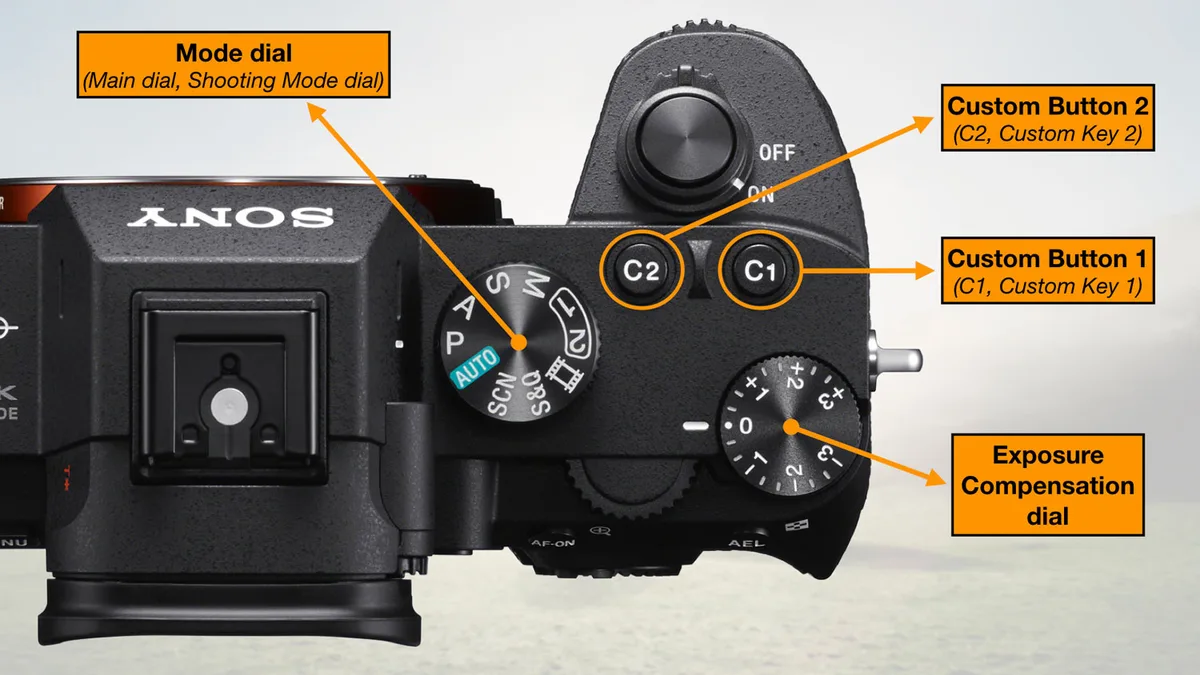
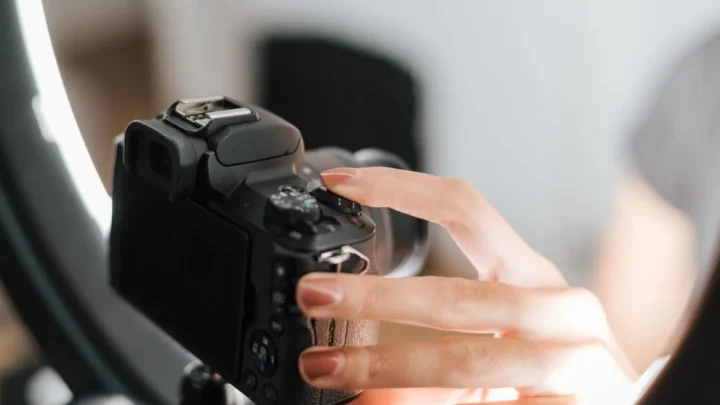
If you've just picked up a mirrorless camera and can't figure out how to change shutter speed on mirrorless camera, you're not alone. The dials are not always labeled the way you expect. Different brands have different control philosophies.
Some cameras hide the setting behind a menu or a touchscreen.
Manufacturer specifications indicate that most mirrorless cameras use a combination of front and rear dials. The assignment varies by brand. As of 2026, the standard layout across Sony, Canon, Nikon, and Fujifilm has its own quirks.
Let's walk through how to find the right control on your specific camera.
Quick Answer
Set your camera to Manual (M) or Shutter Priority (S/Tv). Rotate the dial that controls shutter speed. Look for a dedicated shutter speed dial on top.
Use the rear dial on most mirrorless cameras. Check the exposure meter in Manual mode.
Why Changing Shutter Speed Isn't Always Obvious
Mirrorless cameras do not have a universal control layout. Each manufacturer designs its own dial system. The method that works on a Sony might fail on a Canon.
Here is the breakdown by brand:
- Sony Alpha series, The rear dial controls shutter speed in Manual mode. The front dial controls aperture. In Shutter Priority, the rear dial is still your shutter speed control.
- Canon EOS R series, The top dial near the shutter button controls shutter speed. The ring around the lens mount controls aperture. This is the opposite of Sony's layout.
- Nikon Z series, The front dial controls shutter speed. The rear dial controls aperture. This often confuses Canon users switching to Nikon.
- Fujifilm X-T series, There is a dedicated shutter speed dial on the top plate. It has physical stops for common speeds. You rotate it directly. No screen needed.
- Panasonic Lumix S series, The front dial controls shutter speed in Manual mode. The rear dial controls aperture. This is similar to Nikon.
The confusion comes from muscle memory. If you learned on one brand, switching to another feels wrong. The dials are in different places.
The assignments are reversed. Some cameras let you customize which dial does what.
Most user frustration comes from not knowing which mode you are in. If you are in Aperture Priority, the camera controls shutter speed. The dial will not change it.
You must switch to Manual or Shutter Priority first.
How Shutter Speed Control Works on a Mirrorless Camera
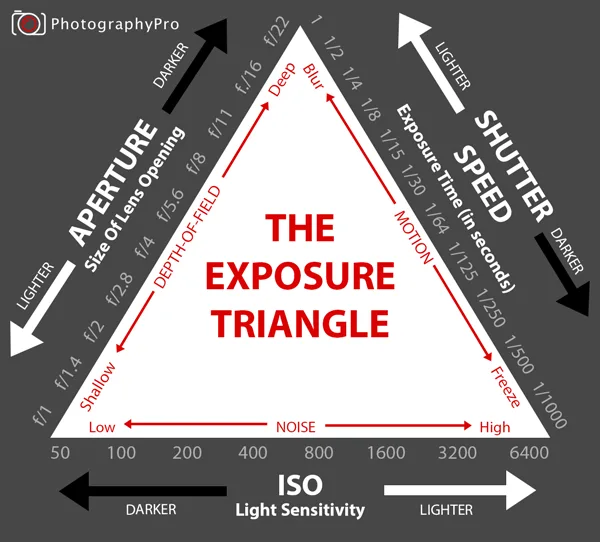
Shutter speed is one part of the exposure triangle. The other two are aperture and ISO. Together, they determine how bright or dark your photo is.
Shutter speed controls how long the sensor is exposed to light. A fast speed like 1/1000s freezes motion. A slow speed like 1/30s creates motion blur.
The shutter speed is measured in seconds or fractions of a second.
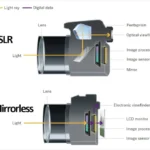
Mirrorless cameras have a unique advantage. You see the exposure change in real time through the electronic viewfinder (EVF). When you rotate the dial, the brightness adjusts instantly.
This is different from DSLRs, where you need to take a test shot to see the result.
There are three main ways to control shutter speed:
- Manual mode (M), You set shutter speed and aperture. The camera sets ISO if auto ISO is on, or you set it manually. This gives you full control.
- Shutter Priority mode (S or Tv), You set the shutter speed. The camera sets the aperture automatically. This is ideal for action photography.
- Program Shift mode (P), The camera sets both, but you can shift the combination. Rotate the dial to change the shutter speed while the camera adjusts aperture to keep the exposure constant.
You cannot change shutter speed in Aperture Priority or Auto mode. The camera decides the shutter speed for you. If you want to override it, you must switch modes or use exposure compensation.
For a deeper dive into full manual control, check out our guide on using manual mode. It covers the exposure triangle in detail.
Your Step-by-Step Decision Tree: Find the Right Method
This decision tree works for any mirrorless camera. Follow the branches based on your camera and situation.
Step 1, What mode is your camera in?
- If you are in Auto or Scene mode, the camera controls everything. Switch to M, S/Tv, or P mode. Look for the mode dial on top of the camera.
- If you are in Aperture Priority (A/Av), the camera controls shutter speed. Switch to M or S/Tv. Or use exposure compensation to indirectly change the shutter speed.
- If you are in Program (P), rotate the main dial. This activates Program Shift. The shutter speed changes while the camera adjusts aperture.
Step 2, Which dial do you turn?
- If you have a dedicated shutter speed dial (Fujifilm X-T series, some Leica cameras), rotate that dial. It has physical stops for common speeds. You do not need to look at the screen.
- If you have two dials (front and rear), try the rear dial first. If that does not change shutter speed, try the front dial. Most users get it right on the second try.
- If you have one dial, in Manual mode that single dial controls shutter speed. In Shutter Priority, it also controls shutter speed. The camera sets aperture automatically.
Step 3, Do you see the change in the viewfinder?
- If yes, you are good. The exposure preview shows the effect.
- If no, exposure simulation might be off. Check your camera settings. Look for "Exposure Sim" or "Live View" in the menu. Turn it on.
Step 4, What if nothing works?
- If the dial does nothing, check if you are in a mode that locks shutter speed. Some video modes lock shutter speed to maintain a specific angle.
- If the shutter speed jumps to a specific value, you might have a minimum shutter speed set in auto ISO. This is common in sports and action settings.
- If the screen shows a different value than the dial, the camera might be in a custom mode (C1, C2) that reassigns the dials. Check your custom settings.
The decision tree simplifies to this: mode first, then dial, then confirm. Most people skip the mode check. That is the number one mistake.
Common Mistakes That Make You Think Your Camera Is Broken
Mistake 1, You are in the wrong mode. This is the most common issue. You cannot change shutter speed in Aperture Priority or Auto mode. The camera controls it.
Switch to M or S/Tv. This solves 80% of problems.
Mistake 2, You are accidentally changing the wrong dial. On Sony cameras, the rear dial controls shutter speed in Manual mode. The front dial controls aperture. If you rotate the front dial, nothing happens to shutter speed.
On Canon cameras, the top dial controls shutter speed. The lens ring controls aperture. If you rotate the lens ring, you change aperture, not shutter speed.
Mistake 3, Exposure simulation is turned off. Some mirrorless cameras let you disable exposure simulation in the viewfinder. The screen does not show the effect of your shutter speed changes. You can rotate the dial all day and see no difference.
Turn on exposure simulation in the menu.
Mistake 4, You are in video mode. Video mode locks shutter speed to maintain a specific angle. At 24fps, the shutter speed is locked at 1/50s. You cannot change it freely.
Switch to photo mode to adjust shutter speed.
Mistake 5, You are using a custom mode (C1, C2). Custom modes can reassign the dials. If you saved a custom mode with a different dial assignment, the standard controls might not work. Reset the custom mode or check the dial assignment in the menu.
Mistake 6, The dial is broken or stuck. This is rare but possible. If the dial is physically stuck, you might need to clean it or get it repaired. Check if the dial works in other modes.
If it works in some modes but not others, it is a software issue, not a hardware issue.
Pro Tips for Faster, Smoother Control
Tip 1, Customize the dials to your preference. Most mirrorless cameras let you reassign the dials. On Sony cameras, you can swap the front and rear dial functions. On Canon cameras, you can set the lens ring to control shutter speed instead of aperture.
Check your camera menu for "Customize Dial" or "Button/Dial Setting."
Tip 2, Use the touchscreen for quick changes. Some mirrorless cameras let you change shutter speed by swiping on the touchscreen. This is faster than rotating a dial. It is especially useful when you shoot from awkward angles.
Tip 3, Set a minimum shutter speed in auto ISO. This is a lifesaver for event photography. Set the minimum shutter speed to 1/125s. The camera will adjust ISO and aperture to keep the shutter speed above that value.
This prevents blurry photos in low light.
Tip 4, Use exposure compensation in Aperture Priority mode. If you want to change shutter speed without switching modes, use exposure compensation. Rotate the exposure compensation dial. The camera will adjust the shutter speed to match.
This is a workaround, not a full solution.
Tip 5, Learn the shutter speed dial shortcuts. On Fujifilm cameras, the shutter speed dial has a "1" setting for 1 second. Rotate past it to access slower speeds. On Sony cameras, rotate the dial quickly to jump through common speeds.
Slow rotation gives you fine control.
Tip 6, Use the back-button focus trick. If you use back-button focus, you free up the shutter button for exposure control. This is an advanced technique. It gives you more control over shutter speed.
It is worth learning if you shoot action sports.
For more on setting up your camera for action, check out our guide on using shutter priority mode. It covers the specific settings for fast-moving subjects.
When to Use Each Mode and When to Switch
The mode you choose determines how much control you have over shutter speed. Each mode has a specific job. Pick the wrong one, and you will fight the camera.
Manual mode (M), Use this when you need full control. You set shutter speed, aperture, and ISO independently. This is ideal for studio work, long exposures, and consistent lighting.
You make every decision. The camera does not override you.
Shutter Priority mode (S or Tv), Use this when shutter speed is the priority. You set the speed. The camera chooses the aperture.
This is perfect for sports, wildlife, and any action photography. You want to freeze motion. You do not care about the aperture as long as the exposure is correct.
Aperture Priority mode (A or Av), Use this when depth of field matters more than shutter speed. You set the aperture. The camera chooses the shutter speed.
This is great for portraits and landscapes. You cannot change shutter speed directly in this mode. You can use exposure compensation to nudge it.
Program mode (P), Use this when you want the camera to manage exposure but still have some control. Rotate the dial to shift the shutter speed and aperture combination. This is a good starting point for beginners.
It gives you flexibility without full manual complexity.
When to switch modes, If you shoot a wedding, you might switch between modes frequently. Use Aperture Priority for posed portraits. Switch to Shutter Priority for the first dance.
Switch to Manual for the reception lighting. The key is knowing which mode matches the moment.
For a thorough breakdown of full manual control, check out our guide on using manual mode. It covers the exposure triangle in detail.
For action photography, our guide on shutter priority mode walks through the specific settings.
Frequently Asked Questions
Why can't I change the shutter speed on my mirrorless camera?
You are likely in the wrong mode. Switch to Manual (M) or Shutter Priority (S/Tv). If you are in Aperture Priority or Auto, the camera controls the shutter speed.
Also check if you are in video mode. Video mode locks the shutter speed to maintain a specific angle.
What is the difference between mechanical and electronic shutter?
Mechanical shutter uses moving curtains. Electronic shutter reads the sensor row by row. Mechanical shutter is better for fast-moving subjects.
Electronic shutter is silent and avoids shutter shock. But it can cause rolling shutter distortion with fast motion.
How do I set a slow shutter speed for long exposures?
Set your camera to Manual mode. Use a tripod to avoid camera shake. Rotate the dial past 30 seconds to reach Bulb mode.
In Bulb mode, the shutter stays open as long as you hold the button. Use a remote shutter release to avoid vibrations.
What shutter speed should I use for sports photography?
Start with 1/500s for most sports. Use 1/1000s for fast action like racing or birds in flight. Use 1/250s for slower sports like swimming or yoga.
Shutter Priority mode is ideal. Set the minimum shutter speed in auto ISO to avoid going too slow.
Does shutter speed affect image quality?
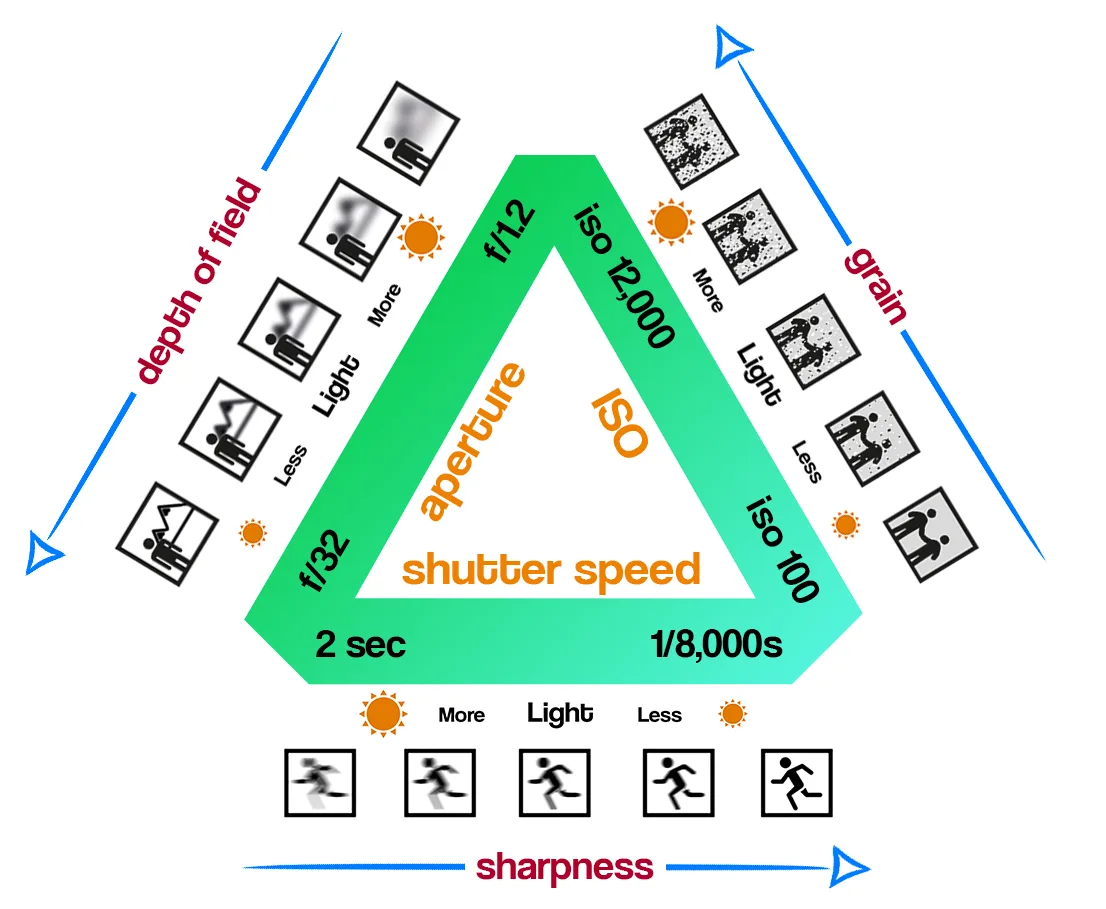
Yes, indirectly. A slow shutter speed can cause motion blur from camera shake or subject movement. A fast shutter speed can require a higher ISO, which adds noise.
The goal is to balance the three elements of the exposure triangle for the best quality.
Can I change shutter speed during video recording?
Yes, on most mirrorless cameras. But the range is limited. Video mode uses a shutter angle, not a speed.
At 24fps, the standard shutter speed is 1/50s. You can change it, but changing it too much introduces flicker or motion artifacts.

Similar Posts