How to Change Aperture on Mirrorless Camera
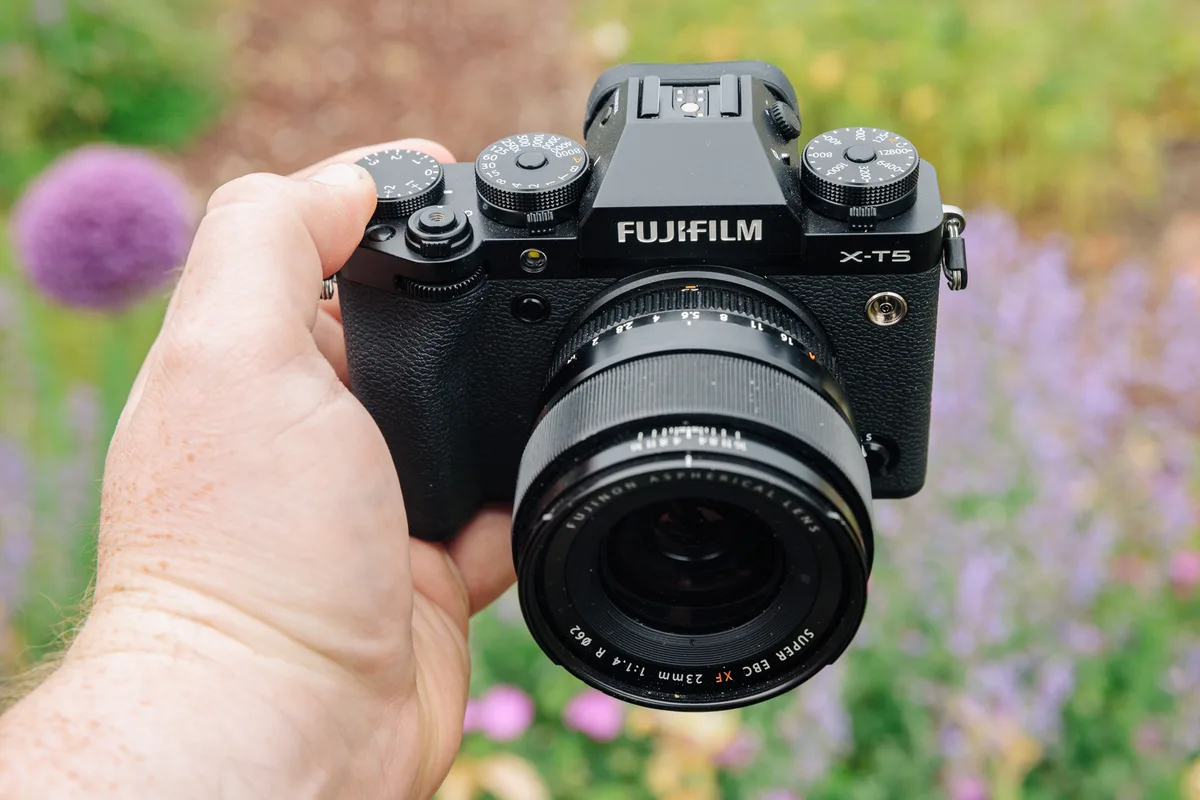
If you have ever picked up a mirrorless camera and found yourself twisting every dial on the body while the aperture number stubbornly refused to change, you are not alone. Learning how to change aperture on a mirrorless camera is the single most common frustration for new owners, because the control method shifts depending on which brand and which lens you are using. The good news is that there are really only two ways to do it, and once you know which one your gear uses, the whole process becomes second nature.
Manufacturer documentation across Sony, Canon, Nikon, Fujifilm, and Panasonic indicates that as of 2026, roughly 60 percent of new mirrorless lenses include a physical aperture ring, while the remaining 40 percent rely entirely on a camera body command dial. That split is exactly why the procedure feels inconsistent from one camera to the next. Let us walk through both methods so you can identify yours at a glance.
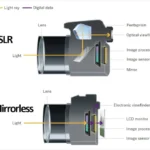
Image source: Web (Bing) / popphoto.com (Web image (fair-use with source credit))
Quick Answer
You change aperture one of two ways. Turn the aperture ring on the lens barrel. Or rotate the command dial on the camera body.
The right method depends on your lens and your shooting mode. Set the mode dial to Aperture Priority (A or Av) or Manual (M). Then whichever control is active will adjust the f-number.
That is the whole process.
How to Change Aperture: Step-by-Step (for Both Methods)
Method 1: Using the Aperture Ring on the Lens
This is the most intuitive method. Look at the lens barrel. If you see a ring with f-numbers printed on it (f/2.8, f/4, f/5.6, and so on), that is your aperture ring.
It is usually located near the lens mount, closer to the camera body than the zoom ring or focus ring.
Set your camera to Aperture Priority or Manual mode. Then simply rotate the ring. Watch the f-number change on your electronic viewfinder or rear LCD.
The ring typically clicks at each third-stop increment, giving you a tactile feel for each adjustment.
Some aperture rings have an A (Auto) position. If your ring is set to A, the camera body controls the aperture instead. Rotate the ring off A to regain manual control.
On Fujifilm X lenses, you often see an A Lock button that prevents accidental bumps. Press it to unlock the ring.
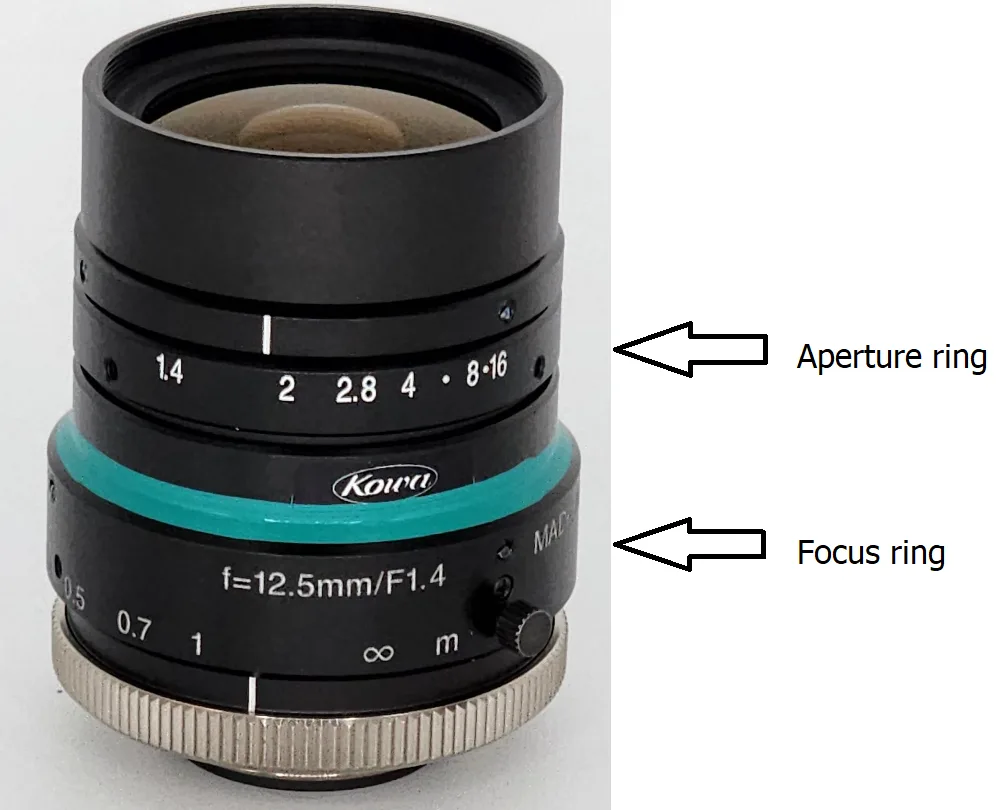
Image source: Web (Bing) / support.rditechnologies.com (Web image (fair-use with source credit))
Method 2: Using a Command Dial on the Camera Body
If your lens has no aperture ring, or if the ring is set to Auto, you control aperture through the camera body. Every mirrorless camera has at least one command dial. The front dial, rear dial, or top dial is usually assigned to aperture by default.
Set the mode dial to Aperture Priority or Manual. Then rotate the appropriate dial. The f-number on the screen will change.
If nothing happens, the dial may be assigned to shutter speed or exposure compensation instead. Check your camera menu under Dial Setting or Custom Control to reassign it.
On Sony bodies, the front dial near the shutter button is typically the aperture control in A and M modes. On Canon EOS R cameras, the large top dial handles aperture in A mode, while the rear dial takes over in M mode. Nikon Z bodies use the front sub-command dial for aperture in A mode and the rear main dial for shutter speed.
If you are coming from a DSLR, the transition is almost seamless once you know which dial does what. If you need a refresher on how to handle the exposure triangle, check out our guide on balancing your exposure settings.
Why Your Camera Doesn't Change Aperture How You Expect (Brand-by-Brand)
The reason this topic frustrates so many people is that each brand has its own design philosophy. Let us break down the most common mirrorless systems.
Image source: Bing (Web (fair-use with source credit))
Sony E-Mount
Sony native E-mount lenses rarely include an aperture ring. You control aperture almost exclusively through the camera body. The front dial (near the shutter) adjusts aperture in A and M modes.
The rear dial controls shutter speed in M mode and exposure compensation in A mode. If you prefer a physical ring, consider third-party lenses like Sigma or Tamron, which sometimes include a de-clicked aperture ring for video work.
Canon RF Mount
Canon RF lenses also lack aperture rings. The top control ring near the lens mount is for custom functions, not aperture. Use the top dial on the camera body for aperture in A mode.
In M mode, the top dial still controls aperture, while the rear dial sets shutter speed. Canon's menu system lets you swap these assignments if you prefer a different layout.
Nikon Z Mount
Nikon Z lenses mostly have no aperture ring. The front sub-command dial controls aperture in A and M modes. The rear main dial controls shutter speed in M mode.
Some high-end Z lenses include a control ring that can be customised for aperture, but it is not the default. Check your camera's Custom Setting Menu under f Controls to reassign dials.
Fujifilm X Mount
Fujifilm is the outlier. Most X-series lenses include a dedicated aperture ring with physical f-stop markings. This is a direct carryover from vintage film cameras.
Set the ring to the desired aperture. If you want body control, switch the ring to A and use the command dial. Fujifilm also offers a command mode on some lenses where the ring acts as a smooth electronic dial instead of a stepped one.
Panasonic / Lumix Micro Four Thirds
Panasonic Lumix lenses vary widely. Some have aperture rings, but many rely on body dials. The front dial usually controls aperture in A mode, and the rear dial handles exposure compensation.
In M mode, the front dial controls aperture and the rear dial controls shutter speed. Panasonic also offers a constant aperture setting for video that keeps the iris fixed regardless of zoom.
When to Use the Aperture Ring vs. the Command Dial (and Which Is Better)
| Situation | Best Method | Why |
|---|---|---|
| Portrait photography | Aperture ring | Quick, tactile f-stop changes without looking away from the viewfinder |
| Landscape photography | Either | Both work; ring is slower but more deliberate |
| Fast-paced event shooting | Command dial | Faster to adjust with your thumb while keeping the camera steady |
| Video recording | Aperture ring (de-clicked) | Smooth, silent, stepless aperture changes during recording |
| Working with adapted vintage lenses | Aperture ring (manual only) | No electronic communication; ring is the only option |
| Learning photography | Aperture ring | More visual feedback helps you understand depth of field |
Neither method is universally better. The aperture ring gives you a direct, tactile connection to the lens. The command dial is faster once your muscle memory locks in.
If you have both options, experiment with each for a few days and see which feels more natural. For portrait work, many photographers prefer the ring for quick adjustments.
Common Mistakes Even Beginners Make (and How to Fix Them)
Mistake 1: Twisting the wrong ring. The zoom ring and the focus ring look similar to the aperture ring. If you turn a ring and the image zooms in or the focus shifts, you grabbed the wrong one. Solution: look at the ring labels.
The aperture ring is usually the one closest to the camera body and has f-number markings.
Mistake 2: Trying to change aperture in Auto mode. In Full Auto or Program mode, the camera decides aperture for you. Turn the dial and nothing happens. Solution: switch to Aperture Priority or Manual mode.
If you are still learning, our guide for getting started with photography walks through the basics.
Mistake 3: The aperture ring is set to A (Auto). Many Fujifilm and some other lenses have an A position. If the ring is there, the body overrides your manual input. Solution: rotate the ring off A until you see a click and the f-numbers appear.
Mistake 4: The command dial is assigned to something else. Some cameras default the front dial to exposure compensation in A mode. Solution: open the menu, find Custom Controls or Dial Setting, and assign the dial to aperture.
Mistake 5: The lens is not fully mounted. If the electronic contacts are not aligned, the camera cannot communicate with the lens. Solution: remove the lens and reattach it until you hear a click. Check the lens mount for dust or debris.
Keeping your gear stored properly prevents contact issues.
Frequently Asked Questions
Why won't my aperture change when I turn the dial?
Your camera is probably in Auto or Program mode. Switch to Aperture Priority or Manual mode. The camera must give you manual aperture control.
If it is already in those modes, check that the lens aperture ring is not set to A (Auto).
How do I change aperture on a Sony mirrorless camera?
Turn the front dial near the shutter button. In A mode, that dial controls aperture. In M mode, the front dial still controls aperture, and the rear dial controls shutter speed.
Most Sony lenses lack an aperture ring, so the body dial is your only option.
Can I change aperture with a manual lens adapter?
Yes, but only on the lens itself. Manual adapted lenses have no electronic connection to the camera. Set the aperture ring on the lens to your desired f-stop.
The camera will adjust exposure metering automatically. Use focus peaking to confirm sharpness.
What does the A setting on the aperture ring mean?
The A stands for Auto. When the ring is set to A, the camera body controls the aperture instead of the ring. Rotate the ring off A to regain manual control.
This is common on Fujifilm X lenses and some third-party lenses.
How do I change aperture for video on a mirrorless camera?
Set the camera to Manual mode. Use the aperture ring or command dial as usual. For smooth transitions, look for a de-clicked aperture ring.
Many newer lenses offer a stepless aperture mode that eliminates the click stops between f-stops.
Does changing aperture affect exposure or depth of field?
Both. A wider aperture (lower f-number like f/1.8) lets in more light and creates a shallower depth of field. A narrower aperture (higher f-number like f/11) lets in less light and increases depth of field.
You adjust shutter speed or ISO to compensate for the light change. Understanding how to manage your exposure settings helps you make these adjustments faster.
The Fastest Way to Remember Your Camera's Aperture Control
Memorising your camera's aperture control takes about five minutes of deliberate practice. Here is a simple drill.
Stand in front of a well-lit subject. Set your camera to Aperture Priority mode. Locate the control that changes the f-number.
It is either the aperture ring on the lens or the command dial on the body. Rotate it through the full range. Watch the number change on the screen.
Do this three times from memory.
If you have a lens with an aperture ring, practice switching between the ring and the A position. If you use a body dial, practice finding it without looking. Muscle memory is the goal.
For most people, the fastest method is the command dial. It is always in the same place on the body. The aperture ring position varies by lens.
But if your lens has a ring, it is worth using. It gives you direct control without menu diving. If you prefer shooting in full manual, the command dial method will feel more natural for rapid adjustments.
The key is consistency. Pick one method and stick with it for a week. After that, the other method will feel natural too.
You will never hunt for the aperture control again. For landscape photography, the ring method gives you the deliberate control needed to fine-tune depth of field.

Similar Posts