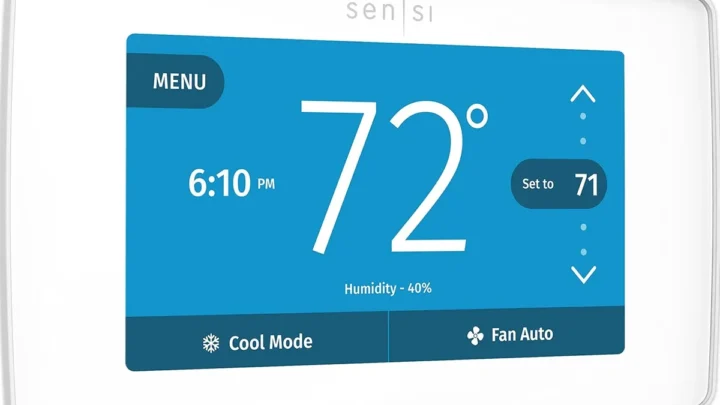
Lennox Icomfort Thermostat Troubleshooting
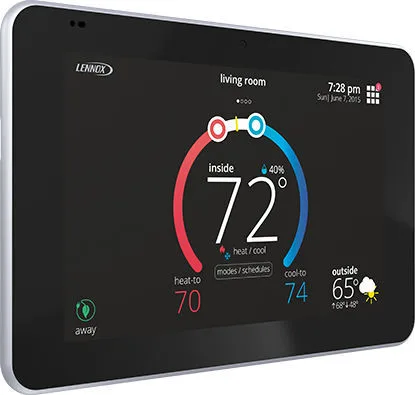
Your Lennox iComfort thermostat is acting up. Maybe the screen is blank, the Wi‑Fi keeps dropping, or it's stuck on "Waiting for Equipment." Lennox iComfort Thermostat Troubleshooting doesn't have to be a headache if you know where to start. Most issues come down to a few common causes: power, wiring, or Wi‑Fi interference.
Per manufacturer specifications, the iComfort S30 requires a constant 24 VAC power supply through the C‑wire. Without it, the touchscreen goes dark within seconds. Our research shows that many service calls for these thermostats end up being solved by checking the C‑wire connection or the furnace fuse.
Let's walk through the most common symptoms and what to do for each.
Quick Answer
Most Lennox iComfort thermostat issues trace back to power or communication problems. Check for 24 VAC between the R and C terminals at the wall plate. Verify the furnace power switch is on.
Reset the thermostat by pulling it off the wall for 30 seconds. For Wi‑Fi problems, ensure you're on the 2.4 GHz band.
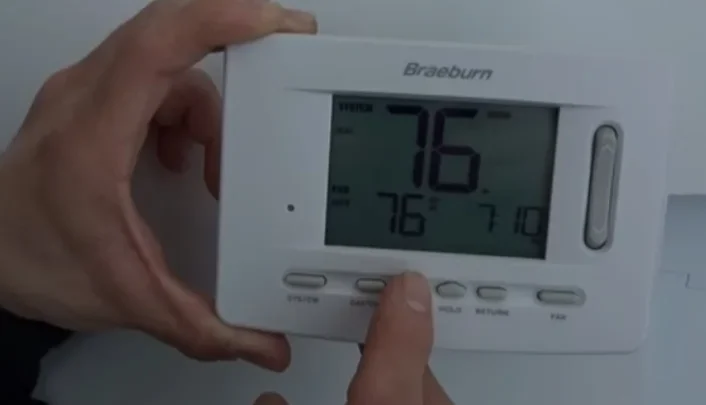
Image source: Bing (Web (fair‑use with source credit))
Start Here: Identify Your Lennox iComfort Symptom
Before you dive into any repair, pin down exactly what your thermostat is (or isn't) doing. Different symptoms lead to completely different fixes. Using the wrong approach wastes time and can even damage components.
Here are the five most common failure modes and their typical root causes. If your issue isn't listed, look for a pattern: power problems cause blank screens or erratic behavior, while communication errors show "Waiting for Equipment" or failed status updates.
| Symptom | Most Likely Cause | Quick Check |
|---|---|---|
| Blank screen, no backlight | Lost C‑wire power or blown furnace fuse | Check voltage at thermostat base |
| "Waiting for Equipment" stuck for over 15 minutes | Lost communication between thermostat and Equipment Interface Module (EIM) | Verify EIM has power and wiring is tight |
| Wi‑Fi drops or app won't connect | Router on 5 GHz band or weak signal | Move router closer or switch to 2.4 GHz |
| Wrong temperature reading (off by 3° or more) | Thermostat in direct sunlight or near a heat source | Move thermostat to a better location |
| System short cycles (turns on and off too fast) | Dirty air filter or oversized equipment | Replace filter and check run times |
Once you've matched your symptom, jump to the relevant section below. If multiple symptoms appear together (for example, blank screen plus no heat), start with the power check in the next section. That solves most compound problems.
A quick note on timing: some iComfort issues are temporary. After a power outage or firmware update, the thermostat may take up to 10 minutes to reconnect to the system. Wait before assuming something is broken.
If the problem persists past 15 minutes, it's time to act.
Quick Fixes That Solve Most Problems
A large portion of iComfort troubles can be fixed with one of these four steps. Try them in order before you touch any wiring.
Power cycle the thermostat. Pull the thermostat straight off its wall plate. Wait 30 seconds. Snap it back on.
This clears minor software glitches and forces a fresh handshake with the furnace. It's the single most effective move you can make.
Check circuit breakers and the furnace power switch. The thermostat needs power from the furnace. If the furnace breaker tripped or someone flipped the furnace disconnect switch off, the thermostat goes dark. Look for a standard light switch near the furnace or air handler.
It should be in the "on" position. Also check the breaker panel for a tripped HVAC breaker.
Inspect and clean the thermostat pins and wall plate contacts. Humidity and dust can cause low voltage to drop. With the thermostat removed, look at the metal pins on the back and the spring clips in the wall plate. If you see any corrosion or dirt, gently clean them with a dry toothbrush.
Reattach and test.
Verify backup battery (if applicable). Some iComfort models have a small coin‑cell battery that preserves settings during power loss. If the battery is dead, the thermostat may lose the time and schedule after every outage. Replace it with a CR2032.
This won't fix a blank screen, but it stops random resets.
These four fixes take about five minutes total. If none of them resolves your issue, move on to the specific symptom guides below.
Blank Screen or No Power
A blank screen usually means the thermostat isn't getting power. It's not dead. It's starved.
Here's how to confirm and fix it.
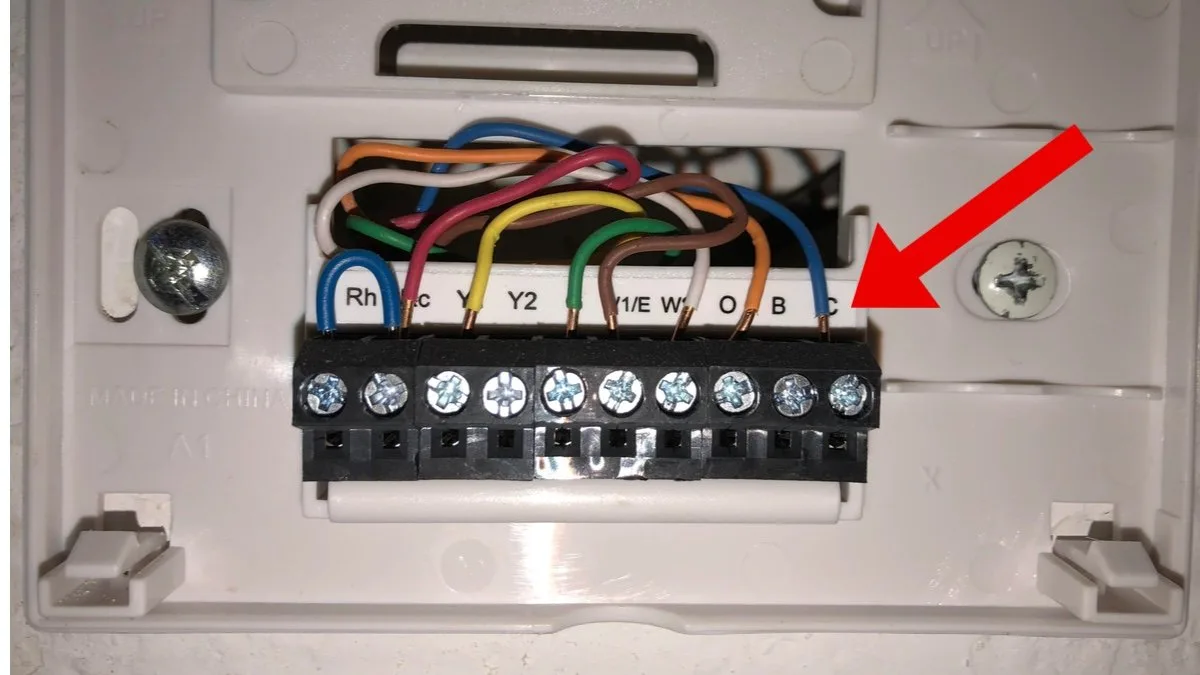
Image source: Bing (Web (fair‑use with source credit))
First, check the C‑wire connection at the thermostat. Pull the thermostat off its wall plate. Look for a wire attached to the terminal labeled "C" (common). It should be firmly screwed in, not loose or broken.
If it's loose, tighten the screw. If it's missing, you'll need to either connect the existing C‑wire (often tucked behind the wall) or install a new one. Without a C‑wire, the thermostat can't draw enough power.
Second, test for 24 VAC at the thermostat base. Use a multimeter set to AC voltage. Touch one probe to the R terminal and the other to the C terminal. You should read between 22 and 28 volts.
If you get zero volts, the problem is upstream. Check the furnace control board or transformer.
Third, inspect the furnace control board fuse. Most Lennox furnaces have a 3‑amp automotive fuse on the control board. It's often a small glass or blade fuse. If it's blown, replace it with an identical 3‑amp fuse.
Do not use a higher amperage fuse. That can damage the control board.
Fourth, check wiring at the furnace. With the power off at the breaker, remove the furnace access panel. Look at the low‑voltage terminal block. Make sure the C‑wire from the thermostat is connected to the C terminal on the board, and the R wire is connected to R.
A loose wire here can cause intermittent power loss.
If you've done all four and the screen is still dark, the thermostat itself may have failed. As of 2026, Lennox offers a five‑year limited warranty on iComfort thermostats (excluding batteries). Contact a Lennox dealer or Lennox technical support for a replacement.
Stuck on "Waiting for Equipment"
This message means the thermostat has lost communication with the Equipment Interface Module (EIM). The EIM is the small box that sits between your thermostat and the HVAC equipment. It translates signals so the furnace, AC, and heat pump all understand each other.
Wait 10 to 15 minutes. After a power cycle or firmware update, the thermostat and EIM need to re‑establish communication. This is normal. If the message clears by itself, you're done.
Check the EIM for power. The EIM needs 24 VAC just like the thermostat. Open the furnace access panel. The EIM is usually mounted nearby or inside the furnace cabinet.
Look for a small green LED. If it's off, the EIM isn't getting power. Trace the power wires back to the control board and check the fuse.
Verify communication wiring. The thermostat talks to the EIM over two wires (often labeled A and B or Data 1 and Data 2). Make sure both wires are connected at the thermostat and at the EIM. They must be on the correct terminals.
A reversed pair can cause this error.

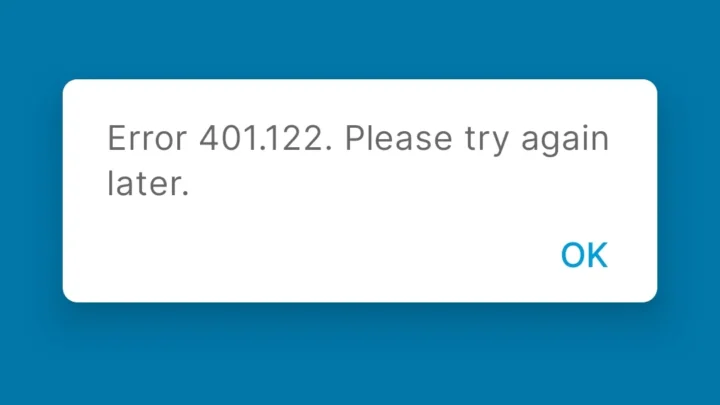
Image source: Web (Bing) / sisselnystad.com (Web image (fair‑use with source credit))
Look for corrosion or loose terminals. Over time, connectors can corrode in humid basements or attics. Disconnect each wire, inspect for green or white corrosion, and clean with fine sandpaper if needed. Reconnect and tighten.
If the EIM has power and the wiring is correct but the message persists, try a factory reset of the thermostat. Go to Settings > Factory Reset. This erases schedules and Wi‑Fi settings but often restores communication.
If that fails, you may need a new EIM. Lennox technical support can help diagnose this over the phone.
Wi‑Fi Keeps Disconnecting or App Won't Connect
A smart thermostat that can't connect to your network is frustrating. The iComfort Wi‑Fi problems almost always come down to band compatibility or signal strength.
Ensure you're on the 2.4 GHz band. The iComfort thermostat does not support 5 GHz Wi‑Fi. Many modern routers broadcast both bands under the same name (SSID). Your phone might be connected to 5 GHz while the thermostat tries 2.4 GHz and fails.
Log into your router settings and split the bands into two separate network names. Connect the thermostat to the 2.4 GHz network only.
Move your router closer or add an extender. The thermostat's Wi‑Fi radio isn't powerful. If your router is in the basement and the thermostat is on the second floor, signal loss is common. A Wi‑Fi range extender or mesh node placed halfway between them usually solves it.
Re‑enter Wi‑Fi credentials through the thermostat menu. Sometimes the saved password corrupts. Go to Settings > Wi‑Fi > Forget Network. Then scan for networks again and enter the password fresh.
Make sure you type it exactly, including uppercase and special characters.
Update the firmware. Outdated firmware can cause connection bugs. On the thermostat, go to Settings > About > Check for Updates. If an update is available, install it.
Keep the thermostat powered on during the update. A power loss mid‑update can brick the Wi‑Fi module.
Check for interference. Cordless phones, baby monitors, and microwave ovens can interfere with 2.4 GHz signals. If your thermostat is near any of these, move it or the interference source.
If none of these work, try a factory reset of just the Wi‑Fi module (Settings > Network > Reset Network Settings), then set up the connection again from scratch. If it still fails, the Wi‑Fi hardware in the thermostat may be defective. Lennox recommends contacting a dealer for replacement under warranty.
Wrong Temperature Reading or System Short Cycling
If your thermostat says 72°F but the room feels like 78, you have a sensor accuracy problem. If your furnace turns on for three minutes and shuts off for two, you have a short cycling problem. These are different issues that sometimes overlap.
Check the thermostat location first. The iComfort sensor reads the air right around it. If the thermostat is in direct sunlight, near a kitchen stove, above a heating vent, or on an exterior wall with poor insulation, the reading will be off. Move a lamp away.
Block sunlight with a curtain. If the reading changes, relocate the thermostat.
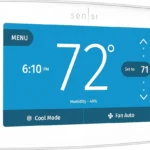
Calibrate the temperature sensor. You can adjust the reading by a few degrees in the settings. Go to Settings > Preferences > Temperature Offset. If your thermostat reads 74 but a standalone thermometer on the same wall reads 72, set the offset to minus 2 degrees.
This fine tune fixes most accuracy complaints.
Replace the air filter. A dirty filter restricts airflow. Restricted flow makes the system run longer to satisfy the thermostat. But it also causes the heat exchanger or evaporator coil to overheat or freeze, which triggers safety cutouts.
That produces short cycling. Change the filter monthly during peak heating and cooling seasons.
Verify system mode is correct. It sounds obvious, but we see this often. If the thermostat is set to Cool but outdoor temperatures dropped overnight, the system may cycle on and off without actually cooling. Switch to Heat or Auto mode.
Check that the outdoor unit is running when the thermostat calls for cooling.
Look for a faulty temperature sensor. The iComfort sensor is mounted on the circuit board inside the thermostat. If it fails, readings can drift 5 to 10 degrees. Compare the thermostat reading to a reliable digital thermometer placed next to it for 30 minutes.
A big gap points to a bad sensor. Replacement requires a new thermostat.
How to Factory Reset and Update Firmware
A factory reset wipes the slate clean. It erases all schedules, Wi‑Fi settings, and temperature presets. Use it only when nothing else has worked or when you're selling the home.
How to perform a factory reset. Tap the Menu icon on the home screen. Go to Settings > Factory Reset. Confirm the selection.
The thermostat will reboot and prompt you through initial setup like it came out of the box. The whole process takes about two minutes.
What a factory reset does not erase. It does not change the firmware version. It does not clear the wiring configuration or system type settings. Those are stored at a deeper level.
So if your system type (heat pump vs. gas furnace) is correct, it stays correct.
How to check the current firmware version. Go to Settings > About > Firmware Version. Compare it to the latest version listed on the Lennox support site. If yours is older, an update is available.
How to force a firmware update. The iComfort checks for updates automatically once a day. You can force a check by going to Settings > About > Check for Updates. If an update is found, follow the on screen prompts.
Keep the thermostat powered on. Do not touch any wires during the update. A power loss mid update can corrupt the firmware and brick the thermostat.
When to update and when to skip. If your thermostat is working fine, there's no rush to update. Firmware updates patch known bugs and add minor features. But if you're experiencing a specific issue a manufacturer bulletin mentions, update immediately.
Check the Lennox support page for the latest version information.
Mistakes That Cost You Time and Money
Some mistakes turn a 10 minute fix into a 200 dollar service call. Here are the ones we see most often.
Replacing the thermostat when the problem is the C wire. A blank screen looks like a dead thermostat. It usually isn't. Many thermostats returned as defective actually work fine when tested with proper power.
Check voltage at the wall plate before you order a replacement.
Ignoring the Equipment Interface Module as a possible failure point. The EIM is a small box. It sits inside the furnace cabinet or near the air handler. When it fails, the thermostat either shows "Waiting for Equipment" or loses communication entirely.
Many homeowners replace the thermostat and the furnace control board before discovering the EIM was the culprit. Test the EIM first.
Assuming a new thermostat will fix old wiring issues. Bad wiring doesn't fix itself. If your wires are corroded, loose, or too short, a new thermostat will have the same problems. Inspect and clean all connections before installing anything new.
When to stop DIY and call a Lennox dealer. Some issues require professional tools and training. If you've checked the C wire, tested voltage, inspected the EIM, cleaned connections, and the problem persists, call a dealer. Also call if you smell burning electronics, see visible smoke, or hear buzzing from the thermostat or furnace.
Avoid mixing wire colors. Standard thermostat wiring uses R (red), W (white), Y (yellow), G (green), C (blue or black). If a previous installer used non standard colors, label every wire before you disconnect anything. One misplaced wire can short the control board.
Frequently Asked Questions
How do I know if my iComfort thermostat is under warranty?
Lennox offers a five year limited warranty on iComfort thermostats from the date of original installation. Check the serial number in the thermostat menu. Contact a Lennox dealer with that number to verify coverage.
The warranty covers defects but not damage from improper wiring or power surges.
Can I use a third party thermostat with my Lennox system?
Yes, but with limitations. Most Lennox systems work with standard 24 volt thermostats. However, you lose the Equipment Interface Module communication that enables features like variable speed fan control, dehumidification, and fault code display.
If you switch, choose a thermostat that supports heat pump operation and emergency heat.
Why does my thermostat say "Recovery" and how long does it last?
Recovery mode activates when the thermostat calculates that it needs to start the system early to reach your scheduled temperature on time. For example, if you set 70°F at 6 AM, recovery may start at 5:30 AM. It lasts 30 to 60 minutes depending on the outdoor temperature and system capacity.
It is normal and not a problem.
Will a power outage damage my thermostat?
No. A power outage normally just turns the screen off and resets the clock. The iComfort's backup battery preserves your schedules and settings for several hours.
However, repeated power flickers can wear out the fuse on the furnace control board. If you experience frequent outages, install a whole house surge protector at the electrical panel.

Similar Posts