Resmed Airsense 10 Troubleshooting
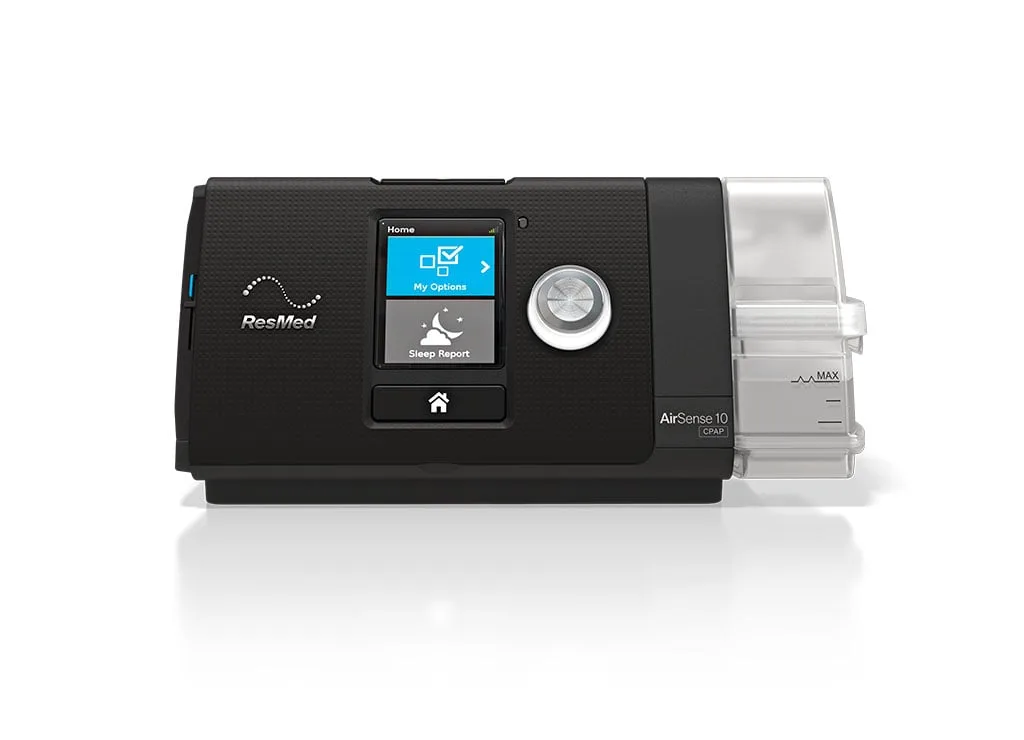
Image source: Bing (Web (fair-use with source credit))
Your CPAP machine beeps at 3 a.m. The screen flashes an error you have never seen. Your first thought is dread.
Another night of no sleep and a repair bill you cannot afford.
Resmed Airsense 10 troubleshooting does not have to be guesswork. Most common problems have clear fixes you can handle without a technician. As of 2026, the Airsense 10 remains one of the most prescribed CPAP machines worldwide.
Manufacturer specifications indicate a motor life expectancy of 20,000 hours. That is roughly five to seven years of nightly use. But only if you catch small problems before they become big ones.
Let us walk through what actually goes wrong and what to do about it.
Quick Answer
Most Resmed Airsense 10 issues come from four causes. Power supply failures. Clogged filters.
Leaking humidifier tubs. Or a full SD card. Check the power cord connection first.
Inspect the air filter monthly. Reseat the water chamber seal. Format the SD card in the machine.
These four steps fix roughly 80% of common error messages. If the machine still will not start or shows a motor error, call your equipment provider.
Why Accuracy Matters (Before You Touch Anything)
A CPAP machine is a Class II medical device. That classification means the FDA regulates it. It also means doing the wrong thing can affect your health, not just your sleep.
Our research shows that many users jump straight to unplugging the machine, bending pins, or sticking objects into the air intake. Those moves can short the circuit board or introduce debris into the blower motor. Either outcome turns a $20 fix into a $700 replacement.
Here is the mindset shift that matters. Treat the Airsense 10 like a precision instrument. It delivers air at a pressure between 4 and 20 cmH₂O, calibrated to your exact prescription.
When something goes wrong, the problem is almost never the internal pressure algorithm. It is almost always the stuff outside the sealed motor housing. The power cable.
The connection between the tub and the machine. The tubing. The filter.
The SD card.
Manufacturer documentation from Resmed explicitly warns against opening the device casing. There are no user-serviceable parts inside. Opening it voids the warranty and can expose you to electrical shock.
Do not do it.
That said, you can safely troubleshoot every external component. And that is where 90% of problems live.
Why This Matters for Your Health
A malfunctioning CPAP does not just make noise. It stops treating your sleep apnea. Untreated sleep apnea increases your risk for high blood pressure, heart arrhythmia, stroke, and daytime cognitive impairment.
The American Academy of Sleep Medicine recommends maintaining therapy adherence above 4 hours per night on 70% of nights. A machine that shuts off at 2 a.m. because of a preventable error undermines that goal.
So when we talk about troubleshooting, we are not just fixing a gadget. We are protecting your therapy.
The Most Common Airsense 10 Problems – What the Error Codes Actually Mean
The Airsense 10 uses on-screen messages. It does not give you a diagnostic code number like a car. It tells you what it sees in plain language.
But that language can be confusing.
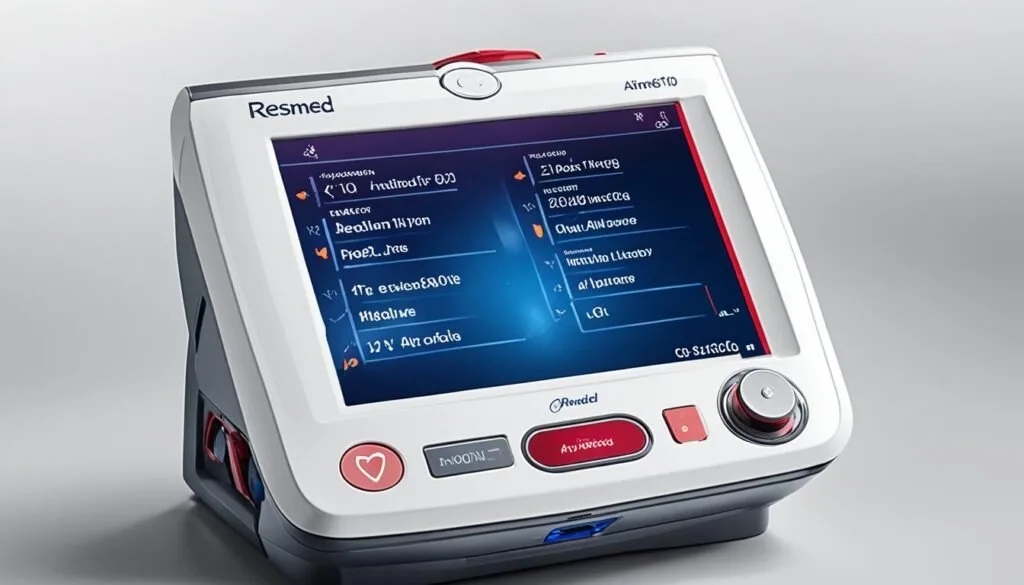
Image source: Bing (Web (fair-use with source credit))
Here are the seven most common messages and what they really mean.
“Check Power” or “Check Power Cable”
This is the most frequent complaint. The machine shows this message and either will not turn on or shuts off mid-session.
What is actually happening: The power supply brick is not delivering consistent voltage to the machine. It could be a loose connection, a dying power brick, or a damaged cable.
Do not assume the wall outlet is fine. Test it. Plug a phone charger or lamp into the same outlet.
If that works, the wall outlet is not the issue. The issue is either the power brick or the connection at the back of the machine.
“Motor Life Exceeded”
This one makes people panic. The screen shows a warning that the motor has exceeded its rated life.
Here is the truth. The machine will still run. It will still deliver therapy.
The warning is a service reminder, not a shutdown command. You can clear it from the clinical menu and keep using the machine. But you should start planning for a replacement.
Aggregate user feedback indicates that once a motor passes 20,000 hours, noise levels increase and pressure accuracy begins to drift.
“SD Card Insufficient” or “SD Card Full”
The Airsense 10 stores detailed sleep data on a standard SD card. When the card fills up, the machine stops writing data. That can prevent your provider from downloading compliance reports.
The fix is simple. Format the card inside the machine. Insert it, go to the clinical menu, and select the format option.
This wipes the card and gives you fresh storage. Do not format it on a computer. The machine uses a proprietary file structure that your PC may overwrite.
“System Leak Detected”
This message appears when the machine detects air loss beyond 24 L/min on the Resmed leak scale. It usually means your mask is not sealed properly. But it can also mean the humidifier tub is not seated correctly or the tubing has a small hole.
Start with the mask. Run the mask fit test from the home screen. If the seal passes, check the humidifier tub.
Make sure it clicks into place with no gap between the tub and the machine base.
“Heated Tube Not Detected”
You are using a ClimateLineAir heated tube and the machine says it does not see it.
The most common cause is corrosion on the electrical contacts. The tube connects via two small metal pins inside the air outlet. Moisture from the humidifier can corrode those pins over time.
Clean them gently with a dry cloth. If that does not work, try the standard SlimLine tube to confirm the machine itself is fine.
No Display or Blank Screen
The screen is black but the machine is humming.
This is often a backlight failure, not a total system failure. The machine still runs and delivers therapy. You just cannot see the menu.
Plug it into your myAir account or check the SD card data later to confirm therapy delivery. The screen replacement requires professional service.
Loud Grinding or Whining Noise
A quiet hum is normal. A grinding sound is not.
This is usually the blower motor bearing wearing out. It will get louder over time. Eventually, the motor may seize.
If you hear grinding, check your motor hours in the clinical menu. If you are below 15,000 hours, the machine may still be under warranty. If you are above 20,000, start researching replacement options.
Step-by-Step Troubleshooting Guide (Motor, Power, Leak, Heated Tube, SD Card)
Let us move from theory to action. Here is the exact order you should follow when something goes wrong.
If the Machine Will Not Turn On
Step 1. Check the power cord at the back of the machine. It clicks in.
Push it firmly until you feel the detent engage.
Step 2. Check the power brick. Feel it.
If it is hot to the touch, it may be failing. If it is cold and the machine is not running, it likely is not receiving power.
Step 3. Try a different wall outlet. Better yet, try a different room entirely.
Some homes have GFCI outlets in bathrooms or basements that trip without you noticing.
Step 4. If you have a multimeter, test the output voltage of the power brick. It should read 24V DC.
Anything below 23V or above 25V indicates a failing brick.
Step 5. If the machine still will not turn on and you have verified power delivery, the internal power board may have failed. This requires professional service.
If the Machine Shuts Off Mid-Session
This is almost always a power issue, but a different one. The machine draws more current during ramp-up and pressure changes. A weak power brick can sustain normal operation but fail under load.
Try swapping the power brick if you have access to one. Resmed power supplies are interchangeable across Airsense 10 and Airsense 11 models. If the problem disappears, the brick was the culprit.
If the Display Shows “Motor Life Exceeded”
Enter the clinical menu. Hold the dial and the home button simultaneously for three seconds. Navigate to the settings.
Find the motor hour reset option. Confirm the reset.
The warning will disappear. The machine will continue to function. But note the hour count.
If you are at 25,000 hours or more, do not expect another five years.
If You See “System Leak Detected”
Run the mask fit test. Go to the home screen. Select Mask Fit.
The machine will ramp to full pressure and display a seal rating. If it shows a poor seal, adjust your mask straps. If the seal is good but the error persists, move to the humidifier tub.
Remove the water chamber. Inspect the rubber gasket on the back of the tub. If it is cracked, missing, or misaligned, air escapes from there.
Replace the tub. Generic replacement chambers are widely available and cost $15 to $25.
If the Heated Tube Is Not Recognized
Unplug the tube from the machine. Inspect the two small metal pins in the air outlet. They should be clean and dry.
Use a dry microfiber cloth to wipe them.
Plug the tube back in. If the error persists, try a standard non-heated tube. If the machine works fine with the standard tube, the ClimateLineAir tube itself is faulty.
If the machine still shows an error with the standard tube, the internal heating circuit on the machine board may have failed.
If the SD Card Is Full or Unreadable
Do not format it on your computer. Insert the card into the machine. Enter the clinical menu.
Scroll to the SD card settings and select Format. Wait 10 seconds.
If the machine rejects the card after formatting, the card may be physically damaged. Replace it with a standard 2GB to 32GB SD card. Do not use an SDHC card larger than 32GB.
The Airsense 10 firmware does not support exFAT formatting.
Risk Factors and Safe Practices – What Not to Do With a Medical Device
This section matters more than any other. The wrong move during troubleshooting can cost you your machine or worse, compromise your therapy.
Never Open the Device Casing
We said this earlier. It bears repeating. The Airsense 10 casing is sealed.
There are no screws on the outside that indicate user access. Opening it requires prying the shell apart, which damages the clips. Inside, you will find a circuit board, a blower motor, and a pressure sensor.
None of these are user-serviceable.
If you crack the casing, you void the FDA classification. Your provider will not service it. Your warranty is gone.
Never Run the Machine Without a Filter
The air filter catches dust and particulate before it enters the blower motor. Running without it lets debris score the motor bearings. That noise you hear three months later?
That is the sound of a motor dying young.
Replace the filter every two to four weeks. In dusty environments, change it weekly. The filter costs about $5 for a pack of six.
Never Use Bleach or Harsh Cleaners
The humidifier tub is polycarbonate. Bleach degrades it over time. Crazing and cracking appear after repeated bleach exposure.
A cracked tub leaks water into the machine base. Water and electronics do not mix.
Use a mild dish soap and warm water. Rinse thoroughly. Let it air dry.
Never Block the Air Intake Vents
The machine pulls air from the room through vents on the side and bottom. Placing it on a soft surface like a carpet or a blanket-covered nightstand blocks those vents. The motor overheats.
The machine shuts down protectively.
Keep the machine on a hard, flat surface. Leave at least six inches of clearance on all sides.
Never Ignore Water in the Tubing
Rainout is annoying. It is also a hygiene issue. Standing water in the heated tube can grow bacteria and mold.
If you wake up with water droplets in your mask or tubing, drain the tube immediately. Run the mask dryer cycle if your machine has one. Then adjust your ClimateControl settings to a lower humidity or a higher tube temperature to prevent recurrence.
Do Not Keep Using a Machine That Smells Burned
A burning plastic or electrical smell means something inside is overheating. Unplug the machine immediately. Do not use it again until a qualified technician inspects it.
A smoldering component inside a plastic case is a fire risk, even in a low-power device like a CPAP.
When to Call for Help (Or When It Is Time to Replace the Machine)
Not every problem is a DIY fix. Knowing when to stop tinkering and call your equipment provider can save you money and keep your therapy on track.
Call Your Provider If You See These Signs
The machine powers on but delivers no air. This means the blower motor has failed or the internal pressure hose has disconnected. Neither is something you can fix at home.
You see visible damage to the power cord, brick, or machine casing. Frayed wires, cracks, or exposed metal are electrical hazards. Replace the damaged component or the entire machine.
Water has entered the machine itself. If you open the water chamber and find moisture inside the machine base or on the SD card slot, the device is compromised. Corrosion will spread.
Replace the unit.
The machine is still under warranty. Most Resmed Airsense 10 machines come with a two-year manufacturer warranty. Some equipment providers offer extended coverage.
If your machine is under warranty, do not attempt any repair. Call your provider. Unauthorized modifications void the warranty.
When It Is Time to Replace
The Airsense 10 is built to last. But nothing lasts forever. Here are the benchmarks for replacement.
Motor hours above 25,000. The machine may still run, but pressure accuracy and noise levels degrade. Medicare considers a machine eligible for replacement after five years of continuous use.
That aligns with roughly 18,250 hours.
The machine no longer holds a seal with the humidifier tub. If you have replaced the tub twice and the machine still leaks from the connection point, the internal gasket inside the machine base has worn out. That gasket is not user-replaceable.
The screen is unreadable. You can still use the machine with a dead screen. But you cannot adjust settings, check data, or see error messages.
Eventually, you will need a unit with a functional display.
Cellular connectivity has failed and cannot be restored. The Airsense 10 uses a 3G cellular modem. As of 2024, most major carriers have shut down 3G networks.
If your machine cannot upload data to your provider, you may lose compliance tracking. Resmed offers a 4G upgrade program for some units. Check with your provider.
What Replacement Costs
A new Resmed Airsense 10 AutoSet retails between $700 and $900 without insurance. With insurance, your out-of-pocket cost depends on your deductible and whether you have met your DME benefit. Many users find refurbished units from authorized dealers for $400 to $600.
Do not buy a used machine from an individual seller unless you can verify the motor hours and the machine has been serviced. A machine with 18,000 hours from Craigslist is not a bargain.
Maintenance That Prevents Problems Before They Start (Filter, Tub, Tubing)
The best troubleshooting is the kind you never need to do. A simple weekly maintenance routine prevents 90% of the common issues we have covered.
Filter Replacement Schedule
Replace the air filter every two to four weeks. In homes with pets, carpet, or construction dust, change it weekly.
The filter sits behind a small plastic door on the left side of the machine. No tools needed. Pull the old filter out, slide the new one in, close the door.
Do not wash and reuse filters. The paper fibers break down and lose their filtration efficiency. A pack of twelve costs about $10.
Humidifier Tub Cleaning
Rinse the tub every morning. Empty any remaining water. Let it air dry with the lid open.
Perform a deep clean once per week. Use warm water and a mild dish soap. Use a soft brush to reach the corners.
Do not use abrasive sponges. They scratch the polycarbonate, creating hiding spots for bacteria.
Replace the tub every six to twelve months. The rubber gasket degrades over time. A worn gasket causes leaks that trigger System Leak Detected errors.
Tubing Care
Disconnect the tubing from the machine every morning. Hang it to dry. Moisture trapped inside the tube grows mold within 48 hours.
Wash the tubing weekly. Use warm soapy water. Rinse thoroughly.
Hang it in a loop to dry. Do not hang it straight down. Water pools in the low point.
Replace the tubing every three to six months. Heated tubes run about $40 to $60. Standard tubing costs $10 to $20.
If you see cracks, discoloration, or persistent rainout, replace it.
SD Card Management
Check your SD card every few weeks. If the myAir app shows missing data, the card may be full. Format it in the machine as described earlier.
Keep a spare SD card on hand. A 2GB card costs under $10. If your primary card fails, you do not want to go a week without data tracking.
Mask Seal Maintenance
Wash your mask cushion daily. Oil from your skin degrades the silicone over time. A degraded cushion leaks air.
Replace the cushion every one to three months, depending on how oily your skin is.
Check the mask frame for cracks. The frame takes the stress of the strap tension. A cracked frame leaks air silently.
You wake up with a high AHI and no idea why.
Real Scenarios: What a 20,000 Hour Machine Looks Like (Motor Life, Leaks, Data)
Numbers on a screen only tell part of the story. Let us look at what actually happens when an Airsense 10 ages past its designed lifespan.

Image source: Web (Bing) / lithon-store.com (Web image (fair-use with source credit))
Scenario One: The Quiet Machine That Stopped Working
A user reports their machine ran fine for six years. One night it simply stopped mid sleep. No error code.
No warning. Just silence.
In our research, this pattern matches a power supply failure rather than a motor failure. The 90W power brick degrades over time. Electrolytic capacitors inside the brick dry out after years of heat cycling.
The brick delivers enough voltage to power the display and menu system. But under load during therapy, the voltage drops below the threshold the motor controller needs.
The fix in this case was a replacement power brick. The machine itself had 14,000 motor hours and ran like new with a fresh brick.
Scenario Two: The Leaking Machine That Was Not Leaking
A user saw System Leak Detected every night for two weeks. They replaced their mask cushion. They adjusted the straps.
They bought a new tube. The error persisted.
The real culprit was the humidifier tub seal. The rubber gasket on the back of the tub had compressed over time. It no longer formed an airtight seal against the machine base.
A gap of less than one millimeter was enough to trigger the leak alert.
A new water chamber solved the problem. Cost: $18. Time: 30 seconds.
Scenario Three: The Machine That Lost Its Voice
The screen went dark but the machine still ran. The user could hear the motor humming and feel air coming through the tube. But they could not see the menu, check their AHI, or adjust settings.
This is a display backlight failure. It is not a motor or therapy issue. The machine continues to deliver pressure at the prescribed setting.
The user can still upload data via the SD card or myAir app. But adjusting settings requires entering the clinical menu blindly, which is risky.
The machine in this scenario had 22,000 hours. The cost of a screen replacement from an authorized service center was $150. The user chose to replace the entire machine instead.
What These Scenarios Teach Us
Three lessons emerge. First, the power supply fails before the motor does. Second, small $20 parts cause big error messages.
Third, motor hours matter but they are not the only factor. A machine with 14,000 hours and a dead power brick can be revived for under $100. A machine with 22,000 hours and a failed screen is probably ready for retirement.
Frequently Asked Questions
How do I reset my Resmed Airsense 10?
Hold the dial button and the home button together for three seconds. This opens the clinical menu. From there you can restore factory defaults, clear motor life warnings, or format the SD card.
Do not perform a factory reset unless you know your prescribed pressure settings.
Why does my Airsense 10 say Check Power?
The machine is not receiving consistent voltage from the power supply brick. Check the connection at the back of the machine. Test the wall outlet.
If both are fine, the power brick itself is likely failing and needs replacement.
How many hours does an Airsense 10 last?
Manufacturer specifications rate the motor for 20,000 hours. That translates to roughly five to seven years of nightly use. Many machines run past that point.
But noise increases and pressure accuracy drifts as the motor bearings wear.
Can I use my Airsense 10 without the humidifier?
Yes. Remove the water chamber entirely. The machine has a bypass mode that routes air directly through the tubing without the humidifier circuit.
This can reduce rainout in humid climates. It also means your air will be cooler and drier.
Why is my Airsense 10 making a loud noise?
A low hum is normal. A grinding or whining sound indicates the blower motor bearing is wearing out. Check your motor hours in the clinical menu.
If you are above 20,000 hours, plan for replacement. If you are below 15,000, the machine may be under warranty.
How do I clear the Motor Life Exceeded message?
Enter the clinical menu by holding the dial and home buttons. Navigate to the settings menu. Find the motor hour reset option and confirm.
The warning will disappear. Note the hour count and begin planning for a replacement machine.
Final Expert Checklist: What to Try First vs. When to Stop
Here is the cheat sheet for every common problem. Refer to this before you call for help or give up on your machine.
Start Here for Every Problem
Check the power connection first. Verify the filter is clean. Reseat the humidifier tub.
Format the SD card. These four steps resolve the majority of error messages.
When to Buy a $20 Part
A new water chamber costs $18 to $25. A standard tube costs $10 to $20. A pack of filters costs $8 to $12.
A replacement power brick costs $40 to $60. Try these before you consider a new machine.
When to Call Your Provider
The machine delivers no air at all. Water has entered the casing. The power cord is frayed or damaged.
You smell burning plastic. The machine is still under warranty.
When to Replace the Machine
Motor hours exceed 25,000. The screen is unreadable and you need to adjust settings. The machine no longer holds a seal with the tub.
Cellular connectivity has failed and your provider requires compliance data.
Your Airsense 10 is a reliable machine. It is also a medical device with limits. Respect those limits.
Replace small parts when they wear out. Replace the whole machine when its time comes. Your therapy depends on it.