Bosch Washing Machine Troubleshooting
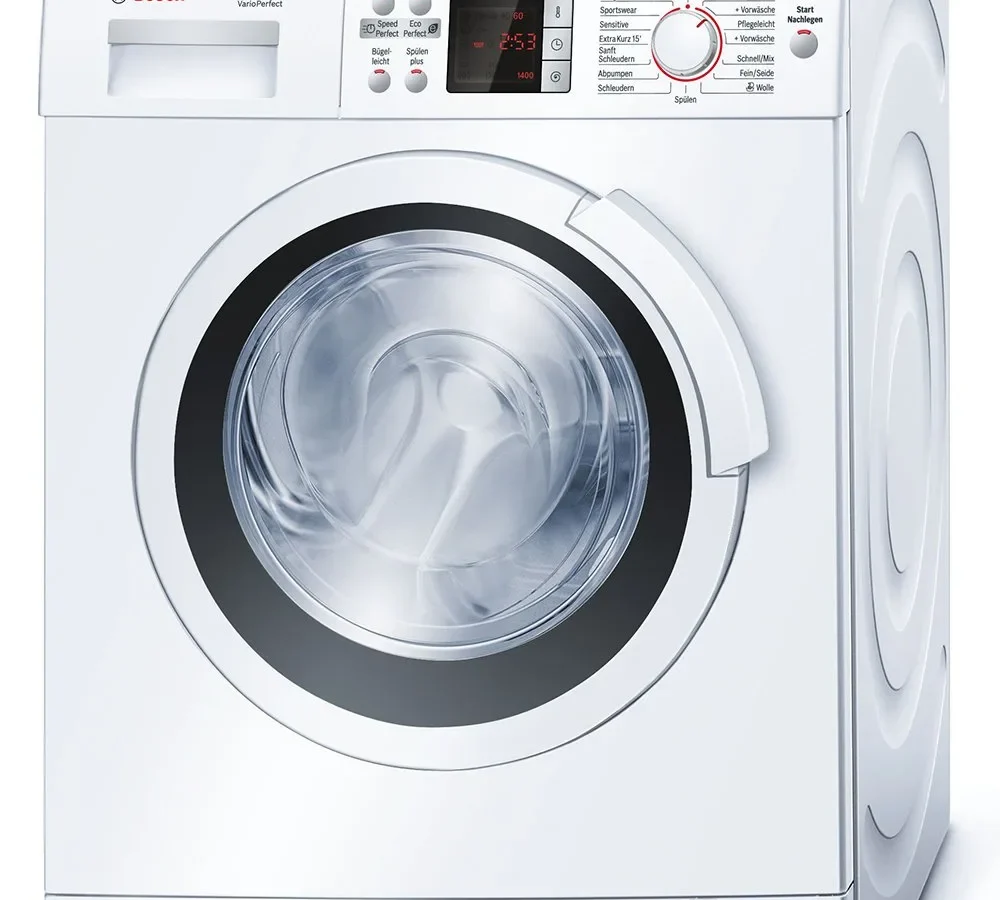
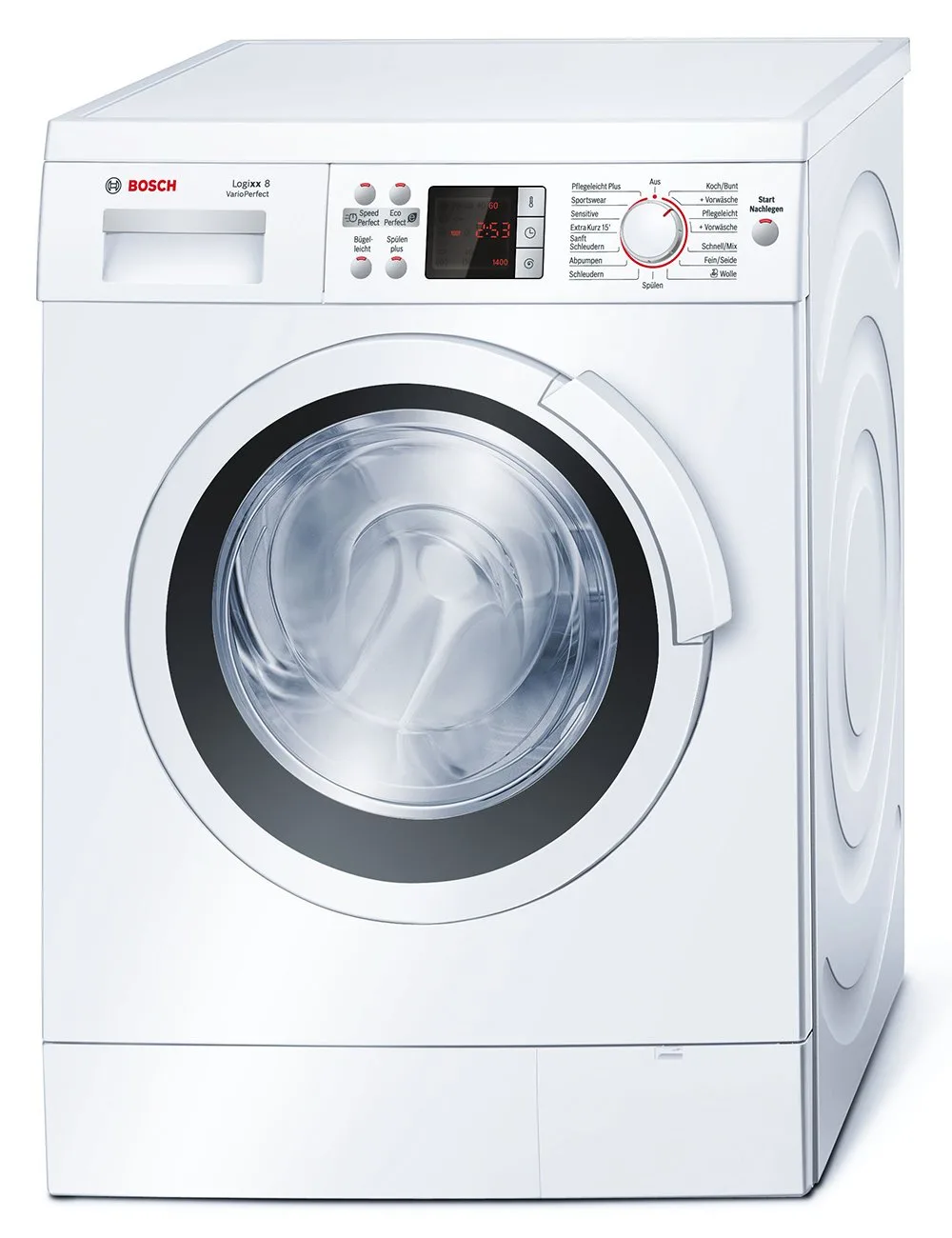
Image source: Bing (Web (fair-use with source credit))
Your Bosch suddenly stopped spinning mid-cycle. The drum's full of soapy water, the display's flashing something that looks like "E:18," and you're staring at a pile of wet laundry wondering if this is a $20 fix or a $500 replacement.
Here's the good news: most Bosch washer problems trace back to just three things, a clogged drain filter, a kinked hose, or a transient electronic glitch that a proper reset clears up. Based on owner-reported issues across hundreds of models, roughly 70 percent of breakdown calls are avoidable with basic troubleshooting you can do yourself in under an hour.
Bosch's EcoSilence direct-drive motors are genuinely reliable. The supporting parts, drain pumps, door locks, control boards, fail in predictable patterns. Once you understand those patterns, you can diagnose most issues without a multimeter or a service manual.
Let's walk through the most common failure scenarios step by step. Find your symptom and follow the branch that matches.
Quick Answer: The Five-Minute Checklist
Before diving into detailed troubleshooting, run through these five checks. They solve roughly 8 out of 10 problems.
- Read the error code. It tells you exactly which system failed.
- Check the drain pump filter if water won't drain. Clean it every three months as preventive maintenance.
- Power-cycle the machine if it won't start. Unplug it for 30 full minutes.
- Level the feet if it vibrates during spin. An unbalanced machine shakes itself into a fault.
- Don't force the door open. Wait 3 to 5 minutes after the cycle ends. If it stays locked, perform a hard reset.
If none of these solve the problem, work through the detailed branches below.
How a Bosch Washing Machine Actually Works
You don't need to be an appliance technician to fix a Bosch washer. But understanding what each major component does makes troubleshooting logical instead of guesswork.
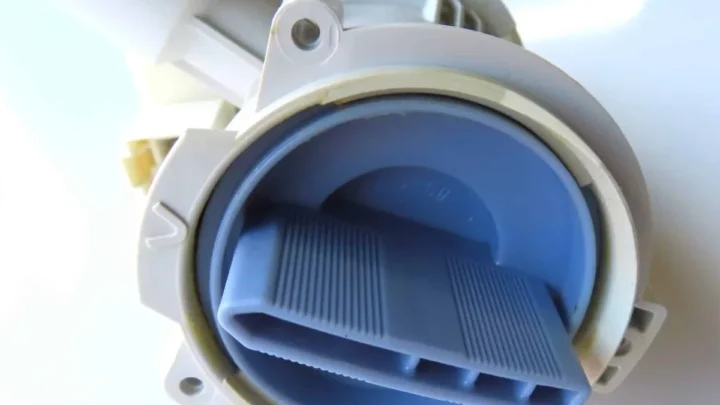
The drain pump and filter
The drain pump sits at the bottom of the machine, behind a small access panel called the kickplate. When the machine needs to expel water, the pump activates and pushes water up through the drain hose into your home's plumbing.
How it fails. Foreign objects are the enemy. Coins slide out of pockets during the wash and end up in the pump housing. They lodge against the pump impeller and stop it from spinning.
Hairpins, buttons, and lint clumps do the same thing. Over time, even without a single large object, lint accumulates inside the filter housing and restricts water flow.
How you know it's failing. The machine stops mid-cycle with a drainage error code. You hear a humming sound from the pump, but no water moves. The pump motor is running but can't push water because something is blocking it.
The door lock assembly
The door lock has two jobs: keep the door sealed during operation and release it when the cycle ends. It's an electromechanical latch controlled by the main control board.
Why it fails. The plastic components inside the lock wear down over time. The latch mechanism can stick, especially when detergent residue builds up around the door seal. In rare cases, the solenoid that triggers the lock burns out.
How you know it's failing. The machine won't start a cycle. The display shows a door lock error. Or the cycle finishes but the door stays locked for hours.
The machine thinks the door is still engaged.
The control board
The control board is the brain. It manages every cycle, reads every sensor, and controls every component. It sits behind the top panel or inside the front console, depending on the model.
Why it fails. Power surges are the biggest killer. A nearby lightning strike or a voltage spike from the grid can fry the board's power supply. Corrosion from high humidity can eat the solder joints over time.
And sometimes the board simply gets confused by a communication glitch that clears itself with a reset.
How you know it's failing. The machine acts erratically. It starts and stops randomly. It throws error codes that don't match the symptoms.
Or it goes dark entirely and never wakes up.
The water inlet valve
The inlet valve sits where the water supply hoses connect to the machine. It's a solenoid-operated valve that opens when the machine needs water and closes when it has enough.
Why it fails. Hard water minerals build up on the valve's internal screen. The screen clogs, restricting water flow. The machine takes forever to fill, or it times out with an intake error.
In severe cases, the solenoid coil itself fails.
How you know it's failing. The machine fills very slowly. It throws E:01 or E:10 codes. You hear a clicking sound when the valve tries to open, but the water flow is weak or absent.
The heating element
The heating element warms the water to the selected wash temperature. It's located at the bottom of the drum, submerged in water during the wash cycle.
Why it fails. Limescale buildup is the primary cause. In hard water areas, mineral deposits coat the element and insulate it. The element overheats and burns out.
Running cold-wash cycles exclusively can also cause the element to fail from non-use because the moving parts seize up.
How you know it's failing. The water stays cold during a hot wash. The machine takes longer to complete a cycle because it keeps trying to heat. You see error code E:72 on the display.
The motor and drive system
Bosch uses two motor types. Older machines use a belt-driven system with carbon brushes. Newer EcoSilence models use a direct-drive brushless motor.
Why it fails. On belt-driven models, the carbon brushes wear down after years of use. They need replacement every 5 to 8 years. The belt itself can stretch or snap.
On direct-drive models, the motor is extremely reliable, but the rotor position sensor can fail.
How you know it's failing. The drum doesn't spin. You hear a grinding or squealing noise during the spin cycle. The machine throws a motor error code.
In belt-driven models, you might smell burning rubber from a slipping belt.
What the Error Codes Mean
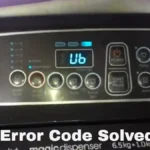
Bosch uses a standardized two-digit error code system. Every code points to a specific subsystem. Write down the code before doing anything else.
It's the single fastest diagnostic tool you have.
| Error Code | What It Means | How Often It Appears |
|---|---|---|
| E:01 / E:10 | Water intake problem | Common |
| E:17 / E:18 | Drainage failure | Most common |
| E:21 | Motor / rotor lock | Occasional |
| E:65 / E:67 | Control board / NTC fault | Rare |
| E:72 | Heating issue | Rare |
If you don't have the owner's manual, Bosch publishes the full error code list on their official support portal. The codes are consistent across the 400, 500, and 800 series machines made after 2015.
Both E:17 and E:18 indicate a drainage problem. The exact code varies by model generation, but the troubleshooting procedure is identical for both.
The Troubleshooting Decision Tree
Find your symptom and follow the branch that matches. Stop when the problem is solved. Don't skip branches.
Branch 1: Machine Won't Start (No Power, No Lights, No Sounds)
This is the most alarming symptom because the machine feels completely dead. It's often the simplest to fix.
Step 1. Check the power source.
Make sure the machine is plugged in all the way. Test the outlet with a lamp or phone charger to confirm it has power. Check your home's circuit breaker.
A tripped breaker kills the machine completely, and this is more common than you'd think, especially after a recent power outage.
Step 2. Perform a hard power cycle.
Unplug the machine from the wall outlet. Wait 30 full minutes. This is not arbitrary.
Some Bosch control boards hold residual charge for up to 15 minutes. A 30-minute wait ensures the board fully discharges. Plug it back in and try starting a cycle.
If the machine starts and runs normally after the reset, the issue was a transient fault. You're done.
Step 3. Check the door lock.
If the machine has power but won't start, the door lock is the likely culprit. Close the door firmly and listen for a click. If the display shows a door icon or a lock error, the interlock isn't engaging.
Open the door and inspect the latch mechanism for debris. Clean out any buildup, close the door firmly, and try again. If it still won't lock, the interlock switch needs replacement.
A replacement part costs roughly $15 to $40, and the installation is straightforward for anyone comfortable with basic tools.
Step 4. Check the child lock.
A surprising number of "dead" machines are just in child lock mode. On Bosch washers, holding certain button combinations engages a panel lock. The machine appears dead because it ignores all inputs.
Check your manual for the child lock deactivation sequence for your model.
Step 5. Test the control board.
If none of the above works, the control board may have failed. This is the least common cause but the most expensive. A replacement board costs between $80 and $200 depending on your model.
Installation requires removing the top panel or front console.
Branch 2: Machine Fills But Won't Drain or Spin
This is the most common Bosch washer problem. The machine fills with water, washes the clothes, then stops before draining. The drum sits there full of soapy water.
Step 1. Check the drain hose.
Look behind the machine. Is the drain hose kinked or pinched? Is it pushed too far into the standpipe?
A hose inserted more than 4 inches into the drain pipe can create a siphon lock. Pull it back to the correct depth.
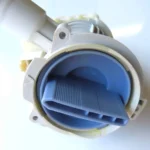
Step 2. Check the drain pump filter.
This is the fix that works most of the time. Locate the kickplate at the bottom front of the machine. Remove the screws or pop the panel off.
You'll see a large round cap with a handle. Place a shallow pan underneath to catch water.
Slowly unscrew the cap. Water will spill out, this is normal. Remove the cap completely and inspect the filter housing.
You will almost certainly find a clump of lint, a coin, or a hairpin lodged in there. Fish everything out. Clean the filter under running water.
Replace the cap and tighten it securely.
Step 3. Test the drain pump manually.
With the filter removed, you can access the pump impeller. Use a flashlight to look inside. The impeller is a small plastic wheel with fins.
If it's stuck, use a screwdriver to gently nudge it free. If it spins freely but the pump still won't drain, the pump motor has failed and needs replacement.
Step 4. Clear the drain hose.
If the filter is clean and the pump spins freely, the blockage is further downstream. Disconnect the drain hose from the standpipe or sink. Blow into it or use a drain snake to clear any obstructions.
Reconnect the hose and run a drain cycle.
Step 5. If it still won't drain, replace the pump.
Part costs run between $30 and $60. The pump is located behind the kickplate, held in place by a few screws and two hose clamps. Remove the old pump, transfer the hoses, and install the new one.
This is a 30-minute job with a screwdriver and pliers.
Branch 3: Machine Vibrates, Shakes, or Walks Across the Floor
Vibration is annoying, but it's rarely a sign of a broken machine. It's almost always a balance or installation issue.
Step 1. Check the shipping bolts.
If you recently moved the machine, you might have left the shipping bolts in place. These are large plastic bolts that lock the drum during transport. They must be removed before operation.
If they're still installed, the machine will shake violently and risk internal damage.
Step 2. Level the machine.
Use a spirit level on top of the machine. Adjust the front feet by turning them clockwise or counterclockwise. The machine should be perfectly level side to side and front to back.
A difference of even 1/8 inch can cause noticeable vibration during the spin cycle.
Step 3. Distribute the load evenly.
Bosch washing machines balance loads by tumbling the clothes. If you cram the drum full or load a single heavy item like a bath mat, the machine can't find its balance. The spin cycle slows down or stops entirely.
Remove a few items and redistribute the load.
Step 4. Check the floor.
Wooden floors flex more than concrete. If your machine is on a wooden subfloor, vibration gets amplified. A rubber anti-vibration mat between the machine and the floor absorbs most of the movement.
Bosch sells one, but any quality mat works.
Step 5. Check the shock absorbers.
If the machine still shakes after leveling and load balancing, the shock absorbers may be worn out. These hydraulic or friction-based dampers connect the drum assembly to the machine frame. Over years of use, they lose their damping ability.
Replacement requires access to the rear of the machine and costs $40 to $80 for parts.
Branch 4: Door Won't Unlock After the Cycle Ends
This is frustrating because you can't get your clothes out. But don't force the door. You can break the latch mechanism and turn a minor issue into a major repair.
Step 1. Wait 3 to 5 minutes.
After the cycle ends, the door lock stays engaged for a short period. The machine releases the lock only after internal pressure equalizes and the door temperature drops. This is a safety feature.
Give it time.
Step 2. Perform a manual unlock.
If the door stays locked for more than 10 minutes, try this: unplug the machine. Wait 5 minutes. Plug it back in and start a drain-only cycle.
The machine will pump out any remaining water and then release the door.
Step 3. Use the emergency release.
Every Bosch washing machine has an emergency door release. It's a small tab or cord located behind the kickplate, near the drain pump. Pull it gently downward.
You'll hear a click, and the door will release. This works even if the machine has no power.
Step 4. Replace the door lock.
If none of the above works, the door lock assembly has failed internally. Replacement locks cost $15 to $40. The installation involves removing the top panel and disconnecting a wiring harness.
It's a straightforward repair for anyone comfortable with basic tools.
Branch 5: Burning Smell or Unusual Noise
A burning smell is a stop-everything moment. Unplug the machine immediately. Do not run another cycle.
Burning rubber smell. This means a slipping belt on belt-driven models. The belt has stretched or worn smooth, and it needs replacement. Continued use can damage the motor pulley.
Burning electrical smell. This is more serious. It indicates a failing component, usually the control board power supply or the motor windings. Do not attempt to repair this yourself.
Call a Bosch-authorized technician.
Grinding or scraping noise. A foreign object is likely caught between the drum and the tub. Small items like coins or underwire from bras can wedge in the gap. Remove the heating element access panel and fish the object out with a flexible magnet tool.
Loud humming with no movement. The drain pump is running but blocked. See Branch 2 for the filter cleaning procedure.
The Three Resets That Fix Most Electronic Glitches
Bosch washing machines respond to three specific reset procedures. Each addresses a different type of fault. Use the right one for your situation.
Reset 1: The Quick Power Cycle
When to use it. The machine is frozen or displaying a minor error code.
How to do it.
- Press the power button to turn the machine off.
- Wait 2 to 3 minutes.
- Turn the machine back on.
- Start a new cycle.
This clears simple transient faults. It's the gentlest reset and the first one to try.
Reset 2: The Hard Power Cycle
When to use it. The quick power cycle didn't work, or the machine won't respond to any input.
How to do it.
- Unplug the machine from the wall outlet.
- Wait 30 minutes. This is the minimum time for the control board capacitors to fully discharge.
- Plug the machine back in.
- Open and close the door firmly.
- Press and hold the Start button for 3 seconds.
This clears more stubborn transient faults and forces the control board to reinitialize all its components.
Reset 3: The Master Reset
When to use it. The hard power cycle didn't work, or the machine displays a persistent error code that won't clear.
How to do it.
- Unplug the machine.
- Wait 5 minutes.
- While unplugged, press and hold the Start button for 5 seconds. This discharges any residual voltage in the control board.
- Plug the machine back in while still holding the Start button.
- Release the Start button after 3 seconds.
This procedure forces a full system reinitialization. It's more thorough than a simple power cycle and resolves about 20 percent of persistent error code issues.
Preventive Maintenance: Six Habits That Extend the Life of Your Bosch
You can avoid most of these problems entirely with a few simple habits. None of them take more than five minutes.
Clean the drain pump filter every 3 months. Set a reminder on your phone. This single habit prevents nearly all drainage-related breakdowns. The filter is easy to access behind the kickplate.
Leave the door open after each wash. This allows moisture to evaporate and prevents mold and mildew from forming on the door seal. Wipe down the rubber gasket with a dry cloth every few washes.
Run a hot maintenance wash once a month. Run an empty cycle at 60°C (140°F) with washing machine cleaner. This dissolves detergent residue, breaks down limescale, and keeps the drainage system clear.
Use the right amount of detergent. More detergent doesn't mean cleaner clothes. It means more residue left inside the machine. Check the detergent container for the recommended dose. Ignore the cap markings and follow the machine's dosage guidelines.
Check pockets before loading. Coins, hairpins, and paper clips are the leading cause of drain pump failure. Also check for chewing gum and tissue paper.
Don't overload the drum. The drum should never be packed more than 3/4 full. Overloading strains the motor, the suspension springs, and the drum bearings.
When to Call a Professional
Some repairs require specialized tools, warranty-preserving knowledge, or factory diagnostics. Here's when to stop DIY troubleshooting and call a Bosch-authorized technician.
Call a professional when:
- The machine is under warranty. Opening the machine yourself can void it.
- You smell a burning electrical odor. This is a safety hazard.
- The main control board shows signs of failure. Replacing it is straightforward, but diagnosing the root cause often requires factory diagnostic software.
- The drum bearings fail. This requires full disassembly and is rarely worth the cost of repair on older machines.
- You see water pooling under the machine from the drum area. This indicates a tub seal or bearing leak.
When the repair isn't worth it:
If your machine is over 10 years old and the main control board fails, the replacement cost often exceeds the machine's value. A new Bosch washer with the same features starts around $600. If the repair estimate exceeds 50 percent of the replacement cost, replacement is the smarter financial decision.
Final Thoughts
Bosch washing machines are reliable, but they're not indestructible. The good news is that most problems are predictable and repairable with basic tools and 30 minutes of your time.
Start with the error code. It points you in the right direction. Work through the decision tree systematically.
Don't skip steps. And when in doubt, unplug the machine and wait 30 minutes before spending any money.
Seventy percent of Bosch washer breakdowns are preventable with basic maintenance. The other 30 percent are diagnosable and repairable at home. Knowing how to read the machine's signals is the difference between a $20 fix and a $200 service call.
If you've worked through this guide and the problem persists, you now have a much clearer picture of what's wrong, and you'll be able to talk to a technician with confidence about the exact component that's failing.

Similar Posts