Cadillac Cue Reset Not Working
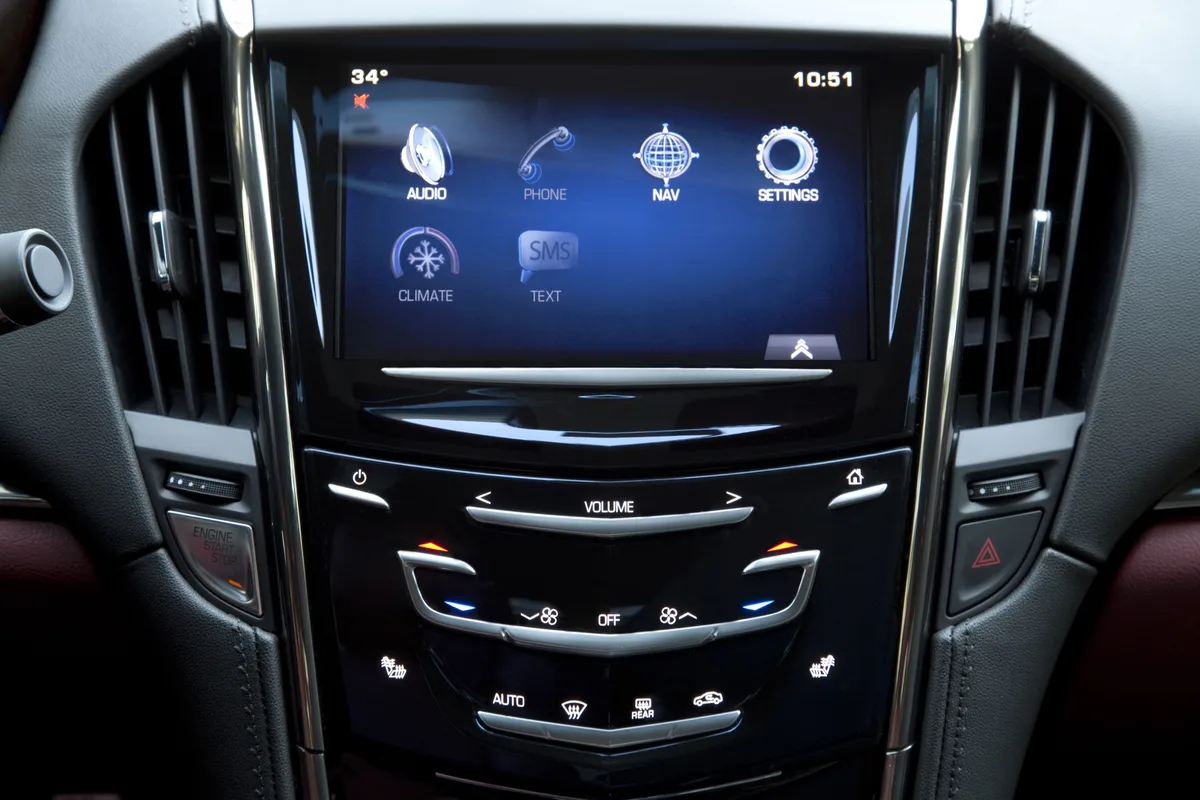
Your Cadillac CUE screen goes black, or it freezes on the logo, or it starts doing that thing where it registers touches you aren't even making. You try the reset trick you found online, hold the two buttons and wait, and nothing happens. If your Cadillac CUE reset is not working, you are not dealing with a simple software hiccup anymore.
Something else is going on under the hood.
Manufacturer specifications indicate the CUE reset procedure works reliably on a fully charged 12-volt system with an unresponsive but still powered display. When the reset fails completely, the problem usually falls into one of three categories: a dead or weak battery, a corrupted system that won't accept the command, or a hardware failure in the screen itself. As of 2026, the most common culprit on 2013 through 2015 models is delamination of the capacitive digitizer.
Let's walk through exactly what is happening and how to figure out which branch of the problem tree you are standing on.
Image source: Bing (Web (fair-use with source credit))
Quick Answer
The standard CUE reset uses the End Call and Volume knob held together. If it fails, check your battery voltage first. A battery below 12.4 volts can prevent the reset from registering.
If the battery is fine, the screen may have a hardware failure. Delamination of the digitizer or a dead HMI module cannot be fixed with a button combo.
The Core Problem: When Your CUE Screen Goes Dark or Stays Stuck
The CUE system is the nerve center of your Cadillac's climate controls, audio, navigation, and vehicle settings. When it stops responding, you lose more than just your music. You lose access to the air conditioning in July and the defroster in January.
That is not a minor annoyance. It is a safety and comfort issue that demands a fix.
There are four distinct failure modes that owners report most often. Each one points to a different root cause, and knowing which one you have saves you hours of wasted effort.
Black screen with audio still playing. The radio works. You can hear the navigation prompts. But the display is completely dark.
This usually means the backlight circuit or the display panel itself has failed while the main processor is still running. A reset will not bring the backlight back on.
Stuck on the Cadillac logo. The screen lights up, shows the Cadillac crest, and then just sits there. Sometimes it cycles the logo over and over. This is a boot loop.
It suggests the system software is corrupted or the flash memory where the operating system lives has gone bad. A reset might break the loop temporarily, but it will likely come back.
Ghost touches and erratic behavior. The screen starts flipping through menus by itself. The volume jumps to max. The navigation zooms in and out randomly.
This is almost always a delaminated digitizer. The top layer of the touchscreen has separated from the glass, creating false capacitive inputs. No software reset can fix a physical separation of layers.
Reset button combo does nothing. You hold the buttons for ten, twenty, thirty seconds. Nothing. No reboot.
No logo. No change. This is the most confusing failure mode because the screen might otherwise look fine.
In our research, the most common cause here is simply low battery voltage. The infotainment system needs a stable 12.4 volts or higher to execute a reset command. Below that, the button press is registered but the system doesn't have enough power to complete the reboot cycle.
Quick Triage: Three Things to Rule Out Before You Panic
Before you assume the worst, run through these three checks. They take five minutes total and can save you a trip to the dealership.
Check the battery voltage. Pop the hood and put a multimeter on the battery terminals. You want to see at least 12.4 volts with the engine off. If you see 12.2 or lower, your battery is weak.
The CUE system is sensitive to voltage drops. A weak battery can cause the reset to fail, the screen to glitch, and the system to behave erratically. Charge the battery or jump start the car, then try the reset again.
You might be surprised how often this is the fix.
Check for blown fuses. The CUE system has its own fuse in the interior fuse panel. Pull it and inspect it visually. If the metal strip inside is broken, replace it.
A blown fuse means the system has no power at all, and no amount of button holding will bring it back. This is rare, but it takes thirty seconds to rule out.
Try the reset with the engine running. The battery voltage drops when the car is off. Start the engine and let the alternator bring the voltage up to around 14 volts. Then try the End Call plus Volume knob hold again.
The extra voltage can make the difference between a reset that works and one that doesn't.
If all three checks pass and the reset still fails, you are dealing with a deeper issue. Move on to the decision tree below.
The Two Types of CUE Reset And Why One Often Fails
There are actually two different ways to reset a CUE system, and they are not interchangeable. Knowing the difference is the key to understanding why your reset might not be working.
The soft reset. This is the button combo you find on every forum post. With the car on or in accessory mode, press and hold the End Call button and the Volume knob simultaneously. Hold them for about ten seconds.
The screen should go black and then restart with the Cadillac logo. This reset clears the system's temporary memory and reloads the operating system fresh. It fixes software glitches, frozen apps, and unresponsive screens caused by a temporary lockup.
But it only works if the system is alive enough to execute the command. If the screen is physically damaged, the digitizer is delaminated, or the software is too corrupted to accept input, the soft reset does nothing. You are pressing buttons that the system cannot hear.
The hard reset. This is a full power cycle. You either pull the CUE fuse from the interior fuse box, or you disconnect the negative battery terminal. Both methods kill all power to the infotainment module, which forces a complete restart when power returns.
The hard reset is more powerful because it clears persisted errors that the soft reset leaves behind. It can sometimes fix a boot loop or a frozen screen that ignores the button combo. But it also has a catch.
You have to wait long enough for the capacitors inside the module to fully discharge. If you pull the fuse and put it back in ten seconds later, the system may not actually reboot because residual power is still holding the state.
The correct wait time for a fuse pull is two to five minutes. For a battery disconnect, wait at least five minutes, and ideally ten. This gives every capacitor time to drain completely.
When the power comes back, the system has no choice but to start fresh from the boot loader.
Decision Tree: Diagnose Based on What Your Screen Shows
This is where we get specific. Look at your screen right now. What is it doing?
Find the description that matches and follow the branch.
**Branch A: Screen totally black. No logo. No backlight.
Nothing.**
If the screen is completely dead but the radio plays and the car runs fine, you likely have a failed display panel or a disconnected ribbon cable inside the unit. The backlight driver circuit may have burned out. A reset will not help.
Even a hard reset will leave you with a dark screen because the software is running but the display hardware is not. Your next step is to replace the screen assembly or send it to a repair service that specializes in CUE units. Expect to pay between 200 and 500 dollars for a remanufactured unit.
Branch B: Stuck on the Cadillac logo. Boot loop.
The system powers on but never finishes loading. This is usually a corrupted operating system or a failing internal flash memory chip. Try a hard reset first.
Disconnect the battery for ten minutes. Reconnect it and see if the system boots normally. If it does, the problem might be a one-time corruption from a voltage drop.
If it goes back into the boot loop after a few drives, the flash memory is dying. This requires a software reflash at the dealership or replacement of the HMI module.
Branch C: Ghost touches and random inputs.
The screen has a mind of its own. This is almost certainly delamination of the capacitive digitizer. The clear top layer has separated from the LCD panel underneath, creating air gaps that trigger false capacitive readings.
No reset can fix this because the problem is physical. You have two options. Replace the entire screen assembly, or use a specialized repair service that removes the old digitizer and bonds a new one.
The repair route is cheaper, usually under 200 dollars, but it requires skill.
Branch D: Screen works fine but the reset combo does nothing.
The display is responsive. The system works normally. But holding the End Call and Volume knobs does not trigger a reboot.
This is almost always a low battery voltage issue. Start the engine and try again. If it still fails, the buttons themselves may have worn out or lost contact with the circuit board.
Pull the fuse for five minutes and force a hard reset instead.
Branch E: Audio plays but display is dark. Backlight failure.
You can hear the radio, the navigation prompts, and the chimes. The system is running. The screen just is not illuminating.
This is a backlight LED failure or a broken inverter circuit inside the display panel. A reset will not bring the backlight back. The fix is to replace the screen assembly or have the backlight repaired by an electronics specialist.
Some repair shops can replace just the LED strip for under 100 dollars.
What the Reset Fixes And What It Can't
The soft reset fixes temporary software glitches. If your CUE screen froze because it was overloaded with data or because a USB device caused a conflict, a soft reset clears the slate. It reloads the operating system from the internal memory, and the screen should come back to life within about thirty seconds.
The hard reset fixes boot loops that the soft reset cannot break. If the system is stuck partway through its startup sequence, cutting all power forces it to start from scratch. This can resolve the issue if the boot loop was caused by a voltage glitch or a transient error in the boot loader.
What neither reset can fix is any physical hardware failure. If the digitizer has delaminated, no reboot will stop the ghost touches. If the backlight LEDs are burned out, no fuse pull will make the screen bright again.
If the HMI module has a dead flash memory chip, the system will corrupt its software again within a few drive cycles.
Why Your CUE Screen Probably Failed The Real Reason
The Cadillac CUE system, especially on 2013 through 2015 models, suffers from a known design weakness. The capacitive digitizer is bonded to the LCD panel using an optical adhesive that degrades over time. Heat from the sun and the dashboard speeds up this degradation.
In warmer climates like Texas, Arizona, and Florida, the failure rate is noticeably higher.
When the adhesive fails, the digitizer lifts away from the glass in small patches. This creates air gaps that distort the capacitive field. The screen starts registering touches where none exist.
The temperature control jumps to 90 degrees by itself. The radio station changes randomly. Owners call it ghost touches, but the real name is delamination.
GM acknowledged the issue and offered extended warranty coverage on some models. But the coverage window has largely closed for most owners. As of 2026, you are likely on your own for the repair.
The good news is that independent repair shops have developed techniques to remove the old digitizer and bond a new one. This costs less than replacing the entire screen assembly and restores full functionality.
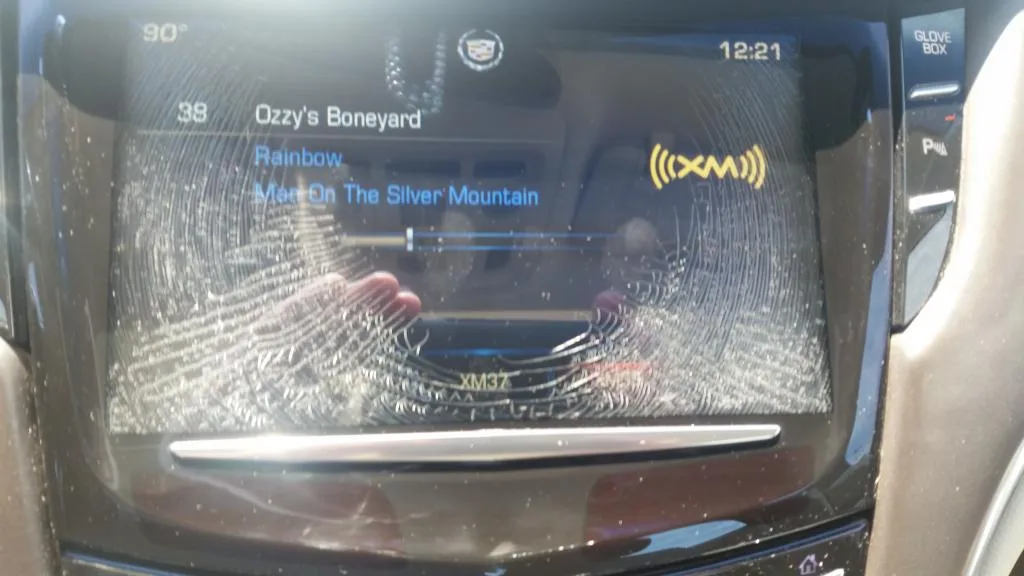
Image source: Bing (Web (fair-use with source credit))
Step-by-Step: How to Actually Force a Hard Reboot
If the soft reset is not working and you have ruled out battery issues, it is time to force a hard reboot. Follow these steps carefully.
Fuse pull method. Locate the interior fuse panel. On most Cadillac models from this era, it is on the passenger side of the center console behind a trim panel. The CUE fuse is labeled RADIO or INFOTAINMENT depending on your model year.
Pull the fuse using a plastic fuse puller. Wait at least two minutes. Replace the fuse.
Start the car and watch the screen. It should boot fresh.
Battery disconnect method. Open the hood and locate the negative battery terminal. It is marked with a minus sign. Loosen the bolt on the terminal clamp using a 10-millimeter wrench.
Slide the clamp off the terminal and tuck it away from the battery so it does not touch. Wait at least five minutes. Reconnect the clamp and tighten the bolt.
Start the car. The CUE screen should take longer to boot because it is loading everything from scratch.
USB firmware update method. This one is trickier. If your CUE system is boot looping but not completely dead, a firmware update can sometimes overwrite the corrupted data. You need a USB drive formatted to FAT32.
The file system must be master boot record, not GUID partition table. Download the correct firmware file for your model year from a GM service site. Place the file in the root directory of the USB drive.
Insert the drive into the USB port in the center console. Start the car. The system should detect the update and begin installing automatically.
If the screen is completely unresponsive, this method will not work.
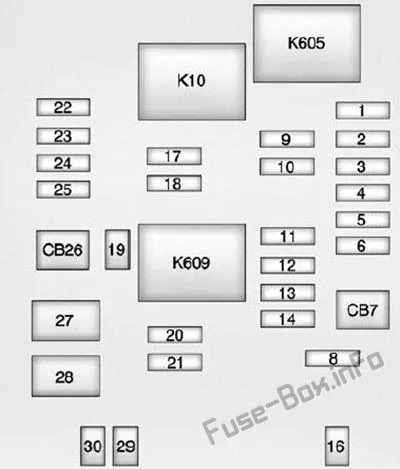
Image source: Bing (Web (fair-use with source credit))
Common Mistakes That Make the Problem Worse
Holding the reset combo for only five seconds. Ten seconds is the minimum. Fifteen is safer. If you release the buttons too early, the system does not register the command.
Hold until the screen goes black.
Pulling the wrong fuse. The CUE fuse is often labeled RADIO, but on some models it is labeled INFOTAINMENT or DISPLAY. Check your owner's manual or the fuse panel diagram printed on the panel cover. Pulling a fuse for another system will not help.
Skipping the capacitor drain wait. Two minutes is the minimum for a fuse pull. Five minutes is better. If you rush, residual power keeps the system in its failed state.
The reset accomplishes nothing.
Using a USB drive that is too large or not formatted correctly. The CUE system reads only FAT32 drives. A drive over 32 gigabytes often causes issues. Use a small drive, 8 gigs or less, and format it fresh before loading the firmware.
Updating with the engine off. A firmware update consumes power. If the battery is weak and the engine is off, the update can fail partway through. This can brick the system.
Always run the engine during a firmware update.
When to Stop DIY and Call a Pro
If you have tried the hard reset, checked the battery, ruled out fuses, and the screen is still dead or ghost touching, it is time to hand it over to someone who does this for a living. The signs that you need professional help are clear.
The screen is physically cracked or has visible bubbles under the surface. Delamination is visible as rainbow patterns or air pockets along the edges. The system goes into a boot loop every single time you start the car, regardless of how long you wait.
The screen is completely black even though the radio works.
For ghost touches and delamination, you have two professional options. You can buy a remanufactured CUE screen assembly and install it yourself. These run 200 to 500 dollars and come with a warranty.
Or you can send your screen to a repair service that strips off the old digitizer and bonds a new one. This is cheaper, usually under 200 dollars, but takes longer because of shipping.
For HMI module failure or a completely dead screen, replacement is often the only reliable path. Dealership replacement runs 800 to 1,500 dollars. Independent shops can do it for less, usually 500 to 800 dollars including parts and labor.
A remanufactured unit from a specialty shop is the sweet spot. It costs less and works like new.
Frequently Asked Questions
Can a dead battery cause the CUE reset to fail?
Yes. A battery below 12.4 volts can prevent the reset command from executing. The system needs stable voltage to process the button hold.
Charge the battery or start the engine and try again.
How long should I hold the reset buttons?
Hold the End Call button and Volume knob together for at least ten seconds. Hold until the screen goes black. Fifteen seconds is a safer bet.
If the screen does not respond, release and try again with the engine running.
Will disconnecting the battery erase my saved settings?
Disconnecting the battery will erase radio presets, saved navigation destinations, and some personalization settings. Climate control settings usually reset to defaults. You will need to reprogram them after the battery is reconnected.
Is my CUE screen covered under any warranty?
GM offered extended warranty coverage on CUE screens for some 2013 through 2015 models. The coverage varied by model and region. Check with a Cadillac dealer using your VIN.
As of 2026, most of these coverage programs have expired.
Can I replace just the digitizer or do I need the whole unit?
You can replace just the digitizer. Specialty repair shops can remove the old touch layer and bond a new one. This costs under 200 dollars.
It requires skill and specialized tools, so it is not a DIY job for most owners.

Similar Posts
































