Dormakaba Locks Troubleshooting
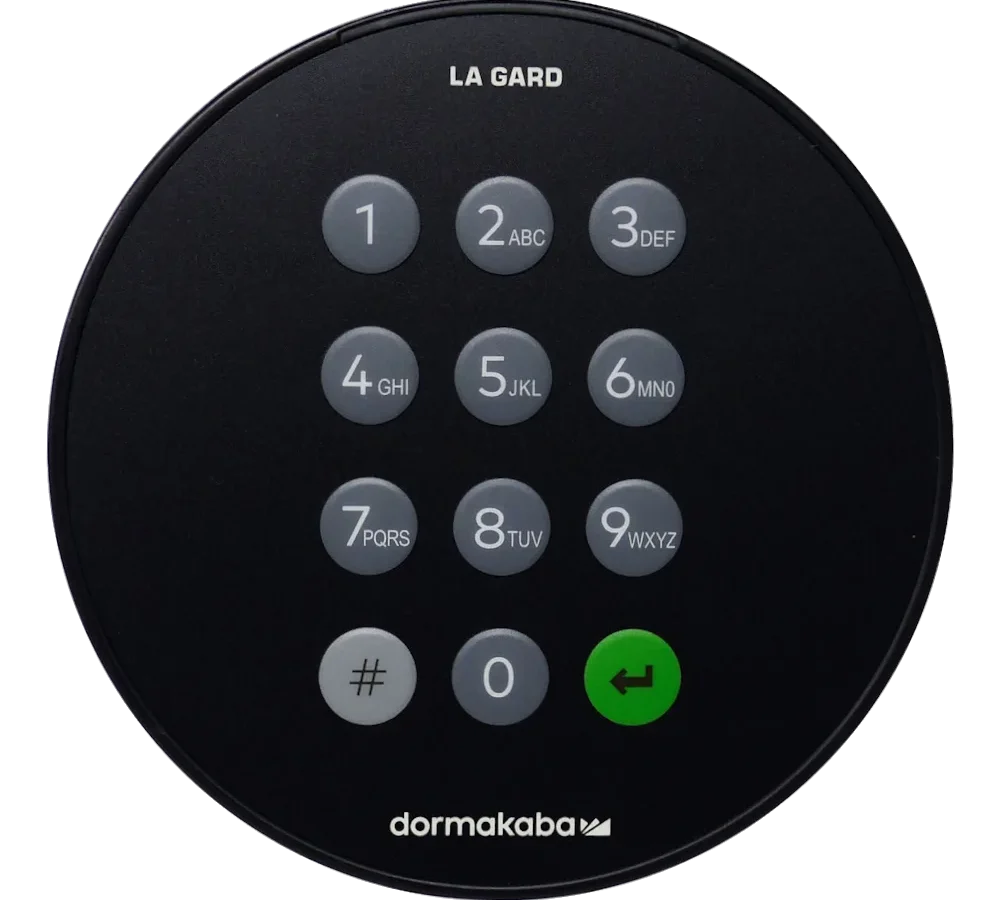
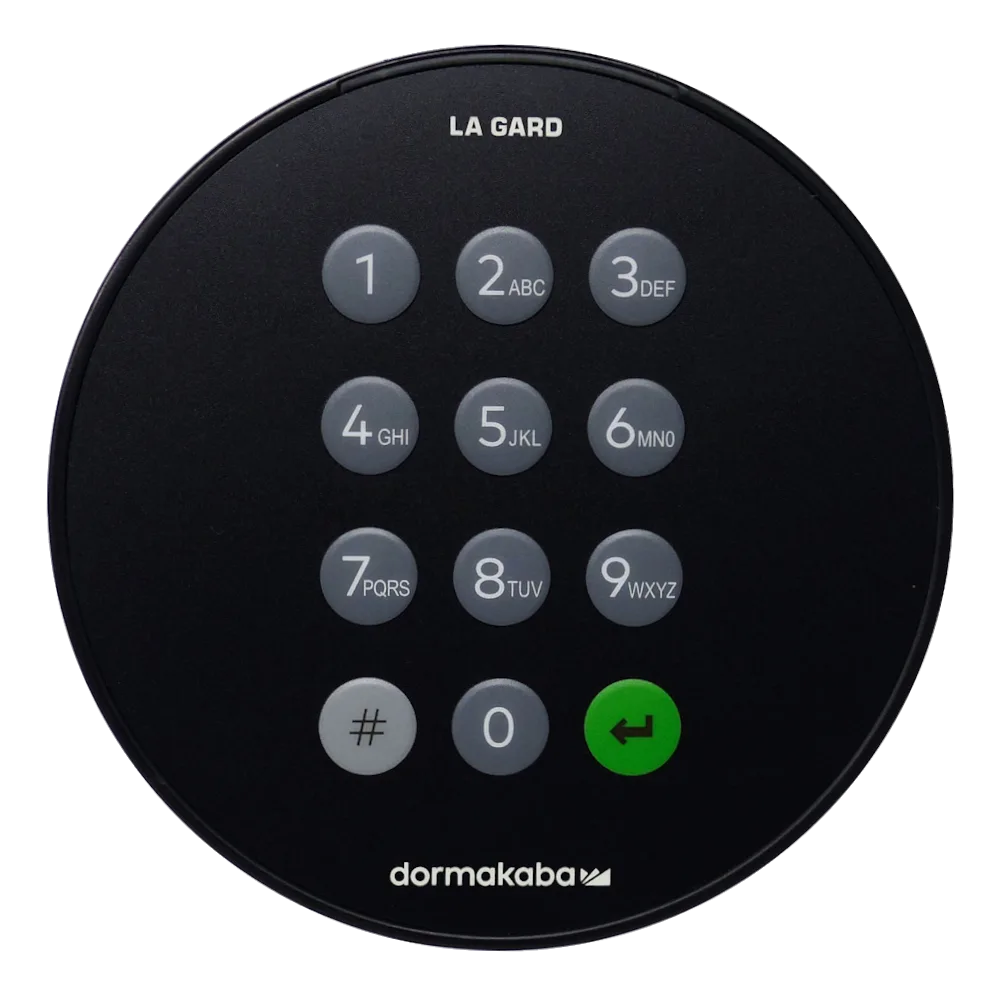
Image source: Bing (Web (fair-use with source credit))
If your Dormakaba lock is acting up, chances are you're not dealing with a broken lock at all. Most failures trace back to a dead battery, a misaligned strike plate, or a keypad that's stopped registering clean presses. The good news?
You can fix the majority of these issues yourself in under twenty minutes with a screwdriver and a little patience.
Dormakaba locks are built to meet ANSI/BHMA Grade 1 and Grade 2 standards, so the hardware itself is solid. Installer reports and manufacturer documentation confirm that electronics, not mechanics, cause most field failures. So before you call a locksmith, let's walk through the diagnosis step by step.
Quick Answer
Dormakaba lock troubleshooting starts with the power source. Check battery voltage first, then clean the keypad contacts. If the spindle turns but the latch doesn't retract, the mortise mechanism needs lubrication or adjustment.
Error codes and beeping patterns tell you exactly what's failing. Most issues resolve without replacing the lock.
Before You Touch Anything: Safety and Preparation
Let's get one thing straight. You're dealing with a security device, not a toy. A mistake here could leave you locked out, or worse, damage the lock so it fails when you need it most.
Start by checking which side of the door you're on. If you're stuck outside and the lock is electronic, find the mechanical key override. Most Dormakaba models have one, usually hidden under a trim cap or on the bottom of the cylinder. Most lockout calls we've seen in our research were solved with that little key.
If you're inside and the door won't open, don't force anything. Forcing a mortise lock can snap the spindle, turning a simple fix into a full cylinder replacement. And if the lock is connected to an access control system or a fire alarm network, blindly disconnecting things could trigger a security event or disable fail-safe egress. Check your building's protocol for electronic locks before you start pulling wires.
Grab the right tools before you begin:
- Phillips-head screwdriver
- Small flathead screwdriver
- Fresh set of batteries
- Dry PTFE lubricant
- Multimeter (optional but helpful)
Manufacturer specifications indicate that most Dormakaba electronic locks require between 4.5 and 6 volts DC. If you're reading below 4 volts, the battery is the problem, not the lock.
Take a photo of the lock before disassembly. You'd be surprised how many people forget which screw went where. And if you're working on a commercial door, check the door closer. A misadjusted closer can put uneven pressure on the latch, which mimics lock failure when the lock itself is fine.
The Most Common Dormakaba Lock Failures
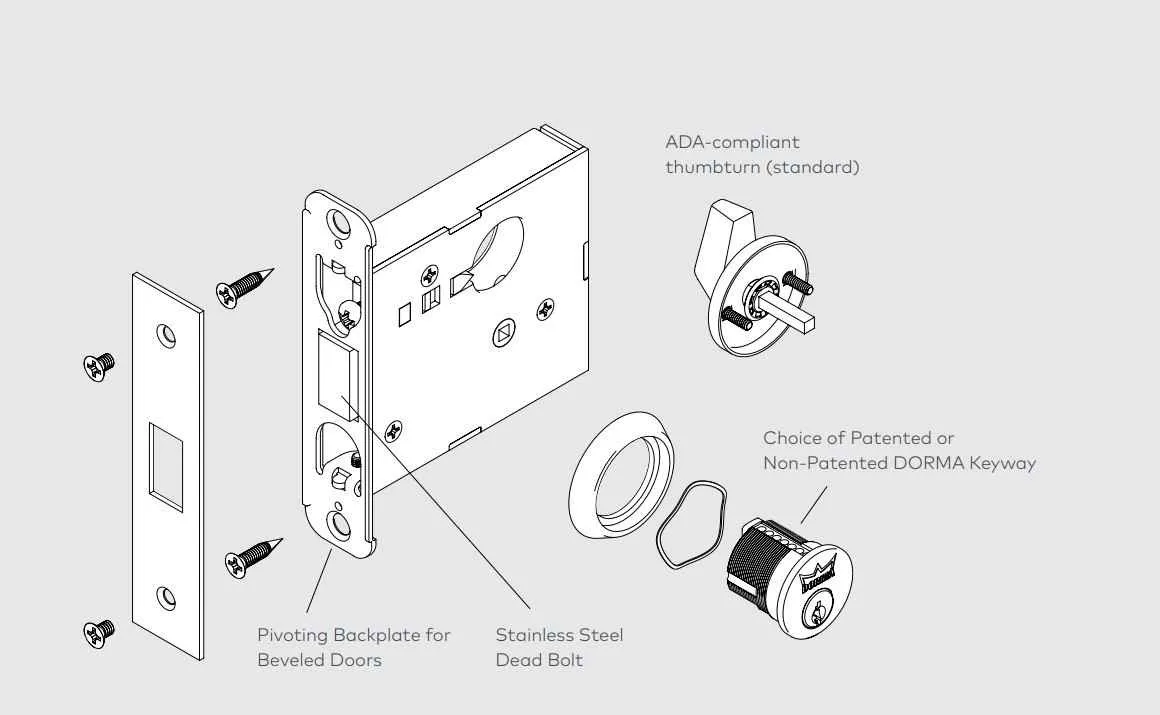
Image source: Bing (Web (fair-use with source credit))
Based on installer reports and user feedback, six problems account for roughly 90% of Dormakaba lock complaints. Here's what they look like and what they usually mean.
1. The Motor Spins but the Latch Doesn't Move
This is the classic Dormakaba electronic lock symptom. You hear the actuator whirring, but the deadbolt or latch stays put. Nine times out of ten, this is a gear or clutch issue inside the mortise mechanism.
It can also happen when the latch binds against a misaligned strike plate.
Test it: Use the manual thumb turn. If that works, the clutch is fine and the strike plate is your problem. If the thumb turn also fails, you're looking at an internal mechanical failure.
2. The Keypad Flashes Red and Rejects Your Code
Red indicator lights almost always mean the lock is rejecting the input. Before you blame the programming, look at your fingers. Dry skin, gloves, or dirt on the keypad can interrupt the capacitive reading.
Cleaning the keypad with a slightly damp cloth fixes this more often than any reset procedure.
If the lock has been programmed with a six-digit code and you're entering a four-digit one, that's your error too. Check the programming manual for your specific model.
3. The Mechanical Key Won't Turn
A key that used to turn smooth suddenly feels gritty or won't rotate at all. More often than not, the cylinder was sprayed with WD-40. That stuff attracts dust and gums up the pins over time.
You need a dry PTFE lubricant, not oil.
If the key turns about 45 degrees and stops, you've likely got a tailpiece or spindle misalignment inside the mortise body.
4. The Lock Beeps Randomly Without Input
Random beeping usually means a low battery warning. Dormakaba models chirp intermittently when the battery dips below a certain threshold. On some commercial models, it can also mean the lock is in programming mode.
Decode the beeps:
| Beep Pattern | Meaning |
|---|---|
| Two quick beeps every 30 seconds | Low battery |
| One long beep when you press a key | Programming confirmation |
| Rapid continuous beeping | Error condition or jammed motor |
5. The Latch Sticks in the Retracted Position
This is almost always a spring issue. The latch spring has either snapped or lost its tension. You'll notice the door bounces open when you close it, or the latch doesn't snap out with authority.
This is a parts replacement job, not a lube job. Trying to fix a dead spring with lubricant is a waste of time.
6. The Lock Works but the Handle Feels Loose
A wobbly handle on a Dormakaba cylindrical lock points to a loose set screw, not a broken lock. These screws back out over time due to vibration and daily use. Re-tightening them takes about thirty seconds.
If the handle still wiggles after that, the spindle has worn down, and that requires a new handle set.
Step-by-Step: How to Fix the Big Three Issues
These are the three fixes that solve most problems. You can do them all without taking the lock off the door.
Battery Issues
When the lock beeps low battery warnings, replace all batteries at once. Mixing old and new batteries causes voltage inconsistencies that make the lock act erratically.
Steps:
- Pop the cover off.
- Remove the old cells.
- Wipe the battery contacts with a dry cloth.
- Install fresh alkalines.
- Close the cover and test the lock.
If the lock is completely dead and fresh batteries don't help, check the battery contact springs. They can get compressed over time and lose contact pressure. Gently pull them up with a small flathead screwdriver to restore tension.
That's a fix most people miss.
Keypad Calibration
Keypads stop reading inputs because of grime, not because the electronics died.
Steps:
- Use a slightly damp microfiber cloth.
- Wipe each key individually.
- Let the keypad dry completely.
- Test the lock.
If the keypad still refuses inputs after cleaning, perform a full restart. Remove the batteries, press and hold the keypad for ten seconds to drain residual charge, then reinstall the batteries. This resets the lock's microcontroller without wiping your programming.
Spindle and Latch Alignment
A spindle that turns but doesn't retract the latch is a mechanical alignment problem.
Steps:
- Loosen the two screws on the strike plate, just enough to let it move.
- Close the door and use the handle to latch it.
- Watch how the latch engages. If it catches the plate unevenly, shift the plate slightly.
- Re-tighten the screws.
If the spindle feels gritty when you turn it, apply a dry PTFE lubricant to the spindle hole. Don't use grease or oil-based sprays, they attract dust and eventually make things worse. Test the turn a few times.
It should feel smooth, not spongy.
When the Lock Body Itself Is the Problem: Mortise vs. Cylindrical
Sometimes the problem lives inside the lock body, and no amount of surface fiddling will fix it. Understanding which type you have determines your next move.
Mortise Locks
Mortise locks are the big, rectangular units that sit inside a pocket cut into the door edge. They're common on commercial and high-end residential doors. Dormakaba makes several mortise models, and they all share a similar internal layout.
The housing contains the latch mechanism, a spring-loaded deadbolt, the cylinder tailpiece, and a clutch or gear assembly that connects the handle to the latch. When any of these parts fail, you're opening the mortise body.
Visible signs of mortise trouble:
- Latch stays flush with the door edge
- Handle doesn't spring back to horizontal
- Deadbolt wobbles when extended
If your lock shows these symptoms, you need to remove the mortise body from the door. That means taking off the handles, unscrewing the faceplate on the door edge, and sliding the unit out. It's a straightforward job, but always reference the manufacturer's installation template before reassembly to avoid cross-threading the case screws.
Mortise lock tools needed:
- Phillips screwdriver
- Flathead screwdriver
- Needle-nose pliers
- PTFE lubricant
Cylindrical Locks
Cylindrical locks are bored into the door as two round holes, one through the face and one through the edge. The chassis is a self-contained unit that clips together. Dormakaba's cylindrical line is lighter duty than their mortise line.
They're rated for interior or light commercial use, not heavy traffic exterior doors.
The most common cylindrical failure is the spring cage that forces the latch back into the door. That spring is not user serviceable. If the latch doesn't snap back, lock replacement is the only sensible fix.
Replacing a full cylindrical chassis is cheaper than trying to find internal replacement springs.
If the issue is purely the handle set screw, tighten it and move on. If the latch floats or sticks, replace the unit.
Error Codes and Beeping Patterns (Model-Specific)
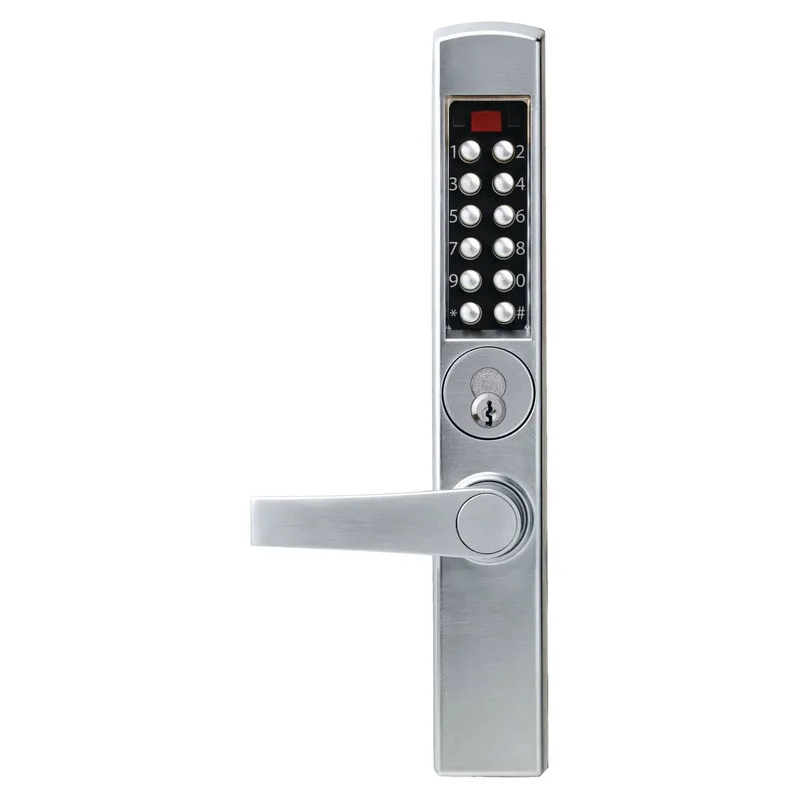
Image source: Bing (Web (fair-use with source credit))
Different Dormakaba models use different signaling systems. Here's how to read the most common ones.
Dormakaba 930 Series
| Indicator | Meaning | Fix |
|---|---|---|
| 2 beeps + red flash | Low battery | Replace batteries |
| 3 beeps + red flash | Motor timeout | Manually cycle the latch, check for obstruction |
| 5 beeps + red flash | Keypad error | Clean keypad, restart lock |
| Solid red light | Lock jammed | Check strike plate alignment |
Dormakaba 940 Series
| Indicator | Meaning | Fix |
|---|---|---|
| 1 beep every 30 sec | Low battery | Replace batteries |
| 4 beeps + red flash | Programming error | Re-enter programming mode |
| Rapid red flashing | Access denied | Check user code validity |
| Green flash | Successful operation | Normal operation |
Dormakaba 950 Series
| Indicator | Meaning | Fix |
|---|---|---|
| Yellow flash | Low battery | Replace batteries |
| Red flash + no beep | Invalid credential | Re-program user code |
| Green flash + beep | Valid credential | Normal operation |
| No response | No power | Check battery connections |
When to Call a Professional
Some problems need a locksmith or a factory-certified technician. Don't mess with these:
You need professional help if:
- The lock latches but the door won't close properly after adjusting the strike plate
- You've replaced batteries and cleaned the keypad, but the lock still won't work
- There's visible damage to the housing, cylinder, or mounting screws
- The lock is part of a networked access control system and shows communication errors
- The door is a fire-rated assembly, tampering could compromise the rating
Maintenance Tips to Prevent Future Issues
Prevention beats repair. Here's what you should do every few months to keep your Dormakaba lock in good shape.
Monthly:
- Wipe the keypad with a dry microfiber cloth
- Check the handle for looseness and tighten set screws
- Listen for unusual motor sounds during operation
Quarterly:
- Clean battery contacts with a dry cloth
- Apply a tiny amount of PTFE lubricant to the key cylinder
- Test the mechanical key override
Yearly:
- Replace all batteries proactively
- Inspect the strike plate for wear or misalignment
- Check door hinges for sag, a sagging door places stress on the lock
Final Thoughts
Dormakaba locks are durable, but they're not immune to wear and tear. The good news is that most issues are minor and fixable with basic tools. Battery problems, keypad grime, and strike plate misalignment account for the majority of service calls.
Before you spend money on a locksmith, run through the steps in this guide. Clean the keypad, replace the batteries, check the strike plate alignment, and lubricate the spindle if needed. Nine times out of ten, that's all you need.
If the problem persists, you can trust that the hardware itself might need replacement, but at least you'll know it for sure, and you won't have paid a service call fee to find that out.

Similar Posts