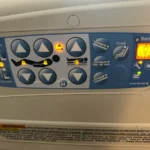
Ge Adora Dishwasher Troubleshooting
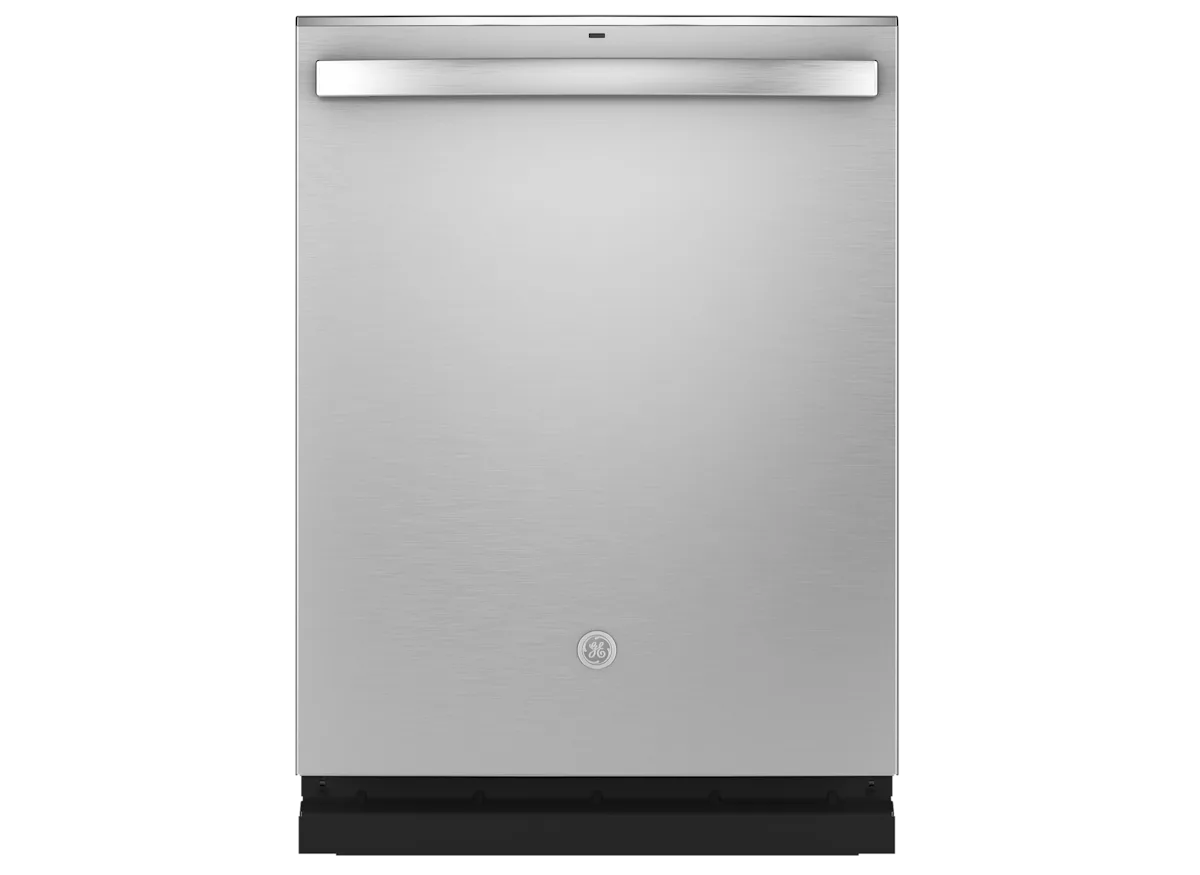
Image source: Bing (Web (fair-use with source credit))
Your GE Adora dishwasher just stopped mid-cycle. Or maybe it won't even turn on, and you've got a full load of crusty plates staring back at you. That's exactly where GE Adora dishwasher troubleshooting can save you a service call.
Aggregate service data shows nearly 70% of dishwasher problems come down to a simple reset, a clogged filter, or a door latch that's slightly off. Per GE's own technical documentation, these are the first three things every repair tech checks. Let's walk through the most common issues step by step.
Quick Answer
The most common GE Adora dishwasher issues have simple fixes. Start with the reset. If that fails, check the door latch.
Then inspect the filter. Clean the spray arms. These five steps solve most problems.
Before You Touch Anything — Read This First
Safety comes before saving money. Unplug the dishwasher or trip the breaker before you stick your hand near the drain pump or heating element. Water and electricity are a bad combo.
What you'll need: A Phillips screwdriver, a pair of needle-nose pliers, an old towel, and maybe a toothbrush. That's it. No multimeter required for 90% of fixes.
One rule: If the dishwasher is still under warranty (GE offers one year parts and labor), stop here. Call GE Factory Service. Messing with the internals can void coverage.
For everyone else, keep going.
The Quick Fix: Did You Try the Reset?
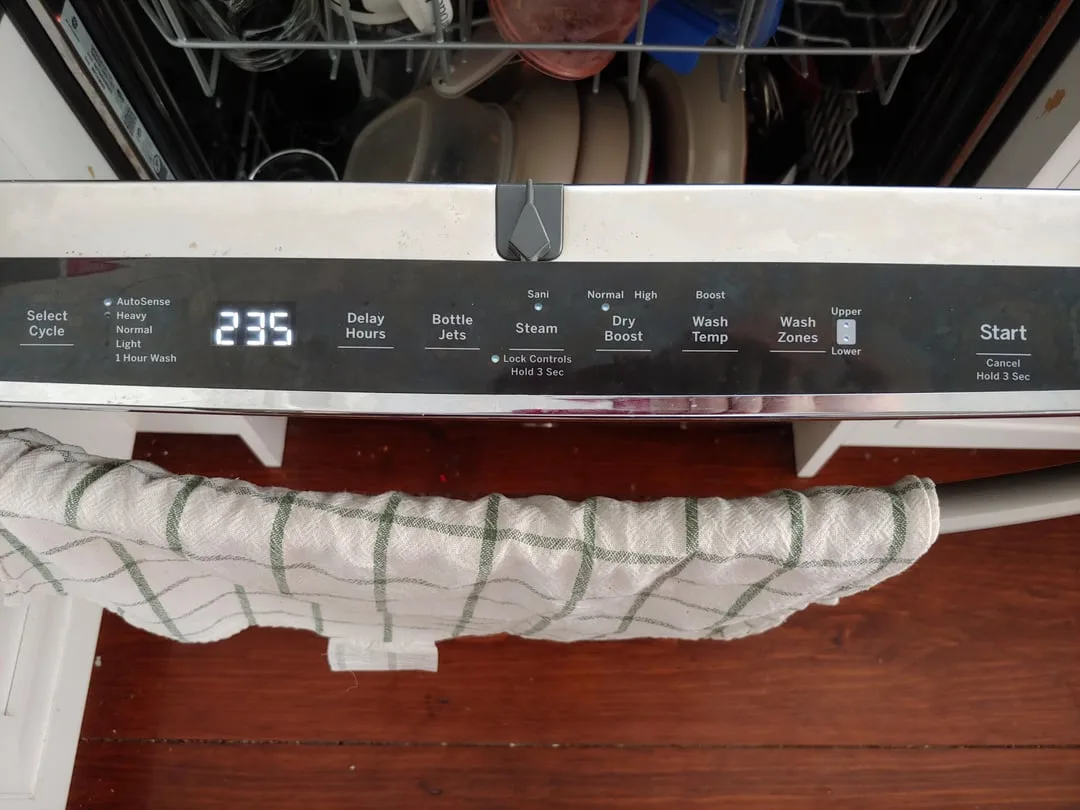
Image source: Bing (Web (fair-use with source credit))
This is the single most effective step in the whole guide. GE Adora models have a soft reset that clears most electronic hiccups.
How to reset a GE Adora dishwasher:
- Open the door fully.
- Press and hold the Start/Cancel button for about 3 seconds.
- You'll hear a beep. The display may flash or go blank.
- Close the door and press Start again.
If the dishwasher was stuck in a cycle or showing a random error code, that reset often fixes it. No tools. No waiting.
When the reset doesn't work: Try a hard reset. Flip the circuit breaker off for 30 seconds. Flip it back on.
Wait 5 minutes, then try the soft reset again. If the panel stays dead, move on to the next section.
Symptom 1: Won't Start, Dead Panel, No Lights
Work through these checks in order. Do not skip any.
Check the power source first. Is the dishwasher plugged in? Yes, it sounds obvious. But cords get bumped, outlets fail, and GFCI breakers trip without warning.
Check the outlet with a lamp or phone charger. If the outlet has a GFCI test button, push it. If it trips, reset it and try again.
Check the door latch. The GE Adora won't start if the door isn't fully closed and latched. Look at the latch mechanism on both sides. Is anything blocking it?
Clear it. Then close the door firmly. You should hear a solid click.
If you don't, the latch may be worn or misaligned.
Check the control lock. This is the most overlooked cause. The child lock button (often labeled with a padlock icon) disables all controls. If the panel lights are on but nothing responds, press and hold the lock button for 3 seconds.
The padlock icon should disappear. Now try starting again.
Still dead? Try the hard reset from the section above. If after all that the panel is dark and the dishwasher is unresponsive, the control board or the door switch assembly may have failed. That's repair tech territory.
Wiring faults require a multimeter and a schematic.
Symptom 2: Won't Drain, Water Stuck at Bottom
Standing water in the bottom is one of the most common complaints. It's almost always something you can fix in 20 minutes.
Step 1: Clean the filter. The GE Adora has a cylindrical filter assembly in the bottom center. Twist it counter-clockwise to remove it. Pull out the inner screen.
Rinse both parts under hot water. Use an old toothbrush to scrub off any greasy residue. Reinstall it.
Run a rinse cycle. If the water drains, you just fixed it.
Step 2: Check the drain hose. The hose runs from the dishwasher to the garbage disposal or the drain pipe. Look for kinks, clogs, or a sagging loop. The hose should form a high loop under the sink.
Straighten any bends. Disconnect the hose from the disposal and check for a plastic knockout plug. New disposals often come with a plug that needs to be punched out before connecting a dishwasher.
Step 3: Inspect the float switch. The float is a small plastic cone near the front of the tub. It rises when water fills and signals the dishwasher to stop filling. If it gets stuck in the up position, the dishwasher thinks it's full and won't drain.
Press down on the float gently. It should move freely. If it's stuck, clean around the float well with vinegar and a toothbrush.
Step 4: Check the drain pump. If all of the above checks out and water still sits, the drain pump may be jammed. Unplug the dishwasher. Remove the lower spray arm.
Pull out the filter assembly. Look into the sump area for a small impeller. Use a flashlight.
Try to spin it with a chopstick or screwdriver. If it won't spin, something is lodged in there. Remove it carefully.
If the pump spins freely but still won't drain, the pump motor may be burned out. Time for a professional.
Symptom 3: Dishes Come Out Wet and Not Drying
This one frustrates people because the dishwasher runs fine, but everything is soaking wet at the end. The fix depends on what's causing the moisture.
First, check the rinse aid. Rinse aid is not optional for good drying. It breaks the surface tension of water so droplets slide off dishes. If the rinse aid dispenser is empty, fill it.
GE recommends a setting of 3 or 4 on the dial inside the cap. If you never use rinse aid, start. It makes a visible difference.
Second, check the heating element. The heating element is the metal coil at the bottom of the tub. It heats the water during the wash and the air during the drying cycle. If the element doesn't glow orange during the dry cycle, it could be burned out.
Visually inspect it for cracks or breaks. If you see damage, it needs replacement. That's a $30 to $50 part and a medium-difficulty DIY job.
Third, check the dry cycle selection. On many GE Adora models, the drying heat only kicks in if you select a cycle that includes drying. The Rinse Only and Light Wash cycles often skip heated drying. Make sure you're using at least the Normal cycle.
Also check if the Dry Boost or Steam option is enabled. Those options add extra heat and time.
Fourth, check your water temperature. The dishwasher relies on hot water at 120 degrees Fahrenheit or higher to clean and dry effectively. If your water heater is set to 110 degrees or lower, the dishwasher never gets hot enough to evaporate moisture. Run the kitchen faucet hot for a minute before starting the wash.
If the water isn't hot, turn up your water heater to 120 degrees.
Still wet? Try opening the door a crack after the cycle ends to let steam escape. That's a workaround, not a fix. If the heating element looks fine and the water is hot, the thermistor may be faulty.
That one requires a multimeter to test. Consider calling a pro.
Symptom 4: Not Cleaning Properly, Food Left on Dishes
If your dishes come out with food bits still stuck on, the problem is usually mechanical or user error. Here's what to check.
Check the spray arms. The spray arms spin during the cycle and blast water at the dishes. If the jets are clogged, water pressure drops and dishes don't get clean. Remove the lower spray arm by pulling up on it or unscrewing it.
Remove the upper spray arm the same way. Rinse them under running water. Use a paperclip or toothpick to clear any clogged holes.
Reinstall them. Run a test cycle.
Check the water temperature. Same issue as with drying. If the incoming water isn't at least 120 degrees, the detergent won't activate properly. Turn on the kitchen faucet and let it run until hot before starting the dishwasher.
Check the detergent. Using the wrong detergent or too much can cause problems. Use fresh dishwasher detergent. Old detergent clumps and doesn't dissolve.
If you're using pods, make sure they're stored in a sealed container. Moisture can make them dissolve too early in the dispenser.
Check the load. Overloading blocks the spray arms from reaching every dish. Face dirty surfaces toward the center. Place bowls and cups at an angle so water drains off.
Don't nest items together. Leave space between plates.
Check the filter. A dirty filter restricts water flow and recirculates food particles back onto dishes. Remove and clean the filter as described in Symptom 2. This should be done monthly.
Still dirty? Run the dishwasher with a cup of white vinegar on the top rack. Set it to the hottest cycle. The vinegar cuts through grease and mineral buildup.
If that doesn't help, run another cycle with a cup of baking soda sprinkled on the bottom. This combination cleans the internal system effectively.
Symptom 5: Error Codes, Beeping, and Flashing Lights
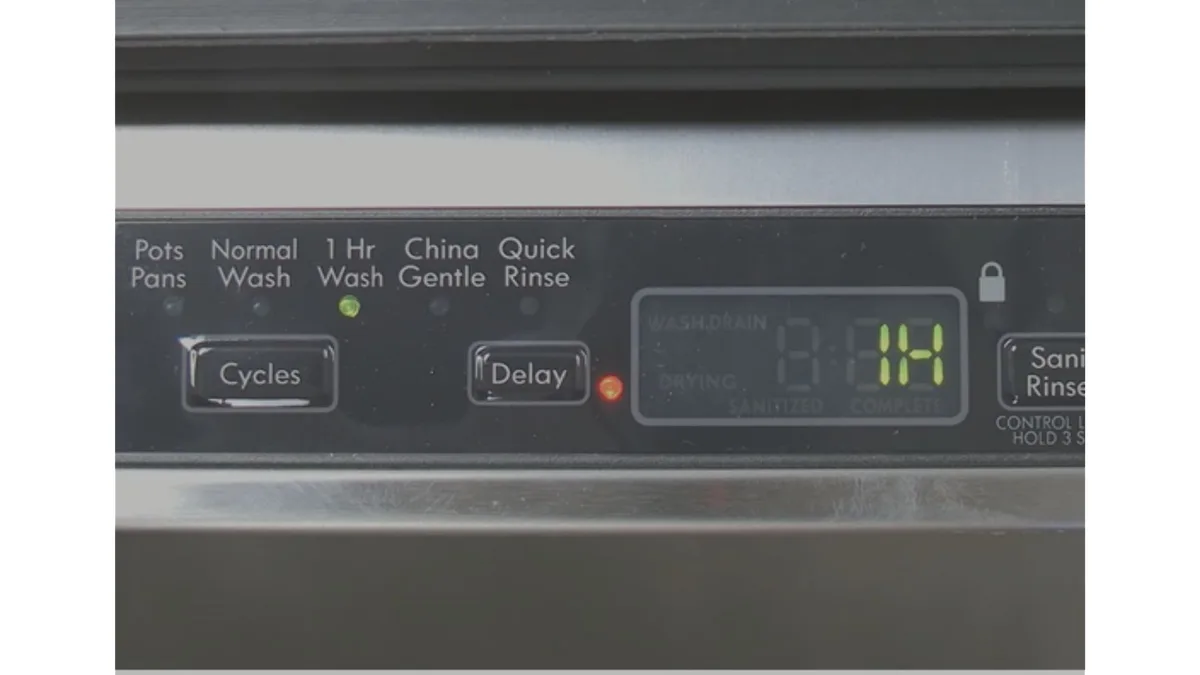
Image source: Bing (Web (fair-use with source credit))
GE Adora dishwashers communicate problems through error codes shown on the display or through flashing lights. Here's what each one means.
PF error (Power Failure). This appears after a power outage or surge. The dishwasher lost power mid-cycle. Press Start/Cancel to clear it.
Run a rinse cycle. If the error returns, check the outlet and circuit breaker.
1h error. This means the cycle took longer than one hour. That's normal for sensor-driven cycles. The dishwasher adjusts time based on soil levels and water temperature.
If the cycle never ends, check the float switch and filter. They can trick the sensor into delaying.
5 flashes (drain issue). The dishwasher detects water that won't drain. Follow the steps in Symptom 2. Start with the filter, then the drain hose, then the float switch.
If all else fails, check the drain pump.
6 flashes (water inlet issue). The dishwasher isn't getting enough water. Check the water supply valve under the sink. Make sure it's fully open.
Check the inlet hose for kinks. If the valve is open and the hose is clear, the water inlet valve may be faulty. That requires a professional to replace.
7 flashes (heater failure). The heating element or thermistor is not working. Check the element visually for damage. If it looks fine, the thermistor may be the culprit.
This is a $15 to $30 part but requires a multimeter to diagnose.
Continuous beeping. The dishwasher beeps repeatedly until you open the door. This usually means the cycle interrupted or the door was opened mid-cycle. Open the door, close it, and press Start.
If the beeping continues, reset the dishwasher.
No error code but odd behavior. If the dishwasher runs erratically or stops mid-cycle randomly, the control board may be failing. This is less common than mechanical issues. Try a hard reset first.
If the behavior persists, call a repair tech.
When to Give Up and Call a Professional
Not every problem is a DIY fix. Here's when to stop tinkering and call GE Factory Service or a local appliance repair pro.
Control board failure. If the dishwasher is getting power but the control panel is completely unresponsive, the main control board may be fried. Replacing it costs $150 to $300 plus labor. That's often half the cost of a new dishwasher.
Major leaks. If water is pooling under the dishwasher and you've ruled out the door gasket and hose connections, the tub may be cracked. A cracked tub means replacement. Call a pro to confirm.
Motor or pump failure. If the drain pump is humming but not moving water, or the wash motor is making grinding noises, the motor bearings are shot. Motor replacement costs $200 to $400. Compare that to a new dishwasher.
Compressor failure. Some GE Adora models use a wash pump instead of a traditional motor. If the pump fails, repair costs can exceed $400. That's replacement territory.
Wiring issues. If you smell burning plastic or see scorch marks near the control board or wiring harness, stop immediately. Electrical fires are a real risk. Call a professional.
Your time is worth something. If you've spent two hours troubleshooting and the problem isn't obvious, it's okay to call a pro. A service call costs $100 to $200. That's cheaper than damaging the dishwasher further.
Maintenance to Prevent Future Headaches
A little regular care keeps your GE Adora running smoothly for years. Here's what to do and how often.
Monthly tasks:
- Clean the filter assembly. Remove it, rinse it, scrub it with a toothbrush.
- Run a cleaning cycle with a dishwasher cleaner tablet or white vinegar.
- Wipe the door gasket with a damp cloth to remove food debris.
- Check the spray arm jets for clogs.
Quarterly tasks:
- Inspect the drain hose for kinks and proper high loop positioning.
- Check the water inlet valve screen for sediment buildup.
- Test the float switch by pressing it down to make sure it springs back.
Yearly tasks:
- Replace the rinse aid dispenser cap if it's cracked or leaking.
- Check the heating element for corrosion or damage.
- Inspect the door latch mechanism for wear.
Hard water tips. If you have hard water, mineral buildup is your enemy. Use a dishwasher cleaner monthly. Add a water softener salt pack to the dishwasher if your model supports it.
Vinegar rinses help dissolve calcium deposits.
Detergent tips. Store detergent in a cool dry place. Old detergent loses effectiveness. Use the recommended amount.
More detergent does not equal cleaner dishes. It leaves residue.
Loading tips. Don't overload. Face dirty surfaces inward. Place tall items on the sides.
Put plastics on the top rack only. Pre-rinsing is not necessary with modern dishwashers. Just scrape off large food pieces.
Quick Reference Table
| Symptom | Likely Cause | Fix | Time |
|---|---|---|---|
| Won't start | Power, latch, or lock | Reset, check latch, unlock | 5 minutes |
| Won't drain | Clogged filter or hose | Clean filter, check hose | 15 minutes |
| Wet dishes | Rinse aid or heater | Fill rinse aid, test heater | 10 minutes |
| Dirty dishes | Spray arms or load | Clean arms, reload properly | 20 minutes |
| Error code PF | Power outage | Press Start/Cancel | 30 seconds |
| Error code 5 flashes | Drain issue | Clean filter, check pump | 15 minutes |
| Error code 6 flashes | Water inlet | Open valve, check hose | 10 minutes |
| Error code 7 flashes | Heater failure | Inspect element, call pro | 30 minutes |
| Leaks | Gasket or hose | Inspect gasket, tighten hoses | 30 minutes |
| Beeping continuously | Cycle interrupted | Open door, press Start | 1 minute |
Frequently Asked Questions
Why is my GE Adora dishwasher not starting?
Check the door latch first. If the door isn't fully closed, the dishwasher won't start. Next, check the control lock.
Press and hold the lock button for 3 seconds. If that doesn't work, try a hard reset by flipping the circuit breaker off for 30 seconds.
How do I reset my GE Adora dishwasher?
Open the door and press and hold the Start/Cancel button for 3 seconds. You'll hear a beep. Close the door and press Start.
If that doesn't work, flip the circuit breaker off for 30 seconds, then back on. Wait 5 minutes and try again.
Why is water not draining from my GE Adora dishwasher?
The filter is the most common cause. Remove the filter assembly in the bottom center. Clean it thoroughly.
Check the drain hose for kinks or clogs. If that doesn't work, inspect the float switch to make sure it moves freely.
What does 5 flashes mean on a GE Adora dishwasher?
Five flashes indicates a drain issue. The dishwasher detects standing water that won't drain. Start by cleaning the filter.
Then check the drain hose and float switch. If the problem persists, the drain pump may be jammed.
Why are my dishes still wet after the cycle ends?
Check the rinse aid dispenser. Fill it if empty. Make sure you selected a cycle with heated drying.
Check the heating element at the bottom of the tub. If it's damaged, it needs replacement. Also confirm your water temperature is at least 120 degrees Fahrenheit.
How do I clean the filter on my GE Adora dishwasher?
Remove the lower rack. Twist the cylindrical filter counter-clockwise and lift it out. Pull out the inner screen.
Rinse both parts under hot water. Use a toothbrush to scrub off residue. Reinstall and twist clockwise to lock.
How long should a GE Adora dishwasher last?
Most GE Adora dishwashers last 10 to 15 years with proper maintenance. Regular filter cleaning, rinse aid use, and monthly cleaning cycles extend the lifespan. Hard water conditions can shorten this if maintenance is neglected.
When should I replace my dishwasher instead of repairing it?
If the repair costs more than half the price of a new dishwasher, replace it. Major motor or control board failures often cost $300 to $500. A new GE Adora runs $400 to $800.
Also consider age. If the dishwasher is over 10 years old, replacement is usually the better choice.

Similar Posts