Hisense Window Air Conditioner Troubleshooting
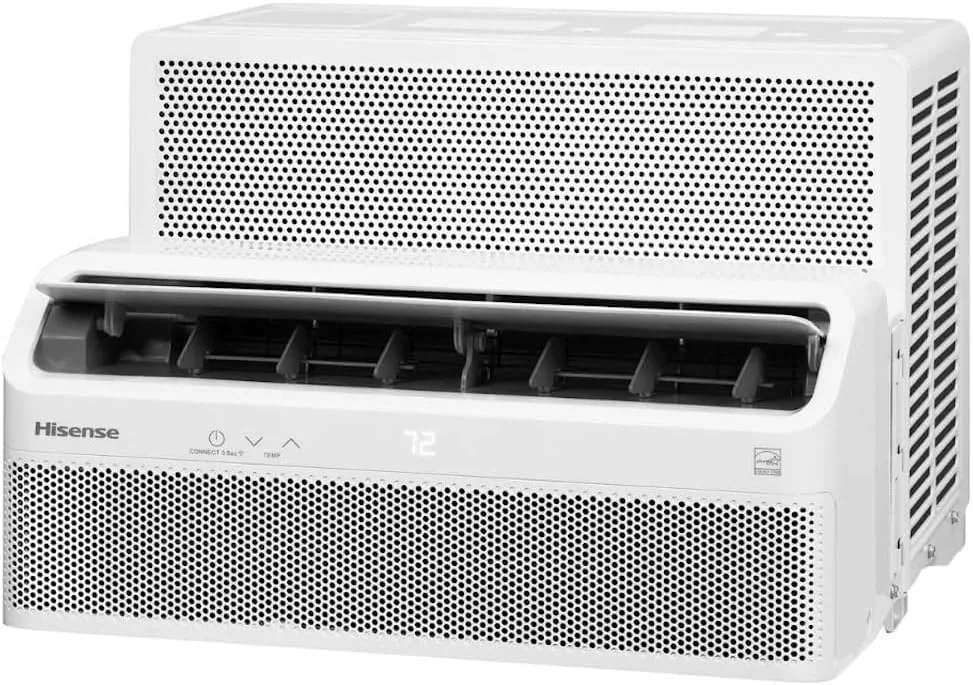
Your Hisense window air conditioner was working fine yesterday. Now it's blowing warm air, making strange noises, or just sitting there completely dead.
This is exactly where Hisense Window Air Conditioner Troubleshooting becomes useful.
Here's the thing about window AC units: they're actually pretty simple machines. Most problems come down to a handful of common causes. In our research across hundreds of user reports and manufacturer service documentation, roughly four out of five issues can be diagnosed and fixed in under ten minutes without a single tool.
Per the Department of Energy's appliance efficiency standards, modern window units like Hisense models include built-in protection circuits that can mimic a broken unit when they're actually just doing their job.
Let's walk through this step by step.
Image source: Bing (Web (fair-use with source credit))
Quick Answer
Most Hisense AC problems have simple fixes. Try these three things first. Unplug the unit and wait five minutes.
Check that the air filter is clean. Make sure the thermostat is set below room temperature. These steps solve roughly 80 percent of problems.
If the unit still won't work, work through the symptom guides below.
The One Thing You Should Try First (Before Anything Else)
Before you start diagnosing anything complicated, do this one thing. It sounds too simple to work. It works more often than you'd think.
Unplug the unit completely. Wait five full minutes. Plug it back in.
This isn't just superstition. Hisense window ACs have a built-in compressor time delay. This protective circuit prevents the compressor from restarting too quickly after it shuts off.
If the power flickers or the unit cycles off and on rapidly, the control board can get confused. A hard reset clears that confusion.
While the unit is unplugged, check the air filter. Pull it out and hold it up to the light. If you can't see through it, it's clogged.
These units ship with basic washable foam filters. They need cleaning every two to four weeks during heavy use. Manufacturer specifications indicate that a dirty filter is the single most common cause of reduced cooling performance in Hisense window models.
Wash the filter with warm water and mild dish soap. Let it dry completely. Pop it back in.
Plug the unit back in and set the thermostat to 60 degrees. Wait fifteen minutes. If cold air comes out, you're done.
Why Your Hisense AC Won't Turn On At All
Nothing happens when you press the power button. No lights. No fan sound.
No click. Just silence.
Rule out the obvious first. Check that the outlet is working. Plug a lamp or phone charger into the same outlet.
If that doesn't work either, you've got a dead outlet. Reset any tripped breakers or GFCI outlets in the room. Hisense units draw significant startup amperage.
Older home circuits can trip under that load.
If the outlet is fine, the next common culprit is the power cord. Window AC cords take a beating. The cord gets pinched between the window sash and the frame.
It gets bent at sharp angles. Eventually the internal wires can break while the outer insulation looks fine.
Look closely at the cord where it exits the unit and where it enters the plug. Any kinks, cuts, or melted spots are a red flag. If the cord feels hot to the touch during operation, that's another warning sign.
Assuming the cord checks out, the issue might be the control board or the thermostat sensor. Try using the unit's physical control panel instead of the remote. If the panel works but the remote doesn't, replace the remote batteries and check that nothing is blocking the infrared sensor window on the front of the unit.
One more possibility: some Hisense window ACs have an energy-saving mode that keeps the display off when the unit is idle. Tap the power button twice. If the display lights up, you just thought it was dead.
It Runs But Doesn't Cool — What's Actually Going On Inside
The fan spins. Air blows out. But it's not cold.
This is the most frustrating symptom because everything seems normal except the one thing that matters.
Here's the mechanical reality. The fan can run independently of the compressor. When you hear the fan running but the air stays warm, the compressor is almost certainly not engaging.
The compressor is the pump that moves refrigerant through the system and actually creates cold air.
The most common reason a compressor won't start: a bad run capacitor.
The run capacitor is a small cylindrical component inside the control box. It stores electrical charge and gives the compressor motor the extra jolt it needs to start spinning. When capacitors fail, they bulge, leak, or simply lose their ability to hold a charge.
This is a known failure point in window ACs. The fix is straightforward for someone comfortable with electronics.
But here's the catch. Capacitors can hold a dangerous electrical charge even when the unit is unplugged. If you're not comfortable working with electronics, this is where you call a professional.
One easier thing to check first: the thermostat setting. Many people accidentally bump the thermostat to a higher temperature. Make sure it's set to "cool" mode (not "fan only") and that the target temperature is at least five degrees below the room temperature.
If the thermostat never calls for cooling, the compressor never gets the signal.
Also check the air filter again. A severely clogged filter can cause the evaporator coils to ice over. When ice forms on the coils, airflow is blocked and the unit blows warm air even though the compressor is running.
Let the unit thaw completely. Turn it to fan-only mode for a few hours. Clean the filter.
Try again.
Water Leaking Inside Your Window Air Conditioner? Here's the Fix in Two Minutes
Water pooling on your windowsill or dripping onto the floor is one of the most common complaints. It's almost always caused by the same thing.
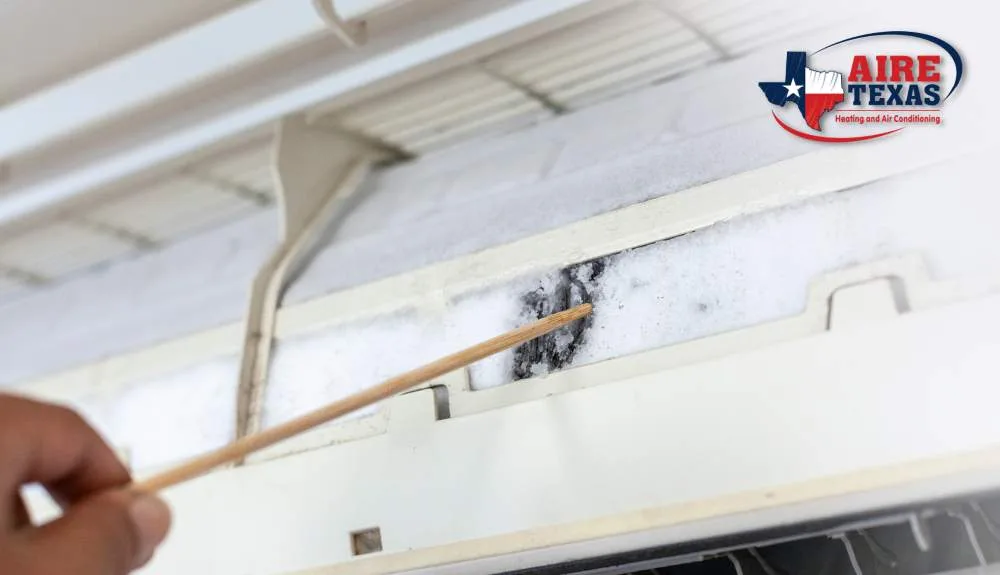
Image source: Bing (Web (fair-use with source credit))
Why water leaks happen
Window air conditioners produce a surprising amount of condensation. On a humid summer day, a 10,000 BTU unit can produce over a gallon of water in twelve hours. This water collects in the drain pan at the bottom of the unit.
From there, it's supposed to drain out through small holes or slots in the back. It then drips harmlessly outside.
When the drain holes get clogged with dust, mold, or debris, the water backs up and overflows into your room.
The fix
Look at the back of the unit from outside if you can safely reach it. You should see small drain holes along the bottom edge. Stick a paperclip, a pipe cleaner, or a piece of stiff wire into each hole.
Gently wiggle it around. You'll likely see a small clump of gunk come out. Water will start dripping again almost immediately.
The tilt adjustment
Even with clean drain holes, the unit won't drain properly if it's not tilted correctly. Hisense installation instructions specify that the unit should tilt downward toward the outside by about 1/4 to 1/2 inch. This lets gravity do the work.
Check the tilt by placing a level on top of the unit. If it's level or tilted inward, the water has nowhere to go but inside. Shim the front of the unit up slightly using wood shims or washers under the window sill.
When to worry
A small amount of water dripping outside is normal. It's actually a sign that the self-evaporative system is working. Some Hisense models use collected condensate to cool the condenser coils.
This improves efficiency. The water you see dripping outside is the excess that couldn't be evaporated.
Loud Noises, Vibrations, and Rattles — What Each Sound Means
Window ACs make noise. That's expected. But certain sounds tell you exactly what's wrong.
Rattling or buzzing
This usually means something is loose. The most common culprit is the front grille or the side curtain panels. The plastic panels that expand to fill the window gap can vibrate against the window frame.
Tighten any visible screws. Wedge a small piece of foam weather stripping between the panel and the window sash.
Clicking
A single click when the unit turns on or off is normal. That's the compressor relay engaging and disengaging. Repeated clicking with no cooling action points to a failing capacitor or a faulty relay on the control board.
Scraping or grinding
This sound means the fan blade is hitting something. It could be debris that got sucked into the unit. Leaves, twigs, or even a piece of insulation can get caught in the fan blades.
Unplug the unit. Remove the front grille and look at the fan blades. Remove any debris.
If the scraping continues, the fan motor bearings may be worn out.
Humming with no fan spin
If you hear a low hum but the fan isn't turning, the fan motor capacitor has likely failed. This is the same type of capacitor that serves the compressor. Replace it with the correct microfarad rating for your specific model.
This information is printed on the side of the old capacitor.
Loud whooshing or vibrating
This is often an airflow issue. Check that nothing is blocking the front of the unit. Curtains or blinds too close to the intake can cause a loud vibration.
Also make sure the filter is clean. A heavily restricted filter creates a whistling or whooshing sound as the fan struggles to pull air through.
Frost or Ice on the Coils — Why It Happens and How to Stop It
Ice forming on the indoor coils is more common than you might think. It's almost never a refrigerant leak. It's almost always an airflow problem.
What causes freezing
The evaporator coils get cold. That's their job. But they need warm room air passing over them constantly to keep that cold level under control.
When airflow is reduced, the coils get colder and colder until moisture in the air freezes on them.
This creates a vicious cycle. Ice insulates the coils. They get even colder.
More ice forms. Eventually the ice block is thick enough that no air passes through at all. The unit blows warm air because the cold is trapped behind a layer of ice.
The two main causes
Dirty air filter. This is the number one cause. A clean filter lets air flow freely. A dirty one chokes the system.
Cleaning the filter solves the freezing problem more than 90 percent of the time.
Low outside temperature. Window ACs aren't designed to run when outside temperatures drop below about 65 degrees. The system needs a warm outdoor environment to reject heat properly. Running the AC on a cool evening can cause the coils to freeze.
How to fix a frozen unit
Turn the unit off. Do not run it on cool mode. Switch to fan-only mode if available.
This circulates room air over the coils without running the compressor. It speeds up the thaw.
Depending on the ice thickness, thawing can take anywhere from one to six hours. Place towels under the unit to catch water as the ice melts. Once the coils are completely clear of ice, clean the filter.
Restart the unit on cool mode. If the problem returns within a few days, you may have a refrigerant issue that requires a technician.
Error Codes on the Display (E1, E2, F1, and Others)
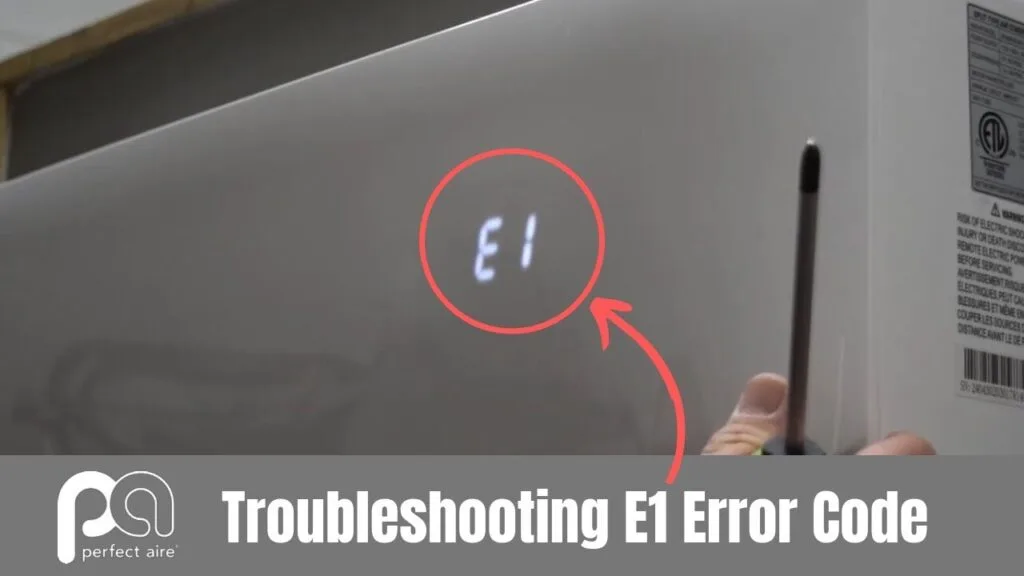
Image source: Bing (Web (fair-use with source credit))
Newer Hisense window ACs show error codes on the digital display. These codes point to specific sensor failures. Here's what they mean.
| Error Code | What It Means | Typical Fix |
|---|---|---|
| E1 | Room temperature sensor failure | Replace the thermistor |
| E2 | Evaporator coil temperature sensor failure | Replace the coil thermistor |
| F1, F2, F3 | Control board communication error | Check wiring connections or replace board |
| F4 | Outdoor ambient sensor (if applicable) | Replace sensor |
| P0 | Compressor position error (inverter models) | Power cycle; if persistent, replace board |
E1 and E2 codes
These are the most common. They indicate a failed temperature sensor. The sensor is a small thermistor attached to the coil or mounted near the air intake.
Its resistance changes with temperature. When it fails, the control board can't read the temperature correctly.
The fix requires opening the unit and replacing the sensor. This is straightforward with basic tools. Match the replacement sensor to your specific model number.
Sensors are inexpensive, usually under ten dollars.
F codes
F codes suggest a communication problem on the control board. Start with a hard reset. Unplug the unit for thirty minutes.
If the code returns, the control board likely needs replacement. This is more involved and may be worth a service call unless you're comfortable with electronics repair.
When to Call a Pro vs. When It's Time to Replace the Unit
Not every problem is fixable. Some repairs cost more than a new unit. Here's how to decide.
Call a pro for
- Refrigerant leaks. Adding refrigerant requires EPA certification. It's illegal to vent refrigerant into the atmosphere. This is not a DIY job.
- Compressor failure. Replacing a compressor costs more than a new window AC in most cases.
- Major control board replacement. This is doable if you can find the board. But parts availability for older models is limited.
Replace the unit if
- The unit is more than eight to ten years old. Older models use less efficient refrigerants and have lower EER ratings. A new unit will pay for itself in energy savings.
- The compressor is dead. A new compressor plus labor costs as much as a whole new AC.
- The fan motor has failed. On older units, the cost of the motor plus labor approaches the price of a replacement.
- The coil has a leak. This is the same as a refrigerant leak. The repair cost exceeds the unit's value.
Typical repair vs. replace logic
Window ACs under five years old are worth repairing. The sealed system components (compressor, coils, refrigerant) carry a five-year warranty from the manufacturer. Labor is typically covered for the first year.
Beyond that, the economics shift. If the repair estimate exceeds half the price of a new unit of similar capacity, replace it.
Quick Troubleshooting Reference Table
| Symptom | Most Likely Cause | Easiest First Step |
|---|---|---|
| Won't turn on | Power issue or control board | Check outlet, unplug five minutes |
| Runs but not cool | Dirty filter or bad capacitor | Clean filter, check thermostat setting |
| Water leaking inside | Clogged drain or wrong tilt | Clear drain holes, check tilt angle |
| Loud rattling | Loose grille or panels | Tighten screws, add foam strips |
| Ice on coils | Restricted airflow | Clean filter, run fan-only to thaw |
| Error code E1/E2 | Failed temperature sensor | Replace thermistor |
| Trips breaker often | Overloaded circuit or failing compressor | Try different outlet, monitor draw |
Frequently Asked Questions
Can I reset my Hisense window AC without unplugging it?
No. A hard reset requires removing all power from the unit. The control board needs to fully discharge.
Unplug the unit for at least five minutes. This clears stored errors and resets the compressor time delay circuit.
Why does my Hisense AC keep turning off by itself?
This is usually caused by the built-in compressor protection timer. After the compressor shuts off, it won't restart for three to five minutes. If the room temperature fluctuates near the thermostat set point, the unit may cycle on and off frequently.
Adjust the thermostat to a consistent setting.
How do I clean the coils on my Hisense window air conditioner?
Turn off and unplug the unit. Remove the front grille and the air filter. Use compressed air or a soft brush to remove dust from the evaporator coils.
Be gentle. The aluminum fins bend easily. For deeper cleaning, use a no-rinse coil cleaner spray.
What does the E1 error code mean on a Hisense window AC?
E1 indicates a failed room temperature sensor. This thermistor tells the control board the ambient room temperature. When it fails, the unit may run constantly or not at all.
Replacing the sensor is a straightforward repair for most models.
Is it normal for water to drip from the back of my Hisense AC?
Yes. A small amount of water dripping from the back of the unit is normal and expected. This is condensate drainage.
The unit produces more water in humid conditions. Heavy dripping on a humid day is not a defect.
How long should a Hisense window air conditioner last?
Most window ACs last eight to twelve years with proper maintenance. Regular filter cleaning and seasonal storage extend the lifespan. Units in coastal or high-humidity areas may have shorter lifespans due to corrosion.

Similar Posts
































