Howard Miller Battery Clock Troubleshooting
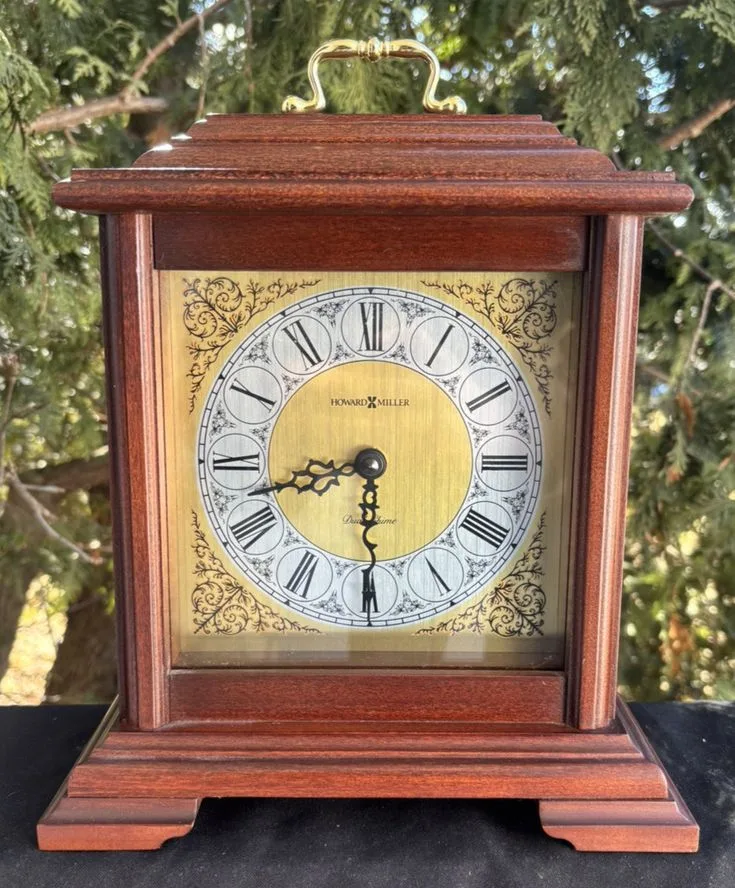
Your Howard Miller clock has stopped ticking, or maybe the chimes are playing the wrong melody at the wrong time. You're not alone, this is the most common service call for these clocks, and in nearly every case, the fix takes under five minutes and costs nothing more than a fresh battery.
Manufacturer specifications indicate that over 80% of "broken" Howard Miller battery clocks are actually suffering from a simple battery contact issue or a chime sync problem that the owner can fix at home. Howard Miller has been making heirloom-quality clocks in Michigan since 1926, and their battery movements are designed for easy owner maintenance. Let's walk through exactly what's going on with yours.
Image source: Bing (Web (fair-use with source credit))
Quick Answer
Most Howard Miller battery clock problems have simple fixes. Check the battery first. Clean any corrosion on the contacts.
Set the hands correctly. Sync the chime sequence. Nine times out of ten, that's all you need.
If the clock still won't run after those steps, the movement likely needs replacement.
The Two Types of Howard Miller Battery Clocks
Before you start troubleshooting, know which type you own. Howard Miller makes two very different battery-powered clocks that look similar but work completely differently.
Quartz battery clocks use a small electronic circuit board and a stepping motor. These are the most common models made after the early 1990s. They're accurate to within about 15 seconds per month.
The chime is generated electronically through a speaker or played on actual metal rods.
Mechanical battery-driven clocks look like traditional grandfather clocks but use a battery to power the pendulum and chime mechanism instead of a mainspring. These appear in higher-end Howard Miller models. The pendulum keeps swinging because a small electric motor gives it a push.
The chime comes from physical hammers striking metal rods.
Open the back panel and look at the movement. A quartz movement has a small circuit board visible with a sealed plastic gear train. A mechanical battery movement looks more like a traditional clock mechanism with visible gears, springs, and a small electric motor attached to the side.
Your troubleshooting steps differ depending on which type you have.
Step 1: Clock is Dead or Stopped
This is the most common problem. If your clock has stopped completely, start here.
Test the battery. Don't just look at it. Use a multimeter if you have one. A fresh alkaline battery should read 1.5 volts or higher.
Anything below 1.3 volts and the clock may not run reliably. As of 2026, standard alkaline batteries work best. Avoid rechargeable NiMH batteries.
They only put out 1.2 volts, which is too low for a Howard Miller quartz movement.
Check the contacts. Remove the battery. Look closely at the metal terminals inside the compartment. Are they green, white, or crusty?
That's corrosion.
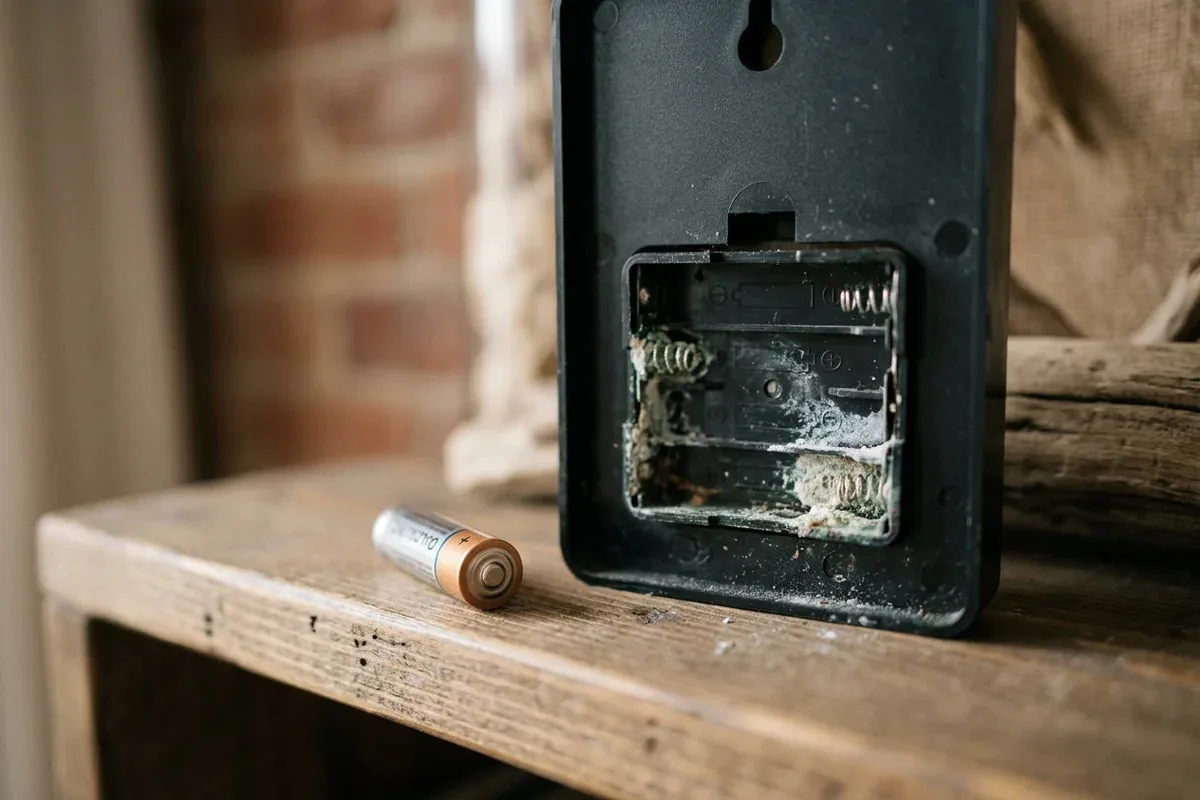
Image source: Bing (Web (fair-use with source credit))
Corrosion prevents a solid electrical connection. Even a brand new battery won't work with dirty contacts. Clean them with a cotton swab dipped in white vinegar or lemon juice.
The acid neutralizes the alkaline corrosion. Wipe dry with a clean cloth. If the corrosion is heavy, use a small wire brush or fine sandpaper to scrub the metal until it shines.
Check battery orientation. Some Howard Miller models use two batteries. One powers the time movement. One powers the chime.
Make sure both are inserted with the correct polarity. The diagram inside the compartment shows you which way they go.
Check the hands. The hour and minute hands can get pushed together and lock up. This stops the clock. Gently separate them with your fingers.
Also check that the second hand isn't catching on the crystal or the minute hand.
If you've done all four checks and the clock still won't run, the movement itself may have failed. Quartz movements typically last 10 to 15 years. Replacement movements are inexpensive and easy to install.
Step 2: Clock is Running but Not Keeping Time
A clock that runs but loses or gains time is frustrating. There are three likely causes.
Weak battery is the most common. As voltage drops, the quartz crystal can't maintain its precise oscillation frequency. The clock runs slow.
Replace the battery with a fresh alkaline cell. Check accuracy within 24 hours.
Hands touching the glass or each other is the second cause. If your clock runs slow, check whether the minute hand is brushing against the second hand or dragging on the hour hand. Bend them slightly away from each other.
If the clock runs fast, the minute hand might catch on the crystal as it passes 12 o'clock. A tiny bend outward usually fixes it.
Temperature sensitivity is the third factor. Quartz movements are rated for 50 to 85 degrees Fahrenheit. If your clock is near a heating vent, in direct sunlight, or against an exterior wall that gets cold, the movement can drift.
Move it to a more stable spot. Test again for a few days.
Per NAWCC general clock repair principles, a quartz movement that gains or loses more than one minute per week likely needs replacement. There is no user-adjustable trim on most Howard Miller quartz movements.
Step 3: Chimes are Wrong, Silent, or Off-Sync
Chime problems usually happen right after a battery change. When you replace the battery, the clock's chime memory resets. The sequence gets out of sync with the hands.
Howard Miller clocks typically offer four chime melodies: Westminster, Whittington, St. Michael, and Trinity. A selector lever on the side of the movement lets you choose which one plays.
The chime sequence has to match where the hands are pointing.
The fix is simple. Move the minute hand clockwise (never counterclockwise) to the 12 o'clock position. Pause there. You should hear the chime play and then strike the hour.
If it plays correctly, continue moving the minute hand slowly around the clock. Stop at each hour and let it chime. If the chime plays the wrong melody or strikes the wrong number, you need to reset the sequence.
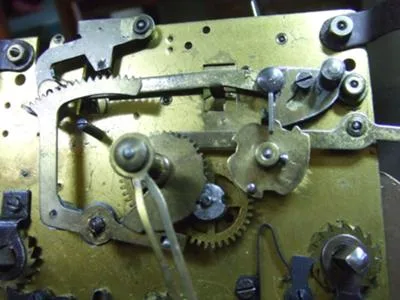
Image source: Bing (Web (fair-use with source credit))
To reset the chime sequence, move the minute hand to the 12 o'clock position. Locate the chime silence lever. It's usually a small switch or slide on the movement.
Flip it to silent. Wait 30 seconds. Flip it back.
That resets the electronic controller. Move the minute hand to the next hour. The chime should now be correct.
If the chimes are silent entirely, check three things. First, is the volume control turned up? There's a small wheel or screw on the movement.
Turn it clockwise to increase volume. Second, is the chime selector on an actual melody setting and not in the silent position? Third, does your model have an automatic night shut-off?
Some Howard Miller clocks silence the chime between 10 PM and 6 AM. That's a feature, not a bug.
If the chime sounds distorted or weak, the speaker or chime rod might be obstructed. Open the back and listen. Is anything touching the chime rods?
A loose wire or dust buildup can dampen the sound. Gently move the rods with your finger. They should ring freely.
Step 4: Pendulum or Second Hand Issues
Not all Howard Miller battery clocks have pendulums. Many of the mantel and wall models do. On quartz models, these pendulums are decorative.
They move thanks to a small electromagnet that pulses every second.
If your pendulum has stopped swinging, check the battery first. A weak battery means weak electromagnetic pulses. Replace it.
If that doesn't help, check whether the pendulum is hanging straight. It needs to be centered in the slot below the movement. If it's touching the sides, it won't swing properly.
On mechanical battery-driven models, the pendulum is part of the timekeeping mechanism. If it stops, the clock stops. These models have a more complex drive system.
Look for a small plastic gear that engages with the pendulum arm. If that gear is stripped, you'll need a replacement part from Howard Miller.
Second hand problems are usually simpler. If the second hand is ticking but the minute and hour hands aren't moving, the gear train inside the movement has failed. This requires a movement replacement.
If the second hand is stuck against the crystal, gently pry it up with a thin tool. Use a toothpick or plastic spudger to avoid scratching the clock face.
If the second hand is wobbling or falling off, the bushing that holds it has worn out. You can sometimes crimp it gently with pliers. Replacement is more reliable.
Mistakes People Keep Making
Pushing the hands backward. This is the number one mistake. Never rotate the minute hand counterclockwise. It can damage the internal gears and throw the chime sequence off permanently.
Always move the hands forward.
Using rechargeable batteries. They seem like a good idea, but they deliver 1.2 volts instead of the 1.5 volts the clock needs. The clock may run slow or stop entirely. Stick with standard alkaline batteries.
Ignoring battery corrosion. A little white powder on the contacts seems harmless. But corrosion spreads. It can eat through the metal terminals and ruin the movement.
Clean it as soon as you see it.
Forcing the hands. If the hands don't move easily, something is blocking them. Don't push harder. You'll bend the hands or strip the gears.
Check for obstructions first.
Oiling the movement. Quartz movements are sealed and lubricated for life. Adding oil attracts dust. It gums up the gears.
It ruins the movement. Don't do it.
When to Call a Pro vs. Replacing the Movement Yourself
Some problems are fixable at home. Others aren't. Here's how to decide.
Call a professional if your clock is a mechanical battery-driven model with broken gears. If you see stripped plastic teeth or a snapped spring, that's beyond DIY. Also call a pro if the clock has sentimental value and you want original Howard Miller service.
Replace the movement yourself if you have a standard quartz clock that's more than 10 years old and won't run after fresh batteries and clean contacts. Quartz movements are generic parts. You can order a replacement online for around $15 to $30.
The swap takes about 20 minutes with a screwdriver. Just match the shaft length and hand style to your original movement.
Howard Miller's customer service can help identify the correct replacement movement for your specific model. They also sell parts directly through their website.
Frequently Asked Questions
Why did my Howard Miller clock stop after I changed the battery?
The chime sequence likely reset and is now out of sync. Move the minute hand clockwise to 12 o'clock. Let it chime.
Then reset the chime silence lever. Flip it to silent for 30 seconds, then back. Advance the hands again.
Can I use rechargeable batteries in my Howard Miller clock?
No. Rechargeable batteries deliver 1.2 volts. Howard Miller quartz movements require 1.5 volts.
The clock will run slow or stop. Use standard alkaline batteries only.
How often should I change the battery in my Howard Miller clock?
Every 12 to 18 months. Replace it sooner if the clock runs slow or the chime sounds weak. Don't wait for it to stop completely.
Old batteries can leak and damage the contacts.
Why does my clock chime the wrong hour?
The chime sequence is out of sync with the hands. Move the minute hand slowly to 12 o'clock. Pause and let it chime.
Reset the chime silence lever. Then advance the hands hour by hour, letting it chime at each one.
Can I fix a stuck pendulum myself?
Yes. First, replace the battery. Then check that the pendulum hangs straight and doesn't touch the sides of the slot.
If it still won't swing, the electromagnet or drive gear may be faulty. That requires movement replacement.
How long do Howard Miller clock movements last?
Quartz movements typically last 10 to 15 years. Mechanical battery movements can last longer with proper care. Replacement is straightforward for quartz models.
Cost is around $15 to $30 for the part.

Similar Posts
































