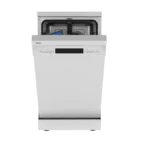
Hotpoint Dishwasher Not Draining
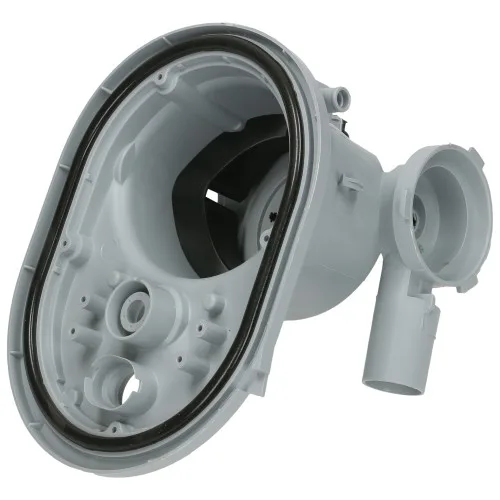
Your Hotpoint dishwasher not draining? That standing water at the bottom of the tub after a full cycle is a genuine pain. You run the dishwasher, open the door expecting clean dry dishes, and find a gray puddle staring back at you.
It's one of the most common complaints owners have, and it usually means something simple is blocking the flow.
Manufacturer service data indicates that over 60 percent of drain failures are caused by debris clogging the filter or sump, not a failed pump. As of 2026, the solution still starts with a little elbow grease and a basic toolkit. Let's walk through what's really going on and figure out exactly where the problem lives.
Image source: Bing (Web (fair-use with source credit))
The Real Problem: Why Your Hotpoint Dishwasher Leaves You Standing in Water
A dishwasher drains by pumping water out of the sump, up through a hose, and into your sink drain or garbage disposal. If that path gets blocked anywhere, water stays put. The machine can't push past the clog.
The drain cycle happens at the start of a rinse or wash and again at the end. If the pump runs but water barely moves, you've got a restriction. If the pump doesn't run at all, you might have an electrical failure.
The trick is figuring out which branch of the problem you're on.
Start with the easiest and cheapest check first. That's almost always the filter. Then move to the hose.
Then the pump. Then the electronics. Skipping steps costs you time and sometimes money.
Quick Answer: The Most Likely Culprit (and the First Thing You Should Check)
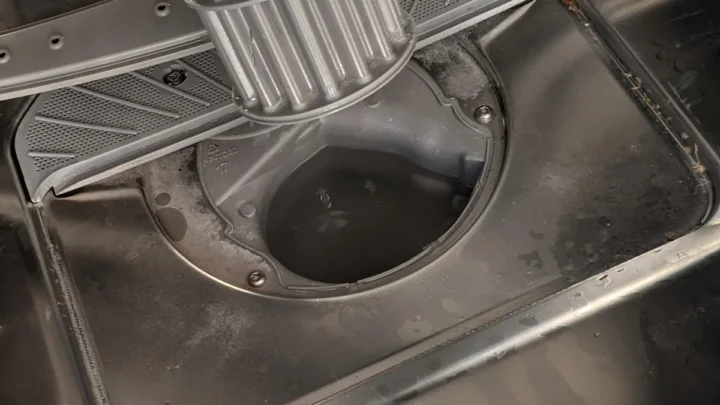
Check the lower filter. Remove the bottom rack. Twist out the filter assembly.
Rinse it under hot water. Inspect the sump opening for debris. Clear any food scraps, glass shards, or bones.
Run a short rinse cycle. If water drains, you fixed it. If not, move to the drain hose next.
This quick fix resolves about 80 percent of standing water problems without any tools.
Branch 1: Check the Filter and Sump Area
Modern Hotpoint dishwashers use a two-part filter system. There's a coarse cylindrical strainer and a fine mesh screen underneath. Over time, food particles, grease, and hard water scale build up and block the tiny holes.
Water can't flow through to the pump.
Step 1: Remove the bottom rack
Pull out the lower dish rack so you have clear access to the floor of the tub. You'll see a large round cap in the center or toward the back.
Step 2: Twist out the filter assembly
Turn the coarse filter counterclockwise. It lifts straight out. Underneath, you'll find the fine mesh screen.
Lift that out too. Be ready for a small amount of trapped water.
Step 3: Rinse thoroughly
Hold the filter under strong tap water. Use an old toothbrush to scrub off stubborn gunk. Grease buildup may need a soak in hot water with dish soap for ten minutes.
Rinse the sump cavity itself. Run your finger around the rim to remove any debris.
Step 4: Check the sump well
Shine a flashlight into the opening. Look for broken glass, toothpicks, or small bones. Those can jam the pump impeller further downstream.
If you see anything, carefully remove it with needle-nose pliers.
Step 5: Reassemble and test
Put the fine screen back first. Then the coarse filter. Lock it clockwise.
Run a rinse cycle. If the water drains, you're done. If not, move to the next branch.
Make filter cleaning a monthly habit. It prevents most drain problems before they start. It takes five minutes and saves you from standing water frustration.
Branch 2: Is the Drain Hose Blocked or Kinked?
If the filter is clean and water still won't drain, the clog is somewhere in the hose or the connection to your sink. The drain hose runs from the dishwasher sump to a port under your sink. It connects either directly into the garbage disposal or a dedicated tailpiece.
Check for kinks first
Pull the dishwasher out from under the counter. Disconnect power first. Look at the hose running from the back.
A sharp bend or crush can stop water flow completely. Straighten it out. If the hose is too long and loops down, water may pool in the low spot and never get enough pressure to push through.
Disconnect and inspect
Place a bucket under the connection. Loosen the hose clamp at the sink side. Pull the hose off.
Run it into a bucket or large pan. If water pours out freely, the hose is clear. If only a trickle comes out, the hose itself is plugged.
Clear a clogged hose
Use a wet/dry vacuum at the open end of the hose. Create a seal with duct tape. Run the vacuum for a few cycles to suck out debris.
Or try a stiff wire, like an unbent coat hanger, to poke through from either end. Flush the hose with hot water when you're done.
Check the garbage disposal connection
If your dishwasher drains into a garbage disposal, the knockout plug must be removed. Some new disposals come with a plastic plug that blocks the dishwasher port. If that plug is still in place, water can't enter the disposal.
Remove the dishwasher hose from the disposal unit. Shine a light into the port. If you see a solid plastic disc, knock it out with a screwdriver and hammer.
If the hose is old, cracked, or has a permanent kink that restricts flow, replace it with a new 5/8-inch or 7/8-inch hose. Check your model's specs. It's cheap insurance.
Branch 3: Is the Drain Pump Actually Working? (Humming vs. Silence)
At this point, filter and hose are clear, but water still sits in the bottom. The problem is likely the drain pump assembly. The pump either runs but fails to move water, or it doesn't run at all.
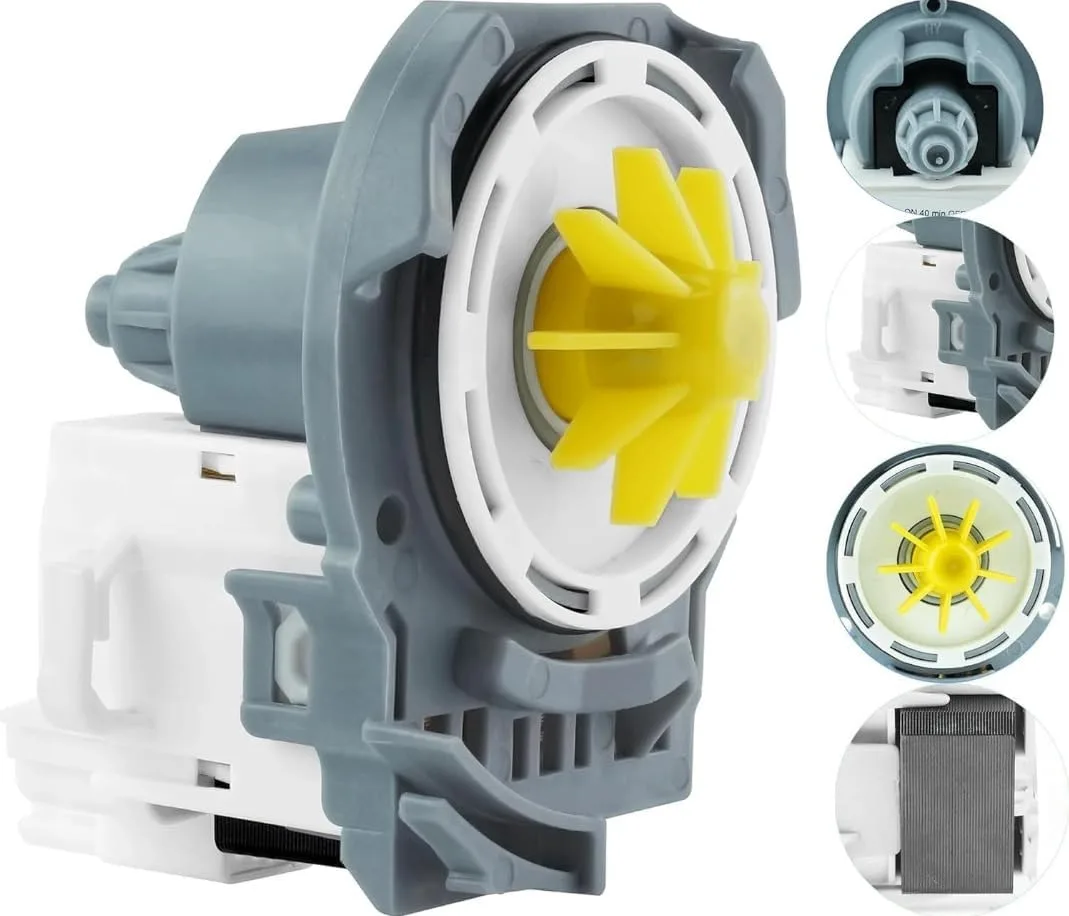
Image source: Bing (Web (fair-use with source credit))
Listen for sound
Start a drain cycle. Put your ear near the bottom of the dishwasher door. A humming sound means the pump motor is trying.
Silence means it's not getting power or the motor is burned out. Each tells you a different story.
If you hear humming but no water
The motor is spinning, but the impeller may be stripped or jammed. You need to access the pump.
- Unplug the dishwasher or flip the breaker off.
- Remove the lower access panel at the bottom front. It's usually held by two screws.
- Locate the drain pump. It's a cylindrical unit about the size of a soda can, attached to the sump with two hoses running from it.
- Disconnect the pump from the sump. There are typically two or three screws holding it.
- Pull the pump out. Look at the impeller inside the pump housing. If the blades are broken or missing, the impeller won't grab water. Replace the entire pump assembly. Impeller and motor are usually sold as one unit.
If you hear silence
The pump isn't receiving power, or the motor is dead. Use a multimeter to test continuity.
- Set the multimeter to ohms.
- Unplug the pump's electrical connector.
- Touch probes to the two terminals on the pump.
- A reading between 5 and 20 ohms means the motor windings are intact. No reading means the motor is open and needs replacement.
If continuity checks out, the problem could be a faulty float switch, door latch, or control board. Those are covered in the next sections.
Common pump failure causes
- Foreign objects like glass or bones locking the impeller
- Normal wear over 5 to 10 years of use
- Hard water scale buildup on the impeller shaft
A new drain pump for a Hotpoint dishwasher typically runs $25 to $60 for the part. The job takes about 30 minutes with a screwdriver and a pair of pliers.
Branch 4: What About the Float Switch and Door Latch?
The float switch tells the dishwasher how much water is in the tub. If it gets stuck, the machine thinks there's still water inside and won't start the drain cycle. The door latch tells the control board that the door is closed and it's safe to run.
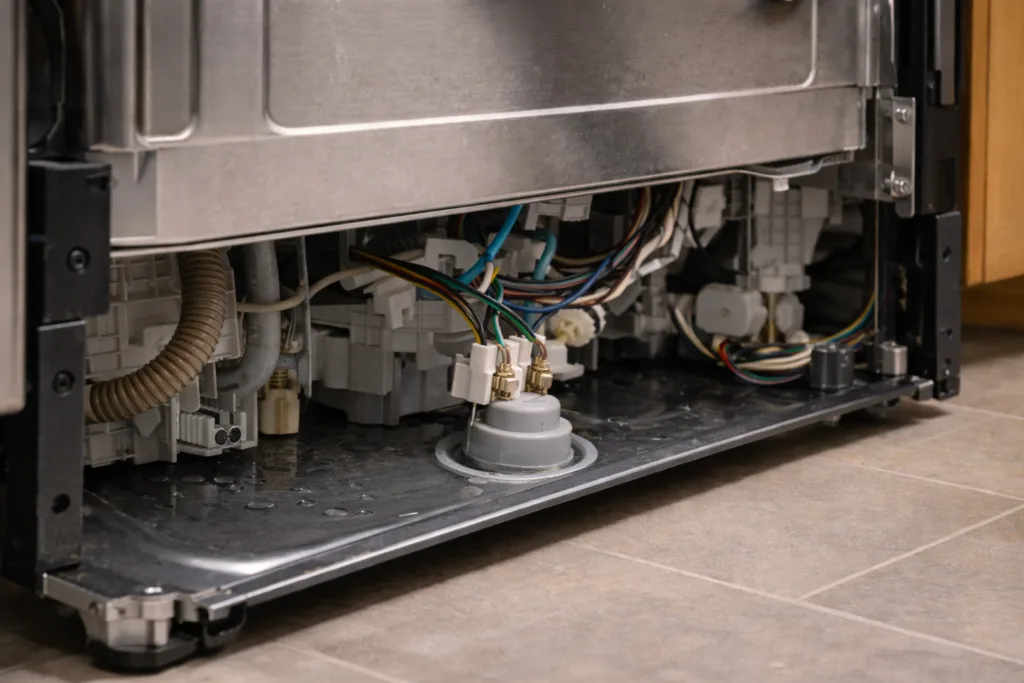
Image source: Bing (Web (fair-use with source credit))
Where to find the float switch
Open the dishwasher door. Look at the bottom front corner of the tub. You'll see a small plastic dome about the size of a quarter.
That's the float housing. Underneath it is a foam disc attached to a stem. That stem pushes a switch mechanism.
How to test the float switch
Press down gently on the float dome. It should move freely up and down. If it doesn't budge, debris or mineral buildup has glued it in place.
Spray some white vinegar around the base and work it loose with your fingers.
Use a multimeter to confirm the switch works. Unplug the dishwasher. Remove the lower kickplate.
Follow the wires from the float switch to a small two-wire connector. Disconnect it. Set your multimeter to continuity.
With the float in the down position at the bottom, the switch should show continuity. Lift the float upward. Continuity should break.
If it doesn't, replace the float switch assembly.
The door latch problem
A misaligned or broken door latch can also prevent draining. The dishwasher won't start any cycle, including drain, if the latch doesn't signal that the door is closed. Door latch failures are less common than float switch problems, but they do happen.
Test the latch by closing the door firmly. You should hear a distinct click. If the door feels loose or the latch looks cracked, replace it.
The part typically costs $15 to $30 and takes about 10 minutes to swap out.
Branch 5: When the Real Issue Is the Control Board
The control board is the brain of the dishwasher. It tells the drain pump when to turn on and for how long. Board failures are uncommon on Hotpoint models, but they do happen after a power surge or if a leak drips onto the board.
Signs of a bad control board
Every other component checks out fine. The pump has continuity. The float switch works.
The door latch clicks properly. The hoses are clear. Yet the drain cycle never activates.
If you've eliminated all other possibilities, the control board is the remaining suspect.
Some models display error codes that point to a board problem. On a number of Hotpoint dishwashers, error codes E03 or F01 indicate a drain issue that isn't fixed by cleaning components. Check your owner's manual for the code list specific to your model number.
How to test the board
Remove power from the dishwasher. Open the control panel at the top of the door. There are typically screws on the inner door liner.
Carefully pull the panel away. Locate the main circuit board. Look for visible damage.
Burnt spots, bulging capacitors, or corrosion from moisture are dead giveaways.
If you have a multimeter, you can test for voltage at the pump connector during a cycle. The board should send 120 volts AC to the pump. If the other components are good and no voltage arrives, the board is the culprit.
Repair versus replace
A new control board for a Hotpoint dishwasher runs $80 to $150. Installation is straightforward. Disconnect the wiring harnesses.
Remove a few screws. Reverse the process with the new board. Labor time is under 30 minutes.
Consider the age of your dishwasher. If the machine is 8 to 10 years old, paying for a board may not make financial sense. A whole new dishwasher costs $400 to $700.
Sometimes the smarter move is to put that board money toward a replacement.
Common Mistakes That Waste Time and Money
Even experienced DIYers make errors when their Hotpoint dishwasher won't drain. Here are the most frequent slip-ups.
Skipping the filter and jumping to the pump
The filter is the cheapest and fastest check. But many people assume the pump is dead because they hear a hum. The hum is the pump trying to work against a blocked sump.
Ten minutes of filter cleaning can save you $50 on a pump you don't need.
Forgetting to check the disposal knockout plug
This one is incredibly common after a kitchen remodel. A new garbage disposal is installed. The dishwasher hose is connected.
But the plastic knockout plug is still intact inside the disposal port. Water hits that plug and has nowhere to go. Removing the plug takes 30 seconds with a screwdriver.
Using chemical drain cleaners
Pouring Drano or Liquid Plumber into the dishwasher sump is a bad idea. Those chemicals can damage rubber seals, plastic impellers, and the pump housing. You end up causing leaks or destroying components that were fine.
Stick to mechanical cleaning.
Ignoring the high loop
The drain hose should have a high loop under the counter. It prevents backflow from the sink. If the loop is missing or too low, water can drain back into the dishwasher after the cycle ends.
This looks like a drain problem but is actually a plumbing configuration issue.
Replacing parts without testing
Throwing a new pump at the problem without verifying the old one is dead is a waste. A multimeter costs $15. It tells you immediately whether the pump motor has continuity and whether voltage reaches the component.
Test first. Buy second.
The Decision Guide: Should You DIY or Call a Pro?
Not every drain problem is a DIY job. Here's how to decide.
| If this sounds like you… | Try DIY if… | Call a pro if… |
|---|---|---|
| Standing water but no other issues | Filter is clogged | Water leaks onto the floor |
| Dishwasher is humming but not draining | Pump impeller is jammed | You don't feel comfortable with electrical testing |
| Dishwasher is silent during drain cycle | Multimeter shows pump has continuity | Multimeter shows no voltage at pump connector |
| Error code appears | Code matches a common fix like E03 | Code suggests control board failure on an older machine |
| Dishwasher is under 5 years old | Any of the above fixes | You want warranty protection |
When DIY makes sense
You have basic tools. You can unplug an appliance. You're willing to spend 30 to 60 minutes troubleshooting.
The dishwasher is relatively new. Parts are cheap and easy to find online. Go ahead and fix it yourself.
When to call a pro
You've tried everything and water still won't drain. You see signs of electrical damage. The dishwasher is still under warranty.
You're uncomfortable working inside electrical components. A professional service call averages $150 to $250. That includes diagnosis and a one-year labor guarantee on the repair.
The bottom line
Roughly 80 percent of Hotpoint drain problems are solved by cleaning the filter or clearing a hose blockage. Ten percent require a new drain pump. The remaining ten percent involve switches, latches, or control boards.
If you've followed the branches in order and still have standing water, you've exhausted the DIY path. Time to call the technician.
Frequently Asked Questions
Why does my Hotpoint dishwasher have standing water after a full cycle?
The drain path is blocked somewhere. Start with the filter. Then check the drain hose and garbage disposal connection.
If those are clear, test the drain pump and float switch. Most cases resolve with a simple cleaning.
How do I force my Hotpoint dishwasher to drain?
Press the Cancel or Drain button if your model has one. Some models require you to hold it for three seconds. If the pump doesn't start, power cycle the dishwasher by flipping the breaker off for a minute.
Then run the drain cycle again.
What does error code E03 mean on a Hotpoint dishwasher?
Error code E03 typically indicates a drain problem. It means water remained in the sump after the drain cycle ended. Clean the filter.
Inspect the drain hose for clogs. Check the pump impeller for debris. Reset the machine after making repairs.
Can a clogged garbage disposal cause a dishwasher not to drain?
Yes. If the disposal is full of food scraps, water can't flow in. Also check that the knockout plug was removed from the disposal's dishwasher port.
Run the disposal first to clear it before starting the dishwasher.
How much does it cost to fix a Hotpoint dishwasher that won't drain?
A DIY fix is free if you just clean the filter. A new drain pump costs $25 to $60. A service call runs $150 to $250.
Control board replacement adds $80 to $150 for the part plus labor if you hire a pro.
What's the average lifespan of a Hotpoint dishwasher?
Most Hotpoint dishwashers last 8 to 12 years with regular maintenance. If your machine is older than that and the drain pump or control board fails, replacement may be more economical than repair.

Similar Posts