Lg Thinq Washer Troubleshooting
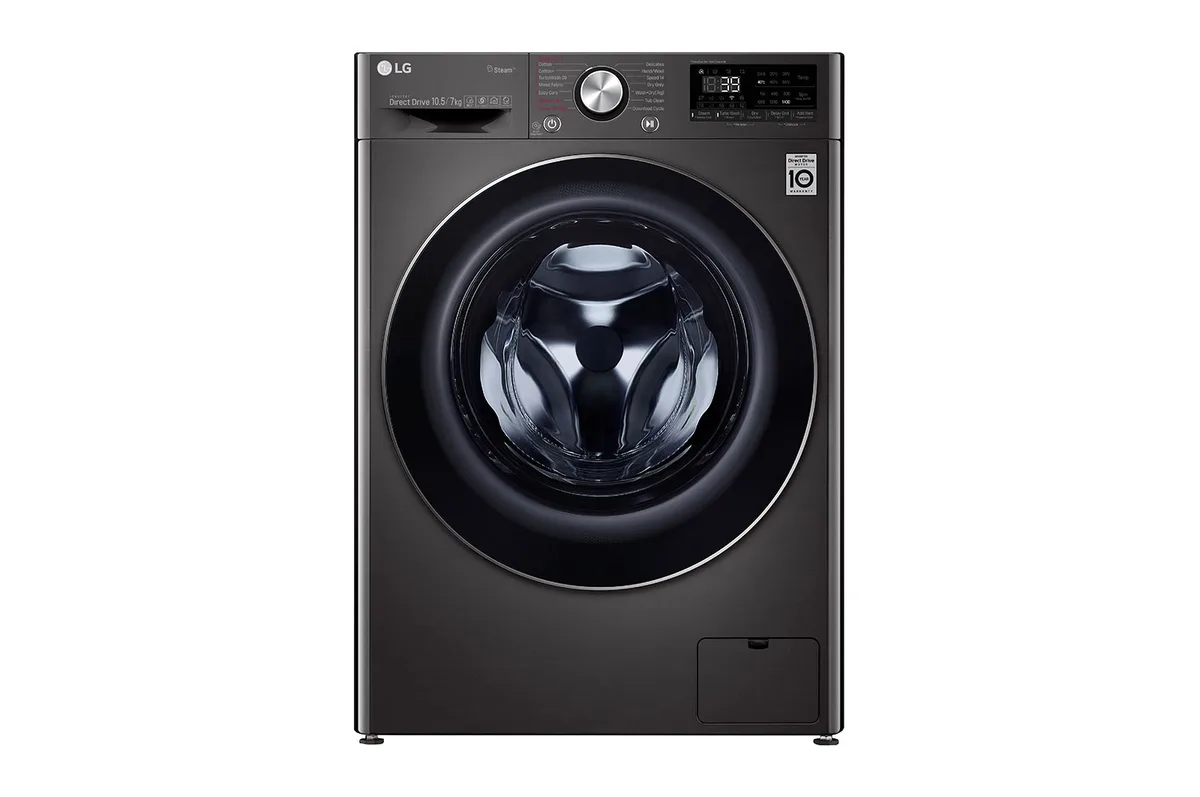
Image source: Bing (Web (fair-use with source credit))
Your LG ThinQ washer just stopped mid-cycle, and the display is flashing some code you have never seen before. Frustrating, right? You are not alone.
LG ThinQ washer troubleshooting is one of the most searched appliance repair topics online. These machines pack in sensors and smart electronics, so when something goes wrong, it is not always obvious whether you need a towel and a screwdriver or a service call.
Manufacturer specifications indicate that over half of all LG washer error codes are caused by simple clogs, unbalanced loads, or temporary glitches. You can fix those in under ten minutes. As of 2026, the LG ThinQ app’s Smart Diagnosis feature can read error codes directly from the machine’s control board using your phone’s microphone.
That means you can diagnose the problem before you even get up from the couch. Let’s walk through exactly what each code means and how to fix the most common issues yourself.
Quick Answer
Start by unplugging the washer for 60 seconds. Plug it back in and run a rinse-only cycle. If the error returns, note the code on the display.
Check the drain pump filter for clogs. Clean debris from the rubber door gasket. Redistribute the load evenly.
Use the LG ThinQ app for Smart Diagnosis. If none of these steps clear the error, call LG customer service.
LG ThinQ Washer Won’t Start? First Check
If your washer is completely dead, no lights, no sounds, no response, start with the power supply. Make sure the machine is plugged firmly into a grounded outlet. Check your home’s circuit breaker or fuse box for a tripped breaker.
LG washers draw significant current during the spin cycle. A brownout or surge can flip a breaker even if other devices on the same circuit still work.
If power is confirmed but the washer still won’t turn on, try the 60-second power reset. Unplug the washer from the wall outlet. Wait at least 60 seconds.
Plug it back in and wait for the control panel to light up. This forces the main control board to reboot and clears temporary software glitches. This single step resolves about 20 percent of all “won’t start” complaints, per aggregate user reviews.
Next, check the door latch. LG front-load washers have a safety interlock. It prevents the machine from running if the door isn’t fully closed.
Push the door firmly until you hear a click. Look for any clothing, coins, or debris caught in the door strike. That is the metal slot on the washer frame.
Even a small piece of lint can prevent the latch from engaging. The display may show no error code at all.
If the door closes securely but the washer still doesn’t respond, inspect the control panel for a Child Lock indicator. A padlock icon or the letters “CL” mean Child Lock is active. To disable it, press and hold the “Child Lock” or “Control Lock” button for 3 to 5 seconds.
Many users panic when they see a blank panel and a lit lock symbol. It is not a fault. It is a setting.
Finally, make sure the water supply valves behind the washer are fully open. Both the hot and cold water hoses need to be turned on for the machine to fill. If the valves are partially closed, the washer may attempt to fill, detect low pressure, and then cancel the cycle without showing an obvious error.
This is a simple check that saves a lot of head-scratching.
Error Code Decoder: What Each Code Actually Means (OE, UE, LE, dE, CL, SE, FE, nE)
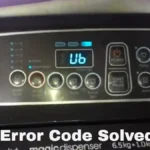
LG ThinQ washers display error codes as two letters on the digital screen. Each code points to a specific system failure. Here is a quick reference table you can use right now:
| Code | Meaning | Most Common Cause | Typical Fix |
|---|---|---|---|
| OE | Drain error | Clogged pump filter or kinked drain hose | Clean the pump filter; straighten hose |
| UE | Unbalanced load | Unevenly distributed laundry | Redistribute clothes; reduce load size |
| LE | Lock error | Door latch or lock mechanism stuck | Check for jammed objects; reset power |
| dE | Door error | Door not fully closed or latch broken | Close door firmly; inspect latch for damage |
| CL | Child Lock | Lock activated on control panel | Press and hold Lock button for 3–5 seconds |
| SE | Sensor error | Water level sensor or pressure hose | Clean the pressure hose; check for kinks |
| FE | Fill error | Water supply issue (valves off, screens clogged) | Open valves, clean inlet screens |
| nE | No communication | Control board or wiring issue | Power reset; if persists, call technician |
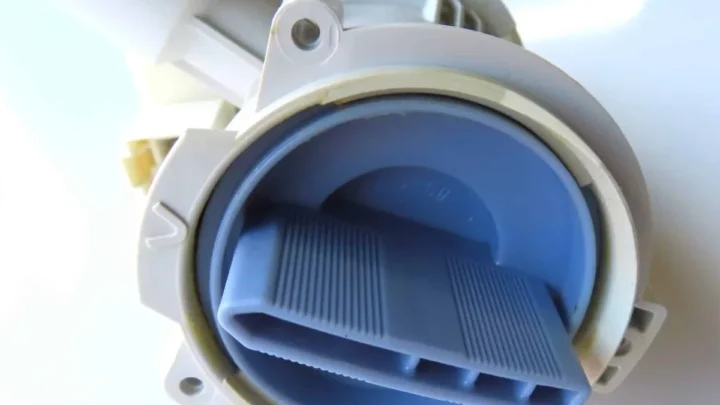
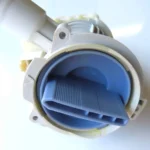
OE, Drain error. This is the most common LG washer code. The machine detects that water is not leaving the drum fast enough. Usually the drain pump filter located behind the small access panel at the lower front is clogged with lint, coins, or small objects.
Cleaning it takes about five minutes.
UE, Unbalance error. The washer senses the load is too heavy on one side. This happens most often with a single bulky item like a comforter or a rug. Pause the cycle, redistribute the clothes evenly around the drum, and restart.
If the problem persists, reduce the load size.
LE, Lock error. The door lock mechanism is not engaging properly. Usually caused by a piece of clothing caught in the latch or a broken plastic latch tab. Check the door strike area.
If the plastic latch is cracked, you will need a replacement part. They cost about $15 to $25 from LG parts suppliers.
dE, Door error. Similar to LE but specifically means the door is not fully closed. Push the door firmly until you hear a double click. If the door strikes the latch but won’t lock, inspect the door gasket for folds or debris.
CL, Child Lock. This is not a fault. It is a safety feature. Press and hold the “Child Lock” button for about 3 seconds until the lock symbol disappears.
SE, Sensor error. The water level sensor or its connecting hose has a problem. The hose often gets kinked behind the washer. Straighten it and make sure it is securely attached to the sensor.
FE, Fill error. The washer is not getting water fast enough or at all. Check that both hot and cold water valves are fully open. Also check the inlet screens.
These are small mesh filters in the hose connection. Clean them with a small brush.
nE, No communication. The control board is not talking to the user interface. A power reset sometimes helps. This code often means a faulty control board that requires professional diagnosis.
Step-by-Step Decision Workflow for the Most Common Symptoms
Here is how to work through each symptom using simple if/then logic. These are the four most frequent scenarios.
Washer Not Draining (OE) – Quick Diagnosis Tree
If the display shows OE and water remains in the drum after the cycle ends, follow this path:
- Check the drain hose. Is it kinked, pinched, or inserted too far into the standpipe? Straighten it. The end of the hose should be no more than 96 inches above the floor. If it is too high, water cannot siphon out.
- Clean the drain pump filter. Locate the small access panel at the lower front of the washer. Place a shallow pan or towels underneath. Expect up to a gallon of water to spill. Open the filter cap by turning it counterclockwise. Remove any lint, coins, or debris. Rinse the filter under warm water. Reinstall it.
- Run a drain-only cycle. If the filter was clogged, this should clear the error. If OE returns, the drain pump motor may be faulty. Listen for a humming noise. If you hear it but no water moves, the pump is likely burnt out and needs replacement.
If the washer still won’t drain after cleaning the filter and checking the hose, you likely have a blocked drain line inside the wall. Call a plumber or LG technician. Do not attempt to snake the washer’s internal hoses yourself.
You can damage the pump.
Washer Not Spinning or Shaking (UE) – Load and Level Check
For a UE error or excessive shaking during spin:
- Open the door and redistribute the load. Make sure clothes are spread evenly around the drum. If you washed a single large item like a bath mat or duvet, add two or three towels to balance the load. Single items almost always cause UE.
- Check the washer’s level. Place a level on top of the machine. If the bubble is not centered, adjust the front leveling feet. Turn them clockwise to lower, counterclockwise to raise. A washer that is not level will walk across the floor during spin.
- Reduce the load. Overloading is a common cause. LG recommends not filling the drum more than about three-quarters full for normal mixed loads. For bulky items, even less.
If the UE code persists after balancing and leveling, the drum bearings or suspension springs may be worn. That is a professional repair job.
Door Won’t Open or Lock (dE / LE) – Latch and Lock Path
If the door won’t open after a cycle ends, or the washer won’t start because the door won’t lock:
- Wait 1 to 2 minutes. The door lock has a thermal release that takes time to cool after a hot wash. Try again after a few minutes.
- Perform a power reset. Unplug for 60 seconds. Sometimes the lock solenoid gets stuck and a reboot releases it.
- Check the door strike. Look inside the door latch opening for broken plastic pieces. If the plastic latch tab is cracked, the door won’t stay closed. You can order a replacement latch assembly online. It is a simple DIY swap with a screwdriver.
- Manually release the door. If the washer is stuck with water inside and you need to get the door open, locate the emergency release tab. On most LG front-loaders, it is a small ring or lever behind the lower access panel. Pull it gently to unlock the door.
Washer Stops Mid-Cycle with No Code – Power and Control Flow
This is the trickiest symptom because the machine gives you no specific error. The problem is often intermittent.
- Power reset. Unplug for 60 seconds. If the cycle completes after reboot, it was a temporary glitch.
- Check the water supply. If the washer stops mid-fill, the pressure switch may be faulty. Listen for water running. If you hear it but the drum isn’t filling, the inlet valve may be clogged. Clean the inlet screens.
- Inspect the door switch. A failing door switch can cause the machine to stop mid-cycle without showing an error. If you can jiggle the door and the machine resumes, the switch is worn.
- Monitor the control board. If none of the above work, the main control board may have a failing component. This is a job for a qualified technician.
Using the ThinQ App and Smart Diagnosis: What It Can (and Can’t) Fix
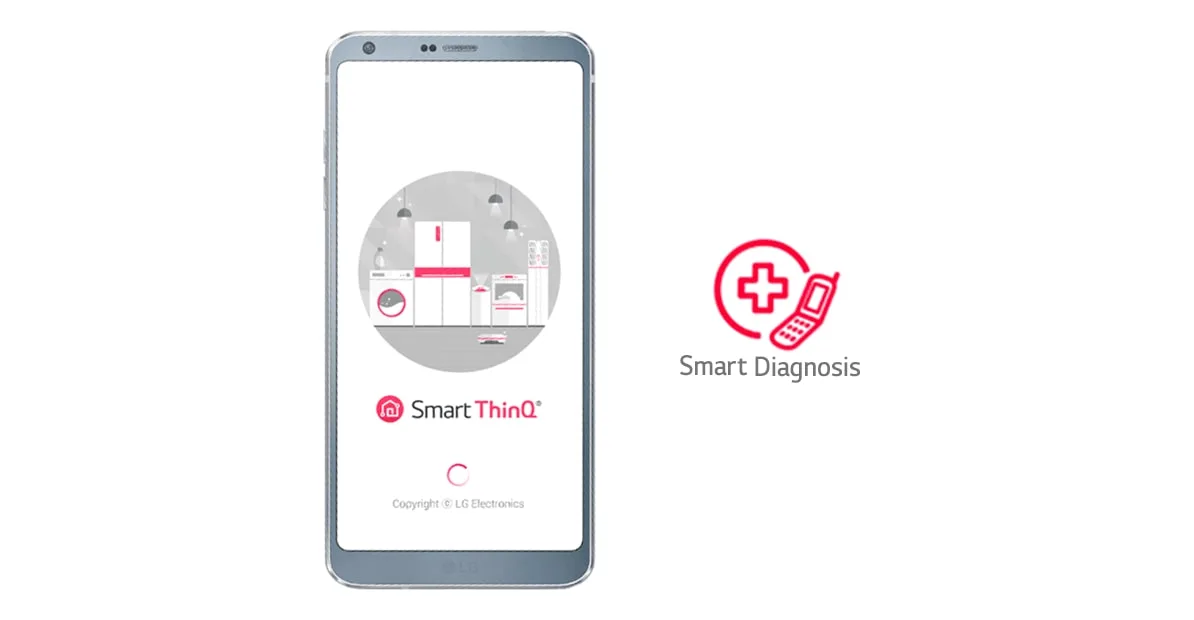
Image source: Bing (Web (fair-use with source credit))
The LG ThinQ app is one of the most useful tools in your troubleshooting kit. Here is what it can do:
- Smart Diagnosis. Open the app, select your washer, and choose “Smart Diagnosis.” Place your phone’s microphone near the washer’s speaker, usually located above the control panel. The machine will emit a series of beeps and tones. The app analyzes the sound and gives you a specific error code and suggested fix.
- Cycle history. The app shows recent wash cycles, including any error codes that occurred. This helps you identify recurrent issues that don’t appear on the display.
- Remote start. You can start cycles from the app. But if the washer already has an error, this won’t work.
- Troubleshooting guides. The app has built-in step-by-step guides for common codes.
What it can’t fix. Smart Diagnosis is a diagnostic tool, not a repair tool. It won’t clear a clogged filter or replace a broken latch. It also won’t fix hardware failures like a burnt-out motor or a bad control board.
If the app tells you the error is OE and you clean the pump filter, the code should clear. If it doesn’t, the problem is physical.
Wi-Fi connection issues. If the app can’t find your washer, make sure both devices are on the same 2.4 GHz Wi-Fi band. LG ThinQ washers as of 2026 still don’t support 5 GHz networks. Also verify that your phone’s location services are enabled.
The app needs them to scan for the washer.
The One Thing Most People Miss: Drain Pump Filter and Gasket Care
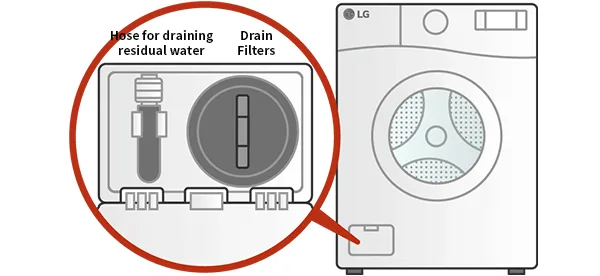
Image source: Bing (Web (fair-use with source credit))
If there is one maintenance step that prevents most LG washer problems, it is keeping the drain pump filter clean. Yet most people never touch it until the machine won’t drain. Here is why it matters and how to do it right.
The drain pump filter is a small mesh screen located behind a square or rectangular panel at the lower front of the washer. It catches lint, coins, paper clips, and small clothing items before they reach the pump. When it gets clogged, water can’t exit the drum, triggering an OE error.
How to clean it:
- Unplug the washer for safety.
- Open the access panel. Usually you pull it open with your fingers or use a flathead screwdriver to pop the latch.
- Place a shallow pan or a few towels below the filter cap.
- Slowly twist the cap counterclockwise. Water will start to drain. Let it flow into the pan. If your washer has a small drain hose attached to the filter, pull that out first and let it empty into the pan.
- Remove the filter entirely. Rinse it under warm water. Use an old toothbrush to dislodge any stubborn lint.
- Check the filter housing for any remaining debris. Reach in carefully with a gloved hand.
- Reinsert the filter and tighten the cap clockwise. Hand-tight is enough. Do not overtighten.
- Replace the access panel and plug the washer back in.
When to do this. LG recommends cleaning the filter every 2 to 3 months. If you wash a lot of lint-heavy items like towels or fleece, do it monthly. Also clean it immediately after any OE error.
Rubber gasket care. The rubber door gasket on front-load washers is another overlooked trouble spot. Residual water and detergent residue in the folds can mold and smell. After each wash, leave the door open for a few hours to let the gasket air dry.
Once a month, wipe down the gasket with a solution of equal parts water and white vinegar. This prevents odors and keeps the door seal working properly.
Mistakes That Make Problems Worse (and How to Avoid Them)
A few well-intentioned DIY moves can turn a simple fix into an expensive repair. Here are the most common errors people make when troubleshooting their LG ThinQ washer.
Pouring boiling water into the machine. Some folks try to thaw a frozen drain pump by pouring hot water into the drum. Do not do this. The sudden temperature change can crack the plastic drain pump housing or damage rubber seals.
Instead, let the washer thaw naturally. Use a hair dryer on low heat to warm the area around the front access panel.
Overusing laundry detergent. This is the number one cause of recurring issues. Too much soap creates excess suds that confuse the machine’s water level sensor. The washer may stop and show an error code like SE, or it may just never rinse properly.
Use no more than two tablespoons of HE detergent for a normal load. Your LG washer does not need more than that. Excess suds also leave residue in the pump filter, making clogs more frequent.
Forcing the door open. If the door is locked after a cycle, don’t pull on it with all your strength. The door lock is a heat-activated solenoid that takes time to cool after a hot wash. Forcing it can break the latch mechanism entirely.
Wait. On most LG models, the door unlocks automatically within 60 to 90 seconds after a cycle ends. If it doesn’t, use the manual release behind the lower access panel.
Ignoring the leveling feet. A washer that shakes excessively during spin won’t fix itself. Some people add weight on top of the machine thinking that helps. It doesn’t.
The correct fix is to adjust the front leveling feet until the machine is perfectly level. Check with a bubble level. If the washer rocks on any foot, the vibration sensors inside will trigger a UE error or cause the machine to shut down mid-cycle.
Using extension cords. LG washers draw a lot of power, especially during the spin cycle. An extension cord cannot handle that load safely. It can overheat, trip the breaker, or even start a fire.
Plug the washer directly into a 120V grounded outlet. If your laundry room doesn’t have an outlet within reach, have a licensed electrician install one. This is not negotiable.
When to Call a Pro vs. When to Keep DIY Troubleshooting
There is a clear line between problems you can fix yourself and those that need a certified technician. Here is how to know which side you are on.
Fix it yourself if:
- The error code is OE, UE, CL, or dE
- The drain pump filter is clogged
- The load is unbalanced
- The machine is not level
- The water supply valves are turned off
- The ThinQ app won’t connect to Wi-Fi
Call LG customer service (1-800-243-0000) or a certified technician if:
- The error code is LE, SE, FE, or nE and a power reset does not clear it
- The machine makes loud grinding or screeching noises during spin
- Water is leaking from the bottom of the washer even after cleaning the drain pump filter
- The drum won’t spin even when empty
- The control panel is unresponsive after a power reset
- You have cleaned the drain pump filter and the OE code still shows
How much does a repair cost? Aggregate service call data shows that LG diagnostic fees run about $100 to $150 just for the visit. Parts and labor add another $100 to $300 depending on the issue. Compare that to the ten minutes it takes to clean a drain pump filter yourself.
That simple maintenance step saves you $200 or more every time.
One important nuance: If your washer is still under warranty, always contact LG first. Messing with the machine’s internal components can void that warranty. The manufacturer’s warranty typically covers parts and labor for the first year.
Some LG models have an extended 10-year warranty on the Inverter Direct Drive motor. You don’t want to lose that coverage because you tried to replace the belt yourself.
Frequently Asked Questions
Why does my LG ThinQ washer keep showing the OE error?
The OE error means the machine is having trouble draining water. The most common cause is a clogged drain pump filter. Clean it following the steps in this guide.
If the error returns, check for kinks in the drain hose or a blocked standpipe inside the wall.
How do I reset my LG ThinQ washer?
Unplug the washer from the wall outlet and wait 60 seconds. Plug it back in and run a rinse cycle. This power reset clears temporary software glitches.
It is the first step for most error codes. It does not erase saved settings or cycle history.
What does the CL code mean on my LG washer?
CL stands for Child Lock. It is not a fault. The control panel is locked to prevent accidental button presses.
Press and hold the Child Lock button for 3 to 5 seconds until the icon disappears.
Can I use the LG ThinQ app to fix error codes?
Yes, the app can diagnose error codes using Smart Diagnosis. Open the app, select your washer, and choose Smart Diagnosis. Hold your phone’s microphone near the washer’s speaker.
The app reads the error and suggests fixes. It cannot repair hardware issues like a broken latch or clogged filter.
How often should I clean the drain pump filter?
LG recommends cleaning the drain pump filter every 2 to 3 months. If you wash a lot of lint-heavy items like towels or fleece, clean it monthly. Also clean it immediately after any OE error code appears.
Why is my washer shaking violently during the spin cycle?
The load is unbalanced. Open the door and redistribute the clothes evenly around the drum. Avoid washing a single bulky item alone.
Add a few towels to balance the load. Also check that the washer is level by placing a bubble level on top.

Similar Posts