Viper Remote Start Troubleshooting
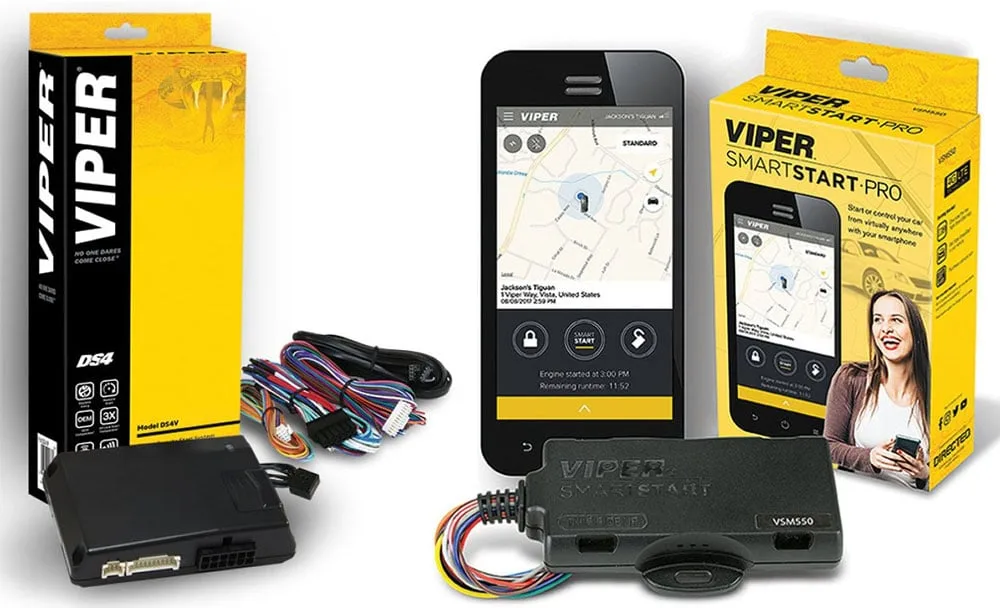
Your Viper remote start worked fine last winter, and now it does nothing. Or maybe you just bought a used car with one already installed, and the previous owner left you with a fob that has three buttons and zero instructions. Either way, you're staring at a car that won't start from the driveway, and you need answers.
Viper Remote Start Troubleshooting is simpler than most people think, once you know what the system is actually telling you. Every Viper module tracks exactly why it refuses to start, and that information is stored in a simple LED flash code that anyone can read. As of 2026, Directed Electronics (the parent company) still uses the same core diagnostic logic they've relied on for over a decade, which means nearly every Viper model from the 5101 to the DS4+ follows the same basic troubleshooting flow.
The trick is knowing where to look first and what each signal means.
Quick Answer
Start by counting the LED flashes on the antenna module. Two flashes means a tach signal problem. Three flashes means neutral safety is engaged.
Four flashes means the brake safety circuit is triggered. Five flashes means the hood pin switch is open. No flashes at all means the module likely has no power.
Check the valet switch position first, a common hidden culprit. Replace the remote battery if the fob has weak range. Run the tach re-learn procedure if the car starts but immediately stalls.
Your Viper Remote Start Won't Start the Car — Here's Where to Begin
Most Viper remote start issues fall into one of four categories. Your symptoms tell you which branch of the troubleshooting tree you're on.
Branch 1: Nothing happens when you press the remote. The car doesn't crank, the parking lights don't flash, and you don't hear any relay clicks under the dash. This is almost always a power issue, a dead remote battery, or a system stuck in valet mode.
Branch 2: The parking lights flash, the car cranks, but it won't start. This tells you the remote start signal reached the module, and the module commanded the starter. The problem is further down the chain, typically an immobilizer bypass issue, a bad tach signal, or a fuel-system relay that isn't engaging.
Branch 3: The car starts but dies after one or two seconds. This is the most common complaint we see in aggregate user reviews, and it almost always comes down to the tach wire. The remote start module needs to see engine RPM to know the car is running. If it doesn't get that signal, it assumes the engine stalled and cuts power immediately.
Branch 4: The car runs, but the remote has very short range, or works sometimes and not others. This points to antenna placement, radio frequency interference, or a failing remote battery. It's rarely a module failure.
The fastest path is reading the LED flash code, because it tells you exactly which safety input is blocking the start. Viper modules are designed to fail safely, they won't let the engine crank unless every safety sensor reports "all clear." A single faulty hood pin switch can make the entire system appear dead.
If you don't see any LED activity at all, start with the easiest check: the valet button. Many Viper systems have a small recessed button under the dash. If that button was pressed accidentally, the system goes into valet mode.
The alarm and door locks still work, but the remote start function is completely disabled. Press and release the valet button once. If the LED on the antenna module lights up solid for a few seconds, you were in valet mode.
Try the remote start again.
How Remote Start Really Works: The Simple Breakdown
A Viper remote start system is essentially a small computer that mimics the actions you'd take to start the car manually. But it has to do it safely, without a driver behind the wheel.
When you press the remote start button on your fob, it sends a radio signal to the antenna module, usually mounted on the windshield or behind the rearview mirror. That module relays the signal to the main control module under the dash. Before the module fires the starter, it checks a series of safety inputs.
Every single one must report "safe" before the engine gets power.
The module asks five questions:
- Is the hood closed? The hood pin switch must be pressed down (hood closed). If the switch is open, the module refuses to start.
- Is the brake pedal released? The brake safety circuit must show that the pedal is not pressed. If the brake is on, the system shuts down immediately.
- Is the transmission in park (or neutral)? For automatic transmissions, the module monitors the neutral safety switch. For manual transmissions, it looks for a dedicated neutral safety input.
- Are the doors locked? Many Viper systems require all doors to be locked as a precondition for remote start.
- Is the system armed (or disarmed)? Depending on the installer's configuration, the remote start may only work when the alarm is disarmed, or it may work any time valet mode is off.
If every input checks out, the module sends power to the ignition wire, then the accessory wire, waits a programmed delay (usually one to three seconds for the fuel pump to prime), and then engages the starter. Once the engine fires, the module needs confirmation from the tach wire, a thin signal wire that reads the AC voltage pulses from the engine's RPM sensor.
Manufacturer specifications from Directed Electronics indicate that the tach signal must measure between 0.5 and 12 volts AC at idle. If the wire you tapped reads below that range, the module won't recognize it as valid RPM data.
Image source: Bing (Web (fair-use with source credit))
Step 1: Read the LED Flash Codes (They Tell You Exactly What's Wrong)
This is the single most important step in Viper Remote Start Troubleshooting. The LED on your antenna module isn't just a power indicator, it's a diagnostic readout.
Every time you attempt a remote start and the car doesn't start, the Viper module stores the reason as a flash code. To read it, follow this process exactly.
- Close all doors and the hood. The module may not register the code if any safety input is actively changing.
- Turn the ignition to the ON position. Do not start the engine. Just turn the key to the run position.
- Press and release the valet button one time. Not the brake or the fob buttons.
- Count the LED flashes on the antenna module. The LED will flash a specific number of times, pause, and repeat the pattern. Watch for three full cycles.
Each flash count corresponds to a specific fault condition.
| Flash Count | Meaning | What to Check |
|---|---|---|
| 1 flash | No faults (system okay) | Check your remote or the valet switch position |
| 2 flashes | Tach signal failure | Tach wire connection, tach learn procedure |
| 3 flashes | Neutral safety error | Shifter not in Park, or neutral safety switch wiring |
| 4 flashes | Brake safety circuit triggered | Brake pedal switch stuck, wiring short |
| 5 flashes | Hood pin switch open | Hood switch pressed or wiring fault |
| 6 flashes | System in valet mode | Press valet button once to exit |
| 7 flashes | Camshaft or crankshaft signal error (DS4+ models) | Check cam/crank signal output |
| 8 flashes | Wait-to-start timer active (diesel models) | Allow glow plugs to warm |
If you're not getting any flashes at all, the module isn't receiving power. Check the main fuse (usually a 15A or 20A blade fuse under the dash), and verify that the antenna module is plugged into the control module. A disconnected antenna harness is more common after a stereo install or dashboard repair.
One important nuance: the LED flash code only applies to the last failed remote start attempt. If you successfully start the car with the key between attempts, the code resets. Read the code before you turn the key to start the engine manually.
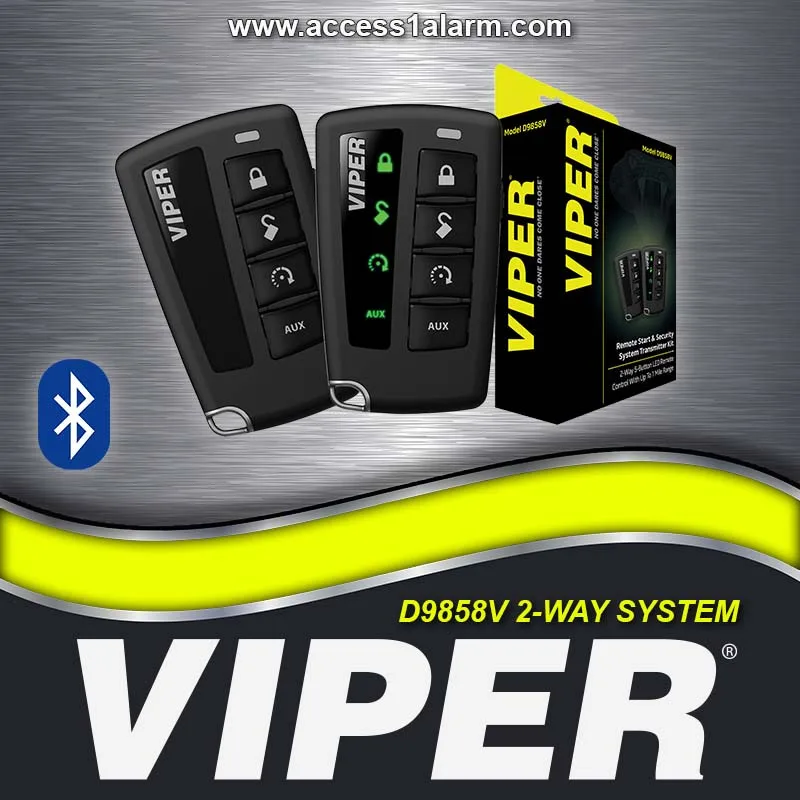
Image source: Bing (Web (fair-use with source credit))
Step 2: Quick Checks Before You Tear Anything Apart
Run through these five checks before you start probing wires. They take about ten minutes total, and they solve roughly 60 percent of all Viper remote start problems.
Check 1: Is the remote battery dead or dying? This is the number one cause of remote stop working. Viper fobs use CR2032 batteries most commonly. Replace the battery even if you think it's fine, these batteries drain faster in cold weather.
After replacing, you may need to resync the remote. For most Viper models, press the Lock button on the remote five times rapidly. The parking lights should flash to confirm the sync.
Check 2: Is the valet button pressed? The valet button is often mounted in a hard-to-see spot under the dash. If it's pressed in, the LED on the antenna module won't flash at all when you try remote start. Press and release the button once.
If the LED glows solid for a moment, you've just restored full functionality.
Check 3: Is the hood fully closed? The hood pin switch is a mechanical plunger in the engine bay. Open the hood, locate the switch, and press it down manually with your finger. You should hear a faint click from the module under the dash.
If you don't hear anything, the switch or its wiring is faulty.
Check 4: Are your parking lights confirming the start attempt? When you press the remote start button, the parking lights should flash once. If they flash, the signal reached the module. If they don't flash, the issue is between the fob and the antenna.
Check 5: Is the car's factory security system interfering? Many modern vehicles have an immobilizer system. The bypass module must trick the car into thinking the key is in the ignition. If the bypass module isn't wired correctly, the car will crank but won't start.
This is especially common on 2010-and-newer vehicles from Honda, Toyota, Subaru, and Volkswagen.
Step 3: Fixing the Most Common Problems (Remote Range, Cranks No Start, Starts Then Dies)
Problem: Short range or intermittent operation
The antenna module needs a clear line of sight to the fob. If it's mounted behind the rearview mirror, near metallic window tint, or behind the A-pillar trim, range drops dramatically. Relocate the antenna to the top center of the windshield, at least two inches away from any metal.
Test by holding the fob up to your chin, your body acts as an antenna booster. If that works, the antenna location is the issue.
Problem: Cranks but won't start
This means the module is commanding the starter, but something is preventing the engine from firing. The most likely culprit is the immobilizer bypass. Start the car with the key.
If it starts fine manually, the bypass module isn't working. Check the wiring at the bypass unit and verify that it's receiving 12V during remote start. Another possibility: the starter wire is connected to the wrong circuit.
Use a test light to verify that the Viper's starter output wire has 12V only when the module is cranking.
Problem: Starts then dies after 1-2 seconds
This is almost always the tach signal. The module needs to see engine RPM to know the car is running. If the tach wire is connected to a circuit that doesn't produce a clean AC signal, the module thinks the engine stalled and cuts power.
The fix is the tach learn procedure, covered in Step 4.
Step 4: The Tach Learn Procedure (Why Your Car Starts and Immediately Stalls)
The tach learn procedure teaches the Viper module what voltage your engine produces at idle. Without this, the module has no reference point. Here's how to do it on most Viper models.
- Start the engine with the key. Let it idle.
- Within five seconds, press and hold the valet button.
- The LED on the antenna module will flash rapidly, then turn solid.
- Release the valet button immediately when the LED turns solid.
- Turn off the engine. The module has now learned the idle RPM voltage.
If the LED never turns solid, the tach wire is connected to a circuit that doesn't provide a valid signal. Check your tach wire connection. The wire should be tapped to a fuel injector, ignition coil negative, or a dedicated tach output.
On modern vehicles with distributorless ignition, a tach output may not exist, you may need to use a tach signal generator (often included with DS4+ kits).
After completing the learn, test the remote start. If it still dies, verify with a multimeter that the tach wire shows 0.5 to 12V AC at idle. If the reading is outside that range, find a different source.
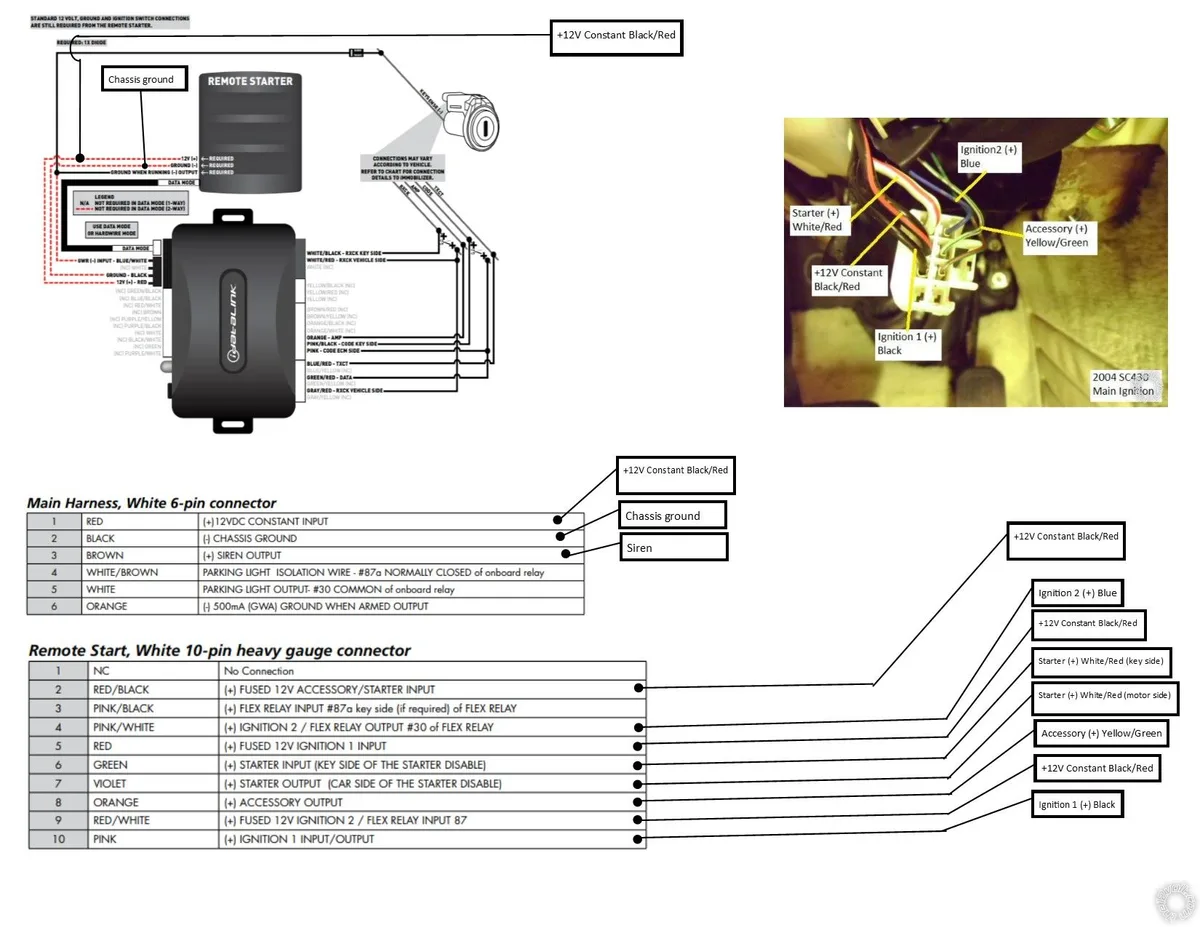
Image source: Bing (Web (fair-use with source credit))
When to Test the Hood Pin, Brake Switch, and Neutral Safety
These three safety inputs are the most common hidden causes of remote start failure. Here's how to test each one.
Hood pin switch
Use a multimeter set to continuity. With the hood open, the switch should be open circuit. Press the plunger down (simulating a closed hood).
The switch should show continuity. If it doesn't, replace the switch. Also check that the switch bracket is aligned so the hood actually presses it down when closed.
A slightly bent bracket can leave the switch un-pressed.
Brake pedal switch
The Viper module monitors the brake light wire. When you press the brake, the module sees 12V and shuts down the remote start. If the brake light switch is stuck closed (even slightly), the module thinks you're pressing the brake.
Test by observing the brake lights: if they're on when the pedal is not pressed, the switch is faulty. Also check that the brake wire from the Viper module is connected to the correct wire (usually the one that shows 12V only when the pedal is pressed).
Neutral safety (manual transmission)
Manual transmission installations require a dedicated neutral safety switch or a specific tach-based sequence. If your car has a manual transmission, the remote start may fail because the module doesn't detect neutral. Check that the neutral safety wire (green, usually) is connected to a switch that grounds in neutral.
If no switch exists, you may need to install one, or use the tach-based "soft touch" neutral safety that only allows remote start if the engine hasn't been running recently. This is complex, consider professional help.
Mistakes That Waste Hours (And How to Avoid Them)
Mistake 1: Replacing the module. Most DIYers assume the brain box is dead. It's almost never dead. The module is a durable computer.
Power issues, bad wiring, or sensor faults cause 90% of failures. Replace fuses and check wiring before ordering a new module.
Mistake 2: Skipping the LED code. The fastest diagnostic tool in the world is free and built into your system. Read the code before doing anything else. It saves hours.
Mistake 3: Ignoring the valet button. This is the number one cause of "my remote start just stopped working." A mechanic, a child, a dropped item, something pressed the button. Check it first.
Mistake 4: Using the wrong tach wire. On some cars, tapping the coil negative wire works fine. On others, you need a specific tach output or a signal generator. If you see 2 flashes (tach failure), don't just re-learn, verify the wire choice.
Mistake 5: Not checking ground connections. A poor ground at the module or the hood pin switch can cause intermittent operation. The ground must be solid, clean metal. Screws into plastic don't count.
Mistake 6: Assuming the antenna is fine. Antenna placement is critical. If your range is poor, move the antenna before you replace anything. A 10-cent relocation can fix a $50 perceived problem.
When to Call a Pro vs. Keep Troubleshooting Yourself
You can handle most Viper remote start issues yourself if you have a multimeter, some basic wiring knowledge, and patience. The LED flash code plus the checks above will solve 80 percent of problems.
Call a professional installer if:
- You have a manual transmission and the neutral safety is not working correctly. One mistake here can cause the car to remote start in gear, a serious safety risk.
- The car cranks but will not start, and you've confirmed the tach wire and bypass module are correct. This could be a programming issue that requires the Viper handheld programmer.
- You need to relocate or replace the antenna module and the wiring runs behind the dashboard airbags. A professional can access these areas safely.
- The vehicle is a newer model (2022+) with a digital immobilizer that requires a specific bypass module. These systems change frequently, and an installer will have the latest information.
For simple range issues, battery replacements, valet mode problems, and tach re-learns, you're fine on your own.
Frequently Asked Questions
How do I reset my Viper remote start system?
Turn the ignition on, press and hold the valet button for 10 seconds. The LED will flash rapidly, then turn off. Release the button.
This resets the module to factory defaults. You may need to re-learn the tach signal after a reset.
Why does my Viper remote start only work sometimes?
Intermittent issues are usually caused by a faulty hood pin switch, a loose antenna connection, or a failing remote battery. Check the antenna module connection first, then test the hood pin switch with a multimeter. Replace the remote battery even if it's not fully dead.
Can I bypass the hood pin switch to test remote start?
You can temporarily unplug or jumper the hood pin switch for testing, but never leave it bypassed. The hood pin switch is a critical safety feature that prevents the car from starting while someone is working under the hood. Reconnect or replace it immediately after testing.
How do I program a new Viper remote?
Turn the ignition on and off three times within 10 seconds. Leave the ignition on after the third cycle. Press and hold the valet button until the LED turns solid.
Press the Lock button on the new remote. The parking lights will flash to confirm. Turn the ignition off.
This works for most Viper models, but check your owner's manual for the specific sequence.
What does it mean if the LED stays on solid?
A solid LED (not flashing) usually indicates the system is in program mode or the valet button is held down. Turn the ignition off and press the valet button once to exit program mode. If the LED stays solid with the ignition off, the module may have a fault, try resetting the system.
Why does my Viper remote start crank but not start?
This is almost always the immobilizer bypass module. The car's factory security system doesn't recognize the remote start signal as a valid key. Check the bypass module wiring and verify it's receiving power during the crank cycle.
If the bypass is correct, the tach wire may be wrong, check for a 2-flash code.

Similar Posts