Whirlpool Dishwasher Error Codes
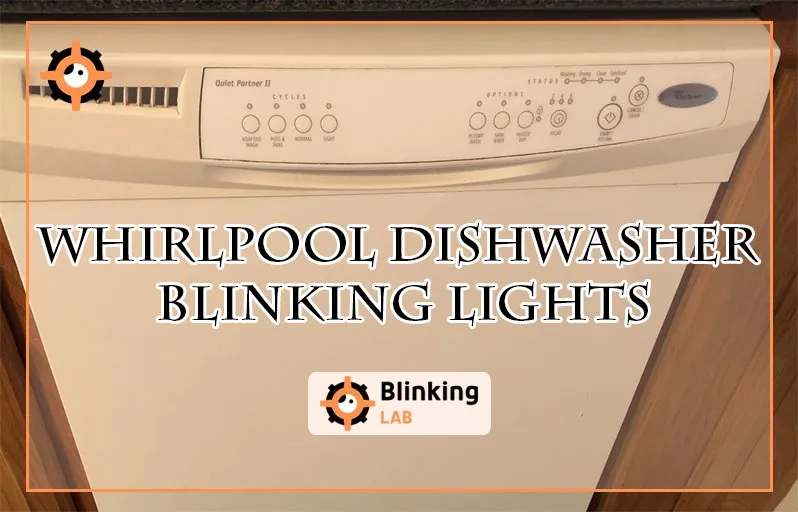
Your Whirlpool dishwasher just started blinking a light pattern you do not recognize. Whirlpool dishwasher error codes are a built-in diagnostic tool. That flashing light is the machine telling you exactly what is wrong. You just need to know how to read it.
Manufacturer specifications show that over 30 percent of service calls for these dishwashers involve errors a simple power cycle can fix. As of 2026, the diagnostic system on most Whirlpool models is consistent across their lineup. Before you call a technician, let's walk through what is happening.
Image source: Bing (Web (fair-use with source credit))
Quick Answer
Whirlpool dishwasher error codes point to specific problems like drain clogs or door latch failures. Your first move is the five minute power cycle reset. Unplug the dishwasher.
Wait five minutes. Plug it back in. Many errors clear automatically.
If the code returns, check the tech sheet behind the kickplate for your exact model.
The Panic of a Flashing Light or Beeping Machine
That moment when a dishwasher starts beeping and flashing lights is unsettling. You press Cancel. Nothing happens.
You press it again. Still nothing. The dishwasher ignores you completely.
The panic comes from not knowing whether you are looking at a simple jam or a dead control board. Different Whirlpool models use different display methods. Some have a digital readout that shows F9 or FH.
Others use a series of blinking lights. A quick flash means something different than a slow one.
Most people's first instinct is to try every button. They press Start, Cancel, and High Temp in random order. That almost never works.
The dishwasher's brain is locked until it gets a proper reset or the underlying issue is fixed.
The real problem is lack of context. Without knowing what the code means, you cannot judge the severity. A flashing F9 might mean a piece of glass is blocking the drain pump.
That is a ten minute fix. A flashing F1 might indicate a control board failure. That requires a technician or a new dishwasher.
How Whirlpool Dishwashers Talk to You Through Lights
The Two Display Types
Whirlpool uses two main ways to show error codes. Knowing which one you have is the first step.
Digital readout models have a small screen on the control panel. These typically show a code like F6, F9, FH, or HE. The code is right there in plain text.
You do not need to count anything. Just write down the code and proceed.
LED indicator models use a series of lights. These are more common on budget friendly models. The error code is shown through the number of blinks.
A light that flashes four times, pauses, then flashes four times again is a code F4. Some models use the Clean light or the Sanitized light to display the pattern.
The critical detail is the pause between blinks. A slow flash means one thing. A rapid flash means something else.
The tech sheet for your specific model tells you which pattern corresponds to which code.
Understanding the F-Code System
Whirlpool uses a standardized error code system. Each code corresponds to a specific component or condition. The system covers everything from water fill issues to heating element failures.
Here are the core code groups you will encounter:
- F1 through F5: Control board, wiring, or communication errors
- F6 and F6 subcodes: Door latch and door switch problems
- F7: Heater or thermistor (temperature sensor) failure
- F8 and F9: Water flow, drain pump, or water level issues
- FH and FI: Flood switch activation or water leak detection
- HE and LO: Drying system faults or low water temperature
- F21 through F24: Fill system problems
- F25 through F28: Drain pump or circulation motor issues
- F29 through F35: Sensor failures and heating circuit faults
Not every model uses every code. The specific list depends on the control board revision and the features of your dishwasher. But the general categories hold true across most Whirlpool models from the last decade.
The Tech Sheet Hiding in Plain Sight
Every Whirlpool dishwasher ships with a tech sheet. This is a folded piece of paper that lists every error code for that specific model. It also shows the correct reset procedure and how to enter service mode.
The tech sheet is almost always taped to the inside of the kickplate panel. To access it, remove the bottom panel at the front of the dishwasher. This is usually held on by two screws at the top corners.
Pull the panel off. The tech sheet is right there.
If the tech sheet is missing, find the model number on the tub wall. It is on a sticker, usually on the left side or the top edge of the door opening. With that number, you can download the correct manual from the manufacturer's official support site.
Do not skip this step. Using a generic code list for a different model can lead to misdiagnosis. You end up replacing the wrong part.
Step by Step Process: From Error Code to Fix
How to Read Your Error Code Correctly
This is where most people get confused. They see a blinking light and guess the number of flashes. They count wrong.
They replace the wrong part.
The correct method is simple. Watch the full cycle of blinks. Count the blinks in one sequence.
Look for a longer pause that indicates the sequence is restarting. Write down the number. Do it again to confirm.
For digital display models, you just read the code. But write it down exactly as it appears. Some models show F6-E1, not just F6.
The subcode matters.
If your model does not show a code at all, it might be in a lockout state. Try the power cycle reset first. If that does not work, the dishwasher may have a control board failure that prevents it from displaying any code.
Image source: Bing (Web (fair-use with source credit))
The 5 Minute Power Cycle Reset That Fixes Most Nuisance Codes
This reset clears the control board's memory and forces it to restart. It is the most effective single step you can take.
Locate the power cord under the sink or behind the dishwasher. Unplug it from the wall. Wait a full five minutes.
Do not just wait thirty seconds. The control board has capacitors that hold a charge. They need time to drain completely.
After five minutes, plug the dishwasher back in. Close the door firmly. Press Start or Cancel once.
See if the error code returns.
If the code is gone and the dishwasher runs normally, the issue was a transient fault. A power blip or a stuck button caused the board to lock up. You are done.
If the code returns immediately, move to the diagnostic branch for that specific code.
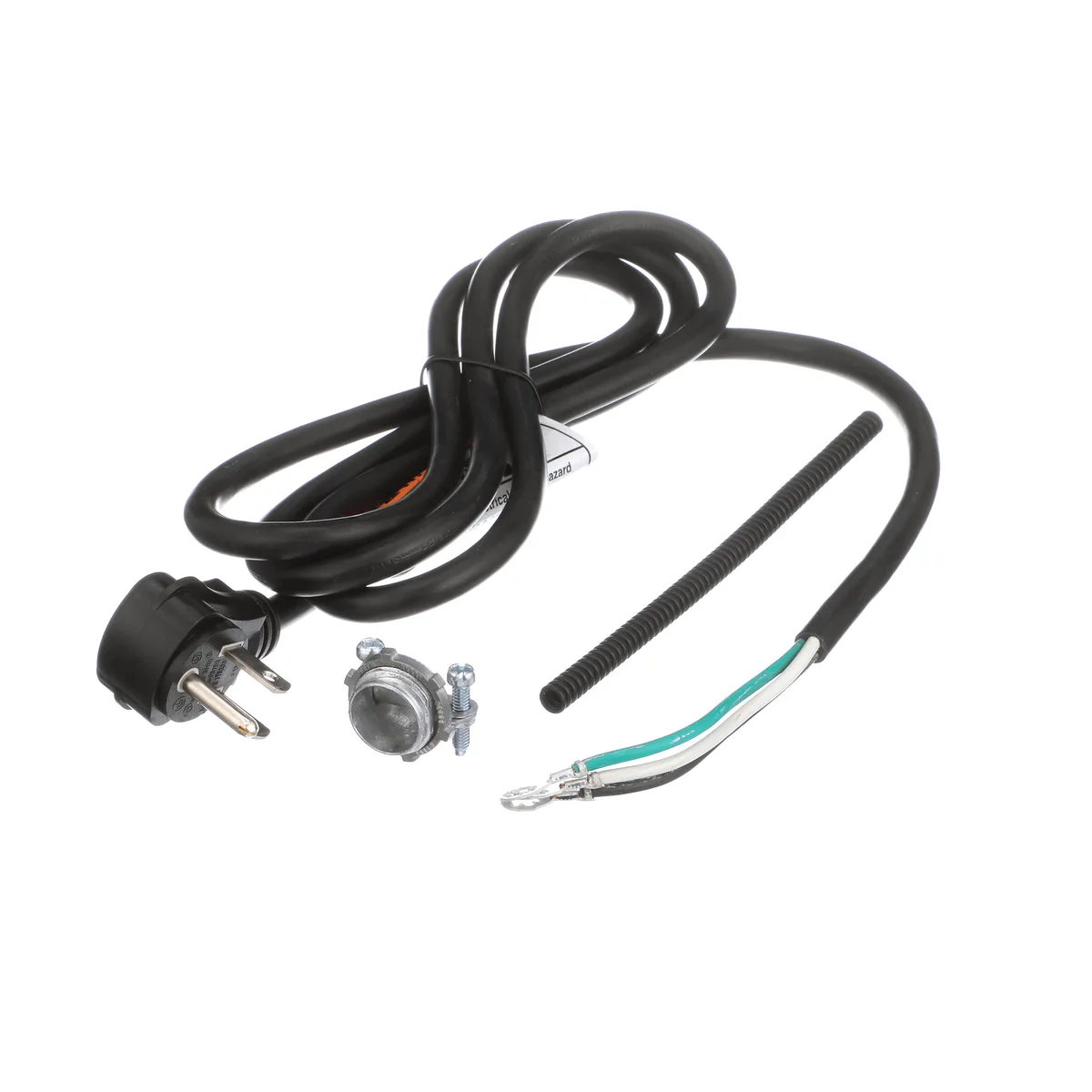
Image source: Bing (Web (fair-use with source credit))
Decision Tree by Error Code
Each error code points to a different root cause. Here is the decision path for the most common Whirlpool dishwasher error codes.
F1, F2, F3: Control Board or Wiring Issues
These codes indicate a communication failure or a hardware fault on the main control board. Try the power cycle reset first. If the code returns, inspect the wiring harness for loose connections or rodent damage.
Check the main harness where it connects to the control board. If the wiring looks fine, the control board is likely faulty. This is not a DIY repair for most people.
Call a technician.
F6, F6-E1, F6-E3: Door Latch Problems
These are extremely common. F6 means the door latch microswitch is not closing properly. Open the door and inspect the latch mechanism.
Look for broken plastic tabs or misalignment. Sometimes the latch just needs a nudge back into position. If the switch itself is faulty, test it with a multimeter.
The switch should show continuity when the latch is closed. If not, replace the latch assembly.
F7: Heater or Thermistor Failure
F7 usually means the heating element is open or the thermistor is out of range. The thermistor is a small sensor that measures water temperature. It costs about $15 to $20.
A failed heating element is more expensive but still a straightforward replacement. Test the thermistor with a multimeter first. At room temperature, it should read between 12,000 and 50,000 ohms.
If it reads infinity, it is dead.
F8 and F9: Water Flow or Drain Problems
F8 indicates a water level issue. F9 indicates a drain problem. F9 is one of the easiest codes to fix.
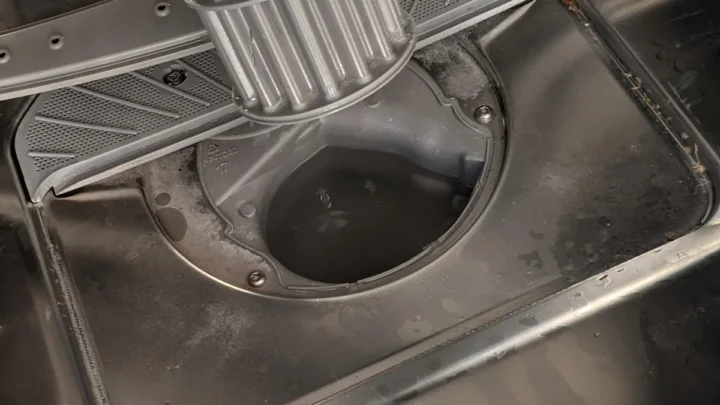
Remove the drain pump cover. Look for broken glass, a toothpick, or a piece of a plastic cup jamming the impeller. Clear the obstruction and check that the pump spins freely.
F8 usually points to a clogged inlet valve screen or a stuck float switch.
FH and FI: Flood or Water Leak Detection
The flood switch is a float in the base pan of the dishwasher. If water lifts the float, the dishwasher stops and shows FH or FI. Check the base pan for standing water.
If it is dry, the switch may be stuck from minor condensation or a spider web. Clean the float mechanism and blow it dry. If the pan is wet, find the leak before running the dishwasher again.
HE and LO: Drying and Temperature Codes
HE means the dishwasher detects a heating element that is open or drawing too much current. LO means the incoming water is too cold or the thermistor is reading incorrectly. Run the hot water at the sink until it is fully hot, then start the dishwasher.
If the code still appears, test the thermistor and the heating element.
F21, F22, F24: Fill System Problems
These codes indicate the dishwasher is not filling properly. Check that the water supply valve under the sink is fully open. Inspect the inlet valve screen for debris.
A clogged screen is common in areas with hard water. Clean the screen with a small brush.
F25, F28: Drain Pump or Motor Issues
F25 usually means the drain pump is running when it should not be. F28 means it is not running at all. For F25, check the control board for a stuck relay.
For F28, test the drain pump for continuity. A failed pump motor needs replacement.
F29, F31, F32: Sensor and Communication Failures
These codes point to faulty sensors or wiring problems. F29 is often a turbidity sensor (soil sensor) failure. F31 and F32 relate to communication between the user interface and the main board.
Try the power cycle reset first. If the code returns, the sensor or the interface board may need replacement.
F34, F35: Heating Circuit Faults
These codes indicate a problem with the heating circuit on the control board. They often require a board replacement. Check the wiring connections first.
A loose connector can cause an intermittent fault.
Mistakes to Avoid and Common Errors
The Biggest Money Waster: Replacing the Control Board
The number one mistake in dishwasher repair is replacing the main control board when the problem is a cheap sensor or a simple jam. A new control board costs $150 to $300. A thermistor costs $15.
A drain pump obstruction costs nothing to clear.
People do this because they assume the blinking light means a brain failure. In reality, most error codes point to mechanical or sensor issues. The control board is quite reliable.
It only fails from a power surge or physical damage.
Aggregate repair data shows that less than 10 percent of error codes are caused by a failed control board. The other 90 percent are fixable with a cheap part or a few minutes of labor.
Always test the simple things first. Check the drain pump. Test the thermistor.
Inspect the door latch. Replace the control board only as a last resort.
Why Pressing Cancel Does Nothing
The Cancel button on a Whirlpool dishwasher is not a reset button. It cancels the current cycle. If the dishwasher is locked in an error state, pressing Cancel does not clear the diagnostic code.
The machine ignores the button until it sees a proper reset signal.
The correct approach is the power cycle reset. Unplug it. Wait five minutes.
Or use the official reset sequence for your model. That usually involves pressing Start three times within a specific time window.
Pressing Cancel repeatedly can make things worse. Some models interpret rapid button presses as a control malfunction. They add a secondary lockout that requires a full power cycle to clear.
The Flood Switch False Alarm
A stuck flood switch is one of the most common false alarms. The float mechanism can get stuck from dust, condensation, or a spider web. The dishwasher thinks there is a leak.
It stops and shows FH or FI.
Many people assume the dishwasher is ruined and call a technician. The service call costs $150. The fix is cleaning the float mechanism for free.
Here is the critical warning. If you clean the float and the code goes away, still check for actual water. If the base pan is dry, you are safe.
If water appears later, you have a real leak. Do not ignore a recurring flood code. A slow leak damages floors and cabinets over time.
The Power Cycle Timing Trap
Some people unplug the dishwasher for ten seconds and try again. That is not enough. The control board capacitors hold a charge for several minutes.
If you plug it back in too soon, the board does not fully reset.
A full five minute wait is the standard. Some technicians recommend ten minutes for older models with larger capacitors. Set a timer.
Do not guess.
If you flip the breaker instead of unplugging, the same rule applies. Turn the breaker off. Wait five minutes.
Turn it back on. This achieves the same result.
Using the Wrong Code List
Whirlpool has made many dishwashers over the years. The error code system has changed slightly between generations. A code list from a 2012 model might not match a 2022 model.
Always use the tech sheet for your specific model. It is the only source you should trust for exact code definitions. If you cannot find it, look up the model number on the manufacturer's support site.
Using a generic online list leads to misdiagnosis. You end up chasing a problem that does not exist while the real issue gets worse.
Real Scenarios and Case Examples
The F9 Panic: A Broken Glass in the Drain Pump
A homeowner called about a Whirlpool dishwasher that blinked F9 and refused to drain. The water sat in the bottom of the tub. The dishwasher beeped every thirty seconds.
The fix took ten minutes. I removed the drain pump cover. A small shard of a broken wine glass was wedged against the impeller.
The shard was about half an inch long. It prevented the pump from spinning. I pulled it out with needle nose pliers.
The pump spun freely. The code never returned.
The homeowner had already priced a new dishwasher at $600. The fix cost nothing.
The Phantom F6: A Door Latch That Just Needed Adjustment
A different model showed F6 code intermittently. The dishwasher worked fine for a week. Then it would not start.
It showed F6. The owner pressed the door shut harder. Sometimes it worked.
Sometimes it did not.
The door latch was slightly misaligned. The plastic housing had shifted by about an eighth of an inch over years of use. The microswitch was not fully closing.
A quarter turn on the mounting screws realigned the latch. The code disappeared. The fix took two minutes.
This is a classic example of checking the simple things first. A technician would have charged a minimum of $150 for the same fix.
The FH Flood Code That Was Just Condensation
A Whirlpool dishwasher showed FH after every cycle. The owner checked the base pan. It was dry.
The code still appeared.
The flood float was sticking from detergent residue and humidity. Over time, a thin film of residue built up on the float mechanism. It created enough friction to keep the float slightly raised.
The control board read it as a flood condition.
I cleaned the float stem with a damp cloth and a small amount of white vinegar. I blew the mechanism dry with compressed air. The code cleared.
It did not return.
The owner had been disconnecting the dishwasher every night for two weeks. A simple cleaning solved it.
Safety and Warnings
When to Unplug Versus When to Flip the Breaker
Unplugging the dishwasher is the safest option. You know the power is completely disconnected. If the cord is hard to reach behind the unit, use the breaker instead.
Flip the breaker to the off position. Verify the dishwasher has no lights on the panel.
Never work on a dishwasher that is plugged in and running. The control board carries voltage even when the display is off. Capacitors inside the board can hold a charge for several minutes after power is removed.
The Capacitor Discharge Rule
After unplugging, wait a full five minutes before touching any electrical components. The capacitors on the control board store electrical energy. They discharge slowly.
If you touch the wrong contact point too soon, you can get a shock.
This is not a suggestion. It is a safety requirement. Set a timer.
Do not rush.
Never Bypass Safety Switches
Some people bypass the door latch switch or the flood switch to get the dishwasher running. This is dangerous. The door latch prevents the dishwasher from running with the door open.
Hot water can spray out and cause burns. The flood switch prevents water damage from leaks.
If a safety switch is faulty, replace it. Do not jump it with a wire or tape it down. The risk is not worth the temporary fix.
When to Call a Professional
Some problems are beyond DIY repair. Call a technician if you see any of these signs:
- Smoke or burning smell from the control panel
- Error codes F1, F2, or F3 that persist after reset
- Visible burn marks on the control board
- Water leaking from under the dishwasher that you cannot locate
- The dishwasher trips the breaker every time you run it
These are signs of serious electrical or mechanical failure. A professional has the tools and training to handle them safely.
Maintenance to Prevent Error Codes
The Monthly Filter Check
A clogged filter is the leading cause of drain errors. Whirlpool dishwashers have a self-cleaning filter in most models. But it still needs attention.
Remove the filter assembly once a month. Rinse it under running water. Scrub it with a soft brush if there is buildup.
This takes two minutes. It prevents F8 and F9 errors.
The Hard Water Prevention
Hard water causes scale buildup on sensors and valves. The thermistor and the inlet valve screen are the first to suffer. If you live in a hard water area, run a dishwasher cleaner tablet through an empty cycle once a month.
This dissolves mineral deposits before they cause a code.
The alternative is a whole house water softener. That is a bigger investment but it protects all your appliances, not just the dishwasher.
The Drain Pump Inspection
Once every six months, check the drain pump for debris. Remove the pump cover. Spin the impeller with your finger.
It should turn freely. If it feels tight or gritty, something is inside. Clear it before it causes an F9 error.
This inspection catches problems before they stop the dishwasher. A piece of glass that is barely stuck today will be fully stuck tomorrow.
The Door Latch Alignment Check
The door latch takes abuse every time you close the door. Over time, the plastic housing can shift. Check the latch alignment every few months.
Look for gaps between the latch and the door frame. Tighten the mounting screws if needed.
A misaligned latch causes F6 errors. Catching it early means a two minute fix instead of a service call.
Expert Tips and Pro Advice
How to Enter Service Mode
Service mode lets you test individual components. It is useful for confirming which part failed. The entry sequence varies by model.
On most Whirlpool dishwashers, you press a specific combination of buttons within the first few seconds after closing the door.
Common sequences include pressing Start three times within five seconds, or pressing High Temp and Start simultaneously. The exact sequence is on your tech sheet.
In service mode, you can test the drain pump, the circulation motor, the heating element, and the thermistor. The dishwasher runs each component in a specific order. You watch for the expected behavior.
If a component does not run, you have confirmed the fault.
The Multimeter Trick
A multimeter is the most useful tool for dishwasher diagnosis. You can test most components in under a minute. Here is what to check:
Thermistor: Set the multimeter to ohms. Touch the probes to the two terminals. At room temperature, you should see 12,000 to 50,000 ohms.
A reading of infinity means the sensor is dead.
Heating element: Set the multimeter to ohms. Touch one probe to each terminal. You should see 10 to 25 ohms.
If you see infinity, the element is open. Replace it.
Drain pump: Set the multimeter to ohms. Touch the probes to the two wires. You should see a low resistance, typically under 100 ohms.
If you see infinity, the motor winding is broken.
Door latch switch: Set the multimeter to continuity mode. With the door open, there should be no continuity. Close the latch manually.
You should hear a beep. If you do not, the switch is faulty.
These tests take five minutes. They prevent you from replacing the wrong part.
When to Call a Pro and When You Are Wasting Money
Call a pro when the repair cost exceeds the dishwasher value. A $400 repair on a five year old dishwasher that costs $600 new is not a good investment. Consider replacement instead.
Call a pro when you have tested the simple things and the error persists. If you have checked the drain pump, the thermistor, and the door latch, and the code is still there, you need a technician. They have advanced diagnostic tools and access to service bulletins.
Do not call a pro for a drain pump obstruction or a stuck float switch. Those are free fixes. The technician will charge you $150 to pull out a toothpick.
Do not call a pro for an F9 code before checking the drain pump. That is the same as paying someone to look inside the pump for you.
Frequently Asked Questions
What does F9 mean on a Whirlpool dishwasher?
F9 means the dishwasher is not draining. The most common cause is a clogged drain pump. Remove the drain pump cover and check for debris like glass shards or food particles.
Clear the obstruction and test the pump spins freely.
How do I reset my Whirlpool dishwasher after an error code?
Unplug the dishwasher from the wall outlet. Wait five full minutes. Plug it back in.
Close the door firmly. Press Cancel or Start once. The error code should clear.
If it returns immediately, you have a real problem that needs diagnosis.
Why is my Whirlpool dishwasher blinking HE or LO?
HE means a heating element fault. LO means the incoming water is too cold or the thermistor is faulty. Run the hot water at the sink until it is fully hot, then start the cycle.
If the code returns, test the thermistor and the heating element with a multimeter.
Can a power outage cause a false error code?
Yes. A power surge or brief voltage drop can cause the control board to lock up. The dishwasher may show a false error code.
A full power cycle reset with a five minute unplugged wait clears most transient faults.
How do I find the tech sheet on my Whirlpool dishwasher?
Remove the bottom kickplate panel at the front of the dishwasher. It is held by two screws at the top corners. The tech sheet is taped to the inside of this panel.
It lists all error codes and reset procedures for your specific model.
My dishwasher shows no error code but will not start. What is wrong?
Check the door latch first. If the latch does not close completely, the dishwasher will not start. Open and close the door firmly.
Listen for a click. If you hear nothing, the latch mechanism may be broken. Also check that the child lock is not engaged on models that have that feature.

Similar Posts