Beautyrest Heated Mattress Pad Troubleshooting
Your Beautyrest heated mattress pad is supposed to be the cozy relief you look forward to all day. So when you plug it in and nothing happens, that frustration hits hard. This Beautyrest Heated Mattress Pad Troubleshooting guide walks you through the most common problems and gives you a clear path to get the heat back.
Manufacturer specifications indicate that most heating element failures happen at the connector port or along the internal wiring grid. Safety standards from UL require these pads to have a thermal fuse that can trip, which is often the culprit. Let's walk through the fix.
Quick Answer
Most Beautyrest heated mattress pad problems trace back to three causes. The controller connection is loose. The internal fuse has tripped.
Or the pad has been washed improperly. Unplug the controller, wait 30 minutes, then reconnect firmly. Check the wall outlet with another device.
If the pad still won't heat, the thermal fuse has likely blown. That means replacement, not repair.
Problem / Pain Point
You bought a heated mattress pad for one reason. You wanted to climb into a warm bed on cold nights. Instead, you are dealing with a useless piece of fabric that leaves you shivering.
Common scenarios we hear from users paint a frustrating picture. You press the power button and see nothing on the display. One half of the bed gets toasty while the other stays ice cold.
The pad heats up fine for an hour and then shuts off unexpectedly. Maybe you washed it according to the tag and now the controller won't light up at all.
These problems feel random. You haven't done anything wrong. The pad looks fine.
But something inside has failed silently.
Here is the good news. Many of these issues have simple fixes you can do in minutes without tools. As of 2026, most Beautyrest pads come with a five-year limited warranty.
Check your purchase date before you give up entirely.
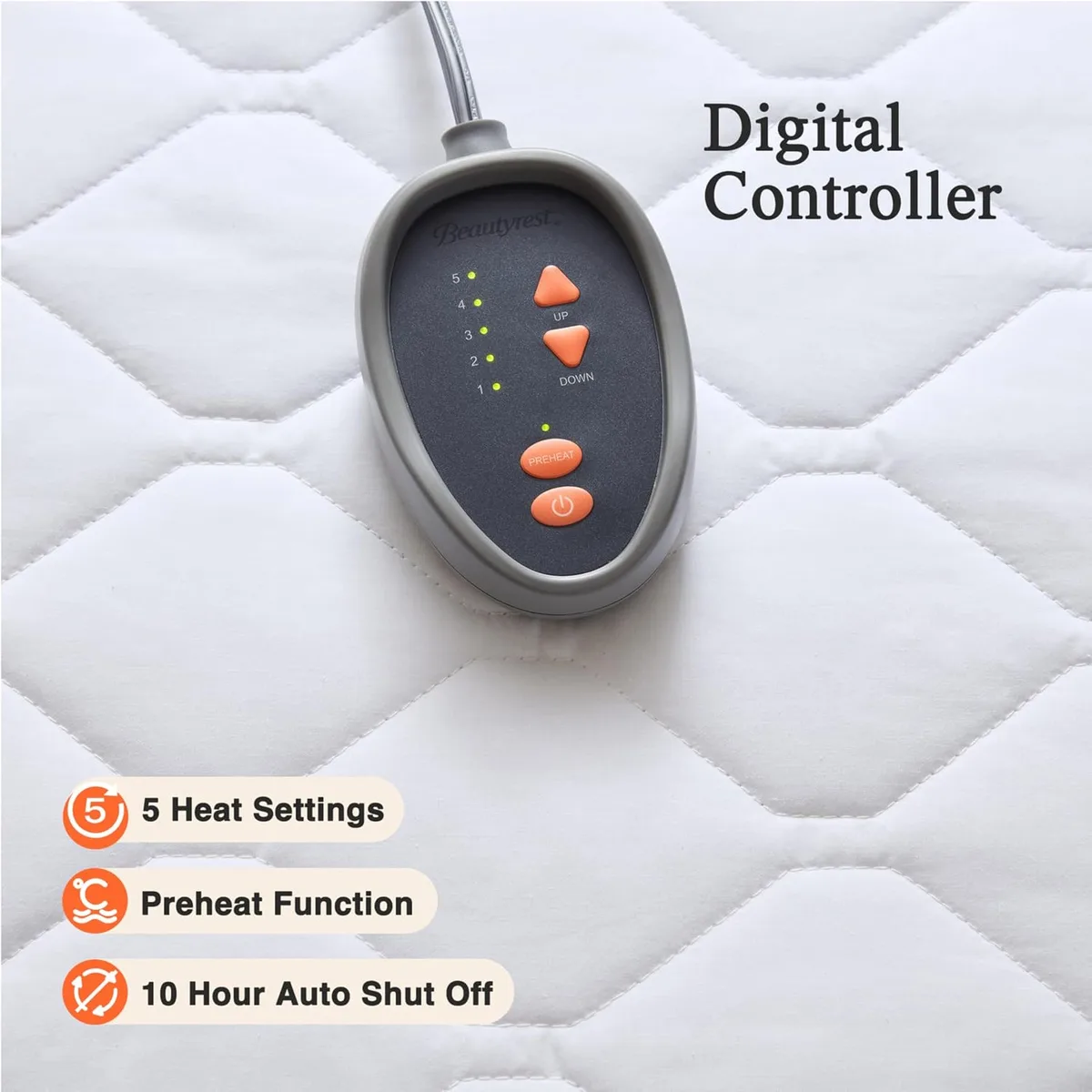
Image source: Bing (Web (fair-use with source credit))
How the Pad Works (And Where It Breaks)
Understanding the basic anatomy helps you troubleshoot smarter. A heated mattress pad has four main parts that can fail.
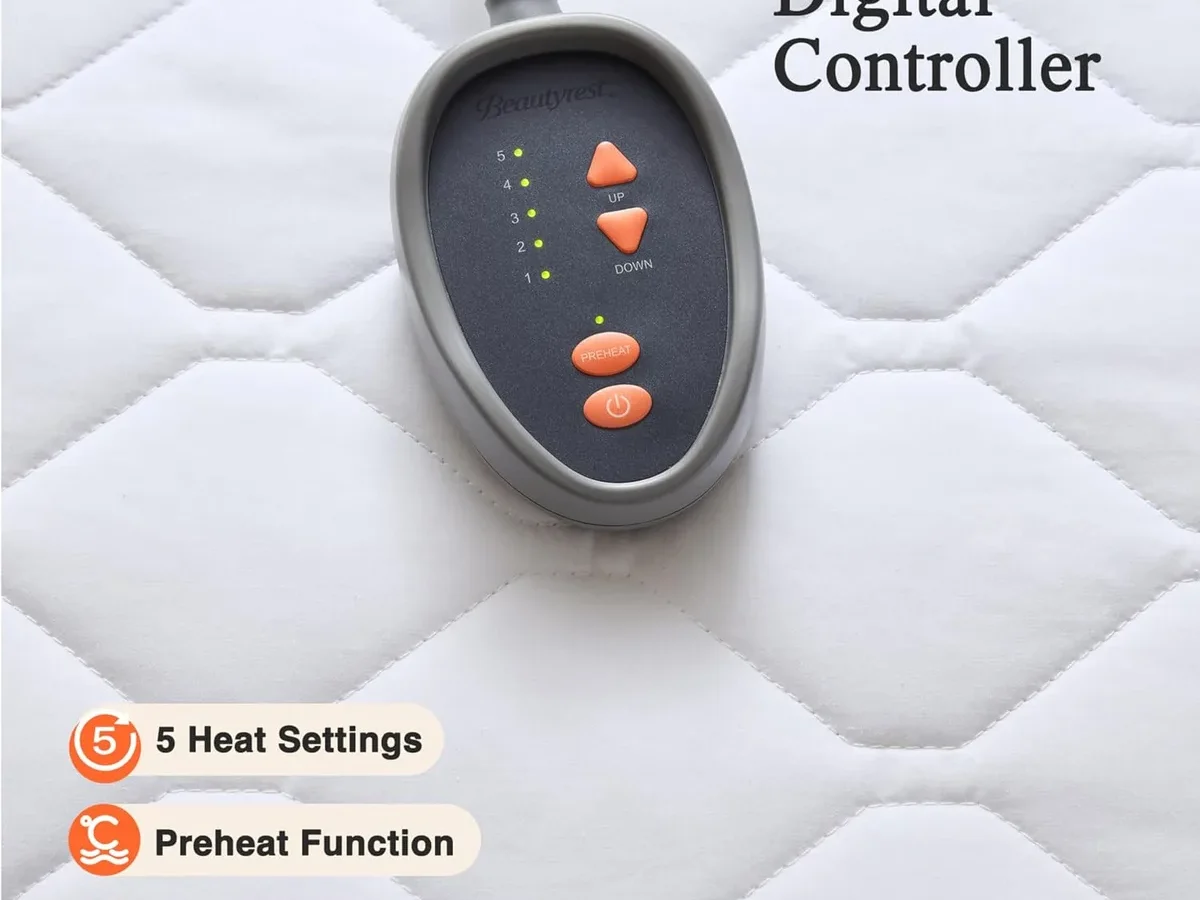
The controller houses the thermostat, timer, and display. It sends power to the pad based on your settings. The controller is the most common failure point because it contains delicate electronics.
The connector port is where the controller cable plugs into the pad. The pins inside can bend or break if the connection is forced at an angle. Corrosion from washing can also cause poor contact.
The internal heating wires run through the pad in a grid pattern. These wires are thin and flexible. They can snap if the pad is folded sharply or twisted during washing.
A broken wire creates a dead zone that won't heat.
The thermal fuse is a safety device embedded in the pad. It cuts power if the pad gets too hot. This fuse can trip permanently if the pad overheats during a wash cycle or if it is used with a thick mattress cover that traps heat.
Manufacturer documentation confirms that the thermal fuse is not user-serviceable. If it blows, the pad is done.
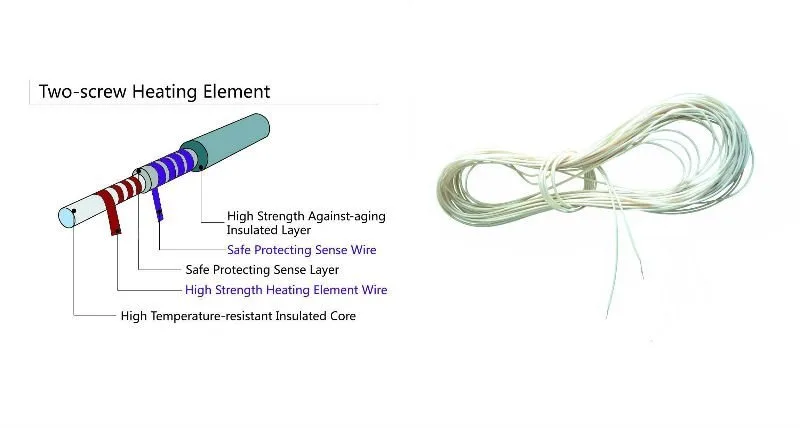
Image source: Bing (Web (fair-use with source credit))
Step-by-Step Troubleshooting Workflow
Work through these branches in order. Do not skip steps. Many people replace a perfectly good pad because they missed a simple fix early on.
Branch 1: Pad Not Heating At All
This is the most common complaint. Start here.
Step 1: Check the wall outlet. Plug a lamp or phone charger into the same outlet. If it does not work either, reset your circuit breaker or GFCI outlet. Try a different outlet if possible.
Step 2: Inspect the controller connection. Unplug the controller from the pad. Look at the pins on both ends. They should be straight, clean, and free of corrosion.
Reconnect firmly and listen for a click. Make sure it is fully seated.
Step 3: Perform a full reset. Unplug the controller from the wall and from the pad. Wait 30 minutes. This gives the internal electronics time to discharge completely.
Plug everything back in and try again.
Step 4: Check for a blown fuse. If the pad has been washed recently or smells like burnt electronics, the thermal fuse has likely tripped. There is no reset button. You need a replacement.
Branch 2: One Side Not Heating (Dual-Zone)
Dual-zone pads have two separate heating elements and two controllers. The side that works proves the outlet and wiring are fine.
Step 1: Swap controllers. Unplug the working controller and connect it to the non-heating side. If that side now heats, the original controller is bad. You can buy a replacement controller from the manufacturer.
Step 2: Inspect the connector port on the dead side. The port is sewn into the pad. Look for bent pins, cracked plastic, or signs of corrosion. If the port is damaged, the pad is the problem.
Step 3: Feel for the heating wires. Gently press along the dead side. If you feel a rigid wire running through the fabric, that is the heating element. A break causes a cold section.
You cannot repair a broken wire yourself.
Branch 3: Controller Not Working / Blank Display
A dead controller screen usually means no power is reaching the display.
Step 1: Confirm the outlet works as described above.
Step 2: Check the cord for damage. Look for cuts, kinks, or chew marks if you have pets. A damaged cord needs professional replacement or a new controller.
Step 3: Try a hard reset. Unplug from wall. Remove controller from pad. Wait 10 minutes.
Reconnect and plug in. The display should light up briefly during initialization. If it stays dark, the controller has failed internally.
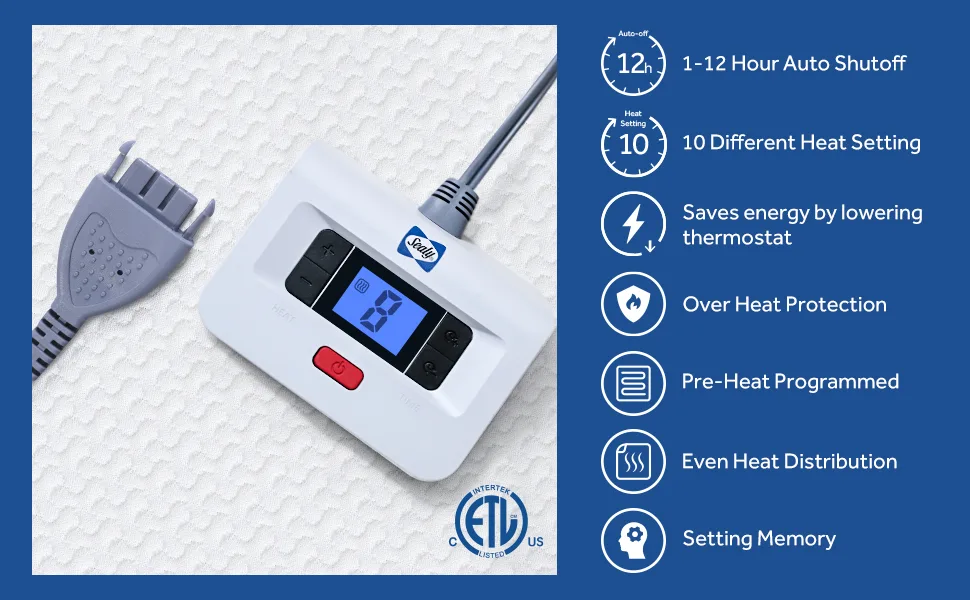
Image source: Bing (Web (fair-use with source credit))
Branch 4: Intermittent Heat or Shutting Off Mid-Night
This is a safety system working as designed, or a failing connection.
Step 1: Check the auto-shutoff timer. Beautyrest pads default to a 10-hour timer. If you set the pre-heat option, it may turn off after that period. This is normal.
Step 2: Look for overheating. If the pad shuts off after 20 to 30 minutes, it may be overheating. Common causes include using a thick mattress topper on top of the pad or tucking the pad under a heavy comforter that traps heat. The thermal fuse is protecting you.
Step 3: Check for loose wiring. Intermittent heat often means a wire is barely making contact. Gently flex the pad near the connector while it is on. If the heat flickers, the wire is broken internally.
Replace the pad.
Mistakes to Avoid / Common Errors
Washing the pad with the controller attached. Water will ruin the connector pins and the controller electronics. Always detach the controller before washing. Follow the care tag instructions exactly.
Folding the pad tightly for storage. Sharp creases can break the thin heating wires. Roll the pad loosely or store it flat. Never fold it in the same place repeatedly.
Using an extension cord or power strip. Heated mattress pads draw enough current to overheat cheap extension cords. Plug directly into a wall outlet. This is a fire safety basic.
Ignoring a burning smell on first use. A slight odor during the first 15 minutes is normal as manufacturing oils burn off. But a strong, persistent plastic smell means something is melting inside. Unplug immediately.
Putting a mattress protector on top of the pad. Heat needs to escape. A thick protector or topper traps heat against the pad and can trip the thermal fuse. The pad goes on top of the fitted sheet, under the top sheet.
When to Replace vs. Repair
Some problems are fixable. Some are not. Here is how to decide.
What You Can Fix
- A bad controller. If swapping sides proves the controller is dead, replace just the controller. Contact Beautyrest customer support with your model number.
- A loose connection. If the controller was not fully seated, plugging it in properly fixes it.
- A tripped GFCI or breaker. Reset and you are good.
What Means Replacement
- A blown thermal fuse. No user reset exists. The pad is finished.
- A broken internal wire. You cannot splice heating wires safely. Even if you could, the fix would create a fire risk.
- A damaged connector port. The port is sewn into the pad. Replacing it costs nearly as much as a new pad.
- Visible wire damage or melting. Stop using the pad immediately.
Most pads cost between $60 and $150. A replacement controller runs about $25 to $40. If the pad itself is damaged, buy a new one.
Repairs on heating elements are not worth the risk.
Maintenance That Prevents Future Problems
Detach the controller before every wash. This is the single most important habit. The connector port should never get wet.
Wash on gentle cycle with cold water. Use mild detergent. Do not use bleach or fabric softener. Softener coats the internal wires and can cause overheating.
Air dry or tumble dry on no heat. High heat damages the wire insulation. If you use a dryer, set it to air fluff only. The pad should be completely dry before you reconnect the controller.
Inspect the cord and connector monthly. Look for corrosion, bent pins, or frayed wires. Catch damage early before it becomes a safety issue.
Store flat or loosely rolled. Do not fold the pad in a tight square. Do not cram it into a drawer with heavy objects on top. Handle the connector port gently.
Keep pets off the bed when the pad is on. Pets can chew through cords. Their claws can puncture the wire insulation. A damaged wire can cause a short.
Frequently Asked Questions
Why did my Beautyrest heated mattress pad stop working after washing?
The connector port likely got wet, or the thermal fuse tripped during the wash or dry cycle. Always detach the controller completely before washing. Air dry the pad until it is fully dry before reconnecting.
Can I repair a broken wire in my heated mattress pad?
No. Heating wires are embedded in the fabric and cannot be spliced safely. Attempting a repair creates a fire hazard.
If you feel a cold section or see damage, replace the entire pad.
How do I reset my Beautyrest heated mattress pad controller?
Unplug the controller from the wall and from the pad. Wait 30 minutes for the internal capacitors to discharge. Reconnect everything firmly and plug it back in.
This performs a full reset.
Why is only one side of my dual-zone pad heating?
Swap the two controllers. If the cold side heats with the other controller, the original controller is faulty. If the cold side stays cold, the heating element or connector port in that half of the pad is damaged.
How long do Beautyrest heated mattress pads usually last?
With proper care, expect three to five years. Frequent washing, tight folding, and pet damage shorten that lifespan. The internal heating wires become brittle over time.
Is it safe to leave my heated mattress pad on all night?
Yes, for most modern models. Beautyrest pads include a 10-hour auto-shutoff timer for safety. Follow the manual guidelines.
Do not use the pad with a memory foam topper that traps heat.

Similar Posts
































