Best Mini PC: Top Picks For Work And Gaming
The best mini PC blends strong speed, quiet cooling, small size, and enough ports for your daily work.
A large desktop can take over a desk, while a laptop may feel cramped during long work sessions. A mini PC solves both problems by giving you desktop power in a tiny box. I looked at processing power, memory, storage, display support, ports, upgrade options, and value to find the best mini PC choices for home users, office workers, students, streamers, and light gamers. These six models cover a wide range of needs and budgets.

GMKtec M6 Ultra Gaming Mini…
VALUE & PERFORMANCE MINI PC – GMKtec Nucbox M6 Ultra Series is equipped with the powerful AMD Ryzen 5 7640HS processor. This CPU is an upper mid-range processor (APU) of…

KAMRUI AK1PLUS Mini PC Computer,…
Faster Performance for Everyday Computing: Powered by the Intel Celeron N5095 processor (4 Cores, 4 Threads, up to 2.9GHz), the KAMRUI AK1PLUS Mini PC delivers up to 30% better overall…
GMKtec Mini PC, G3 PRO…
WHY CHOOSE CORE I3-10110U – Better single-core performance: The Core i3-10110U has a higher peak boost clock (4.1 GHz) compared to the Ryzen 3 4300U and the Intel Alder Lake…
GMKtec M6 Ultra Mini PC

The GMKtec M6 Ultra is the strongest all-around option in this group. Its AMD Ryzen 7 7640HS processor gives it the kind of fast response I expect from a capable modern desktop. With 32GB of DDR5 memory and a 1TB SSD, it can handle office work, photo editing, coding, many browser tabs, and light gaming with ease. Apps open quickly, and the large memory capacity helps the system stay smooth during busy workdays.
This mini PC also makes sense for buyers who want performance without a tower case. The fast solid-state drive gives Windows and common programs a quick feel, while the integrated Radeon graphics can manage casual games and many older titles at sensible settings. It is not a replacement for a full gaming desktop with a dedicated graphics card. Still, it offers an impressive mix of speed, size, and storage for a small workstation or entertainment PC.
Pros:
- Ryzen 7 7640HS offers strong everyday and creative performance
- 32GB DDR5 RAM supports heavy multitasking
- 1TB SSD provides useful room for apps and files
- Compact design saves valuable desk space
- Integrated Radeon graphics support casual gaming
- Fast response for office work, coding, and media use
Cons:
- Integrated graphics cannot match a dedicated gaming GPU
- Fan noise may increase during long heavy loads
- Performance depends on proper cooling and power settings
My Recommendation
I recommend the GMKtec M6 Ultra for users who want the best mini PC for mixed work and play. It is a particularly good fit for developers, students, remote workers, and creators who need more speed than a basic office box can provide. The 32GB memory and 1TB storage reduce the need for an immediate upgrade. If you want one small computer that can cover most daily tasks, this model offers excellent value when its price is competitive.
KAMRUI AK1PLUS Mini PC

The KAMRUI AK1PLUS is built for simple home and office work. Its Intel Celeron N5095 processor is modest, but it works well for email, web browsing, word processing, online classes, and basic streaming. The 16GB of RAM is helpful because it gives the system more breathing room than many entry-level computers with only 4GB or 8GB. A 256GB SSD also makes startup and program loading much faster than an old mechanical hard drive.
One useful feature is its support for dual 4K displays. That can help a worker keep email on one screen and documents on another. The included wireless connectivity and Ethernet support make setup simple in most homes or offices. I would not choose this model for demanding editing, modern 3D games, or large software projects, but it is a sensible low-cost computer for basic tasks and light daily use.
Pros:
- Affordable choice for basic computing
- 16GB RAM helps with browsing and office multitasking
- 256GB SSD provides faster startup than a hard drive
- Supports dual 4K display output
- Compact design fits behind a monitor or on a small shelf
- 2.5-inch SSD expansion gives users added storage flexibility
Cons:
- Celeron processor is not suited to demanding workloads
- 256GB storage may fill quickly with large media files
- Not a good choice for serious gaming or video editing
My Recommendation
The KAMRUI AK1PLUS is best for families, students, reception desks, and home users who need a low-cost Windows computer. It is also useful as a small media or office machine when the workload stays light. Buyers should focus on its practical strengths rather than expect workstation power. For basic tasks, the best mini PC is not always the fastest one; sometimes it is the model that costs less and does exactly what you need.
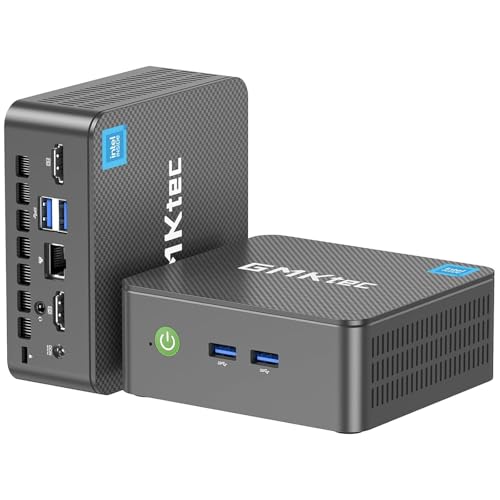
GMKtec G3 PRO Mini PC

The GMKtec G3 PRO takes a balanced approach for work and business use. It uses an Intel Core i3-10110U processor with 16GB of dual-channel DDR4 RAM and 512GB of storage. That combination is well suited to spreadsheets, browser work, video meetings, school software, and document management. The dual-channel memory setup can also help the integrated graphics and general system responsiveness compared with a single memory module.
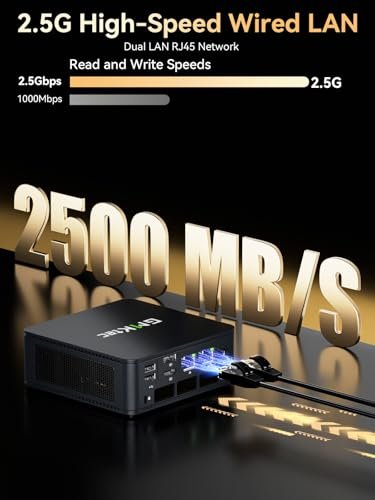
This model supports 4K output and includes modern connections such as USB 3.2, Wi-Fi 6, Bluetooth 5.2, and 2.5GbE Ethernet. Those details matter in a real office because faster networking can improve file transfers and reduce wireless congestion. The 512GB drive gives more useful space than many budget mini PCs. I see this as a practical middle-ground choice for buyers who want reliable daily speed without paying for a high-end gaming processor.
Pros:
- Core i3 processor handles common office tasks well
- 16GB dual-channel RAM supports smooth multitasking
- 512GB storage offers room for work files and apps
- Wi-Fi 6 supports faster and more stable wireless use
- 2.5GbE Ethernet benefits fast local networks
- 4K display support works well for business desks
Cons:
- Older Core i3 platform has limited headroom for heavy work
- Integrated graphics are intended for basic visual tasks
- DDR4 memory is slower than newer DDR5 memory
My Recommendation
I would choose the G3 PRO for a home office, small business, or study desk. It has enough memory and storage to feel comfortable without moving into a premium price range. The fast network ports are a strong reason to consider it for shared offices and file-based work. As a best mini PC candidate, it stands out through balance rather than raw speed.
GEEKOM A6 Ryzen 7 Mini PC

The GEEKOM A6 is a strong choice for buyers who want a polished small desktop with powerful AMD hardware. Its Ryzen 7 6800H processor has eight cores and sixteen threads, giving it plenty of ability for multitasking and demanding productivity work. The 16GB of DDR5 RAM helps the system respond quickly, while the 1TB PCIe 4.0 SSD offers generous space and fast file access. This is the type of setup that feels comfortable for work, study, and home entertainment.
The integrated Radeon 680M graphics are more capable than the basic graphics found in many budget mini PCs. They can support casual gaming, older games, emulation, and creative work at reasonable settings, although expectations should remain realistic. The memory is upgradable, which gives the computer a longer useful life as software becomes heavier. For buyers who value a premium feel and strong everyday performance in a small case, the A6 is an appealing option.
Pros:
- Eight-core Ryzen 7 processor delivers strong multitasking
- DDR5 RAM improves responsiveness and integrated graphics support
- 1TB PCIe 4.0 SSD provides fast and spacious storage
- Radeon 680M graphics handle light gaming well
- Upgradable RAM helps extend the system’s useful life
- Good fit for productivity, coding, and media work
Cons:
- Integrated graphics still cannot replace a dedicated GPU
- 16GB RAM may feel limiting for advanced creative projects
- Powerful hardware can produce more heat under long loads
My Recommendation
The GEEKOM A6 is best for users who want more than basic office power but do not want a full tower. I recommend it for programmers, content users, students in technical fields, and casual gamers. Its fast processor, large SSD, and upgrade path make it a smart long-term purchase. It may cost more than a simple mini PC, but the extra performance gives it stronger overall value.
KAMRUI Pinova P2 Ryzen Mini PC

The KAMRUI Pinova P2 offers a useful step up from entry-level mini computers. Its AMD Ryzen 7 7330U processor uses four cores and eight threads and can reach speeds of up to 4.3GHz. The 16GB of RAM supports everyday multitasking, while the 256GB SSD keeps boot times short. This combination works well for office tools, web apps, remote learning, bookkeeping, and general home use.
Its triple 4K display support is the main feature that separates it from many small computers at this price. A multi-screen setup can make a real difference for trading dashboards, spreadsheets, customer service, and research work. The storage capacity is not large, so users with many photos or videos may want external storage or an upgrade. Still, the Pinova P2 gives practical performance in a small body and does not waste space on features most basic users will never touch.
Pros:
- Ryzen 7 7330U gives solid everyday processing power
- Supports up to three 4K displays
- 16GB RAM handles normal multitasking comfortably
- Small chassis works well in compact work areas
- Good choice for office apps and remote learning
- Higher clock speed helps with quick short tasks
Cons:
- 256GB SSD leaves limited room for large files
- Four-core design is not ideal for heavy rendering
- Integrated graphics are better for light use than new games
My Recommendation
The Pinova P2 is best for office users who need several screens from one small computer. It is also a good match for students and home users who want responsive basic performance at a sensible price. I would pair it with an external drive if the computer will store videos or large photo libraries. Among the best mini PC choices, this model earns attention for its triple-display support and useful Ryzen performance.
GMKtec M5 Ultra Ryzen Mini PC

The GMKtec M5 Ultra is aimed at users who need strong multitasking and flexible connectivity. Its Ryzen 7 7730U processor pairs with 32GB of RAM and a 512GB SSD. That is a generous setup for office work, coding, virtual machines, browser-heavy workflows, and content creation. The extra memory is especially helpful when several programs stay open at the same time.
This model also includes dual 2.5GbE network ports, which can benefit advanced home networks, small servers, and business setups. It supports up to three 4K displays and includes Wi-Fi 6E, USB-C, DisplayPort, and HDMI 2.0. Those connections give it more flexibility than a basic mini desktop. Although the integrated graphics are not designed for demanding modern games, they can handle casual play and everyday media tasks without trouble.
Pros:
- 32GB RAM is excellent for heavy multitasking
- Ryzen 7 processor handles demanding productivity work
- Dual 2.5GbE ports suit advanced network setups
- Triple 4K display support improves desk flexibility
- Wi-Fi 6E offers modern wireless connectivity
- USB-C, DisplayPort, and HDMI provide useful output choices
Cons:
- Integrated graphics limit serious gaming performance
- 512GB storage may be modest for a media workstation
- Advanced network features may be unnecessary for casual users
My Recommendation
I recommend the M5 Ultra for power users, small business owners, network enthusiasts, and people who keep many applications open. It is also a good compact option for a multi-monitor desk. Buyers who only need email and streaming may not use its extra power or dual Ethernet ports. For those who do need them, this best mini PC option offers a strong blend of memory, network speed, and display support.
How I Chose the Best Mini PC
A small case does not automatically make a computer a good buy. I judge mini PCs by how well their parts work together in real use. A fast processor paired with very little memory can feel frustrating, while a low-power chip with a good SSD may feel perfectly fine for simple tasks. The best mini PC depends on workload, budget, upgrade plans, and the ports you need.
I first look at the processor. AMD Ryzen and Intel Core chips usually provide more useful headroom than entry-level Celeron hardware. I then check memory because 16GB is a comfortable starting point for most Windows users in 2026. Storage also matters, since a 256GB drive can become crowded soon after installing large apps and saving photos.
Display support is another key point. Some buyers need only one monitor, but office users may want two or three screens. I also check USB ports, USB-C support, HDMI, DisplayPort, Ethernet, Wi-Fi, and Bluetooth. A small computer should save desk space without forcing you to buy a pile of adapters.
Finally, I consider cooling and upgrade options. Mini PCs have less room for airflow than desktop towers, so sustained loads can raise fan noise and temperature. A model with replaceable storage or upgradeable memory can remain useful longer. I also recommend checking the exact configuration before ordering because one product family may include several RAM and SSD versions.
Mini PC Buying Guide for 2026
Choose the Right Processor
The processor sets the basic pace of a mini PC. For email, web browsing, streaming, and documents, an Intel Celeron N5095 can be enough. It will not feel as quick during heavy multitasking, but it can keep costs low. A Core i3 or Ryzen 7 7330U gives a better middle ground for regular work.
For demanding multitasking, coding, photo work, and light video work, I prefer a newer Ryzen 7 or a strong Core processor. The Ryzen 7 6800H and Ryzen 7 7640HS models in this guide offer much more headroom. They also provide stronger integrated graphics. A faster chip is useful when you want the computer to remain responsive for several years.
How Much RAM Do You Need?
Eight gigabytes of RAM can run basic Windows tasks, but I would not make it my first choice for a new purchase. Sixteen gigabytes is a better starting point for office work, school, streaming, and many browser tabs. It gives the operating system room to work without constantly using the slower storage drive.
Choose 32GB if you edit large photos, use virtual machines, develop software, or keep many demanding apps open. The GMKtec M6 Ultra and M5 Ultra both offer 32GB, which makes them more attractive for advanced users. If the RAM is upgradeable, you may be able to start with less and add more later. Always confirm whether the memory uses removable modules or is fixed to the board.
SSD Capacity Matters
A 256GB SSD works for a simple office computer, but it leaves less room for games, videos, and large projects. I consider 512GB a more comfortable level for most people. A 1TB SSD is ideal for users who keep photos, creative files, and several large applications on the machine.
PCIe 4.0 storage can offer high transfer speeds, but speed is only one part of the experience. A reliable SSD with enough free space often feels better than a faster drive that stays nearly full. If you plan to store media, check for a second M.2 slot, a 2.5-inch bay, or fast external USB support.
Integrated Graphics Versus Gaming Performance
Most mini PCs use integrated graphics. These graphics share system memory with the processor, so they do not perform like a separate graphics card. They are usually fine for streaming, office work, older games, indie games, and light creative tasks.
The Radeon graphics in the Ryzen models are more capable than the basic graphics in entry-level Intel systems. Even so, modern games may require lower resolution or reduced detail. If you want high frame rates in new AAA games, a gaming desktop with a dedicated GPU remains the better route. A mini PC can be a great casual gaming system, but it should not be marketed as a full gaming tower replacement.
Ports and Multiple Displays
Before buying, count the displays and devices on your desk. HDMI is common, while DisplayPort can support other monitor setups. USB-A remains useful for keyboards, mice, printers, and flash drives. USB-C is helpful for newer accessories, but its exact function may vary; some ports handle data only, while others support display output or power delivery.
Dual 4K support is enough for most office users. Triple 4K support is useful for a wide research desk, financial dashboard, or control station. The KAMRUI Pinova P2 and GMKtec M5 Ultra are strong picks for multi-screen work. Make sure your monitor cables match the outputs on the computer.
Wireless and Wired Networking
Wi-Fi 6 and Wi-Fi 6E can improve speed and reduce congestion when paired with a compatible router. Bluetooth is useful for wireless keyboards, mice, headphones, and game controllers. Wired Ethernet remains valuable for gaming, large downloads, remote work, and file transfers.
The GMKtec models with 2.5GbE ports are especially interesting for people with fast local networks. Most casual users will be happy with standard Ethernet or Wi-Fi. Do not pay extra for network features you will never use. Match the computer to your router and home setup.
Cooling, Noise, and Placement
A mini PC needs open air around its vents. Do not press it into a stack of books or place it inside a closed cabinet. Dust can also restrict airflow over time. I suggest keeping the computer on a hard, clean surface and leaving space around the sides.
Light tasks usually keep fan noise low. The fan may become more noticeable during long exports, software builds, or games. This is normal for a small computer working hard. If silence matters, choose a model with enough performance that it does not need to run at full load all day.
Operating System and Setup
Check the listing for the included operating system and license details. After setup, install system updates, graphics updates, and firmware updates from trusted sources. Create a recovery drive and use a strong password. These simple steps can prevent many problems later.
I also suggest checking the display resolution, sleep settings, storage space, and backup plan on day one. Cloud storage or an external drive can protect important files. A mini PC is small, but it still deserves the same care as a full desktop computer.
Best Mini PC Comparison Table
| Best for | Why |
|---|---|
| Heavy multitasking and light gaming | GMKtec M6 Ultra combines a strong Ryzen 7 processor, 32GB DDR5 RAM, and a 1TB SSD. |
| Budget office and school work | KAMRUI AK1PLUS keeps the price down while offering 16GB RAM, an SSD, and dual 4K output. |
| Multi-monitor business desks | GMKtec M5 Ultra and KAMRUI Pinova P2 support up to three 4K displays and flexible connectivity. |
Who Should Buy a Mini PC?
A mini PC is a smart choice for anyone who wants a fixed workstation without a large tower. It works well on a small desk, behind a monitor, or in a living room entertainment setup. Students can use one for school work, while remote workers can build a clean desk with a full-size monitor and keyboard. Small businesses can also use mini PCs to save space at each station.
These computers are less ideal for people who need frequent hardware upgrades or top-tier gaming performance. A tower gives you more room for a large graphics card, extra drives, and advanced cooling. A laptop is better if you need to carry your computer from room to room. The right choice depends on whether you value small size, portability, or maximum expansion.
Mini PC Versus a Desktop Tower
A tower usually wins on upgrade freedom. You can replace the graphics card, add more drives, and install larger cooling parts. It also tends to deliver stronger sustained performance. However, a tower takes more space and may use more power.
A mini PC wins on convenience. It is easy to place, simple to connect, and often quiet during basic work. It can turn a small desk into a useful workstation without making the room feel crowded. For office tasks and everyday home use, the best mini PC may deliver all the power you need in a much smaller package.
Mini PC Versus a Laptop
A laptop includes a screen, keyboard, battery, camera, and touchpad. That makes it ready to travel, but those parts can add cost and limit repair options. A mini PC requires a separate monitor and input devices, yet it lets you choose a larger screen and a more comfortable keyboard.
If you work in one place, a mini PC often gives better desk comfort. You can pair it with an ergonomic keyboard, a wide monitor, and quality speakers. If you study in different locations or travel often, a laptop remains more practical. Neither form is always better; the best option follows your routine.
Tips for Getting the Best Performance
Keep Windows and device drivers updated, but avoid unknown driver sites. Remove apps you do not use, especially programs that start automatically. Keep at least 15 percent of the SSD free so the system has working room. Use a wired connection when you need stable network speed.
For gaming, lower the resolution before lowering every visual setting. This can make integrated graphics feel smoother. Close unnecessary browser tabs and background launchers. If the system gets hot, improve airflow before changing performance settings.
For work, use an external backup drive or a trusted cloud service. SSDs are quick, but no storage device should hold the only copy of important files. A backup takes less time than recovering lost work. This advice applies to every computer, including the smallest one.
FAQs Of Best Mini PC
What is the best mini PC for everyday work?
The GMKtec M6 Ultra is the strongest overall choice here for mixed work because it combines a fast Ryzen processor, 32GB RAM, and a 1TB SSD. For basic tasks and a lower price, the KAMRUI AK1PLUS is a better fit.
Can a mini PC run games?
Yes, many mini PCs can run casual, older, and less demanding games. Models with AMD Radeon integrated graphics usually provide better gaming results. A mini PC with integrated graphics is not ideal for demanding new games at high settings.
Is 16GB of RAM enough for a mini PC?
Yes. Sixteen gigabytes is enough for office work, browsing, streaming, school tasks, and normal multitasking. Choose 32GB for virtual machines, large creative projects, software development, or very heavy multitasking.
Can a mini PC support multiple monitors?
Many can support two or three monitors, but the exact limit depends on the model and its ports. Check the listed display support before buying. You also need the correct HDMI, DisplayPort, or USB-C cables.
Are mini PCs easy to upgrade?
Some allow RAM and SSD upgrades, while others have fixed memory. Check the product listing and manual before purchase. The GEEKOM A6, for example, lists upgradable RAM, while storage expansion varies by configuration.
Final Verdict: Which Should You Buy?
The GMKtec M6 Ultra is the best mini PC in this group for most demanding users. It offers strong speed, 32GB RAM, and 1TB storage in a compact design.
Choose the KAMRUI AK1PLUS for basic work or the GMKtec M5 Ultra for multi-monitor power. Compare current prices and configurations before ordering.

Similar Posts