6 Best Smart Light Bulbs (2027): Top Picks For Every Home
The best smart light bulbs make home lighting brighter, easier, safer, and more personal.
You walk into a dark room with an armful of groceries, or wake up too early and reach for a harsh ceiling light. A smart bulb solves those small daily hassles in seconds. You can switch it on from your phone, set a warm evening glow, or ask Alexa to dim it without leaving the sofa. I tested these options by looking at brightness, color control, app use, voice support, setup, and value. This guide helps you choose the Best Smart Light Bulbs for bedrooms, living rooms, offices, and whole-home lighting.
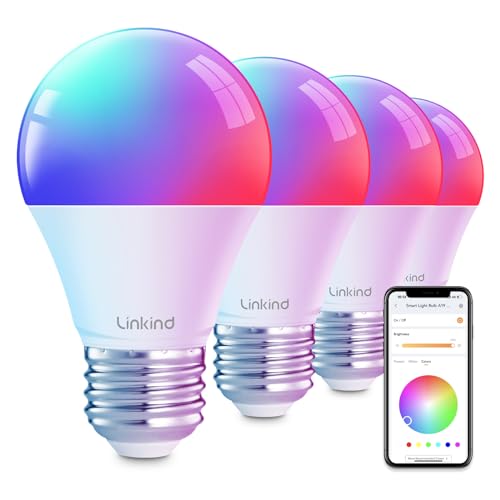
Linkind Smart Light Bulbs, Work…
【Alexa & Google Home Voice Control: Hands-Free Convenience】As smart bulbs that work with Alexa & Google Home, it supports voice commands to turn on/off, adjust brightness, and switch colors—perfect for…
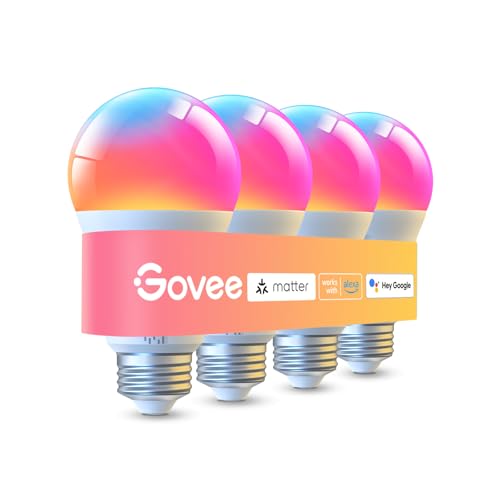
Govee LED Smart Light Bulbs,…
Higher Brightness: With over 1000 lumens (120V), these smart bulbs can brighten large space for your home. Get high brightness (75W Equivalent) and vibrant colors(CRI90+) while saving more on your…
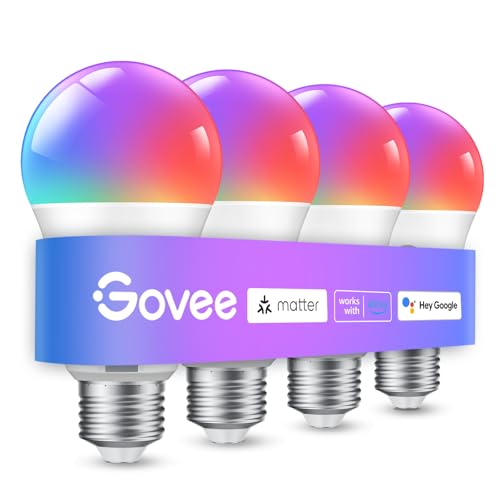
Govee Smart Light Bulbs, A19…
16 Million DIY Colors: Govee smart light bulbs own millions of color and 54 preset scene modes, you can explore your favored one or pick one suits your moods most,…
Linkind Smart Light Bulbs with Alexa

The Linkind smart bulb is a friendly starting point for anyone moving from normal LED bulbs to connected lighting. It works with Alexa, Google Home, and the AiDot app, so you have more than one way to control it. The bulb fits a common E26 socket and supports remote control through a home Wi-Fi network. I like this mix because it does not force every household to use the same voice platform.
Use the app to turn the bulb on, switch it off, adjust brightness, or build a simple schedule. A schedule can make a porch, hallway, or bedroom feel more useful without adding another wall switch. The AiDot system also gives this bulb room to grow if you later add other compatible devices. For shoppers who want broad smart-home support at a sensible entry price, this Linkind model deserves a close look.
Pros:
- Works with Alexa and Google Home
- AiDot app adds remote control and schedules
- Uses a standard E26 base
- Easy choice for first-time smart bulb buyers
- Useful for voice commands and daily routines
- Can fit into a wider AiDot smart-home setup
Cons:
- Requires a stable 2.4 GHz Wi-Fi connection for setup
- Some advanced features depend on the AiDot app
- May not suit shoppers who want a hub-based system
My Recommendation
I recommend the Linkind bulb for renters, families, and first-time buyers who want flexible voice control. It is especially useful when some people in the home use Alexa while others prefer Google Home. The standard socket also makes replacement simple. Among the Best Smart Light Bulbs, this is a practical all-around pick when easy control matters more than deep lighting effects.
Govee 1000-Lumen Smart Bulbs, 4-Pack
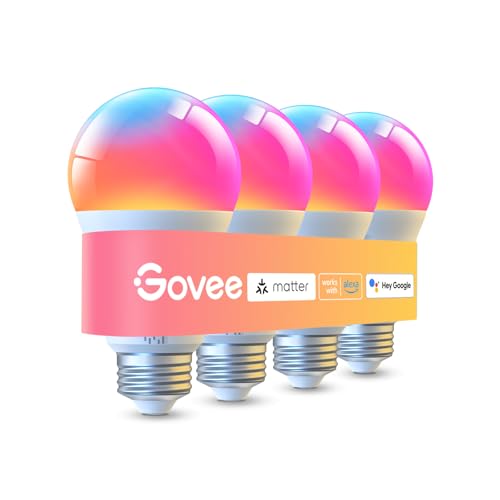
Govee’s 1000-lumen four-pack is built for shoppers who need more light and more bulbs in one purchase. A 1000-lumen bulb can feel noticeably stronger than a small accent bulb, which helps in kitchens, living rooms, workspaces, and larger bedrooms. This model supports Wi-Fi and Bluetooth, giving you a useful backup during setup or nearby control. It also works with Alexa and Google Assistant for hands-free commands.
The RGBWW design gives you color effects plus white light for normal tasks. I value that combination because a bulb should do more than glow blue during a party; it should also help you read a recipe or clean a counter. You can dim the bulbs, change their color, and group them for a more even room scene. The four-pack makes it a strong value for a new apartment, game room, or home office.
Pros:
- Bright 1000-lumen output
- Four bulbs cover several fixtures at once
- Wi-Fi and Bluetooth support
- RGBWW color and white-light control
- Works with Alexa and Google Assistant
- Good fit for rooms that need strong light
Cons:
- Color features may feel excessive for a basic lamp
- Four bulbs may be more than needed for one room
- Wi-Fi setup can take patience in crowded networks
My Recommendation
This is my top pick for buyers who want bright, colorful lighting across several fixtures. It suits families, gamers, content creators, and anyone furnishing a room from scratch. The 1000-lumen rating gives it more headroom than many basic smart bulbs, while the RGBWW system keeps white light useful. If you want one of the Best Smart Light Bulbs for value and brightness, this four-pack is hard to ignore.
Govee A19 Color Smart Bulb, 800 Lumens

This Govee A19 bulb keeps things simple while still adding a splash of color. Its 800-lumen output matches the familiar brightness range of many 60-watt replacement LEDs. The E26 base fits a wide range of table lamps, floor lamps, and ceiling fixtures. You can control the bulb through Govee’s app and create a lighting mood without buying a separate hub.
I see this bulb as a good match for a single room or a small accent setup. It can add warm color to a movie night, cool light to a study session, or a soft glow to a child’s room. The A19 shape looks normal in many open fixtures, so it does not draw attention when the bulb is off. It may not be the brightest option here, but it offers a balanced mix of size, color, and everyday use.
Pros:
- Common A19 shape and E26 base
- 800-lumen brightness suits many home fixtures
- Color-changing control through the Govee app
- Useful for bedrooms, lamps, and accent lighting
- Does not require a separate smart-home hub
- Simple option for adding color to one room
Cons:
- Lower output than the 1000-lumen Govee four-pack
- One bulb may not cover a whole large room
- Users may need the app for full control
My Recommendation
Choose this Govee A19 bulb for a bedroom, desk lamp, nursery, or small lounge. It is a smart buy when you want color scenes without filling a cart with several bulbs. The familiar A19 shape also helps it blend into existing fixtures. For shoppers comparing the Best Smart Light Bulbs for simple room upgrades, this model offers an easy and affordable path.
Amazon Basics Smart A19 Bulb

The Amazon Basics Smart A19 bulb focuses on easy Alexa control. It delivers up to 800 lumens, uses 9 watts, and connects directly to a 2.4 GHz Wi-Fi network without a separate hub. That direct approach can save money and reduce the number of devices on a shelf. If your home already runs on Alexa, the learning curve should be short.
This bulb supports color changes, dimming, schedules, and mood lighting through Alexa-compatible controls. I would place it in a bedroom, reading corner, hallway lamp, or home office where simple voice commands matter. It is not the best choice for a mixed platform household because the listing states Alexa-only support. Still, its low power use and familiar A19 format make it a sensible basic bulb.
Pros:
- Designed for simple Alexa control
- No separate hub required
- 800-lumen output for common home use
- Color changing and dimming support
- Standard A19 profile and E26 base
- 9-watt design helps reduce energy use compared with older bulbs
Cons:
- Works with Alexa only
- Requires a 2.4 GHz Wi-Fi network
- Not ideal for homes built around Google Home or Apple Home
My Recommendation
I recommend this Amazon Basics bulb to Alexa households that want a low-cost, no-hub setup. It is a good fit for a lamp or one small room, especially when you already use Echo speakers. Buyers who need Google Assistant or Apple Home support should choose another model in this guide. Within the Best Smart Light Bulbs category, this is the focused Alexa pick.
Govee A19 LED Smart Bulb, 800 Lumens

This Govee A19 LED bulb is made for everyday smart lighting without a complicated hardware stack. It uses a standard E26 base and provides 800 lumens, which is enough for many lamps and smaller ceiling fixtures. The bulb can change color and dim, allowing one light to serve as a work lamp by day and an accent light at night. Its familiar shape makes replacement quick.
I like this option for shoppers who want a dedicated smart bulb for a spare room or second fixture. It gives you the core features most people use, such as app control, color adjustment, and timed lighting. You can start with one bulb and add more later if the setup meets your needs. It is a steady, no-drama choice rather than a bulb aimed at advanced automation fans.
Pros:
- Standard A19 form factor
- Fits common E26 lamp sockets
- 800 lumens for regular home lighting
- Dimmable color-changing LED design
- Good starter choice for one fixture
- Easy to expand with compatible Govee bulbs
Cons:
- Not as bright as the 1000-lumen Govee model
- Color and routine controls rely on the app
- A single bulb may not light a large open room well
My Recommendation
This bulb is best for a shopper who wants a familiar Govee experience at the 800-lumen level. Use it in a bedside lamp, office, entryway, or guest room. It offers the key features that make smart lighting useful without paying for a more complex system. I consider it one of the Best Smart Light Bulbs for gradual, room-by-room upgrades.
Philips Hue Essential A19 Bulbs, 4-Pack

Philips Hue has long been known for polished smart-light control, and this Essential four-pack brings that experience to several fixtures. The bulbs offer white and color ambiance, with a listed range from warm 2200K light to cool 6500K light. Each bulb reaches up to 800 lumens and uses a standard E26 base. The pack works with Alexa, Google Assistant, and Apple Home, which gives it broad platform appeal.
This is the choice I would study first if you care about reliable scenes, smooth dimming, and a larger lighting ecosystem. Four matching bulbs make it easier to create an even look across a room or apartment. The A19 shape also works well in lamps and many open shades. Philips Hue products can cost more than basic Wi-Fi bulbs, but the wider system and strong platform support may justify that price for long-term users.
Pros:
- Four matching smart bulbs in one pack
- White and color ambiance control
- 2200K to 6500K color-temperature range
- Works with Alexa, Google Assistant, and Apple Home
- 800-lumen output for normal room lighting
- Strong ecosystem for future smart-light expansion
Cons:
- May cost more than basic Wi-Fi bulbs
- Some advanced Hue features may require extra hardware or services
- Four bulbs may be too many for a single-lamp buyer
My Recommendation
The Philips Hue Essential four-pack is best for Apple Home users, smart-home hobbyists, and families who want a polished multi-room system. It also suits buyers who prefer to invest once and expand later. The broad voice-platform support is a major strength. If you want the Best Smart Light Bulbs for ecosystem depth and flexible home control, this pack is the premium choice in this group.
How I Choose the Best Smart Light Bulbs
A smart bulb can look impressive on a product page and still disappoint at home. I judge it by the small moments that repeat every day. Does it connect without a fight? Does the app make sense at 7 a.m.? Can the bulb produce useful white light, not just bright colors? These questions matter more than a long list of flashy modes.
I also look at the full cost. A cheap bulb may be a good deal for one lamp, but a four-pack can make more sense when you need several rooms. I check whether the bulb needs a hub, which Wi-Fi band it uses, and which voice assistants support it. Finally, I consider the socket, brightness, color range, and return options before calling any model one of the Best Smart Light Bulbs.
Brightness and Lumens
Lumens tell you how much light a bulb produces. Watts mainly tell you how much power an older style bulb used, so do not treat watts and lumens as the same thing. An 800-lumen smart bulb often matches the basic light level of a traditional 60-watt bulb. A 1000-lumen model gives you more light for a kitchen, office, or larger room.
Brightness also depends on the shade and room. A covered lamp may soften the light, while a clear globe can make it feel stronger. For a bedside lamp, 800 lumens is usually enough because you can dim it. For a work area, I prefer more output, with dimming available when the room becomes calm.
Color Temperature
Color temperature uses Kelvin, or K, to describe the look of white light. Warm light around 2200K to 3000K feels soft and cozy. Neutral light near 3500K to 4500K can feel clean and balanced. Cool light near 5000K to 6500K looks crisp and may help a workspace feel more active.
A bulb with adjustable white light gives you more value than a bulb locked to one tone. I use warmer light in the evening because it feels less harsh. I use a cooler setting when I need to sort papers or focus on a task. This small change can make a room feel like a calm retreat or a bright workbench.
Color Quality and White Light
Color-changing bulbs are fun, but white-light quality still matters. You may use color for only a few minutes during a party, then use white light for hours. Look for a bulb that dims smoothly and does not create an uncomfortable glare. In open fixtures, also check the bulb shape and visible LED area.
Smart bulb colors can appear different through a shade. A red scene may look soft under a cream shade and bold under a clear glass fixture. I recommend testing one bulb before buying a large set if the exact color look matters to you. This approach can save money and avoid a room full of bulbs that do not match your taste.
Wi-Fi, Bluetooth, and Hubs
Most bulbs in this review connect through Wi-Fi or Bluetooth. Wi-Fi lets you control a bulb when you are away from home, as long as the bulb and app remain connected. Bluetooth usually works close to the bulb and can make first setup easier. Some systems use a hub, which creates another device but can improve network management and add advanced features.
Check your router before you buy. Many smart bulbs use the 2.4 GHz band during setup, while some modern routers combine bands under one network name. If a bulb will not connect, temporarily separating the bands or moving close to the router may help. I always recommend following the app instructions step by step instead of rushing through setup.
Voice Assistant Support
Voice control is one of the best reasons to buy a smart bulb. You can say, “Turn off the hall light,” while carrying laundry or settling into bed. But support varies by product. The Amazon Basics bulb listed here works with Alexa only, while Linkind, Govee, and Philips Hue offer broader support in their listed features.
Before buying, match the bulb to your home platform. Alexa users have many choices. Google Home users should confirm Google support. Apple Home users should pay special attention to compatibility because not every inexpensive Wi-Fi bulb joins Apple’s system. The Philips Hue Essential pack is the safest platform choice among these products for shoppers who use all three major assistants.
App Quality and Routines
A smart bulb app should make basic tasks fast. I want clear controls for power, brightness, color, and schedules. I also want room grouping so several bulbs respond together. A good app feels like a light switch with extra powers, not like a maze.
Schedules are useful for more than convenience. A bedroom bulb can fade into a warmer setting before sleep. A porch bulb can turn on near sunset. A hallway bulb can glow at low brightness late at night. These routines make smart lighting feel less like a gadget and more like a quiet helper in the background.
Energy Use and Heat
LED bulbs use less energy than traditional incandescent bulbs and usually last much longer. Smart features add a small amount of standby use because the bulb must remain ready for a command. That extra use is normally modest, but leaving many bulbs connected all day still adds up. The best savings come from LED efficiency and from schedules that stop lights from staying on for hours.
Smart control can also help you avoid waste. I often see lights left on in empty rooms because nobody wants to walk back and switch them off. An app or voice command fixes that problem. Dimming can reduce light output and may reduce power use, though the exact amount depends on the bulb and its electronics.
Fit, Shape, and Fixture Safety
Most products in this guide use an E26 base, the common screw base found in many US lamps. The A19 shape is also common, but not every fixture has the same amount of space. Measure tight shades before ordering. A bulb that fits the socket may still touch the shade or sit too close to a fixture cover.
Check the product instructions for enclosed fixtures, damp areas, and outdoor use. Not every smart bulb is rated for those locations. Never place a normal indoor bulb in a wet outdoor fixture unless the manufacturer clearly approves it. Good fit and proper use protect both the bulb and your home.
Best Smart Light Bulbs Comparison
| Best for | Why |
|---|---|
| Bright multi-room lighting | Govee 1000-lumen four-pack offers strong output and four bulbs. |
| Alexa-only homes | Amazon Basics connects directly to Alexa without a separate hub. |
| Mixed smart-home platforms | Philips Hue supports Alexa, Google Assistant, and Apple Home. |
Smart Bulb Setup Tips That Save Time
Start with the bulb close to your router. Install it in the fixture, turn it on, and wait for the app to find it. If the bulb does not appear, reset it using the method in the manual. Many bulbs reset after several quick power cycles, but the exact pattern can differ.
Give each bulb a clear name. “Living room lamp” works better than “Bulb 3.” If you add two lamps, name them by location. This makes voice control more natural and lowers the chance of turning off the wrong light.
Group bulbs by room. A room group lets you adjust several lights with one tap or command. I also suggest creating only a few scenes at first. Try “Morning,” “Work,” “Relax,” and “Night.” Too many scenes can make the app harder to use.
Use strong passwords for your Wi-Fi and smart-home accounts. Turn on account security features when the app offers them. Keep firmware and phone apps updated. These steps help maintain a stable setup and protect connected devices.
Common Mistakes to Avoid
The first mistake is buying a bulb without checking the socket. E26 is common in the United States, but some fixtures use a different base. The second mistake is ignoring brightness. A pretty color bulb may not provide enough white light for a kitchen or desk.
Another mistake is buying an Alexa-only bulb for a Google Home house. Platform support should come before color effects. I also advise against buying a large pack before testing one bulb. A small trial shows whether the app, connection, color, and brightness suit your home.
Do not use the wall switch as your only control if you want smart features. When the switch cuts power, the bulb cannot hear an app or voice command. Teach guests to leave the switch on and use the smart control instead. For a guest room, a visible label can help prevent confusion.
Are Smart Light Bulbs Worth It?
For many homes, yes. The value comes from small improvements that happen often. You can turn off lights from bed, set a schedule before vacation, and lower brightness without getting up. Those moments may seem minor, but they add comfort over months and years.
Smart bulbs also help people with limited mobility. Voice control can replace a trip across a dark room. A scheduled entry light can welcome you home. A gentle night scene can guide a child or older adult without blasting the room with bright white light.
They are not perfect for every fixture. If a light is rarely used, a normal LED bulb may be the better buy. Smart bulbs also depend on app support, Wi-Fi quality, and a powered wall switch. Still, for lamps and frequently used rooms, the Best Smart Light Bulbs can earn their cost through convenience alone.
How Many Smart Bulbs Do You Need?
Start with the rooms where lighting causes the most trouble. A bedroom lamp is a simple first test. Next, consider the living room, entryway, kitchen, or home office. You do not need to replace every bulb on day one.
Matching bulbs in one room often looks better than mixing several brands. A four-pack can save money and keep brightness and color more consistent. If you plan to expand over time, choose a platform with an app you enjoy using. This matters more than a small difference in the first purchase price.
For a small apartment, two or three bulbs may cover your main needs. A family home may benefit from a mix of single bulbs and multi-packs. Use bright bulbs for task areas and softer bulbs for bedrooms. Smart lighting works best when each fixture has a clear job.
Smart Bulbs for Different Rooms
In the bedroom, choose dimming and warm white control. A bulb that can fade to a soft tone feels better at night than a fixed cool-white lamp. The Linkind and Govee options offer useful flexibility for this role. The Amazon Basics model also works well if Alexa already controls your bedroom.
In a home office, brightness matters more. The Govee 1000-lumen four-pack can provide extra output for a desk or ceiling fixture. Use cooler white light during work and a warmer scene after hours. Avoid placing a bright bulb directly in your eyes, since glare can make a long work session tiring.
In a living room, color scenes can add mood, but white light remains important. Philips Hue is a strong fit for a room with several lamps because the four bulbs can work as one group. Govee’s color options are also useful for movie nights and parties. A standard A19 bulb will fit many table and floor lamps.
In a hallway, schedules and low brightness are more useful than vivid color. Set the bulb to turn on near sunset and dim late at night. A smart bulb can serve as a quiet path through the home. Pick a model that reconnects well and that other family members can control easily.
Smart Lighting Privacy and Reliability
Connected lighting is not a camera, but it still uses an online account or local network. Review the app permissions and privacy settings. Use a strong password and avoid sharing your main account unless necessary. If a family member needs control, use the platform’s household-sharing tools when available.
Reliability depends on your router, the bulb’s software, and the maker’s servers. A bulb may still work from a wall switch if the internet fails, but app control may stop. This is why I prefer a physical wall switch as a backup. Smart control should add convenience, not remove the basic ability to turn on a light.
Place the router where it can reach the rooms that contain bulbs. Large homes may need a mesh system or better network placement. Too many connected devices on an old router can also cause delays. Good network habits improve the experience of nearly every smart-home product.
Smart Bulb Maintenance
Keep the bulb clean and allow heat to escape. Dust and tight covers can reduce light and raise heat around the electronics. Turn off power before cleaning a fixture. Use a dry or slightly damp cloth, and never spray cleaner directly onto the bulb.
Check the app from time to time for updates. If a bulb starts responding slowly, power cycle it and restart the router. If you change Wi-Fi names or passwords, expect to reconnect the bulbs. Writing down the reset steps can save time later.
When a bulb reaches the end of its service life, recycle it according to local rules. LED bulbs contain electronic parts, so do not assume every community handles them like ordinary glass. Follow the package or maker guidance. Careful handling keeps smart lighting useful and reduces waste.
FAQs Of Best Smart Light Bulbs
Do smart light bulbs need Wi-Fi?
Many smart bulbs use Wi-Fi, but some can work through Bluetooth or a hub. Wi-Fi models usually offer remote control and voice features when connected to the internet. Check the product requirements before purchase.
Do smart bulbs work with a normal light switch?
Yes, but the wall switch must stay on for app and voice control. Turning the switch off cuts power to the bulb. You can still use the switch as a basic backup.
Are smart light bulbs hard to install?
Most install like standard LED bulbs. Screw in the bulb, turn on the fixture, and follow the app setup steps. A 2.4 GHz Wi-Fi connection is often needed during setup.
Can smart bulbs save energy?
LED smart bulbs generally use less energy than incandescent bulbs. Scheduling and dimming can also stop lights from running when nobody needs them. Actual savings depend on use, brightness, and local electricity rates.
Which smart bulb is best for Apple Home?
The Philips Hue Essential four-pack is the strongest choice in this guide for Apple Home users. It also works with Alexa and Google Assistant. Always confirm current compatibility before buying because app and platform features can change.
Final Verdict: Which Should You Buy?
The Govee 1000-lumen four-pack is my best overall pick for brightness, color control, and value. Alexa users should consider Amazon Basics, while Philips Hue is best for a broad smart-home ecosystem.
The Best Smart Light Bulbs turn daily lighting into a simple routine. Choose by platform, brightness, room, and pack size, then enjoy easier control without replacing your fixtures.

Similar Posts