Frigidaire Dishwasher Model Ffcd2413us4a Troubleshooting
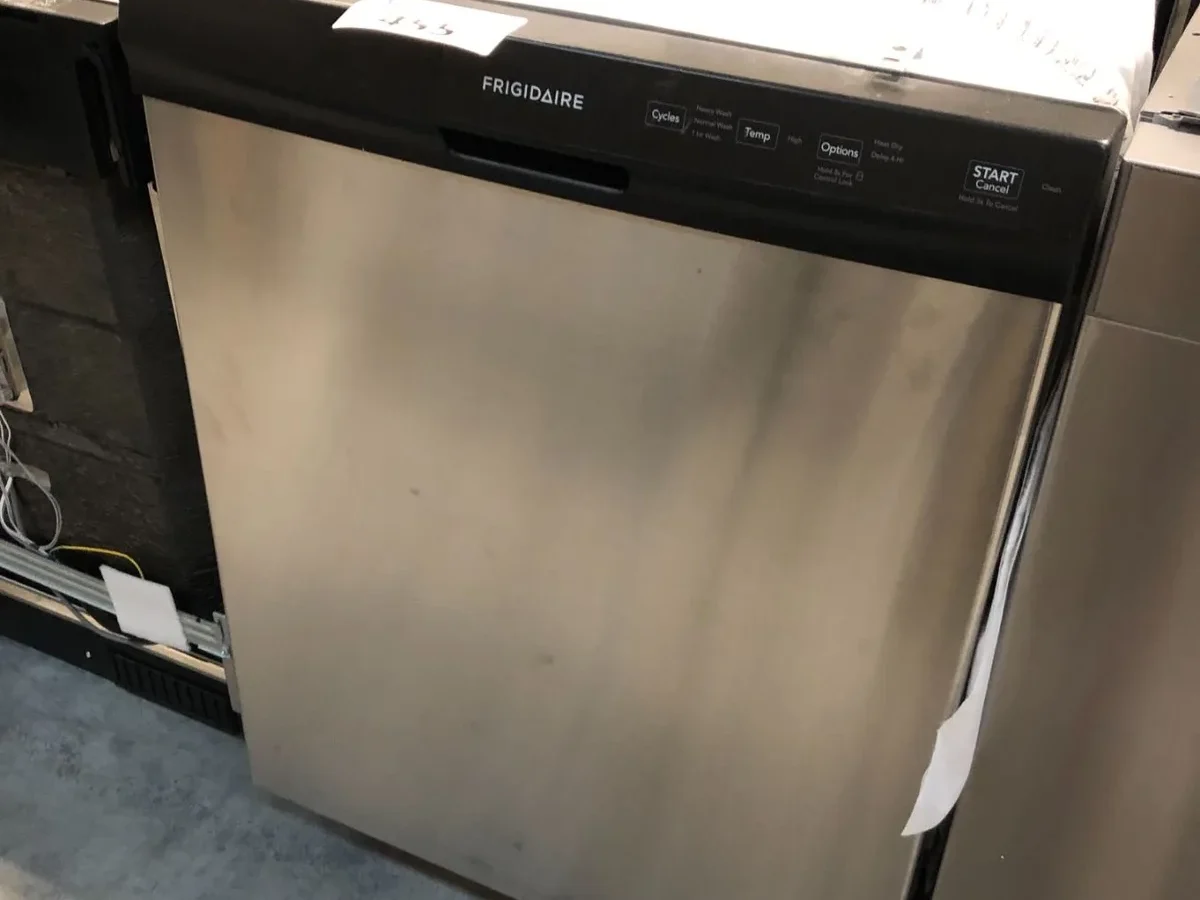
Your Frigidaire dishwasher model FFCD2413US4A has been running for years, and now suddenly it's acting up. Maybe it won't start. Maybe water's sitting at the bottom after a cycle.
Maybe it's making noises that sound expensive.
Either way, you want it fixed without paying a technician $150 just to show up. That's where Frigidaire dishwasher model FFCD2413US4A troubleshooting comes in. Per manufacturer specifications, this model uses an electronic control board, a mechanical door latch with microswitches, and a direct-drive wash motor.
Most issues fall into a small handful of categories. You can diagnose them yourself in under 30 minutes with basic tools. Let's walk through each symptom step by step.
Quick Answer
Start with a hard reset. Unplug the dishwasher for five full minutes. Plug it back in and try a cycle.
This clears up about 20 percent of electronic glitches on this model. If that doesn't work, check the door latch. A misaligned latch or failed microswitch prevents the dishwasher from running.
If you see standing water, clean the filter and check the drain pump. Error codes flash in repeating patterns on the control panel. Count the flashes and look them up in the troubleshooting guide below.
What to Do When Your Frigidaire FFCD2413US4A Won't Start
Nothing happens when you press Start. The lights don't come on. The machine sits there like a dead appliance.
Let's rule out the simple stuff first.
Check the circuit breaker. This model draws about 12 amps on a dedicated 15-amp circuit. A tripped breaker is the easiest fix in the book.
Flip it off, wait ten seconds, flip it back on. Also check that the dishwasher door is fully closed and latched. The machine will not start with the door even slightly ajar.
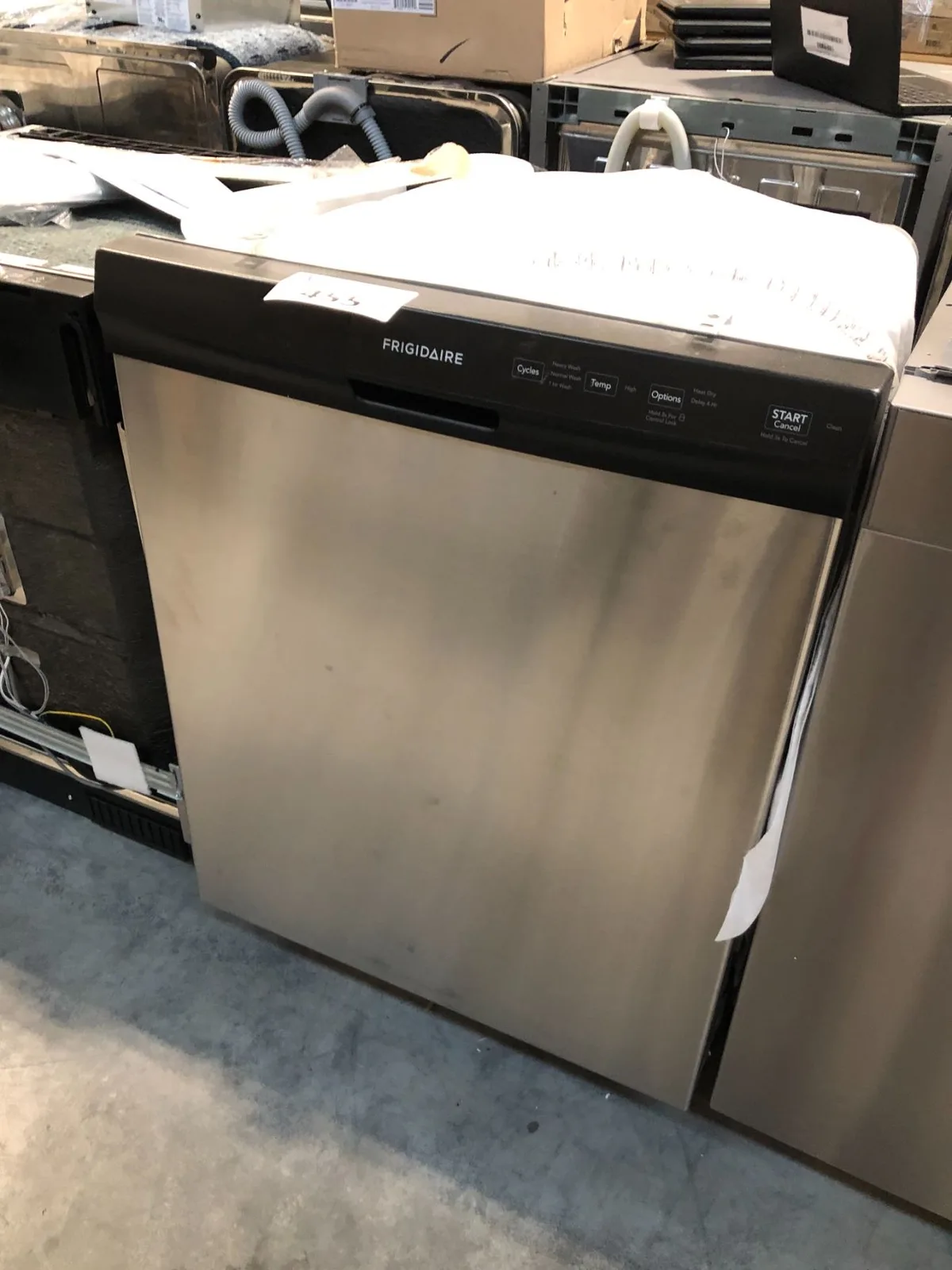
Image source: Bing (Web (fair-use with source credit))
If power is on and the door is closed, try the hard reset. Unplug the dishwasher from the wall outlet or flip the breaker off. Wait five minutes.
This allows the electronic control board to fully discharge and reset. Plug it back in and try again.
If the control panel lights up but the cycle never starts, the issue is likely the door latch assembly or the control board itself. We'll cover the latch next because it fails far more often than the board.
One more thing. Check if the child lock is activated. On this model, holding the Heated Dry button for three seconds locks the panel.
The lights may still come on, but none of the buttons respond. Hold the same button again to unlock.
The Most Likely Culprit: Door Latch Problems
The door latch on the FFCD2413US4A does two jobs. It keeps the door shut during a cycle. It also tells the control board that the door is safely closed.
A small microswitch inside the latch assembly sends that signal. If the switch fails or the latch mechanism gets misaligned, the dishwasher thinks the door is open. It refuses to run.
Here's how to test it without any special tools. Open the door and look at the latch hook on the top edge of the door opening. That plastic hook should move freely when you push it.
Close the door and listen for a solid click. If the click sounds weak or you don't hear it at all, the latch is probably worn.
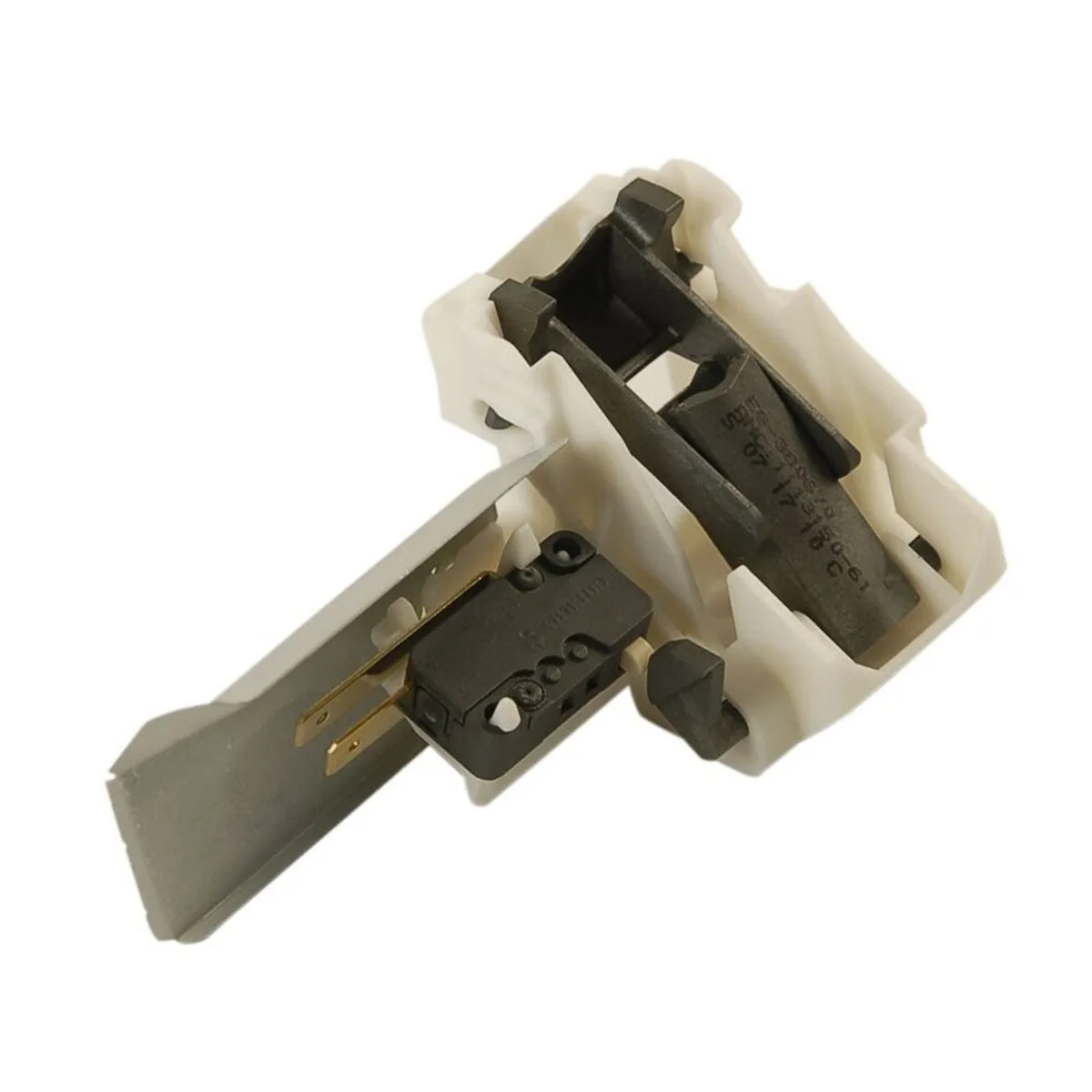
Image source: Bing (Web (fair-use with source credit))
For a more precise test, you'll need a multimeter set to continuity mode. Access the latch by removing the two screws on the inner door panel. The latch assembly pulls out as one piece.
Touch the multimeter probes to the terminals on the microswitch. With the latch plunger pressed in, you should get continuity. When you release the plunger, continuity should break.
If the switch doesn't respond, replace the entire latch assembly.
Replacement latch assemblies for this model run about 25 to 40 dollars. Install the new one by reversing the removal steps. Make sure the wiring connector clicks firmly into place.
Test the door close action before you put the inner panel back on.
If the latch tests fine but the dishwasher still won't start, move to the control board.
Still Dead? Check Power and Control Board Next
You've confirmed the latch works. The breaker is on. The dishwasher still sits there silent.
Now we look at the control board.
First, verify that the dishwasher actually has power where it matters. Pull the dishwasher out from under the counter. You'll see the power cord entering a junction box at the lower back.
Remove the junction box cover. Use your multimeter to check for 120 volts AC between the black and white wires. If you have no voltage, the problem is upstream.
Check the outlet or the wiring in your home.
If you have 120 volts at the junction box but the dishwasher won't power on, the control board is the prime suspect. The board sits behind the control panel at the top of the door. To access it, remove the screws on the inner door trim.
The control panel tilts forward. The board is a green circuit board with a ribbon cable connecting it to the buttons.
Look for visible damage first. Burnt spots. Puffed capacitors.
Melted plastic on any component. If you see any of that, the board is dead.
If the board looks clean, you can test for a common failure. Unplug the ribbon cable and check for corrosion on the metal contacts. Corroded contacts prevent the control panel from communicating with the board.
Clean them with isopropyl alcohol and a cotton swab. Reconnect and test.
Control board replacement for this model costs about 80 to 120 dollars for an OEM part. It's a straightforward swap. Remove the old board.
Install the new one. Reconnect the ribbon cable. Make sure you discharge any static electricity by touching a metal surface before handling the board.
One more thing. If the dishwasher starts but then stops mid-cycle or behaves erratically, the board may have a failing capacitor. Try the hard reset first.
If the problem comes back, replace the board.
Water Sitting at the Bottom: Drain Pump vs. Filter
Standing water after a cycle is one of the most common complaints on the FFCD2413US4A. The good news is that the fix is often free and takes ten minutes.
Start with the filter. Open the door and remove the lower spray arm by unscrewing the plastic nut in the center. The cylindrical filter assembly lifts straight out.
Rinse it under hot water. Use a soft brush to scrub away the grey film that builds up on the fine mesh. That film is a mix of food particles and detergent residue.
It clogs the filter over time.
While the filter is out, shine a flashlight into the sump at the bottom. Look for debris like broken glass, chicken bones, or a stray grape. Anything that fell through the filter can block the drain pump intake.
If the filter is clean and the sump is clear, the problem is likely the drain pump. The drain pump sits under the dishwasher. Access it through the kickplate at the bottom front.
Remove the kickplate screws. You'll see the pump on the left side with a rubber hose connected to it.
Disconnect the hose and check for clogs. A stuck piece of a label or a small bone fragment can stop the pump impeller from spinning. Reach in with needle-nose pliers and pull out any debris.
If the pump spins freely but the dishwasher still won't drain, test the pump motor with a multimeter. Set it to ohms. Touch the probes to the two pump terminals.
You should read between 50 and 150 ohms. An open circuit means the motor is burned out. Replace the pump assembly.
Drain pump replacement costs about 40 to 60 dollars. It comes as a single unit with the motor and housing. Swap it out in about 20 minutes.
If the pump motor tests fine and the drain hose isn't kinked, check the check valve. That's a small one-way flap inside the drain hose connection. It can get stuck open with a piece of debris.
That lets water drain back into the tub. Reach into the hose connection and feel for the flap. Clear anything blocking it.
Not Cleaning Well: Spray Arms, Filter, and Water Inlet Valve
Dishes coming out with food still stuck on them? That's frustrating. But it's rarely a major mechanical failure.
The most common cause is clogged spray arm holes. Remove the upper and lower spray arms. Hold them up to a light.
You'll see a ring of small holes along each arm. If any are blocked, poke them clean with a toothpick or a paper clip. Rinse the arms under running water.
Spin the upper arm by hand to make sure it rotates freely.
The filter should be your second stop. We already covered how to clean it in the standing water section. A dirty filter restricts water flow to the spray arms.
Clean it thoroughly and reinstall.
Next, check the water inlet valve. This solenoid opens to let water into the dishwasher. Over time, the small screen inside the valve can clog with sediment from your home's water supply.
Hard water makes this worse. Turn off the water supply under the sink. Disconnect the water line from the inlet valve at the bottom front of the dishwasher.
Pull out the small plastic screen. Rinse it under hot water. If it's heavily scaled, soak it in vinegar for 30 minutes.
If the screen is clean but the dishwasher still fills slowly or not at all, test the inlet valve solenoid. Use your multimeter set to ohms. Touch the probes to the two terminals on the valve.
You should read between 500 and 1500 ohms. An open circuit means the coil is dead. Replace the valve assembly.
One more possibility. The wash motor can weaken over time. If the spray arms spin slowly and water pressure seems low, the motor may be failing.
You can test it the same way. Check resistance at the motor terminals. Specs vary.
Anything under 5 ohms with no continuity likely means a bad motor.
Error Codes Explained: What Those Flashing Lights Mean
The FFCD2413US4A doesn't have a digital display. Instead, it communicates through the Start/Cancel light. That light flashes in repeating patterns.
Each pattern tells you a specific fault code.
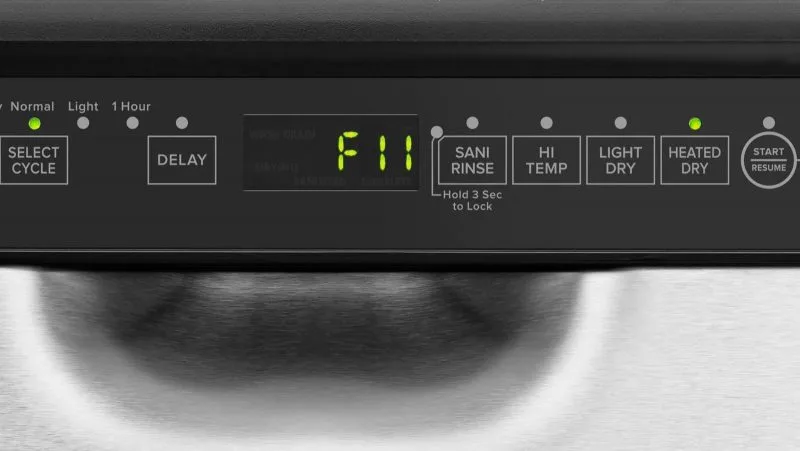
Image source: Bing (Web (fair-use with source credit))
Here's the full breakdown of what those flashes mean for this model:
| Flash Pattern | Error Code | What It Means | Most Likely Fix |
|---|---|---|---|
| 1 flash, pause, repeat | F1 | Control board failure | Replace control board |
| 2 flashes, pause, repeat | F2 | Flood condition | Float switch stuck or wiring short |
| 3 flashes, pause, repeat | F3 | Water temperature sensor fault | Thermistor bad or disconnected |
| 4 flashes, pause, repeat | F4 | Water inlet problem | Inlet valve clogged or failed |
| 5 flashes, pause, repeat | F5 | Drain problem | Drain pump or drain hose blocked |
| 6 flashes, pause, repeat | F6 | Wash motor fault | Motor failed or wiring issue |
| 7 flashes, pause, repeat | F7 | Heating element fault | Heater burned out or relay failed |
Count the flashes carefully. The pause between repetitions is longer than the pause between individual flashes. If you see two flashes, wait for the pause, then two more, that's code F2.
F2 flood condition. The float switch in the bottom of the dishwasher has triggered. This switch sits inside a small plastic tower in the front right corner of the tub. If the float gets stuck in the up position, the dishwasher thinks there's a flood.
Reach in and lift the float gently. It should move up and down freely. If it feels stuck, clean around the float tower with a toothbrush.
If the wiring to the switch is damaged, repair or replace the switch.
F5 drain problem. We covered this one in the standing water section. Clean the filter. Check the drain pump.
Inspect the drain hose. If the code appears intermittently, the pump may be on its way out.
F4 water inlet problem. The dishwasher isn't getting water. Check the inlet valve screen first. Then confirm the water supply is on.
If the valve solenoid tests bad, replace it.
If you see F1 or F7, you're looking at a parts replacement. The control board or heating element respectively. Those repairs cost more but are still doable yourself with basic tools.
When to Call a Pro vs. When to DIY
You've worked through the symptoms. You've tested the latch. You've cleaned the filter and checked the error codes.
Now you need to decide. Is this a Saturday morning fix or a call-the-tech situation?
DIY when the fix involves cleaning, testing, or swapping a plug-in part. Cleaning the filter and spray arms is free. Testing a switch with a multimeter takes five minutes.
Replacing the door latch, drain pump, or inlet valve are all doable with basic tools and a half hour of your time.
Call a pro when you're dealing with the control board and you're not comfortable around live electronics. The board holds a charge even after you unplug the machine. If you've tested everything else and the problem points to the main board, a technician can confirm it and install the replacement in under an hour.
Also call a pro if you see signs of a water leak that damaged the floor or cabinet. Water damage gets expensive fast. A service call now beats a floor replacement later.
Consider the math. A DIY part for the latch costs about $35. A service call runs $150 to $200 plus parts.
If you're confident in your diagnosis, you save real money. If you're guessing, you might buy a part you don't need and still end up calling the tech.
Leaks and Noises: What's Normal and What's Not
A little water around the door after a cycle is normal. Condensation builds up on the stainless steel tub and drips down. Wipe it with a towel.
If you see a puddle on the floor, that's different.
Check the door gasket first. Run your finger along the rubber seal. Feel for cracks, tears, or hard spots.
A worn gasket lets water escape during the fill cycle. Replacement gaskets for this model run about $20 and snap into a channel around the door opening.
Next check the hose connections under the dishwasher. The water inlet hose connects to the inlet valve with a brass fitting. Tighten it by hand plus a quarter turn with pliers.
The drain hose connects to the drain pump with a spring clamp. Make sure the clamp is still tight. Loose connections drip slowly and can go unnoticed for weeks.
Now about noise. A humming sound during the drain cycle is normal. That's the drain pump motor running.
A grinding or rattling sound means something hard hit the chopper blade or the wash impeller. Shut it off immediately. Open the door and look for broken glass, a dropped utensil, or a stray olive pit in the sump.
A high-pitched squeal during the wash cycle points to a worn bearing in the wash motor or the circulation pump. That noise won't get better on its own. Plan for a motor replacement or start shopping for a new dishwasher if the repair cost approaches half the price of a replacement.
Maintenance That Prevents Future Problems
You've fixed the issue. Now keep it from coming back. A little regular maintenance on this model goes a long way.
Clean the filter once a month. Pop it out. Rinse it under hot water.
Scrub the fine mesh with an old toothbrush. That grey film builds up faster than you think. A clean filter means cleaner dishes and fewer drain problems.
Run a cleaning cycle every three months. Pour a cup of white vinegar into a dishwasher-safe bowl on the top rack. Run the hottest cycle.
The vinegar breaks down grease and mineral deposits inside the machine. Alternatively, use a dishwasher cleaning tablet in the detergent dispenser.
Check the spray arm holes every few months. Hard water deposits can slowly close them off. A quick poke with a toothpick keeps the water pressure strong.
Inspect the door gasket twice a year. Wipe it down with a damp cloth to remove food residue. A clean gasket seals better and lasts longer.
If you have hard water, consider using a rinse aid. It helps water sheet off dishes during the dry cycle. It also reduces mineral buildup inside the machine.
Fill the rinse aid dispenser when the indicator light comes on.
One last thing. Run hot water at the kitchen sink before starting the dishwasher. Let it run until the water feels hot.
That ensures the dishwasher fills with hot water from the start instead of wasting the first few minutes heating cold water. It improves cleaning performance and shortens cycle time.
Frequently Asked Questions
Why won't my Frigidaire FFCD2413US4A start but the lights come on?
The door latch is the most common cause. The microswitch inside the latch tells the control board the door is closed. If it fails, the dishwasher won't start even with power.
Test the latch with a multimeter. Replace it if the switch doesn't show continuity when pressed.
How do I reset my Frigidaire dishwasher model FFCD2413US4A?
Unplug the dishwasher from the wall outlet or flip the circuit breaker off. Wait five full minutes. Plug it back in.
This clears the control board memory and resolves most temporary electronic glitches. Try running a cycle immediately after the reset.
What does 5 flashes mean on my Frigidaire dishwasher?
Five flashes means error code F5. That indicates a drain problem. The dishwasher can't pump water out.
Start by cleaning the filter and checking the drain pump for debris. If the pump motor tests open with a multimeter, replace the pump assembly.
Why is water left in the bottom of my Frigidaire dishwasher?
A clogged filter or drain pump is usually the cause. Remove and clean the cylindrical filter assembly. Check the drain pump impeller for stuck debris.
If both are clear, test the drain pump motor with a multimeter. A burned-out motor won't pump at all.
How do I clean the filter on my Frigidaire FFCD2413US4A?
Remove the lower spray arm by unscrewing the plastic nut. Lift the cylindrical filter straight out. Rinse it under hot water and scrub the fine mesh with a soft brush.
Reinstall the filter and spray arm. Clean it monthly for best performance.
Should I repair or replace my Frigidaire dishwasher?
Compare the repair cost to the value of the machine. If the control board or motor fails, the repair runs $100 to $200 in parts. That's worth it if the dishwasher is otherwise in good shape.
If multiple components fail or the tub is rusted, replacement makes more sense. A new basic model costs $400 to $600.

Similar Posts
































