GoPro HERO11 Black Troubleshooting
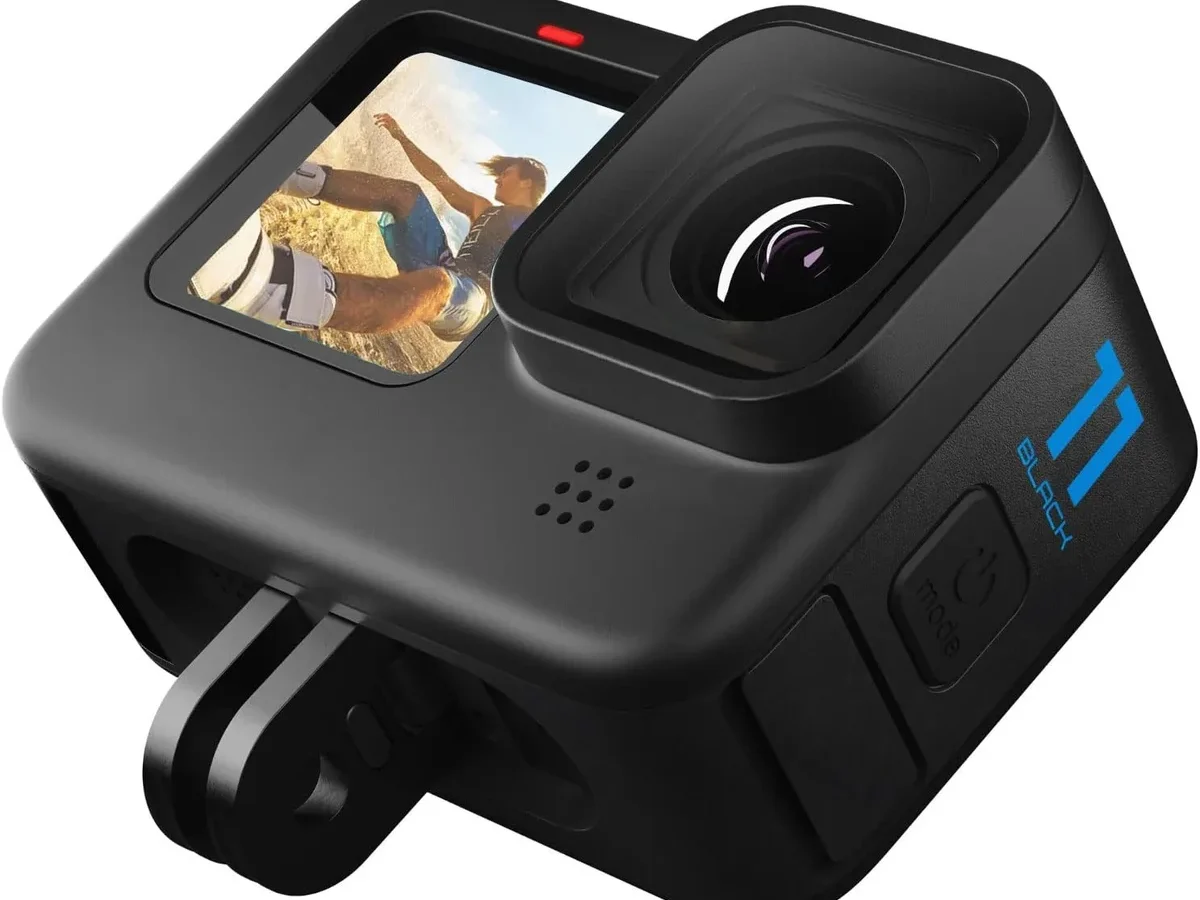
Your GoPro HERO11 Black troubleshooting journey usually starts the same way. The camera freezes mid-shot. The battery dies way too fast.
Or you pull that SD card and find half your footage is missing.
The HERO11 Black runs on GoPro's GP2 processor, which is powerful but heat-sensitive. Manufacturer specs require a UHS-I U3 V30 microSD card as the bare minimum for stable 5.3K recording. When that standard isn't met, the camera behaves unpredictably.
Let's walk through exactly what to do about it.
Image source: Bing (Web (fair-use with source credit))
Quick Answer
GoPro HERO11 Black troubleshooting starts with the symptom. A frozen screen usually needs a forced restart. Battery drain often comes from background Wi-Fi or GPS.
SD card errors are almost always card compatibility or formatting issues. Most problems have a simple fix.
What's Actually Wrong? Diagnose Your GoPro HERO11 Black Symptom
Before you try anything else, figure out what you're actually dealing with. The HERO11 Black has three common failure modes: a software lockup, a dead or dying battery, or a corrupted SD card. They all look similar at first glance.
If the screen is black and pressing the power button does nothing, try a forced restart before assuming the battery is dead. That's important because a frozen camera won't respond to button presses, even with a full charge.
If the camera turns on but shows an SD card error, you're likely dealing with a card issue. GoPro cameras are notoriously picky about card formatting. In-camera formatting fixes about 80 percent of these cases based on aggregate user reports.
If the camera powers up but the battery drains in under thirty minutes, you've got a different problem. Background services like Wi-Fi and GPS drain power fast. The HERO11 Black also runs hotter at higher resolutions, which can trigger thermal protection and shorten recording time.
Take thirty seconds to identify which bucket you're in. It saves you from trying five wrong fixes.
The GoPro HERO11 Won't Turn On? Check These Three Things First
Start with the simplest fix. Hold the power button and the shutter button together for ten seconds. This forced restart bypasses a frozen processor and often brings the camera back to life.
If that doesn't work, remove the battery and the SD card. Press and hold the power button for ten seconds with nothing inside. This drains any residual charge from the internal circuits.
Then reinsert just the battery and try again.
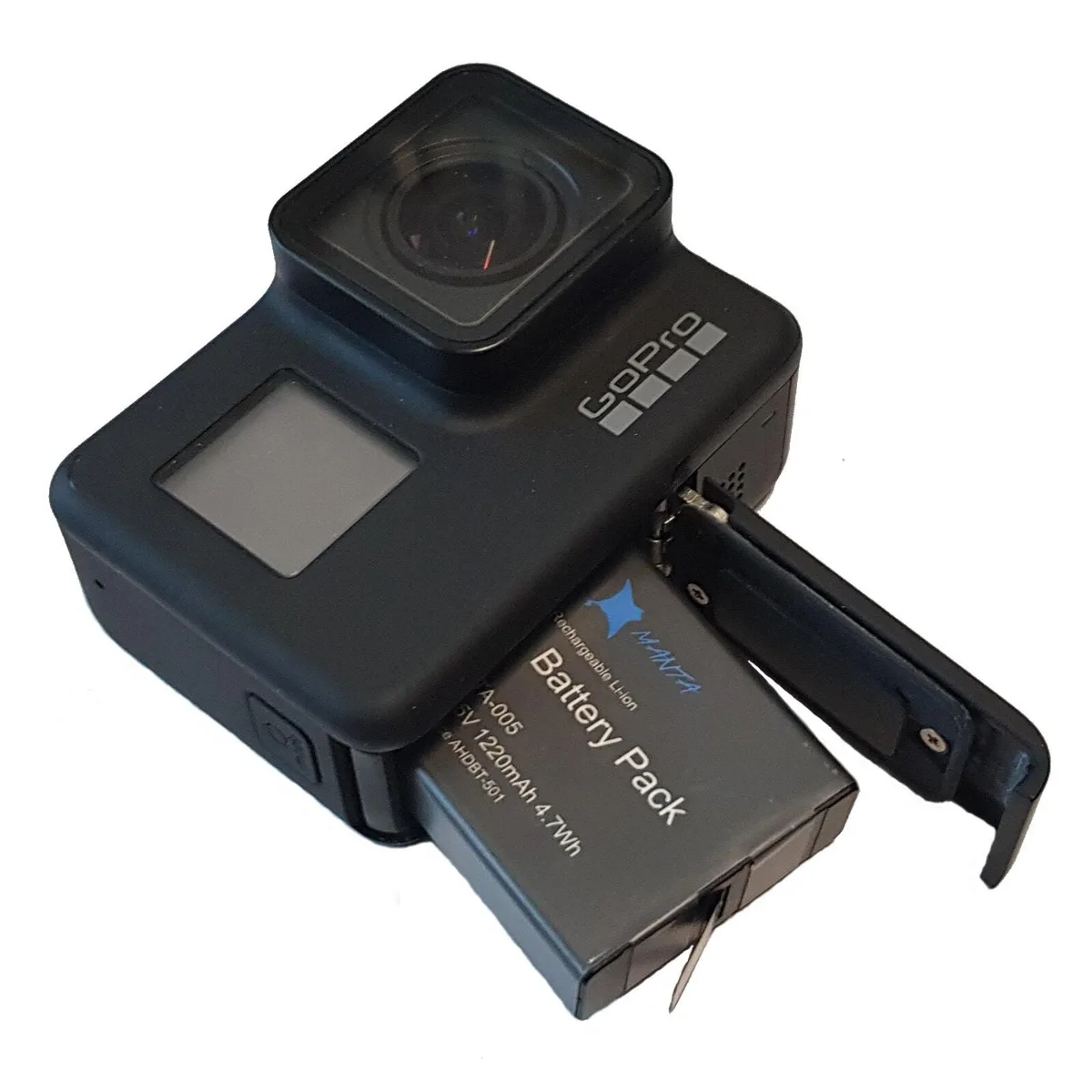
Image source: Web (Bing) / ebay.com (Web image (fair-use with source credit))
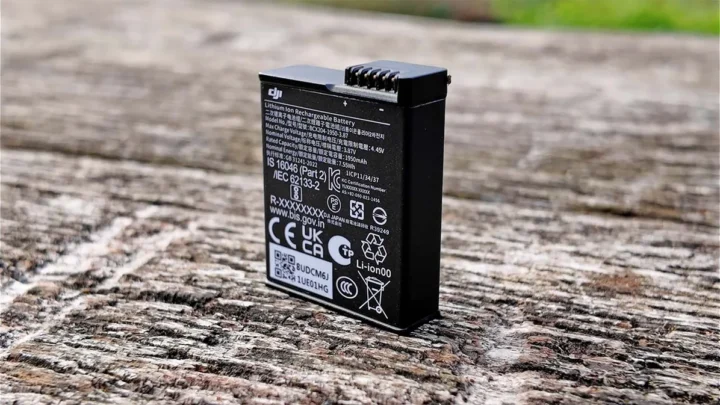
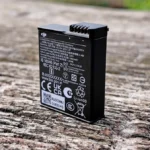
Still nothing? Plug the camera into a USB-C power source using the original cable. A dead Enduro battery can hit a voltage level so low the camera won't acknowledge it.
With external power, the camera should boot. If it does, your battery is the problem. The same battery diagnostics apply to other compact cameras with similar power management systems.
If the camera still won't turn on with USB power, the issue is likely internal. That's when you need GoPro Support. The HERO11 Black does not have a user-replaceable internal battery for the real-time clock, but the main battery pack is replaceable with a small screwdriver.
Frozen Screen or Unresponsive Touch — Do This Before Anything Else
A frozen touch screen doesn't mean the camera is dead. It means the operating system has crashed. The fix is mechanical, not digital.
Press and hold the mode button on the side and the shutter button on top simultaneously for ten seconds. The screen should go black, then the GoPro logo appears. That's a successful forced restart.
If the screen stays frozen after that, remove the battery for thirty seconds. This guarantees a full power cycle. Reinsert the battery and power on normally.
Here's what doesn't work: tapping the screen repeatedly, connecting to the Quik app, or waiting for the battery to die. Those all waste time. The forced button combo is the only reliable fix for a system freeze on the GP2 architecture.
Once the camera restarts, check your firmware version. As of 2026, GoPro has released several updates that address touch responsiveness. You can update via the Quik app or manually through the SD card.
The Bluetooth handshake problems that sometimes block app updates are a known issue across multiple camera brands.
After a hard freeze, some users report the touch screen remains slightly sluggish. A factory reset from the settings menu clears any lingering software glitches, but you'll lose your custom presets. Back those up first if you can.
Battery Drains in 20 Minutes — Common Causes and Fixes
A fully charged Enduro battery should give you about 70 minutes at 5.3K 30fps or 80 minutes at 4K 60fps with stabilization off. If you're getting twenty minutes, something is wrong.
The biggest drain is leaving Wi-Fi and GPS on. Both radios poll constantly and kill battery life fast. Turn them off in the connections menu when you don't need them.
GPS is only useful if you want speed overlays or telemetry data for your edit.
Background app connections also drain power. If the Quik app is paired and sitting in the background on your phone, the GoPro keeps the Bluetooth radio active. Unpair the camera when you're done transferring footage.
Cold weather hits lithium-ion batteries hard. Below freezing, the Enduro battery can lose 30 to 50 percent of its effective capacity. Keep spare batteries warm in an inside pocket before use.
This thermal behavior isn't unique to GoPro; similar battery performance drops affect other action cameras in cold conditions.
An old battery is another culprit. The Enduro battery has a typical lifespan of about 300 to 500 full charge cycles. If yours is older than two years of regular use, replacement is the fix.
The HERO11 Black's battery door can loosen over time, so check that the latch is fully engaged. A loose connection causes intermittent power loss that looks like a dying battery.
SD Card Error or Won't Record — The Fix Is Simpler Than You Think
When your GoPro shows an SD card error, stop. Don't reformat the card on your computer. Don't buy a new card yet.
Pull the card and reformat it inside the camera.
In-camera formatting creates the exact file system structure the HERO11 Black expects. Computer formatting often uses exFAT or NTFS with different cluster sizes, which the camera can't always read. The fix takes about ten seconds.
Go to Preferences, Reset, Format SD Card.
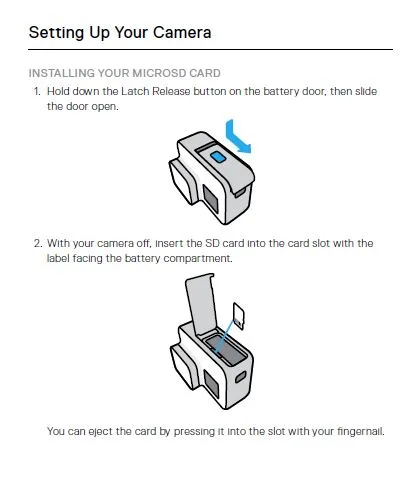
Image source: Bing (Web (fair-use with source credit))
Card speed matters more than brand. The manufacturer spec calls for UHS-I U3 V30 as the minimum. That means a sustained write speed of at least 30 megabytes per second. For 5.3K footage, V60 is safer.
Cards slower than V30 will cause recording to stop mid-clip or produce corrupted files. The SD Association provides the official speed class standards that define these ratings.
A nearly full card causes failures too. The HERO11 Black needs free space to write temporary files during recording. When the card is above 90 percent full, the camera may refuse to record or stop unexpectedly. Keep at least a few gigabytes free.
Try this sequence if you still get errors: backup your footage on a computer, format the card in-camera, then test with a short clip at 4K 60fps. If it works, the card is fine. If the error returns, replace the card.
Sandisk Extreme and Samsung EVO Select cards rated V30 or higher are the most consistently compatible options per community reports. Card speed limits affect other cameras too, not just the HERO11.
Overheating and Recording Stops Early — Setting Trade-Offs That Help
The GP2 processor is powerful, but it runs hot. At 5.3K 60fps in direct sun, the HERO11 Black hits its internal thermal limit in about eight to ten minutes. That's not a defect.
It's a physical constraint of the hardware.
Lower the resolution or frame rate to get longer recording times. Dropping to 4K 60fps gives you roughly twenty minutes before thermal shutdown. At 1080p 30fps, the camera can record until the battery dies without overheating.
Moving air makes a big difference. A camera mounted on a helmet or a bike gets natural airflow. The same camera sitting on a tripod in still heat will overheat faster. If you're filming a static scene, point a small fan at the camera.
Turn off HyperSmooth when you don't need it. Stabilization uses the GP2 processor heavily and adds heat. For tripod shots or gimbal-mounted footage, turn it off entirely.
The reduction in thermal load is noticeable.
Remove the battery door in controlled environments. Some users leave the door open for airflow during long time-lapses. This isn't safe near water or dust, but it works for indoor or studio use.
The HERO11 Black's thermal management is aggressive by design. It shuts down before permanent damage occurs. Overheating shutdowns are not exclusive to GoPro; other high-performance cameras face the same thermal limits.
Mistakes That Wreck Your GoPro (and Pro Fixes)
Water damage is the number one cause of permanent GoPro failure. It usually comes from a dirty seal, not deep water. The battery door and the USB-C port cover have rubber gaskets that need to be clean and free of debris.
Check the gasket every time before you take the camera near water. A single grain of sand on the battery door seal can let water in. Rinse the camera with fresh water after saltwater use.
Dry it thoroughly before opening any ports.
Buttons that stick after a beach session mean sand has worked its way into the button housing. Rinse the camera under a gentle stream of fresh water while pressing each button repeatedly. This flushes out the grit.
Let it dry fully before turning it on.
Condensation inside the lens happens when the camera goes from a cold to a warm environment. Put the camera in a sealed bag with silica gel packs for a few hours. Do not try to dry it with heat.
That can warp the seals.
Over-tightening the mounting buckle is a common error. The plastic lugs on the HERO11 Black's frame can snap if you crank down too hard. Tighten it enough to hold position.
That's all it needs.
Software Fix or Actual Hardware Problem? When to Use Factory Reset vs. Return
A factory reset fixes software glitches. It doesn't fix physical damage or processor failure. Run a reset when you've tried everything else and the camera still behaves erratically.
Back up your presets first. Go to Preferences, Reset, and choose Factory Reset. The camera will reboot to its out-of-box state. If the problem goes away, it was software.
If it comes back, you have a hardware issue.
Signs of a hardware defect include a cracked lens, moisture trapped behind the glass, a rattling sound from inside, or a non-functional USB-C port. These aren't fixable with software. You need a repair or replacement.
Contact GoPro Support with your serial number and a clear description of the problem. Their warranty covers one year from purchase. For issues outside warranty, the flat-rate repair fee is often cheaper than buying new.
Keep your proof of purchase handy. GoPro's official support site has the most up-to-date warranty and repair information.
GoPro Won't Connect to App? Fix the Bluetooth Handshake
The Quik app connection issue is almost always a pairing handshake failure. The camera and phone lose sync. The fix takes about two minutes.
Delete the camera from the Quik app. Go to Devices, tap your HERO11 Black, and select Forget This Device. Then go to your phone's Bluetooth settings and remove the GoPro from paired devices.
Restart both devices. Turn the GoPro off and back on. Force close the Quik app and reopen it. Then put the GoPro into pairing mode and reconnect through the app.
Toggle Bluetooth and Wi-Fi in a specific order. Turn off Bluetooth on your phone. Turn off Wi-Fi on your phone.
Then turn Bluetooth on again, followed by Wi-Fi. This resets the radio handshake without a full restart.
Check for firmware updates on both the camera and the Quik app. An outdated app can fail to connect to a newer camera firmware. Update both to the latest versions.
Bluetooth pairing failures are a common pain point across many camera brands.
Blurry Footage or Stuttering — File System and Bitrate Issues
Blurry footage on the HERO11 Black is rarely a lens problem. It's usually a recording setting or a card speed issue. The camera writes a lot of data per second, and if the card can't keep up, frames get dropped.
Check your bitrate setting. High bitrate mode records more detail but requires a faster card. If you're using a V30 card, stick to standard bitrate. Switch to V60 or V90 if you want high bitrate at 5.3K.
H.265 compression is more efficient but harder for older computers to play back. If your footage stutters on your editing timeline, transcode it to H.264 first. The HERO11 Black records in H.265 by default.
Hypersmooth can cause stutter in low light. The stabilization algorithm struggles when there isn't enough light, introducing micro-jitters. Turn off Hypersmooth in dim conditions.
Use a tripod or a gimbal instead.
A dirty lens is the simplest cause. Clean it with a microfiber cloth. Oil from fingerprints scatters light and softens the image.
Check the lens before you blame the camera.
Frequently Asked Questions
Do I need to update firmware immediately?
No, but you should update eventually. The HERO11 Black ships with a stable factory firmware. If the camera works fine, there is noemergency, so update.
Only update when you hit a specific bug that a newer firmware addresses. GoPro releases firmware notes with every update, so check those before deciding.
How do I know if my SD card is compatible?
Check the card for a U3 and V30 logo on the label. That is the minimum spec for reliable 5.3K recording. Sandisk Extreme and Samsung EVO Select cards with those ratings are the most consistently compatible options based on community reports.
Stick with those brands to avoid issues.
Can I replace the GoPro battery myself?
Yes, but with care. The Enduro battery is user-replaceable. Open the battery door, slide the old battery out, and insert a new one.
The door latch is plastic and can break if forced. Buy a genuine GoPro Enduro battery for reliable performance and safety.
Why does my GoPro keep resetting the date and time?
The HERO11 Black has an internal CR2032 coin cell battery that keeps the real-time clock alive. It lasts about two years. When it dies, the camera resets to the factory date on every boot.
This is not user-replaceable. Contact GoPro Support for repair options.
Is overheating normal?
Yes, within certain limits. The GP2 processor generates heat at high resolutions. The camera is designed to shut down before damage occurs.
If it shuts down within ten minutes at 5.3K 60fps in direct sun, that is normal. If it shuts down at 1080p in the shade, that is a problem and warrants a support ticket.

Similar Posts