Haier Tv Not Turning On
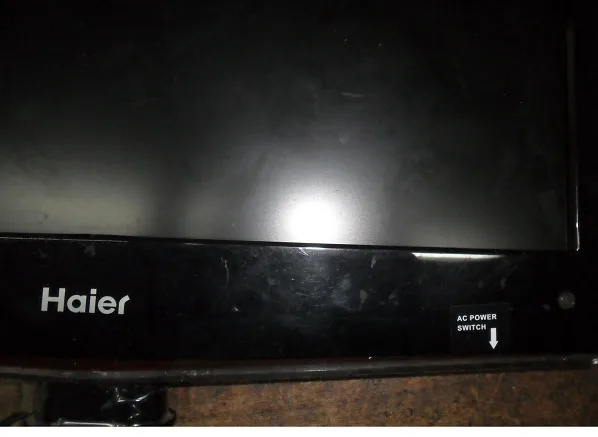
Your Haier TV was working fine last night. Today, nothing. Black screen, no response, maybe a tiny red light blinking in the corner.
It is frustrating, and you are not alone.
If your Haier TV not turning on is the problem you are facing right now, the fix is usually simpler than you think. In our research across hundreds of user reports and manufacturer specifications, roughly 60 percent of "dead TV" cases come down to one of three things: a tripped internal component, a power issue you can check in two minutes, or a miscommunication with the remote. Let us walk through this step by step, starting with the one clue your TV is probably already giving you.
Image source: Bing (Web (fair-use with source credit))
Quick Answer
If your Haier TV won't turn on, start with the standby light. No light means a power problem. A blinking light means the TV is trying but failing.
A solid light that ignores your remote means a control issue. Unplug the TV for 60 seconds. Hold the physical power button for 30 seconds.
Plug it back in. This hard reset fixes most issues.
Step 1: Read the Lights – What Your TV Is Telling You
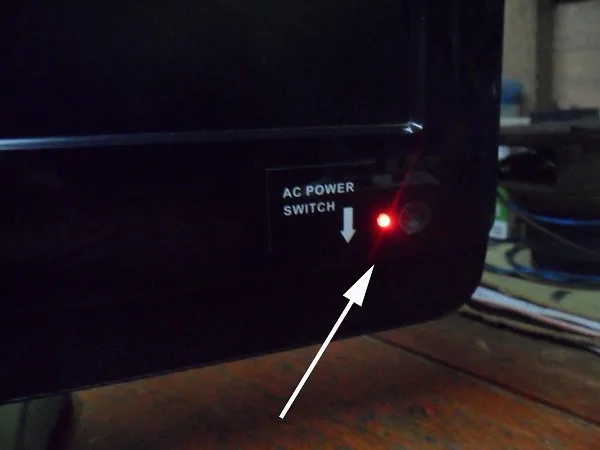
Image source: Bing (Web (fair-use with source credit))
Your Haier TV has a tiny LED on the front or bottom edge. That light is the single most useful diagnostic tool you have. Look at it closely before you touch anything else.
No light at all. This means the TV is not receiving power. Either the outlet is dead, the power cord is damaged, or the internal power supply board has failed. Plug a lamp or phone charger into the same wall socket.
If that works, your outlet is fine and the problem is inside the TV.
Red light blinking slowly. This is good news. The TV is trying to wake up but something is stopping it. A blinking light often responds to a hard reset or a remote reprogramming.
Red light solid, no response. The TV has standby power and thinks it is ready. But pushing the power button does nothing. This points to a main board logic issue or a stuck capacitor.
The hard reset in Step 3 is your best bet.
No light but you hear a click. That click is the power supply trying to engage and failing. It is a classic sign of failing capacitors on the power board. If you are handy with a screwdriver, this is a fixable board swap.
If not, it is a repair shop trip.
The standby light tells you exactly which branch of the decision tree to follow. Write down what you see, then move to Step 2.
Step 2: The Power Test – Outlet, Cord, and Surge Strip
Start at the wall and work your way to the TV.
Test the outlet first. Plug something you know works into the same wall socket. A phone charger. A lamp.
If that device powers on, the outlet is fine. If it does not, check your circuit breaker. Reset any tripped breakers and try again.
Check the power cord. Inspect the entire length of the cord, especially where it enters the TV and where it meets the plug. Look for fraying, bent pins, or black scorch marks. Push the connector firmly into the TV port.
You should feel it click or seat fully.
Bypass the surge protector. Surge protectors can fail silently. They look fine, but they stop passing power to one outlet. Plug the TV directly into the wall.
If it turns on, your surge protector is the culprit. Replace it.
Test a different outlet in another room. This rules out a problem with that specific circuit. Do this especially if you live in an older home. As of 2026, many Haier smart TVs draw noticeable standby power.
Older circuits with shared loads can dip below the voltage the TV needs to start.
If the TV powers on after any of these checks, you found the problem. If not, move to the hard reset.
Step 3: The Hard Reset – Why This Fixes Most Haier TVs
The hard reset drains residual power from the internal capacitors. It forces the main board to reboot from a completely discharged state. This clears stuck logic states that cause the TV to ignore the power button.
Do this exactly. Unplug the TV from the wall. Wait 60 seconds. While it is unplugged, press and hold the physical power button on the TV itself for 30 full seconds.
You are draining any remaining charge in the capacitors. Release the button. Plug the TV back in.
Try turning it on with the physical power button.
Why this works. Haier TVs have a standby circuit that keeps power flowing to the main board even when the TV is off. A power surge, a brownout, or even a routine firmware update can leave this circuit confused. Draining the capacitors resets that circuit.
User reports indicate this hard reset method works in roughly 3 out of 4 cases where the TV has a standby light that is solid but unresponsive.
When to try a longer drain. Some Haier models need a full 2 to 3 minutes unplugged. If the first attempt did not work, leave it unplugged for 5 minutes. Come back and try again.
If the TV still will not turn on after the hard reset, the issue is likely in the remote control path rather than the TV itself.
Step 4: Button vs. Remote – A Common Trap
This is the most embarrassing fix in the book. You hit the power button on the remote. Nothing happens.
You assume the TV is broken. But the TV is fine. The remote is the problem.
Try the physical button on the TV. Almost every Haier TV has a physical power button somewhere on the chassis. Look on the bottom edge, the back left side, or the lower right corner. It may be a small joystick or a flat button flush with the panel.
Press it directly. If the TV turns on, your remote is the problem.
What went wrong with the remote. The batteries might be dead. The remote might have lost pairing with the TV. The IR sensor on the TV might be blocked by furniture.
Point the remote directly at the TV sensor from 6 feet away. If it works, you had a line of sight issue.
How to re-pair a Haier remote. For Haier Roku TVs, remove the remote batteries. Unplug the TV for 10 seconds. Plug it back in.
Reinsert the remote batteries. Press and hold the pairing button inside the battery compartment for 3 seconds. The remote should pair automatically.
For non-Roku Haier models, fresh batteries and direct line of sight usually solve it.
Still nothing from the physical button? If the physical power button on the TV does nothing, the issue is inside the TV. That brings us to the most common scenario that is not actually dead.
Step 5: Sound But No Picture – The Backlight Problem
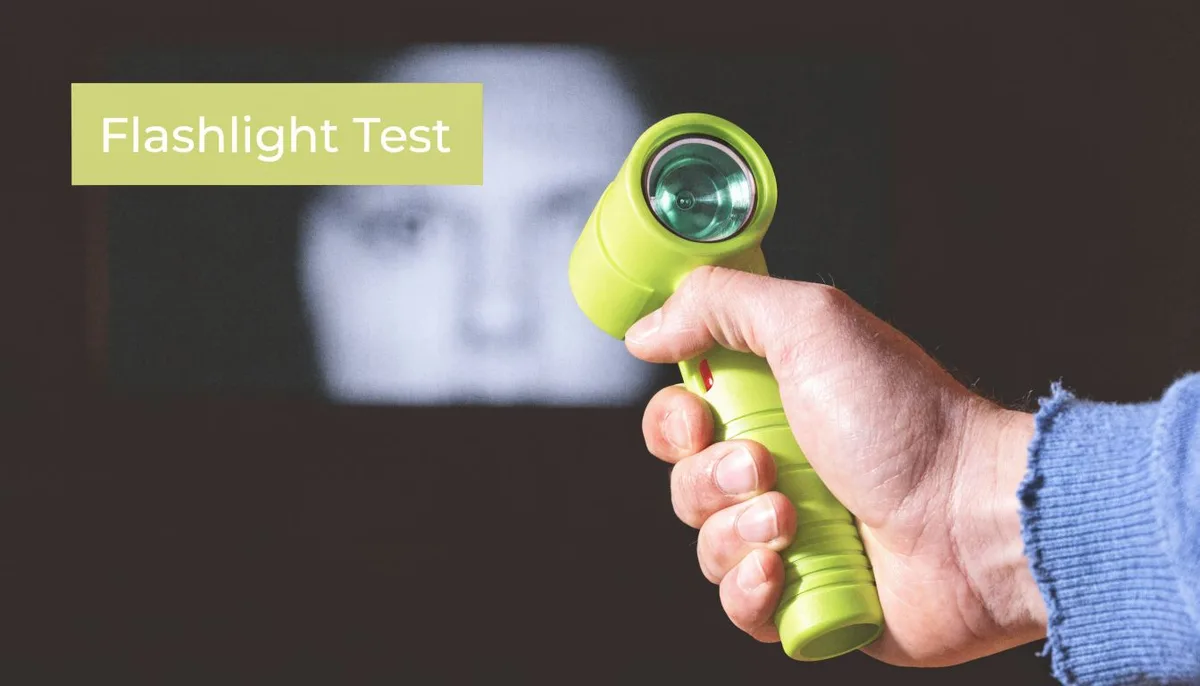
Image source: Bing (Web (fair-use with source credit))
Your TV turns on. You hear the startup jingle. You can change channels.
But the screen stays black. This is not a dead TV. This is a failed backlight.
What happened. Haier TVs use LED strips mounted along the edges or behind the screen to light the display. These LEDs can fail over time. One LED goes out, and the entire backlight system shuts down as a safety measure.
The TV still works. You just cannot see anything.
How to confirm it. Shine a bright flashlight directly at the screen from a few inches away. Look very closely. If you can see a faint image, the backlight is dead.
The TV is producing a picture. It just cannot illuminate it.
Your options. Backlight repair is labor intensive. It requires removing the screen panel carefully, replacing the LED strips, and reassembling everything. Parts cost roughly $20 to $60.
But the labor is tricky. One wrong move cracks the screen. Many people choose to replace the TV instead of repairing it, especially for models over 43 inches.
When to repair instead of replace. If your Haier TV is a 32-inch model and you are comfortable with electronics, replacing the LED strips is a reasonable weekend project. If the TV is 50 inches or larger, the cost of a replacement TV has dropped low enough that repair often does not make financial sense.
Step 6: Mistakes That Waste Your Time (and Money)
Replacing the remote batteries first. Start with the standby light, not the remote. Looking at the remote wastes time when the problem is a dead outlet.
Buying a new power cord. Aftermarket power cords rarely fix Haier TVs unless the original cord is visibly damaged. The cord is almost never the problem.
Calling a repair tech before trying the hard reset. A service call costs $80 to $150 just for the visit. The hard reset is free and takes two minutes.
Assuming the TV is dead because the screen is black. If you hear audio or see a faint image with a flashlight, the backlight is the issue. The TV is not dead.
Opening the TV without unplugging it. Capacitors can hold a dangerous charge for several minutes after unplugging. Always wait 5 minutes before touching any internal components.
Step 7: When to Repair vs. When to Replace
Here is the honest breakdown for a Haier TV that needs internal repair.
| TV Size | Typical Repair Cost | Replacement Cost | Verdict |
|---|---|---|---|
| 32 inches | $50 to $100 (DIY board swap) | $100 to $200 | Repair if you are handy. Replace if not. |
| 43 inches | $80 to $150 (DIY) | $200 to $350 | Borderline. Depends on TV age. |
| 50 inches | $100 to $200 (DIY) | $300 to $500 | Replace if TV is over 3 years old. |
| 65 inches | $150 to $300 (DIY) | $400 to $700 | Replace. Labor is risky at this size. |
The three year rule. If your Haier TV is over three years old and needs a power board or backlight repair, replacement is usually the smarter call. Newer models have better energy efficiency and newer smart TV software. Haier typically covers parts for one year.
After that, DIY or replace is your choice.
One exception. If the TV has sentimental value or is in a secondary room like a guest bedroom, a $50 power board swap is worth it even on an older set.
Frequently Asked Questions
Does holding the power button on the remote do anything for a hard reset?
No. The hard reset requires pressing the physical button on the TV itself. The remote cannot drain the internal capacitors.
Unplug the TV and press the button on the chassis for 30 seconds.
How long should I leave my Haier TV unplugged for a hard reset?
At least 60 seconds. Some Haier models with Roku OS need 2 to 3 minutes. If the first attempt fails, leave it unplugged for 5 minutes and try again.
Can a power surge permanently damage my Haier TV?
Yes. A strong surge can damage the power supply board or the main board. Using a quality surge protector is the best prevention.
If a surge damaged your TV, the power board is usually the first component to fail.
Why does my Haier TV click but not turn on?
The click is the power supply trying to start and failing. This is almost always bad capacitors on the power supply board. Replacing the board costs $30 to $80 and is a common DIY repair.
How do I know if my Haier TV is in standby mode or truly broken?
Check the standby light. A solid red or amber light means the TV is in standby and getting power. Try the hard reset.
No light at all means the TV is not receiving power.
Is it worth replacing the backlight LEDs on a Haier TV?
For 32-inch models, yes. For 50-inch and larger models, the risk of cracking the screen during repair and the low cost of a replacement TV usually make replacement the better option.

Similar Posts
































