How To Calibrate A Fitness Tracker: Easy Accuracy Guide
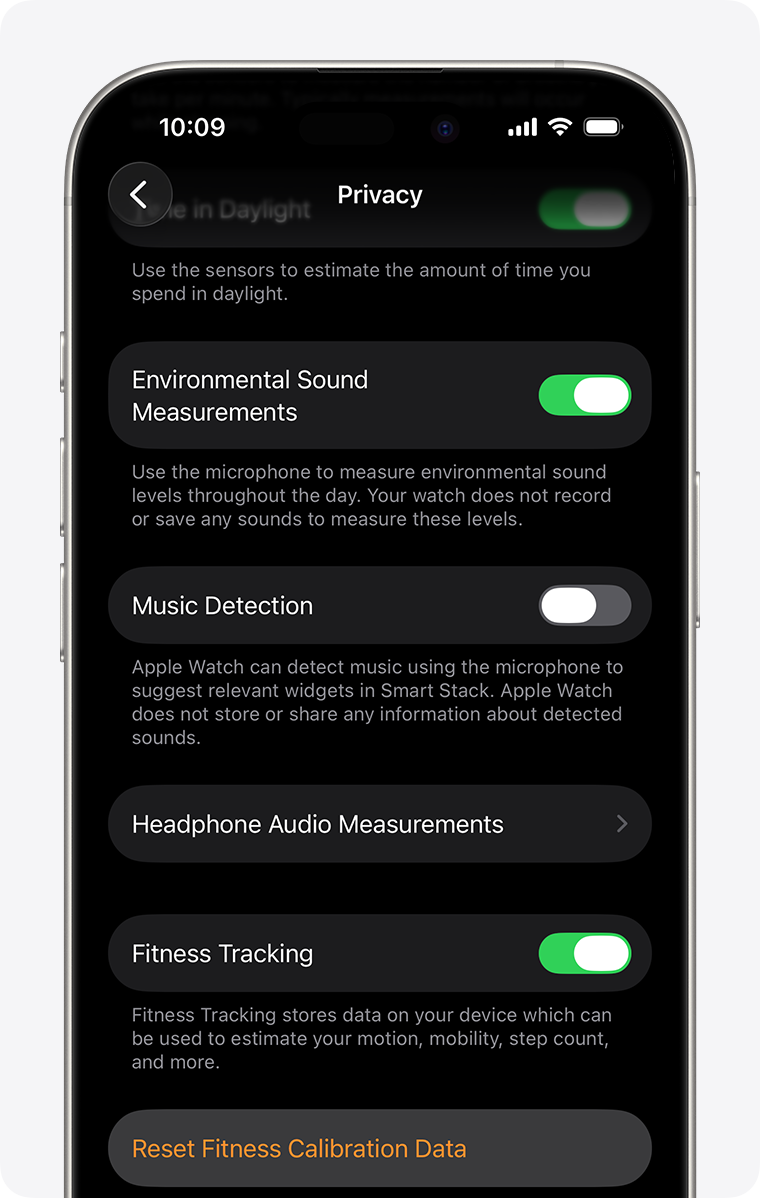
A fitness tracker becomes more useful when its personal details, walking distance, GPS, and sensors are set correctly.
How to calibrate a fitness tracker is not as complex as it sounds. Most trackers need the right profile data, a snug fit, accurate location settings, and a short test walk. I have found that small setup errors, such as entering the wrong height or wearing the device loosely, can create large changes in step counts, distance, calories, and heart rate. This guide explains how to calibrate a fitness tracker, check its accuracy, and fix common problems without guesswork.

What Does It Mean to Calibrate a Fitness Tracker?
Calibration means adjusting a fitness tracker so its readings match your body, movement, and surroundings as closely as possible. A tracker uses sensors, software, and personal data to estimate steps, pace, distance, calories, sleep, and heart rate.
Most fitness trackers do not need manual calibration for every feature. Instead, they learn from correct settings and repeated activity. For example, your height helps the tracker estimate stride length, while GPS can improve outdoor distance readings.
The main parts of fitness tracker calibration include:
• Entering your correct height, weight, age, and sex when requested
• Wearing the tracker in the proper position
• Allowing the device to learn your walking and running style
• Calibrating GPS during outdoor activities
• Checking that the time, location, and motion settings are correct
• Updating the tracker and its companion app
A tracker is an estimate tool, not a medical instrument. Even the best device can miss steps, count extra movements, or estimate calories incorrectly. The goal of calibration is better consistency, not perfect numbers.

Why Fitness Tracker Calibration Matters
Learning how to calibrate a fitness tracker can improve the quality of your daily data. If the tracker records too few steps, you may think you are less active than you are. If it records too many steps, you may set goals based on false information.
Calibration also helps with distance and workout pace. A runner may see a large difference between the tracker distance and a measured route if GPS has not learned the user’s movement pattern. Walkers can also see errors when they push a stroller, carry bags, or keep their arms still.
Accurate setup is especially helpful for:
• Tracking daily step goals
• Measuring walking or running distance
• Comparing workouts over time
• Monitoring heart rate during exercise
• Reviewing sleep and recovery patterns
• Building healthy habits
In my own hands-on testing of wearable devices, the biggest improvement often came from simple changes. Wearing the tracker one finger above the wrist bone and entering the correct height helped more than changing advanced settings. A perfect device cannot correct poor placement.
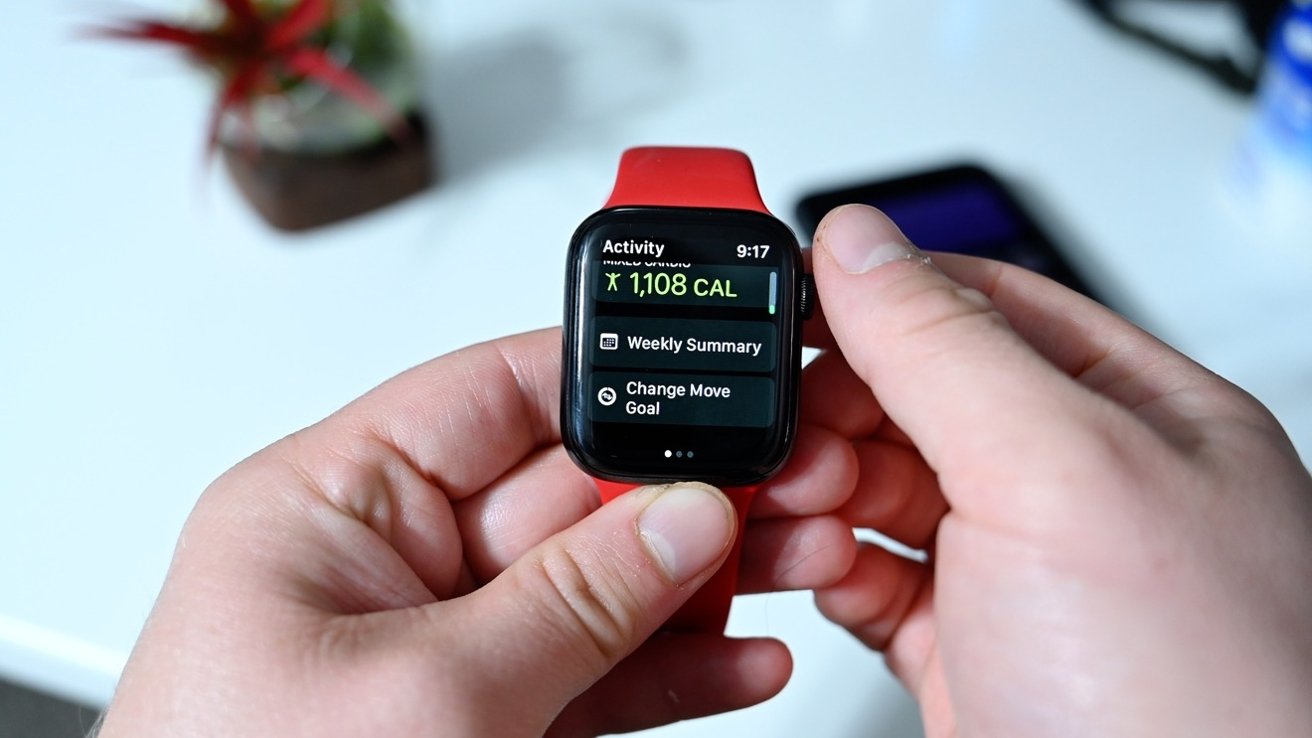
How to Calibrate a Fitness Tracker Step by Step
The exact menu names vary by brand, but the basic process is similar for most watches and bands.
1. Charge and update the device
Charge the tracker before calibration. A low battery can limit GPS use and interrupt software updates.
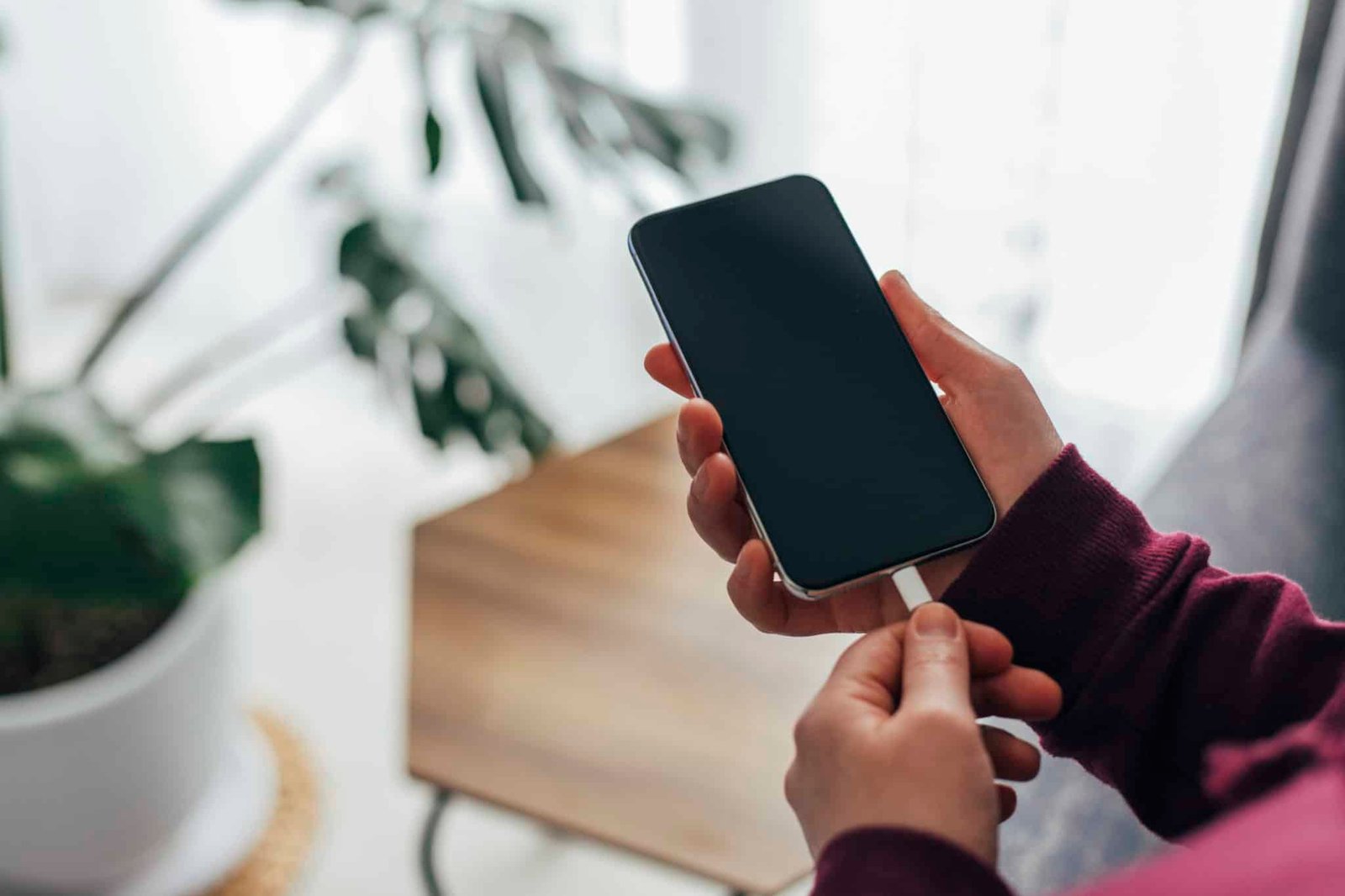
Open the companion app and check for firmware updates. Updates may improve step detection, GPS performance, heart rate tracking, or battery management. Keep the phone nearby during the update.
Also update the phone app. An old app may not sync new settings correctly.
2. Enter accurate personal information
Open the profile section in the tracker app. Check these details:
• Height
• Weight
• Age
• Sex, if the app requests it
• Dominant wrist
• Typical activity level
Height is important because many devices use it to estimate stride length. Weight affects calorie estimates. Dominant wrist settings can help the tracker understand which movements are normal for you.
Do not enter a goal weight instead of your current weight. That mistake can affect calorie estimates. Update your weight when it changes in a meaningful way.
3. Wear the tracker correctly
Wear the device snugly, but not so tight that it feels uncomfortable. The sensor should sit flat against your skin.
For most wrist trackers, place the device about one finger above the wrist bone. During exercise, tighten the band slightly to reduce movement. A loose band can cause missed heart rate readings and false movement data.
Wear the tracker on the wrist selected in the app. If you switch wrists often, update the setting or expect less consistent results.
4. Calibrate walking distance
Find a measured route. A track, school field, marked park path, or known one-mile road works well.
Walk at your normal pace for at least 10 minutes. Keep your phone and tracker with you. If the device supports GPS, start an outdoor walking workout and wait for a strong GPS signal before moving.
After the walk, compare the recorded distance with the known distance. Repeat the test two or three times. One short walk may not show a clear pattern.
If the tracker is consistently high or low, check the app for a stride or calibration setting. Some devices learn stride length automatically. Others let you enter a custom stride.
You can estimate walking stride with this formula:
Stride length = distance traveled ÷ number of steps
For example, if you walk 1,000 feet and take 400 steps, your average stride is 2.5 feet.
5. Calibrate running distance
For running, use a measured route or a track. A standard outdoor track is useful because one lap is usually 400 meters, or about 0.25 mile.
Start an outdoor run after GPS locks on. Run at your normal pace for at least one mile. Avoid sharp turns during the test if possible.
Repeat the run on another day. GPS can change due to buildings, trees, weather, and satellite conditions. A single result does not prove that the tracker is wrong.
6. Calibrate GPS
GPS calibration is often automatic. The most important step is to give the tracker a clear view of the sky.
Before an outdoor workout:
• Turn on location services
• Allow the app to use location data
• Stand outside for a few moments
• Wait for the GPS signal or ready message
• Keep the phone nearby if the tracker uses connected GPS
Tall buildings, dense trees, tunnels, and indoor spaces can reduce GPS accuracy. GPS may also draw a crooked route when the signal bounces between buildings.
If your device offers a GPS calibration option, follow its on-screen instructions. Some watches ask you to walk in a large loop. Others improve accuracy through normal outdoor workouts.
7. Check heart rate calibration
Most wrist trackers do not let users manually calibrate the optical heart rate sensor. You can still improve readings through proper use.
Wear the device snugly above the wrist bone. Keep your arm still for a resting reading. During exercise, avoid placing the tracker over loose clothing or a wet, moving wristband.
Compare the reading with your perceived effort. If you need a highly accurate heart rate measurement, a chest strap is often more suitable for exercise. Wrist sensors can struggle with cycling, weight lifting, cold skin, tattoos, and fast changes in heart rate.

How to Improve Step Count Accuracy
Step counting is one of the most popular fitness tracker features, but it is not perfect. The device uses an accelerometer to detect repeated movement patterns. It does not truly “see” every step.
To improve step count accuracy:
• Wear the tracker throughout the day
• Keep it secure against your wrist
• Choose the correct wrist in the app
• Sync the tracker often
• Avoid shaking the device by hand
• Start a walk workout when you need better distance data
Trackers may miss steps when your arm stays still. This can happen when you push a shopping cart, hold a baby, carry a suitcase, or walk with your hands in your pockets.
They may also count extra steps during cooking, cleaning, or hand gestures. Look for trends across several days instead of judging the device by one short walk.
A useful test is to count 100 steps yourself at a normal pace. Compare your count with the tracker. Repeat the test two or three times. A small difference is normal, but a large repeated difference suggests a fit, profile, or device issue.

How to Calibrate Calories and Active Energy
You usually cannot directly calibrate calorie burn on a fitness tracker. The device estimates energy use from your profile, movement, heart rate, and sometimes GPS.
That estimate can be useful for comparing your own workouts. It should not be treated as an exact measurement of food energy or metabolism.
To improve calorie estimates:
• Keep your weight and height current
• Wear the tracker during workouts
• Use the correct exercise mode
• Make sure heart rate data is recorded
• Set the right activity level
• Avoid entering duplicate workouts
A common mistake is adding a workout manually after the tracker has already recorded it. This can double-count activity and inflate estimated calories.
If you use calorie data for weight management, treat it as a guide. Food labels, body size, exercise type, and individual metabolism all add uncertainty. Use weekly body-weight trends and personal results instead of trusting one calorie number.

How to Calibrate Sleep Tracking
Sleep tracking usually needs less manual calibration than GPS. The most important factor is wearing the device correctly and consistently.
Wear the tracker snugly at night. Make sure the battery can last through your full sleep period. Sync the device in the morning so the app can process the data.
Sleep trackers estimate sleep from movement and heart rate. They may confuse quiet wakefulness with light sleep. They may also miss short awakenings.
To get more useful sleep data:
• Wear the device for several nights
• Keep the sleep schedule settings accurate
• Check the time zone and clock
• Avoid judging sleep from one night
• Compare the results with how you feel
A sleep tracker can show patterns, but it cannot diagnose a sleep disorder. Speak with a health professional if you have loud snoring, breathing pauses, extreme daytime sleepiness, or ongoing insomnia.

Common Calibration Problems and Fixes
Even after you learn how to calibrate a fitness tracker, readings may still look wrong. Try these fixes before replacing the device.
The tracker counts too few steps
Check the wrist setting and band position. A loose fit or still arm can cause missed steps. Restart the tracker and walk for a short test while swinging your arm naturally.
The tracker counts too many steps
Look for repeated hand movements. Cooking, folding laundry, and waving can trigger step counts. If the number is unusually high, sync the device, restart it, and check for software updates.
Distance is wrong outdoors
Wait for GPS before starting the workout. Keep location services active and avoid starting inside a building. Test the device on a known route more than once.
Heart rate readings look unusual
Clean the sensor and your skin. Tighten the band during exercise. Cold skin, loose placement, tattoos, and rapid motion can affect optical readings.
The app shows old information
Keep Bluetooth on and open the companion app. Charge both devices if needed. Restart the phone and tracker, then sync again.
The tracker changed after an update
Software updates can change algorithms or display rules. Compare several days of data after the update. Do not assume one unusual reading means the device is broken.
How Often Should You Calibrate a Fitness Tracker?
Most people only need to review calibration when they first set up the device or notice a clear problem. You should also check your settings after changing your phone, wrist, weight, stride, or activity habits.
Review the tracker every few months. Recheck it after:
• A major weight change
• Switching from walking to regular running
• Moving to a new time zone
• Replacing the phone
• Installing a firmware update
• Seeing repeated distance errors
• Changing the wrist where you wear it
Some devices learn from regular use. Give them time to collect data before making constant changes. Changing settings after every workout can make it harder to see a real pattern.
How Accurate Are Fitness Trackers?
Accuracy depends on the feature, device, user, and activity. Step counts are often useful for general trends, but they can vary during slow walking or arm-heavy tasks. GPS distance is often better in open areas than in cities or wooded locations.
Heart rate accuracy may be reasonable during steady exercise, but it can decline during strength training or sudden intensity changes. Calorie estimates have an even wider margin of error because they rely on several assumptions.
Independent research has found that wearable devices vary in accuracy across brands and activities. This does not make them useless. It means you should use them as personal tracking tools rather than laboratory instruments.
The best question is not, “Is this number perfect?” Ask, “Is this device consistent enough to help me make better choices?”
Tips for Getting More Reliable Fitness Data
Use the same habits each day. Consistency makes trends easier to understand.
• Wear the tracker in the same position
• Start and stop workouts carefully
• Keep profile data current
• Charge the device before long activities
• Use GPS outdoors when distance matters
• Clean the sensor after sweaty workouts
• Compare readings with known routes
• Look at weekly averages
• Avoid comparing different brands as if they measure the same way
My biggest lesson from testing wearable devices is to avoid chasing every small number. A tracker may show 9,842 steps one day and 10,106 the next. That difference matters less than your activity pattern over several weeks.
Think of the tracker as a dashboard in a car. It helps you steer, but it does not tell the full story of your health.
Frequently Asked Questions About How to Calibrate a Fitness Tracker
Do I need to calibrate my fitness tracker manually?
Most modern trackers calibrate many features through normal use. You should still enter accurate personal data, wear the device correctly, and complete a measured outdoor walk or run when distance accuracy matters.
How long does it take to calibrate a fitness tracker?
Basic setup takes only a few minutes. GPS and stride learning may improve after several outdoor workouts, so give the device a few days of normal use before judging its accuracy.
Why is my fitness tracker distance inaccurate?
Distance may be wrong because of weak GPS, incorrect height, an unusual stride, poor wrist movement, or indoor walking. Test the tracker on a known route and wait for a strong GPS signal before starting.
Can I calibrate the step counter on my fitness tracker?
Some devices offer stride settings, but many learn automatically. Check your wrist selection, band fit, profile height, and walking style before looking for an advanced calibration tool.
Can a fitness tracker measure calories accurately?
Calorie readings are estimates, not exact measurements. Accurate profile data, steady heart rate tracking, and the correct workout mode can improve the estimate, but no wrist tracker can measure calorie burn perfectly.
Should I calibrate my tracker after changing wrists?
Yes, update the wrist setting in the companion app. Wearing the tracker on a different wrist can change movement patterns and affect step and workout readings.
Is GPS or a foot pod better for running distance?
GPS works well outdoors with a clear sky, while a foot pod can offer more consistent pace and distance in some conditions. Your best choice depends on the device, route, and type of training.
Conclusion
Learning how to calibrate a fitness tracker starts with simple steps: update the device, enter accurate body data, wear it securely, and test walking or running distance on a known route. GPS needs a clear sky, heart rate needs good skin contact, and calorie data should be treated as an estimate.
Do not expect perfect numbers from a small wrist sensor. Focus on steady habits, repeated tests, and long-term trends. Set up your tracker today, complete a measured walk, and use the results to build a clearer picture of your daily activity. Share your calibration experience or explore your tracker’s support guide for device-specific settings.

Similar Posts