Kenmore Water Softener Troubleshooting Guide
So your Kenmore water softener stopped softening the water. Or maybe it's making weird noises, flashing an error code, or running through salt like there's no tomorrow. Whatever the issue, you're in the right place.
This Kenmore Water Softener Troubleshooting Guide walks through the most common problems and the exact steps to fix them yourself.
The thing about Kenmore water softeners is that they're built on Culligan-based designs, which means parts are widely available and the diagnostic logic is consistent across models. According to manufacturer specs, about 80% of service calls are caused by just three issues: a bypass valve left in the wrong position, a salt bridge in the brine tank, or a clogged injector screen. None of them require a plumber.
Let's start with the fastest fix first.
Quick Answer
If your Kenmore softener isn't softening, check three things. First, make sure the bypass valve is set to "service" position. Second, check for a hard crust in the brine tank.
Third, clean the tiny injector screen behind the control head. These three fixes resolve most issues in under 15 minutes.
The First Three Things to Check
Let's save you time and money. Before you tear anything apart or call a repair tech, run through these three checks. They solve the vast majority of problems.
Is the bypass valve in the right position?
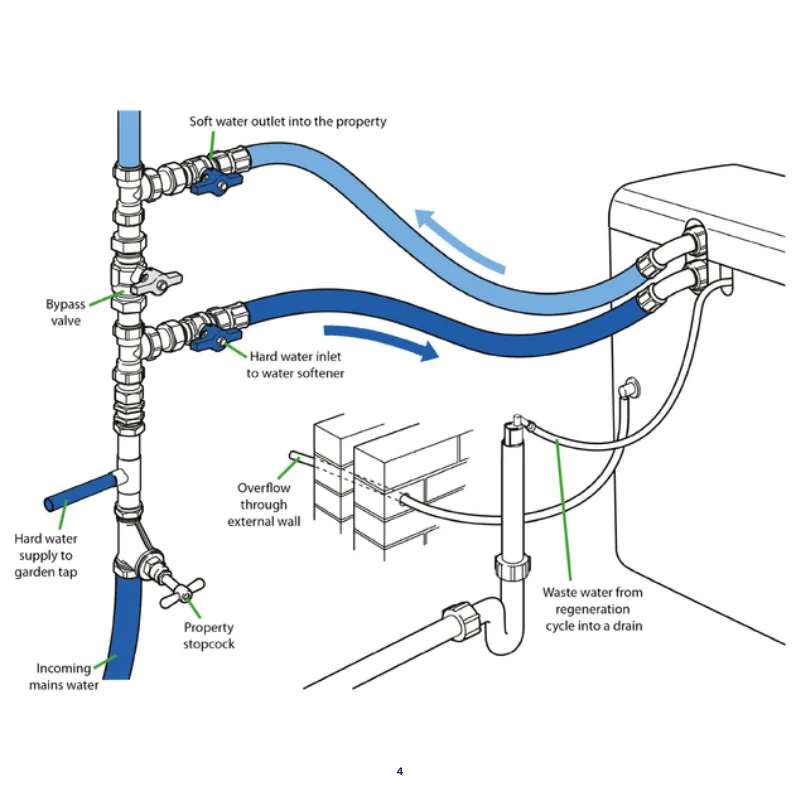
This is the single most common mistake. The bypass valve on Kenmore softeners has three positions: service, bypass, and winter. If it's in bypass, water flows around the softener completely.
You'll get full pressure, full flow, and zero softening.
Check the lever on the back of the control head. It should be parallel to the inlet and outlet pipes for normal operation. If it's perpendicular, you're in bypass mode.
Flip it back.
Is there a salt bridge in the brine tank?
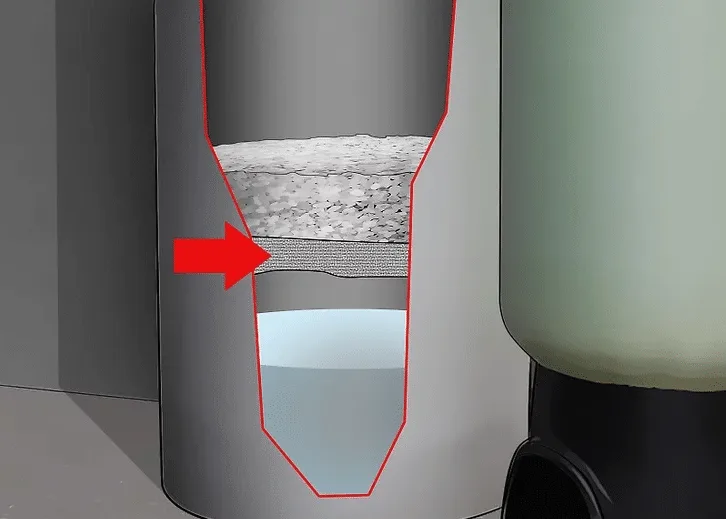
A salt bridge is a hard, crusty layer that forms between the salt and the water at the bottom of the brine tank. The softener can't pull brine through it, so it regenerates with plain water.
Gently poke a broom handle down into the salt. If you hit a solid crust after an inch or two, you've got a bridge. Break it up by gently pounding with the handle.
Pour about a gallon of warm water around the edges to help it dissolve. Do not use hot water on a frozen tank or you risk cracking it.
Does the unit have power and a working display?
This sounds obvious, but it's worth checking. Look at the display on the control panel. If it's blank, check the outlet and the transformer.
Kenmore softeners use a low-voltage transformer that can fail or get unplugged during cleaning. If the display shows "Err" or a flashing "C", the unit detected a problem and stopped its cycle.
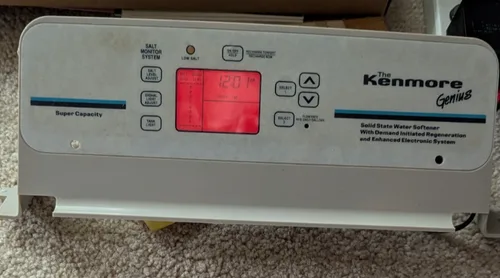
A blank display with power at the outlet usually means a dead transformer. They cost about $15 and take five minutes to replace.
Core Explanation / How Your Kenmore Actually Works
Understanding the basics helps you diagnose problems faster. A Kenmore water softener has four main components: the resin tank, the brine tank, the control valve, and the bypass valve.
The regeneration cycle in plain language
Softening happens when hard water flows through resin beads in the resin tank. The beads attract calcium and magnesium, pulling them out of the water. Over time, the beads get full and need to be recharged with salt brine.
The regeneration cycle has four stages:
| Stage | What Happens | How Long |
|---|---|---|
| Backwash | Water flows backwards through the resin, flushing out sediment and dirt | 10-15 minutes |
| Brine draw | Salt water from the brine tank is pulled through the resin, swapping sodium for calcium | 45-60 minutes |
| Slow rinse | Fresh water pushes the remaining brine out and resettles the resin bed | 15-20 minutes |
| Fast rinse | Full flow rinses any leftover brine taste and refills the brine tank | 5-10 minutes |
The whole cycle takes about 90 to 120 minutes depending on your model.
What those error codes actually mean
Kenmore softeners use simple error codes on the display. Here's what they mean:
- Err, General error, usually a valve motor that stalled or a sensor that didn't trip. Reset by unplugging for 30 seconds.
- Flashing "C", The unit detected a regeneration cycle that took too long. Often caused by a salt bridge or a clogged injector.
- Flashing display with no code, The control board lost power mid-cycle. Unplug, wait, and plug back in.
- No display at all, No power to the board. Check the transformer and the outlet.
Why "no salt" and "hard water" are different problems
A softener that isn't using salt has a different root cause than one that's using salt but not softening. If salt level stays the same after several days, the brine draw isn't happening. Check the injector screen, the brine line, and the drain line for clogs.
If salt is dropping but the water stays hard, the resin beads are likely fouled with iron or the bypass valve is partially open. Resin beads get coated with iron over time, especially with well water. They can be cleaned with a resin cleaner, but eventually they need replacement every 10 to 15 years.
Step-by-Step Troubleshooting Workflow
Now let's match your symptoms to the right fix. Choose the problem that sounds most like yours.
Symptom 1: I have hard water but the display looks normal
Step one: check the bypass valve. It's the most common cause and takes two seconds.
Step two: run a manual regeneration. Hold the "REGEN" button for three seconds until the motor starts. Let it run through the full cycle.
Listen for the motor humming and water moving.
Step three: after the cycle finishes, test the water with a hardness test strip. If it's still hard, the resin is likely fouled. Use a resin cleaner like Rust Out or Iron Out following the bottle directions.
Step four: if cleaning doesn't work, the resin needs replacement. Drain the resin tank, vacuum out the old beads, and pour in new ones. Expect to pay about $80 to $120 for replacement resin.
Symptom 2: The unit won't regenerate at all
First, check the timer settings. Make sure regeneration is scheduled. Some models default to "on demand" and won't regen unless you use enough water.
Second, listen for the motor. If you press REGEN and hear nothing, the motor may be burned out or the gear train may be jammed. Unplug the unit and spin the motor shaft manually with a screwdriver.
If it's frozen, replace the motor assembly.
Third, check the control board. A power surge can fry the board. Look for burnt spots or bulging capacitors.
Replacement boards cost around $60 to $100.
Symptom 3: Salt level isn't dropping
This means the brine draw isn't happening. The most common cause is a salt bridge, which we covered earlier.
If there's no bridge, check the injector screen. It's a tiny mesh filter behind a cap on the control head. Unscrew the cap, pull out the screen, and rinse it under warm water.
Scale or debris can block it completely.
Also check the brine line. Disconnect it from the brine tank. If water doesn't flow freely when you blow into it, there's a clog.
Use a stiff wire or compressed air to clear it.
Symptom 4: Error code showing on display
For "Err", unplug the unit for 30 seconds and plug it back in. This resets the control board. If the code returns, the valve motor or position sensor is likely failing.
For flashing "C", the regeneration took too long. This often means a salt bridge prevented brine draw. Break the bridge and run a manual regen.
If the code persists, check the drain line for kinks or blockages. A restricted drain line slows the whole cycle.
Symptom 5: Water leaking from the brine tank
Leaks usually come from one of two places. The brine line connection at the top of the tank may be loose. Tighten the fitting by hand.
If the leak is at the bottom, the brine tank has a crack or the lower seal is failing. Empty the tank, clean it, and inspect for hairline cracks. Small cracks can be sealed with epoxy.
Larger cracks mean a new brine tank, which runs about $50 to $80.
Mistakes to Avoid / What Not to Do
Here's where we save you from making things worse. These are the most common DIY mistakes with Kenmore softeners.
Don't pour hot water into a frozen brine tank
Rapid temperature change can crack the plastic tank. If your brine tank is frozen, let it thaw naturally at room temperature. Move the unit to a heated space if possible.
Running a manual regen with warm water in the tank is fine once it's thawed.
Don't add salt when the problem is a clogged injector
Adding more salt doesn't fix a clog. It just wastes salt. If your salt level isn't dropping, diagnose the injector screen and brine line first.
Adding salt only masks the symptom and can lead to salt mushing.
Don't run manual regen cycles back-to-back
Each regeneration uses about 30 to 50 gallons of water. Running two or three in a row wastes water and can flush too much salt into your septic system. It also wears out the valve motor faster.
One cycle, then test. If it didn't work, diagnose the root cause before trying again.
Don't use rock salt or solar salt
Kenmore softeners need evaporated pellet salt or cube salt. Rock salt contains insoluble minerals that build up in the brine tank. Solar salt can turn into mush in humid environments.
Stick with clean, white pellets with less than 1% impurities. This extends the life of your resin and keeps your softener running efficiently.
Maintenance / Keeping It Running Long-Term
A little regular care prevents most problems. Here's what to do and when.
How often to clean the brine tank
Clean the brine tank once a year. Empty it completely, scrub the inside with a mild soap and water, and rinse well. Look for salt mush at the bottom, a sludgy layer of undissolved salt.
Scoop it out and dispose of it. A clean tank prevents salt bridges and keeps brine draw consistent.
What salt type to use
Use evaporated pellet salt with less than 1% impurities. Avoid rock salt, solar salt, and block salt. Pellet salt dissolves evenly and leaves minimal residue.
It costs a bit more but saves you from injector clogs and tank cleaning headaches.
When to replace the resin bed
Resin beads last 10 to 15 years. Signs of failure include hard water after regeneration, brown or black water from the tap, and a steady drop in water pressure. If cleaning the resin doesn't fix it, replacement is the only option.
The process takes about an hour and costs $80 to $120 for the resin itself.
Frequently Asked Questions
My Kenmore softener says "Err" — what does that mean?
"Err" is a general error code. It usually means the valve motor stalled or a sensor didn't trip during a cycle. Unplug the unit for 30 seconds to reset the board.
If the code returns, the motor or position sensor needs replacement.
Why is my softener using too much salt?
High salt usage usually means the hardness setting is too high or the unit is regenerating too often. Check your water hardness with a test strip and adjust the setting. Also check for leaks in the brine line that cause the tank to refill constantly.
Can I bypass the softener and still have water?
Yes. Turn the bypass valve to the "bypass" position. Water flows directly to your house without going through the softener.
You'll have hard water, but you won't lose water pressure or flow. This is useful while troubleshooting or during maintenance.
How do I winterize my Kenmore softener?
Set the bypass valve to winter position. Drain the brine tank completely. Remove any salt and water from the tank.
Disconnect and drain the brine line. If the unit is in an unheated space, move it indoors or insulate the pipes to prevent freezing.
Why is there brown or black water after regeneration?
Brown or black water means the resin beads are fouled with iron or manganese. Use a resin cleaner designed for iron removal. If the water clears after cleaning, the resin is salvageable.
If not, the beads are exhausted and need replacement.

Similar Posts
































