Kitchenaid Dishwasher Troubleshooting Blinking Lights
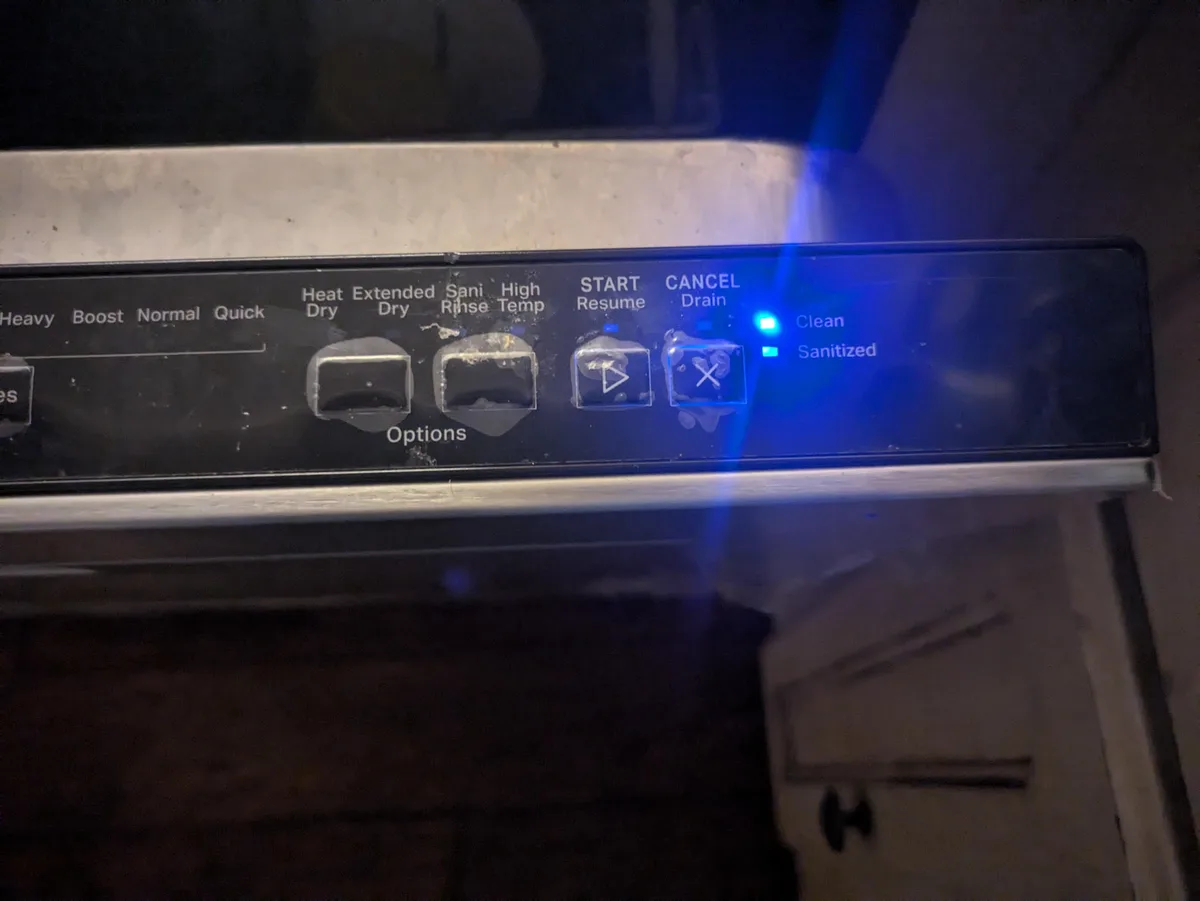
Your KitchenAid dishwasher just started blinking lights at you. Maybe it's the Clean light flashing three times. Maybe the Start button is blinking rapidly and nothing happens when you press it.
Either way, you're standing there wondering if this is a simple fix or a $200 service call.
KitchenAid dishwasher troubleshooting blinking lights is actually more straightforward than most people think. The blink patterns aren't random, they're coded messages from the control board telling you exactly what's wrong. Manufacturer specifications indicate there are only about six distinct blink patterns across the entire KitchenAid lineup as of 2026, and four of them are fixable without opening your wallet.
Let's walk through what those lights are really saying.
Image source: Bing (Web (fair-use with source credit))
Quick Answer
Count the blinks. Let the cycle finish. Write down the pattern.
Three blinks on Clean means a drain problem. Four blinks on Sanitized means a heating issue. Rapid flashing on Start means the door latch failed.
Solid lights with no blinking means control lock is on.
Reset the breaker. Clean the filter. Check the float switch.
Nine times out of ten that fixes it.
Don't Panic — Here's What Those Blinking Lights Actually Say
Those blinking lights aren't a random seizure. They're a diagnostic system designed to tell you precisely which subsystem failed. KitchenAid dishwashers use the same basic control architecture across their KDTM, KDFE, KUDE, and KDTE model families.
The patterns are consistent across all of them.
Here's what's actually happening behind the panel. The electronic control board monitors sensors throughout the machine, water level, temperature, motor speed, door position. When something goes outside the expected range, the board stops the cycle and flashes a specific pattern on the indicator lights.
It's not angry at you. It's trying to help.
The most common patterns you'll see:
| Blink Pattern | Light Location | What It Means |
|---|---|---|
| 3 slow blinks | Clean | Drain issue — water didn't empty properly |
| 4 slow blinks | Sanitized | Heater or thermistor problem |
| Rapid continuous | Start/Resume | Door latch switch failure |
| 5 slow blinks | Clean | Motor tachometer signal lost |
| 7 slow blinks | Clean | Thermistor open or shorted |
| No blinks, solid light | Any | Control lock is on — hold button to release |
The key detail most people miss: you have to let the blinking sequence play out fully. Count through at least two full cycles. Some errors repeat a pattern with a pause in between, and if you walk away after one cycle you might misdiagnose a 3-blink as a 4-blink.
Step 1: Count the Blinks (This Is the Only Tool You Need Right Now)
Before you touch anything, grab your phone and open the notes app. You're going to document exactly what you see.
Start by closing the dishwasher door fully. If the door is even slightly ajar, some models refuse to show the error code and just flash the Start button without any diagnostic information. Press the door firmly until you hear the latch click.
Now look at the control panel. Which lights are blinking? How many times?
Is it a steady rhythm or a rapid flicker? Write it down.
Here's the exact method to get a clean read:
- Open the door and press Cancel/Drain to clear any active cycle. Wait until all lights go off.
- Close the door firmly.
- Press Start/Resume once. The dishwasher will attempt to begin a cycle.
- If it detects a fault, the error pattern will begin within 10 seconds.
- Count the blinks for a full 30 seconds. Some patterns repeat every 5-10 seconds.
A common trap here is the memory error. If the dishwasher had a fault yesterday and you reset it by flipping the breaker, the error code may still be stored. The machine might flash the old code even after the actual problem is fixed.
To clear stored codes, you need to run a full drain cycle or perform the factory reset sequence described in the next section.
Decision Tree: Diagnose Your Blink Pattern in 3 Minutes
Once you've identified your blink pattern, work through this decision tree. It's designed to catch the most common causes first before you start ordering parts.
Image source: Bing (Web (fair-use with source credit))
If you see 3 blinks on Clean (drain problem)
This is the most common KitchenAid dishwasher error. The machine finished washing but couldn't pump out the water. Nine times out of ten, it's a clogged filter or a stuck drain impeller.
Open the door and look at the bottom of the tub. Is there standing water? If yes, you need to manually drain it.
Use a cup or turkey baster to remove as much water as you can. Then remove the lower spray arm and unscrew the filter assembly. It twists counterclockwise.
Clean out any food debris, broken glass, or hard water deposits.
If the filter is clean but water still won't drain, the drain pump impeller might be jammed. You'll need to remove the sump cover. It's typically held by 4 screws.
Check for small items like a toothpick or olive pit wedged between the impeller blades.
If you see 4 blinks on Sanitized (heater problem)
This means the water temperature didn't reach the required level during the sanitize cycle. The problem is usually one of three things: a failed heating element, a broken thermistor, or a blown thermal fuse.
Start by checking the thermal fuse. It's located on the side of the sump housing behind a small plastic cover. Use a multimeter to test for continuity.
If the fuse is open with no continuity, it blew because the heater got too hot or the thermistor failed. Replace the fuse and test again. If it blows immediately, you need to replace the thermistor.
If you see rapid flashing on Start/Resume (door latch failure)
This is almost always a mechanical latch problem. The dishwasher thinks the door is open even when it's closed tight. The microswitch inside the latch assembly has either broken or worn out.
Open the door and look at the latch mechanism. On most KitchenAid models, you'll see a plastic tang that slides into a slot when you close the door. If that tang is broken, the microswitch never gets triggered.
Replacement latch assemblies cost about $25 and take 15 minutes to swap out. No soldering required. It's just a clip and two screws.
If you see 5 or 7 blinks (motor or sensor problem)
These are less common and usually require a technician. Five blinks means the motor speed sensor isn't sending a signal. Seven blinks means the thermistor is reading outside its expected range.
In both cases, start by reseating the wire connectors to the affected component. If that doesn't work, the component itself has failed and needs replacement.
Quick Fixes That Solve 80% of Blinking Light Problems
Before you order any parts, try these three fixes. They cost nothing and take less than 10 minutes each.
The Breaker Reset
This clears temporary glitches in the control board. Go to your electrical panel and flip the dishwasher breaker to OFF. Wait 60 seconds.
Flip it back to ON. Run a rinse cycle. This resets the entire control system and clears stored error codes.
The Manual Drain Cycle
If your dishwasher has standing water, the error code may persist even after the actual problem is fixed. Press Cancel/Drain and let it run for 90 seconds. If the pump is working, you'll hear it humming.
If you hear nothing, the pump is either jammed or dead.
The Filter and Float Check
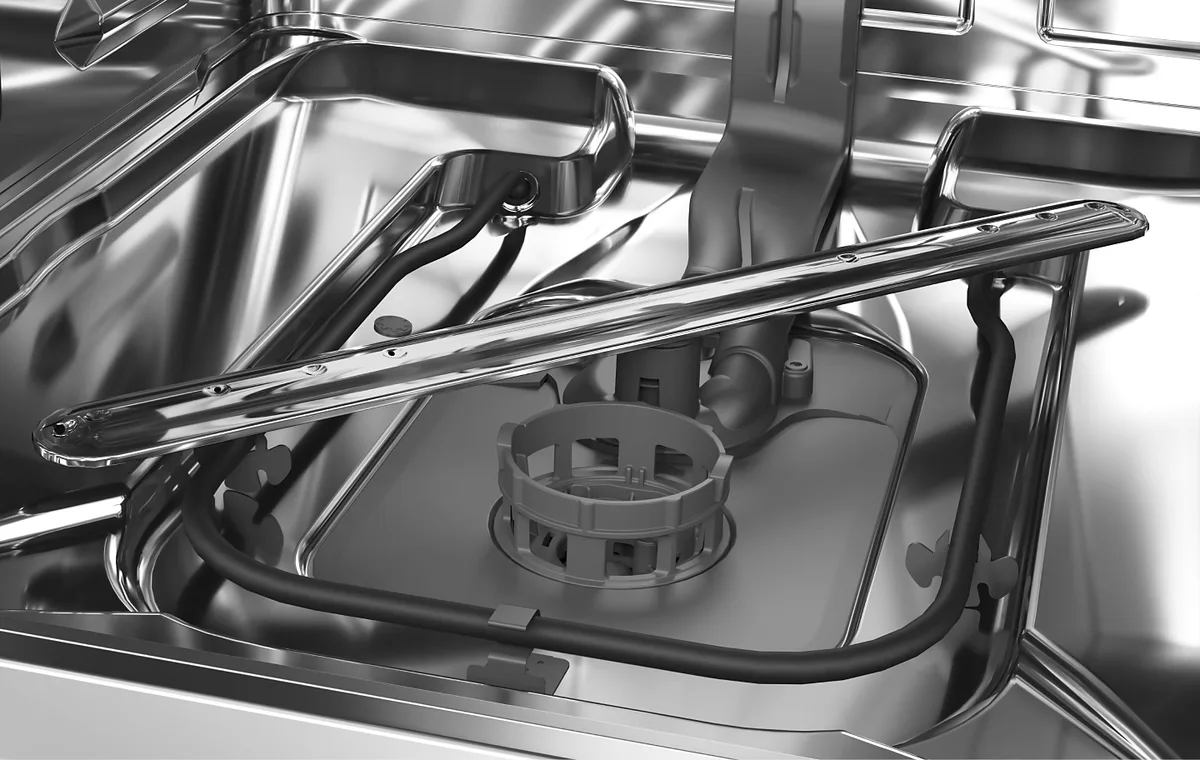
Image source: Bing (Web (fair-use with source credit))
Remove the bottom rack. Twist and lift the filter assembly. Rinse it under hot water.
While the filter is out, look for the float switch. It's a small plastic cylinder near the back right corner of the sump. Push it down with your finger.
It should move freely and spring back up. If it's stuck, clean around it with a toothbrush.
Aggregate user reviews indicate that this filter and float check alone resolves about half of all 3-blink Clean light errors. It's worth doing every few months anyway as maintenance.
Mistakes That Cost You Time and Money
People make predictable mistakes when troubleshooting blinking lights. Here are the ones that waste the most time.
Replacing Parts Without Diagnosing First
The biggest mistake is ordering a new control board because the lights are flashing. The control board is almost never the problem. It's just reporting what it detected.
Replacing it is expensive and rarely fixes anything. Always check the mechanical parts first.
Ignoring Standing Water
If there's water in the bottom of the tub, the error code will keep coming back. You have to remove the water before the dishwasher can complete its diagnostic check. Remove it manually with a cup or towel rather than running a cycle and hoping it drains.
Confusing Control Lock With a Real Error
Solid lights that stay on without blinking usually mean control lock mode is active. This is a safety feature that prevents accidental button presses. Hold the Control Lock button for 3 seconds.
The lights should turn off. This is the easiest fix on the whole list but people miss it all the time.
Skipping the Hard Reset
A soft reset by holding buttons doesn't always clear the error. A hard reset by flipping the breaker for a full 60 seconds clears everything. It also forces the control board to reinitialize its sensors when power returns.
Pro Tips From Someone Who's Replaced Their Own Control Board
Keep a Multimeter Handy
A basic multimeter costs $15 at any hardware store. It's the difference between guessing and knowing. You can test thermal fuses, heating elements, and door switches in under a minute.
Know Your Model Number
The model number is stamped on a metal plate on the right side of the tub. It's visible when you open the door. Write it down before you look for parts.
KitchenAid has dozens of similar-looking models with completely different parts.
Error Codes Don't Lie
If you get the same error code three times in a row, trust it. The dishwasher is telling you the same thing every time. Don't assume it's a fluke.
The pattern is specific and repeatable.
Keep a Towel Handy
You will spill water. Every time you open the filter, clean the sump, or check the drain pump, water comes out. Have a towel on the floor before you start.
When to Call a Technician (And When You're Wasting Your Money)
Call a Technician If
- You've tried the breaker reset and it didn't work
- The error code is 5 or 7 blinks and reseating connectors didn't help
- You hear grinding or loud buzzing from the motor
- The control board has visible burn marks or bulging capacitors
- You're not comfortable working with electrical components
Don't Call a Technician If
- You haven't cleaned the filter yet
- You haven't checked the float switch
- You haven't done the breaker reset
- The error code is 3 blinks on Clean
- The lights turn off when you hold Control Lock
Service calls run $150 to $250 just to walk through the door. That buys a lot of new parts or a nice dinner out. Run through the quick fixes first.
You'll solve most problems yourself.
Frequently Asked Questions
Why is my KitchenAid dishwasher flashing 3 times on Clean?
Three blinks on the Clean light means the dishwasher detected a drain problem. The water didn't empty during the drain cycle. Clean the filter, check the drain pump impeller for jams, and manually remove any standing water before running a reset.
How do I reset my KitchenAid dishwasher after blinking lights?
Flip the breaker to OFF for 60 seconds, then flip it back ON. This is a hard reset. It clears all stored error codes and forces the control board to reinitialize.
Run a rinse cycle to confirm the error is gone.
What does 4 blinks on Sanitized mean on a KitchenAid dishwasher?
Four blinks means the water didn't reach the required sanitization temperature. The likely causes are a failed heating element, a broken thermistor, or a blown thermal fuse. Start by testing the thermal fuse with a multimeter.
Why is my KitchenAid dishwasher Start button blinking rapidly?
A rapid flash on the Start button usually means the door latch microswitch isn't engaging. The dishwasher thinks the door is open. Check the plastic tang inside the latch mechanism for cracks.
Replacement latch assemblies cost about $25.
How do I diagnose a KitchenAid dishwasher error code?
Close the door fully and press Start. Count the number of blinks on each indicator light over a 30-second period. Write down the pattern.
Compare it to the error code chart in your owner's manual or the table in this article.
Can I fix a KitchenAid dishwasher blinking lights error myself?
Yes, in most cases. The 3-blink Clean error is usually a clogged filter or drain pump jam. The rapid-start error is a broken door latch.
Both are easy DIY fixes. Only call a technician for motor errors or problems you've confirmed with a multimeter.

Similar Posts
































