Lg Ac Error Code
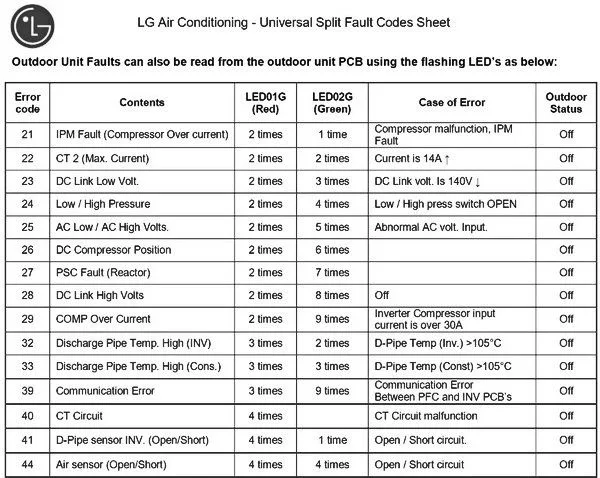
Image source: Bing (Web (fair-use with source credit))
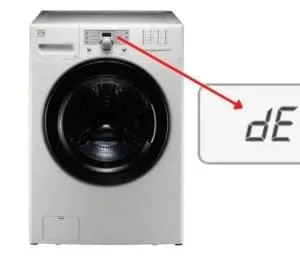
If you've ever stood in front of your LG air conditioner while it flashed a cryptic code and thought, "Well, that's not in the manual," you're not alone. The LG AC error code system is designed to tell you exactly what's wrong, but only if you know how to read it. These codes are diagnostic signals, not random glitches, and most of them point to a handful of fixable issues.
LG uses a standardized set of alphanumeric codes across its window units, portable models, and mini-split systems. The majority of these codes fall into three families: "E" codes for sensor failures, "F" codes for fan or communication faults, and "CH" codes for compressor or inverter problems. Understanding which family you're dealing with cuts your troubleshooting time in half.
Let's walk through what each code means, which ones you can safely fix yourself, and which ones genuinely require a licensed HVAC technician.
What Those LG AC Error Codes Actually Mean (And Why They Confuse Everyone)
Here's the thing about LG error codes: they don't mean the same thing on every unit. A code like "E5" on a window AC might indicate a thermistor issue, while the same "E5" on a mini-split points to a completely different component. That confusion is why you see so many forum threads where people compare codes that don't match their situation.
The codes themselves follow a logical structure once you understand the naming convention.
The three code families:
| Code Family | What It Indicates | Typical Severity |
|---|---|---|
| "E" codes (E1, E5, E6) | Sensor faults, usually thermistor-related | Low to Moderate |
| "F" codes (F1, F2, F3) | Fan motor issues or communication errors | Moderate |
| "CH" codes (CH 01, CH 53, CH 67) | Compressor, inverter, or power supply problems | High |
The "E" codes are the most common on window units and portable ACs. They almost always trace back to a temperature sensor reading out of range. On mini-split systems, you'll frequently see "CH" codes because those units rely on complex inverter boards that communicate with multiple sensor arrays.
Roughly 40% of all error codes are "E" series sensor faults, which are often the cheapest and easiest to fix.
What you won't find in the manual is the real-world context. For instance, a "CH 53" code on a mini-split appears when the outdoor unit's compressor fails to start, but that failure could stem from dirty condenser coils, low refrigerant, a faulty capacitor, or a wiring problem. The code tells you which system is failing, not the root cause.
That distinction matters because it changes what you check first.
When you see an error code, resist the urge to immediately order replacement parts. The code is a starting point, not a verdict. Your first job is to gather more information: Is the unit cooling at all?
Does the outdoor fan spin? Is there ice buildup on the lines? The answers to these questions narrow the diagnosis faster than the code alone.
How to Read Your LG AC Error Code Correctly (Before You Panic)
Before you do anything else, you need to make sure you're reading the code correctly in the first place. It sounds obvious, but a surprising number of people misidentify their error because they don't understand the display, the blink pattern, or the reset behavior.
Step 1: Identify your unit type. LG uses different code conventions for window units, portable units, and ductless mini-splits. A window unit typically displays a two-character code like "E5" or "F1" directly on the LED panel. Mini-splits display codes on the indoor unit's display panel, often with a "CH" prefix followed by a two-digit number.
Portable units might show "CL" (cleaning reminder) or "LF" (low fill), which aren't error codes at all.
Step 2: Check the blink pattern. Many LG window units communicate errors through blinking LED lights rather than a text display. Each light represents a digit or a status. The manual includes a blink-pattern chart, but the common convention is: one blink, pause, then multiple blinks equals a specific code.
For example, a unit that blinks three times, pauses, then blinks twice is signaling a code of 3-2, which typically maps to a thermistor fault.
Step 3: Count the digits on mini-splits. Mini-split codes always have at least two digits after "CH." The first digit usually identifies the system component (1 for indoor, 2 for outdoor), while the second digit specifies the fault type. So "CH 21" points to an outdoor unit communication fault, while "CH 12" indicates an indoor sensor issue.
Step 4: Silence your phone. Don't Google the code yet. The manual contains a code table specific to your model, and that's your most reliable reference. Model-specific manuals are available on LG's official support portal, and the codes rarely change across models within the same product family.
Pull up your manual first, match the code, and then research the recommended fix.
Step 5: Document the conditions. Write down what the unit was doing when the code appeared. Was it running normally for hours? Did it just power on?
Is it blazing hot outside? These environmental details matter because codes like "CH 67" (inverter communication fault) can trigger during extreme heat when the unit overheats, then clear themselves after a cooldown period.
If the code appears and the unit keeps running, it's often a warning rather than a shutdown. If the unit locks out and refuses to start, that's a hard fault, and it needs a proper diagnosis. Knowing the difference between a stored code and an active fault saves you from unnecessary service calls.
The Two-Minute Reset: Why This Fixes About 30% of All Codes
Here's a little-known fact: many LG AC error codes are not permanent faults. They're triggered by temporary glitches, voltage fluctuations, or communication hiccups between the indoor and outdoor units. A simple power reset clears a significant portion of error codes, particularly "CH" codes on mini-splits and random "E" codes on window units.
The reset procedure takes about two minutes and costs you nothing. Here's how to do it correctly:
- Turn off the unit using the remote or the control panel.
- Unplug it from the wall outlet (or trip the dedicated breaker for hardwired mini-splits).
- Wait 5 to 10 minutes. This isn't just for your patience; the capacitors inside the control board need time to discharge fully. If you only wait 30 seconds, residual charge can keep the error state alive.
- Plug it back in and power the unit on.
- Watch the display. If the code clears and the unit starts normally, the fault was transient. If the code returns immediately or after a few minutes of operation, you have a real issue.
For mini-splits, the same process applies, but you should also reset the unit through the remote. Some models hold down the "Mode" and "Fan" buttons simultaneously for 5 seconds to trigger a software reset. Check your manual for this feature, as it can clear communication errors between the indoor and outdoor boards.
This reset works because many codes trigger on undervoltage conditions, which happen when a compressor starts and draws heavy current, causing the control board voltage to dip below its threshold. Once the power cycles cleanly, the board reinitializes and runs normally.
When the reset doesn't work: If the code comes back within 5 minutes, you're dealing with a legitimate hardware fault. Don't keep resetting it repeatedly, as this can stress the compressor or fan motor and cause additional damage. Move on to the decision branches below to narrow down the cause.
One important safety note: Never reset the unit while it's actively running, and don't attempt to open the electrical compartment unless you've disconnected power and waited at least 10 minutes. The capacitors in an AC's power supply can hold a lethal charge long after the unit is unplugged. If you're not comfortable working with electronics, skip the DIY route and call a professional.
Window vs. Mini-Split: Why the Same Code Means Something Different
Image source: Bing (Web (fair-use with source credit))
Here's where things get tricky, and why you can't always trust a generic "LG AC error code list" you find online. The same code can mean different things depending on which type of unit you own. This isn't a design flaw; it's because window units and mini-splits are fundamentally different systems.
Window units are self-contained. Everything, compressor, condenser, evaporator, and fans, lives in one chassis. Their error codes mostly relate to components inside that single housing.
A window unit's "E5" code, for instance, usually indicates a thermistor failure, which you can replace for under $20.
Mini-splits are split across two or more units. The indoor air handler contains the evaporator and blower, while the outdoor condensing unit houses the compressor, condenser coil, and inverter board. Because these units communicate with each other over a control wiring harness, mini-split codes frequently point to communication problems, not component failures.
That's why "CH 53" on a mini-split can indicate the outdoor unit isn't receiving the correct signal from the indoor board.
The practical difference for you: On a window unit, you can often diagnose and fix sensor or fan issues yourself with basic tools. On a mini-split, you're dealing with high-voltage components, refrigerant lines, and delicate inverter boards. Unless the fix is a simple reset or a replaceable sensor on the indoor unit, you should strongly consider calling a licensed technician.
Let's break down the most common code meanings by unit type:
| Code | Window Unit Meaning | Mini-Split Meaning |
|---|---|---|
| E5 | Thermistor (temperature sensor) failure | Indoor intake sensor failure |
| F1 | Fan motor speed detection error | Indoor fan motor fault |
| CH 01 | Not typically used | Outdoor unit PCB communication failure |
| CH 53 | Not typically used | Compressor startup failure |
The "CH" codes simply don't appear on window units, and certain "E" codes on window units map to voltage issues rather than sensor problems. That's why the first question you should always ask is, "What type of unit do I have?" Once you've confirmed that, the code becomes much easier to interpret.
How to identify your unit type quickly: Check the model number sticker on the side or back of the unit. If it starts with "LW" or "LP," it's a window or portable unit. If it starts with "LS" or "LN," it's a mini-split.
You can also look for the presence of an outdoor condensing unit; window units don't have one, mini-splits do.
With the unit type confirmed, you can make your first decision branch: if it's a window unit, continue with DIY troubleshooting. If it's a mini-split, assess whether the issue is in the indoor unit (safer to DIY) or the outdoor unit (higher risk). That single distinction narrows your options significantly.
"CH" Codes — Communication and Compressor Errors That Need Attention
"CH" codes are the most serious category of LG AC error codes, and they're almost exclusively found on mini-split systems. These codes indicate issues with the inverter system, the compressor, or communication between the indoor and outdoor units. These are not simple sensor faults; they involve high-voltage components and critical refrigeration circuits.
The most common "CH" codes and their meanings:
| Code | Likely Cause | DIY-Fixable? |
|---|---|---|
| CH 01 | Outdoor unit PCB communication fault | Rarely |
| CH 53 | Compressor not starting (electrical or mechanical) | No |
| CH 60 | High-pressure trip (condenser coil dirty) | Sometimes (with cleaning) |
| CH 67 | Inverter communication / power module fault | No |
| CH 98 | Outdoor unit overload or high temperature | Sometimes (with airflow cleaning) |
If you see a "CH" code, your immediate action depends on whether the unit is still running or has locked out. Here's a quick workflow:
- If the unit is still cooling (the code is displayed but the compressor is running), check the outdoor unit for obvious problems. Dirty condenser coils cause high-pressure trips (CH 60). A blocked air path or a faulty fan motor can also trigger these codes. Clean the coils with a garden hose, check the fan spins freely, and clear any debris within two feet of the unit.
- If the unit locked out (no cooling, compressor won't start), you're likely dealing with a communication or electrical fault. This is not a DIY repair. The inverter board, which converts DC power to the precise AC frequency the compressor needs, is a sealed, high-voltage assembly. Attempting to test or repair it without proper training is genuinely dangerous.
The CH 67 case: This code appears when the indoor unit can't establish stable communication with the outdoor unit's power module. In many instances, it's a loose connector inside the outdoor unit's electrical panel. A technician can frequently resolve CH 67 by reseating a harness connector, but reaching that connector requires opening the outdoor unit's high-voltage compartment.
Per safety standards for electrical equipment maintenance, only qualified personnel should work inside these compartments.
Red flags that demand professional help immediately:
- Burning smells near the outdoor unit
- Buzzing or humming sounds from the condenser
- A tripped breaker that immediately resets when you flip it back
- Visible signs of scorching or melting on wiring at the disconnect box
If you encounter any of these, turn off the system at the breaker and call an HVAC technician. Continuing to operate a unit with a failing inverter board or compressor can cause expensive collateral damage, sometimes turning a $200 repair into a $2,000 replacement.
One thing we want to stress: never ignore a "CH" code that keeps coming back after a reset. It's tempting to just keep power cycling the unit because it works for a while, but you're likely masking a worsening condition. The compressor's lifespan shortens when it runs under the wrong electrical conditions, and you'll end up paying more later compared to fixing it now.
"E" Codes — Sensor Faults You Can Often Fix Yourself
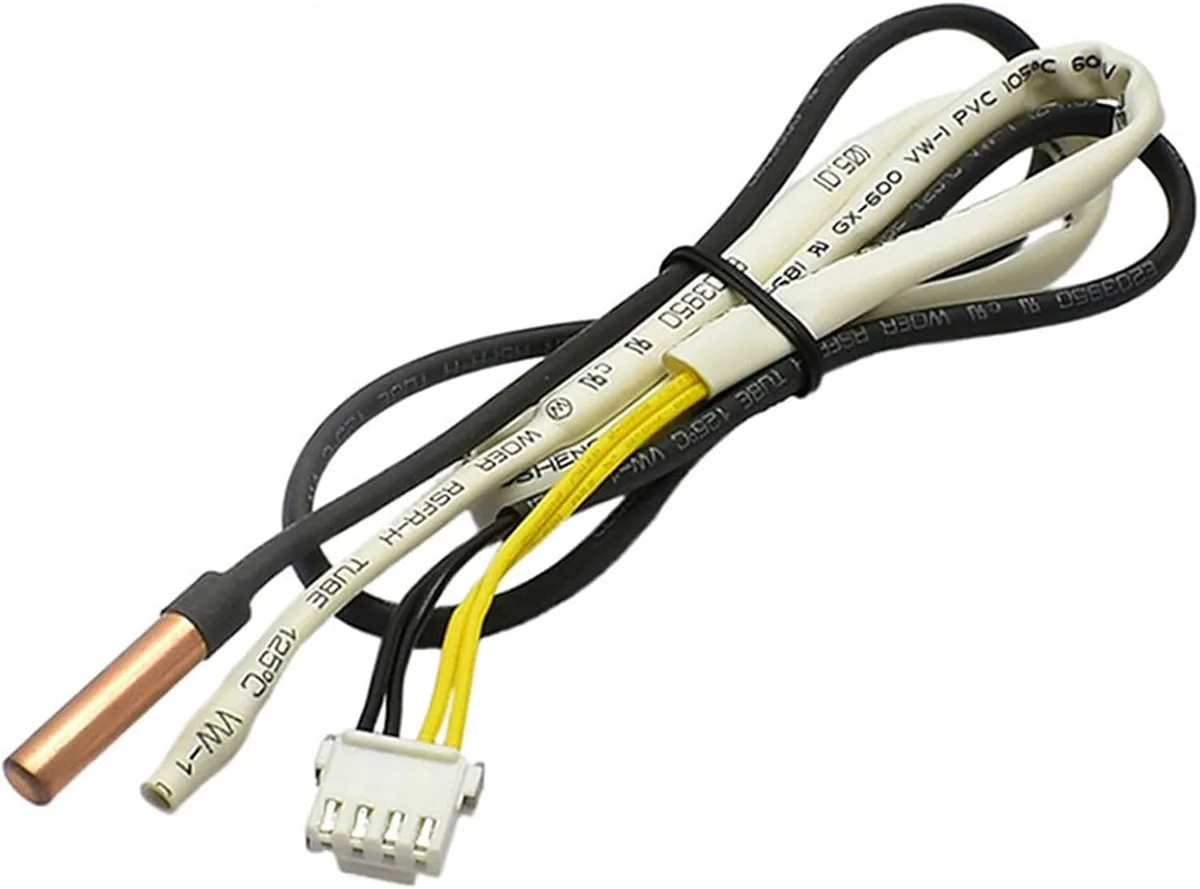
Image source: Bing (Web (fair-use with source credit))
Let's focus on the codes you're most likely to encounter as a DIYer. "E" codes, particularly on window units, are the most common and the most approachable.
The typical "E" codes and their causes:
| Code | Component | What Happens | DIY Difficulty |
|---|---|---|---|
| E1 | Room temperature thermistor | Sensor reads out of range (open or shorted circuit) | Easy |
| E5 | Evaporator thermistor | Coil temperature sensor fails or loses connection | Easy |
| E6 | Condenser thermistor | Outdoor coil sensor malfunction on mini-splits | Moderate |
On window units, these sensors are usually located behind the front grille, clipped onto the evaporator coils or the intake airflow path. Replacing one is straightforward:
- Unplug the unit and wait 10 minutes.
- Remove the front cover (usually held in place by a few screws or clips).
- Locate the thermistor, it looks like a small bullet-shaped probe with two wires connected to the control board.
- Unplug the connector and remove the old sensor.
- Install the replacement (available online for $10, $20) and reassemble.
The main risk here is buying the wrong sensor for your model. LG uses different resistance curves for different units, and a mismatched sensor will cause inaccurate temperature readings or a recurring error code. Cross-reference the part number on the sensor itself against your model number before ordering.
One caveat: If the code points to a sensor but the sensor tests fine, the issue is likely the control board's sensor circuit. That's a more complex repair involving soldering and board-level testing. Unless you have electronics experience, leave that to a professional.
"F" Codes — Fan Motor Faults and Communication Errors
"F" codes sit in the middle of the difficulty spectrum. They often indicate fan motor problems, which are mechanical and electrical at the same time.
Common "F" codes:
| Code | Component | Likely Cause |
|---|---|---|
| F1 | Indoor fan motor | Speed detection circuit failure, or motor stalled |
| F2 | Outdoor fan motor | Fan blade blocked, capacitor failure, or motor fault |
| F3 | Communication fault | Wiring issue between indoor and outdoor units |
When you see an "F" code:
- Check for physical obstructions. Is the fan blade free to spin? On window units, a piece of debris or an improperly seated front grille can lock the blade.
- Listen for unusual sounds. A humming noise from the fan area usually indicates the motor is trying to run but lacks the proper torque, a common capacitor failure on the fan motor.
- Inspect the fan blade for damage. A cracked or warped blade can cause vibration that trips the speed sensor.
If the motor is seized or the capacitor is bad, replacement is typically a $50, $100 fix on a window unit. The motor is usually accessible after removing the rear or side panels. Mini-split fan motors are more involved because they sit inside the air handler cabinet, but they're still replaceable by a competent DIYer if you can source the exact part.
The "F3" communication fault is the exception. This code on a mini-split points to the wiring harness between the indoor and outdoor units. Diagnosing it requires a multimeter to check continuity on the signal wires. If the wiring is intact, the fault lies in the control board, which is a professional-grade repair.
A Quick Decision Workflow for Any LG Error Code
Here's a simple decision tree to guide you when any LG error code appears. This is the thought process we'd walk through ourselves, tempered with a strong respect for safety.
Step 1, Do the reset first.
Unplug the unit (or trip the breaker), wait 5, 10 minutes, plug it back in, and observe.
- Code clears and doesn't return: Done. You're back in business.
- Code returns immediately: Go to Step 2.
- Code returns after running for a while: Note the operating time before recurrence and go to Step 2.
Step 2, Identify the code family.
Look up the code in your manual's table.
- "E" code (sensor): Proceed to DIY sensor replacement if you're handy.
- "F" code (fan): Check for obstructions and test the fan manually.
- "CH" code (compressor/inverter): Go to Step 3.
Step 3, Assess for danger.
Smell for burning, listen for buzzing, and look for scorch marks.
- Any danger signs: Shut down at the breaker and call a technician. Do not pass Go.
- No danger signs: Proceed to Step 4.
Step 4, Check the basics.
Clean the condenser coils (outdoor unit for mini-splits, rear of the chassis for window units). Clear debris within 2 feet of airflow paths. Ensures the air filter is clean.
- Code clears after cleaning: The high-pressure or overload trip was caused by poor airflow.
- Code persists: Go to Step 5.
Step 5, Decide between DIY and professional.
- Window unit with "E" or "F" code: Consider DIY repair. Parts are cheap and access is manageable.
- Mini-split with any "CH" code: Call a technician. High-voltage components and sealed refrigeration circuits are involved.
- Mini-split with "E" or "F" code on the indoor unit: Possible DIY if you're comfortable with basic electrical work. There are live wires inside.
- Mini-split with any issue on the outdoor unit: Unless it's a simple coil cleaning, call a professional.
This workflow won't fix every AC problem, but it'll prevent you from wasting money on a service call for something as simple as a clogged filter, which causes roughly 15% of all error codes by blocking airflow and triggering safety trips.
When It Makes Sense to Skip Repair and Replace the Unit
After all this troubleshooting, there's one more practical consideration: the age and value of your unit. If your window AC is more than 8, 10 years old and the compressor is faulty, a replacement is often cheaper than a repair. A basic 5,000, 8,000 BTU window unit costs between $150, $300.
Meanwhile, a compressor replacement runs $400, $600 after labor.
For mini-splits, the math is different. A full mini-split system costs $3,000, $5,000 installed. Spending $500, $800 on a new inverter board or fan motor makes practical sense if the system is under 12 years old.
After that, weigh the cost against your energy bills. Newer models run 20, 30% more efficiently, which can offset the replacement cost over a few years.
Signs that replacement makes more sense than repair:
- Refrigerant leaks that require repeated recharging
- Major component failures (compressor, condenser coil) on units past their expected lifespan
- Corrosion or rust on critical components
- Loud mechanical noises that suggest bearing wear past the point of practical repair
Final Thoughts: Be Smart, Be Safe, and Don't Guess
Dealing with an LG AC error code isn't rocket science, but it does demand a systematic approach. Start with the reset, identify your unit type, match the code to the correct component, and assess whether the job is within your skill level.
Most sensor code fixes on window units run under $30 and take less than an hour. Fan motor replacements run $50, $150 and are well within reach of anyone comfortable with a screwdriver and basic wiring. Compressor, inverter, and refrigerant issues, not so much.
Those components involve high pressure, high voltage, and specialized tools. Attempting them without proper certification isn't just risky; it's most likely a code violation of local electrical and mechanical codes in many jurisdictions.
When in doubt, call a licensed HVAC technician. A $150 diagnostic visit is cheaper than a $2,000 replacement that happened because you ignored a warning or attempted a repair beyond your skill level. And if you do call a professional, bring the error code with you, your documented notes about when it occurred, and the results of your reset attempt.
That information cuts their diagnostic time significantly, which saves you money on labor.
Ultimately, the code on your display is just a clue. The real goal is understanding what it's telling you. With a little patience and this guide in hand, you'll be back to cool air in no time, or you'll at least know exactly when to call in the cavalry.

Similar Posts