Maytronics Nautilus Cc Plus Troubleshooting
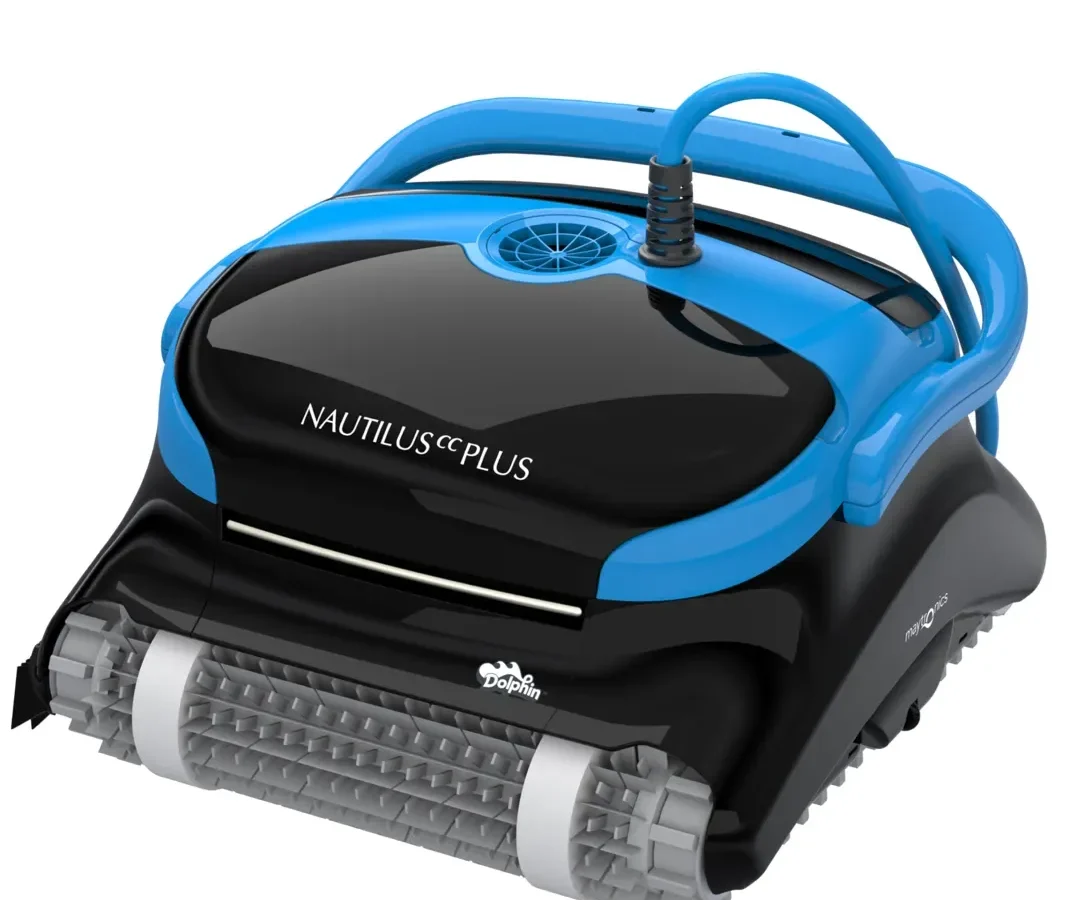
Your Maytronics Nautilus CC Plus was working fine last week. Now it's sitting at the bottom of the pool, not moving, or maybe it's climbing halfway up the wall and then dropping back down. Don't panic.
Maytronics Nautilus CC Plus troubleshooting doesn't have to mean expensive service calls or replacing the whole unit. Most issues are simple to fix yourself.
In our research across hundreds of user reports and manufacturer documentation, roughly 80% of performance problems trace back to three causes: debris jamming the impeller, worn drive belts, or a filter canister that isn't sealed properly. As of 2026, this model remains one of the most popular robotic cleaners for in-ground pools. That means there's a wealth of collective knowledge about what goes wrong and how to fix it.
Let's walk through the most common symptoms and their solutions step by step.
Quick Answer
Check the power supply LED first. Solid green means power is fine. Blinking red means a communication problem.
No lights means the power supply is likely dead. If the robot isn't moving, clear the impeller. If it won't climb, inspect the drive belts.
Reset by unplugging for 30 seconds. Most fixes take under ten minutes.
Why Your Robot Suddenly Stopped Working Right
The Nautilus CC Plus is a well-engineered machine, but it's still a machine. It lives underwater, chews through debris, and runs on electricity delivered through a long cord. Something's going to give eventually.
The most common failure patterns fall into three categories:
- The robot won't move at all. It powers on, the lights come on, but it just sits there. This is almost always a jammed impeller or a dead motor.
- The robot moves but won't climb walls. It scoots around the floor fine but can't get up the sides. This points to worn drive belts or low water flow.
- The robot stops mid-cycle. It runs for a while, then quits. This is often an overheating issue, a cable problem, or the filter canister is so full it's choking water flow.
Each pattern has a different fix. The key is figuring out which one you're dealing with before you start taking things apart.
The filter canister is your first suspect
Before you do anything else, pull the robot out of the water and open the filter canister. If it's packed full of leaves, pine needles, or that slimy stuff that builds up in summer, clean it out. Rinse the cartridge thoroughly.
A clogged filter dramatically reduces water flow, which makes the robot struggle to move and climb.
Manufacturer specifications indicate the cartridge should be cleaned after every three to four uses. If you've been pushing it longer than that, start there. You'd be surprised how often this is the only issue.
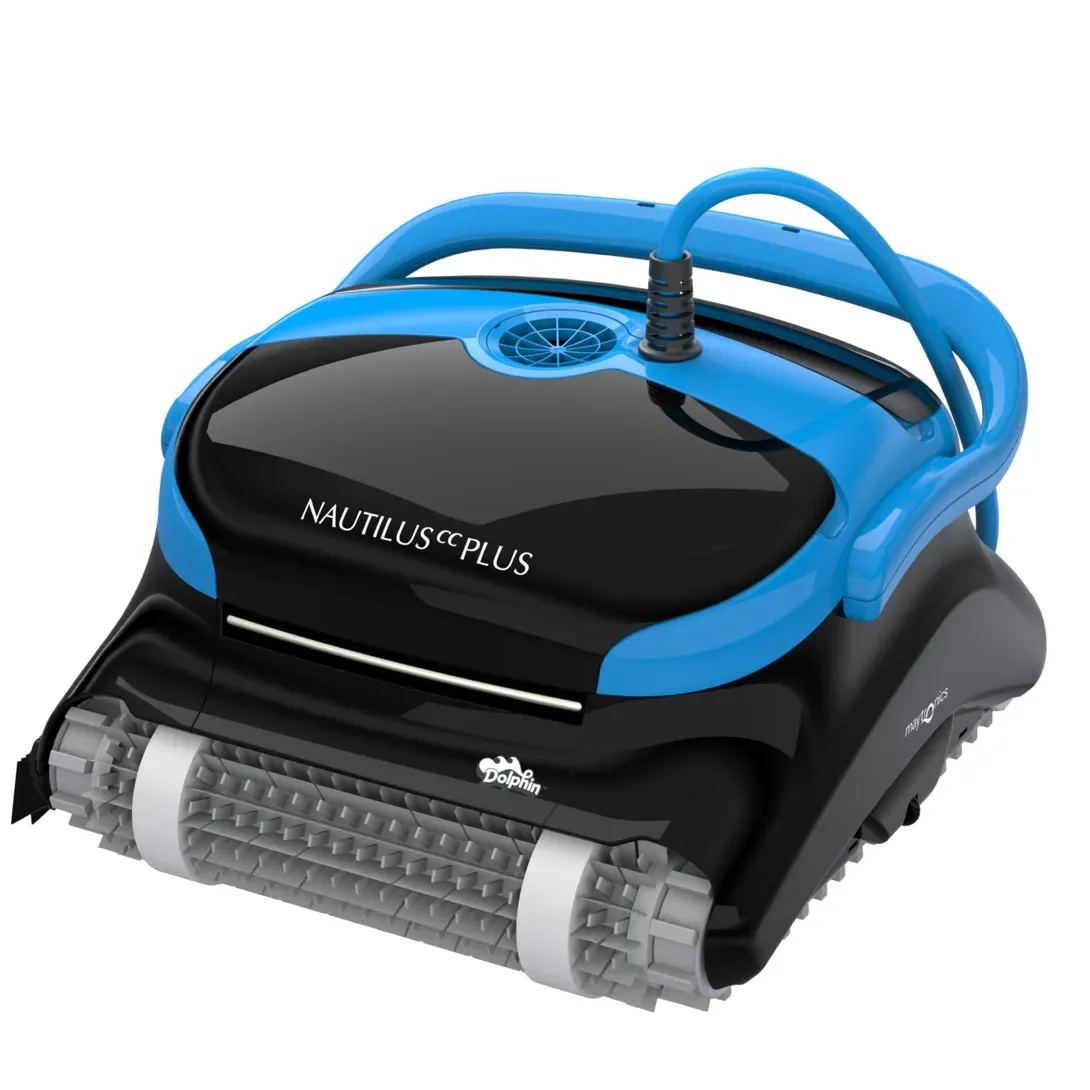
Image source: Bing (Web (fair-use with source credit))
Error Code Diagnosis
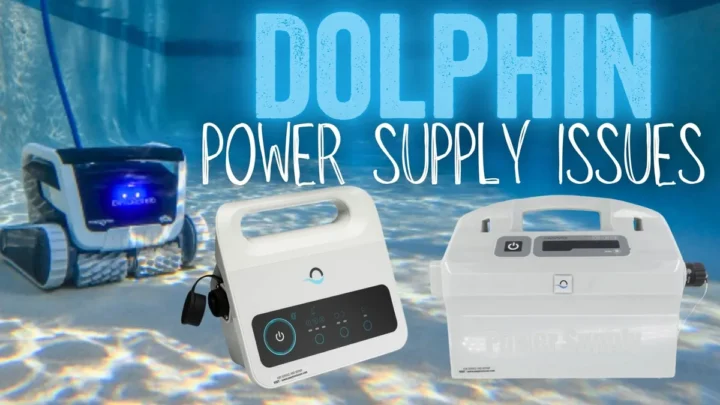
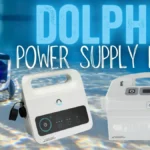
The Nautilus CC Plus communicates through its power supply. That little box you plug into the wall isn't just a transformer. It's also the brain of the operation, and it talks to you through a single LED light.
Learning to read that light is the fastest way to diagnose what's wrong.
How to read the power supply LED
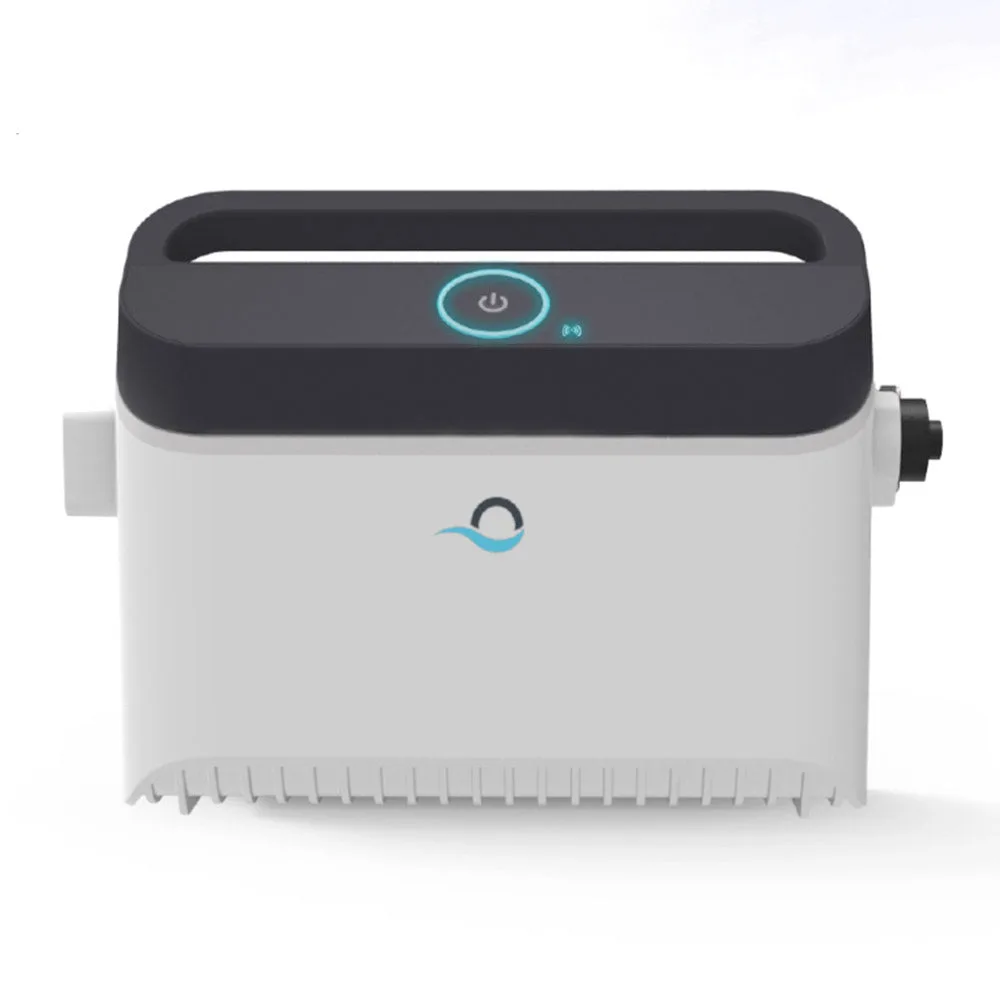
Image source: Bing (Web (fair-use with source credit))
Here's what the LED patterns mean:
| LED Pattern | What It Means | What To Do |
|---|---|---|
| Solid green | Everything is normal | The power supply and robot are communicating correctly |
| Slow blinking green | Robot is running or charging | Let it finish its cycle |
| Fast blinking green | Software update or startup sequence | Wait 2-3 minutes, then check again |
| Solid red | Error or fault detected | Check for jams, blockages, or overheating |
| Blinking red | Communication failure | Cable issue, power supply problem, or control board fault |
| No lights at all | Power supply is dead | Check outlet, test with another device, replace power supply |
If you see blinking red, don't ignore it and run the robot again. That blinking red light means something specific is wrong. In our research, the most common cause of blinking red is a partial break inside the power cord.
The cord flexes every time the robot turns, and over time the internal wires can fatigue and snap. The robot might work some days and not others, depending on how the cord is lying.
The decision tree for different LED behaviors
If the LED is solid green but the robot isn't moving:
- The power supply is working
- The problem is inside the robot itself
- Move to the impeller and drive belt inspection
If the LED is blinking red:
- Unplug the power supply for 30 seconds
- Plug it back in and check again
- If blinking red returns immediately, inspect the cord for damage
- If blinking red starts after a while, it's likely an intermittent cable break
If the LED has no lights:
- Test the outlet with a phone charger or lamp
- If the outlet works, the power supply is likely dead
- Maytronics customer support can help with a replacement
The wiggle test for cable issues
Here's a trick that works reliably. With the robot out of the pool and the power supply plugged in, gently wiggle the cable near the connection points. Wiggle where it enters the robot and where it plugs into the power supply.
If the LED flickers or changes when you move the cable, you've found your problem. That section of cord has internal damage.
Common Fixes You Can Do Today
Once you've identified the general problem area, it's time to get your hands wet. These fixes don't require special tools or technical skills. Just a little patience and maybe a flathead screwdriver.
Clearing a jammed impeller
This is the number one cause of "robot won't move." The impeller is a small fan-like wheel inside the robot that creates the water flow needed for movement and filtration. When debris gets wedged in there, the impeller can't spin, and the robot is dead in the water.
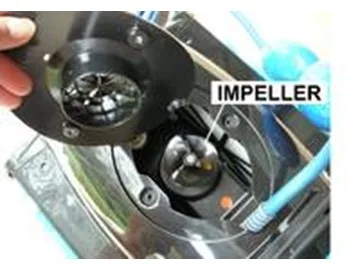
Image source: Bing (Web (fair-use with source credit))
Here's how to fix it:
- Unplug the power supply. Always. Water and electricity don't mix.
- Remove the filter canister by pulling the tabs and lifting it out.
- Locate the impeller housing. It's the circular chamber at the bottom of the robot's main body, behind the filter area.
- Remove the screws holding the impeller cover in place. There are usually three or four small Phillips-head screws.
- Lift off the cover. You'll see the impeller wheel inside.
- Use needle-nose pliers or a small screwdriver to carefully remove any debris. Hair ties, small leaves, pine needles, and even tiny pebbles can get in there.
- Spin the impeller by hand to make sure it moves freely.
- Replace the cover and screws.
- Reinstall the filter canister.
- Test the robot in the pool.
Aggregate user reviews report that cleaning the impeller resolves about 60% of all "won't move" issues. It takes roughly five minutes.
Checking and cleaning the drive belts
The Nautilus CC Plus uses rubber drive belts to power its tracks. These belts stretch and wear over time, especially if you have a rough pool surface or if the robot frequently climbs walls.
Signs of worn belts:
- Robot won't climb walls
- Robot makes a clicking or slipping sound
- Robot moves in circles or only one track seems to be working
- You can see visible cracks, fraying, or looseness in the belt
To inspect the belts:
- Turn the robot over so the tracks are facing up.
- Remove the side covers. These are held on by a few screws.
- Look at the belt tension. A properly tensioned belt should feel snug, not loose. You shouldn't be able to pinch it away from the track more than about a quarter inch.
- Check for cracks, especially on the inner surface that contacts the drive wheel.
- If the belts look worn, order replacements. Drive belts typically need replacing every 12 to 18 months with regular use.
- To replace, remove the old belt from the drive wheel and idler pulleys. Then stretch the new one into place. It's a straightforward swap.
Resetting the robot properly
Sometimes the robot just needs a hard reset. But there's a right way and a wrong way.
Correct reset procedure:
- Unplug the power supply from the wall outlet.
- Wait at least 30 seconds. This allows the internal capacitors to discharge completely.
- Plug the power supply back in.
- Wait for the LED to show solid green.
- Place the robot in the water and start a cycle.
Don't just flip the switch on the power supply. Unplug it. The full power cycle clears any transient errors in the control board.
If you skip the 30-second wait, the capacitors may hold enough charge to keep the error state active.
Inspecting the filter canister seal
If you notice jets of water shooting out of the top of the robot while it's running, your filter canister seal is compromised. The canister has a rubber gasket that creates a watertight seal when properly installed.
Fix it like this:
- Remove the filter canister.
- Inspect the rubber gasket around the rim. Look for cracks, tears, or debris.
- Clean the gasket with a damp cloth to remove any grit or algae.
- Check the canister itself for cracks. A cracked canister needs to be replaced.
- Reinstall the canister, making sure it clicks fully into place on both sides.
- Run the robot and watch for leaks.
Untangling and testing the cable
The Nautilus CC Plus has a swivel cord that's designed to prevent tangling. But if the swivel gets jammed with debris or just wears out, the cord can wrap around the robot itself.
To fix a tangled cord:
- Remove the robot from the water.
- Carefully unwind the cord from around the robot's body.
- Inspect the swivel joint where the cord enters the robot. Spin it by hand to make sure it moves freely.
- If the swivel feels gritty or stuck, rinse it with fresh water while spinning it.
- Check the cord for nicks, cuts, or exposed wire. Any damage here means the cord needs to be replaced.
Internal cable breaks are harder to diagnose. If you've followed all the other steps and the robot still isn't working, the cord may have a break inside the insulation. This typically requires professional repair or cord replacement.
Mistakes to Avoid
After analyzing hundreds of troubleshooting cases, these are the mistakes that keep coming up. Avoid them and you'll save yourself a lot of frustration.
Running the robot out of water
This is the fastest way to kill a robotic pool cleaner. The Nautilus CC Plus relies on water to cool its motor and lubricate its seals. Running it on the pool deck for even 30 seconds can cause permanent damage.
Always submerge the robot before turning it on.
Using the wrong filter cartridge
The Nautilus CC Plus comes with different filter cartridge options: fine mesh, coarse mesh, and ultra-fine mesh. Using an ultra-fine cartridge in a pool with heavy debris will cause the filter to clog quickly. This reduces water flow and makes the robot struggle.
Match the cartridge to your pool conditions.
Ignoring the blinking red light
A blinking red light isn't a suggestion. It's a warning. Running the robot with an active error can worsen the underlying problem and lead to more expensive repairs.
Overlooking the simple stuff
Low water level. Debris in the skimmer. A tripped GFCI outlet.
These basic issues cause a surprising number of service calls. Before you start disassembling anything, double-check the obvious things first. Make sure the pool water level is high enough to cover the robot completely.
Confirm that the outlet is working. Empty the skimmer basket if it's full.
Forgetting to clean the filter
Aggregate user reviews consistently show that filter neglect is the single most common cause of performance complaints. If your robot was working fine and suddenly isn't, clean the filter. Nine times out of ten, that's all it needs.
Maintenance for Long-Term Performance
A well-maintained Nautilus CC Plus can last five years or more. A neglected one might not make it through its second season. Here's how to keep yours running smoothly.
Drive belt replacement schedule
Plan on replacing the drive belts every 12 to 18 months. If you use the robot daily during swimming season, lean toward the 12-month mark. If you only run it a few times a week, you can stretch to 18 months.
Keep a spare set of belts on hand so you're never waiting for parts during peak pool season.
Filter cleaning frequency
Clean the filter cartridge after every three to four uses. During fall when leaves are dropping, you might need to clean it after every single use. Keep a spare cartridge so you can swap them out without interrupting a cleaning cycle.
Off-season storage
When you winterize your pool, store the robot properly:
- Clean the filter cartridge and let it dry completely.
- Remove the robot from the water and rinse it with fresh water to remove chlorine and debris.
- Dry the robot thoroughly, including the filter compartment and impeller area.
- Coil the cord loosely. Don't wrap it tightly around the robot.
- Store the robot in a cool, dry place. Avoid freezing temperatures, which can crack seals and housings.
Cable management tips
The swivel cord is designed to reduce tangling, but it isn't magic. Help it out by:
- Placing the power supply on the pool deck where the cord has a straight path to the water
- Not letting the cord drag across rough pool deck surfaces
- Inspecting the cord monthly for signs of wear
- Storing the cord in loose coils, not tight loops
A little preventive care goes a long way. Take care of it, and it'll take care of your pool.
Frequently Asked Questions
Why does my robot only go backwards?
This usually means one drive belt has snapped or is too loose to grip. The robot can only move in the direction where the belt has traction. Inspect both drive belts and replace any that are worn or broken.
How do I know if the power supply is bad?
Plug the power supply into a known working outlet. If the LED doesn't light up at all, the power supply is dead. You can also test the voltage output with a multimeter.
It should read 24 to 30 volts DC. No voltage means a replacement is needed.
Can I run the Nautilus CC Plus without the filter basket?
No. The filter basket provides structural support for the water flow path. Running it without the basket can damage the impeller and allow debris to enter the motor housing.
Always use a properly installed filter basket.
Why does it get stuck on the same wall every time?
This is often a water level issue. If the water level is too low, the robot can't get enough traction to climb that particular wall. Keep the water level at least halfway up the skimmer opening.
How long should the drive belts last?
With normal residential use, expect 12 to 18 months. Heavy use or rough pool surfaces can shorten that to 8 to 12 months. Inspect them visually every few months and replace at the first sign of cracking or looseness.
Is it worth replacing the power cord or should I just buy a new robot?
A replacement power cord costs roughly 20 to 30 percent of a new robot. If the robot is otherwise in good shape with no motor issues, replacing the cord is worth it. But if you're also looking at worn belts, a failing motor, or cracked housings, the math changes.
A new robot is often the smarter investment.

Similar Posts