Nikon D850 How to Clean Sensor
Dust spots on your photos are maddening, especially when you are shooting landscapes or small apertures. If you own a Nikon D850, knowing how to clean the sensor safely is a skill you will eventually need. The 45.7-megapixel back-illuminated CMOS sensor shows every speck.
It also lacks an optical low-pass filter that would normally blur dust into invisibility.
Manufacturer specifications confirm this sensor design prioritizes sharpness over dust tolerance. Professional photographers report visible spots in test shots at f/8 and smaller apertures within weeks of regular use. The good news is that with the right technique and tools, you can handle this yourself without a trip to the repair shop.
Image source: Web (Bing) / nps.nikonimaging.com (Web image (fair-use with source credit))
Why Cleaning a D850 Sensor is Different (And Why You Care)
The D850's sensor is special in a way that directly affects you. Its 45.7 megapixels resolve detail that cameras with lower resolution simply hide. Dust that would be invisible on a 24-megapixel body becomes obvious here.
You will see it in your images before anyone else does.
The lack of an optical low-pass filter amplifies the problem. Most cameras use this filter to reduce moiré patterns, but it also slightly blurs the image. The D850 skips it entirely for maximum sharpness.
That means every dust grain casts a crisp, visible shadow on your photos. You cannot cheat your way around it with post-processing.
The sensor-shift vibration reduction system adds another complication. When you enter cleaning mode, the D850 locks the sensor in place. If you do not do this correctly, the floating mechanism can shift during cleaning.
That can lead to uneven pressure from a swab and potential damage to the IR filter coating. Getting this step right is non-negotiable.
The high pixel density also means you will notice dust much earlier than other camera owners. A spot that would only appear at f/16 on an older body might be visible at f/8 on the D850. This makes regular inspection a habit worth developing.
Quick Answer: Dry First, Wet Only If You Have To
Start with a blower. Always. Most dust on the D850 sensor is loose and can be removed without touching the surface.
Use a hand air blower pointed upward, tilt the camera face down, and squeeze several bursts into the mirror box. Do not touch anything inside.
If the blower does not work, move to a wet cleaning. You need an FX-size swab that is 24 millimeters wide with a few drops of methanol-free cleaning solution. One pass from left to right, flip the swab, and one more pass from right to left.
Let it dry for 30 seconds before checking.
Check your work with a test shot at f/16 against a bright white surface. If spots remain, repeat with a fresh swab. Do not reuse swabs.
Do not press hard. The goal is a light, controlled glide across the sensor surface.
If three wet cleanings do not fix the problem, stop immediately. There may be debris under the sensor's IR filter or a different issue entirely. At that point you need professional service.
What You Actually Need: Tools That Fit the D850
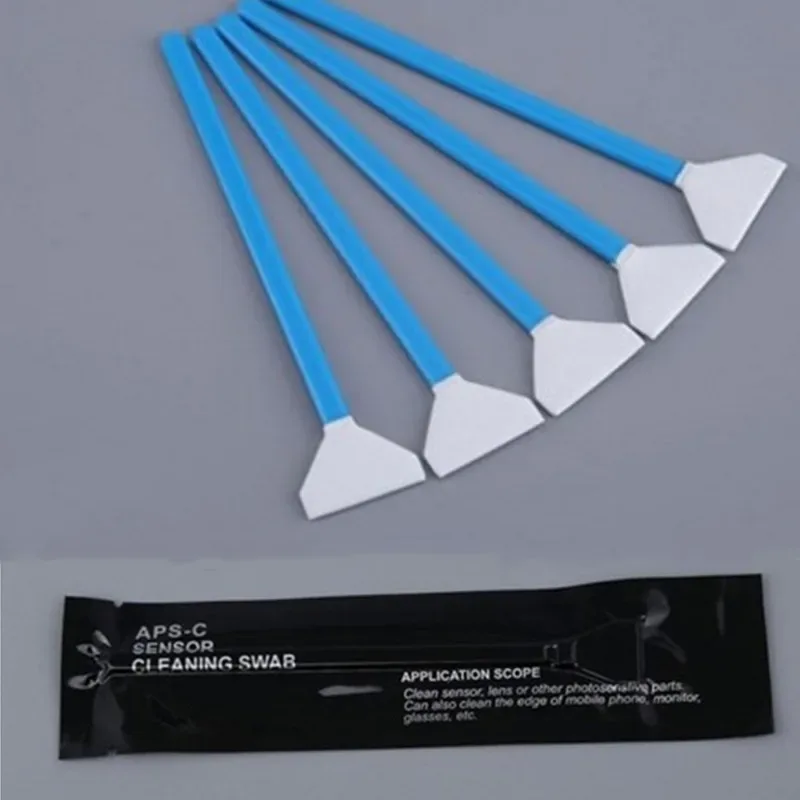
Image source: Web (Bing) / aliexpress.com (Web image (fair-use with source credit))
Using the wrong tools is the fastest way to damage a camera that costs over two thousand dollars. Here is what you actually need for the D850 and nothing else.
FX-size sensor swabs. The D850 has a full-frame sensor that measures 35.9 by 23.9 millimeters. You need a swab that covers the full width without touching the sides of the mirror box. Standard FX swabs are 24 millimeters wide and work perfectly.
Anything narrower means multiple passes and uneven coverage.
Methanol-free cleaning solution. Regular cleaning alcohol or eyeglass spray can leave residue or damage the sensor's delicate coating. Sensor-specific solutions evaporate completely and leave nothing behind. Two drops per swab is plenty.
A hand air blower. Not compressed air. Not canned air. Not your breath.
A simple rubber bulb blower with a filtered intake. Canned air can spray propellant onto the sensor. Compressed air from a shop compressor often contains moisture and oil that ruin the sensor.
A sensor loupe or magnifier with an LED light. The D850's sensor is small, and dust particles are smaller. You cannot see what you are doing without magnification. A loupe helps you spot dust before and after cleaning so you do not waste swabs.
A fully charged battery. The mirror locks up during cleaning mode. If the battery dies while you are working, the shutter closes automatically. That can damage the shutter blades and trap debris inside.
Charge it fully before you start.
Step-by-Step: How to Clean the D850 Sensor (With Visual Cues)
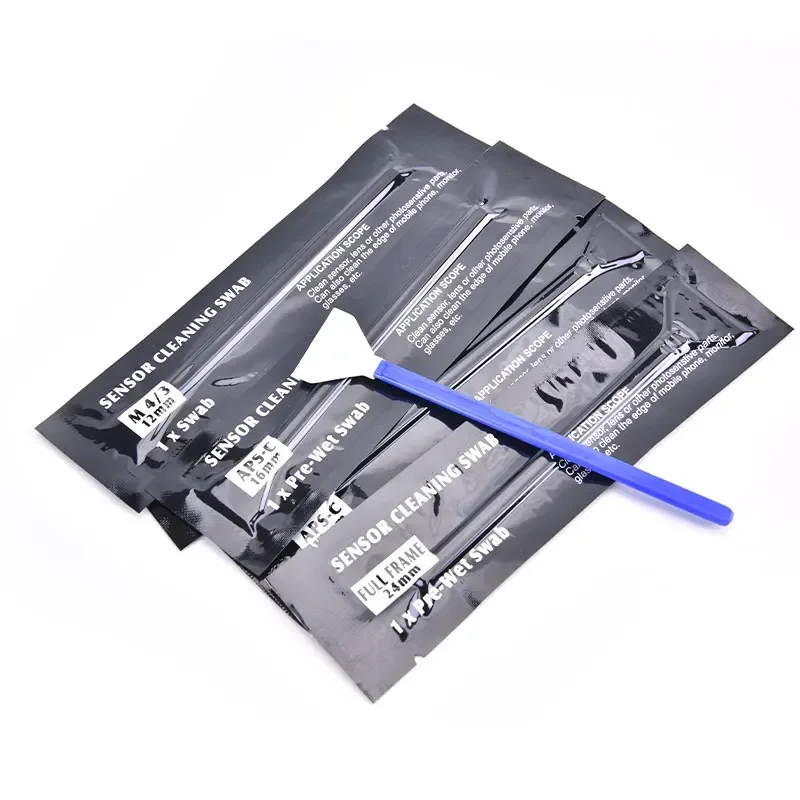
Image source: Web (Bing) / aliexpress.com (Web image (fair-use with source credit))
Follow these steps in order. Do not skip ahead. Each one exists for a reason.
Step 1: Charge the battery to at least 80 percent. The D850 will not enter cleaning mode with a low battery. This is a safety feature, not a suggestion.
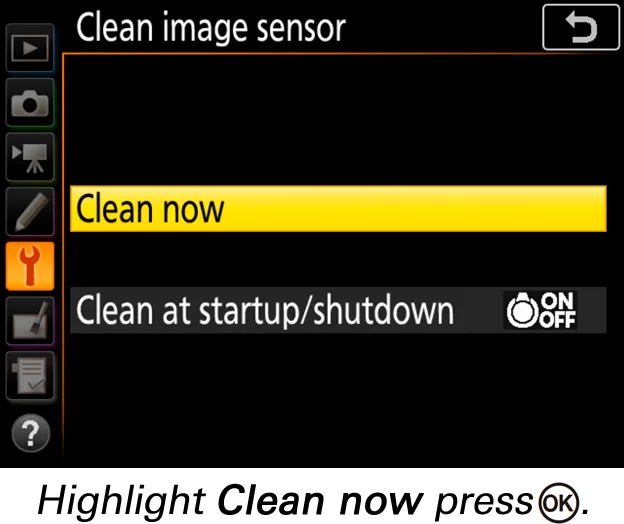
Step 2: Go to the Setup Menu. Select Image Sensor Cleaning, then choose Lock Mirror Up. The mirror flips up and the shutter opens. You now have direct access to the sensor.
The image stabilization system also disengages here.
Step 3: Remove the lens. Hold the camera with the mount facing downward. This way, falling dust drops out of the body rather than deeper into it. Gravity is your friend here.
Step 4: Use the blower. Tilt the camera so the sensor faces the ground. Insert the blower tip into the mount opening without touching anything. Squeeze several firm bursts.
Do not touch the sensor with the blower tip.
Step 5: Inspect with a loupe. Look for remaining dust spots under good light. If you see none, skip to Step 8. If you see spots, move to the wet cleaning.
Step 6: Wet clean. Apply one or two drops of solution to the edge of a fresh swab, not the center. Draw the swab across the sensor from left to right in one smooth motion. Flip the swab and repeat in the opposite direction.
Use light, even pressure.
Step 7: Wait 30 seconds. The solution needs time to evaporate completely. Rushing this step leaves streaks that look like dust.
Step 8: Take a test shot. Point the camera at a white wall or bright sky. Set the aperture to f/16 and shoot. Check the image at 100 percent zoom on your LCD.
If dust spots remain, repeat Steps 6 through 8 with a fresh swab.
Step 9: Turn the camera off. This lowers the mirror and closes the shutter automatically. You are done.
Common D850 Cleaning Mistakes (And How to Spot Them)
Forgetting to disable image stabilization. The D850's sensor-shift VR system keeps the sensor slightly loose until cleaning mode locks it. If you clean without using the menu option, the sensor can shift under the swab. That causes uneven contact and potential scratching.
Always use the dedicated cleaning mode.
Reusing swabs. A swab that has touched the sensor once is contaminated with dust and oils from your skin and the air. Using it again spreads that contamination around. Each cleaning pass requires a fresh swab.
No exceptions.
Using too much solution. Excess liquid can seep into the sensor's edges or leave streaky residue that looks worse than the dust. Two drops maximum, applied to the edge of the swab. Let it wick across naturally rather than adding more.
Panicking and pressing hard. The D850's sensor has a delicate IR filter coating. Heavy pressure can scratch it permanently. The cleaning action should feel like a light, controlled glide across glass.
If you feel resistance, stop and check your technique.
Mistaking dead pixels for sensor dust. Dead pixels appear as single bright or dark dots in the same position in every image regardless of aperture. Dust spots look like soft dark smudges that sharpen at smaller apertures. Check at different f-stops before you clean.
Cleaning too often. The D850's ultrasonic self-cleaning system handles light dust between your regular maintenance. Do not wet clean the sensor every time you see a single speck. Wait until dust affects your images at your typical shooting aperture.
Overcleaning wears out the coating faster than dust ever could.
FAQs — Real Questions from D850 Owners
How often should I clean the D850 sensor?
Clean the sensor only when you see dust affecting your images at your typical shooting aperture. For most photographers using the D850, that is every three to six months. The ultrasonic self-cleaning system handles light dust between sessions.
Overcleaning wears down the protective coating faster than dust ever will.
Can I use a regular air blower from a hardware store?
No. Hardware store blowers lack filtered intake valves. They suck in dust from the air and blow it directly onto your sensor.
Use a dedicated hand air blower designed for camera sensors. These have one-way valves and filtered intake ports that keep debris out of the airstream.
How do I know if I scratched the sensor?
Look at a test shot at f/16 against a bright background. A scratch shows up as a thin, sharp, consistent line across multiple images in the same position. Dust spots look soft and irregular in shape.
If you see a line, stop cleaning and contact Nikon service. Scratches on the IR filter require professional replacement.
Why does dust come back right after cleaning?
The most common cause is static electricity. Dry environments cause the sensor to attract airborne dust particles like a magnet. Wiping the sensor with a swab can also generate static charge.
Using an anti-static brush or waiting a few minutes after cleaning before reattaching the lens helps reduce this.
Should I clean the inside of the lens mount area too?
Yes, but carefully. Use a blower to clear dust from the mirror box and the rear element of the lens before attaching it to the camera. A dirty rear element deposits dust directly onto the sensor with the first lens change.
Keep both surfaces clean to extend the time between sensor cleanings.
What happens if the battery dies while I am cleaning?
The shutter and mirror close automatically. If you have a swab inside the mirror box, you risk damaging the shutter blades. The swab can also leave debris on the sensor.
This is why the fully charged battery rule is not optional. If it happens, turn the camera off and let it finish its shutdown cycle.
Final Judgment
When to do it yourself
Do it yourself when you see visible dust spots in test shots at your working aperture and you feel comfortable following the steps we outlined. The process saves you between 40 and 80 dollars per cleaning at a repair shop. If you shoot regularly, you will save that money and gain the independence to clean before important shoots.
When to let a pro handle it
Let a professional handle it if you feel nervous applying a swab directly to the sensor. That hesitation can lead to mistakes. Also send it in if the dust is under the IR filter, if you see smears or streaks after multiple wet cleanings, or if the camera has visible damage near the mount area.
How to keep the sensor cleaner longer
Change lenses less often in dusty environments. Always power off the camera before swapping glass, since the sensor charges up with static while on. Store the body with a lens or body cap attached.
Keep rear lens caps clean. These habits prevent more dust than any cleaning method fixes.
The D850's sensor rewards patience and a light touch. Handle it with care, and it will deliver those razor-sharp images you bought the camera for.

Similar Posts