Insta360 X4 Battery Problems
If you own an Insta360 X4, you have probably run into battery problems at the worst possible moment. The battery dies mid-shot. The camera overheats and shuts down.
The percentage jumps from 20% to zero in seconds. These Insta360 X4 battery problems are the most common complaints among owners.
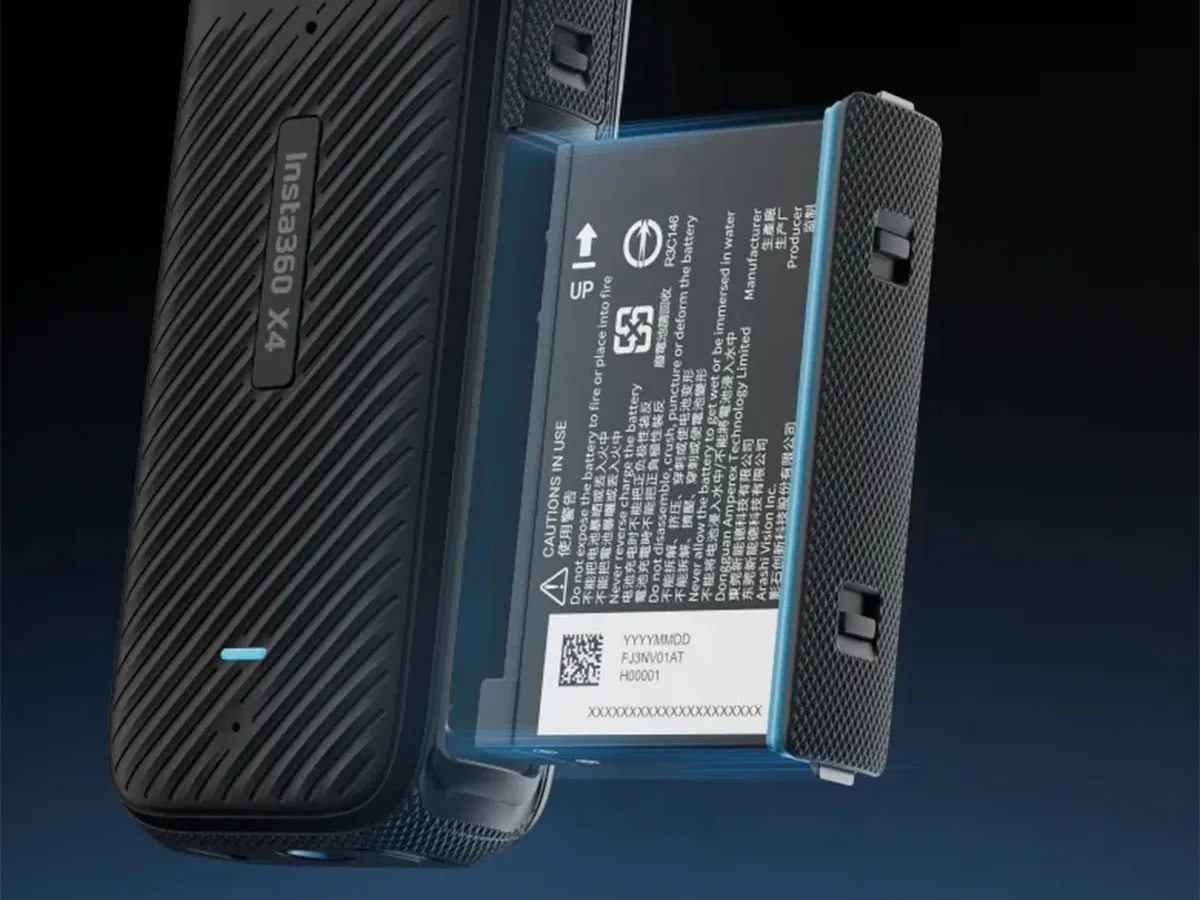
Manufacturer specifications indicate the X4 packs a 2290 mAh removable lithium-ion battery. In ideal conditions, that gives you about 45 minutes of 8K recording. But real-world use rarely matches the spec sheet.
Cold weather, high bitrates, and certain firmware versions can cut that time in half.
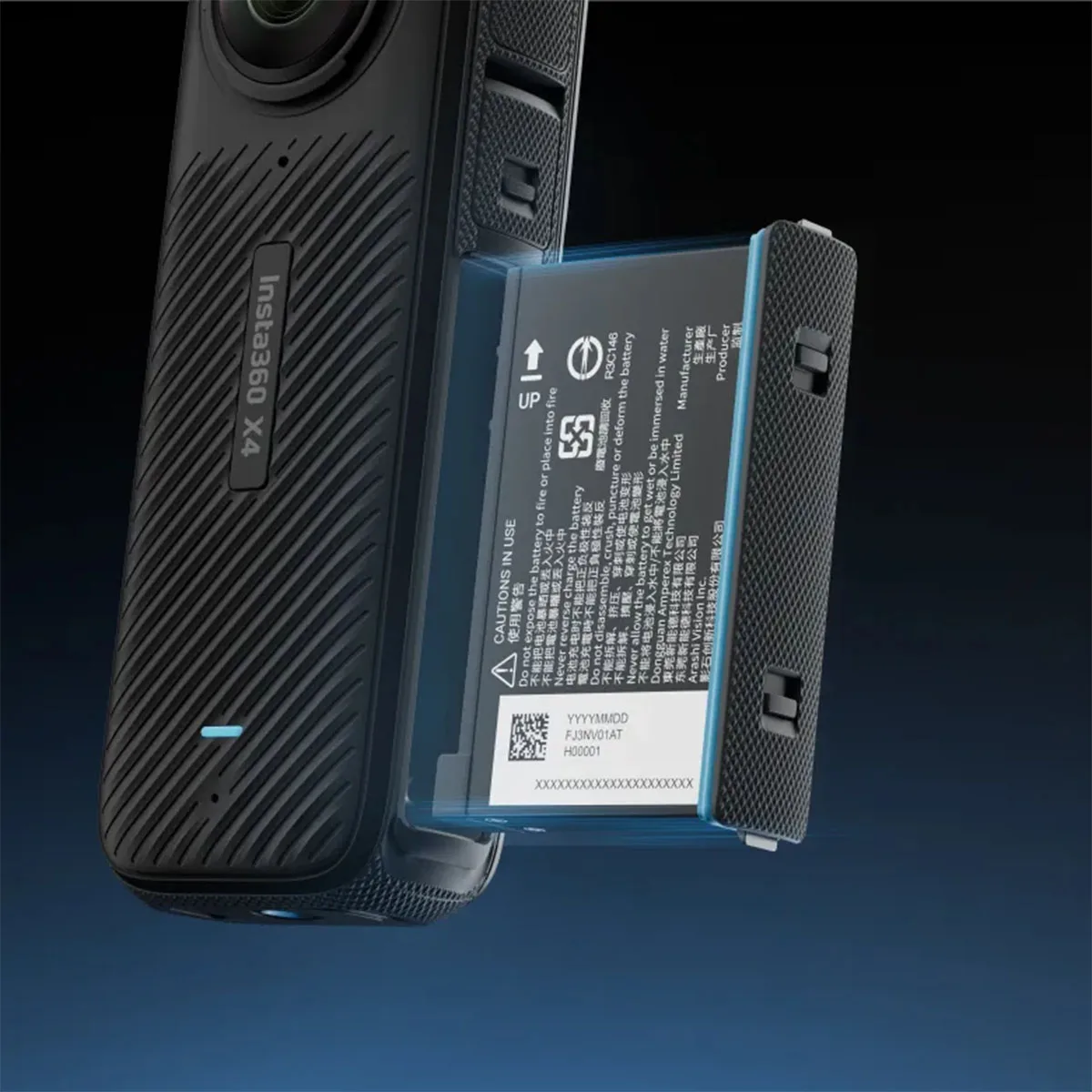
Image source: Web (Bing) / dronedepot.co.nz (Web image (fair-use with source credit))
Quick Answer
Insta360 X4 battery problems fall into three main categories. Rapid drain during recording is normal in 8K mode but fixable by dropping resolution. Overheating shutdowns happen when recording 8K in warm conditions.
Charge issues usually come from using a non-PD charger or faulty cable. A single battery lasts around 45 minutes in 8K, 65 minutes in 5.7K, and 85 minutes in 4K. Firmware updates fix most false low battery warnings.
If your battery is swollen, stop using it immediately.
What Battery Problem Really Means on the X4
Not every battery complaint is a defect. The X4 is a power hungry camera. Two sensors processing 360-degree 8K video pull a lot of current.
That 2290 mAh cell drains faster than most people expect.
Users coming from the Insta360 X3 often think the X4 drains faster. That is partially true. The X4 has a larger battery, but the higher resolution and bitrate options pull more current.
The result is roughly the same recording time in real use.
Many charging problems trace back to old phone chargers or USB-A to USB-C cables. Those cables limit power delivery. The camera shows a charging icon but draws far less current than it needs.
Firmware plays a bigger role than most owners realize. Insta360 has released several updates since the X4 launched. Some firmware versions introduced calibration bugs.
Others improved thermal management. As of 2026, the latest stable firmware addresses most of these issues.
Before you assume the battery is defective, rule out the common variables. Resolution settings, ambient temperature, charger compatibility, and firmware version all affect battery behavior significantly.
Diagnosing Your Specific Symptom
The fix depends on what your camera is doing. You cannot treat a charging problem the same way you treat a fast drain. Here is how to figure out your category.
Rapid drain during recording. If the battery drops from full to empty under 30 minutes, that is a drain problem. High resolution and high frame rates pull the most power. So does leaving the screen on or keeping WiFi connected.
Battery won't charge or charges slowly. If you see a charging icon but the percentage barely moves over an hour, that is a charging issue. The culprit is usually a non-PD charger, a worn cable, or debris in the port.
Overheating with shutdown. If the camera gets hot and stops recording, that is a thermal management issue. The X4 has internal temperature sensors. When the processor exceeds a threshold, the system kills power to protect the hardware.
Battery percentage jumps erratically. If the camera reads 30% one second and 5% the next, that is a calibration or firmware bug. A full discharge and recharge cycle usually fixes this.
Swollen battery or physical damage. If the battery looks puffy or the door struggles to close, stop using that battery immediately. Swelling indicates internal chemical breakdown and poses a safety risk.
| Symptom | Likely Cause | First Step |
|---|---|---|
| Drains in under 30 min recording | High resolution and heat | Lower to 5.7K, let camera cool |
| Charging icon but no charge | Non-PD charger or bad cable | Use 30W PD charger with USB-C cable |
| Camera shuts down hot | Thermal throttle | Stop recording, cool down, reduce bitrate |
| Percentage jumps erratically | Calibration drift | Full discharge then full recharge |
| Battery swelling | Chemical failure | Stop use, dispose properly, replace |
If Your Battery Drains Too Fast While Recording
This is the most common complaint. The battery dies in what feels like no time. Let us separate normal behavior from actual problems.
The X4 recording times at room temperature are roughly:
- 8K30: 42 to 48 minutes
- 5.7K60: 60 to 70 minutes
- 5.7K30: 75 to 85 minutes
- 4K120: 80 to 90 minutes
- 4K60: 90 to 100 minutes
These numbers come from aggregate user reports and align with manufacturer specifications. If you get less, something is wrong or you are in extreme conditions.
Heat is the biggest drain factor. When the camera gets warm, the battery chemistry becomes less efficient. The processor also draws more current for the same workload. In weather above 35 degrees Celsius, expect recording times to drop by 20% to 30%.
The same applies if the camera is in direct sunlight.
Cold weather wrecks battery life too. Below freezing, lithium-ion batteries lose significant capacity. At minus 10 degrees Celsius, you might get only half the normal recording time. Keep spare batteries warm in an inside pocket.
Resolution and bitrate matter enormously. Recording 8K at the highest bitrate pulls about 9 to 10 watts. Dropping to 5.7K cuts that to around 6 to 7 watts. 4K mode pulls closer to 5 watts. If you need to stretch battery life, drop the resolution.
Screen on time kills battery. The rear touchscreen draws power. Set the display timeout to the shortest option in the settings menu. This alone can save several minutes of runtime.
WiFi and Bluetooth drain the battery. Turn them off in the quick settings menu when not transferring files or framing a shot. This can extend recording time by 5% to 10%.
If Your Battery Won't Charge or Charges Unpredictably
Charging problems on the X4 almost always come down to the charger, the cable, or the port. The camera itself is rarely the culprit.
You need a USB PD charger. The X4 supports USB Power Delivery up to 30W. Plugging it into an old 5W phone charger will show a charging icon but barely gain charge. Some chargers output 5V at 1A or 2A.
That is not enough. The camera needs at least 15W of PD to charge at a reasonable speed.
Using a 30W PD charger with a USB-C to USB-C cable gives the fastest charge. A full charge from empty takes about 45 to 55 minutes. A lower power charger can take two hours or more.
The cable matters more than you think. Not all USB-C cables support PD at 30W. Cheap cables often handle only 15W or less. Use the cable that came with the camera or a known good PD-rated cable.
If the cable feels loose in the port, replace it.
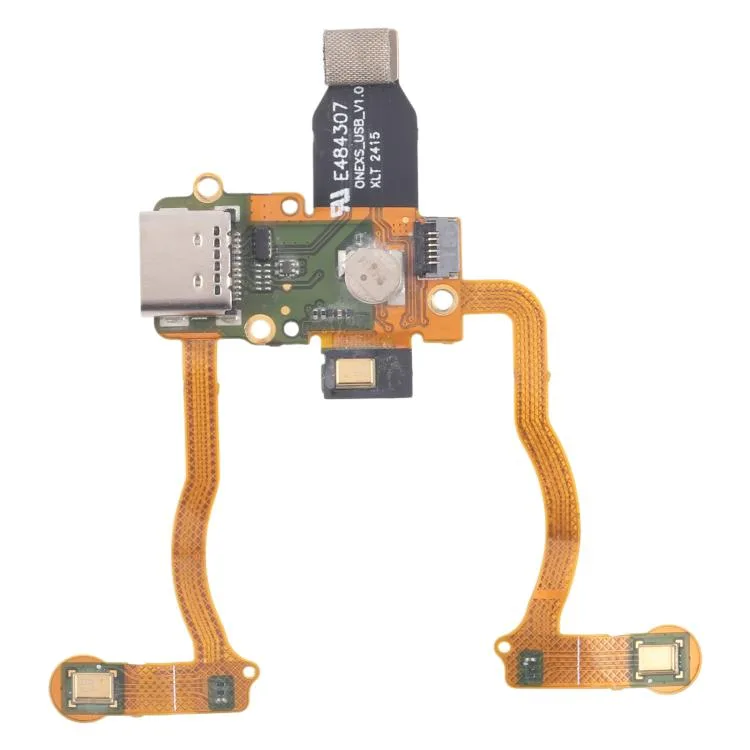
Image source: Web (Bing) / sunsky-online.com (Web image (fair-use with source credit))
Check the USB-C port for debris. Pocket lint and dust accumulate in the charging port. Use compressed air or a wooden toothpick to clean it gently. Do not use metal objects.
A dirty port often causes intermittent charging.
The battery needs to be seated properly. Remove the battery and reinsert it firmly. Listen for the click of the battery door latch. Poor contact can prevent charging.
Firmware bugs can cause phantom charge issues. Some firmware versions reported incorrect battery levels during charging. The camera would show 80% after ten minutes and then stay there for another thirty minutes. Updating to the latest firmware usually resolves this.
Recalibrate the battery for erratic percentages. Run the battery down until the camera shuts off. Let it sit for an hour. Then charge it to 100% without interruption.
Do not use the camera during this charge cycle. Calibrate once every few months.
If you have tried all of these steps and the battery still does not charge, the battery itself may be faulty. Contact Insta360 support for a replacement. The battery is covered under warranty for manufacturing defects within the first year.
If Your X4 Overheats and Shuts Down Mid-Shot
Overheating is not exactly a battery problem, but it behaves like one. The camera shuts off. You lose your shot.
And when it powers back on, the battery has drained faster than expected.
The X4 runs warm by design. Two sensors processing 8K video generate significant heat. The magnesium alloy body acts as a heatsink.
In normal conditions, the camera dissipates heat well. But push it hard in a warm environment and the internal sensors trigger a protective shutdown.
8K mode is the biggest heat generator. Recording 8K at 30 frames per second pulls the most current and generates the most heat. Dropping to 5.7K reduces thermal load noticeably. Many users can record 5.7K indefinitely in moderate temperatures but hit the thermal limit within ten minutes at 8K.
Direct sunlight makes it worse. If the camera is mounted on a helmet or tripod in direct sun, the black body absorbs heat on top of its own internal heat. Shading the camera with a cloth can buy you several extra minutes.
High bitrate adds to the load. The highest bitrate mode increases processor load. Switching to standard bitrate reduces heat generation without sacrificing much visible quality.
Battery heat creates a feedback loop. A hot battery delivers less usable power. The camera compensates by drawing more current. That generates more heat.
The cycle accelerates until the system shuts down. Cooling the camera for five to ten minutes breaks this loop.
Let the camera cool completely before swapping batteries. Pulling a hot battery and slotting in a cold one helps. But if you restart recording immediately, the camera body is still hot. Let it sit in the shade for at least five minutes.
Firmware updates have improved thermal management. Early firmware versions were more aggressive with shutdowns. Later versions allow the camera to run slightly warmer before cutting power. Keep the firmware current.
If you need 8K recording in hot weather, accept shorter recording times. Plan your shoots around this limitation. Bring multiple batteries and rest the camera between takes.
If Your Battery Looks Swollen or the Door Won't Close
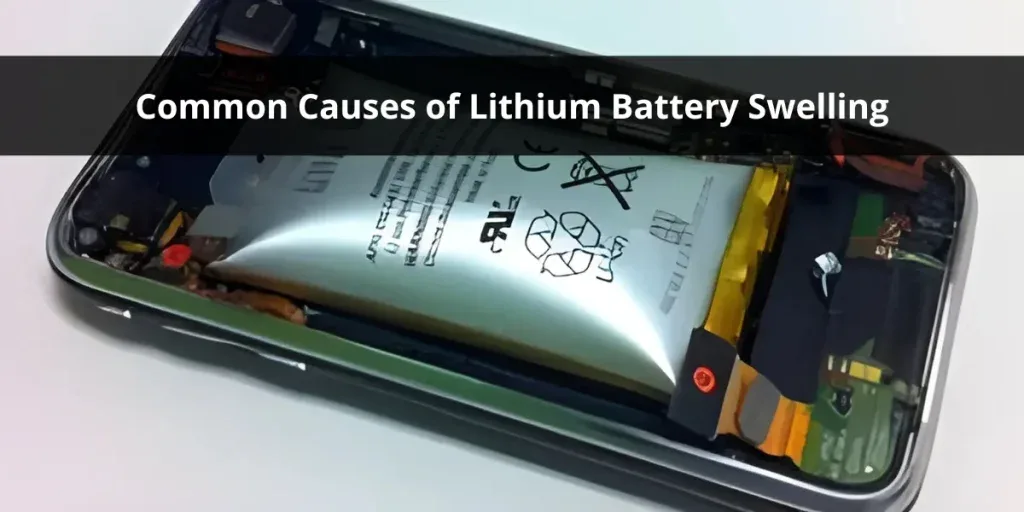
Image source: Bing (Web (fair-use with source credit))
This is the one battery problem that requires immediate action. Do not ignore a swollen battery. Do not try to use it.
Do not charge it. A swollen lithium-ion battery is a fire risk.
Swelling means the internal cell structure has failed. Lithium-ion batteries contain electrodes separated by a thin polymer layer. When that layer breaks down, gases form inside the cell. The battery puffs up like a balloon.
The pressure can rupture the casing.
Common causes of swelling include:
- Leaving the battery fully charged in a hot car
- Dropping the camera with the battery installed
- Using the camera in temperatures above 50 degrees Celsius
- Deep discharging below 2.5 volts per cell
- Manufacturing defects (rare but possible)
The battery door is a warning indicator. If the door pops open easily or will not latch, check the battery for swelling. A healthy battery sits flush inside the compartment. A swollen battery pushes against the door.
Do not puncture the swollen battery. Do not squeeze it. Do not try to flatten it. Place the battery in a fireproof container.
Take it to a battery recycling facility or hazardous waste drop-off location.
Contact Insta360 support for a replacement. If the swelling happened within the warranty period and was not caused by physical damage, they will typically send a replacement. Be prepared to provide proof of purchase and photos.
Prevent swelling with proper storage habits. Store spare batteries at 40% to 60% charge in a cool, dry place. Do not leave them in the car during summer. Do not store them fully charged for months.
These simple habits extend battery lifespan significantly.
Mistakes That Make Battery Problems Worse
Some common behaviors turn minor issues into major frustrations. Avoid these to save time and money.
Using a cheap USB-A to USB-C cable for charging. Those cables do not support USB PD. The camera charges incredibly slowly or not at all. Use the included cable or a known good USB-C to USB-C cable rated for PD.
Letting the battery hit zero percent regularly. Lithium-ion batteries degrade faster when fully discharged. Repeated deep cycling reduces capacity over time. Recharge when the battery hits 20% rather than waiting for shutdown.
Storing the camera with a full battery for weeks. A fully charged battery stored in a warm place ages faster. Internal resistance rises. Capacity drops.
Drain the battery to around 50% before storage.
Ignoring firmware updates. Each update brings battery management improvements and bug fixes. Running old firmware means you miss those fixes. Check for updates in the Insta360 app every few weeks.
Recording 8K with the screen on and WiFi active. This combination pulls maximum power and generates maximum heat. The result is shorter recording time and higher chance of thermal shutdown. Turn off what you do not need.
Using third-party batteries. Some third-party batteries lack proper overheat protection or report incorrect charge levels. Stick with genuine Insta360 batteries unless you have verified a specific third-party option works reliably.
Charging immediately after heavy use. A hot battery charges slower and degrades faster. Let the camera cool for 15 to 20 minutes before plugging it in.
Long-Term Care for Your X4 Battery
Batteries are consumable items. They wear out. But how you treat them determines whether you get 200 cycles or 500 cycles before noticeable capacity loss.
The optimal charge range is 20% to 80%. Lithium-ion batteries last longest when kept between these levels. Charging to 100% every time stresses the cell. For daily shooting, charge to 80% and top off to 100% only when you need full runtime.
Storage charge is critical. If you are not using the camera for a month or more, drain the battery to around 50%. Store it in a cool place around 10 degrees Celsius. Let the battery warm to room temperature before use.
Avoid extreme temperatures during charging. Charging below 0 degrees Celsius or above 40 degrees Celsius damages the battery. The battery management system will slow or stop charging outside safe temperature ranges.
Clean the battery contacts occasionally. Wipe them gently with a dry cloth or isopropyl alcohol on a cotton swab. Clean contacts ensure proper power delivery and accurate charge reporting.
Rotate batteries if you own multiple. Mark your batteries and rotate their use. This prevents one battery from getting triple the cycles of another. Even wear means you replace them all at once.
Replace batteries when runtime drops noticeably. When the battery no longer holds a charge through a typical shoot, replace it. Some users see degradation after 200 cycles. Others get 500 cycles.
Pay attention to the camera behavior.
Proper disposal matters. Do not throw old batteries in the trash. They contain lithium and other materials that should be recycled. Most electronics stores accept lithium-ion batteries.
Some municipalities have specific collection days.
Real-World Scenarios
Mountain biker getting 25 minutes of recording time. The camera was recording 8K at 60 fps in direct sunlight. Dropping to 5.7K at 30 fps and mounting under the helmet visor for shade doubled recording time to over 50 minutes.
Travel vlogger with battery stuck at 40%. The camera would not charge past 40% despite trying three different chargers. Cleaning the USB-C port with compressed air removed pocket lint blocking the connection. The camera charged normally afterward.
Ski instructor with erratic battery percentage. The battery jumped from 30% to 5% after a few minutes of recording. Ambient temperature was minus 8 degrees Celsius. Keeping spare batteries in an insulated inner pocket solved the issue.
Real estate photographer with frequent thermal shutdowns. Recording 8K indoors at 28 degrees Celsius caused shutdowns within minutes. Dropping to 5.7K eliminated the shutdowns entirely. Video quality was still sufficient for clients.
Mountain biker with popping battery door. The latch mechanism had worn slightly. A small strip of electrical tape over the door worked as a temporary fix. Contacting Insta360 support for a replacement door assembly was the permanent solution.
These scenarios illustrate the pattern. Most X4 battery problems are not hardware defects. They are settings mismatches, environmental conditions, or simple maintenance oversights.
Frequently Asked Questions
How long does the Insta360 X4 battery actually last?
In 8K mode, expect 42 to 48 minutes at room temperature. In 5.7K mode, 60 to 70 minutes. In 4K mode, 85 to 100 minutes.
Cold weather and direct sunlight reduce these times significantly.
Can I charge the X4 while recording?
The camera supports pass-through charging. It works fine for stationary recording like timelapses with a 30W PD charger. It is not recommended for action use since the USB-C port is not sealed.
Why does my X4 battery percentage jump around?
This is a calibration issue. The battery management system loses track of the actual voltage level. Run the battery down until the camera shuts off.
Then charge to 100% without interruption. This usually resets the calibration.
Is it normal for the X4 to get hot while charging?
Slight warmth is normal. The camera charges at up to 30W. If the camera is too hot to touch comfortably, stop charging and let it cool.
The battery management system will slow charging if temperatures exceed safe limits.
Can I use a power bank to charge the X4 in the field?
Yes, provided the power bank supports USB PD at 30W or higher. Many standard power banks output only 10 to 15W. These will charge the camera very slowly.
Look for power banks with PD 3.0 support.
How many charge cycles does the X4 battery last?
Owner reports suggest 200 to 500 cycles before noticeable capacity loss. Proper storage and avoiding full discharges extend battery life. Replace the battery when runtime drops below acceptable levels.
What should I do if my X4 battery is swollen?
Stop using the battery immediately. Do not charge it. Do not puncture it.
Place it in a fireproof container. Take it to a battery recycling facility. Contact Insta360 support for a replacement if within warranty.
Does firmware affect battery life on the X4?
Yes, significantly. Insta360 has released updates that improve power management, fix calibration bugs, and adjust thermal thresholds. Keeping firmware updated is one of the simplest ways to improve battery performance.

Similar Posts






























