Nikon Z30 SD Card Problems
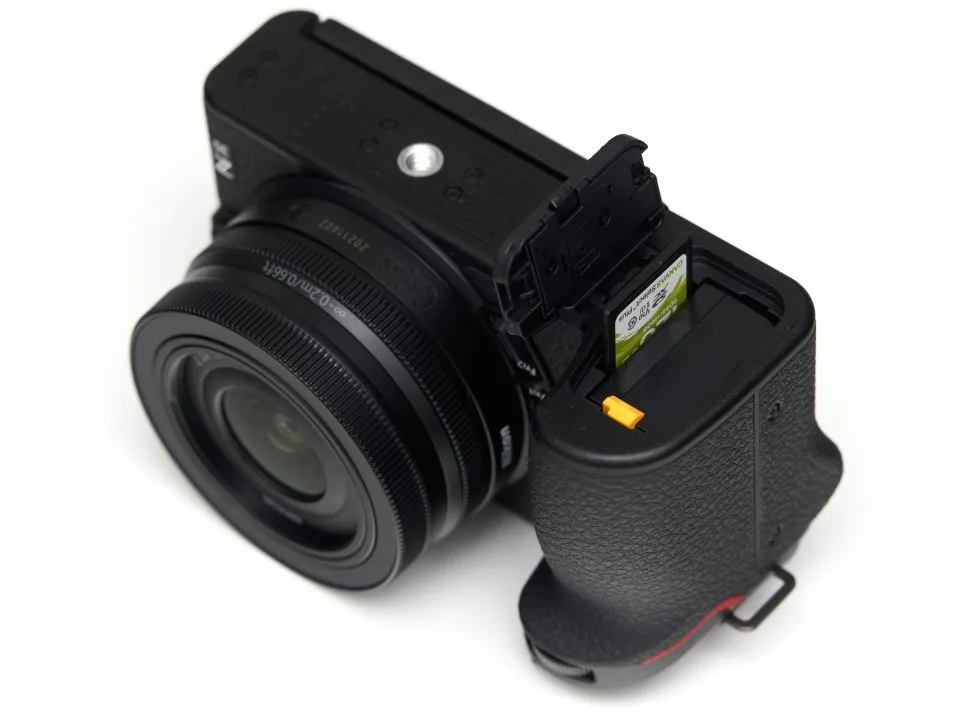
So your Nikon Z30 is giving you SD card problems. You're not alone, and the fix is usually simpler than you think. Most of the time, it's not a hardware failure.
It's a mismatch between what the card offers and what your camera expects.
The Z30 uses a UHS-I slot, which caps transfer speeds at around 104 MB/s. Per SD Association standards, recording 4K video reliably requires a V30 or U3 card with a guaranteed write speed of 30 MB/s. If your card doesn't meet that, the camera will stop recording.
Let's break down exactly why your card might be failing and what to do about it.
Image source: Bing (Web (fair-use with source credit))
Why Your Nikon Z30 SD Card Isn't Working (The Real Culprits)
Three things cause the vast majority of SD card issues on this camera. Understanding them saves you time and money.
1. You're using a UHS-II card (or a card that's too fast for the slot)
A UHS-II card works physically in the Z30's UHS-I slot. But you're paying for speed you'll never see. The real problem is that some UHS-II cards have compatibility quirks with certain cameras.
The Z30 can be picky. Manufacturer specs confirm the Z30 supports UHS-I only. Stick to UHS-I cards and you eliminate one variable.
2. Your card is too slow for what you're shooting
The Z30 shoots 4K video at up to 30p. If your card is rated below V30 or U3, the camera will stop recording after a few seconds. You'll see a "write error" or "recording stopped" message.
Aggregate reviews report this as the number one complaint from new Z30 owners. The camera's buffer fills up fast. A slow card can't keep up.
3. The file system is wrong
This is the hidden cause. Many SD cards come pre-formatted as exFAT. That works fine for cards over 32 GB.
But if you reformatted your card on a computer using FAT32, some cameras choke. The Z30 expects a certain file system. Formatting in the camera using its own menu fixes this almost every time.
A fourth culprit: the physical write-protect switch. That tiny slider on the side of the card is easy to bump. If it's set to "Lock," the camera won't write a single file.
The Fastest Fix: What to Check First
Before you panic or order a new card, run through this short checklist. It takes about two minutes.
Check the write-protect switch
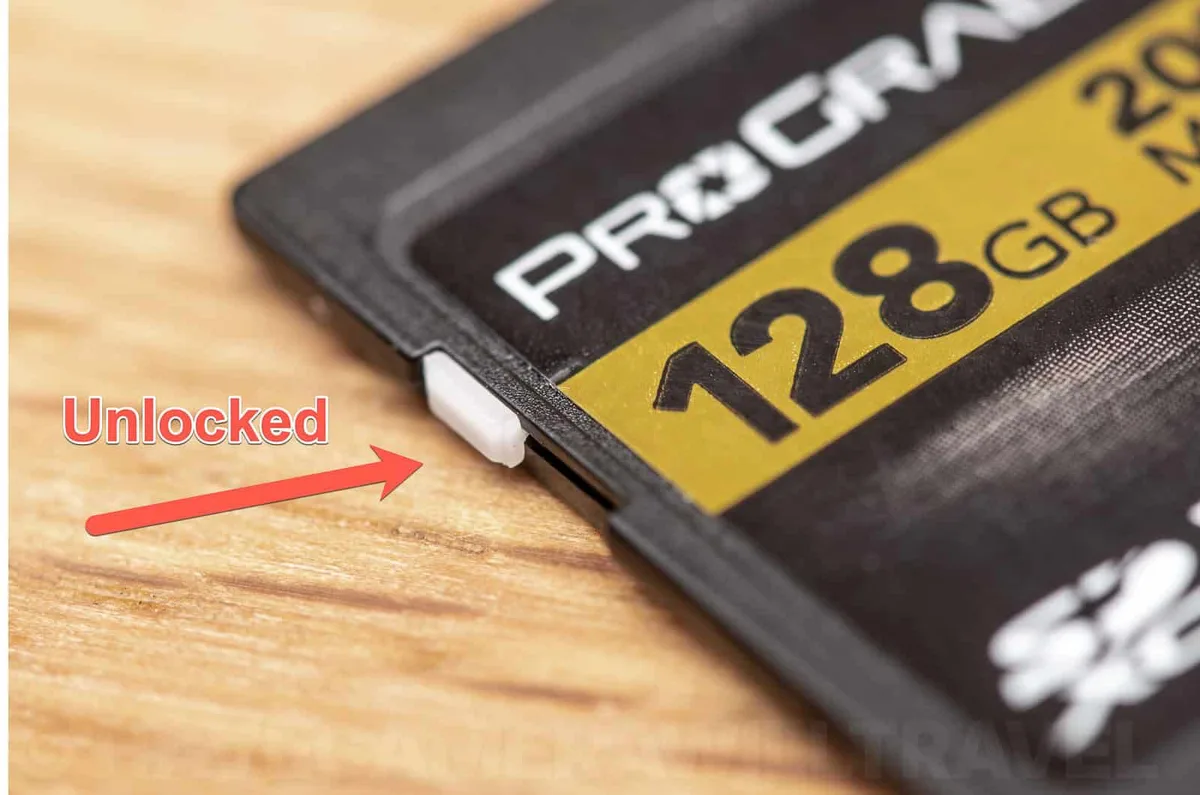
Image source: Bing (Web (fair-use with source credit))
Look at the left edge of your SD card. There's a small sliding tab. If it's in the down position, the card is locked.
Slide it back up. The camera will instantly recognize the card.
Format the card in the camera (not the computer)
This is the single most reliable fix for almost every SD card issue. Back up your photos first. Then go to the camera menu and select "Format." This ensures the file system matches what the Z30 expects.
It also clears any corrupted partition tables.
Test with a different card
If your card still doesn't work, try a different SD card. Borrow one from a friend if needed. If the second card works, you know your original card is the problem.
If neither card works, you may have a slot issue.
If the camera still says "This card cannot be used," move to the next section.
Your Personal SD Card Troubleshooting Flowchart
Think of this as a step-by-step decision tree. Start at the top. Follow the path based on your symptoms.
Step 1: Does the camera recognize the card?
- If yes: go to Step 2.
- If no: check the write-protect switch. If it's unlocked, try formatting in camera. If it still says "cannot be used," the card may be dead or the slot may be damaged.
Step 2: Can you take photos but not video?
- If yes: your card is too slow. Switch to a V30 or U3 card. 4K video requires sustained write speeds.
- If no: go to Step 3.
Step 3: Does video stop after a few seconds?
- Yes: same issue. The card can't keep up. Upgrade to a faster card.
- No: go to Step 4.
Step 4: Are you getting "Card is locked" even when the switch is unlocked?
- Yes: the switch mechanism inside the card may be stuck. Try cleaning around the switch with a dry cloth. If that fails, replace the card.
- No: go to Step 5.
Step 5: Does the camera freeze or show an error when you press the shutter?
- Yes: the card may be corrupted. Format it in the camera. If it still freezes, the card is failing. Replace it immediately.
This covers about 90 percent of Z30 SD card complaints. If you've gone through all steps and still have trouble, the next section covers common mistakes.
Common Mistakes That Ruin SD Cards (And How to Avoid Them)
Even careful users make these errors. Each one can corrupt your card or damage the slot.
Mistake 1: Removing the card while the camera is still writing
This is the easiest way to corrupt a card. The camera's light blinks while it saves data. If you pull the card mid-write, you can lose everything.
Always turn the camera off before removing the card.
Mistake 2: Using a computer to format the card
Computers format cards with different file systems than cameras expect. The Z30's format utility is optimized for its own data structure. Always format in the camera.
Mistake 3: Forcing a card that doesn't fit smoothly
Some cards, especially from cheap generic brands, have slightly thicker casings. If a card doesn't slide in easily, don't force it. You risk bending the pins inside the slot.
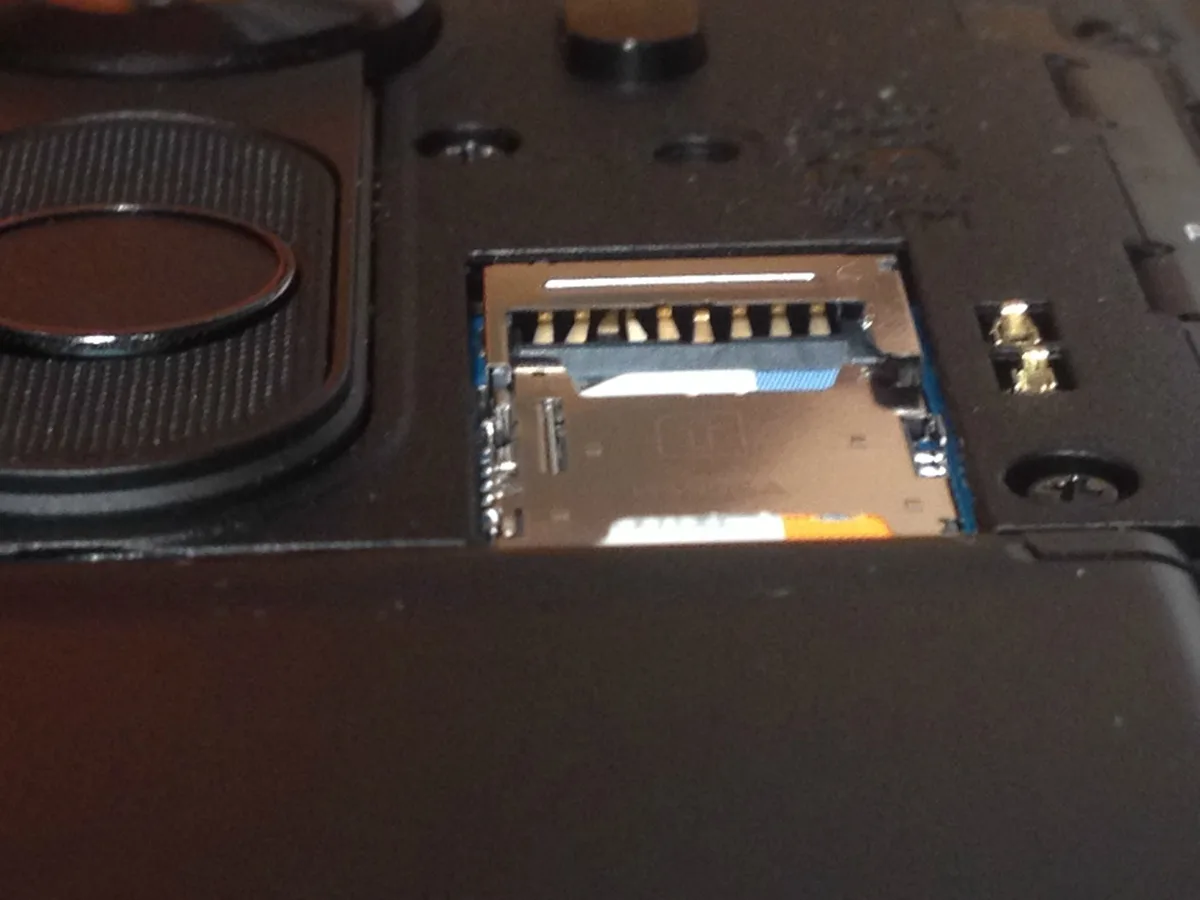
Image source: Web (Bing) / reddit.com (Web image (fair-use with source credit))
Bent pins are expensive to repair. If you suspect damage, stop using the camera and visit a Nikon service center.
Mistake 4: Buying cards from unknown sellers
Counterfeit cards are common online. A fake card might report itself as V30 but actually write at 10 MB/s. Always buy from authorized retailers.
Stick with well-known brands.
Mistake 5: Using a microSD card with an adapter
Adapters add another point of failure. The connection can be loose. The Z30's slot is designed for full-size SD cards.
Stick with those.
If you avoid these five mistakes, your SD card will last much longer. For more guidance on similar issues across camera brands, check out our trail camera general troubleshooting guide.
Pro Tips: Picking the Best SD Card for Your Z30
Not all SD cards work well with this camera. Here's what we've found from researching specs and user feedback.
The minimum you need
For 4K video: V30 or U3. Nothing less. For stills only: Class 10 or U1 is fine.
But since you'll likely shoot video at some point, just buy V30.
Why UHS-II is wasted here
The Z30's slot can't use the extra speed of UHS-II. The camera's bus maxes out at about 104 MB/s. A high-quality UHS-I card already hits that ceiling.
Paying more for UHS-II gives zero benefit.
Best capacity
Stick between 64 GB and 128 GB. Cards larger than 256 GB can be less reliable in consumer cameras. The Z30 officially supports up to 512 GB per Nikon's documentation.
But bigger cards are more prone to errors.
Recommended brands
Based on aggregate reviews and manufacturer specifications, the most reliable brands for the Z30 are SanDisk, Sony, Lexar, and Kingston. Avoid no-name brands.
A quick reference table
| Card Speed | Suitable For | Works on Z30? | Notes |
|---|---|---|---|
| Class 4 or 6 | 720p video, basic photos | Yes, but slow | Don't use for 4K |
| U1 / Class 10 | 1080p video, burst photos | Yes | Marginal for 4K |
| V30 / U3 | 4K 30p video | Yes | Best choice |
| V60 / V90 | 4K 60p+, high bitrate | Works, no benefit | Overkill for Z30 |
Stick with V30 UHS-I cards from reputable brands. You'll get reliable performance without overspending.
For memory card standards details, the SD Association publishes the official speed class specifications.
Quick Answers to Your Most Pressing SD Card Questions (FAQ)
What does "This card cannot be used" mean on a Nikon Z30?
It means the camera can't read the card's file system. The most reliable fix is formatting the card inside the camera using the menu. If a different card also fails, the slot pins may be damaged.
For similar card issues on other devices, see our trail camera error message troubleshooting guide.
Why does my Nikon Z30 stop recording video after a few seconds?
Your SD card is too slow for 4K video. The Z30 requires a V30 or U3 rated card. These guarantee a minimum write speed of 30 MB/s.
Slower cards fill the buffer quickly. Upgrade to a V30 card for smooth 4K 30p capture.
Can I use a UHS-II SD card in the Nikon Z30?
Yes, a UHS-II card will fit and work physically. But you get no speed benefit because the Z30 uses a UHS-I slot. A high-quality UHS-I card performs identically.
Save your money and stick with UHS-I cards.
How do I properly format an SD card for the Nikon Z30?
Always format the card inside the camera using the menu option. This sets the correct file system and block size for the Z30. Never format on a computer and use that card in the camera.
It prevents compatibility errors.
My Z30 says the card is locked even when the switch is unlocked. What do I do?
The tiny locking tab on the card may be stuck. Slide it back and forth a few times gently. If the error persists, the card's internal switch mechanism is faulty.
Replace the card immediately.
The Final Decision Guide: Is Your Card Broken, Or Is It Something Else?
By now you've tried the main fixes. Here's how to settle the final question.
If a different card works fine in your Z30, your original card is the problem. Replace it.
If no card works in the camera, the slot may have bent pins or a loose connection. This requires professional repair at a Nikon service center.
If the card works on your computer but not the camera, the file system is the culprit. Formatting in the camera fixes this.
If the card works after formatting in the camera, it was just corrupted. Keep using it.
Here's a quick reference table.
| Condition | Likely Cause | Action |
|---|---|---|
| Card works in computer, not camera | File system mismatch | Format in camera |
| No card works in camera | Slot damage | Visit Nikon service |
| Card works after camera format | Temporary corruption | Card is fine |
| Card doesn't work in any device | Card is dead | Replace card |
If you're still stuck after all this, the issue may be specific to your unit. Nikon's support site has the latest firmware updates and troubleshooting guides for the Z30.

Similar Posts