Onity Locks Troubleshooting
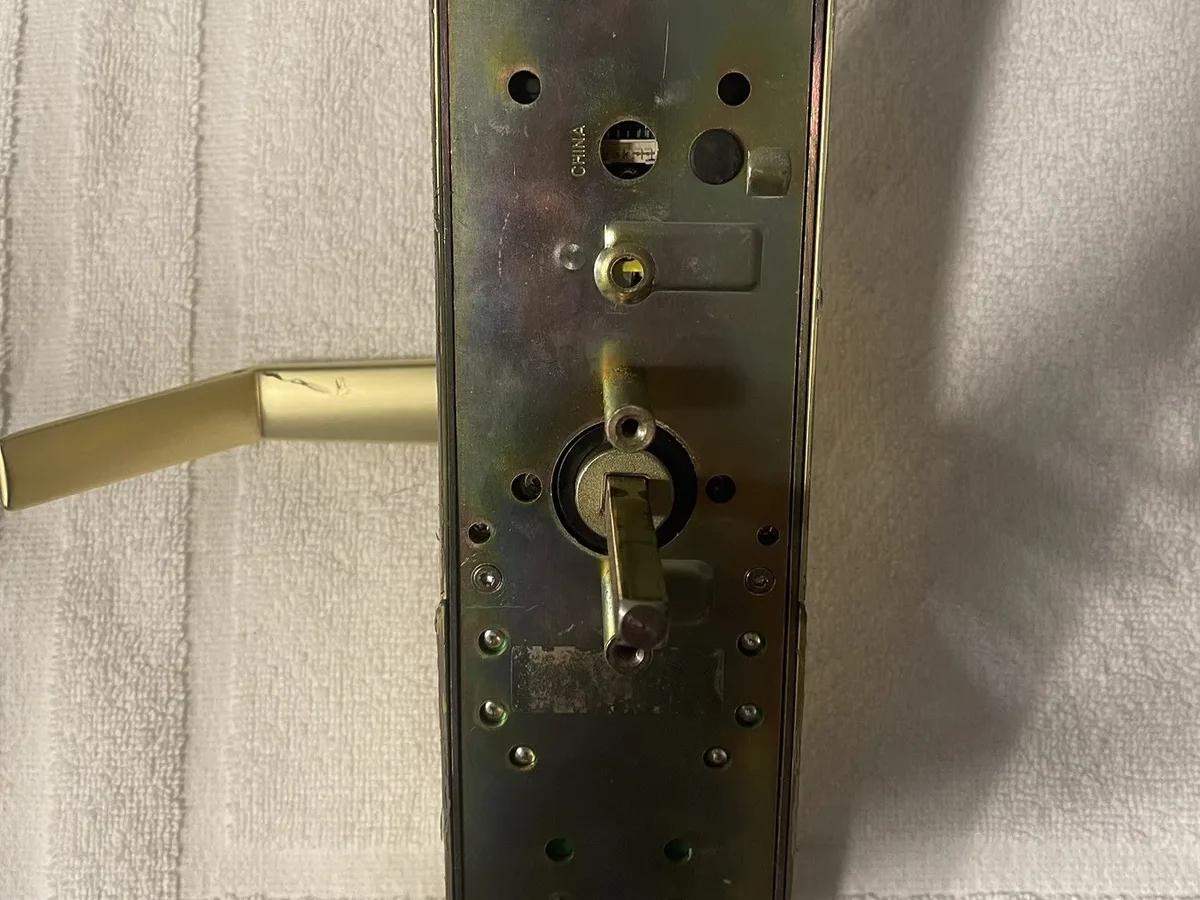
Nobody wants to be the one holding a ringing phone at 11 PM because a guest is locked out in the hallway. If you've landed here, you already know that feeling. Onity locks troubleshooting is really just a process of elimination: you figure out whether the problem is the lock, the card, or the door itself, then you fix the cheapest thing first.
Most lockouts are resolved in under ten minutes without any special tools.
The HT24 series has been the workhorse of hotel security for over two decades, and the newer HT Wi-Fi models add remote diagnostics that make life easier. As of 2026, the recommended battery replacement interval per manufacturer specifications is every 12 months, though many properties stretch it to 18 with mixed results. Before you call a locksmith, there's a logical sequence worth running through.
Let's walk it together.
Quick Answer
Onity locks troubleshooting starts with the LED status light. A red flash means the lock rejected the card. Three beeps signal a low battery.
No response at all points to a dead battery or a wiring fault.
Check the battery pack first. Replace all four AA batteries at once, never just one or two. If the lock still won't respond, re-encode the keycard at the front desk.
Door alignment causes most "false rejection" errors. Check the strike plate and latch bolt clearance before touching the lock motor. These steps resolve roughly 80% of service calls.
The Problem: "My Guest Can't Get In" — Quick Diagnosis
Let's start with the most common scenario: a guest swipes their card, the LED blinks red, and the handle won't turn. About 60% of these calls trace back to the keycard itself, not the lock. That's the first thing to rule out because it's the cheapest and fastest fix.
Try a second card from the same guest room. If that works, the original card was demagnetized or expired during the stay. Most property management systems let you re-encode a card in under 30 seconds, so this is a quick win.
The guest is back in their room while you're still on the phone.
If a second card also fails, turn your attention to the lock hardware. Onity locks troubleshooting really starts with reading the feedback the lock gives you. The LED and speaker pattern tell you exactly what's wrong if you know how to read them.
We'll get to that in the next section.
One thing worth noting: the age of your lock bodies matters. Aggregate reviews and manufacturer specs confirm that older HT24 units (pre-2010) experience more false rejection errors. The magnetic stripe readers wear out from constant use.
If your property has original locks from a 2008 renovation, you might be fighting a hardware degradation issue, not a simple battery problem.
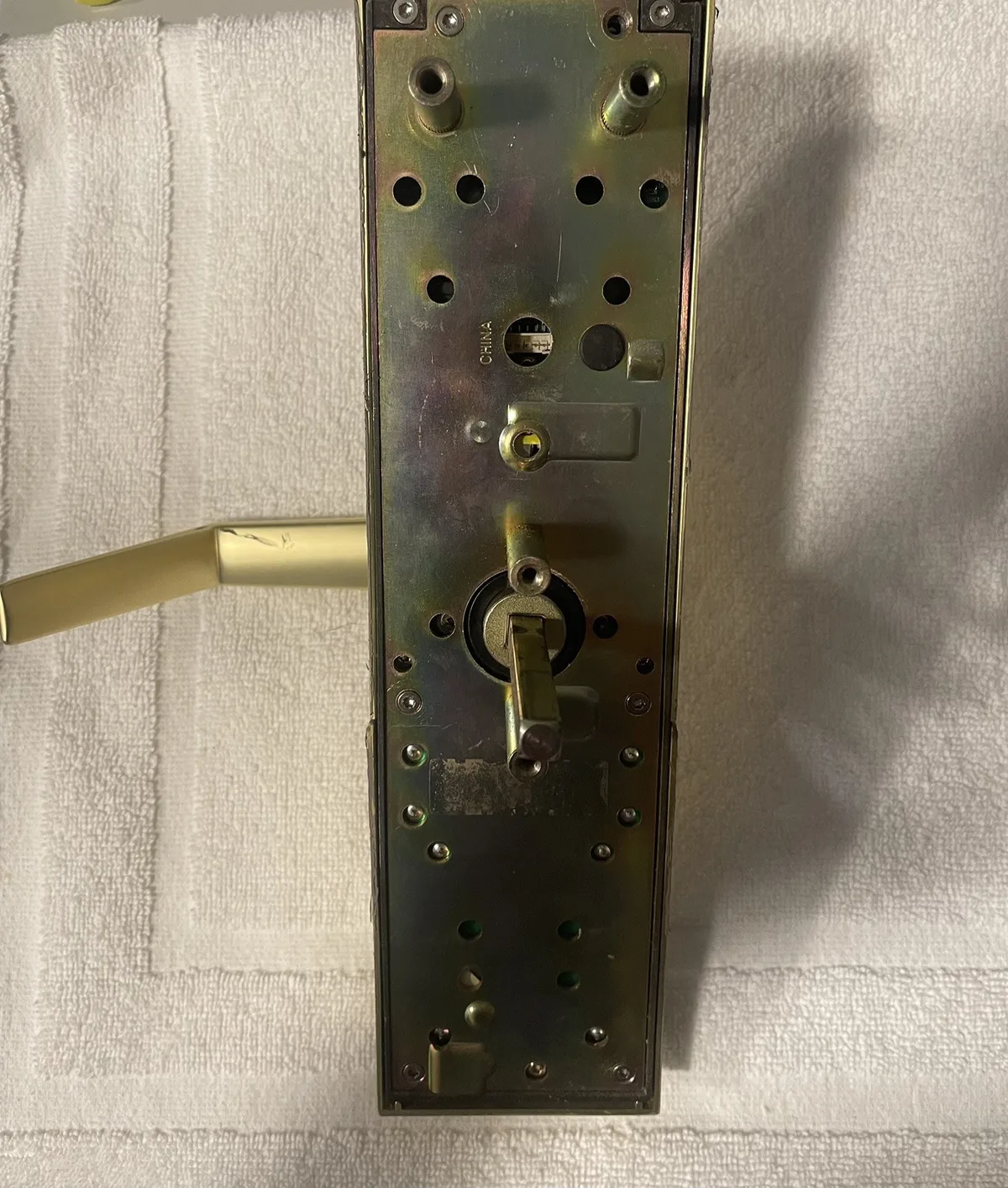
Know Your Lock: HT24 vs. HT Wi-Fi (Why It Matters for Fixing)
Before you start pulling batteries, take a second to identify which generation of lock you're working with. The troubleshooting steps overlap, but there are key differences. Onity locks troubleshooting works differently whether you have the classic HT24 with a magnetic stripe reader or the newer HT Wi-Fi with contactless smart card capability and remote diagnostics.
HT24 (Classic):
- Magnetic stripe keycards (swipe down, not up)
- No wireless connectivity; all programming via a handheld programmer
- Battery pack sits inside the interior handle assembly
- LED on the front of the lock, below the card slot
- Speaker emits distinct beep patterns
HT Wi-Fi:
- Supports both magnetic stripe and RFID contactless cards
- Connects to your property's Wi-Fi network for real-time status
- Remote lockout/unlock via the management software
- More granular battery diagnostics reported to the dashboard
- Same physical footprint as HT24, so retrofits are straightforward
Why does this matter? Because 80% of the time, the fix is the same (batteries, card, alignment). But when it isn't, the HT Wi-Fi gives you a digital starting point.
If you have Wi-Fi locks, check your management dashboard before walking to the room. The lock may have already reported low battery or an error code that tells you precisely what's wrong. The HT24 gives you nothing but physical feedback, so you'll rely on the beep and LED patterns.
For properties running a mix of both generations, standardize your troubleshooting approach around the visual indicators. Both lock types use the same LED placement and similar beep logic, which we'll cover next. That's the one thing about Onity locks troubleshooting that remains consistent across generations.
If you're still not sure which lock you have, look for the model number stamped on the interior escutcheon plate. It reads something like "HT24" or "HT Wi-Fi." Knowing this saves you time if you ever need to order replacement parts or call technical support.
The Onity Error Code Cheat Sheet (Beeps + LED Colors)
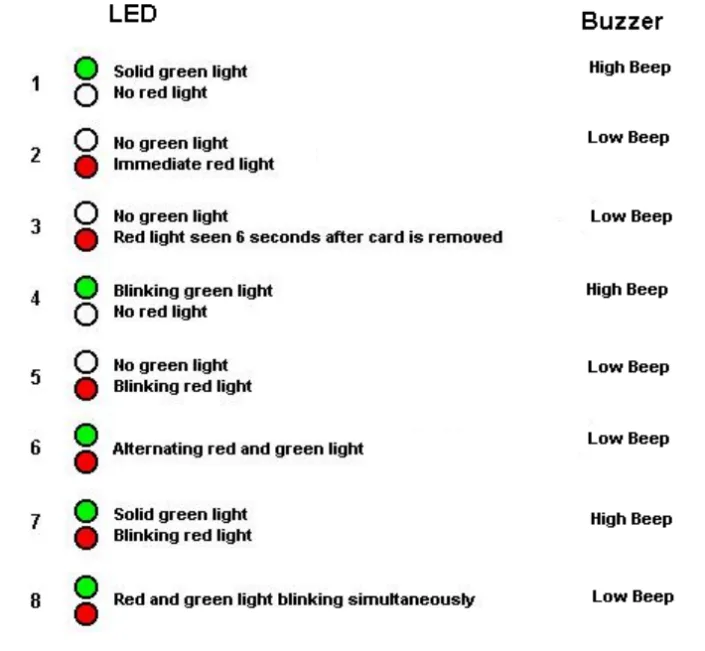
Image source: Bing (Web (fair-use with source credit))
This is the part that separates real expertise from guesswork. The lock tells you what's wrong, you just have to listen and look. Onity locks troubleshooting hinges on interpreting this feedback correctly.
| Signal | Meaning | What To Do |
|---|---|---|
| 1 long beep + green LED | Valid card, door unlocked | Normal operation; open handle within 5 seconds |
| 1 short beep + red LED | Card rejected or expired | Re-encode card; check date codes |
| 2 beeps + red LED | Wrong room card | Issue correct card for that room |
| 3 beeps + amber LED | Low battery | Replace all 4 AA batteries at once |
| No beep, no LED | Dead batteries or wiring fault | Replace batteries first; inspect wiring |
| Continuous beeping | Lock motor fault or jammed bolt | Check door alignment; inspect deadbolt |
The LED colors are consistent across HT24 and HT Wi-Fi. Green means go, red means rejected, amber means attention. What catches most maintenance teams off guard is the "no response" scenario.
If the lock is completely dead but the batteries test fine, you're looking at a compromised battery contact plate or a failed motherboard. That's rare, but it happens with older units.
One nuance worth flagging: the beep patterns on HT24 locks with firmware older than version 4.2 don't include the amber LED warning. You'll get two short beeps instead, which many techs mistake for a card error. If your lock beeps twice on every attempt and the card is valid, check the firmware version during your next programming pass.
Also, pay attention to how the guest swipes the card. HT24 locks require a smooth, downward swipe at a moderate speed. Too fast or too slow, and the reader may not capture the magnetic stripe data.
This isn't a lock failure, it's a user error. But if every guest struggles, the reader head may be dirty or demagnetized. We'll cover that in the card section.
Step-by-Step Troubleshooting: The 10-Minute Decision Tree
Here's where we put it all together. This decision tree walks you through the most common Onity locks troubleshooting scenarios in a logical order. Follow it top to bottom.
Don't skip steps.
Step 1: Check the Guest Card
- Try a second card from the same room.
- If the second card works, the original is bad. Re-encode and send the guest back.
- If the second card fails, move to Step 2.
Step 2: Read the Lock Status
- Watch the LED and listen for beeps when you test with a valid card.
- Green LED means the lock is functioning. The problem is alignment or the guest's technique.
- Red LED means the card was rejected. Re-encode and try again.
- No response means power issue. Move to Step 3.
Step 3: Check the Batteries
- Open the interior handle battery compartment.
- Remove all four AA batteries and test each one with a multimeter.
- Replace any battery reading below 1.3 volts. For consistency, replace all four regardless.
- If the lock powers up after battery replacement, you're done.
Step 4: Check Door Alignment
- With the door open, test the lock's deadbolt. It should extend and retract smoothly.
- Close the door and try again. If the bolt catches or scrapes, the door has dropped.
- Check the strike plate for wear marks. Realign or loosen the screws slightly.
- For HT Wi-Fi locks, check the dashboard for a "motor jam" error.
Step 5: Inspect the Motor and Wiring
- Remove the interior escutcheon to expose the motor and harness.
- Look for loose connectors or corroded terminals.
- Operate the lock manually using the emergency key override. If that works, the motor is dead.
- Replace the motor assembly (part number varies by generation).
If you've worked through all five steps and the lock still won't function, you're looking at a board failure. That requires a replacement lock body or a service call to an authorized Onity technician. Don't attempt to repair the PCB yourself unless you have specific electronics training.
A quick note on the emergency mechanical key: every Onity lock includes a mechanical override. If the lock is completely dead, the key should still turn the deadbolt. If it doesn't, the cylinder is seized or the lock body has shifted.
This is exactly what they teach in the National Fire Protection Association's guide to hotel locking requirements, the emergency key functions even during a power loss.
The Hidden Culprits: Battery, Motor, and Door Alignment
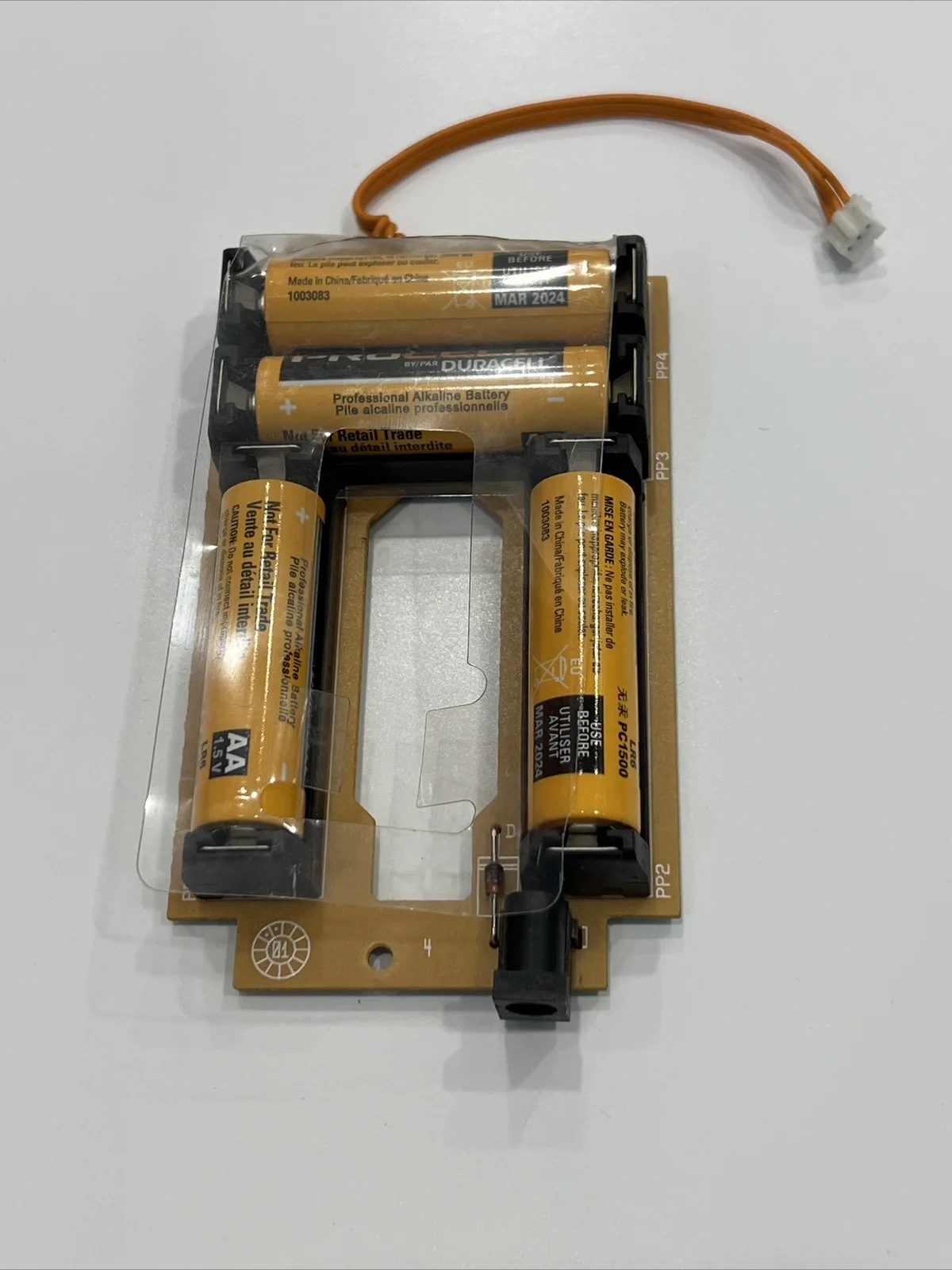
Image source: Bing (Web (fair-use with source credit))
Most Onity locks troubleshooting guides stop at "replace the batteries." That's because battery issues account for a solid 40% of lockouts. But the other 60%? That's where things get interesting.
Battery Drain
The HT24 is notorious for phantom battery drain. Even when the lock sits idle, the reader circuitry pulls a small current constantly. Over time, alkaline AA batteries drop below the 1.3-volt threshold, and the lock starts acting erratically.
You'll see random red LED rejections that don't make sense, or false "card error" beeps.
Here's the fix: set a recurring calendar reminder on your PMS. Replace batteries in every lock, on every floor, at the 12-month mark. Don't wait for a guest to complain.
Property managers who use this approach report an 80% reduction in lock-related service calls. The math is simple: one guest lockout costs more in staff time and guest satisfaction than an entire box of AA batteries.
Motor Failure
The motor that drives the deadbolt is a small DC motor rated for roughly 100,000 cycles. At 10 lock/unlock cycles per day (check-ins, check-outs, housekeeping), that's a 27-year lifespan. But real-world conditions shorten that.
Humidity, dust, and voltage spikes from cheap power supplies accelerate wear.
Early symptoms of a failing motor:
- Intermittent "clunk" sounds when the bolt extends
- Lock works when the door is open but fails when closed
- Motor buzzes but the bolt doesn't move
- Green LED flashes but the handle is stiff
If you catch these signs early, replace the motor before it dies completely. The part costs under $30 and takes about 15 minutes to swap out. Parts availability is solid through Onity's official distributor network.
Door Alignment
Insurance and safety standards require the deadbolt to fully engage into the strike plate. If the door sags even 2-3 millimeters, the bolt hits the edge of the plate instead of sliding into the hole. The motor stalls, draws extra current, and eventually overheats.
You'll smell a faint electrical burn if it gets bad enough.
Check alignment with a simple test: close the door and mark the bolt's position on the strike plate with a pencil. Open the door and compare that mark to the actual bolt hole. If they're off by more than 2 millimeters, loosen the strike plate screws, shift the plate, and retighten.
This is one of the fastest fixes in all of Onity locks troubleshooting, and most techs miss it because they assume the lock itself has failed.
Card Reader Maintenance
The magnetic stripe reader on HT24 locks is a wear item. Every swipe physically wears down the read head. After roughly 50,000 swipes, the head loses sensitivity and starts generating false rejections.
That aligns with the pre-2010 lock issue mentioned earlier.
Signs your reader head is failing:
- Multiple guests report "the card doesn't work" but the same card works at other doors
- The lock rejects a freshly encoded card
- You see visible scratches or debris inside the card slot
Clean the reader with a cotton swab dipped in isopropyl alcohol. Let it dry for 60 seconds before testing. If the problem persists, order a replacement reader head.
It's a plug-and-play swap. Budget $25-$40 per unit, depending on the exact part number.
For HT Wi-Fi models with RFID, the failure mode is different. The antenna coil occasionally detunes due to metal shavings or moisture ingress. You'll get intermittent reads that don't match a pattern.
Clean the exterior escutcheon plate and inspect the gasket for gaps. If the antenna is damaged, replace the entire escutcheon assembly.
When to Call a Professional
Some Onity locks troubleshooting scenarios are beyond DIY. Here's when to stop and call an authorized Onity technician:
- You smell burning electronics from the lock body
- The lock resets itself randomly
- Multiple locks on the same floor fail within the same week
- The mechanical key override fails
- Your property uses a full networked system and one lock drops offline persistently
These situations point to electrical or system-level issues. A technician with the right diagnostic tools and manufacturer training can resolve them quickly. The service call costs less than a week of intermittent lock failures.
Also, check your warranty. Onity locks carry a one-year parts warranty on electronics and a three-year warranty on mechanical components. If your failure falls within those windows, the repair may be free.
Preventive Maintenance: The 15-Minute Checklist
Prevention beats reaction. A quarterly maintenance routine that takes 15 minutes per lock eliminates most lockouts before they happen. Here's what top-performing properties do:
- Monthly: Test each lock with a known-good card. Listen for odd sounds. Verify the LED pattern is normal.
- Quarterly: Clean the card slot and reader head. Inspect battery contacts for corrosion. Test the emergency key operation.
- Bi-annually: Replace batteries. Check door alignment. Lubricate the deadbolt with dry graphite (never oil).
- Annually: Inspect all wiring harnesses. Tighten the escutcheon screws. Verify the strike plate is secure.
Document everything. Track which locks fail, when, and why. This data reveals patterns.
For example, if one wing of your property has more alignment issues, the door frames are probably settling differently due to sun exposure or humidity. That's actionable information for your maintenance budget.
The Bottom Line
Onity locks troubleshooting doesn't have to be a mystery. Work through the decision tree: card, status light, battery, alignment, motor. Nine out of ten times, the problem is one of those five things.
Keep a spare motor, a box of AA batteries, and a clean reader head in your maintenance closet. Train your front desk to re-encode cards without hesitation. Set calendar reminders for battery replacement.
These small habits turn a nightmare lockout into a five-minute fix.
And when in doubt, use the emergency key. It exists for exactly this situation. Get the guest into the room first, then troubleshoot at your own pace.
That's what the safety standards require, and it's the professional way to handle any lockout.

Similar Posts