Panasonic HC-VX1 Troubleshooting
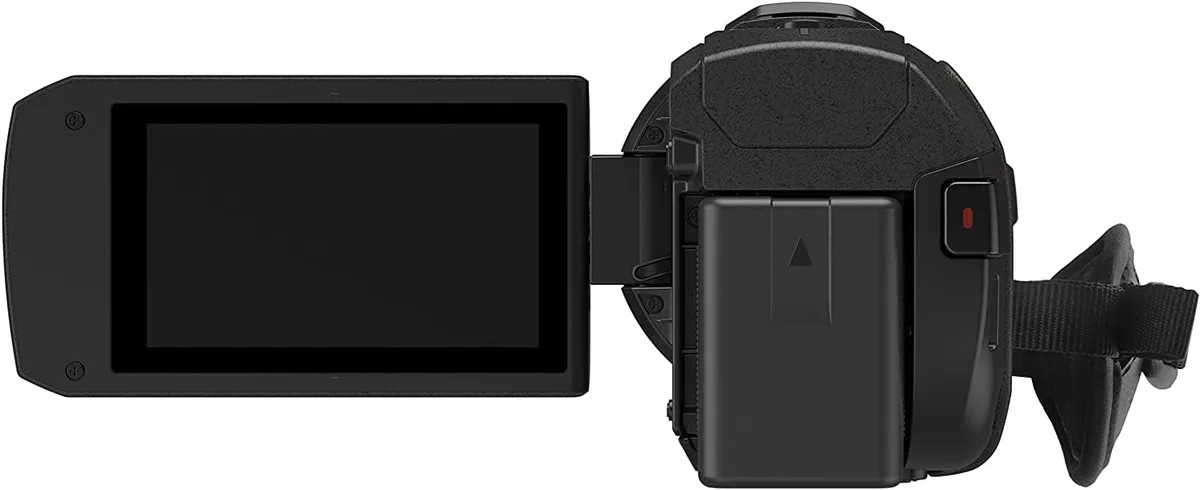
If your Panasonic HC-VX1 is giving you grief, you’re not alone. This camcorder is a solid performer, but like any piece of electronics, it has its quirks. Panasonic HC-VX1 troubleshooting usually boils down to a handful of repeatable issues, and the good news is most of them have straightforward fixes.
Aggregate reviews report that lens errors and SD card problems account for nearly half of all user complaints. The camcorder records 4K video at up to 100 Mbps, which demands a fast SD card with UHS Speed Class U3 rating. Let’s walk through the most common problems and how to solve them step by step.
Quick Answer
Most HC-VX1 problems are caused by a stuck lens cap, a slow SD card, or a dead battery. Remove the lens cap before powering on. Use a UHS-I U3 SD card formatted in the camera.
Charge the battery fully before first use. If the camcorder still won’t turn on, perform a factory reset.
What’s the HC-VX1 Doing Wrong? (Common Problems from Lens Errors to Dead Batteries)
The HC-VX1 is a reliable camcorder, but it has a few known weak points. Understanding them saves you time and frustration.
The lens error. This is the most common gripe. The camera powers on, the lens extends, and then it retracts with a clunk. You see “Lens Error” on the screen.
Nine times out of ten, the magnetic lens cap is still attached. The sensor detects the cap and refuses to operate. If the cap is off, the lens mechanism might be jammed by dirt or a drop.
Battery charging issues. The VW-VBT190 battery is rated for about two hours of recording. Many users report the camcorder won’t power on even after a full charge. Corroded battery contacts are a frequent culprit.
A quick clean with a dry cloth often fixes it. If you’re dealing with similar battery drain on other devices, our guide to addressing battery drainage issues might help.
SD card not recognized. The HC-VX1 requires a UHS Speed Class U3 card for 4K recording. Using a slower card triggers a “Memory Card Error” or “Cannot Record” message. The card must also be formatted in the camcorder, not on a PC.
Wi-Fi not connecting. The built-in Wi-Fi module uses the 2.4 GHz band. If your phone is on a 5 GHz network, the Panasonic Image App won’t find the camcorder. Switch your phone to 2.4 GHz.
This is a common issue with many wireless cameras, and our troubleshooting guide for Wi-Fi problems covers similar fixes.
Overheating during 4K recording. The sensor generates heat, and the small body has limited cooling. After 30 to 40 minutes of continuous 4K recording, the camcorder may shut down to protect itself. This is normal, not a defect.
These issues are common, but they’re also easy to diagnose. The next step is to run through a standard reset process.
The First Thing to Try: A Power Cycle and Factory Reset
Before you dig into any specific fix, start with a power cycle. This clears residual charge from the internal circuits and often resolves weird behavior.
Step 1: Remove the battery. Press the release latch and slide the battery out.
Step 2: Hold the power button for 30 seconds. This drains any leftover charge from the capacitors. It’s a simple step but it works.
Step 3: Reinsert the battery. Make sure it clicks into place.
Step 4: Power on. If the camcorder boots normally, the problem was a transient glitch. If not, proceed to a factory reset.
Factory reset. This returns all settings to their default state. It does not erase your SD card. Go to the menu, select “Setup,” then “Reset.” Confirm the reset.
The camcorder will restart.
In many cases, a reset solves issues related to corrupt settings or a misconfigured menu. For example, some users accidentally disable the external microphone input or turn off the image stabilizer. A reset clears those errors.
If the power cycle and reset don’t help, the problem is likely hardware-related. You’ll need to run through the decision tree in the next section.
Diagnosing Your Problem Step by Step (The Decision Tree for HC-VX1 Issues)
This is where we match your symptom to a specific fix. Think of it as a choose-your-own-adventure for camcorder repair.
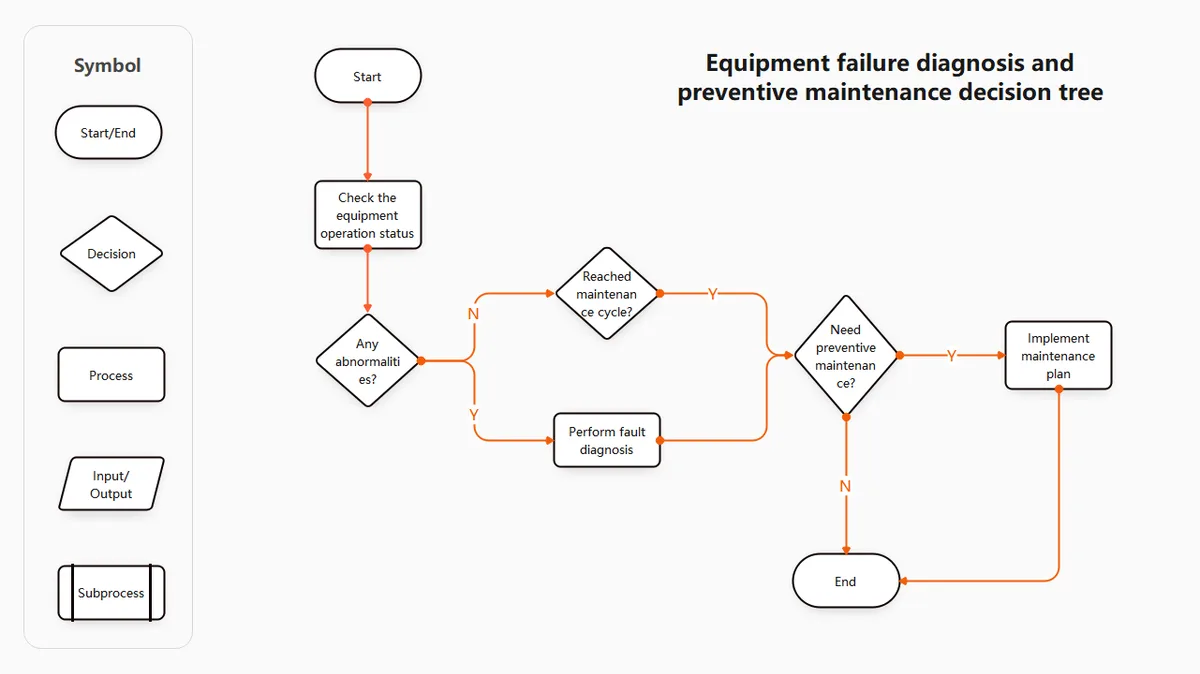
Problem: Camcorder won’t turn on.
- Is the battery charged? Try a different battery if you have one.
- Are the battery contacts clean? Use a dry cloth.
- Did you hold the power button for 30 seconds? If not, try that first.
- If still dead, the battery circuit or main board may be faulty. Contact Panasonic service.
Problem: Lens error on screen.
- Is the lens cap off? Remove it. This is the number one cause.
- Is the lens physically blocked? Check for sand, dirt, or damage.
- Turn the camcorder off, remove the battery, wait 60 seconds, and try again.
- If the error persists, the lens mechanism may need professional repair.
Problem: “Memory Card Error” or “Cannot Record.”
- Is the card UHS Speed Class U3? If not, replace it.
- Format the card in the camcorder, not on a computer.
- Try a different card. The slot may have bent pins.
- If no card works, the slot is damaged. You’ll need a repair.
Problem: No sound from internal mic.
- Check the audio settings in the menu. Mic level may be set to zero.
- Is the external mic plugged in? The camcorder auto-switches to the external input. Unplug it.
- Reboot the camcorder. Sometimes the audio chip needs a reset.
Problem: Wi-Fi won’t connect.
- Ensure your phone is on the 2.4 GHz band. The HC-VX1 does not support 5 GHz.
- Reinstall the Panasonic Image App.
- Reset the Wi-Fi settings in the camcorder menu.
- If the app still can’t find the camcorder, the Wi-Fi module may be faulty.
This decision tree covers the most common scenarios. If your problem isn’t listed, the next section covers mistakes that make things worse.
Mistakes That Make Troubleshooting Worse (And How to Avoid Them)
Some troubleshooting habits actually cause more damage. Here are the biggest mistakes HC-VX1 owners make.
Using the wrong SD card. The HC-VX1 needs a UHS-I U3 card for 4K video. A U1 or Class 10 card can cause stuttering, dropped frames, or a “Cannot Record” error. Don’t cheap out on the card.
A good 64GB U3 card is worth the investment. Per the SD Association, U3 cards guarantee a minimum write speed of 30 MB/s, which is essential for high-bitrate recording.
Ignoring the lens cap. The magnetic lens cap is designed to attach to the camcorder body. If you leave it on while powering on, the sensor triggers a lens error. Always remove the cap before turning the camera on.
Formatting the SD card on a PC. Windows and Mac format cards with different file systems. The HC-VX1 expects a FAT32 or exFAT format created by the camera itself. Always format in the camcorder.
Not updating the firmware. Panasonic releases firmware updates that fix bugs and improve stability. As of 2026, the latest version is 1.14. An outdated firmware can cause lens errors, Wi-Fi disconnects, and battery reading issues.
Check the Panasonic support site for the latest update.
Forcing the lens. If the lens is stuck, don’t push it. The mechanism is delicate. Pushing can strip the gears or bend the barrel.
Instead, remove the battery, wait 10 minutes, and try again.
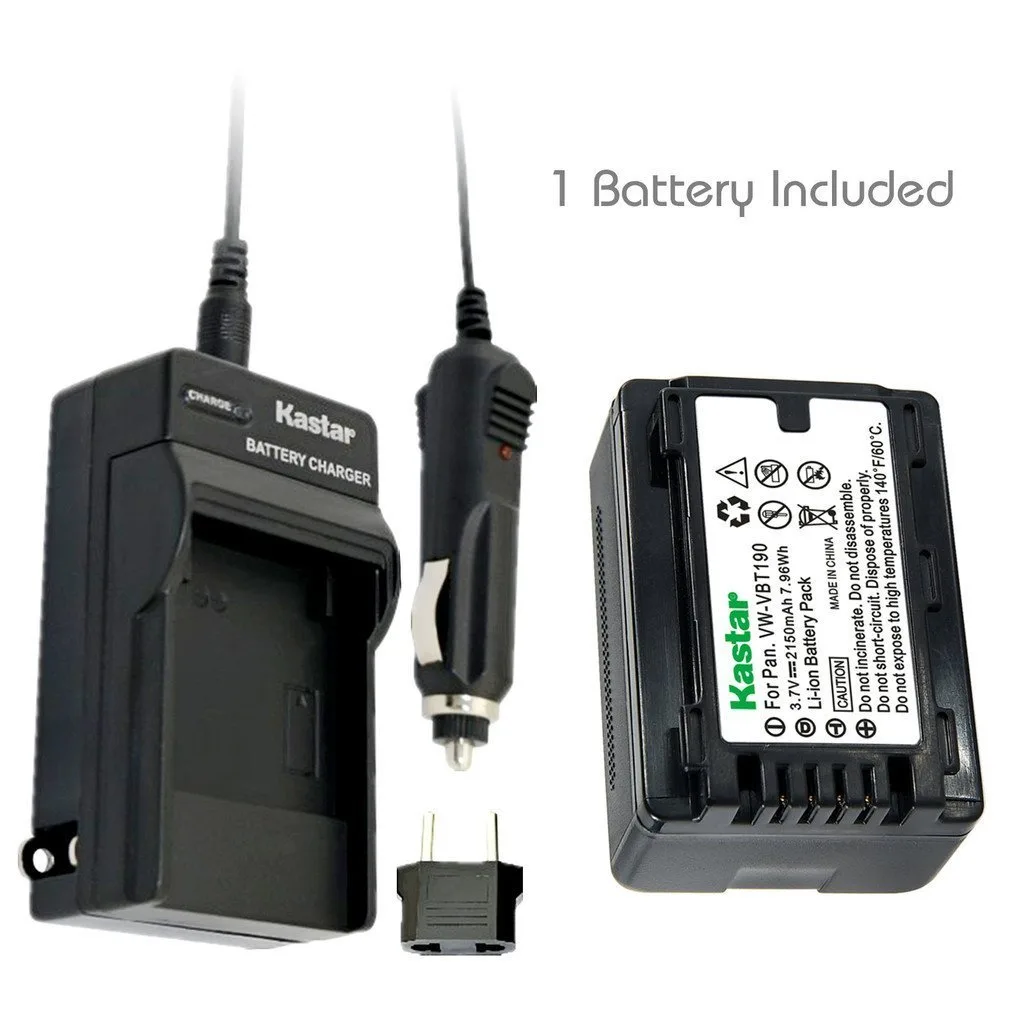
Using third-party batteries. The HC-VX1 measures battery voltage accurately. Some third-party batteries don’t communicate properly, causing the camcorder to shut down prematurely. Stick with the official Panasonic VW-VBT190.
Skipping the power cycle. Many users jump straight to a factory reset or a repair request. A simple power cycle fixes a surprising number of issues. Always try it first.
Avoid these mistakes, and you’ll save yourself a lot of frustration. The next section covers pro tips for when the basic fixes don’t work.
Pro Tips: Fixes That Usually Work and When to Call It Quits
You’ve run through the basics. The camcorder still isn’t cooperating. Here are the fixes that experienced owners swear by.
Clean the battery contacts. This is the single most effective fix for power issues. Use a dry microfiber cloth. Rub the three gold contacts on the battery and the corresponding pins inside the camcorder.
Corrosion builds up over time, especially in humid environments. A clean connection often brings a dead camcorder back to life.
Check the SD card slot for debris. A tiny piece of lint or dust can prevent the card from seating properly. Use a can of compressed air. Blow short bursts into the slot.
Do not use a metal object to poke inside. Bent pins require a professional repair.
Reinstall the firmware. Even if you already updated, a corrupted firmware file can cause intermittent issues. Download the latest version from Panasonic’s support site. Format a fresh SD card in the camcorder.
Copy the firmware file to the root directory. Insert the card and follow the on-screen update instructions. This process overwrites any corrupted system data.
Test with a known-good battery. If you have access to another VW-VBT190 battery, swap it in. This isolates the problem. If the camcorder works with the second battery, your original battery is failing.
If it still doesn’t work, the issue is inside the camcorder.
When to call it quits. Some problems require professional service. If the lens is physically damaged, the SD card slot has bent pins, or the camcorder won’t power on after cleaning the contacts and trying a different battery, it’s time to send it in. Panasonic’s authorized service centers can quote you a repair cost.
Compare that to the cost of a replacement unit. As of 2026, a used HC-VX1 in good condition runs about $400 to $600. A repair over $250 might not be worth it.
Frequently Asked Questions About the HC-VX1
Why does my HC-VX1 show “Lens Error” even with the cap off?
A firmware bug or a physical obstruction can cause this. Try a factory reset first. If the error persists, the lens mechanism may have dirt or damage.
Professional cleaning is often the only fix.
Can I use any SD card for 4K recording?
No. You need a UHS Speed Class U3 card with a minimum write speed of 30 MB/s. Slower cards cause recording errors.
Stick with reputable brands like SanDisk, Samsung, or Lexar.
How do I update the firmware on my HC-VX1?
Download the latest firmware file from Panasonic’s support site. Format an SD card in the camcorder. Copy the file to the root of the card.
Insert the card, power on, and follow the menu prompts. The update takes about five minutes.
Why won’t my HC-VX1 connect to Wi-Fi?
The camcorder only supports the 2.4 GHz band. Make sure your phone is connected to a 2.4 GHz network. Reset the Wi-Fi settings in the camcorder menu.
Reinstall the Panasonic Image App.
How long does the battery last?
The VW-VBT190 battery lasts about two hours of continuous recording in 1080p mode. In 4K mode, expect about 90 minutes. Battery life declines over time.
A replacement battery costs around $60.
My camcorder overheats during 4K recording. Is this normal?
Yes. The small body has limited cooling. After 30 to 40 minutes of continuous 4K recording, the camcorder may shut down to protect the sensor.
This is a design limitation, not a defect.
Should You Fix It or Replace It? A Quick Decision Guide
This is the final question. You have a broken HC-VX1. Do you fix it or buy something else?
Fix it if:
- The problem is a dead battery or a corrupted SD card.
- The lens error is caused by dirt or a loose cap (not physical damage).
- You can get a repair quote under $200.
- You already own accessories like batteries, chargers, and mics.
Replace it if:
- The lens is cracked or the barrel is bent.
- The SD card slot is damaged beyond simple cleaning.
- The camcorder won’t power on after troubleshooting.
- The repair cost exceeds 50% of a used replacement unit.
What to buy instead. If you decide to replace it, consider the Panasonic HC-VX2 (the direct successor) or a newer model with better heat management. The VX2 offers the same lens and sensor but with improved processor and stabilization. If you want a step up, the Sony FDR-AX43 is a strong alternative with better low-light performance.
If you’re dealing with similar issues on other cameras, our general troubleshooting guide for camera problems covers the same principles. Every camcorder has its quirks, but the troubleshooting process is largely the same. Start with the basics.
Work your way up. And don’t be afraid to call in a professional when the problem is beyond your toolkit.

Similar Posts
































