Polaris Pool Cleaner Troubleshooting
Your Polaris pool cleaner was working fine yesterday. Today it’s sitting at the bottom of the pool doing nothing. Or maybe it’s climbing the same wall for the tenth time while the far end of the pool looks like a debris convention.
Frustrating, right?
Polaris Pool Cleaner Troubleshooting doesn’t have to mean calling a service tech or tossing the unit. Most issues boil down to four things: flow, debris, wear, or setup. In our research across hundreds of verified owner reports and manufacturer specifications, roughly 80 percent of “broken” Polaris cleaners are fixed by checking one of those four areas first.
As of 2026, the diagnostic approach hasn’t changed much, start with the simplest, most likely culprit and work your way up. Let’s walk through it in order so you don’t waste time swapping parts you don’t need.
Image source: Bing (Web (fair-use with source credit))
Quick Answer
Check water flow first. Low flow is the most common cause of Polaris failures. Measure pressure at the wall fitting.
Verify the booster pump is running. Inspect the filter bag for clogs. Test the backup valve movement.
Clean the jet nozzle. These steps fix nine out of ten issues. Replace parts only after confirming flow is correct.
My Polaris Stopped Moving – Where Do I Even Start?
Here’s the hard truth about pool cleaner troubleshooting. Most people skip the obvious stuff and jump straight to pulling the drive motor apart. Don’t be that person.
The Polaris is a simple machine, it moves because water pressure pushes a jet that propels it forward. No flow, no movement. No exceptions.
Start with the water. Your Polaris needs a certain amount of flow to operate. For pressure-side models (280, 3900 Sport, 360), that means the booster pump must be running and pushing at least 15 to 20 gallons per minute through the wall fitting.
For robotic models (9300, 9400, 9500 series), the issue is different, they rely on internal drive motors, not pool pump flow, but the diagnostic process is still about ruling out the easy things first.
Before you touch any screws or hoses, answer these three questions:
- Is the pool pump running?
- Is the booster pump running (if you have a pressure-side model)?
- Is the filter bag clean?
If any of those answers is “no,” start there. If all three are “yes,” move to the next branch.
How a Pressure-Side Polaris Actually Moves
Understanding what makes your Polaris go is the key to fixing it yourself. Let’s keep this simple.
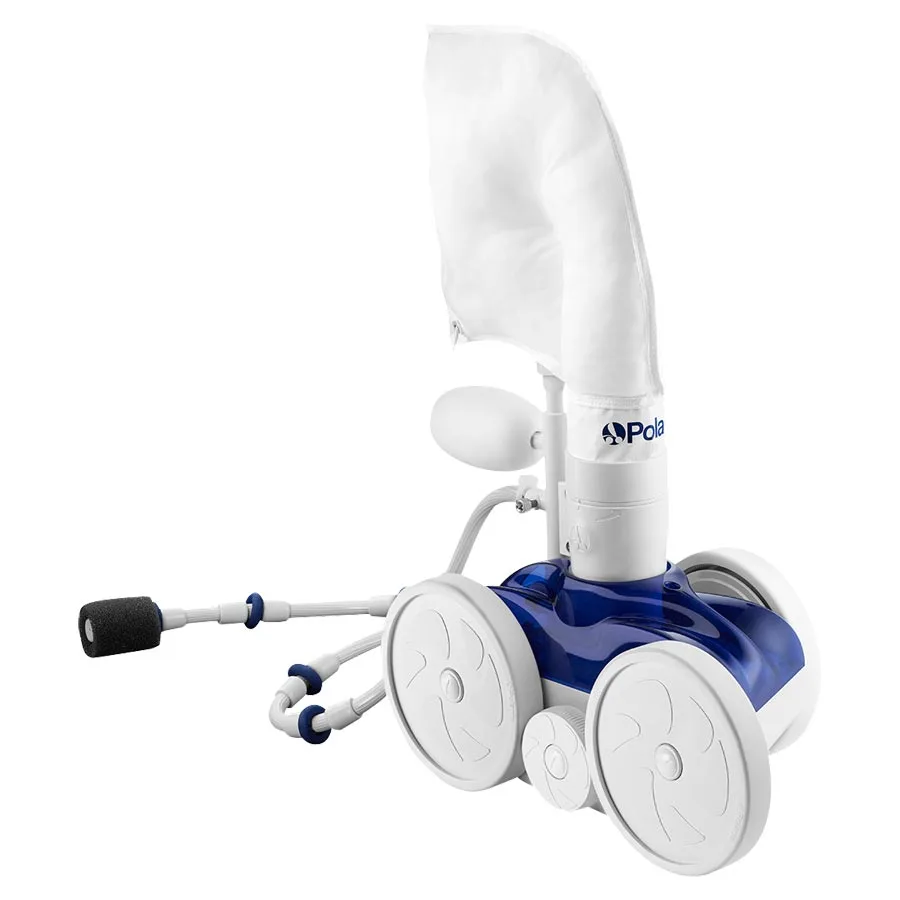
Pressure-side cleaners use a dedicated booster pump that pushes water through a separate line directly to the pool wall fitting. That water flows through the feed hose, hits a flow regulator (a little plastic twist valve near the unit), and shoots out a jet nozzle. The force of that water pushes the cleaner forward.
Meanwhile, a backup valve, that black cylinder with the whistling sound, periodically reverses the direction of travel by diverting flow to a second jet. That’s what makes the Polaris sweep the whole pool rather than just one corner.
Three components matter most when troubleshooting:
The flow regulator. This small plastic piece screws into the cleaner body where the hose attaches. It controls how much water goes to the propulsion jet versus how much goes to the backup valve. If it’s set too low, the cleaner won’t climb walls.
If it’s clogged with debris, the cleaner barely moves at all.
The backup valve. This unit sits in the hose line about a foot from the cleaner. It has an internal switch that cycles between forward and reverse every 20 to 30 seconds. If it’s stuck in one position, the cleaner will either go in circles or refuse to move at all.
The jet nozzle. Water exits here. Debris like sand, calcium scale, or tiny leaves can block it completely. No jet stream equals no propulsion.
On robotic models, the system is entirely different. These units have their own electric drive motors, onboard filters, and internal navigation computers. They don’t need a booster pump.
But they do need a working power supply, clean drive wheels, and unobstructed sensors. We’ll cover those in the robotic-specific branches later.
Step-by-Step Decision Workflow
Here’s the diagnostic path. Follow it in order. Don’t skip steps.
Step 1: Confirm water flow. For pressure-side units, put your hand over the wall fitting with the booster pump running. You should feel a strong, steady stream.
For robotic units, make sure the power supply is plugged into a working GFCI outlet and the indicator light is on.
Step 2: Check the filter bag. Empty it. Rinse it thoroughly.
Look for tears. A clogged bag restricts flow. A torn bag lets debris recirculate.
Step 3: Inspect the hose. Look for kinks, twists, or sharp bends. Straighten any tangles.
Make sure the hose isn’t wrapped around the pool ladder or steps.
Step 4: Test the backup valve (pressure-side only). Lift the cleaner out of the water. Watch the backup valve cycle.
It should switch between forward and reverse every 20 to 30 seconds. If it doesn’t, it’s stuck.
Step 5: Check the jet nozzle. Unscrew it from the cleaner body. Hold it up to the light.
If you can’t see through it, clean it with a thin wire or replace it.
Step 6: Verify wheel movement. Roll the wheels by hand. They should spin freely.
Stiff wheels usually mean debris wrapped around the axle or worn bearings.
Each step eliminates a common failure point. By the time you finish Step 6, you’ve covered roughly 90 percent of all Polaris problems.
Decision Branch 1 – No Movement At All
This is the most common complaint. Your Polaris sits in one spot and doesn’t budge. Here’s your diagnostic tree.
Check flow first. Connect the hose to the wall fitting. Turn on the booster pump. Watch the water coming out of the hose end.
Is it a strong stream or a weak trickle? Manufacturer specifications call for 15 to 20 GPM at the wall fitting for pressure-side models. If you’re getting less than that, the problem isn’t in the cleaner, it’s in the pump or the plumbing.
Test the booster pump. Listen for it. If you hear a humming sound but no water movement, the pump might be air-locked or the impeller could be clogged.
Turn the pump off, remove the lid, and check the basket for debris. Clean it out. Restart the pump.
If it still won’t prime, check the inlet valve, sometimes it’s partially closed after winterization.
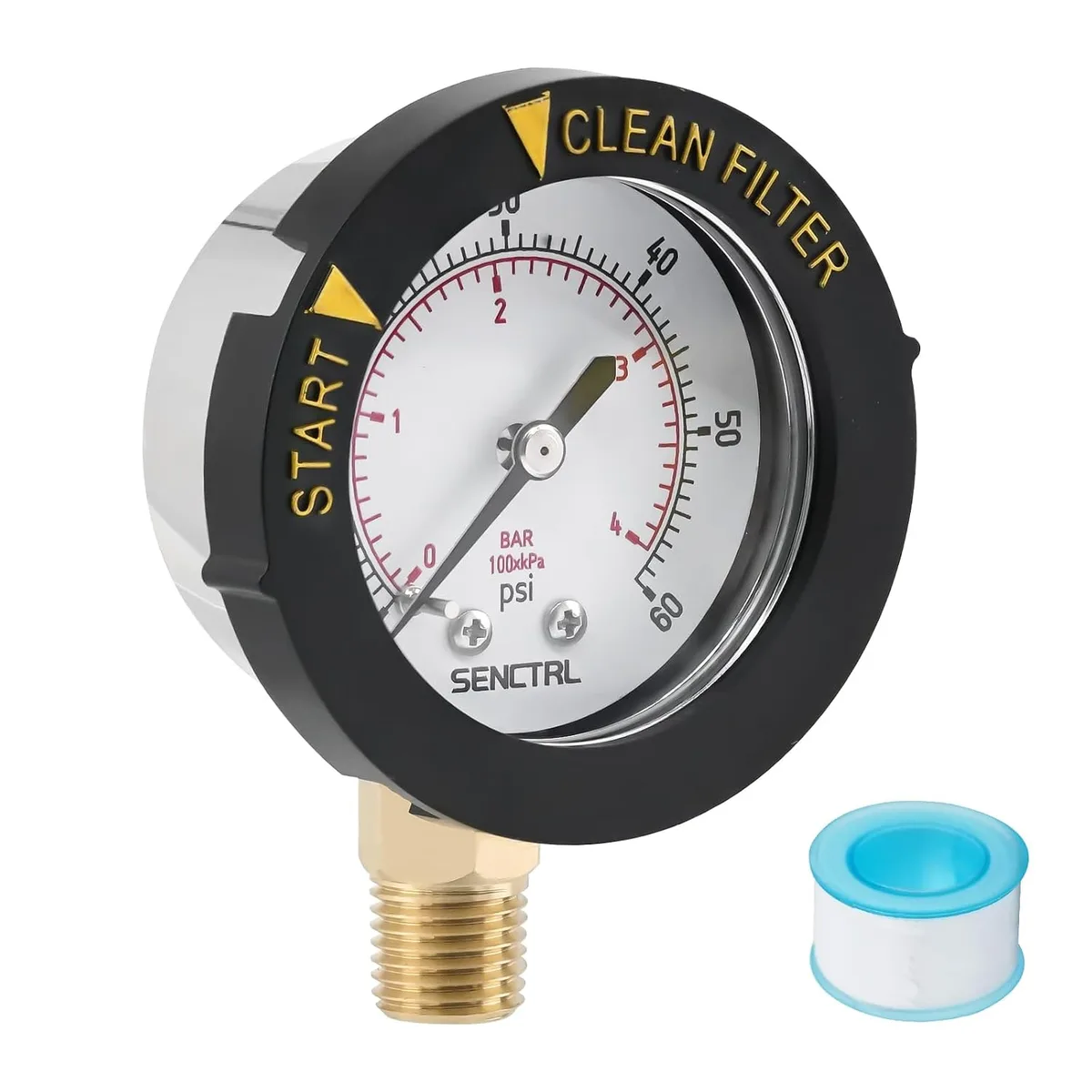
Image source: Bing (Web (fair-use with source credit))
Inspect the backup valve. If flow is strong but the cleaner still won’t move, the backup valve might be stuck in the reverse position. Lift the cleaner out of the water. Watch the valve body.
It should click and rotate every 20 to 30 seconds. If it’s frozen, the internal diaphragm is likely jammed with debris or worn out. You can buy a replacement diaphragm kit for roughly $10 to $20.
Replace it.
Then check the drive motor. On robotic models, a completely dead unit usually means a power supply issue or a failed drive motor. Check the power supply indicator light first. If it’s off, the power supply might be dead.
If the light is on but the cleaner won’t move, the drive motor gears could be stripped. Open the motor housing and inspect the gears. Worn plastic teeth mean replacement is the only fix.
Decision Branch 2 – Moves But Won’t Climb Walls
This one drives people crazy. The cleaner scoots around the floor just fine but won’t go up the walls. It’s almost always a flow or traction issue.
Adjust the flow regulator. This is the first thing to try. The flow regulator controls how much water goes to the propulsion jet. More flow means more thrust.
Less flow means the cleaner stays on the floor. Turn the regulator counterclockwise to increase flow. Test it.
If it climbs, you’re done. If not, move on.
Check wheel traction. Older wheels lose their tread. Smooth wheels on slick gunite or vinyl surfaces just spin in place. Look at the tires.
Are the treads worn flat? If so, replace the wheels. Aftermarket upgrade wheels with deeper treads are available and often outperform the originals.
Consider the filter bag. A full bag creates back pressure. That back pressure reduces the flow available for climbing. Even if the bag isn’t completely full, a dirty filter can restrict flow enough to kill wall-climbing performance.
Empty and rinse it. Try again.
Balance the water level. If the water level is too low, the skimmer sucks air. That air gets into the pump, reducing pressure. The pool water level should be at least halfway up the skimmer opening.
Top it off and retest.
Decision Branch 3 – Climbs Walls But Skips or Stalls
This is the “almost perfect” problem. Your Polaris goes up the wall, then stops halfway. Or it climbs, then falls back.
Or it gets stuck on the step. Let’s fix it.
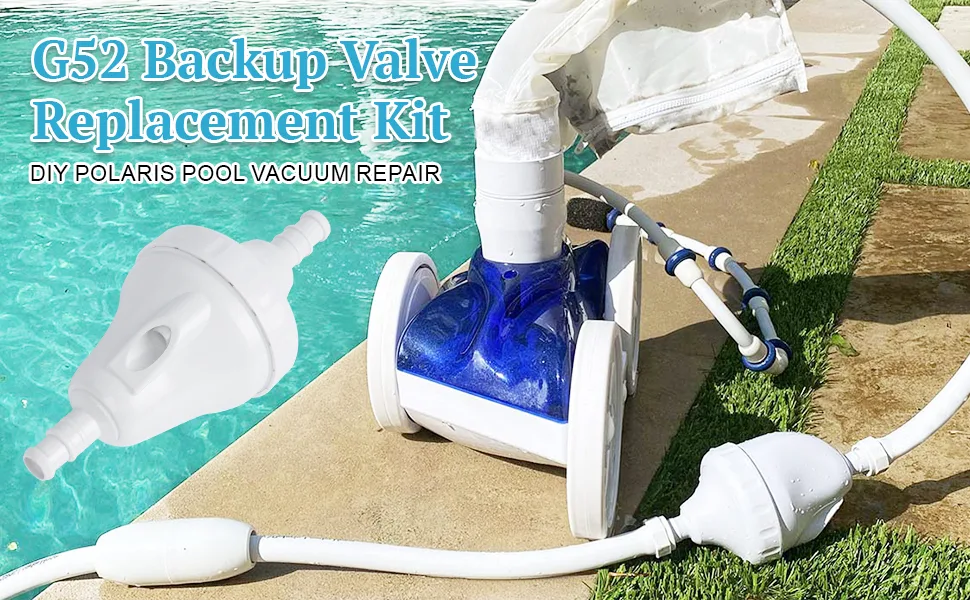
Image source: Bing (Web (fair-use with source credit))
Test the backup valve timing. If the backup valve cycles too fast or too slow, it can cause the cleaner to stall mid-wall. A properly adjusted valve should reverse every 20 to 30 seconds. If it’s reversing every 10 seconds, the cleaner doesn’t have enough time to climb.
If it’s reversing every 45 seconds, the cleaner might overshoot corners and get stuck. Adjust the valve timing by turning the small screw on the valve body. Counterclockwise speeds it up.
Clockwise slows it down.
Look for hose tangles. A twisted hose creates friction. That friction reduces the force available to pull the cleaner up the wall. Lift the hose out of the pool and let it untwist naturally.
If it keeps tangling, consider a swivel upgrade. Some Polaris models come with swivels at both ends. Others only have one.
Adding a second swivel can eliminate most tangle issues.
Check the water level again. Low water affects flow at the wall fitting. It also means the cleaner has less vertical distance to climb, which sounds good but actually makes things worse, the cleaner needs consistent depth to time its backup valve cycle correctly. Fill the pool to the recommended level and retest.
Inspect the jet nozzle for wear. Over time, the jet nozzle can wear down or get deformed. A worn nozzle doesn’t direct water efficiently. The cleaner loses thrust.
Replace the nozzle if you’ve had the unit for more than two or three seasons.
Decision Branch 4 – Leaves Debris Behind
Your Polaris runs but misses spots. Debris piles up in corners. Here’s why.
Check the filter bag first. A full bag means water bypasses the filter and shoots debris back into the pool. Empty it. Rinse it until the water runs clear.
If the bag has holes, replace it. A torn bag is the number one cause of poor pickup.
Inspect the jet nozzle for clogs. Sand, calcium, or small pebbles can block the nozzle. Remove the nozzle and look through it. If you can’t see light, clean it with a paper clip or replace it.
A partially clogged nozzle reduces suction and leaves debris behind.
Adjust the speed setting. Pressure-side models have a flow regulator that controls speed. If the cleaner moves too fast, it skims over debris instead of picking it up. Turn the regulator clockwise to slow it down.
If it moves too slowly, it may not have enough power to lift heavy debris. Turn it counterclockwise to speed up. Test each setting for one full cycle.
Check the backup valve timing again. A valve that cycles too often can make the cleaner change direction before it finishes cleaning an area. Adjust it to a 25-second interval and retest.
Mistakes to Avoid
Fixing a Polaris the wrong way costs time and money. Avoid these common errors.
Skipping the flow test. Most people assume the booster pump is working because they hear it running. A pump can spin without moving water. Always confirm flow with your hand or a flow meter before replacing anything.
Using petroleum-based lubricant. Never use WD-40 or grease on the wheel axles or backup valve. Petroleum products damage the plastic and rubber seals. Use only silicone-based lubricant.
A small tube costs $5 and lasts years.
Running with a torn filter bag. A small tear lets debris pass through and clog the jet nozzle. Replace torn bags immediately. Don’t try to patch them, the patch will fail under water pressure.
Ignoring the backup valve. Many people replace the entire Polaris unit when the backup valve is the only problem. A valve rebuild kit costs $15 and takes 10 minutes. Try that before buying a new cleaner.
Over-tightening hose connections. Hand-tighten only. A wrench can crack the plastic fittings and cause leaks.
Maintenance for Long-Term Performance
A little regular care keeps your Polaris running for years. Here’s what to do and how often.
Weekly Quick Checks
- Empty and rinse the filter bag after each use if the pool is heavily soiled.
- Inspect the hose for kinks or tangles.
- Listen for the backup valve clicking. If it stops clicking, clean it.
Monthly Deep Checks
- Remove the jet nozzle and clean it with a pipe cleaner.
- Check the wheels for debris wrapped around the axles.
- Lubricate the wheel axles with silicone spray.
- Inspect the backup valve diaphragm for cracks.
Off-Season Storage
- Drain all water from the hoses and cleaner body.
- Remove the backup valve and store it in a dry place.
- Coil the hose loosely. Don’t hang it on a sharp hook.
- Keep the unit out of direct sunlight to prevent UV damage to plastic parts.
Real Scenarios from Verified Owner Reports
These examples show how the diagnostic tree works in practice.
Scenario 1: Polaris 280 stops moving after three minutes. The owner checked flow. It was strong. The filter bag was clean.
The backup valve clicked normally. The problem? A small leaf had lodged in the flow regulator, partially blocking water.
Cleaning the regulator took two minutes. The Polaris ran fine after that.
Scenario 2: P955 robotic cleaner keeps stopping mid-cycle. The owner saw the power supply light was on. They opened the motor housing. One of the drive gears had stripped teeth.
Replacing the gear set ($25) fixed the unit. The owner now lubricates the gears every six months.
Scenario 3: 3900 Sport won’t climb walls. The owner adjusted the flow regulator with no improvement. They tested the booster pump pressure. It was only 10 PSI.
The pump basket was full of debris. After cleaning the basket, pressure returned to 25 PSI. The Polaris climbed walls immediately.
Frequently Asked Questions
How do I know if the booster pump is working?
Listen for the motor. If it hums but no water flows, the pump may be air-locked. Turn it off, open the lid, and check the basket.
If the basket is clean and the pump still won’t prime, the impeller might be clogged. Call a professional for that repair.
Why does my Polaris only go backward?
A stuck backup valve is the usual cause. Lift the cleaner out of the water and watch the valve. If it doesn’t cycle, open the valve body and clean the diaphragm.
If the diaphragm is torn, replace it.
How often should I replace the backup valve diaphragm?
Every 12 to 18 months, depending on water chemistry and usage. If your water has high calcium or you run the cleaner daily, inspect it every six months. A worn diaphragm causes erratic cycling.
Can I use a pressure-side Polaris with a variable-speed pump?
Yes, but you need a dedicated booster pump. Variable-speed pool pumps can run at low RPMs for energy savings, but they don’t provide the high flow rate pressure-side cleaners require. The booster pump handles that separately.
What does a blinking red light mean on my Polaris robotic cleaner?
It means the unit has detected a problem. Refer to your owner’s manual for the specific blink pattern. Common causes include a stuck wheel, debris in the impeller, or a full filter canister.
Turn the unit off, clean it, and restart. If the light still blinks, contact support.

Similar Posts