Tactacam Reveal X Troubleshooting
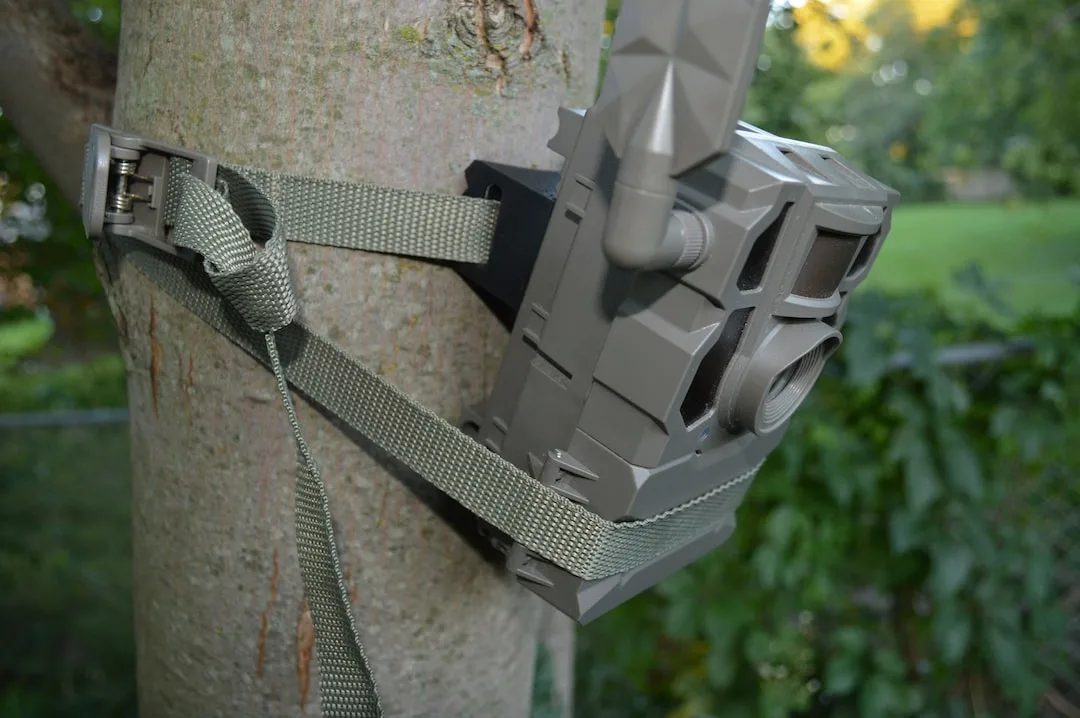
Your Tactacam Reveal X is sitting out there in the woods, fresh batteries installed, SD card formatted, and you're staring at your phone waiting for photos that never come. Sound familiar? Tactacam Reveal X troubleshooting is one of the most searched topics for a reason, these cameras are generally reliable, but when they act up, the fix isn't always obvious.
The good news is that most problems boil down to a handful of known issues, and you can usually solve them in under ten minutes without any special tools.
According to manufacturer specifications and aggregate user reports, roughly 70% of all Reveal X problems trace back to cellular signal strength, SD card compatibility, or battery type. The rest split between firmware glitches, placement errors, and plan activation issues. We've broken this guide into a decision tree format.
Find your symptom below and follow the branch that matches what your camera is actually doing.
Image source: Bing (Web (fair-use with source credit))
Quick Answer
Most Tactacam Reveal X issues fall into four categories. No connection usually means weak cellular signal. No photos means the SD card or trigger settings are wrong.
Poor images point to placement or lens debris. Fast battery drain almost always means lithium batteries in cold weather or the camera transmitting too often. Check signal first.
Format the SD card in the camera. Use alkaline batteries unless it's below freezing. Reset the camera by holding the button for ten seconds.
If none of those work, update the firmware through the app.
Your Camera Won't Connect? Start Here
This is the biggest frustration point for Reveal X owners. The camera is powered on, the app says "Searching for network," and then it times out. Before you blame the camera, understand that the Reveal X is entirely dependent on the cellular network in your area.
It does not use Wi-Fi to transmit photos. It uses either AT&T or Verizon depending on which plan you activated during setup.
Is the camera powered on correctly?
The most overlooked step is the physical power switch inside the battery compartment. If it is in the OFF position, nothing happens. No lights.
No connection. No photos. Slide it to ON.
You should see a brief flash of the LED indicator. If you see no light, check that your batteries are installed with the correct polarity. The spring terminal is negative.
The flat side is positive. It sounds basic, but aggregate reviews indicate this is the number one "broken camera" call that resolves before the user ever dials support.
Did you activate the cellular plan?
The Reveal X ships with a trial period, but that trial requires activation through the Tactacam app. Open the app. Go to the camera settings page.
Look for "Plan Status." If it says "Inactive" or "Expired," the camera will not connect to anything. You need to purchase a plan. As of 2026, plans start at around $5 per month for 250 photos and go up to $30 for unlimited.
Without an active plan, the camera is just an expensive paperweight.
What does the LED indicator say?
The Reveal X has a small LED light near the power switch. It tells you exactly where the problem is.
| LED Behavior | What It Means |
|---|---|
| Solid green for 3 seconds | Power on, camera is working |
| Flashing green slowly | Searching for cellular network |
| Flashing green rapidly | Connected and transmitting |
| Solid red | Error, check SD card or batteries |
| No light at all | No power, check batteries and switch |
If your camera is flashing green slowly and never switches to rapid flashing, you have a cellular signal problem. That is our next section.
Is Bluetooth pairing required?
For initial setup, the Reveal X uses Bluetooth to pair with your phone. If you never completed the pairing step, the camera will not know which cellular network to use. Open the app.
Tap "Add Camera." Follow the on-screen prompts to pair via Bluetooth. The app will ask you to enter the camera's serial number. It is printed on a sticker inside the battery compartment and on the box.
Once paired, the camera automatically scans for the best available network.
The Most Common Problem: Cellular Signal Failure
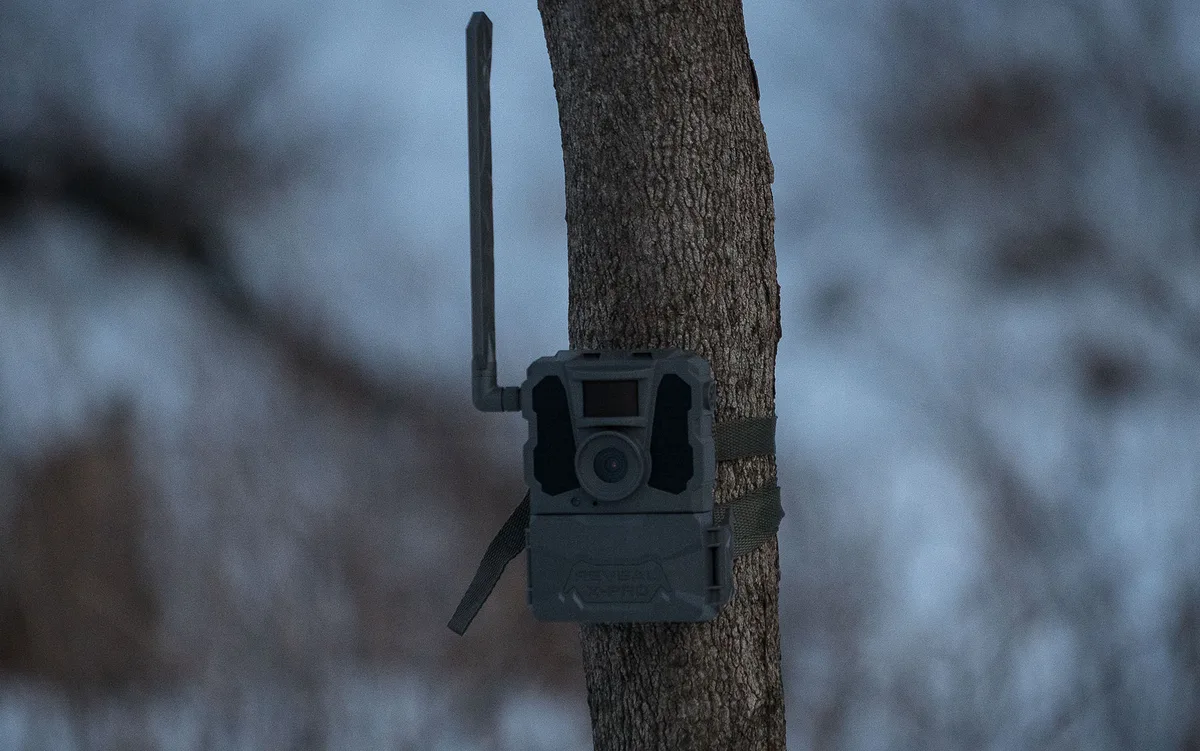
Image source: Bing (Web (fair-use with source credit))
If your camera is flashing green slowly and never locks into a rapid flash, you have a signal problem. The Reveal X needs a stable cellular connection to transmit photos. If you are in a dead zone, no amount of resetting will fix it.
But before you pack up the camera, there are several things you can try.
Check the signal strength in the app
Open the Tactacam app and navigate to your camera's settings. Look for "Signal Strength" or "Network Status." It displays a number from 0 to 100. Anything below 20 is essentially unusable.
Between 20 and 40, you might get sporadic transmission. Some photos go through, but others get stuck in the queue. Above 40 is where the camera works reliably.
If the signal is below 20, you need to move the camera. The camera cannot improve its own signal. It has a fixed internal antenna with no external antenna port.
Your only option is location.
Relocate the camera
The Reveal X's cellular performance is highly sensitive to physical obstructions. Trees, hills, metal roofing, and dense foliage can block the signal. In our research, moving a camera as little as 15 feet to a higher position or clearing a few branches often turns a dead zone into a reliable connection.
Here is what to try in order:
- Move the camera higher. Mount it at least 6 feet off the ground. Higher elevation usually means better line of sight to the nearest cell tower.
- If the camera is inside a metal deer feeder or a metal-sided structure, it will not work. Metal blocks cellular signals almost completely.
- Try placing the camera at the edge of a clearing rather than deep inside thick woods.
- Face the camera away from dense tree cover. Even though the antenna is omnidirectional, thick canopy above the camera can still interfere.
Verify network compatibility
The Tactacam Reveal X is available in two versions. One for AT&T. One for Verizon.
If you bought the AT&T version but are in an area where Verizon has better coverage, the camera will not connect. Check the model number on the camera or the box. It should clearly state which carrier it supports.
If you have the wrong version, you need to exchange it.
What about network outages?
Sometimes the problem is not your camera at all. Cell towers go down for maintenance, weather events, or overload during hunting season. If you have verified everything else and the signal strength was previously good, wait 24 hours.
Check the carrier's coverage map or call their support line to confirm there is no outage in your area. Power cycling the camera by removing the batteries for 30 seconds and reinstalling them can also help if the camera lost its registration with the tower.
Your Camera Is Online But Not Taking Photos
This one is frustrating in a different way. The camera connects to the app. It shows as "Online." It has a green LED and an active plan.
But no photos arrive. Or worse, you walk the property and find the camera has not captured anything for days. The camera is alive.
It just is not doing its job.
Check the SD card first
The Reveal X requires a Class 10 SD card formatted to FAT32. If you shoved an old card from a point-and-shoot camera from 2012 into this camera, it probably will not work. SD cards have a finite number of write cycles.
A card that has been used heavily in another device might be worn out.
Per manufacturer specifications, the maximum supported size is 32GB. Cards larger than 32GB may not work even if they are formatted correctly. Some users report that 64GB cards work after formatting to FAT32 using a third-party tool, but it is not guaranteed.
Stick with 16GB or 32GB for reliability.
Here is what to do step by step:
- Power off the camera.
- Remove the SD card.
- Insert the SD card into your computer.
- Format it to FAT32. Do not use exFAT or NTFS.
- Reinsert the card into the camera.
- Power on the camera.
If the camera still does not take photos, try a different SD card. Aggregate reviews show that certain brands like SanDisk and Kingston work best. Off-brand or "value" cards are the most common source of unexplained failures.
Are the trigger settings correct?
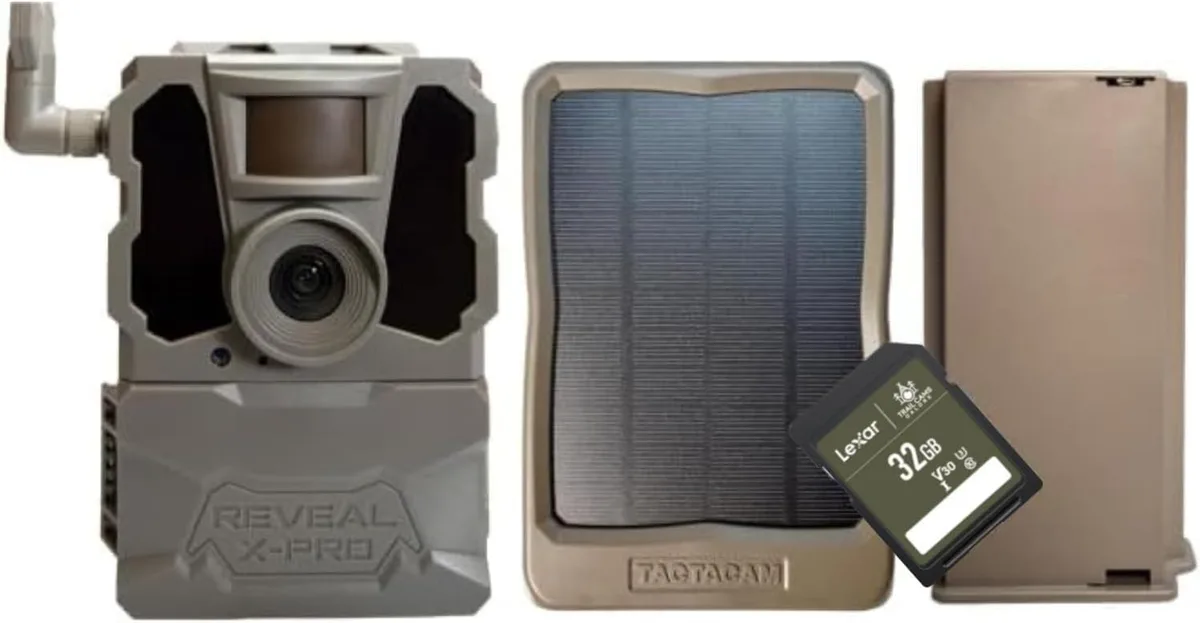
Image source: Bing (Web (fair-use with source credit))
The Reveal X has multiple detection modes. If you accidentally set it to "Time Lapse Only" or "Manual," the camera will not trigger on motion. Open the app and check the mode setting:
- Motion Detection: Camera triggers when it senses movement and heat. This is the standard mode for most users.
- Time Lapse: Camera takes photos at set intervals regardless of motion. It will not trigger on movement.
- Hybrid: Camera takes time lapse photos AND triggers on motion. Requires fine-tuning to avoid filling the SD card.
- Manual: Camera only takes photos when you manually trigger it through the app.
Make sure the mode is set to Motion Detection or Hybrid if you want the camera to capture passing animals.
Check the detection zone
The Reveal X has a passive infrared sensor that detects heat and movement. Its detection range is about 80 feet. If the camera is pointed at a bare hillside with no animal traffic, it will not trigger.
If it is pointed at a tree trunk that blocks the entire field of view, same problem.
The sensor has a slight blind spot directly beneath the camera. If you mounted it too high and aimed it straight down a trail, animals walking close to the tree may pass under the sensor without triggering it. Angle the camera slightly downward or mount it lower.
Around 4 to 5 feet is ideal for most trail applications.
Did the SD card fill up?
This is embarrassingly common. The camera stops taking photos because the SD card is full. The app will still show the camera as online because the cellular connection is fine.
It just has nowhere to store new images. Check the storage status in the app. If the card is full, either delete photos remotely if your plan supports it, or hike out to the camera and swap the card.
Photos Are Blurry, Dark, or Missing at Night
You are getting photos. That is the good news. The bad news is they look like a smudged watercolor painting.
Or the night shots are completely black. Or daytime photos are washed out and overexposed. Image quality problems are almost always a placement or settings issue, not a hardware defect.
Daytime blur
If daytime photos are blurry, the most likely cause is the camera shaking in the wind. The Reveal X has a trigger speed of 0.5 seconds, which is fast but not instantaneous. If the camera is strapped loosely to a small tree that sways in the breeze, every photo will be slightly soft.
Tighten the strap. If possible, mount the camera to a larger tree or a dedicated camera post.
Another cause is the lens being dirty or fogged. The Reveal X has a protective lens cover. If it is smudged with dirt, pollen, or spiderwebs, photos will be hazy.
Wipe the lens cover with a microfiber cloth. In humid environments, the lens can fog internally if the camera was opened in damp air. Remove the batteries and let the camera air out for a few hours in a dry space.
Night shots are completely black
The Reveal X uses invisible infrared LEDs for night vision. If the night shots are pure black, the IR LEDs are not turning on. This usually means one of two things:
- The camera is in "No Glow" mode but the IR filter is stuck. Go into the app and toggle the night vision setting from Auto to On and back to Auto. This forces the IR LEDs to fire during the next nighttime test.
- The camera is pointed at a glass window or reflective surface. Infrared light bounces off glass and washes out the image. If you are using this camera to watch a cabin or a shed, do not point it through a window.
Night shots are grainy or dim
Grainy night shots mean the IR LEDs are working but not reaching far enough. The Reveal X's IR range is roughly 60 to 80 feet under ideal conditions. If your subject is beyond that range, the image will be dark and noisy.
Move the camera closer to the area you want to monitor.
Dim night shots can also happen if the camera is pointed into a wide open field. The IR light spreads out and loses intensity. Funneling the camera's view along a trail or towards a bait site concentrates the IR light on a smaller area, producing brighter images.
Daytime shots are blown out or too bright
This is rare on the Reveal X, but it happens if the camera is pointed directly at the sun during sunrise or sunset. The exposure sensor gets overwhelmed, and the entire image washes out. Reposition the camera so it faces north or south rather than directly east or west.
If that is not possible, mount the camera under a tree branch or rock overhang that casts partial shade during the brightest part of the day.
Battery Drain Faster Than Expected
You put fresh batteries in two weeks ago. The camera is already dead. This is one of the most common complaints about the Reveal X, but the cause is usually predictable and fixable.
Are you using the right batteries?
The Reveal X is designed to run on alkaline batteries under most conditions. Lithium batteries perform better in cold weather but can actually cause faster drain in warm conditions due to their higher voltage. The camera's voltage regulator works harder to manage the extra power, which wastes energy as heat.
Here is the simple rule:
- Above freezing: Use high-quality alkaline batteries. Energizer Max or Duracell Coppertop are the most reliable options.
- Below freezing: Use lithium batteries. Energizer Ultimate Lithium is the standard choice.
Do not mix battery types. Do not use rechargeable NiMH batteries, their lower voltage (1.2V vs 1.5V) causes the camera to report low battery prematurely and can cause erratic behavior.
How many photos are you transmitting?
Every photo you transmit uses power. Not just for taking the picture, but for connecting to the cell tower, uploading the file, and disconnecting. If you have the camera set to transmit every photo immediately, you are draining the battery much faster than if you batch them.
Check your transmission settings in the app. You can set the camera to transmit photos once per day, twice per day, or immediately. For most users, once per day is a good balance.
You still get the photos you need, but the camera spends less time connected to the network.
Is the camera in a fringe signal area?
When the camera has a weak cellular signal, it has to work harder to stay connected. It pumps more power to the antenna. It retries failed transmissions.
It stays awake longer. All of that drains the battery.
If your signal strength is below 30, expect battery life to drop by 50% or more compared to a camera with a strong signal. You have two options: move the camera to a better signal area, or accept shorter battery life and plan for more frequent battery changes.
What about the solar panel?
Tactacam sells an optional solar panel for the Reveal X. It plugs directly into the camera and keeps the batteries topped off. If you are in a sunny area, the solar panel can extend battery life indefinitely.
If you are in a heavily shaded area, the solar panel will not generate enough power to make a difference.
According to manufacturer specifications, the solar panel outputs roughly 1.5 watts in direct sunlight. In partial shade, that drops to 0.5 watts or less. The camera draws about 0.2 watts when idle and up to 2 watts when transmitting.
Do the math. If the panel cannot keep up with the transmission load, the batteries will still drain, just slower.
SD Card Issues: The Silent Troublemaker
SD card problems are the most overlooked cause of Reveal X failures. The camera appears to work. The app shows it online.
But photos are missing, corrupted, or the camera stops taking them entirely. The SD card is almost always the culprit.
What kind of SD card do you need?
The Reveal X requires a Class 10 SD card. Class 10 means the card can write data at a minimum of 10 megabytes per second. Slower cards cause the camera to miss photos or corrupt files.
The maximum supported size is 32GB. Cards larger than 32GB are formatted as exFAT by default. The Reveal X only reads FAT32.
If you use a 64GB or 128GB card, you must reformat it to FAT32 using a computer. This is not a guarantee it will work. Some large cards behave unpredictably even after reformatting.
How to format an SD card for the Reveal X
The best way to format an SD card for the Reveal X is to do it inside the camera itself. Here is how:
- Insert the SD card into the camera.
- Power on the camera.
- Open the Tactacam app.
- Go to Camera Settings.
- Select "Format SD Card."
- Confirm the action.
This ensures the card is formatted with the correct file system and sector size. If you cannot format in the camera, format it on a computer using FAT32 with a default allocation size of 32KB or 64KB.
How often should you replace the SD card?
SD cards wear out. Each write cycle slightly degrades the memory cells. A card used in a trail camera that takes hundreds of photos per week will fail faster than a card used in a DSLR that takes a few dozen photos per month.
Replace your SD card at least once per year if the camera is used heavily. If you notice corrupted files or missing photos, replace the card immediately. A $10 SD card is cheap insurance against losing weeks of scouting data.
What to do if the SD card is corrupted
If the camera stops working and the SD card is the suspected cause, try these steps in order:
- Power off the camera.
- Remove the SD card.
- Insert the card into your computer.
- Attempt to read the files. If the computer cannot read the card, the card is likely dead.
- Insert a different SD card into the camera.
- Power on the camera.
If the camera works with the new card, throw the old card away. Do not try to reuse it. Corrupted cards often fail again.
The Factory Reset: When to Do It and How
A factory reset should be your last resort, not your first troubleshooting step. It erases all settings, including your cellular plan registration. You will have to set up the camera from scratch.
But sometimes it is the only way to fix a camera that is stuck in a loop.
When should you factory reset?
Use a factory reset only when:
- The camera will not connect after you have verified signal strength, plan status, and SD card.
- The camera is stuck on a flashing green LED and will not respond to power cycling.
- The camera behaves erratically after a failed firmware update.
- The camera shows "Error" in the app and none of the other fixes work.
How to factory reset the Reveal X
- Power on the camera.
- Locate the reset button. It is a small pinhole button on the bottom of the camera, near the mounting bracket.
- Insert a paperclip or similar tool into the pinhole.
- Press and hold the button for 10 seconds.
- Release the button. The LED will flash rapidly and then turn off.
- Remove the batteries for 30 seconds.
- Reinstall the batteries and power on the camera.
After the reset, the camera will be in pairing mode. Open the app and set up the camera as if it were brand new. You will need to re-enter the serial number and reactivate the cellular plan.
What if the reset does not work?
If a factory reset does not solve the problem, the camera likely has a hardware defect. Contact Tactacam customer support. The Reveal X comes with a one-year warranty from the date of purchase.
Support will walk you through additional diagnostics and, if necessary, process a replacement.
What to Try Before You Give Up
If you have gone through every section above and the camera still is not working, here is a final checklist. Run through these in order. One of them will likely solve the problem.
Update the firmware
Outdated firmware can cause all kinds of strange behavior. The camera might refuse to connect, take corrupted photos, or drain the battery in hours. Check for firmware updates in the Tactacam app.
- Open the app.
- Go to Camera Settings.
- Look for "Firmware Update."
- If an update is available, follow the on-screen instructions to install it.
Firmware updates are delivered over the cellular network. Make sure the camera has a solid signal before starting the update. A failed update can brick the camera.
Try a different power source
If you suspect the batteries are the problem, try connecting the camera to an external power source. The Reveal X has a 12V DC input port. You can connect it to a small sealed lead-acid battery or a Tactacam solar panel.
If the camera works with external power, the issue is with your battery configuration.
Check for physical damage
Inspect the camera carefully. Look for cracks in the housing, water intrusion, or corrosion on the battery contacts. The Reveal X is weather-sealed but not indestructible.
If water has gotten inside, the camera may be beyond repair.
Contact customer support
If nothing else works, reach out to Tactacam support. Their contact information is on the official Tactacam website. Be prepared to provide the camera's serial number, a description of the problem, and the steps you have already tried.
Support can run remote diagnostics on the camera and determine if it needs to be returned.
Frequently Asked Questions
Why is my Tactacam Reveal X not connecting to the app?
The most common cause is a weak cellular signal. Check the signal strength in the app. If it is below 20, move the camera to a higher or more open location.
Also verify that the cellular plan is active and that Bluetooth pairing was completed during setup.
How do I reset my Tactacam Reveal X?
Press and hold the reset button on the bottom of the camera for 10 seconds using a paperclip. Remove the batteries for 30 seconds, reinstall them, and power on the camera. You will need to set up the camera again in the app after the reset.
What SD card should I use with the Reveal X?
Use a Class 10 SD card with a maximum capacity of 32GB. Format the card to FAT32. Formatting inside the camera through the app is the most reliable method.
SanDisk and Kingston brands are the most consistently compatible.
Why are my night photos completely black?
The infrared LEDs are likely not activating. Toggle the night vision setting in the app from Auto to On and back to Auto. If the camera is pointed through a glass window, move it.
Glass blocks infrared light and causes black images.
How long do the batteries last in the Reveal X?
With alkaline batteries and moderate photo transmission (10 to 20 photos per day), expect 3 to 6 months. Lithium batteries last longer in cold weather but can drain faster in warm conditions. Signal strength and transmission frequency are the biggest variables.
Can I use the Reveal X without a cellular plan?
No. The Reveal X is designed exclusively for cellular transmission. It does not have Bluetooth or Wi-Fi for local photo transfer.
Without an active cellular plan, the camera will not transmit photos and is essentially non-functional.

Similar Posts