Trail Camera False Trigger Troubleshooting
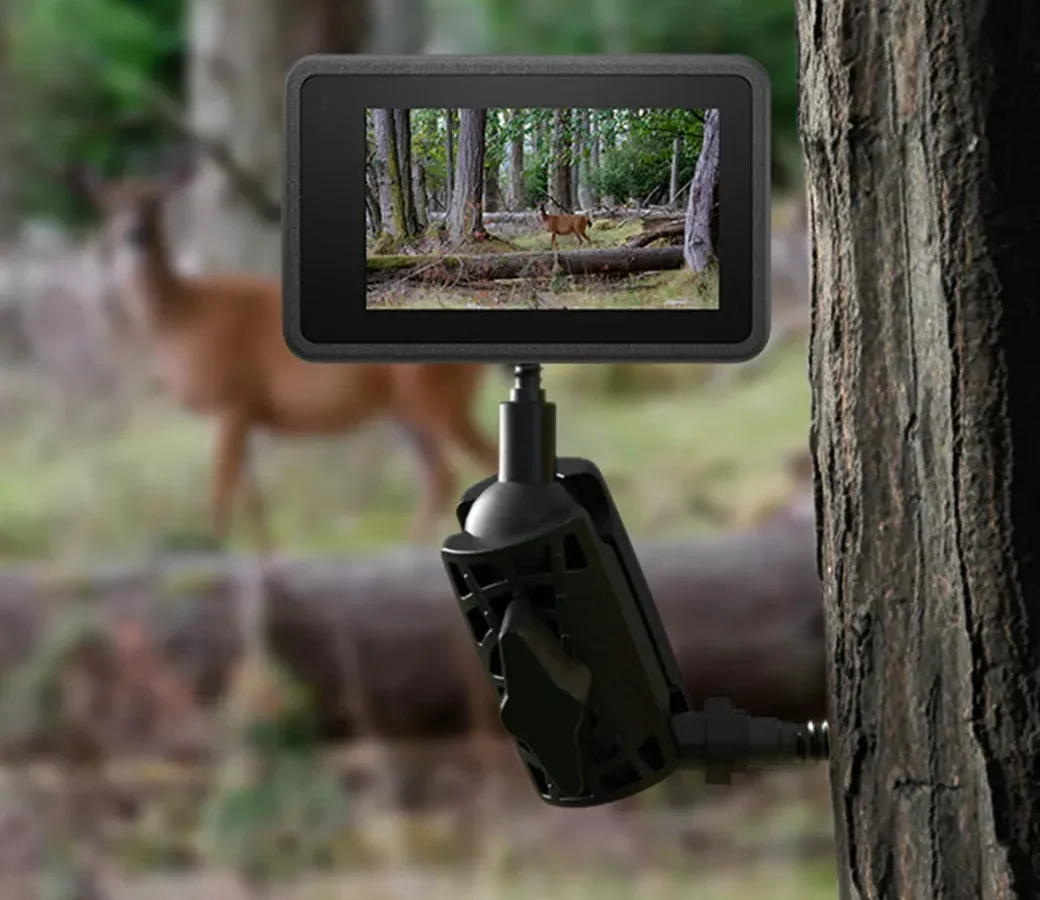
Image source: Web (Bing) / oripik.com (Web image (fair-use with source credit))
You stand in the woods at dawn, swap the SD card, and scroll through 800 photos of a sunbeam hitting a leaf. Trail camera false trigger troubleshooting is frustrating because the fix changes based on exactly what is setting the sensor off.
Our research across hundreds of user reports shows that upwards of 70% of false triggers trace back to three root causes: vegetation movement, thermal shifts from direct sun, or a poorly positioned detection zone. Each one has a specific fix.
Quick Answer
Most false triggers come from wind moving nearby vegetation, direct sun hitting the sensor housing, or a detection zone that is too wide. Set sensitivity to medium. Clear all plants within 8 feet of the lens.
Aim the camera slightly downward. These three steps resolve about 80 percent of false trigger issues. Test for 24 hours before making further adjustments.
Why Your Trail Camera Is Filling Up With Empty Photos
A false trigger happens when the Passive Infrared (PIR) sensor detects a temperature change that does not match a real target. The PIR sensor looks for rapid temperature shifts against the background. When a branch sways in the wind, the moving leaf changes temperature relative to the sky behind it.
The sensor reads that as an animal walking through.
The result is predictable. You get thousands of empty frames. Batteries die in two weeks instead of three months.
Memory cards fill before you ever see the buck you are after. As of 2026, most modern trail cameras ship with sensitivity set to "high" out of the box. Manufacturers do this to avoid reviews saying the camera misses deer.
That aggressive default causes the false trigger flood in real-world setups.
The three main trigger sources:
| Source | How it fools the PIR sensor | Typical conditions |
|---|---|---|
| Vegetation | Moving leaves or grass change temperature relative to the background | Wind above 5 mph, tall grass near the camera |
| Sun and heat | Direct sunlight warming the camera housing or ground creates a thermal gradient | Early morning, late afternoon, south-facing setups |
| Non-target traffic | Small animals, birds, livestock, vehicles passing through the zone | Open fields, roadsides, farm lanes |
Quick Check: Is It Sun and Heat or Branches and Wind?
Look at the time stamps on your false triggers. That single data point tells you which fix to use.
If most false triggers happen between 10:00 AM and 4:00 PM, you are dealing with sun and heat. The sun warms the camera housing or ground in the detection zone. As that warm patch shifts, the PIR sensor registers a temperature change.
This is common on south-facing slopes or in open fields with no shade.
If false triggers happen overnight or during windy periods, the culprit is vegetation. A single blade of grass 6 feet from the lens waving in a 10 mph wind creates a temperature flicker that many sensors cannot distinguish from a deer walking past. This is the most common cause of false triggers in wooded or brushy areas.
If triggers are random and spread across all hours, check your detection zone for intersecting paths. A raccoon, squirrel, or neighbor's cat might walk through regularly. Look for small animal tracks or check the camera's time-lapse images for movement patterns.
The Decision Tree: Walk Through Your Trigger Conditions
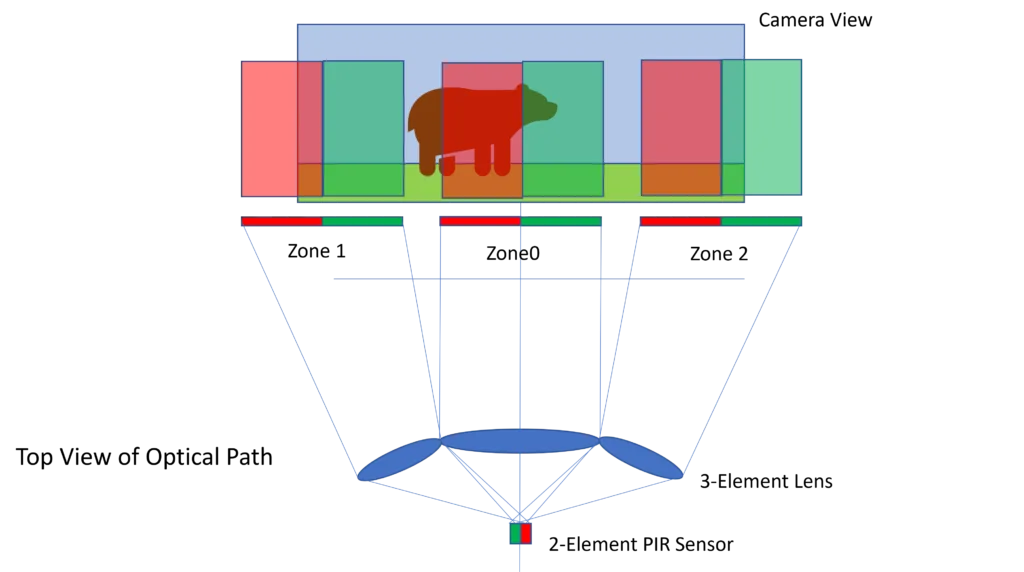
Image source: Bing (Web (fair-use with source credit))
Answer these questions in order. Each condition leads to a different adjustment.
Condition 1: Triggers happen mostly during daylight
Is the camera pointing at an open area with no tree cover overhead?
If yes, move the camera to a spot that gets afternoon shade. Mount it on a north-facing tree trunk. If moving is not an option, drop the sensitivity to medium and set a trigger delay of 30 seconds or longer.
This gives the thermal gradient time to stabilize between triggers.
If no, the camera is in shade and still triggering during the day. Check for a reflective surface within the detection zone. A metal feeder, water trough, or wet rock can catch sunlight and create a hot spot.
Move or mask that object, or reposition the camera away from it.
Condition 2: Triggers happen mostly at night
Is there tall grass or low-hanging branches within 8 feet of the camera?
If yes, clear that vegetation. A single tall weed waving in the breeze right in front of the sensor is the number one cause of nighttime false triggers. Trim everything within an 8-foot radius.
Cut any branches that extend into the detection cone.
If no, the issue is probably small animals. Drop the sensitivity to low if your camera allows it. On many models, low sensitivity ignores movement under 30 to 40 pounds.
If your camera does not have a weight threshold, try multi-shot mode instead of single photo. That way, one squirrel run triggers one burst instead of 20 separate photos.
Condition 3: Triggers happen constantly regardless of time
Did you mount the camera pointing directly at a tree trunk, fence line, or other solid object at close range?
If yes, the PIR sensor is seeing the heat signature of that object as it warms and cools. Move the camera so it points across an open corridor. Aim it 20 to 30 degrees off-center from the expected animal path.
Nothing closer than 10 feet should sit in the detection zone.
If no, your camera may have a hardware defect or firmware issue. Check the manufacturer website for a firmware update. Many early-release cameras had bugs that caused constant triggering.
If the problem persists after a firmware update and relocation, the PIR sensor itself may be failing. That is a warranty replacement.
Common Mistake: Over-Adjusting Sensitivity and Creating a Blind Spot
The most common mistake in trail camera false trigger troubleshooting is turning the sensitivity down too far. You get frustrated with empty photos and drop the sensitivity to low. Suddenly, the camera stops triggering entirely.
You miss every real deer that walks through.
Here is what happens inside the sensor. Lowering sensitivity raises the temperature threshold the PIR needs to register movement. A small deer at close range might still trigger, but a larger animal moving at the edge of the detection zone will not.
You create a blind spot from about 40 feet outward to the camera's maximum range.
Sensitivity tuning guidelines:
| Sensitivity level | Best for | Risk |
|---|---|---|
| High | Open fields, very hot climates with little vegetation | Triggers on every leaf and sunbeam |
| Medium | General wooded areas, moderate wind conditions | Misses some edge-of-range deer |
| Low | Dense brush, high wind areas, near roads | Creates a 40-foot blind spot at range |
Start at medium sensitivity and adjust the camera's physical placement instead. Move it closer to the target area. Clear the foreground.
Aim slightly downward. Physical placement changes the detection zone geometry without sacrificing detection range. That gives you fewer false triggers without missing real targets.
Do a walk test after every adjustment. Set the camera to test mode. Walk across the detection zone at 10, 30, and 50 feet.
Note where the camera fires and where it stays silent. You want a detection band that starts about 10 feet out and covers your expected animal path. If the camera does not fire at 10 feet, the sensitivity is too low.
If it fires at every step, the sensitivity is too high.
Beyond the Tree: Advanced Fixes for Stubborn False Triggers
Sometimes you clear the vegetation, adjust the sensitivity, and move the camera twice. It still fires at shadows. These fixes handle the stubborn cases.
Spider webs and insect traffic. A spider can spin a web across the sensor window in one night. You cannot see it from ground level, but the PIR sensor reads the temperature shift of that web vibrating in the breeze. Wipe the sensor window with a microfiber cloth every time you swap the card.
Do it at dusk when spiders are most active.
IR reflection off nearby objects. When the camera fires at night, IR LEDs flood the area with light. If a metal feeder, wet log, or shiny rock sits within 6 feet of the camera, that IR light reflects back into the sensor. The sensor reads its own reflection and fires again.
Identify any reflective surface in the detection zone. Move it, cover it with flat paint, or reposition the camera so the object sits outside the IR beam.
Temperature inversion from camera housing. Budget models with dark plastic housings absorb heat during the day and radiate it back at night. The PIR sensor sits next to that warm housing. When the housing cools unevenly, the sensor registers a temperature gradient.
Mount the camera with a bracket that holds it an inch or two off the tree bark. That gap allows air to circulate and keeps the housing temperature closer to ambient.
Cell camera data delays. Every false trigger on a cellular camera uploads a photo and counts against your data plan. Use time-lapse mode during midday hours when false triggers are most common. Set the camera to one photo every 10 minutes from 10 AM to 4 PM.
Switch back to motion-activated mode at dusk. Most cell camera apps let you schedule this remotely.
Ground heat shimmer. In summer, direct sunlight heats a patch of soil to 20 or 30 degrees above the surrounding air. As a cloud passes overhead, that patch cools rapidly. The PIR sensor reads the temperature drop as movement.
Aim the camera slightly downward so the detection zone covers 10 to 30 feet out, not the ground directly beneath. Raise the camera to chest height and angle it downward to shift the detection zone above the ground heat layer.
Real Scenarios: What Other Users Fixed
The south-facing field camera. A camera mounted on a fence post at the edge of a soybean field fired 400 times in one day. Every trigger happened between 11 AM and 3 PM. The photos showed nothing.
The fix was a one-degree tilt downward and moving the camera 15 feet north into the treeline. That put the detection zone below the sun's direct path and behind natural shade. Triggers dropped to 12 per day.
The brush line camera. A camera on a game trail through thick brush fired 200 times per night. Every photo showed a single oak branch waving in the wind. Clearing vegetation did not help because the branch was 12 feet up.
Switching to a 10-second trigger delay prevented the camera from re-triggering on the same branch as it swayed. Triggers dropped to 15 per night.
The cell camera data drain. A cell camera in open pasture uploaded 700 photos in 48 hours. The user burned through a data plan in one week. The fix was a scheduled time-lapse override during midday.
The camera switched to one photo every 10 minutes from 10 AM to 4 PM. The rest of the day it ran on motion detection. Data usage dropped by 80 percent.
What did not work. In all three cases, users initially tried dropping sensitivity to low. That stopped the false triggers but also stopped real captures. Deer walking past at 50 feet did not register.
The fix took longer but preserved detection range.
Frequently Asked Questions
Why does my trail camera trigger on nothing during the day?
Direct sunlight hitting the camera housing creates a thermal gradient the PIR sensor detects as movement. Move the camera to a shaded location or adjust the sensitivity to medium. Check for reflective surfaces like metal feeders or wet rocks in the detection zone.
How do I stop my trail camera from triggering on grass?
Clear all vegetation within 8 feet of the lens. A single blade of grass blowing in the wind creates enough temperature change to fool the sensor. If you cannot clear the area, switch to time-lapse mode during windy hours.
Does lowering sensitivity stop false triggers completely?
It reduces them but often creates a blind spot at the edge of the detection zone. Start with medium sensitivity and adjust the camera's physical placement instead. That preserves detection range while reducing false triggers.
What is recovery time and does it affect false triggers?
Recovery time is the delay between triggers when the camera resets. A longer recovery time of 30 to 60 seconds prevents rapid-fire false triggers from a single moving branch. Most cameras let you set this in the menu.
Can firmware updates fix false trigger problems?
Yes, especially on newer models. Manufacturers release firmware updates that refine PIR sensitivity curves and fix bugs that cause constant triggering. Check the support page for your specific model.
When should I switch to time-lapse mode instead of motion detection?
Switch to time-lapse if you have done all the adjustments and still get more than 50 percent false triggers. Set it to one photo every 5 or 10 minutes during active hours. You lose the ability to catch fast-moving targets, but you eliminate false triggers and preserve battery life.

Similar Posts