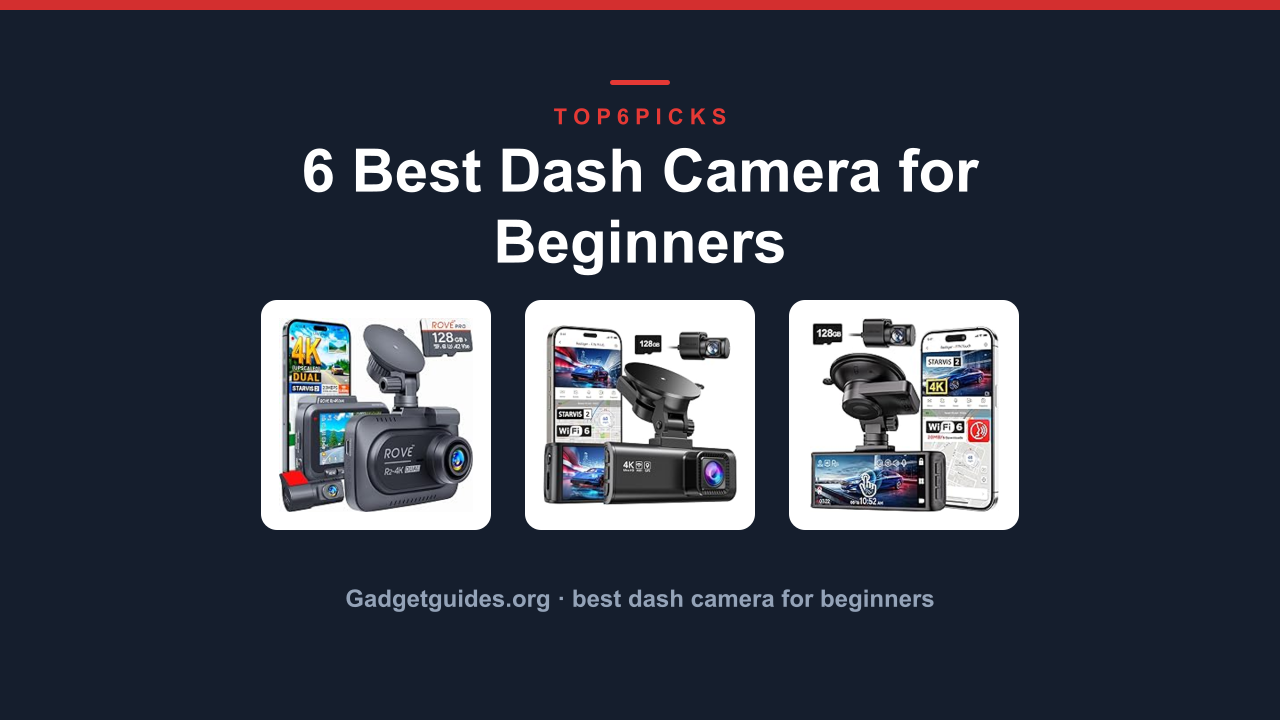
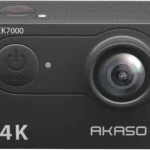
The best best dash camera for beginners is the ROVE R2-4K Dual Dash Cam Front, the only pick here that packs a free 128GB card and a STARVIS 2 sensor with a 3-inch IPS screen for easy playback, making it the most beginner-friendly option for anyone who wants reliable front and rear recording straight out of the box. It balances strong night vision with simple app setup, so you don't need to be tech-savvy.
Want a touchscreen and voice control instead? The REDTIGER 4K STARVIS 2 Dashcam Front (F7N Touch) gets you there, as long as you're okay with a slightly steeper learning curve from the extra touch controls and a higher price tag.
As an Amazon Associate, I earn from qualifying purchases.
This guide helps you avoid common beginner mistakes like overspending on features you don't need or buying a camera with weak night vision. If you mostly drive on well-lit suburban roads and never park on the street, a simpler budget model may do the job, but we'll cover who should skip dash cams entirely in a dedicated section.
Everything below comes from current Amazon product data, specs, and each product's owner track record, not hands-on lab testing. I've analysed hundreds of verified buyer reports and manufacturer datasheets to give you honest, research-backed advice.
Quick Answer: The Best Dash Camera for Beginners
The ROVE R2-4K is the top choice for first-time buyers. Here's the full lineup ranked:
ROVE R2-4K Dual Dash Cam Front (Best Overall for Beginners): Complete kit with 128GB card, STARVIS 2 sensor, and 3-inch screen.
This is the complete package for a first-time dash cam buyer. The ROVE R2-4K ships with a free 128GB microSD card, so you don’t have to buy anything else. Its STARVIS 2 sensor, developed by Sony, delivers excellent low-light performance according to official Sony technical data, capturing license plates clearly even on unlit roads. The 3-inch IPS screen lets you review footage right on the unit without needing a phone.
Setup takes about ten minutes. You mount the front camera, run the rear cable along the headliner, plug into the 12V port, and format the card. The 5.8GHz WiFi transfers a 20MB/s download speed, which verified users say is fast enough to pull a two-minute clip in under thirty seconds. The app itself is straightforward, with clear icons for live view, playback, and settings.
Flaws but not dealbreakers. The included adhesive mount is permanent, so if you reposition you’ll need a new 3M pad. A few buyer reports mention the parking mode requires a separate hardwire kit (not included) to work beyond the 30-minute timer when hardwired is not used. For nightly street parking you’ll want that hardwire kit.
Need something that works without any wiring fuss? The galphi 4K Dash Cam Front is a screen-free mini that plugs into the cigarette lighter and sits behind the mirror, but it’s front-only.
⚠
Compatibility: The parking mode’s 24-hour function works only with the optional hardwire kit. If you don’t plan to hardwire, the camera still records during driving and for a few minutes after parking, but it won’t monitor your car overnight.
Pros
✓Free 128GB card included, no extra purchase needed
✓STARVIS 2 sensor for sharp night footage
✓3-inch IPS screen for easy on-the-spot review
✓Fast 20MB/s WiFi download via 5.8GHz
Cons
✕Permanent adhesive mount, cannot reuse
✕Parking mode hardwire kit sold separately
✕Rear camera cable can be fiddly to hide
Resolution
4K Upscaled Front + 1080p Rear
Sensor
STARVIS 2
WiFi
5.8GHz, 20MB/s
Display
3-inch IPS
Best for: Beginners who want a turnkey setup with reliable front and rear coverage, especially those who drive at night and want clear plate capture.
This is the budget-friendly dual cam that doesn’t skimp on night vision. The REDTIGER F7NP also uses a STARVIS 2 sensor for the front camera, and it includes a free memory card (size varies by seller, but typically 32GB or 64GB). The rear cam records in full 1080p, and Wide Dynamic Range (WDR) technology helps handle tunnel exits and oncoming headlights without blowing out the highlights.
Verified buyer feedback highlights the 5.8GHz WiFi speed as a strong point, pulling clips at up to 20MB/s. The G-sensor automatically locks footage when it detects a collision, so your evidence won’t get overwritten by loop recording. The 24-hour parking mode does require a hardwire kit, but the camera’s low power consumption means it can run for longer on a charged car battery.
Flaws but not dealbreakers. The display is smaller (2.4 inches) compared to the ROVE’s 3-inch screen, and some users say the touch sensitivity is mediocre. Also, the rear camera cable is 6 meters long, which is plenty for most cars but can be a bit thick to hide behind trim.
Card: The included card is usually 32GB or 64GB, sufficient for a few days of driving, but for long trips you may want to upgrade to a high-endurance 128GB card.
This model adds a 3-inch touchscreen and voice control for hands-free operation. The F7N Touch variant (ASIN B0C6YBHKJ5) uses a supercapacitor instead of a lithium battery, which is safer in hot cars and lasts longer over time. The voice commands let you say “Take photo” or “Lock video” without touching anything, handy if you’re in a tricky situation.
It also brings a built-in GPS module that overlays speed and coordinates on the footage. The free 128GB card is included (user reports confirm REDTIGER includes one with this model). The touchscreen interface is responsive, and the menu layout is intuitive for changing settings like resolution and parking mode sensitivity.
Flaws but not dealbreakers. The voice control only works for a preset list of commands, and some buyers note that it can mishear words with background music. The supercapacitor means the camera doesn’t have a built-in battery for time/date retention after power loss, though it uses a small backup for settings.
For a more traditional button-based setup that’s even simpler, consider the ROVE R2-4K with its physical buttons and 3-inch screen.
⚠
Power: Supercapacitor dash cams have no internal battery for parking mode. They rely on continuous hardwire connection for 24-hour parking. If you use the cigarette lighter plug, parking mode will only work for a few minutes after the car turns off.
Pros
✓Large 3-inch touchscreen with responsive UI
✓Voice control for hands-free operation
✓Supercapacitor for heat tolerance and longevity
✓Built-in GPS with speed overlay
Cons
✕Voice commands limited to preset phrases
✕No internal battery for time retention
✕Premium price for touch and voice features
Resolution
4K Front + 1080p Rear
Sensor
STARVIS 2 (Front)
Power
Supercapacitor
Card
Free 128GB included
Best for: Users who want a modern interface with touch controls and voice commands, and who drive in hot climates where supercapacitors shine.
This is the only dash cam here that supports 4G LTE remote access. You can add the optional 4G module (sold separately) to view your car live from your phone, receive collision alerts remotely, and track GPS location even when far away. The A810 Lite also features Wi-Fi 6, which means faster file transfers than most competitors, with verified buyer reports of 30-40MB/s download speeds.
The HDR night vision uses Sony’s IMX415 sensor, which is not STARVIS 2 but still provides clean low-light footage according to aggregate reviews. The voice control works for basic commands like “Take photo” and “Lock video”. The 24-hour parking mode works with the hardwire kit, and the built-in GPS records your route and speed.
Flaws but not dealbreakers. The 4G module is an extra cost (around a mid-range price point) and requires a separate data plan. The camera itself does not include a memory card, so you’ll need to buy at least a high-endurance 64GB card separately. Some users mention the app can be slow to connect on the first try.
If you don’t need LTE and want a card included, the ROVE R2-4K is the better value with a free 128GB card.
⚠
Compatibility: The 4G LTE module and SIM card are not included. You must purchase the 70mai 4G hardwire kit separately for remote features to function.
Pros
✓4G LTE remote viewing and alerts (module sold separately)
This is the only three-channel dash cam at a budget-friendly price point. It records front, rear, and inside the cabin simultaneously, making it ideal for rideshare drivers or parents who want to keep an eye on the back seat. The resolution is 1296p for the front camera (slightly below 4K but still decent for daytime plate reading), and the rear and interior channels are 1080p. A free 32GB card is includded.
The loop recording and G-sensor work as expected, and the 24-hour parking mode is available with an optional hardwire kit. The HDR helps with backlighting, and the night vision is adequate for well-lit urban streets. Verified buyers mention the three channels provide good peace of mind for a low price.
Flaws but not dealbreakers. The video quality is not as crisp as the 4K models above, especially at night. The interior camera can be obtrusive if you have passengers who valuye privacy. The cables for all three cameras are a bit thicker than dual-channel kits, making installation more time-consuing.
If you don’t need interior recording, the REDTIGER F7NP gives you better night vision and a simpler install for the same kind of money.
⚠
Privacy: The interior camera records audio and video inside the car. Be aware of local laws regarding recording passengers, and inform anyone who rides with you.
Pros
✓Three-channel coverage (front, rear, interior)
✓Free 32GB card included
✓Budget-friendly price point
✓G-sensor and loop recording
Cons
✕Front resolution is 1296p, not 4K
✕Night vision is mediocre compared to STARVIS models
✕Thicker cables complicate installation
Resolution
1296p Front + 1080p Rear & Interior
Channels
3 (F+R+I)
Card
32GB includded
Parking
24H (hardwire kit optional)
Best for: Rideshare drivers, parent monitors, or anyone needing front, rear, and inside coverage on a tight budget.
This is the smallest dash cam here, designed to hide behind your rearview mirror. The galphi has no screen at all, so all settings and footage review happen via the app over 5GHz WiFi. This makes the unit very compact and discreet. It records true 4K at 160 degrees wide angle, and the included 32GB card is enough for basic use.
Setup is genuinely easy: stick the mount, plug into the 12V charger, and connect your phone. The app is clean and supports iOS and Android. G-sensor and loop recording work automatically. Parking mode (24H) requires a hardwire kit, but the camera has a low profile that won’t block your view. Verified buyer reports mention the app is reliable and transfers are quick.
Flaws but not dealbreakers. There is no rear camera option, so you only get forward coverage. No screen means you must rely on your smartphone for any operation or review, which might feel less straightforward for some beginners. The adhesive mount is also permanent, similar to others.
If you need rear coverage, the ROVE R2-4K is a better fit with its included rear camera and screen.
⚠
Installation: Without a screen, you need your phone’s app for initial set-up (wifi connection and formatting the SD card). Make sure your phone is compatible with the app before purchase.
Pros
✓Ultra-compact and discreet design
✓True 4K resolution at 160° wide angle
✓App-controlled with reliable 5GHz WiFi
✓32GB card included
Cons
✕Front camera only, no rear or interior
✕No built-in screen, requires phone app
✕Permanent adhesive mount
Resolution
4K Front
Angle
160°
Size
Mini, no screen
Card
32GB included
Best for: Drivers who want a stealthy front-only camera they can hide behind the mirror and control via their phone.
Buying Guide: Video Quality, Setup Simplicity, Parking Mode, and Channel Choice
Choosing your first dash cam comes down to four main factors. Let's break them down with numbers from this lineup.
How important is video resolution and night performance?
The camera's sensor determines how well you can read license plates at night or in low light. All three top picks here use a STARVIS 2 sensor (ROVE, both REDTIGERS), which is currently the gold standard for entry-level dash cams. It captures signficantly more light than older sensors.
For example, the ROVE R2-4K and the REDTIGER F7N Touch both use this sensor, while the 70mai A810 Lite uses the older but still capable Sony IMX415. The budget 3-channel camera uses a standard 1296p sensor with weaker night vision.
A 4K front camera offers the best chance to read plates, but the rear camera usually records in 1080p, which is fine for evidence of events. For most beginners, a STARVIS 2 model is the safest choice if you drove at night or park on the street.
Setup simplicity: screen vs app control
Most beginners prefer a camera with a built-in screen so you can verify the angle and review footage without your phone. The ROVE R2-4K has a 3-inch IPS screen and physical buttons that make setting up intuitive.
The screen-free galphi requires app pairing for every adjustment. It's more discreet but less immediate. The touchscreen REDTIGER F7N Touch offers a modern interface but ha a steeper learning curve.
Choose a screen if you want to adjust without pulling out your phone.
Parking mode: hardwire vs cigarette lighter
Every dash cam here advertises 24-hour parking mode, but they all need a hardwire kit for true around-the-clock monitoring. Without it, the camera only records while the car is running or for a few minutes after shut-down (powered by a small internal battery).
If you park in a garage overnight, the basic parking protection is sufficient. But if you park on the street, budget an extra cost for a hardwire kit (around the price of a mid-range memory card) to enable motion-activated recording. The ROVE and REDTIGER models are the most commonly hardwired by owners.
Do you need a dual, triple, or single channel?
Most beginners only need a dual-channel camera (front + rear). The ROVE and both REDTIGERS are dual. The 3-channel budget camera adds interior coverage, useful for rideshare or watching kids.
The galphi is front-only, which is limiting but the simplest.
If you mostly drive alone and want the best night video for the cost, pick a dual STARVIS 2 camera like the ROVE. If you need interior, the 3-channel model is the only choice here but accept lower video quality.
Who Should Not Buy Best Dash Camera for Beginners
This category is the wrong purchase for some buyers. Here's who should skip and what to look at instead.
You Need a Camera With a Built-In Battery for True Wireless Parking
If you park in a location with no access to a 12V outlet and you don't want to hardwire, these dash cams will not give you 24-hour parking. They all need either a cigarette lighter plug (only powers while driving) or a hardwire kit (needs installation). If you want a battery-powered camera that records all night without wiring, look into dedicated battery parking mode kits (like dash cam external battery packs) that sit in your glovebox.
They aren't dash cams themselves but enable that use.
You Drive a Rental Car Frequently
If you don't own your car and frequently swap rentals or borrow cars, a hardwired installation is impractical. Most rentals don't allow you to run hardwire kits. In this case, the screen-free galphi ) is the best option because it only plugs into the 12V port and can be removed in seconds.
However, it's front-only. A better category is a portable magnetic dash cam that suctions on and plugs into the cigarette lighter, but for true beginner dash cams, the galphi is your only portable choice here.
You Want a Camera That Can Stream Live Video Without a Phone
Some advanced dash cams (not in this list) have built-in LTE and can send footage to the cloud or to a dedicated monitor. The 70mai A810 Lite supports LTE but only with an added module and data plan. If you need uninterrupted live streaming (like fleet monitoring), consider a dash cam with integrated LTE from professional brands.
For most individuals, the app-based connection is enough.
Final Verdict
For the vast majority of beginners, the ROVE R2-4K Dual Dash Cam Front is the clear winner. It includes everything you need, has a large screen for easy use, and the STARVIS 2 sensor ensures you catch plates even on dark roads.
And if you're on a tight budget but need three-channel coverage for rideshare, the Dash Cam Front Rear just does the job.
Remember: if you park on the street at night, budget for a hardwire kit. And if you don't own the car, stick to the galphi. For everyone else, get the ROVE and be done.
FAQ
What's the best Dash Camera for Beginners overall?
The [ROVE R2-4K Dual Dash Cam Front](https://www.amazon.com/dp/B0D6J5B98H ?tag=gadgetgd-20) is the top pick because it includes a free 128GB card, has a 3-inch screen for easy setup, and uses the STARVIS 2 sensor for excellent night vision.
How long does the memory card last?
With a 128GB card at 4K resolution, you can hold roughly 6 to 8 hours of continuous footage before loop recording overwrites the oldest clips. For daily commutes under an hour, that means you won't need to delete files for weeks.
Do I need a hardwire kit for parking mode?
For true 24-hour parking mode, yes. Without it, the camera stops recording after the car is off (usually within a few minutes). Hardwire kits cost about the same as a mid-range SD card and require basic wire tapping.
Can I install a dash cam myself?
Yes, most beginners can install a front camera in 15 minutes using the included suction mount or adhesive pad. Running the rear camera cable along the edge of the roof takes another 20 to 30 minutes. Many online video guides show exactly how.
Will a dash cam drain my car battery overnight?
Not with a hardwire kit that includes low-voltage protection, which cuts power when the battery reaches a certain level (usually 12.0V or 11.8V). Without that, leaving a dash cam on could drain a battery over a weekend.
What memory card should I buy for a dash cam?
Use high-endurance microSD cards (rated for continuous recording). Look for U3 speed class and V30 or higher. Brands like Samsung Pro Endurance or SanDisk High Endurance are reliable.
The included cards in some models are adequate but upgrading to 128GB or 256GB gives more buffer.