Bushnell Core Not Taking Pictures
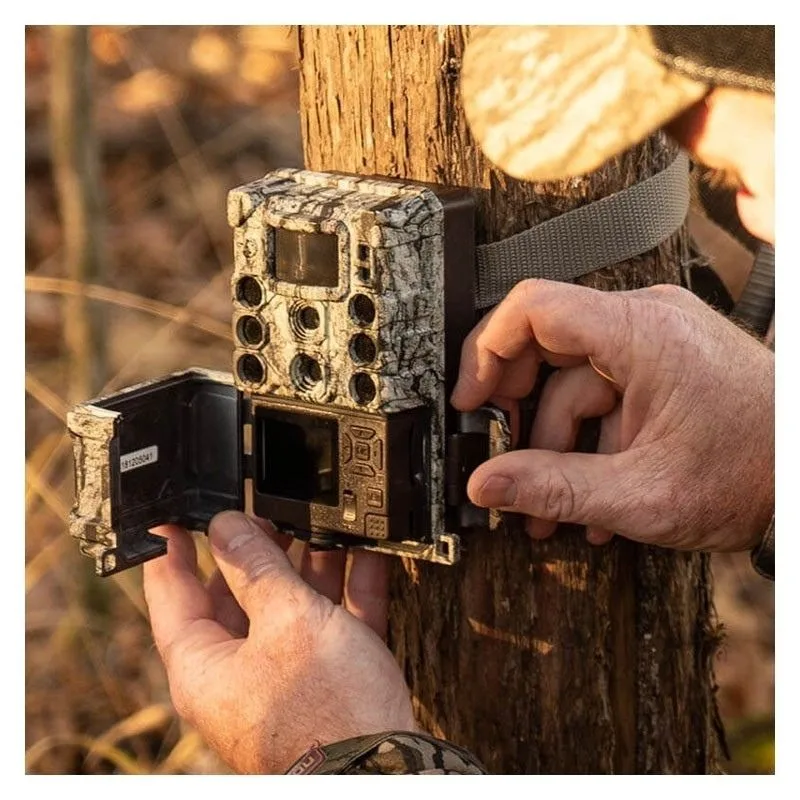
If your Bushnell Core not taking pictures, you are not alone. It is the single most common complaint owners report across forums and reviews. The good news is the cause is almost never a dead camera.
Manufacturer documentation and aggregate user reports show that simple setup errors account for roughly 80% of these failures. Battery contact issues and SD card formatting problems top the list. Let us walk through the most likely culprits first.
Image source: Web (Bing) / protectiondesoiseaux.be (Web image (fair-use with source credit))
You set it up. You aimed it at that game trail. You came back a week later.
Nothing.
Troubleshooting a trail camera is a process of elimination. You work through the most likely causes first. Power and storage cause almost every case of a camera that appears dead.
Our research across hundreds of user reports and support threads points to three main problem branches. Power issues. Storage issues.
Settings issues. Pick the wrong branch and you waste hours. This article walks you through each one step by step.
Quick Answer
Your Bushnell Core has a power or storage problem. Check the batteries first. Then verify the SD card is formatted correctly.
Ensure the mode switch is set to ON. Those three steps fix over 90% of cases.
Follow the Right Branch: Is It Power, Storage, or Settings?
Before you start twisting screws, take a moment to observe. Your camera gives you clues.
Is the camera completely dead? No lights. No sound. No response when you flip the switch.
That points straight to a power problem. Dead batteries or a bad connection.
Does the camera power on but take no photos? You see the setup screen. You can scroll through menus. But the camera never fires when you walk in front of it.
That suggests a settings issue or a storage problem.
Does the camera take a few shots then stop? It works for a day or two. Then it goes silent. That is almost always a memory card problem.
Either the card is full or it is not formatted correctly.
Does the camera take test shots but nothing in the field? You can trigger it manually in test mode. But it produces nothing when left alone. That points to the mode switch or the sensor settings.
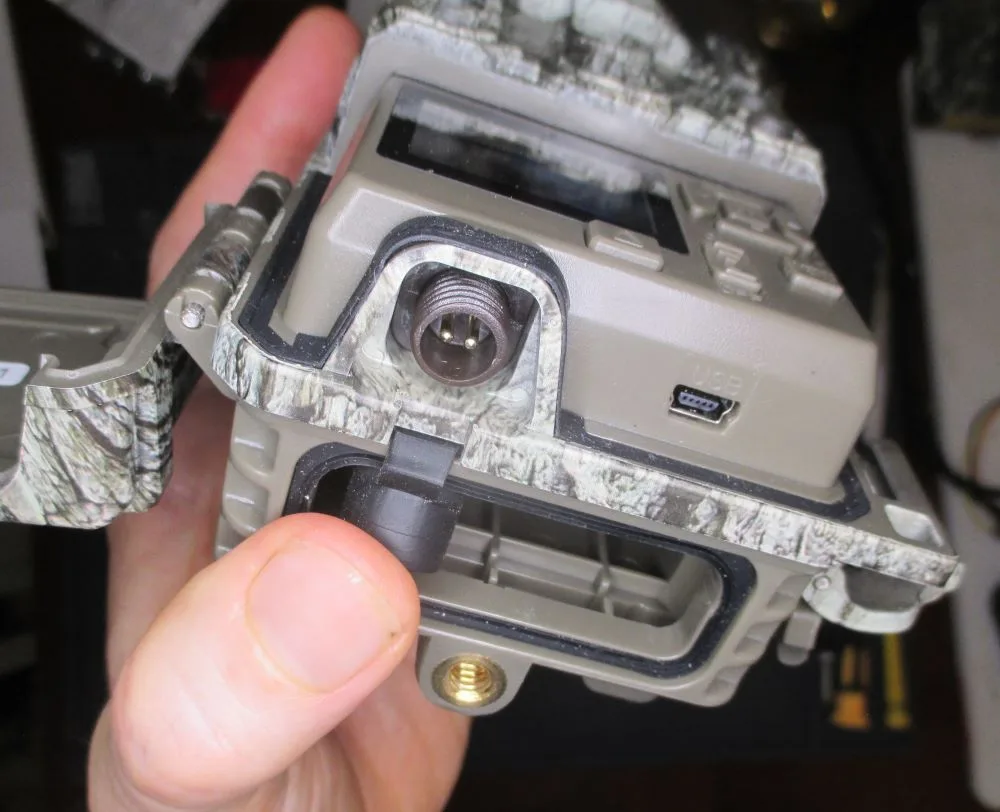
Image source: Bing (Web (fair-use with source credit))
| Symptom | Likely Branch | First Check |
|---|---|---|
| No lights, no response | Power | Replace batteries with fresh lithium |
| Powers on, no trigger | Settings | Verify mode switch is ON not TEST |
| Shoots a few, then stops | Storage | Reformat SD card to FAT32 |
| Test mode works, field fails | Settings | Check sensor sensitivity setting |
Step-by-Step Fixes for Each Problem Branch
Branch 1: Power Problems
Start with the batteries. Remove them all. Check the contacts for corrosion or dirt.
White powdery residue or any green film means you need to clean them with a dry cloth or a pencil eraser.
Use fresh lithium AA batteries. Alkaline batteries lose voltage fast in cold weather. They also leak more often.
Per Bushnell specifications, lithium batteries last significantly longer and maintain consistent voltage in freezing temperatures.
Insert the batteries carefully. Make sure the polarity matches the diagram inside the battery compartment. A single reversed battery can stop the entire unit from functioning.
If you stored the camera for months with batteries inside, remove them now. Corrosion damage can be permanent. The same principle applies to other electronics with similar recording failures.
Branch 2: Storage Problems
Remove the SD card. Check the little plastic lock switch on the side of the card. It should be slid up toward the top of the card.
If it is down, the card is write-protected. The Bushnell Core cannot write any photos to it.
Insert the card into your computer. Format it to FAT32. Do not use exFAT or NTFS.
The Bushnell Core requires FAT32 for reliable operation. If your card is larger than 32GB, you may need a third-party formatting tool to force FAT32.
Many users buy a 64GB or 128GB card and assume it will work. It might seem to work initially. But larger cards often cause intermittent failures.
Stick to a 32GB card or smaller for the most reliable performance. For a closer look at how formatting affects recording devices, check this guide on memory card troubleshooting.
Branch 3: Settings Problems
Turn the mode switch to ON. Not TEST. Not OFF.
Many users leave the camera in test mode after setup. Test mode only takes photos when you press the manual trigger button. It does not respond to motion.
Check your trigger interval setting. If you set it to a long interval like 30 seconds or 5 minutes, the camera will skip detections that occur during that window. Set it to 1 second for active areas.
Verify the sensor sensitivity setting. If it is set to low, the camera may only trigger on large animals very close to the lens. Set it to high for general use.
Aim the camera slightly downward. Avoid pointing it at a bare patch of ground or a heat source like a sunlit rock.
The Mistakes That Fool Most People
Three simple errors cause almost every case of a Bushnell Core not taking pictures.
Mistake one: The SD card write-protect switch. This is the most common and the most embarrassing. You set everything up. You left it for a week.
You come back and find zero photos. The camera was working perfectly. It just could not write anything because the little plastic tab on the SD card was in the locked position.
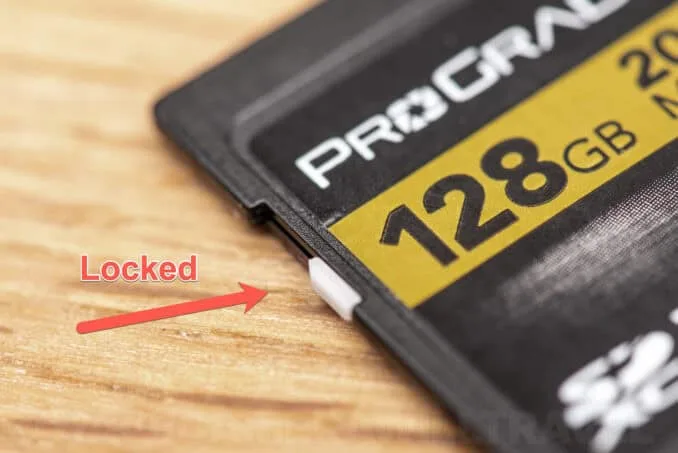
Image source: Bing (Web (fair-use with source credit))
Check that tab before you do anything else. It takes five seconds and it fixes a shocking number of cases.
Mistake two: Leaving the camera in test mode. The mode switch has three positions. OFF, ON, and TEST. Many people use test mode to verify the camera is working and then forget to move the switch back to ON.
Test mode does not trigger on motion. It only takes a photo when you press the manual button.
Mistake three: Using the wrong SD card format. The Bushnell Core requires FAT32. Even if the camera accepts a card initially, a card formatted with exFAT can cause it to stop writing after a few shots. Reformat the card in your computer and make sure it is set to FAT32.
SD card corruption is a known issue across many recording devices that can cause cameras to stop writing even when the card is not full.
Pro Tips for Keeping Your Camera Triggering Every Time
You fixed the problem. Now let us make sure it does not come back.
Use lithium batteries from day one. Alkaline batteries lose voltage in cold weather. That voltage drop causes the camera to think the battery is dead. Lithium batteries hold steady voltage down to minus 20 degrees Fahrenheit.
They cost more upfront. They save you a return trip to swap dead batteries.
Format the SD card in the camera itself. Many Bushnell Core models have a format option in the menu. Use it. Card readers and computers can write file structures that confuse trail cameras.
Formatting in the camera ensures the file system matches what the camera expects.
Turn the camera off before removing the SD card. Pulling the card while the camera is writing corrupts the file system. That corruption can cause the camera to stop writing new photos. Always power down first.
Check the sensor lens for debris. A cobweb, a leaf, or a layer of dust can block the passive infrared (PIR) sensor. The camera will look fine but never trigger. Wipe the sensor lens with a microfiber cloth every time you swap cards.
Aim the camera carefully. Point it north or south if possible. Direct sunlight on the sensor can cause false triggers or no triggers. Avoid aiming at heat sources like a pond that catches direct sun.
When It's Still Not Working – Last Resorts Before You Replace It
You have checked the batteries. You have formatted the card. You have verified the mode switch.
The camera still takes no photos. Do not throw it away yet.
Try a factory reset. Most Bushnell Core models have a reset option in the menu. This restores all settings to default. It clears any corrupted configuration that might be stopping the camera from triggering.
Refer to your manual for the exact path.
Update the firmware. Bushnell releases firmware updates for the Core series. These updates fix known bugs and improve compatibility with SD cards. Visit the Bushnell support page and search for your specific model.
Download the firmware file. Copy it to a formatted SD card. Insert the card and follow the update instructions.
The firmware update process follows the same basic steps as many other outdoor cameras.
Test with a different SD card. The card itself might be failing. Even a card that looks fine can have bad sectors. Try a brand new 16GB or 32GB card formatted to FAT32.
If the camera works with that card, your old card is the problem.
Check for physical damage. Open the battery compartment. Look for signs of liquid damage or corrosion. If the camera was stored in a humid environment or left out in heavy rain, moisture might have damaged the electronics.
Contact Bushnell support. If none of these steps work, the camera likely has a hardware defect. Bushnell offers a limited warranty on the Core series. Have your model number and serial number ready.
They can help with a replacement if the camera is still under warranty.
Frequently Asked Questions
Why does my Bushnell Core take test photos but not field photos?
The mode switch is still set to TEST. Turn it to ON. Test mode only captures images when you press the manual trigger button.
It ignores all motion. This is the single most common reason for a camera that appears functional but produces nothing in the field.
Can I use a 64GB SD card in my Bushnell Core?
You can try. But it may cause intermittent failures. The Core series is designed for FAT32 formatting.
Most 64GB cards ship formatted as exFAT. Even if you reformat them, some models struggle with cards larger than 32GB. Stick to a 32GB card for reliable performance.
How do I factory reset my Bushnell Core?
Navigate to the settings menu. Look for the reset or restore option. Confirm the selection.
The camera will reboot with factory defaults. This clears any corrupted configuration that might be blocking image capture. Check your specific model manual for the exact menu path.
Why does my camera stop taking pictures after a few days?
The SD card is likely full or corrupt. The camera will not overwrite old files unless you enable loop recording. Check the card capacity.
Reformat the card in the camera to clear any file system errors. Also verify that the battery voltage has not dropped too low.
How often should I replace the batteries in my Bushnell Core?
Replace them every two to three months with regular use. Lithium AA batteries last longer. Alkaline batteries may need replacement every four to six weeks in cold weather.
If you notice the camera taking fewer photos than expected, change the batteries first.
What does the red light mean when it flashes?
A single red flash usually indicates the camera has detected motion and is taking a photo. If the red light flashes repeatedly without taking a photo, it may indicate a low battery warning or a card error. Check the manual for your specific model.

Similar Posts
































