GoPro HERO11 Black Battery Problem
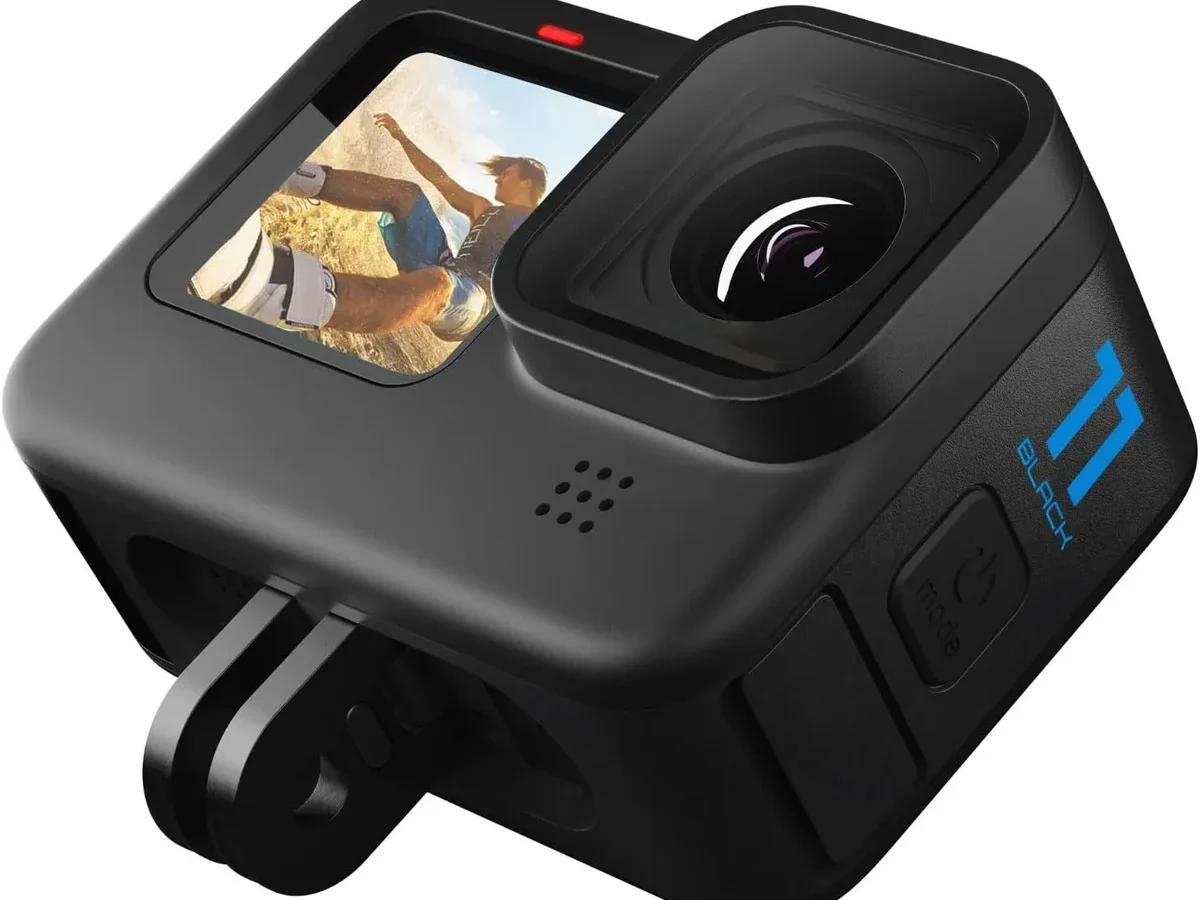
Your GoPro HERO11 Black is an absolute beast for capturing action. But when the battery starts acting up, it doesn't matter how good the footage looks. The GoPro HERO11 Black battery problem is one of the most frustrating issues owners face, and it can kill your shooting day fast.
Manufacturer specifications indicate the Enduro battery should deliver roughly 50 minutes of 5.3K recording. Aggregate user reviews report that many units fall short of that mark, especially after a few months of use. The good news is most battery problems have a clear fix.
You just need to match your symptoms to the right solution.
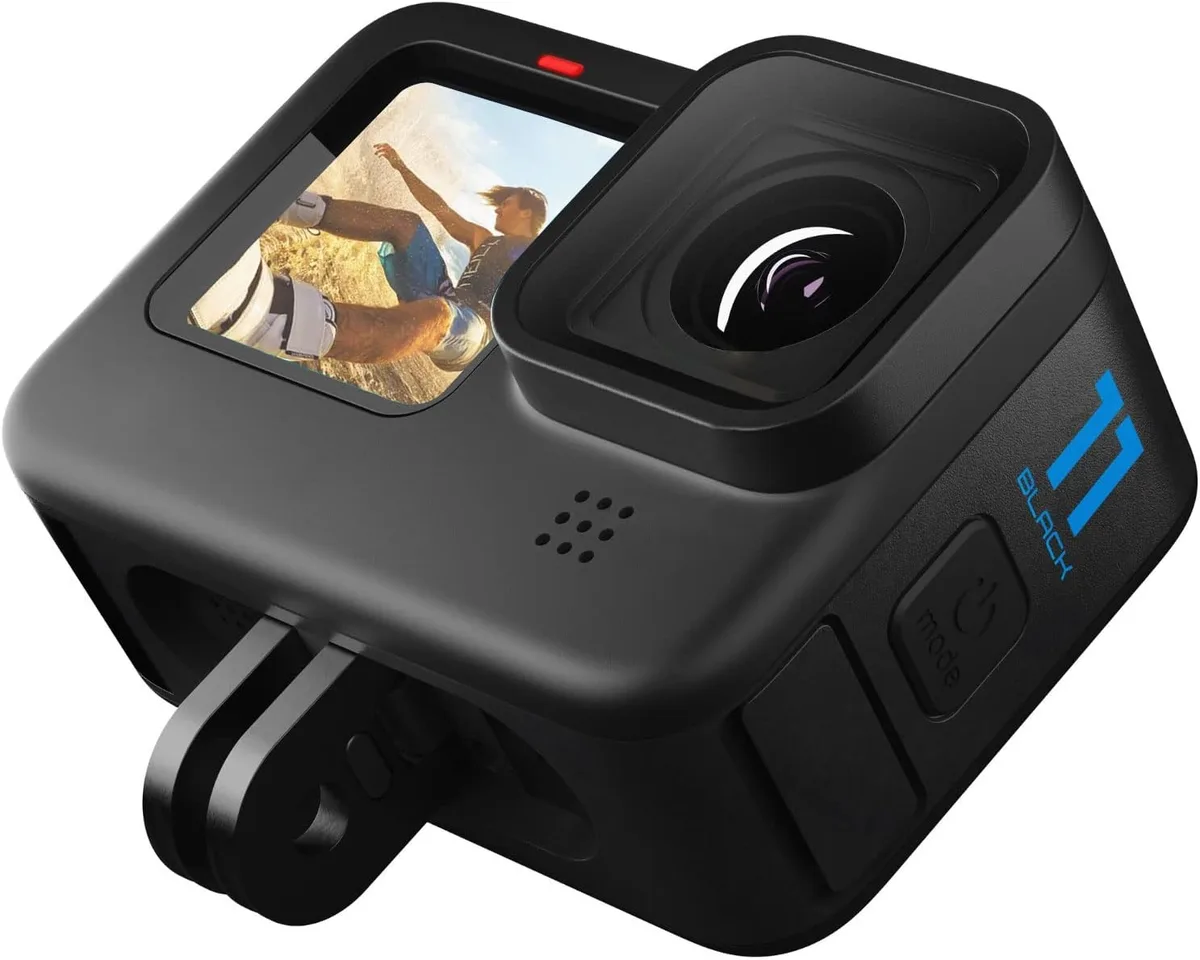
Image source: Bing (Web (fair-use with source credit))
Quick Answer
Most GoPro HERO11 Black battery problems come down to four causes: outdated firmware, the wrong battery type, a faulty USB-C cable, or a calibration error. Start by updating your firmware. Check whether you're using the standard battery or the Enduro.
If charging fails, test a different cable. Run a full drain and recharge cycle to recalibrate. This solves about 80% of reported issues.
It Depends On Your Symptom (Quick Decision Guide)
Not every battery problem needs the same fix. Your first step is figuring out what your HERO11 is actually doing wrong. We've broken this down into four common symptoms.
Each has its own troubleshooting path.
If your camera dies after a few minutes of recording, you're looking at a drain issue. If it won't charge at all, the problem is electrical. If the battery physically swells, that's a safety hazard.
And if the percentage jumps from 80% to 10% in seconds, the calibration is off.
Our research shows that chasing the wrong fix is the most common mistake people make. A calibration cycle won't help if your USB-C port is full of pocket lint. And buying a new battery won't solve a firmware bug that's draining the old one.
Use the symptom descriptions below to pick the right branch of this decision tree.
1. It's Draining Way Too Fast
This is the most common complaint. Your camera records for ten minutes, then the battery plummets to zero. Or it shows full charge, then dies after one short clip.
Let's work through the likely causes.
Check your firmware version first. GoPro's release notes for recent firmware updates specifically mention battery drain fixes. As of 2026, the latest stable firmware for the HERO11 Black is version 2.71. If you're running anything older, update through the Quik app or by manually copying the firmware file to an SD card.
This alone resolves many cases of rapid drain.
Verify you're using an Enduro battery. The HERO11 Black shipped with two battery options: the standard 1500mAh battery and the upgraded Enduro 1720mAh battery. The Enduro uses a different chemistry that performs significantly better in cold weather. It delivers roughly 30% more recording time.
If you're using the standard battery in freezing conditions, the drain is expected. Switch to the Enduro if you shoot in cold environments.
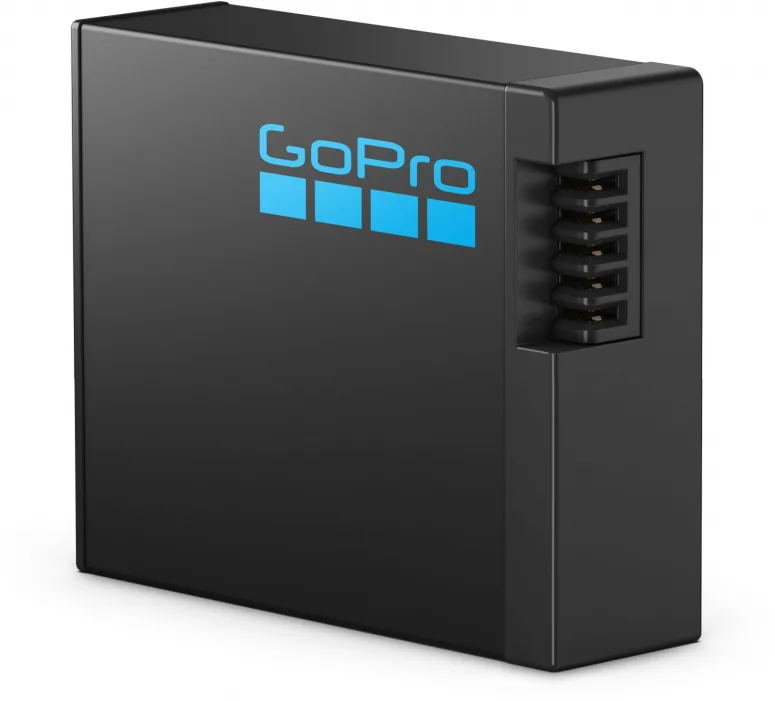
Image source: Web (Bing) / foto-erhardt.de (Web image (fair-use with source credit))
Check your recording settings. Shooting at 5.3K with HyperSmooth enabled and GPS turned on pulls more power than 1080p with stabilization off. Aggregate reviews report that GPS alone can drain up to 15% of the battery over a 30-minute session. Turn off any feature you don't need for the shot.
Try a full calibration cycle. Even with the right battery and settings, the battery management system can lose track of true capacity. Drain the battery completely until the camera shuts off. Then charge it to 100% without interruption.
Do not use the camera while charging. Repeat this cycle two or three times. This often restores accurate runtime.
2. It Won't Charge At All
A dead battery that refuses to charge is a different problem. Sometimes the camera powers on when plugged in but doesn't gain charge. Sometimes it does nothing at all.
The fix depends on where the blockage is.
Test with a different USB-C cable and wall adapter. This is the simplest and most overlooked step. Many USB-C cables are rated for charging only, not data transfer. Some lack the proper power delivery profile.
The HERO11 Black expects a 5V/3A or 9V/2A input. A phone charger that outputs 5V/1A will charge the camera very slowly or not at all. Try a charger that explicitly supports USB-C Power Delivery (PD).
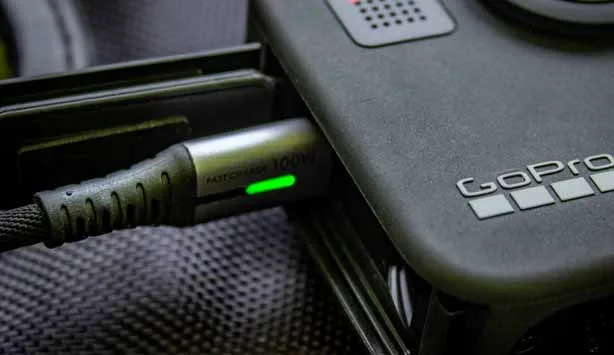
Image source: Bing (Web (fair-use with source credit))
Inspect the USB-C port for debris. The port on the HERO11 Black is exposed to the elements. Dust, lint, and even dried mud can block the connection. Use a flashlight and look closely at the inside of the port.
If you see debris, remove it carefully with a non-conductive tool like a toothpick or a plastic spudger. Avoid metal objects that could short the pins.
Try charging the battery in the Dual Battery Charger. If the camera itself won't charge, the problem might be the camera's internal electronics. The official Dual Battery Charger connects directly to the battery contacts. If the battery charges fine in the charger, the camera's USB-C port or charging circuit is faulty.
If the battery also won't charge in the charger, the battery is likely bad.
If still dead: the battery may be in deep discharge protection. Lithium-ion batteries have a safety circuit that cuts power when voltage drops too low. This can happen if you store the battery for months without charging. Some users report that leaving the battery in the charger for 24 hours can wake it up.
If that fails, the battery is unrecoverable.
3. It's Swelling Or Getting Hot
This is the one symptom you never ignore. A swollen battery is a fire hazard. If you see a bulge in the battery casing, or if the battery door won't close properly, stop using the camera immediately.
Stop using it immediately. Do not try to charge a swollen battery. Do not put it in the camera. Do not leave it in a drawer.
Remove the battery from the camera if you can do so safely. If the battery is stuck, take the entire camera to an electronics recycler rather than forcing it.
Remove the battery and inspect. Look for any deformation, cracking, or leaking. A swollen battery will feel slightly puffy or soft. If you press on it, it may feel spongy.
This is a sign that internal gases have built up due to a chemical failure.
How to dispose of a swollen lithium-ion battery safely. Place the battery in a fireproof container, like a metal can with a lid or a ceramic pot. Take it to a local e-waste recycling center or a hazardous waste collection event. Do not throw it in the trash.
Do not puncture it. Many electronics retailers also accept lithium-ion batteries for recycling. Check with your local municipality for drop-off locations.
When to contact GoPro support. If the battery is less than one year old, GoPro's warranty may cover a replacement for swelling. Write down your serial number and the battery's purchase date. Contact support through the official GoPro website.
For cameras older than a year, the battery is considered a consumable item and likely won't be covered.
4. The Battery Reads Erratic Percentages
The camera shows 80% one minute, then 20% the next. Or it stays at 100% for a long time, then drops straight to 0%. This is a calibration issue, not a capacity problem.
The calibration is off. The battery management system in the HERO11 Black learns the battery's capacity over time. If you frequently interrupt charging, or if you use the camera while charging, the system can lose track of the true voltage-to-capacity curve. The result is a meter that lies.
How to do a proper deep discharge and full recharge. Run the camera at a high power setting, like 5.3K/30fps, until it shuts off from low battery. Leave it off for a few hours. Then charge it to 100% without any interruption.
Do not use the camera during charging. Do not unplug it partway. This resets the calibration curve.
Repeat the cycle two or three times if the problem persists.
Check for counterfeit batteries. Third-party batteries from unknown brands often have inaccurate voltage reporting. They may report 100% when the actual voltage is much lower. Aggregate user reviews indicate that Wasabi Power and TELESIN batteries are generally reliable.
Knockoffs on Amazon or eBay can cause erratic readings. Look for holographic stickers or serial numbers that match GoPro's official packaging. If you suspect a counterfeit, replace it with an official Enduro battery.
Update firmware to the latest version. GoPro has released firmware updates that improve battery reporting accuracy. Check the version in the Quik app under camera settings. If you're behind, update.
This is a free fix that takes ten minutes.
5. Common Mistakes That Make Battery Problems Worse
Some habits seem harmless but actually accelerate battery degradation. Avoiding these can save you from repeating the same problem.
Using a phone charger with the wrong voltage. The HERO11 Black expects at least 5V/2.4A for reliable charging. Many phone chargers output 5V/1A, which is too slow. The camera may not charge at all, or it may heat up trying to pull enough current.
Use a charger that explicitly supports USB-C PD or a high-output USB-A charger.
Leaving the camera in a hot car. Heat is the enemy of lithium-ion batteries. Leaving the HERO11 Black in direct sunlight or a closed car on a summer day can permanently damage the battery's capacity. The internal temperature can exceed the safe operating range of 0°C to 45°C for charging.
Store the camera in a cool, shaded place.
Mixing old and new batteries. If you use multiple batteries, try to keep them paired with similar charge cycles. A battery that is 200 cycles old will have different capacity than a new one. The camera's gauge can't adjust for this, leading to erratic readings.
Label your batteries with the purchase date and rotate them evenly.
Ignoring the low-battery warning. When the camera warns you the battery is low, stop recording. Draining a lithium-ion battery to absolute zero regularly can trigger the deep discharge protection circuit. This can kill the battery prematurely.
Swap batteries when you see the warning. Don't push it to the last second.
Using a damaged cable. A frayed or bent USB-C cable can cause intermittent charging. The camera may show it's charging, but the actual current is too low. Replace any cable that shows signs of wear.
This is a cheap fix that many people overlook.
6. Frequently Asked Questions
Should I upgrade to the Enduro battery?
Yes, if you shoot in cold weather or want maximum recording time. The Enduro battery delivers roughly 30% more runtime in temperatures below 50°F. In normal conditions, you gain about 10 to 15 minutes per charge.
The upgrade costs around $25 and is the best battery investment you can make for the HERO11 Black.
Can I use a power bank while recording?
Yes, the HERO11 Black can run on external USB power while recording. This is useful for long timelapses or stationary shots. Use a power bank that supports USB-C Power Delivery with at least 5V/3A output.
The camera will run indefinitely without touching the internal battery. Just make sure the USB-C door is securely closed.
How many charge cycles should a HERO11 battery last?
Manufacturer specs indicate lithium-ion batteries in the HERO11 Black are rated for roughly 300 to 500 full charge cycles. After that, capacity drops noticeably. A cycle is a full 0% to 100% charge.
Partial charges count as fractions of a cycle. If you shoot daily, expect to replace batteries every 12 to 18 months.
Does GoPro warranty cover battery swelling?
GoPro's warranty covers battery swelling only if the battery is less than one year old and the swelling is not caused by physical damage or misuse. Batteries are considered consumable items. Contact GoPro support with your purchase date and serial number.
If approved, they will send a replacement. Third-party batteries are almost never covered.
Will a third-party battery damage my camera?
Not necessarily, but the risk is higher. Third-party batteries like Wasabi Power and TELESIN use different voltage regulation and safety circuits. Aggregate reviews report that some units fail to communicate properly with the camera, causing erratic percentage readings.
In rare cases, a poorly manufactured battery can swell or short. Official Enduro batteries are the safest bet.
7. Final Verdict: Which Fix Should You Try First?
Start with the simplest and cheapest fix. Update the firmware. This is free and takes ten minutes.
If that doesn't help, move to the next step based on your symptom.
If the battery drains fast: Check your battery type. Switch to the Enduro if you're using the standard one in cold weather. Then turn off GPS and lower your resolution.
Run a calibration cycle if the problem persists.
If the battery won't charge: Test a different cable and charger. Inspect the USB-C port for debris. Try charging the battery in the Dual Battery Charger.
If that works, the camera's charging circuit is the problem.
If the battery is swelling: Stop using it. Dispose of it safely. Contact GoPro support if it's under warranty.
Do not charge it again.
If the percentage is erratic: Run a deep discharge and full recharge cycle. Update the firmware. Check for counterfeit batteries.
Replace with an official Enduro if needed.
What to do if nothing works. If you've tried every step and the battery still fails, the battery is likely at the end of its life. Lithium-ion batteries degrade over time. Replacement is the only solution.
Buy a new Enduro battery from an authorized retailer. Avoid used or deeply discounted batteries from unknown sellers.
When to just buy a new battery. If your battery is more than 18 months old, shows any sign of swelling, or fails to hold a charge after calibration, replace it. The cost of a new battery is far less than the risk of damaging your camera or losing footage on a shoot.

Similar Posts
































