GoPro HERO11 Recording Problems
Your GoPro HERO11 recording problems are not random glitches. They follow predictable patterns tied to hardware limits and setup choices. Miss one setting and a five-minute clip becomes a two-minute clip.
The fix is rarely about a faulty camera.
Manufacturer specs indicate the GP2 processor generates significant heat at 5.3K High Bitrate. The camera's thermal protection kicks in around 140°F (60°C). That is where any real fix starts.
Quick Answer
GoPro HERO11 recording problems usually come from three causes: heat buildup, an SD card that is too slow, or outdated firmware. Each symptom points to a different fix. Match your error to the right solution below.
Image source: Web (Bing) / slashcam.de (Web image (fair-use with source credit))
Why Your HERO11 Stops Recording (And What It's Trying To Tell You)
The camera does not stop recording for no reason. Every shutdown is a safety response. When the GP2 processor gets too hot, the system cuts power to protect the sensor and battery.
This is normal. It is not a defect.
A slow SD card triggers a different warning. The camera writes data to the card as it films. If the card cannot keep pace, the buffer fills up.
The recording stops. A "Recording Stopped" message appears on screen. The footage you already captured is usually fine.
But the card is the bottleneck.
Firmware bugs cause the third category of stops. GoPro has released multiple updates since the HERO11 launched in 2022. Some versions introduced freeze issues.
Others fixed them. As of 2026, the most stable versions are well known. Checking your firmware version is step one of any fix.
The touch screen also offers clues. If the screen freezes first and the recording stops a moment later, the processor is locked. That points to firmware or a corrupt card.
If the screen stays live but the recording stops, heat or a slow card is the likely cause.
Watch for the pattern. A stop at the same time stamp every time suggests heat. A stop right after changing settings suggests a card issue.
A random freeze mid clip points to firmware. Most people blame the camera first. Hardware failure is rare.
The Three Major Culprits: Heat, Cards, and Firmware
Heat is the most common reason a HERO11 stops recording. The GP2 processor draws a lot of power at 5.3K 10-bit High Bitrate. The camera has a tiny chassis with limited airflow.
Internal temps rise fast. The thermal sensor triggers at about 140°F (60°C). At that point the recording stops.
The camera needs a cooldown period before it will record again.
Resolution matters. 5.3K60 generates more heat than 4K30. High Bitrate generates more heat than Standard. Turning off HyperSmooth reduces processor load.
Every setting you tweak changes the thermal profile. Understanding these tradeoffs helps you plan your shoot.
SD card speed is the second culprit. The HERO11 writes data at a high rate. A card rated U3 V30 is the minimum requirement per the SD Association specifications.
But not all V30 cards perform the same way. Some cards drop below their rated speed after a few minutes of sustained writing. The camera detects this and stops recording.
The fix is simple. Use a card from the GoPro approved list.
Firmware is the third variable. GoPro releases updates to fix bugs and improve stability. But sometimes an update introduces new issues.
Keeping your firmware current is essential. So is knowing which version is stable. Updating mid shoot can cause more problems than it solves.
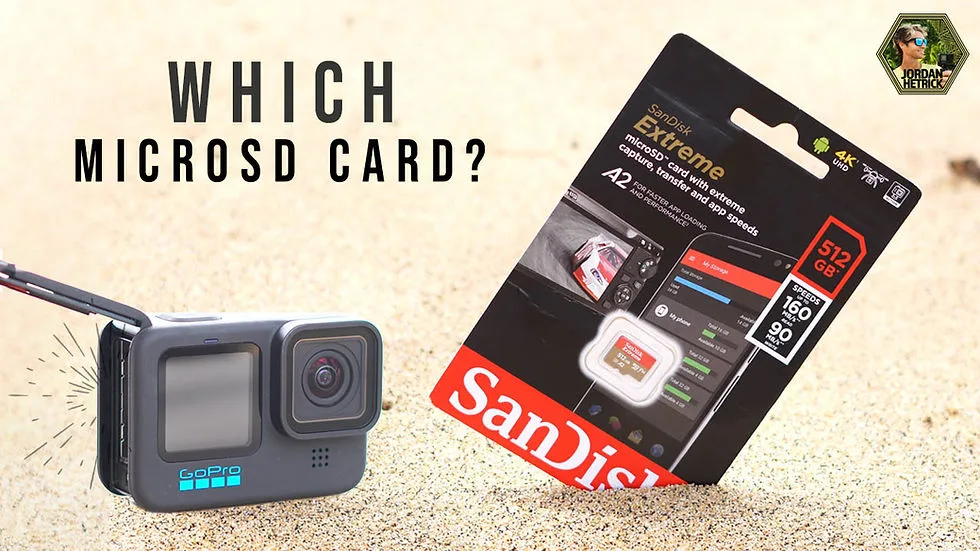
Image source: Web (Bing) / jordanhetrick.com (Web image (fair-use with source credit))
The image shows which cards work and which do not. The approved list includes cards from Samsung, SanDisk, and Lexar. Avoid off brand cards.
A good card prevents the most common recording stops.
Follow This Diagnostic Workflow Based on Your Exact Symptom
Find your symptom below. Follow the fix in order. Do not skip steps.
The "Stopped Recording" Error Mid-Clip
This is almost always a slow SD card. Power down. Remove the card.
Test it on a computer. If it fails a speed test, replace it with a V30 or faster card from the approved list. Low battery can also cause this.
The Camera Freezes and Won't Respond
Remove the battery. Wait 30 seconds. Reinsert.
Power on. If it works, update the firmware. A persistent freeze points to a corrupted card or hardware issue.
Try a different card.
The "Card Error" or "Format Card" Message
Format the card in the camera. Not on a computer. Use the camera's menu.
If the error persists, the card may be damaged. Replace it with a card from the approved list.
The Camera Overheats and Shuts Down
Lower the resolution. Switch from 5.3K to 4K. Lower the frame rate.
Turn off HyperSmooth. Disable voice control and GPS. Keep the camera in moving air.
Do not use a sealed housing for long recordings.
The Video File is Corrupted or Won't Play
Use a file recovery tool. Most tools can repair corrupted MP4 files. Format the card before each shoot.
Use a faster card. Stop recording before the battery dies.
The Quik App Keeps Disconnecting
Turn off Bluetooth and Wi-Fi. Restart the app. Re pair the camera.
Drops during recording are normal. Use a wired connection for transfers.
The Biggest Mistakes That Make Recording Problems Worse
Using the wrong SD card is mistake number one. People grab a cheap card from the drawer. It works for photos.
It fails for video. The HERO11 needs a sustained write speed that cheap cards cannot deliver. Spend the extra money on a known good card.
Ignoring heat is mistake number two. Filming in direct sun at 5.3K60 High Bitrate is a recipe for a shutdown. The camera is small.
It has no fan. It needs airflow. Mount it where air can move around it.
Take breaks between takes.
Forgetting to update firmware is mistake number three. GoPro releases fixes for known bugs. Running old firmware leaves you vulnerable to issues that have already been solved.
Check for updates before a big shoot.
Formatting the card in the camera is free and takes five seconds. Yet many people skip it. Formatting clears the card's file table and prevents errors.
Do it before every shoot.
Ignoring the battery level is mistake number four. A dying battery during a high bitrate recording causes a hard stop. That stop corrupts the file.
Start with a full Enduro battery. Keep a spare.
Real-World Fixes: How These Settings Solved Actual Recording Problems
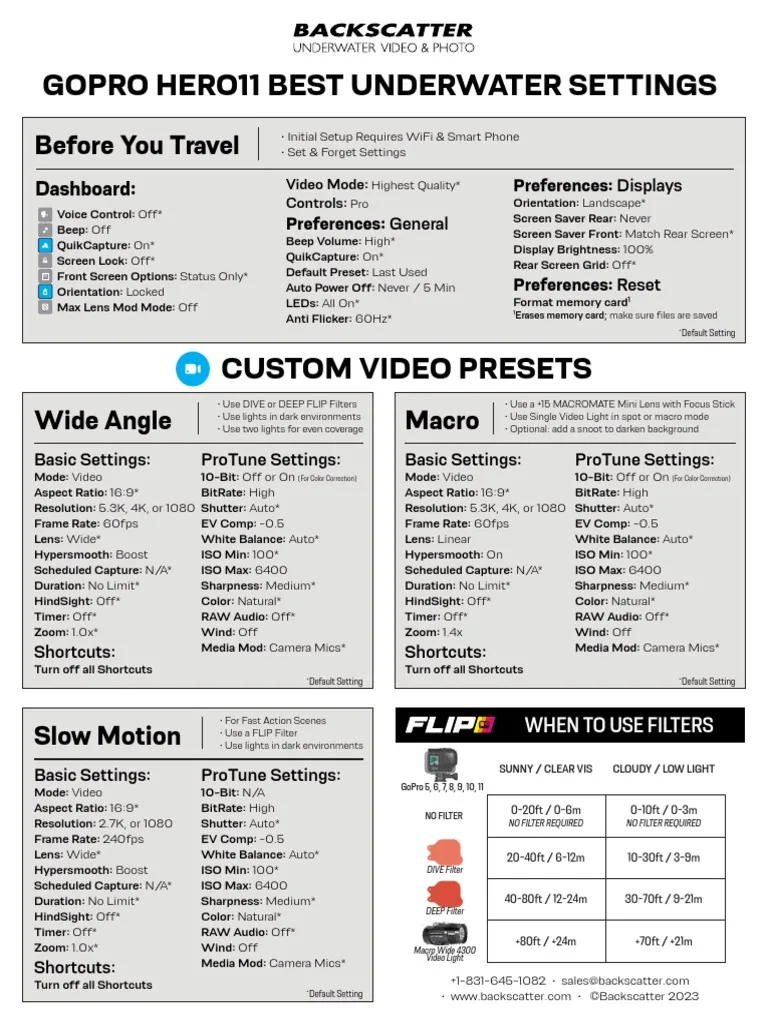
Image source: Web (Bing) / scribd.com (Web image (fair-use with source credit))
The most common fix for heat related shutdowns is a simple settings change. Dropping from 5.3K to 4K at 30 fps with Standard Bitrate eliminates overheating in most conditions. HyperSmooth stays on.
Horizon leveling stays on. The footage still looks excellent.
Here is a comparison of settings that work for different scenarios.
| Scenario | Resolution | Frame Rate | Bitrate | HyperSmooth | Expected Record Time |
|---|---|---|---|---|---|
| Day hike (warm) | 4K | 30 fps | Standard | On | Unlimited |
| Mountain bike (sunny) | 5.3K | 30 fps | Standard | On | 30+ minutes |
| Vlog (indoor) | 4K | 30 fps | Standard | On | Unlimited |
| Skiing (cold) | 5.3K | 60 fps | High | On | 20 minutes |
| Underwater (cool) | 5.3K | 30 fps | Standard | On | 60+ minutes |
For card related issues, the fix is always the card itself. Use a Samsung EVO Select, SanDisk Extreme, or Lexar Professional card. Format it in the camera.
Test it after every major update. The battery is the first thing to check when a recording stops unexpectedly.
For firmware issues, revert to a known stable version. Some users report that firmware versions with the 2.xxx release are more stable than 1.xxx releases. Check the GoPro support forum for the current recommendation.
Frequently Asked Questions About HERO11 Recording Problems
Why does my GoPro HERO11 stop recording after 10 minutes?
The camera is hitting its thermal limit. At 5.3K High Bitrate, the GP2 processor generates enough heat to trigger the automatic shutdown around 140°F. Lower the resolution or frame rate.
Keep the camera in moving air.
Can a bad SD card cause the recording to freeze mid-clip?
Yes. A slow or incompatible card cannot keep up with the data write speed. The buffer fills and the recording stops.
Use a V30 or faster card from GoPro's approved list. Format it in the camera before each shoot.
What should I do if the camera says "Card Error" but the card works on my computer?
Format the card inside the HERO11, not on your computer. The camera uses a specific file system. If the error persists after formatting, the card may be damaged or is not compatible with the camera.
Replace it with a card from the approved list.
Does the Enduro battery help with overheating?
Not directly. The Enduro battery lasts longer in moderate temperatures. But the overheating issue comes from the processor, not the battery.
Lowering resolution and bitrate is still the main fix for heat related stops.
How do I update the firmware on my HERO11?
Use the Quik app on your phone. Connect the camera. Go to Camera Settings and check for updates.
You can also download the firmware file from GoPro's support site and copy it to the SD card manually. Do this before a big shoot.
Will using a housing make overheating worse for long recordings?
Yes. A sealed housing traps heat. The camera relies on airflow to cool down.
For long recordings in warm conditions, use the camera without a housing. Use a frame mount instead to keep air moving around the chassis.

Similar Posts