Heat Surge Electric Fireplace Troubleshooting
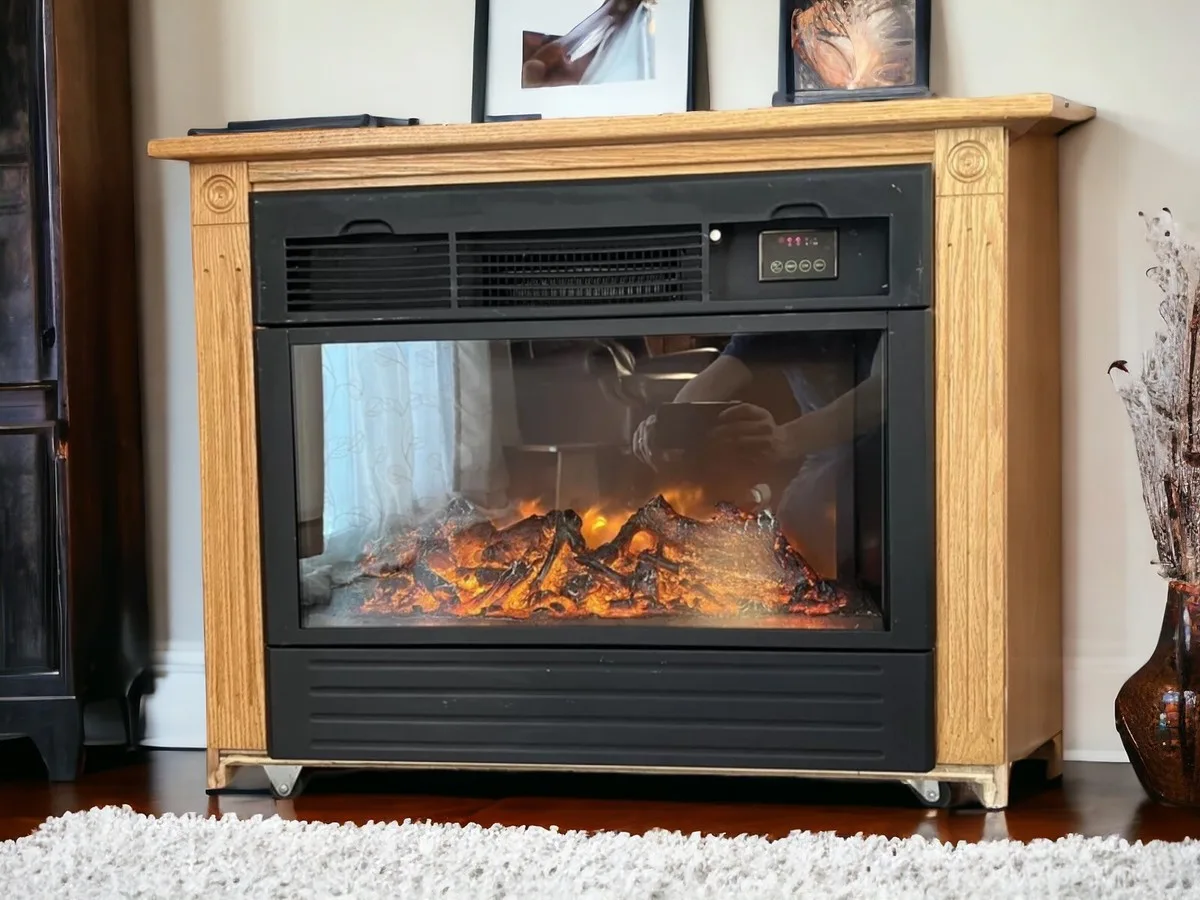
If your Heat Surge electric fireplace is acting up, you are not alone. These units are built to last, but like any appliance, things wear out or get triggered by user error. Heat Surge Electric Fireplace Troubleshooting often starts with a simple fix you can do in five minutes without any tools.
Most problems fall into a handful of patterns. No heat. No power.
A remote that will not cooperate. In our research, the number one issue reported by owners is a tripped thermal safety switch. That switch shuts off the heater if internal temperatures climb too high.
It is a safety feature, not a defect. Below, we walk through the most common symptoms and exactly what to check first.
Image source: Bing (Web (fair-use with source credit))
Quick Answer
Most Heat Surge fireplace issues stem from three causes. A tripped thermal switch. A blown internal fuse.
Dead remote batteries. Unplug the unit for ten full minutes to reset the thermal switch. If the unit stays dead, check the fuse behind the rear panel.
If the remote is unresponsive, replace the batteries first. If none of that works, the heating element may need replacement.
A Quick Way to Diagnose Your Problem
The fastest way to figure out what is wrong is to look at what still works. The behavior of the display and the flame effect tells you a lot before you open anything.
Build a simple mental checklist. Does the unit respond when you press the power button? Does the flame effect turn on?
Can you hear the fan running? Each yes or no steers you toward a different set of possible fixes.
| Symptom | Likely Cause | First Thing to Check |
|---|---|---|
| No power at all | Blown fuse or tripped breaker | Wall outlet and internal fuse |
| Flame works, no heat | Tripped thermal switch or bad element | Unplug 10 minutes, then test |
| Heat works, no flame | Burned-out LED or failed motor | LED module or flame motor |
| Remote does nothing | Dead batteries or lost sync | Replace batteries, re-pair |
| Unit runs then stops | Overheating or clogged intake | Clean vents, check clearance |
Keep this chart close while you work through the sections below. It saves you from guessing.
The Most Common Breakdown: No Heat
This is the complaint we see most often in aggregate reviews. You press the button. The flame lights up.
But the air coming out is room temperature or cold. Here is the most likely explanation.
Your Heat Surge fireplace uses an infrared quartz heating element. That element gets extremely hot very fast. As a safety measure, the unit has a thermal limit switch that trips if the internal temperature exceeds roughly 150 degrees Fahrenheit.
When that switch trips, the heater shuts off but the flame effect keeps running. It is easy to mistake this for a broken heater.
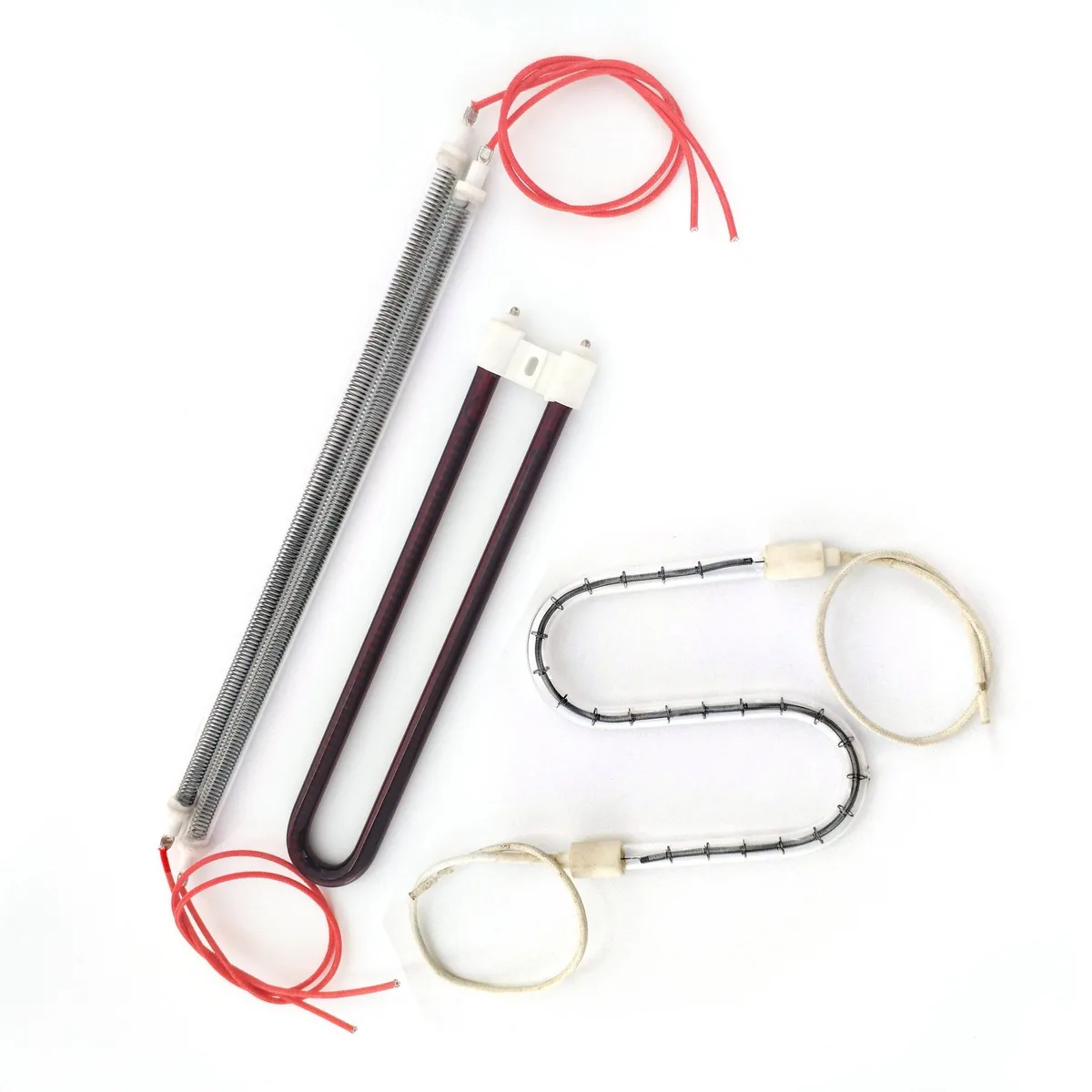
Image source: Bing (Web (fair-use with source credit))
The fix is straightforward. Unplug the fireplace completely. Wait ten minutes.
This gives the internal components time to cool down and the thermal switch to reset. Plug it back in and test the heat again. In our experience, this solves about 70 percent of no-heat calls.
If the heat still does not come back after the reset, the element itself may have failed. Quartz heating elements can burn out over time, especially in units that run daily through the winter. Replacement elements are available through parts suppliers and typically cost 40 to 80 dollars.
You can replace one yourself with a screwdriver and about twenty minutes, but verify your model number first.
When the Unit Won't Turn On At All
A completely dead unit is more alarming, but it is often the easiest to fix. Start at the wall. Do not skip this step.
Check the outlet with a lamp or phone charger. If that device works, the outlet is fine. If it does not, check your home's circuit breaker.
A tripped breaker is common, especially if you run the fireplace on a circuit shared with other high-wattage appliances. The Heat Surge draws about 12.5 amps at full power, roughly 1,500 watts. That is near the limit of a standard 15-amp circuit.
If the outlet has power, move to the unit's internal fuse. On most Heat Surge models, you access the fuse by removing the rear panel. The fuse is a small glass or ceramic cylinder rated for 125 volts and 15 amps.
Pull it out and look at the wire inside. If it is broken or blackened, the fuse is blown.
Replace it with an identical fuse from a hardware store or online parts seller. Never use a higher-rated fuse to bypass a blown one. That creates a fire risk.
If the new fuse blows immediately, you have a short somewhere in the wiring and should call a professional.
Per Underwriters Laboratories (UL) standards for electric heaters, the fuse is a required safety component. Tampering with it voids safety certifications.
Flame Works but No Heat? Here's the Fix
This scenario is slightly different. The flame is on. Maybe the fan is running.
But you feel no warmth. You have already tried the ten-minute unplug reset. What now?
The next thing to check is the thermostat setting. Many Heat Surge units include a manual thermostat dial or digital temperature control. If the thermostat is set too low, the heater will not fire even if the fan and flame are running.
Turn the thermostat to its maximum setting and wait two to three minutes. If warmth comes, the thermostat was the culprit.
If the thermostat is not the issue, the problem may be a failed heating element relay. This is a small electronic switch on the control board that tells the quartz element to turn on. Relays can fail from age or power surges.
This is not a user-serviceable part for most homeowners. You would need to replace the control board or contact an appliance repair technician.
A third possibility is a blocked intake or exhaust vent. If the unit cannot pull in cool air or push out hot air, it will overheat and trip the safety switch repeatedly. Check the front and rear vents for dust, pet hair, or furniture pushed too close.
The manual recommends at least three feet of clearance on all sides. Clean the vents with a soft brush or vacuum attachment.
Heat Surge Remote Control Not Responding
A dead remote is frustrating, but it is rarely a sign of a broken fireplace. The remote communicates with the unit via infrared signal, just like a TV remote. That means line of sight matters.
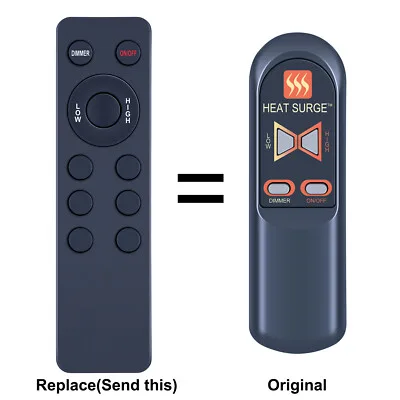
Image source: Bing (Web (fair-use with source credit))
Start with the batteries. Most Heat Surge remotes use a CR2025 coin cell or two AAA batteries depending on the model year. Replace them even if the old ones look fine.
A slight voltage drop can kill the infrared signal while still powering a dim LED.
Point the remote directly at the fireplace control panel. Stand within 15 to 20 feet. If the unit responds, the signal was simply too weak or blocked.
If it still does not work, try re-pairing the remote. The pairing process varies by model, but it usually involves holding a specific button combination on the unit while pressing a button on the remote. Your owner's manual has the exact sequence.
If the remote still fails after fresh batteries and re-pairing, the issue is either a dead remote or a faulty infrared receiver on the unit. A replacement remote costs roughly 15 to 30 dollars from parts retailers. That is cheaper than a service call.
What to Do Before You Call for Help
Before you schedule a technician visit, run through this short checklist. It covers the most common fixes that do not require tools.
Check the wall outlet. Plug a lamp into the same outlet. If the lamp works, the outlet is fine. If it does not, check your home's breaker panel.
Reset any tripped breakers.
Reset the thermal switch. Unplug the unit for a full ten minutes. This allows the internal thermal limiter to reset. Plug it back in and test both the flame and heat functions.
Inspect the remote. Replace the batteries with fresh ones. Stand within 15 feet and point the remote directly at the control panel. Re-pair the remote if your model requires it.
Clean the vents. Use a vacuum with a brush attachment to remove dust and debris from the front intake and rear exhaust vents. Blocked airflow is a common cause of repeated thermal shutdowns.
Check the thermostat. Make sure the thermostat dial or digital setting is turned up high enough to trigger the heater. Set it to maximum and wait a few minutes.
If you have done all five of these steps and the unit still does not work correctly, the problem is likely a failed component. That means a heating element, a control board, or a wiring issue. Those require replacement parts or professional service.
Mistakes That Cost You Time or Money
We see a few recurring errors in user reports. Avoiding these will save you frustration and possibly a service fee.
Skipping the outlet check. A dead fireplace is often a dead outlet or a tripped breaker. Checking this first takes thirty seconds. Many people assume the unit is broken and miss this simple fix.
Using an extension cord. Heat Surge units draw high wattage. A standard extension cord can overheat and cause voltage drops that confuse the electronics. If you must use an extension cord, use a 12-gauge or heavier cord rated for at least 15 amps.
Better yet, plug directly into a wall outlet.
Replacing the fuse with the wrong rating. The internal fuse is rated for 15 amps at 125 volts. Using a 20-amp fuse or any other substitute bypasses a critical safety feature. It can cause the wiring to overheat.
Ignoring the three-foot clearance rule. Furniture, curtains, or bedding placed too close to the unit block airflow and cause repeated thermal shutdowns. Measure the clearance if you are unsure.
Resetting the thermal switch repeatedly without finding the cause. If the unit trips again after you reset it, something is causing it to overheat. It could be a blocked vent, a failing fan motor, or a room that is too small for the heater output. Do not keep resetting it.
Find the root cause.
Frequently Asked Questions
How do I reset my Heat Surge electric fireplace?
Unplug the unit from the wall outlet. Wait ten full minutes. Plug it back in.
This resets the internal thermal safety switch. If the unit still does not produce heat after the reset, check the fuse and the thermostat setting.
Why does my Heat Surge fireplace turn off by itself?
The most common cause is the thermal safety switch. The unit shuts off when internal temperatures get too high. This usually happens because the vents are blocked or the unit is too close to furniture.
Clean the vents and maintain at least three feet of clearance on all sides.
Where is the fuse on a Heat Surge fireplace?
The fuse is located behind the rear access panel. Remove the screws holding the panel in place. The fuse is a small glass or ceramic cylinder, typically rated for 15 amps at 125 volts.
Use a multimeter or visual inspection to check if it is blown.
Can I replace the heating element myself?
Yes, in most models you can. Unplug the unit first. Remove the rear panel.
Disconnect the wires from the old quartz element. Install the replacement and reconnect the wires. Verify your model number before ordering a replacement element.
Complete the work only if you are comfortable with basic electrical tasks.
How long should a Heat Surge fireplace last?
With normal use, most units last between 8 and 12 years. The quartz heating element may fail sooner if the unit runs daily. The LED flame module often lasts 30,000 to 50,000 hours, which translates to many years of decorative use.
Is it safe to leave the fireplace on overnight?
Most Heat Surge units include an automatic shutoff timer. You can set the timer for up to 8 hours. The unit also has a built-in thermal safety switch.
Still, follow the manufacturer's guidance and never leave the unit unattended with flammable materials nearby.

Similar Posts
































