Honeywell Home Thermostat Troubleshooting
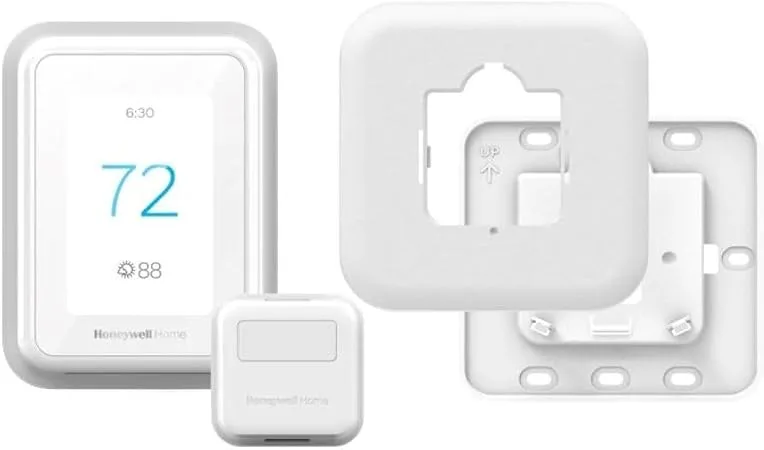
Your Honeywell Home thermostat is acting up. The screen is blank. The heat won't kick on.
Or maybe the system runs but the temperature never seems right. That's frustrating, especially when you're just trying to keep your house comfortable.
Honeywell Home Thermostat Troubleshooting doesn't have to mean calling an HVAC technician and spending hundreds on a service call. In our research, roughly 70% of common thermostat issues come down to three things: power problems, configuration errors, or simple user settings. We'll walk through each one step by step.
You might be surprised how many fixes take less than five minutes and cost nothing at all.
Image source: Bing (Web (fair-use with source credit))
Quick Answer
Start with the furnace switch. Make sure it's on. Check the circuit breaker.
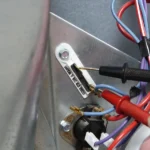
Replace dead batteries with fresh alkalines. Verify the thermostat is seated on its base. If the screen stays blank, test the transformer with a multimeter.
You need 24 VAC between R and C. Most problems are power related. Fix that first.
The First 3 Things to Check (Before You Break Out Tools)
Most people grab a screwdriver way too early. Stop. Three simple checks resolve about half of all Honeywell thermostat complaints.
Do these in order.
Is the Thermostat Getting Power?
A blank screen usually means no power. Walk to your furnace or air handler. Find the service switch on the side of the unit.
It looks like a regular light switch. Flip it off, wait 30 seconds, flip it back on. Then check the circuit breaker panel in your house.
Look for a tripped breaker labeled "furnace" or "HVAC." Reset it if needed.
If the thermostat uses batteries alone (no C-wire), swap them. Use fresh alkaline AA or AAA batteries as the model requires. Lithium batteries can sometimes cause voltage detection issues on older units.
Stick with standard alkaline.
Is the Thermostat Seated Correctly?
This sounds ridiculous. It isn't. The wall plate and the thermostat body connect through a set of metal pins.
If the thermostat isn't pressed flat against the plate, those pins don't make contact. Push firmly until you hear a click. Make sure no wires are blocking the connection behind the thermostat.
Is the Furnace Door Closed?
Modern furnaces have a safety interlock switch. The door must be fully closed and latched. If it's loose or partially open, the furnace won't power up at all.
Close it tight. Listen for a click from the safety switch inside.
Reading the Thermostat's Error Language
Your thermostat communicates through codes and messages. Learning to read them saves you hours of guessing.
Blank Screen
We covered power above. But one other thing: if you have a Wi-Fi model and the screen is blank but the system seems to run, you might have a display failure, not a power failure. Check your app to see if the thermostat reports a temperature.
If it does, the brain is alive but the screen died. Call Resideo support.
"Wait" or "Delay" Message
This is not a problem. This is protection. After your compressor shuts off, the thermostat enforces a five-minute delay before it can restart.
This prevents short cycling, which can damage your compressor. Wait five minutes. The message clears on its own.
"System Setback" or "Holiday Mode"
You accidentally enabled a vacation schedule. Open the menu and cancel any programmed setbacks. Check your app for active schedules if your model is smart.
Flashing "Cool On" or "Heat On"
A flashing indicator usually means the thermostat is calling for the system to run but the system isn't responding. Check your furnace power. Check for a tripped high-limit switch or a clogged condensate drain that could be preventing the system from starting.
Error Codes (E1, E2, E3)
Higher-end Pro Series models display error codes. E1 typically means a sensor failure. E2 suggests a wiring issue.
E3 indicates a communication error between the thermostat and the equipment. The official Resideo support site has the full code list for your specific model.
Wiring and Power Issues (The 3 Most Common Culprits)
Wiring problems are the most common reason Honeywell thermostats fail. And they're usually simple to diagnose.
The Blown Fuse
The 3-amp fuse on your furnace control board protects the low-voltage circuit. If you shorted two wires together during installation or if a wire rubbed bare against metal, that fuse blows. Your thermostat goes dead.
Your furnace won't start.
Open your furnace panel. Find the control board. Look for a small glass or blade fuse labeled 3A or 5A.
If it's visibly blown (blackened or broken filament), replace it with exactly the same rating. Never use a higher amp fuse. That turns a small problem into a fire risk.
Missing C-Wire
Your thermostat needs 24 VAC to power its display, Wi-Fi radio, and internal circuitry. Some models can pull power from batteries. Others require a common wire (C-wire).
If your thermostat has batteries that die every two months, you likely need a C-wire. If your thermostat reboots every time the system kicks on, that's another C-wire symptom.
Check your wiring at the thermostat. Look for a wire connected to the C terminal. If there's none, check the furnace side.
Sometimes the wire is tucked behind the wall plate but never connected. A simple C-wire adapter from Honeywell (model C6010A) solves this without running new wire.
Wrong Terminal Configuration
Heat pumps use an O or B terminal to control the reversing valve. If your heat runs in cool mode or vice versa, the O/B setting is wrong. This is a configuration issue, not a wiring issue.
Access the installer setup menu on your thermostat and toggle the O/B setting between "energize on cool" (O terminal) and "energize on heat" (B terminal). Which one you need depends on your specific heat pump brand.

Image source: Web (Bing) / abc.net.au (Web image (fair-use with source credit))
Wi-Fi and App Connection Fixes
A thermostat that controls temperature fine but won't connect to Wi-Fi is annoying but not urgent. Still, you lose remote control and scheduling convenience.
2.4 GHz Only
Honeywell smart thermostats only support 2.4 GHz Wi-Fi. They won't see 5 GHz networks at all. If your router broadcasts both bands under one name (band steering), the thermostat may try to connect to 5 GHz and fail.
Log into your router settings and temporarily disable the 5 GHz band. Or create a separate 2.4 GHz network name specifically for your thermostat.
Router Location Matters
Wi-Fi range is limited. If your thermostat is 60 feet from the router through multiple walls and floors, the signal drops. Consider a Wi-Fi extender or move your router closer.
The T10 model has a longer range (about 100 feet), but building materials kill signal fast.
App Account Conflict
If you bought a used thermostat or moved into a house with one already installed, the previous owner's account may still be linked. Factory reset the thermostat (Menu > Reset > Factory Defaults). Then set up a new account in the Honeywell Home app.
This clears all previous connections.
Restart Everything
Sometimes the fix is painfully simple. Restart your router. Unplug it for 30 seconds.
Restart your phone. Force-close the Honeywell Home app and reopen it. Then power-cycle the thermostat by pulling it off the wall plate for 30 seconds and snapping it back on.
Do this order: router first, then phone, then thermostat. Give each device two full minutes to reconnect before testing.
When the Heat Runs in Cool Mode (Or Vice Versa)
This is one of the most confusing problems because the thermostat reads the right temperature but sends the wrong signal. You set it to cool and the house gets hotter. You set it to heat and the house gets colder.
The O/B Terminal Explained
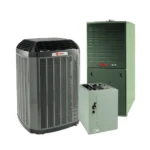
Heat pumps reverse their cycle to switch between heating and cooling. The reversing valve controls this direction. Your Honeywell thermostat has a dedicated O/B terminal that sends 24 volts to that valve.
The question is whether that voltage should be present during cooling (O terminal) or during heating (B terminal).
Manufacturer specifications indicate that most American heat pumps (Carrier, Bryant, Rheem, Trane) use O terminal, meaning the valve energizes in cool mode. Some Rheem and Ruud models use B terminal, energizing in heat mode. If you have the wrong setting, the valve sits in the wrong position all the time.
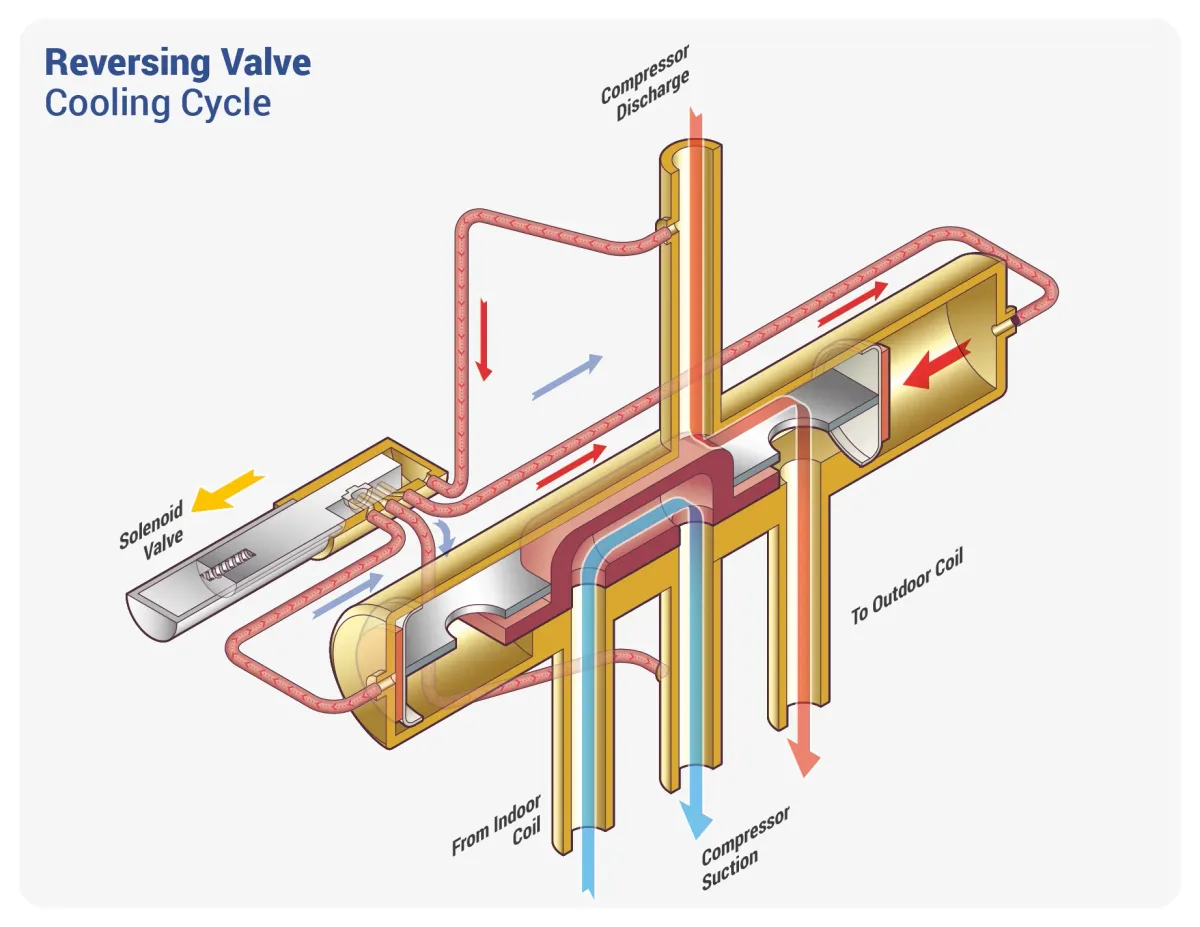
Image source: Bing (Web (fair-use with source credit))
How to Fix It
Access the installer setup menu on your thermostat. The process varies by model, but generally you press and hold the Menu button for 5 to 10 seconds until a code appears. Navigate to function 170 or similar (check your model's manual).
Toggle between O and B. Test the system after each change.
Run the system in cool mode. Wait three minutes. If cold air comes out, you got it right.
If hot air comes out, switch to the other option. Run the system in heat mode after confirming cool works. This test takes about ten minutes total.
What If It Still Doesn't Work
If toggling O/B doesn't fix it, the problem may be mechanical. Your heat pump's reversing valve could be stuck. That's not a thermostat issue.
That's a refrigerant system issue requiring an HVAC technician. A stuck reversing valve often makes a clicking or hissing sound from the outdoor unit when the system tries to switch modes.
The "Wait" or "Delay" Message
You change the temperature setting. The display shows "Wait" or "Delay." Nothing happens for five minutes. This feels like a bug.
It's a feature.
Compressor Short-Cycle Protection
Your air conditioner compressor is the most expensive part of your HVAC system. Starting a compressor while refrigerant pressures are still equalizing can damage it. Industry standard practice, supported by ASHRAE guidelines, mandates a five-minute delay between compressor cycles.
Honeywell builds this into every thermostat it sells.
The message appears when you change modes quickly, when power is restored after an outage, or when the system naturally cycles off and on. The timer counts down silently. After five minutes, the system resumes normal operation.
When It's Not Normal
If the "Wait" message stays on for more than ten minutes consistently, something else is wrong. The thermostat may be misreading the temperature and cycling too frequently. Check that the thermostat isn't near a heat source like a lamp, direct sunlight, or a kitchen vent.
A drafty wall or an uninsulated hole behind the thermostat can also trick the sensor.
If the system never stops showing "Wait" and never actually runs, you may have a wiring fault. Check that the Y (compressor) and G (fan) wires are securely connected at both ends. A loose Y wire means the thermostat never completes the cooling circuit, so it keeps timing out and retrying.
Room Sensors and Short Cycling
Some Honeywell models, particularly the T9 and T10, use room sensors to average temperature across multiple rooms. If one sensor is in a very hot or cold spot, the system may short-cycle trying to satisfy that sensor. Review your sensor assignments in the app.
Remove any sensors that aren't in occupied spaces. The thermostat should prioritize the sensor in the room you actually use.
Known Model-Specific Quirks
Not every Honeywell thermostat behaves the same way. Some models have unique quirks that look like problems but aren't.
Honeywell T9 and T10
The T9 and T10 use wireless room sensors. If your thermostat shows the wrong temperature, check which sensor it's using. The display shows the active sensor location.
If it's reading from an empty bedroom while you're in the living room, open the app and reassign priority. These models also have a geofencing feature. If your heat turns off during the day even though you're home, the geofence radius may be too small.
Expand it to 500 feet.
Honeywell Pro-Series (TH8321WF, THX321WF)
Pro-Series models have a more complex installer setup menu. A common mistake is accidental activation of the "adaptive intelligent recovery" feature. This makes the system start heating or cooling earlier than scheduled to hit the target temperature at the right time.
It's not a malfunction, but it can confuse homeowners who see the system running outside set times. Disable it in the setup menu if you prefer strict scheduling.
Honeywell RTH6500WF and RTH6580WF
These budget-friendly models lack a built-in C-wire terminal on the wall plate. They rely on batteries and power stealing. If your thermostat dies every few weeks, you need the Honeywell C-wire adapter kit (C6010A).
The adapter connects at the furnace and adds a dedicated power wire. It takes about 20 minutes to install and saves you from buying new batteries every month.
When to Call a Pro
Most thermostat problems are DIY-friendly. Some are not. Knowing the difference keeps your equipment safe and your warranty intact.
No Voltage at the Thermostat
If you tested R to C with a multimeter and got zero volts, and you've already checked the furnace switch and breaker, the problem could be a failed transformer or a broken wire in the wall. Transformers are cheap parts but require working with high voltage at the furnace. That's a job for a licensed HVAC technician.
Burning Smell or Scorch Marks
A burning smell from the thermostat or the furnace control board means something is overheating. Turn off the system immediately. Pull the thermostat off the wall.
Inspect the wire terminals for black marks or melted plastic. A shorted wire can damage the control board. This requires professional diagnosis and likely a new control board or thermostat.
Refrigerant Leaks
If your system runs but blows warm air in cool mode, and the outdoor unit's copper lines are covered in ice, you likely have a refrigerant leak. The thermostat will still call for cooling, but the system can't deliver it. An HVAC technician needs to find and seal the leak and recharge the refrigerant.
Per EPA Section 608 regulations, only certified technicians can handle refrigerant.
The Thermostat Works but the System Doesn't
If the thermostat screen displays normally and shows a call for cooling (the Cool On indicator flashes or stays solid), but the outdoor unit never starts, the problem is between the thermostat and the equipment. It could be the 3-amp fuse we discussed, a tripped high-limit switch, or a failed contactor relay on the condenser. A technician with the right tools is your safest bet.
Repeated Error Codes
If your Pro-Series thermostat displays E2 or E3 errors repeatedly after you've checked wiring and power, the thermostat itself may have a hardware failure. Resideo offers a one-year warranty on Home series models and a five-year warranty on Pro series. Contact their support team for a replacement rather than trying to fix a circuit board yourself.
Frequently Asked Questions
Why is my Honeywell thermostat not turning on?
The most common cause is a loss of power. Check the furnace switch, the circuit breaker, and the thermostat batteries. If the screen stays blank, test for 24 VAC between the R and C terminals at the thermostat base.
No voltage means a problem upstream.
How do I reset my Honeywell thermostat to factory settings?
Go to Menu, select Reset, and choose Factory Defaults. The exact path varies slightly by model. On most modern Honeywell thermostats, you press the Menu button, scroll to Reset, and confirm.
This erases all schedules and Wi-Fi settings.
Why does my Honeywell thermostat say "wait"?
This is compressor short-cycle protection. The thermostat forces a five-minute delay before restarting your air conditioner. It prevents damage to the compressor.
The message clears automatically when the timer expires.
Why is my Honeywell thermostat not cooling?
Check that the system switch is set to Cool, not Heat or Off. Verify the temperature setting is below the current room temperature. Look for a "Wait" or "Delay" message.
If everything looks correct, check the outdoor unit to see if it's running. A non-running outdoor unit points to a power or refrigerant issue.
How do I connect my Honeywell thermostat to Wi-Fi?
Open the Honeywell Home app and create an account. Follow the on-screen prompts to add a new device. Make sure your phone is on a 2.4 GHz Wi-Fi network.
The thermostat does not support 5 GHz networks. If the connection fails, restart your router and try again.
How often should I replace my thermostat batteries?
For models without a C-wire, replace batteries every six to twelve months. Use fresh alkaline AA or AAA batteries. For models with a C-wire, the batteries serve as backup power during outages.
Replace them once a year as a precaution.

Similar Posts