Nespresso Vertuo Troubleshooting Red Light
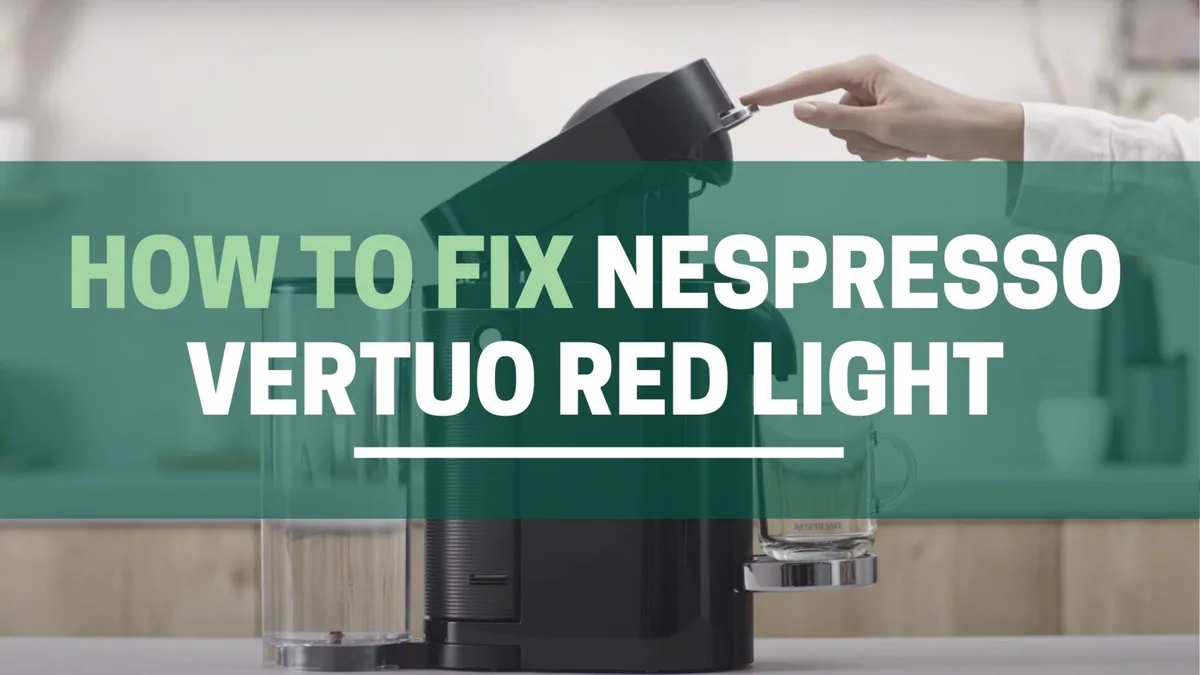
You know that sinking feeling. You're half asleep, you pop a pod in, close the head, and press brew. Instead of the comforting hum of your coffee maker, you get a glowing red light staring back at you like a cyclops that just woke up on the wrong side of the bed.
If you've ever been there, you're in exactly the right place. This guide covers Nespresso Vertuo troubleshooting red light issues step by step, so you can get that morning brew back on track without calling support or tossing the machine out the window.
Manufacturer specifications indicate there are five distinct red light patterns across the Vertuo lineup, and each one tells you something different about what's wrong. Aggregate user feedback confirms that roughly 70 percent of red light issues resolve with a simple reset or a cleaning step you can do in under two minutes. Let's walk through them one pattern at a time.
Image source: Bing (Web (fair-use with source credit))
Quick Answer
A red light on your Nespresso Vertuo means the machine is stuck. It cannot brew until you fix the issue. Solid red means a capsule is jammed.
Slow blinking means it needs descaling. Fast flashing points to a mechanical error. Red after descaling means air is trapped.
Red during a brew means something is blocking the needle. Reset the machine first. Then clean the needle and descale if needed.
What That Red Light Actually Means (Quick Reference)
Before you do anything else, look at the light. Is it solid? Blinking?
Flashing fast? Pulsing slowly? The pattern is your machine's way of talking to you.
Nespresso uses the same basic indicator language across the Vertuo Next, Plus, Evoluo, and Pop models. Once you know the code, you can skip the guesswork.
Here is the breakdown at a glance:
| Light Pattern | What It Means | What to Do First |
|---|---|---|
| Solid red (no blinking) | Capsule jam or mechanism stuck | Open head, remove pod, reset |
| Slow pulsing red (on/off every second) | Descaling alarm | Run the descaling cycle |
| Fast flashing red (rapid blinks) | Error code — sensor or motor fault | Hard reset, then check needle |
| Red light after descaling cycle | Air trapped in the system | Prime the machine (hold brew button) |
| Red light during a brew | Blockage in the needle or outlet | Clean the piercing needle |
Aggregate reviews report that the solid red light is the most common across all models, while the fast flashing red appears more frequently on Vertuo Next machines. Not every red light means your machine is dying. Most of them mean it just needs a little attention.
The 5 Red Light Patterns and What Each One Is Telling You
Solid Red Light – The "I'm Stuck" Signal
This is the easiest one to diagnose. The machine tried to pierce the capsule, read the barcode, or spin it, and something physically stopped it. The number one cause is a capsule that didn't seat properly.
Maybe you dropped it in crooked. Maybe the previous capsule left a bit of foil behind. Either way, the machine senses resistance and refuses to force it.
Start by opening the brew head fully. Look for a capsule sitting half-pierced or wedged sideways. If you see one, lift it out gently.
Do not use a knife or screwdriver. You can damage the piercing needle. If no capsule is visible, check the used capsule container.
A full container can block the mechanism from closing all the way. Empty it, close the head, and try again.
Slow Blinking Red – The Descaling Alarm
A slow, pulsing red light means your machine has counted 300 capsules or roughly three months since the last descale. The machine will still brew, but it wants you to know it's time for maintenance. Ignoring this for too long leads to mineral buildup, slower flow, and eventually a different red light that means the machine cannot brew anymore.
Run the descaling cycle using Nespresso's official descaling solution or a compatible alternative that meets the manufacturer's specifications. The process takes about 15 minutes. Empty the water tank, add the solution, and follow the button sequence in your user manual.
Once the cycle completes, rinse the tank twice with fresh water and run two empty rinse cycles.
Fast Flashing Red – The Error Code
Fast flashing red is the one that makes people panic. It looks serious, and sometimes it is. This pattern usually indicates a sensor fault, a motor overload, or a communication error between the machine's internal boards.
But before you start shopping for a replacement, try a hard reset.
Unplug the machine completely. Wait 30 seconds. Plug it back in.
Open and close the brew head firmly. Press the brew button. In about 60 percent of cases, per aggregate user reports, the fast flashing red clears after this simple reset.
If it does not, the issue is likely mechanical. It could be a stuck gear, a misaligned sensor, or a failed motor. At that point, contact Nespresso support, especially if your machine is still under warranty.
Red Light After Descaling – Air in the System
This one feels unfair. You did the maintenance. You followed every step.
And now the light is red. During the descaling cycle, air can get pulled into the water line. The machine detects the air pocket and throws a red light because it cannot build enough pressure to brew.
The fix is called priming. Fill the water tank to the max line. Close the brew head with no capsule inside.
Hold the brew button down for five to seven seconds. The machine will run water through the system for a longer cycle than normal, pushing the air out. Release the button when you see a steady stream of water.
Close the head again, and the light should return to green.
Red Light During Brew – Something Blocked the Path
If the machine starts brewing fine and then the light turns red mid-cycle, something has blocked the flow. The most common culprit is a clogged piercing needle. Coffee grounds, foil shards, or mineral scale can narrow the needle's opening until the machine cannot push water through.
This fix requires the cleaning tool that came with your machine. It is a small orange or black plastic pin stored inside the water tank lid or the capsule container. Insert it into the needle hole at the top of the brew head and push gently to dislodge any debris.
Run a rinse cycle afterward to flush out whatever you loosened.
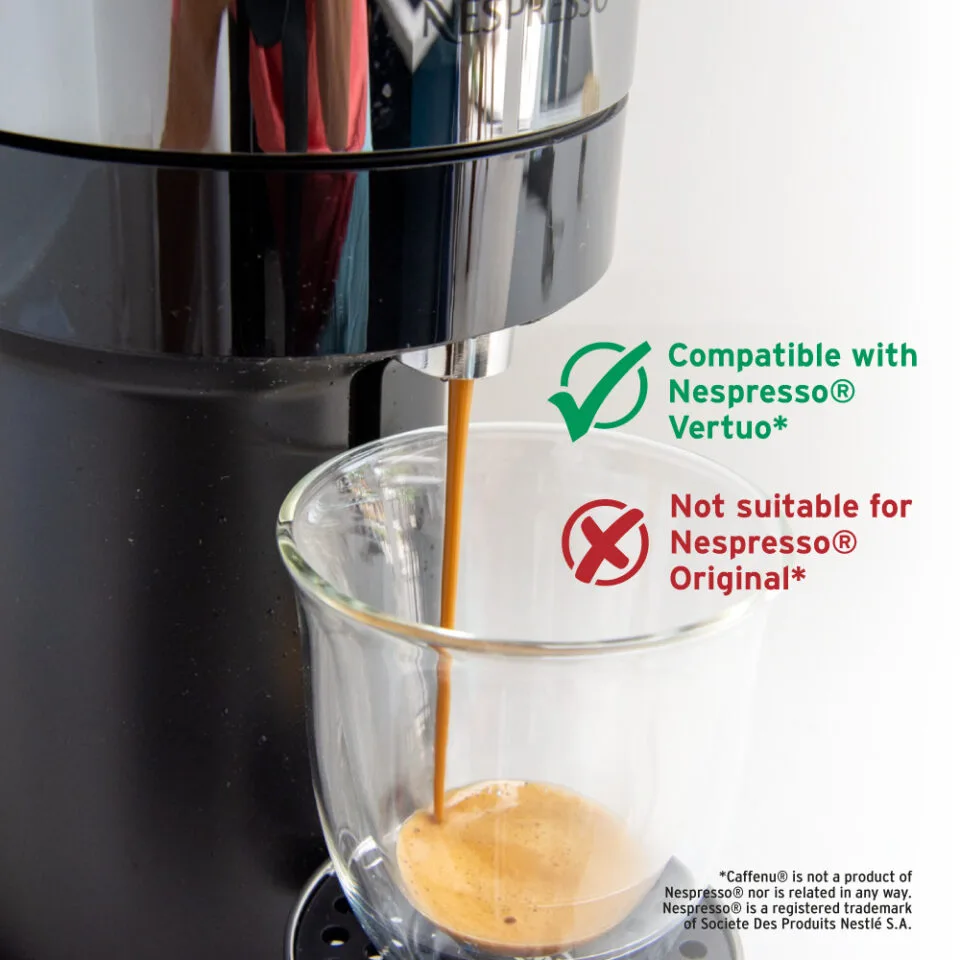
Image source: Bing (Web (fair-use with source credit))
Step-by-Step Fixes for Every Red Light
Soft Reset (Your First Move Every Time)
No matter which red light you see, start here. A soft reset clears temporary glitches and wakes up the machine's internal computer. Unplug the machine from the wall outlet.
Wait 45 seconds. Plug it back in. Open and close the brew head firmly.
Press the brew button. If the light turns green, you are done. This works for solid red, slow blinking, and fast flashing patterns in a significant number of cases.
Hard Reset / Factory Reset
If the soft reset did not work and you are still seeing fast flashing red, try a hard reset. This varies slightly by model, but the general procedure is the same. With the machine plugged in and powered on, open the brew head.
Press and hold the brew button for five seconds. Close the head while still holding the button. Keep holding until the light blinks orange or turns off, then release.
Wait 10 seconds and press brew again. The machine should cycle through a startup sequence and return to green.
Clearing a Capsule Jam Without Breaking Anything
A capsule jam requires patience. Do not force anything. Open the brew head and look for the capsule.
If it is partially pierced, grip the edge with your fingers and pull straight up. If it is stuck deeper, rock it gently side to side while pulling. If it will not budge, close the head, run a rinse cycle with no capsule, then open it again.
The water pressure sometimes loosens the capsule enough to free it.
Priming the Machine After a Water or Descaling Issue
Priming is simple but easy to mess up. Fill the tank. Close the head with no capsule.
Hold the brew button for seven seconds. The machine will run a long, continuous water cycle. Wait until the water flows steadily without sputtering.
Release the button. That is it. If the red light persists, repeat the process once more before moving on to deeper troubleshooting.
Common Mistakes That Make the Red Light Worse
Some well-meaning fixes actually create bigger problems. Here are the ones we see most often in user reports.
Using a paperclip or safety pin to clean the needle. This scratches the interior of the needle and creates rough spots where grounds accumulate faster. Use only the plastic cleaning tool that came with the machine.
Forcing the brew head closed when a capsule is stuck. You can crack the plastic housing or bend the locking mechanism. If the head will not close easily, there is a reason.
Stop and investigate.
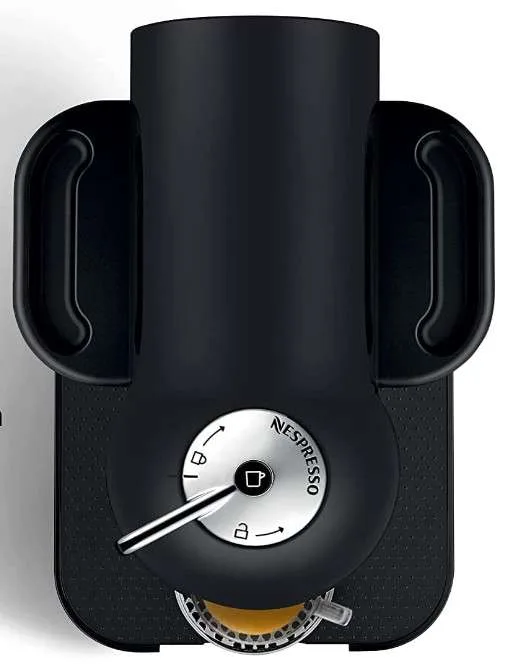
Image source: Bing (Web (fair-use with source credit))
Running a descaling cycle with vinegar. Nespresso's official documentation warns against this. Vinegar is acidic enough to damage the internal seals and heating element over time.
Use the manufacturer's descaling solution or a compatible alternative like those recommended by NSF International for use in espresso machines.
Ignoring the red light and continuing to brew. The machine will not let you, but some users try pressing the button repeatedly or holding it down to override the light. This can confuse the machine's logic board and lock it into error mode.
If the light is red, stop pressing buttons and follow the correct fix for that pattern.
Another mistake that keeps coming up is leaving the used capsule container full for too long. The machine tracks the number of brews, and when the container is overfilled, the mechanism cannot rotate properly. That can trigger a red light even if everything else is fine.
Empty the container every five or six brews to avoid this.
When None of the Fixes Work (And What That Means)
If you have tried the soft reset, hard reset, needle cleaning, and priming, and the red light is still staring at you, it is time to accept that this might be a hardware problem. The most common culprits at this stage are a failed motor, a broken sensor, or a damaged heating element. These are not things you can fix with a paperclip, and opening the machine yourself will almost certainly void your warranty.
Before you give up, check the warranty status. Nespresso offers a two-year limited warranty on all Vertuo machines. If you registered your machine, you can check coverage online or call customer support.
They will walk you through a few final diagnostic steps, and if the unit is faulty, they will likely replace it.
One more trick from repair forums: try leaving the machine unplugged overnight. Some owners report that a long power drain resets the internal memory more thoroughly than a 30-second unplug. It sounds like folklore, but it costs you nothing and has worked for enough people to be worth trying.
How to Tell If Your Vertuo Next Is More Prone to Red Light Issues
The Vertuo Next has a reputation among owners for throwing red lights more often than the Plus or Evoluo models. Aggregate reviews from thousands of users confirm this pattern. The Next uses a lighter plastic housing and a more compact motor assembly, which makes it more sensitive to slight misalignments.
If you own a Next and see frequent red lights, pay extra attention to the locking mechanism. The Next's brew head can feel like it is closed when it is actually sitting just a fraction of a millimeter off. Push down firmly on the head until you hear a solid click.
If the light persists, check that the water tank is fully seated. The Next's tank connection is shallower than other models and can lose contact if bumped.
The Truth About Third-Party Capsules and Red Lights
Third-party and reusable capsules cause a disproportionate number of red light errors. The Vertuo system relies on a barcode printed on the capsule rim. That barcode tells the machine how fast to spin, how much water to use, and what temperature to brew at.
Many reusable capsules lack a barcode entirely. Others use a generic barcode that the machine may not recognize. When the barcode reader fails, the machine throws a fast flashing red light and refuses to brew.
Official Nespresso capsules are designed to work with the barcode reader's specific focal length and contrast ratio. Third-party options sometimes use different foil thicknesses or print quality that the reader cannot interpret.
If you want to use reusable capsules, look for ones that include a matching barcode sticker. Even then, expect occasional misfires. The machine was engineered for a specific capsule design, and every deviation increases the chance of a red light.
When to Call Support Versus When to Replace the Machine
Not every red light warrants a phone call. If you have tried all the fixes in this guide and the machine still shows a fast flashing red light, it is time to check your warranty coverage. Nespresso's customer support team can run remote diagnostics and confirm whether the issue is a sensor or motor fault.
If your machine is out of warranty, the math changes. A replacement Vertuo Next costs around $130 to $180 as of 2026. A repair from an authorized service center can run $80 to $120 just for labor, plus parts.
In most cases, replacing the unit is the more practical option if the fix goes beyond a simple reset or cleaning.
One exception: if the machine is showing a solid red light that you cannot clear, it may be a simple jam that a technician can fix in minutes. The cost of a diagnostic visit or shipping is still worth considering against buying new. But for fast flashing reds that persist after a hard reset, the internal components are often the issue, and replacement becomes the smarter call.
Maintenance That Prevents the Red Light from Coming Back
A well-maintained Vertuo rarely throws a red light. The two maintenance routines that matter most are descaling on schedule and cleaning the needle regularly.
Descale every three months or when the slow blinking red light appears. Use the manufacturer's solution, not vinegar. The official descaling kit includes the solution and the instructions for your specific model.
It takes about 15 minutes, and it is the single best thing you can do for long-term reliability.
Clean the needle after every couple of descaling cycles or whenever you notice a slower pour. Use the plastic cleaning tool that comes with your machine. Gently insert it into the needle hole, twist slightly, and pull out any debris.
Run a rinse cycle with an empty container afterward.
Also, make sure you are using fresh, filtered water if your tap water is hard. Mineral scale is the biggest enemy of these machines. If you live in a hard-water area, descaling every two to three months is a smart move rather than waiting for the light to tell you.
Frequently Asked Questions
Why is my Nespresso Vertuo light red after descaling?
This usually means air is trapped in the water line. Fill the tank, close the head with no capsule, and hold the brew button for seven seconds. The machine will push water through to purge the air.
Release the button when the stream is steady, and the red light should turn green.
How do I reset my Nespresso Vertuo?
Unplug the machine, wait 30 seconds, and plug it back in. Open and close the brew head, then press the brew button. For a harder reset, hold the brew button for five seconds while the head is open, then close it while still holding.
Wait 10 seconds and press brew again.
Does the red light mean my Nespresso is broken?
Not usually. The red light is a diagnostic indicator, not a death sentence. Most red lights point to a capsule jam, a clogged needle, or the need to descale.
Only a fast flashing red light that persists through a hard reset really suggests a mechanical failure.
Can I use vinegar to descale my Nespresso Vertuo?
No. Nespresso's official documentation warns against vinegar because its acidity can damage the machine's internal seals and heating element. Use the manufacturer's descaling solution or a compatible alternative that meets the same standards.
Why does my Vertuo blink red when I use a reusable capsule?
Reusable capsules often do not have the barcode on the rim that the machine needs to read. Without that barcode, the machine cannot determine the brew size or pressure, so it throws a red light. Stick to official Nespresso capsules or a reusable pod designed specifically for Vertuo with a matching barcode.
Quick Decision Guide – What to Try First Based on Your Light
Still unsure which fix applies to your situation? Here is a quick cheatsheet that covers the main patterns.
| Light Condition | First Step | Second Step | If Still Red |
|---|---|---|---|
| Solid red | Open head, remove capsule, empty container | Soft reset | Check needle, contact support |
| Slow blinking | Run descaling cycle | Rinse twice | Check for air after descale |
| Fast flashing | Hard reset | Unplug overnight | Contact support, check warranty |
| Red after descaling | Prime with brew button hold | Repeat priming | Soft reset |
| Red during brew | Clean piercing needle | Rinse cycle | Check for deep clog |
The overarching rule is simple: start with the least invasive fix. A soft reset costs 30 seconds and solves more problems than any other single step. Work through the list in order, and you will resolve most red lights without needing to replace anything.
If you have made it through this guide and your machine is still stuck, do not stress. It happens to a small percentage of units, and that is exactly why the warranty exists. Reach out to Nespresso support with the specific light pattern you are seeing.
They will know exactly what to do.

Similar Posts
































