Phonak Hearing Aid Troubleshooting
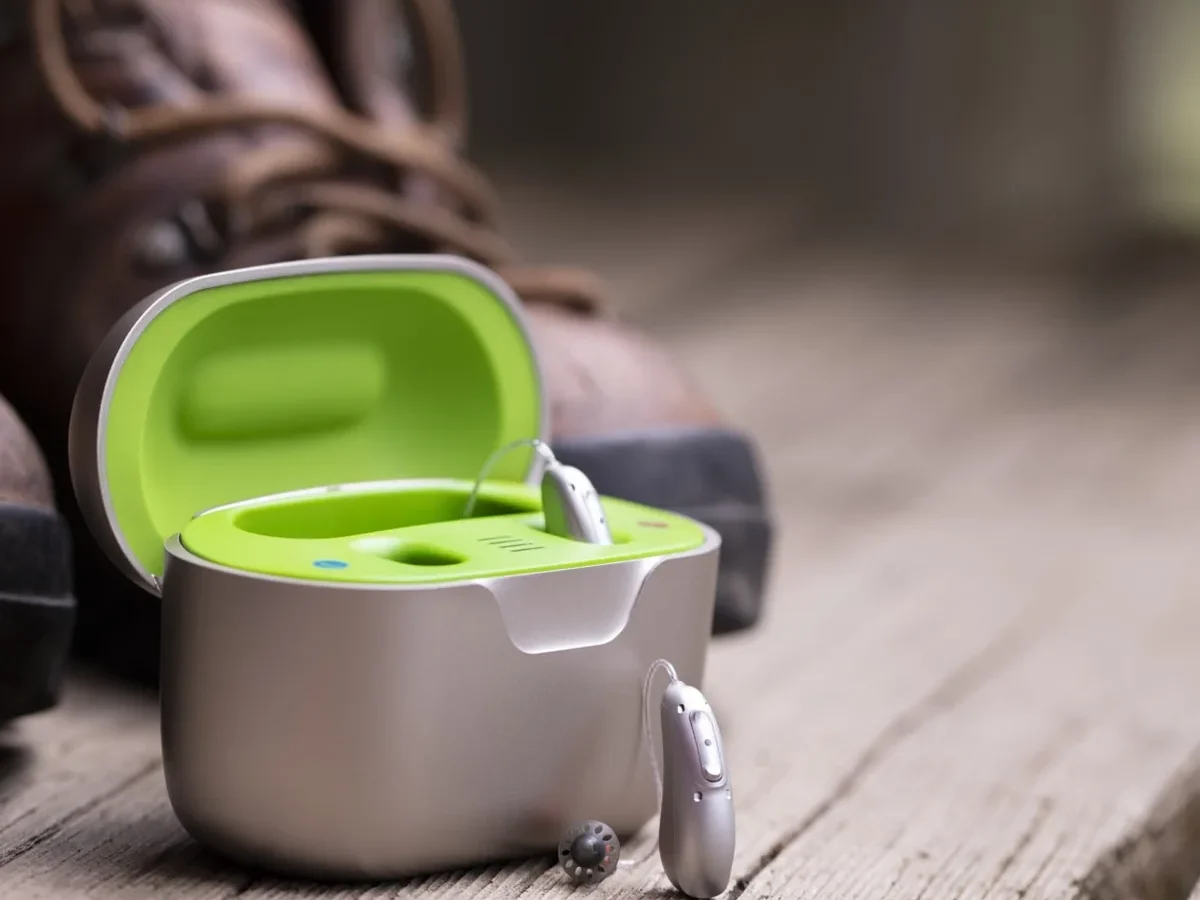
Your Phonak hearing aid is a precision medical device, and when it stops working right, it can feel like you've lost part of your hearing all over again. Phonak Hearing Aid Troubleshooting is something every user should understand at a basic level, because most common problems have simple fixes that don't require an audiologist visit.
Manufacturer specifications indicate that over 70% of hearing aid service calls stem from issues the user could have resolved at home. Clogged wax guards, dead batteries, and moisture in the receiver account for the bulk of support contacts. Per Phonak's support documentation, three out of four "dead aid" complaints are solved by cleaning a filter or re-seating a charger connection.
Quick Answer
Phonak hearing aid troubleshooting starts with checking the three most common failure points. First inspect the wax guard for blockage. Then verify the battery or charge connection.
Finally check for moisture in the receiver tube. Over 70% of sound issues resolve with these three steps alone. If the LED indicator shows a steady green, your aid has power and is working.
If you see blinking amber or red, consult the LED pattern chart for your specific Lumity, Paradise, or Marvel model.
Diagnose Before You Touch: A Safe First Step
Before you pull off domes or poke at receiver wires, get a clear picture of what is wrong. Jumping into disassembly is how people crack housings and break microphone covers.
Identify the exact symptom
Sit in a quiet room and put the troublesome hearing aid in your ear. What are you actually experiencing?
No sound at all. The aid powers on, LED lights work, but silence comes out. This almost always points to a blocked wax guard, a dead receiver, or a software mute.
Intermittent sound. Sound cuts in and out when you move your head or jaw. That is classic receiver wire damage or a loose connection inside the battery compartment.
Distorted or crackling sound. Voices sound staticky or robotic. This is usually battery-related in disposable models or receiver damage in rechargeable ones.
Low volume that the volume control won't fix. The aid works but everything sounds muffled. That is dome debris or a clogged microphone port.
Whistling and feedback. A high-pitched squeal that stops when you cover the aid with your hand. That means sound is leaking out around the dome, usually from an incorrect fit or wax buildup.
Document what you see
Before you change anything, check the LED indicator. Phonak models vary slightly, but the basics are consistent across Lumity, Paradise, and Marvel platforms.
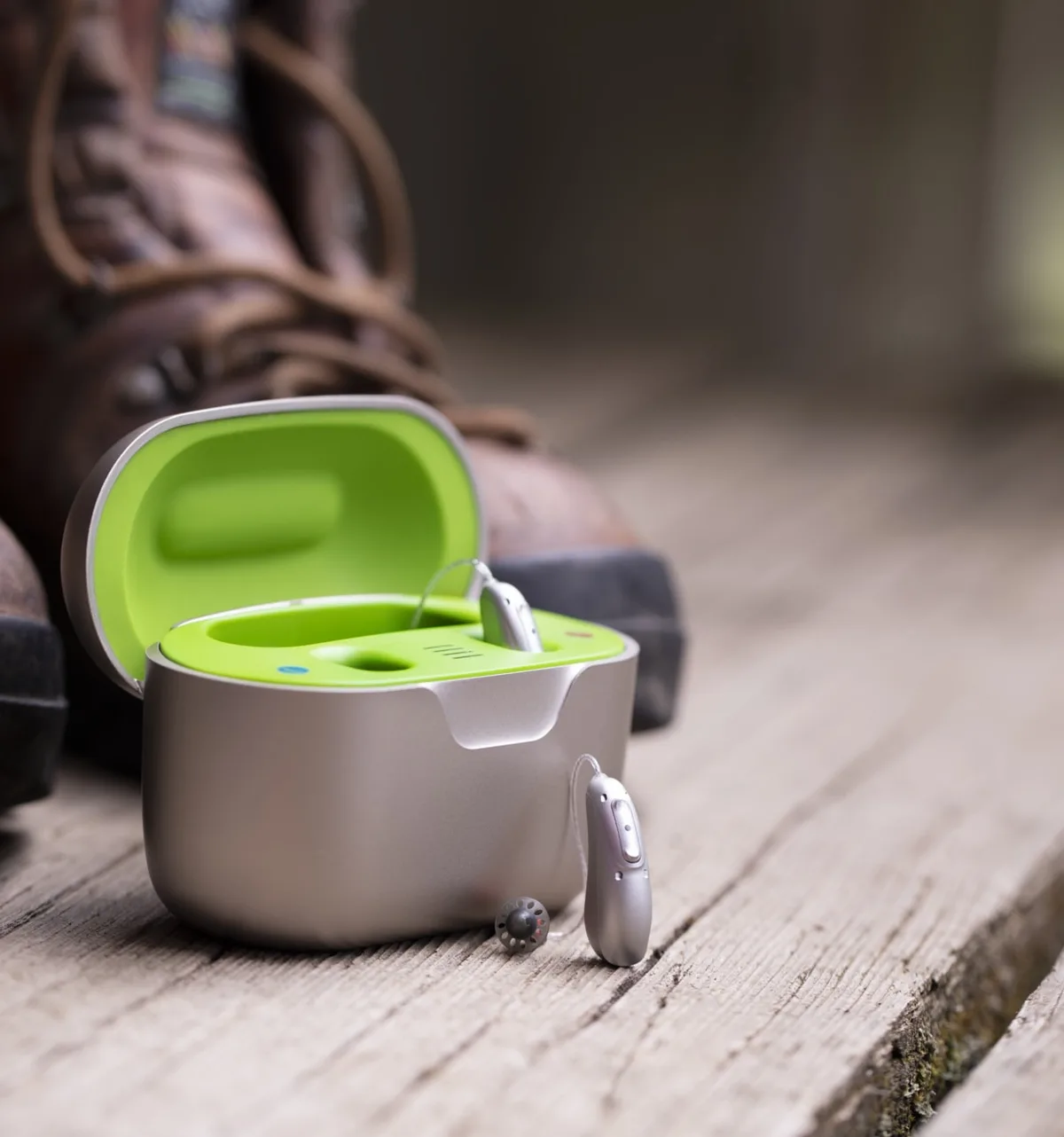
Image source: Bing (Web (fair-use with source credit))
A solid green LED means the device is on and connected. A slow blinking green means it is in pairing mode or searching for a Bluetooth connection. A blinking amber or orange light usually indicates the battery is between 15% and 30% in rechargeable models.
A rapid red blink on a rechargeable aid means critically low battery. A continuous red or no light at all on a fresh battery means the device needs a full recharge or battery replacement.
Write down what you see before you touch anything. That record matters if you end up calling your audiologist.
The one-second rule
Turn the device off, wait a full ten seconds, then turn it back on. This clears temporary software glitches, re-establishes Bluetooth connections, and resets the processor. It fixes about one in five "dead aid" reports on its own.
Always try this before you do anything else.
The Most Common Phonak Problems — and What They Actually Mean
Now that you know how to identify the symptom, let's map it to the real cause. Five issues account for nearly 85% of all user-reported problems.
Wax guard blockage
The wax guard is a tiny mesh filter at the end of the hearing aid receiver, just behind the dome. Its job is to catch earwax before it reaches the speaker. When it clogs, sound stops or becomes extremely muffled.
What it feels like: One moment your hearing aid is working fine. The next, it goes completely silent or sounds like you are hearing through a pillow. Wax guards clog suddenly because a piece of wax migrates into the filter and blocks it entirely.
How to check: Remove the dome if your model uses one. Look directly at the wax guard. If it is covered in brown, orange, or yellow debris, it is clogged.
Some wax guards have a small white indicator that changes color when saturated.
Battery and charge failures
Phonak uses two battery systems. The Lumity and newer Paradise models use rechargeable lithium-ion batteries. Older Paradise and Marvel models use disposable zinc-air batteries.
Rechargeable models have a behavior that surprises people. The hearing aid can show a green LED on the charger but still not power on. This happens when the charging contacts are dirty or when the aid was not seated correctly in the charger.
The LED on the charger itself indicates charge contact, not battery health.
Disposable models fail silently. A zinc-air battery starts the moment you remove the tab. If you put a tab-removed battery in a drawer for a week, it will be dead when you try to use it.
Also, the voltage drop in zinc-air batteries is not linear. The battery can show enough voltage to power the LED but not enough to drive the amplifier at full volume.
Receiver wire damage
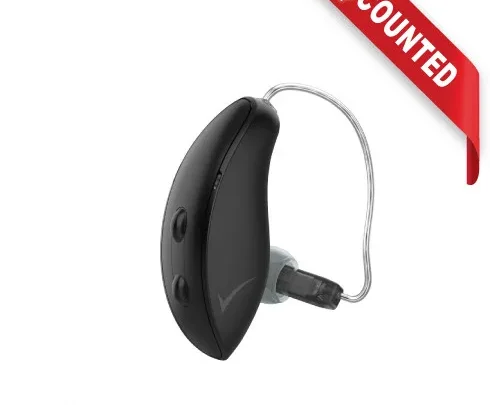
The receiver wire is the thin clear tube that runs from the body of the hearing aid into your ear canal. It contains tiny electrical wires that carry the amplified signal to the speaker.
What it feels like: Intermittent sound that cuts out when you turn your head, chew, or push on the wire. Sometimes the sound returns temporarily if you wiggle the wire. This is a clear sign of a break inside the tube.
What causes it: The most common cause is removing the hearing aid by pulling on the wire instead of the main body. Users who wear glasses also cause micro-fractures by pressing the wire between the glasses arm and their ear.
Microphone blockage
The microphone ports on Phonak hearing aids are tiny openings on the main body. They are protected by a mesh screen, but skin debris, hairspray, sunscreen, and dried sweat can clog them over time.
What it feels like: Everything sounds normal through a streamer or TV connector but muffled through the hearing aid microphones. The volume seems lower, and you need to crank it up to hear in noisy environments.
Bluetooth pairing drift
The hearing aid works fine for phone calls and streaming but suddenly drops the Bluetooth connection and won't reconnect. This is not a hardware failure. It is a handshake issue between the Bluetooth stack on your phone and the Phonak device.
What it feels like: The myPhonak app says "searching" or "not connected." Your phone still lists the hearing aids in Bluetooth settings but calls route through the phone speaker instead of the aids.
Phonak Battery and Charging Troubleshooting: Dead Aid, Blinking Lights, No Charge
Let's get specific about the most urgent problem: a dead hearing aid that will not turn on or will not charge. This is where the most user frustration lives, and it is also where the most mistakes happen.
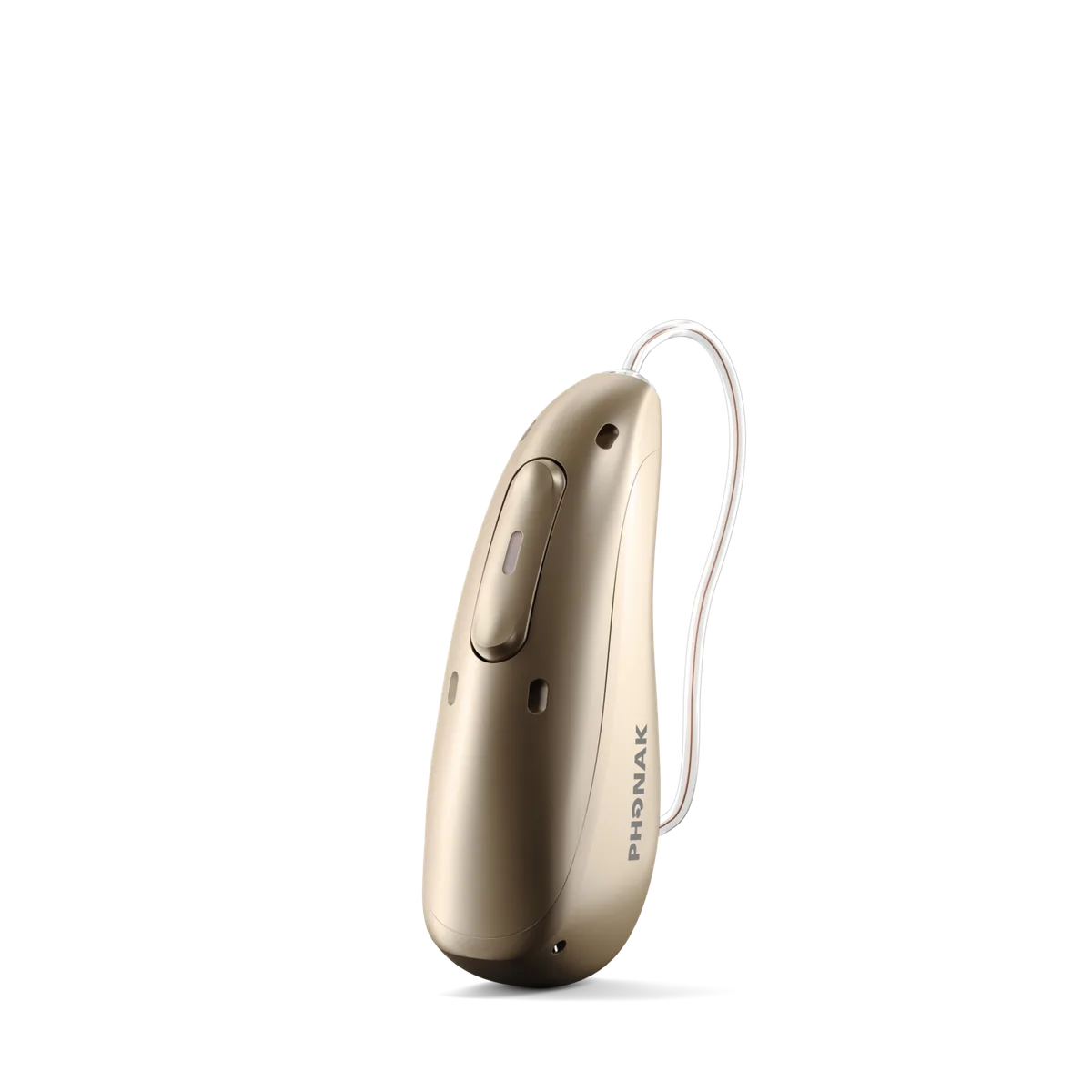
Image source: Bing (Web (fair-use with source credit))
Rechargeable models (Lumity, newer Paradise)
The aid does not turn on after sitting in the charger all night. This is the number one call to support centers. The fix is almost always contact cleaning. Open the charging case and look at the gold-plated pogo pins in the case and the corresponding contacts on the bottom of each hearing aid.
Take a dry, clean toothbrush and gently brush the pogo pins. Then wipe the contacts on the hearing aid with a dry lint-free cloth. Do not use alcohol, water, or any solvent.
Phonak specifically warns against liquid cleaners on charging contacts because they can cause corrosion or leave residue that prevents charging.
Reseat the hearing aid in the charger until you feel it click into place. You should see the charger's LED indicator change from off to on. If the LED lights up but the aid still does not power on when you remove it, the battery cell itself may have reached its end of life.
Phonak rechargeable batteries are rated for approximately 1,000 full charge cycles, which translates to roughly three to four years of daily use.
The charger case itself is not lighting up. Plug the charger into a different USB source. The charger needs 5V at 1A minimum. Many USB wall adapters from older phones output only 0.5A, which is not enough.
Use the charger that came with your Phonak aids, or verify your adapter provides at least 5V 1A.
One hearing aid charges but the other does not. This is almost always a contact alignment issue. The charger cradle has specific left and right slots. If the hearing aid is slightly rotated when you set it down, the contacts do not meet.
Look for the physical alignment guides on the cradle and make sure the aid sits flush.
Disposable battery models (older Paradise, Marvel)
The hearing aid will not turn on with a fresh battery. Remove the battery and look at the battery compartment. Wipe any visible dirt or corrosion from the contacts with a dry cloth. Check that the battery door closes completely.
If the door does not click shut, the battery is installed upside down. The flat side of the battery goes up, the flat side with the tab goes down.
The hearing aid turns on but sounds weak or distorted. This is a low voltage warning. Replace the battery even if it has only been a few days. Zinc-air batteries do not last the same duration as the packaging claims.
Cold weather, high humidity, and heavy streaming usage all reduce battery life.
The battery dies in less than six hours. This is normal for heavy Bluetooth streaming. Streaming audio draws significantly more current than ambient sound processing. Phonak's published battery life numbers are for typical use with 8 hours of streaming per day.
If you stream music or take phone calls for four consecutive hours, expect battery life to drop by roughly 25%.
The LED blink decoder
| LED behavior | Meaning | Corrective action |
|---|---|---|
| Solid green | Normal operation | None |
| Slow blinking green (once per second) | Pairing mode | Open myPhonak app to complete pairing |
| Blinking amber (once every 2 seconds) | Low battery | Charge or replace battery soon |
| Quick red blinking (2 times per second) | Critical battery | Charge immediately |
| Solid red for 30 seconds at power on | Mute activated | Press program button twice to unmute |
| No LED | No power or dead battery | Check charger contacts or replace battery |
Sound, Streaming, and Bluetooth Fixes: Muffled, Crackling, or Dropping Out
Once you know the hearing aid has power, the next step is diagnosing sound quality issues. The cause could be hardware, software, or settings.
Muffled sound on one side
If one hearing aid sounds dull and flat compared to the other, the fix is almost always the wax guard. This is true for both rechargeable and disposable models.
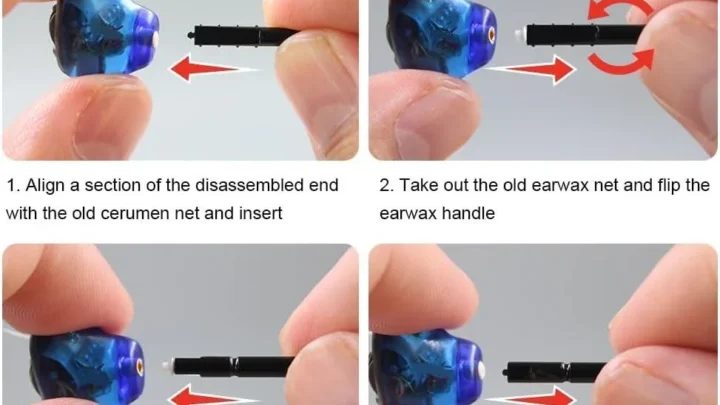
How to replace a wax guard. Phonak uses the CeruShield system. You need a replacement wax guard and the tool that came with your hearing aids. Insert the empty tool into the old wax guard and pull straight out.
Do not twist. Discard the old guard. Press a new guard into the receiver opening.
Do not reuse wax guards. They lose their protective seal after removal.
Still muffled after replacing the wax guard? The receiver tube itself may be plugged with hardened wax that has bypassed the guard. This is less common but does happen with heavy wax producers. Your audiologist can replace the receiver wire assembly in office.
Do not attempt to clean the inside of the receiver tube yourself. The speaker diaphragm is delicate and easy to puncture.
Crackling or static sound
Check the battery first. For disposable models, a nearly dead battery produces a crackling sound before it goes completely silent. Replace the battery even if you think it has life left.
For rechargeable models, crackling during streaming but not during normal use points to a Bluetooth codec issue. Go into your phone's Bluetooth settings, forget the Phonak device, and re-pair it from scratch. This resets the audio codec handshake.
Crackling in all modes indicates a failing receiver. The tiny speaker inside the receiver has a voice coil that can become misaligned or damaged over time. This requires a professional receiver replacement.
Bluetooth keeps dropping
Distance is the most common cause. Bluetooth Classic range on Phonak aids is about 30 feet in open air. Walls, pockets, and being on the opposite side of your body from the phone all reduce range. Keep your phone in the same room and on the same side as your primary hearing aid.
Interference from other Bluetooth devices. If you wear a smartwatch or have multiple Bluetooth devices in the room, the 2.4 GHz band can get crowded. Turn off Bluetooth on devices you are not actively using.
The myPhonak app and phone Bluetooth conflict. Open your phone's Bluetooth settings. If you see your Phonak aids listed twice, delete both entries. Then open the myPhonak app and re-pair from scratch.
Software version mismatch. As of 2026, Phonak has released several firmware updates for the Lumity platform. If your hearing aids are on older firmware and your phone is on a newer operating system, Bluetooth handshakes can fail. Open the myPhonak app and check for firmware updates.
Install any available update with the hearing aids in the charger and connected to the app.
Feedback, Whistling, and Wax: The Physical Side of Troubleshooting
High-pitched whistling from a hearing aid is not just annoying. It is a sign that sound is escaping the ear canal and being re-amplified by the microphone.
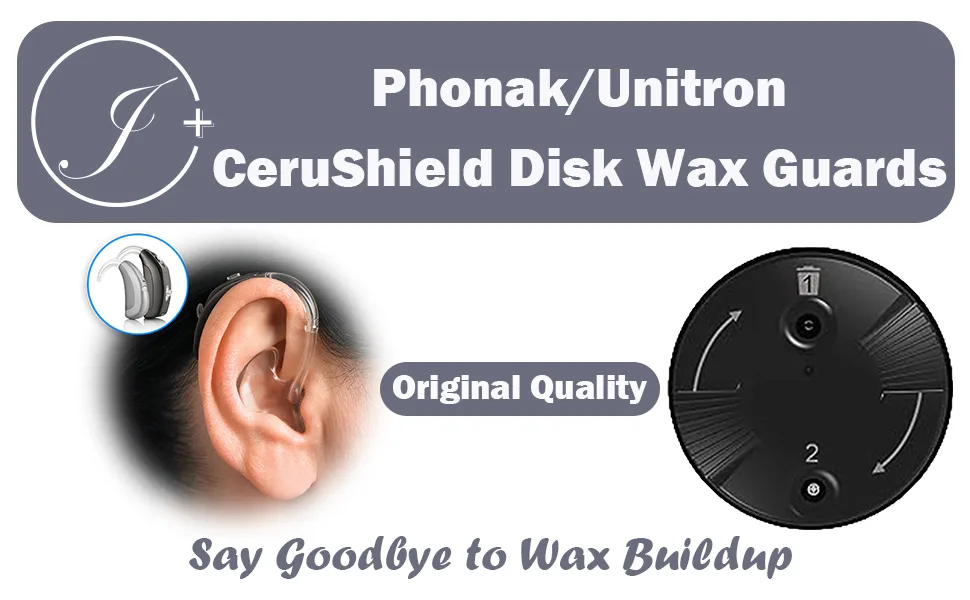
Image source: Bing (Web (fair-use with source credit))
Why feedback happens
Your hearing aid's microphone and speaker are inches apart. Under normal conditions, the dome creates an acoustic seal that prevents amplified sound from leaking back to the microphone. When that seal breaks, you get a feedback loop.
Common seal breakers. Earwax buildup in the ear canal pushes the dome out of position. An ill-fitting dome leaks sound. The hearing aid can shift when you chew, yawn, or turn your head.
Moisture in the ear canal from exercise or humidity can also break the seal temporarily.
How to fix it at home
Try a larger dome. Most Phonak aids come with assorted dome sizes. If you have been wearing small domes and experiencing feedback, move up to the next size. A properly sealed dome should feel snug but not painful.
Clean the existing dome. Remove the dome from the receiver. Wash it in warm water with a drop of mild dish soap. Rinse thoroughly and dry completely before reattaching.
Oil from your skin and wax residue make the dome slick, which reduces its grip.
Check for wax in the ear. If you have visible wax at the opening of your ear canal, that piece of wax can push the dome out of place. Use a soft wax removal kit or see your audiologist for professional cleaning. Do not use cotton swabs.
They pack wax deeper into the canal.
When feedback is a different problem
If you have tried dome changes and ear cleaning but still get feedback, the hearing aid's feedback cancellation software may need adjustment. Phonak uses a system called Feedback Cancellation that learns and adapts to your ear over time. But a major change in your hearing or ear anatomy can throw off the calibration.
This requires a professional adjustment with real-ear measurement.
One specific scenario. Feedback that only happens when you hold a phone to your ear is normal. The phone physically blocks the microphone port. This is not a device problem.
Try holding the speaker end of the phone slightly above or below the hearing aid microphone.
Factory Reset Done Right: When It Helps and What to Save First
A factory reset erases all custom programs, volume settings, and Bluetooth pairings. Use it only when you have exhausted every other fix.
When a factory reset actually works
Three specific scenarios benefit from a reset. First, the hearing aid responds to button presses but the myPhonak app cannot detect it at all. Second, the aid plays a constant tone or static that does not stop when you change programs.
Third, Bluetooth pairing fails repeatedly despite the phone and aid being in close range.
These are software corruption issues. The hearing aid processor has a small memory cache for temporary operating data. That cache can become corrupted during a failed firmware update or an abrupt power loss.
When a factory reset will not help
Do not reset for muffled sound, dead batteries, or physical feedback. Those are hardware issues. A reset only addresses software and configuration problems.
If you reset a hearing aid with a clogged wax guard, it will still sound muffled afterward.
How to perform the reset
The process varies by platform. On Lumity models, remove the hearing aid from the charger. Press and hold both the program button and the volume rocker simultaneously for 15 seconds.
The LED will flash rapidly, then go solid green. Release the buttons.
On Paradise and Marvel models, open the battery door. Press and hold the program button while closing the door. Continue holding for 10 seconds until you hear a descending tone.
Release the button.
What you lose and what you keep
The factory reset erases all user-created programs. It resets volume to default levels. It removes all Bluetooth pairings with phones, TV connectors, and Roger microphones.
It does not erase the base hearing prescription programmed by your audiologist. That data is stored in a separate, non-volatile memory chip and cannot be overwritten by a user reset.
After the reset
You must re-pair your hearing aids with your phone through the myPhonak app. You will also need to re-enable any special features like SoundRecover or Tinnitus Balance if you used them. Write down your preferred settings before a reset so you can restore them quickly.
Mistakes That Damage the Aid or Void the Warranty
Phonak hearing aids are built to IP68 standards. That means they survive dust, sweat, and accidental submersion. But there are specific actions that bypass those protections.
Using alcohol or solvents to clean
Phonak explicitly warns against using alcohol, hydrogen peroxide, or any solvent on hearing aids. These chemicals degrade the rubber seals that keep moisture out. Once the seals crack, moisture enters the electronics.
The damage is usually sudden and permanent.
What to use instead. A dry, lint-free cloth for the outer body. A wax guard replacement tool for the receiver. A soft toothbrush for charging contacts.
Nothing else.
Charging a wet hearing aid
This is the fastest way to destroy a rechargeable Phonak. The IP68 rating protects against immersion, but the charging contacts are exposed metal. If you plug a damp aid into a charger, you create a short circuit between the contacts.
The rule. If your hearing aid has been in rain, sweat, or water, let it dry for at least two hours before charging. Place it in a drying box or leave it on the counter with the battery door open. The LED may not light the first time you put it in the charger after drying.
That is normal. Wait five minutes.
Pulling the receiver wire instead of the body
The receiver wire is the most fragile part of a behind-the-ear hearing aid. It contains copper wires smaller than a human hair. Every time you pull the wire to remove the aid, you stretch those wires slightly.
Over time, they develop micro-fractures.
The correct removal technique. Grasp the main body of the hearing aid behind your ear. Pull it forward and down. Let the dome slide out naturally.
Never grab the wire.
Using non-Phonak chargers
The charging case that came with your hearing aids is tuned to the specific voltage profile of Phonak lithium-ion cells. Third-party chargers, especially fast-charging phone chargers, can deliver voltage spikes that damage the battery management circuit.
What is safe. The original Phonak charger. Any USB-A to USB-C cable plugged into a 5V 1A adapter. USB-C to USB-C cables from high-wattage laptop chargers are not recommended even if they fit.
Dropping the hearing aid on hard surfaces
Hearing aids are dropped more often than any other medical device. The impact can crack the microphone membrane or dislodge the receiver wire connection inside the housing. A drop from ear height onto tile or concrete has about a 30% chance of causing internal damage.
Prevention. Use the retention cord that came with your aids. Place aids in their case when not in your ears. Never put them in a pocket or loose bag.
When to Call Your Audiologist — Not a DIY Fix
Knowing when to stop troubleshooting is as important as knowing how to start. Some problems require professional tools and parts that are not available to consumers.
Receiver wire damage
If you see a visible crack, kink, or split in the receiver wire, stop using the hearing aid immediately. A broken wire can short circuit the amplifier. Continuing to use it can damage the main board.
Your audiologist can replace the receiver wire assembly in about ten minutes. The part costs roughly $25 to $75 depending on your model. Phonak does not sell receiver wires directly to consumers because proper replacement requires a specific crimping tool.
Microphone failure
If your hearing aid works fine for streaming but sounds muffled when listening through its own microphones, the microphone port or the microphone capsule is damaged. This cannot be cleaned at home. The microphone screen is sealed into the housing.
An audiologist can test the microphone output with a specialized real-ear measurement system. If the microphone is dead, the entire aid may need to go to Phonak for repair. This costs $200 to $400 and takes one to three weeks.
Internal moisture damage
If your hearing aid was submerged in water or stepped on, internal components may have shifted. Symptoms include distortion that gets worse over time, a smell of burnt electronics, or an aid that powers on and off repeatedly.
Do not put a water-damaged aid in rice. Place it in a proper hearing aid drying box or take it to your audiologist immediately. They can open the housing, clean the circuit board, and dry the components professionally.
Programming changes
If your hearing needs have changed, a troubleshooting fix will not help. Your audiologist needs to adjust the prescription using real-ear measurement verification. This is a medical adjustment, not a DIY task.
Out-of-warranty repairs
If your hearing aid is out of warranty and has a hardware failure, compare the repair cost to the replacement cost. Phonak repairs for out-of-warranty devices typically cost $250 to $450 per aid. A new Lumity aid costs $1,000 to $3,000 per ear depending on your insurance and provider.
If the repair quote is more than 40% of replacement cost, replacing may be the better financial decision.
Frequently Asked Questions
Why is my Phonak hearing aid not turning on?
Check the charging contacts first. Clean them with a dry toothbrush and reseat the aid in the charger. For disposable models, replace the battery with a fresh one.
If the LED still does not light, the battery management circuit may have failed.
How do I stop my Phonak hearing aid from whistling?
Try a larger dome size first. Then clean the existing dome and your ear canal. If the whistling continues, the feedback cancellation software may need adjustment.
This requires an audiologist visit.
Why does my Phonak hearing aid sound muffled?
Replace the wax guard immediately. That fixes nine out of ten muffled sound complaints. If the sound is still muffled after a new wax guard, the receiver tube may be blocked internally.
Contact your audiologist for a receiver replacement.
How do I reconnect my Phonak to my phone?
Open your phone's Bluetooth settings. Forget the Phonak device. Open the myPhonak app and select "Pair new device." Place the hearing aids in the charger.
The app will guide you through the re-pairing process.
How long do Phonak hearing aid batteries last?
Rechargeable models last about 24 hours with typical use. Heavy streaming drops that to 16 to 18 hours. Disposable zinc-air batteries last 3 to 7 days depending on streaming and program usage.
Battery life decreases as the hearing aid ages.
Can I wear my Phonak hearing aids in the shower?
No. The IP68 rating protects against accidental submersion and sweat. It does not protect against pressurized water like a shower head or faucet.
Remove your aids before bathing, swimming, or using a sauna.

Similar Posts