Pitbull Platinum Shaver Troubleshooting
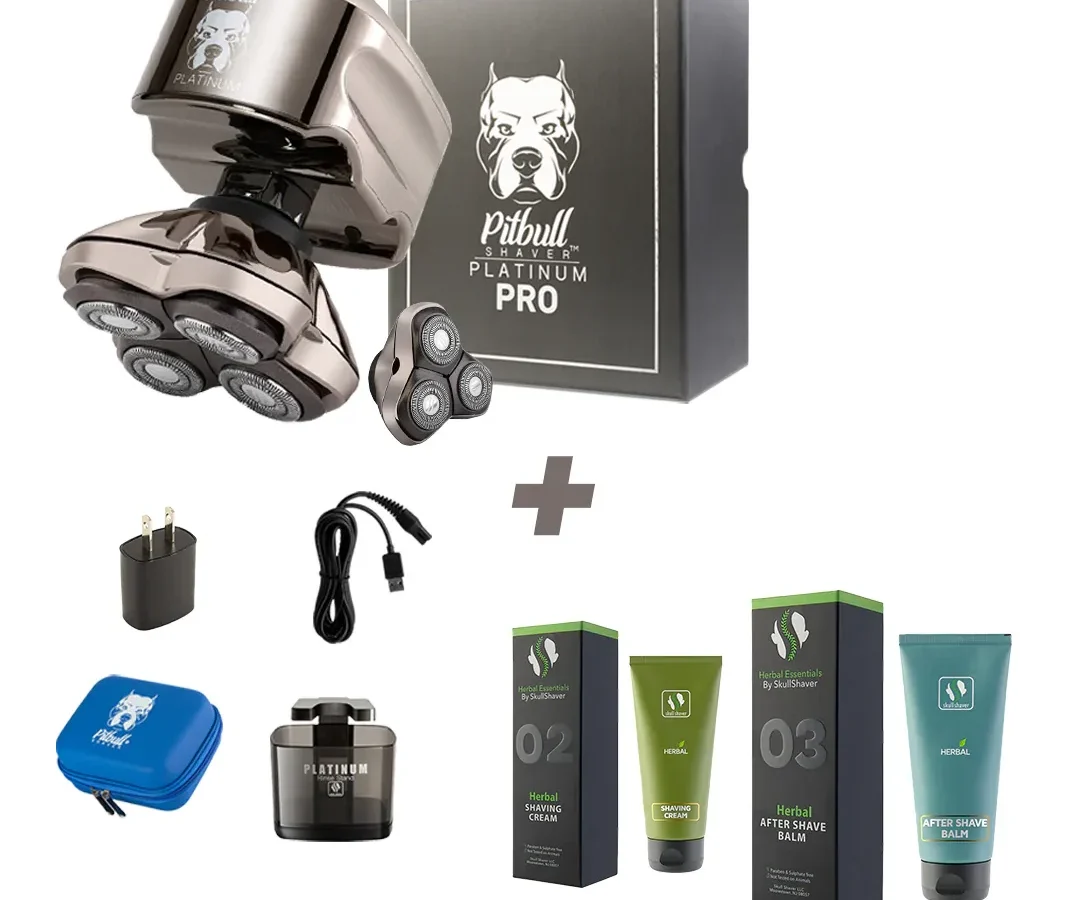
Your Pitbull Platinum shaver was working fine yesterday. This morning it's dead silent. Or it's running but pulling hairs like a cheap disposable.
Frustrating, right? Pitbull Platinum Shaver Troubleshooting doesn't have to be a guessing game.
Manufacturer specifications confirm the Platinum model uses a sealed lithium-ion battery, self-sharpening blades, and a waterproof IPX7-rated body. That means most problems fall into one of three buckets: power, cutting, or charging. Let's walk through each one and get you back to a smooth shave.
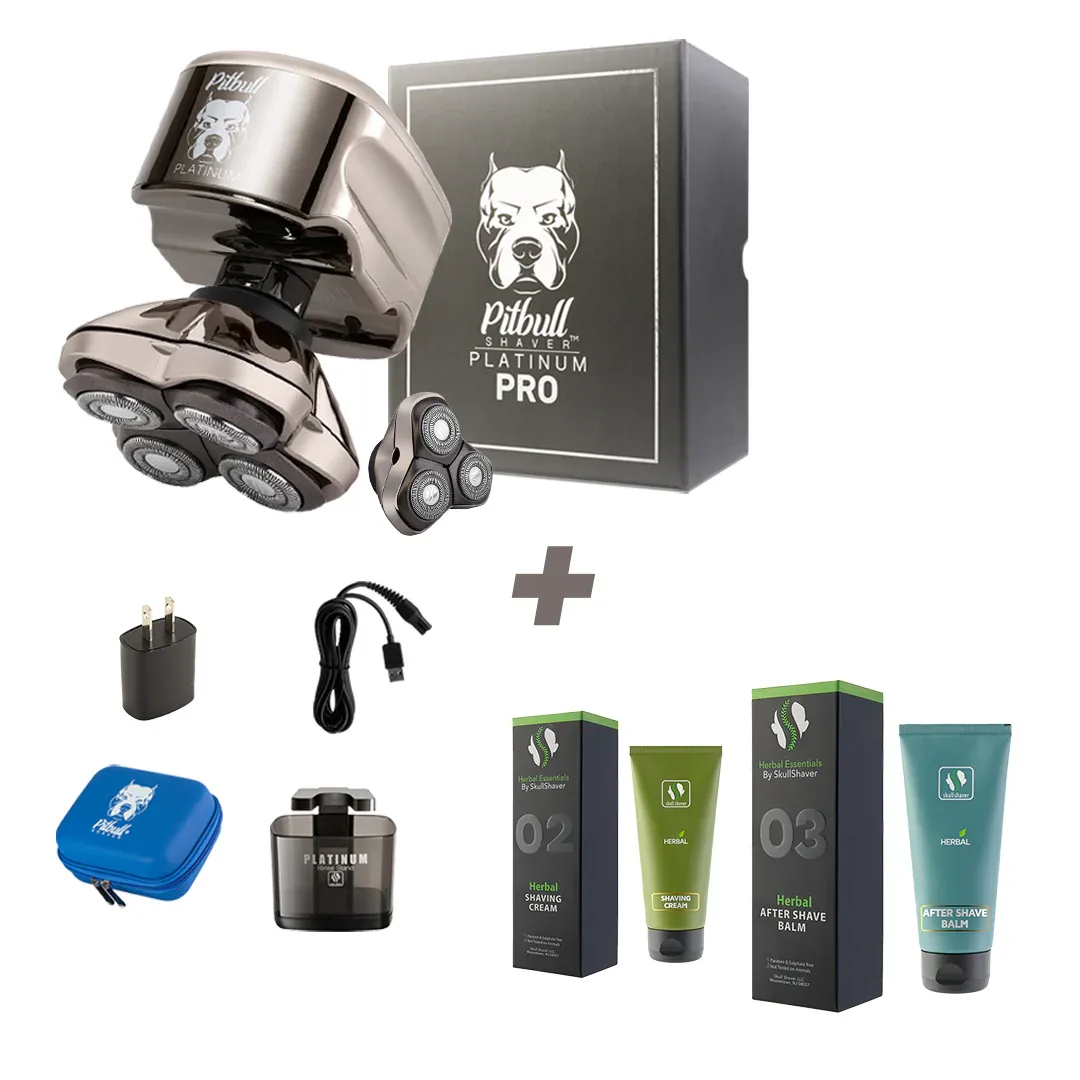
Image source: Bing (Web (fair-use with source credit))
Quick Answer
Check the LED ring. The flash pattern tells you the problem. Solid green means power is fine.
Flashing red means low battery or travel lock. No light means dead battery or bad connection. Clean the charging contacts with a dry cloth.
Hold the power button for 5 seconds to unlock travel lock. If it still won't turn on, charge for 3 hours. If it pulls hair, remove the foil and brush out the cutter.
Nine out of ten "broken" Pitbull Platinums are just clogged or locked.
The Three Main Failure Modes
Every troubleshooting path starts with identifying which system failed. The shaver has three independent subsystems: the power circuit, the charging circuit, and the cutting assembly. Each one fails differently.
Power Failure: Dead Battery, Travel Lock, or Bad Connection
If the shaver does absolutely nothing when you press the power button, you are looking at a power failure. The LED ring does not light up. No sound.
Nothing.
The most common cause is the travel lock. Wahl includes this feature so the shaver does not turn on in your bag during travel. It is easy to activate accidentally.
Hold the power button for 5 seconds. If the LED flashes and the motor twitches, you just fixed it.
If that does not work, the battery may be fully drained. The Platinum's lithium-ion battery takes about 3 hours for a full charge. Plug it into the charging dock and look for a solid red light on the dock.
No light at all means the dock or cable is the problem.
The worst case is a dead battery cell. Lithium-ion batteries have a limited lifespan. Aggregate user reports indicate the Platinum's battery typically lasts 2 to 3 years with regular use.
After that, replacement becomes necessary.
Cutting Failure: Clogged Head, Dull Foil, or Broken Cutter
The shaver powers on. You can hear the motor spinning. But it does not cut hair.
Or it pulls, tugs, and leaves patches.
This is almost always a mechanical issue in the head assembly. The Pitbull Platinum uses a floating foil with an oscillating cutter underneath. Hair and oil accumulate between the foil and the cutter.
Over time, that buildup slows the cutter down or stops it entirely.
Remove the foil head. Take out the cutter bar. Brush everything with the included cleaning brush.
You will be shocked at how much hair comes out. Rinse the head under running water. Dry it thoroughly.
Reassemble and try again.
If it still pulls after cleaning, the foil may be dull. Manufacturer specifications recommend replacing the foil every 6 to 12 months. The cutter bar lasts longer, about 12 to 18 months.
But if the foil is dented or worn, no amount of cleaning will fix it.
Charging Failure: Dirty Contacts, Bad Cable, or Dead Battery
You put the shaver on the charging dock. The light does not come on. Or it flashes red.
Or it blinks green for a second and goes dark.
Start with the charging contacts. The Pitbull Platinum uses spring-loaded pins on the dock that touch metal pads on the shaver. Oil, dust, and dead skin build up on those contacts.
Wipe both the dock pins and the shaver pads with a dry cloth. Isopropyl alcohol on a cotton swab works better for sticky residue.
Try a different USB cable and power adapter. The Platinum charges via a standard micro-USB or USB-C port depending on the production year. As of 2026, Wahl has standardized on USB-C for newer units.
Use a 5V 1A adapter. Higher amperage adapters can work but may confuse the charging circuit.
If none of that works, the internal battery management circuit may have failed. This is less common but does happen. Wahl customer service can help with warranty replacements.
Decision Tree: Fix It Yourself in Under 10 Minutes
Here is the step-by-step decision tree. Read your symptom. Follow the branch.
Stop when the shaver works.
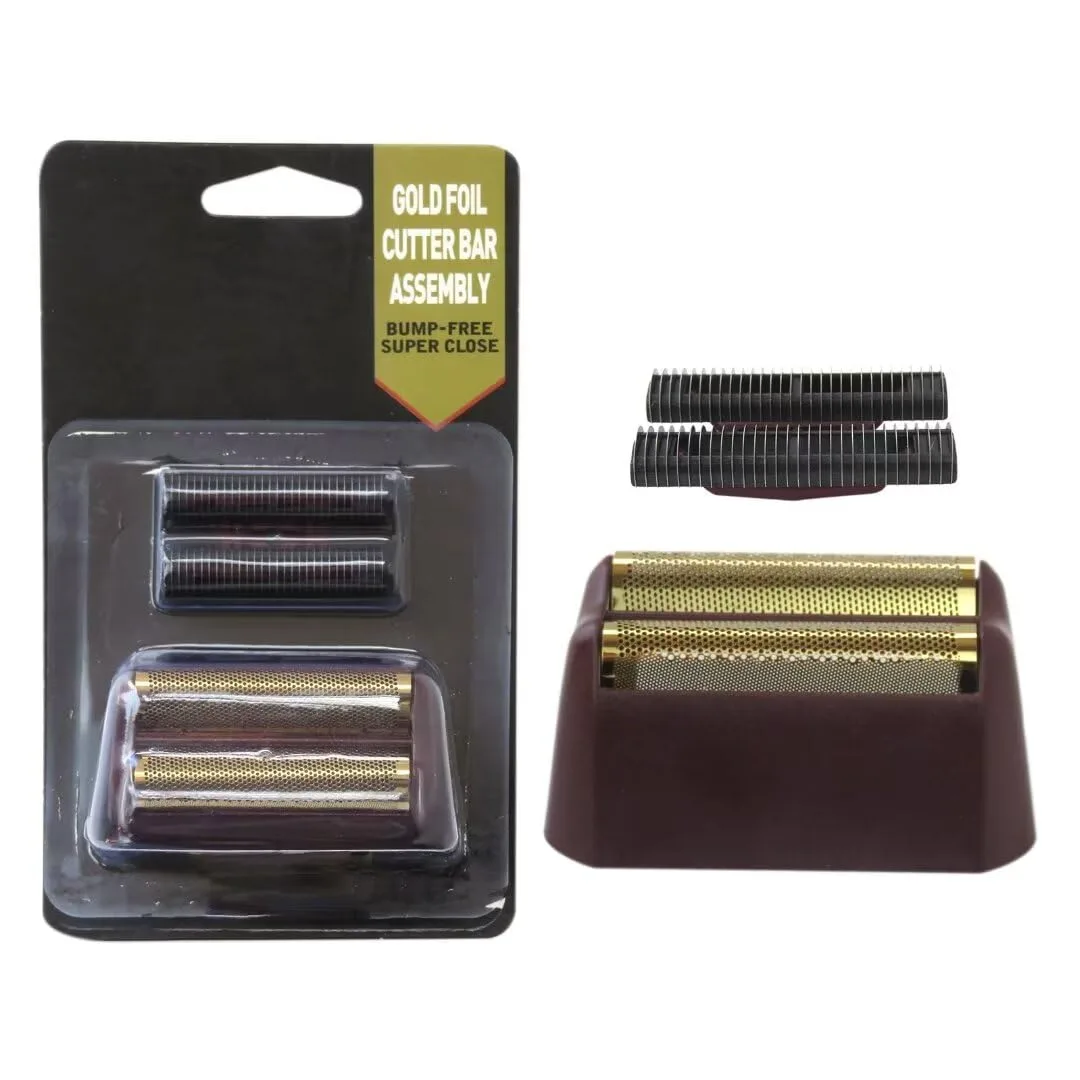
Image source: Bing (Web (fair-use with source credit))
Branch 1: Shaver Won't Power On
Step 1: Press and hold the power button for 5 seconds. Did the LED flash? If yes, travel lock was engaged.
You are done.
Step 2: Place on charging dock. Does the dock LED light up? If no, check the USB cable and adapter.
Try a different cable. If yes, let it charge for at least 30 minutes before trying again.
Step 3: After 30 minutes, press power. Still nothing? The battery may be completely dead or the charging circuit may be faulty.
Contact Wahl support.
Branch 2: Motor Runs But Pulls / Tugs / Skips
Step 1: Remove the foil head. Take out the cutter bar. Brush both thoroughly.
Look for hair wrapped around the cutter bar.
Step 2: Rinse the foil and cutter under warm water. Do not use soap. Dry completely with a towel.
Step 3: Apply one drop of Wahl clipper oil to the cutter bar. Reassemble. Test on your arm.
Smooth? You fixed it. Still pulling?
Move to Branch 3.
Branch 3: Shaver Powers On But Cuts Poorly
Step 1: Inspect the foil for dents, tears, or worn spots. Hold it up to light. Any pinholes mean replacement time.
Step 2: Check the cutter bar. Are the teeth chipped or rounded? If yes, replace the cutter.
Step 3: If both look fine but performance is still bad, the foil may be stretched out of shape. This happens after 6 months of daily use. Replace the foil.
Branch 4: Won't Charge / LED Flashes While Docked
Step 1: Clean the charging contacts on both the dock and the shaver. Use a dry cloth first, then alcohol if needed.
Step 2: Check the cable connection. Make sure it is fully seated in the dock.
Step 3: Try a different USB power source. Some laptop USB ports do not deliver enough power.
Step 4: If the dock light pulses but the shaver does not charge, the shaver's internal battery management system may have entered protection mode. Leave it on the charger for 24 hours. This can reset the circuit.
Common Mistakes That Make Problems Worse
Some troubleshooting moves cause more damage than the original problem. Here are the biggest ones.
Image source: Bing (Web (fair-use with source credit))
Using the wrong charger. The Pitbull Platinum expects 5 volts at 1 amp. Plugging it into a fast charger meant for a phone can damage the battery management circuit. Stick to the original cable or a standard USB-A to micro-USB cable.
Prying off the foil with a tool. The foil snaps on and off. If you use a screwdriver or knife to pry it, you will bend the foil. Bent foils cut poorly and need replacement.
Use your thumbs to press the release tabs.
Running it underwater while charging. The shaver is IPX7 waterproof. The charging dock is not. Never rinse the shaver while it is sitting on the dock.
Water in the charging port can short the battery.
Ignoring the oil. The self-sharpening blades still need lubrication. Wahl recommends a drop of oil every two weeks. Without oil, the cutter bar runs dry.
It gets hot. It wears faster. And it pulls hair.
Over-tightening the foil. When you snap the foil back on, push until it clicks. Do not force it. Excessive pressure can warp the foil frame.
When to Clean vs. When to Replace Parts
This is the most common question we hear. How do you know if cleaning is enough or if you need to buy replacement parts?
Here is the simple rule. Clean first. Test.
If performance returns, you saved money. If performance is still bad, replace the part.
Clean if: Hair is visible in the foil. The shaver sounds slower than usual. You see debris around the cutter bar.
You have not cleaned it in more than a week.
Replace foil if: You see a dent, tear, or pinhole. The shaver has been used daily for 6 months or more. Cleaning did not improve performance.
The foil feels loose or rattles.
Replace cutter if: The teeth look rounded or chipped. The shaver has been used for 12 months or more. You hear a grinding noise during use.
Cleaning did not help.
Replace battery if: The shaver runs for less than 10 minutes on a full charge. It has been 2 years since purchase. It will not hold charge even after 24 hours on the dock.
Wahl sells replacement foil and cutter kits directly through their official website. A new foil and cutter set typically runs about $20 to $30. That is cheaper than replacing the whole shaver.
Maintenance That Prevents 90% of Problems
Most Pitbull Platinum issues never happen if you follow a simple maintenance schedule. Here is what works.
Clean after every use. Rinse the head under warm water. Shake off the excess. Let it air dry before putting it away.
This prevents oil and hair from hardening inside the cutter.
Oil every two weeks. Lift the foil. Apply one drop of Wahl clipper oil to the center of the cutter bar. Run the shaver for 10 seconds to spread the oil.
This keeps the cutter moving smoothly.
Replace the foil every 6 to 12 months. Even if it looks fine, the foil stretches and loses sharpness over time. A fresh foil restores the shaver's performance better than anything else.
Store it properly. Keep the shaver in a dry place. Do not leave it in a damp bathroom. Moisture can corrode the charging contacts and shorten battery life.
Do not drop it. The foil is thin metal. A drop onto a tile floor can dent the foil or crack the plastic housing. If you drop it, inspect the head before using it again.
Frequently Asked Questions
Why is my Pitbull Platinum pulling hair?
The most common cause is a clogged cutter bar. Remove the foil, take out the cutter, brush out all hair, and add a drop of oil. If it still pulls after cleaning, the foil or cutter is worn and needs replacement.
How do I reset my Pitbull Platinum shaver?
Hold the power button for 5 seconds to disable the travel lock. For a deeper reset, let the battery drain completely, then charge it for 24 hours straight. This can reset the internal battery management circuit.
How long should the battery last?
A full charge gives about 80 minutes of runtime. The battery itself lasts 2 to 3 years before it starts losing capacity. If your shaver runs for less than 10 minutes on a full charge, the battery needs replacement.
Can I use the shaver while charging?
No. The Pitbull Platinum is a cordless-only device. It will not operate while connected to the charging dock.
You must unplug it and use it on battery power.
Why is my shaver blinking red while on the dock?
A blinking red LED usually means the battery is critically low and the shaver is in charging mode. If it keeps blinking for more than 30 minutes, clean the charging contacts and check the USB cable.
Final Verdict
Most Pitbull Platinum problems are simple fixes. A clogged cutter, an engaged travel lock, or dirty charging contacts account for the vast majority of issues. Clean first.
Test second. Replace parts only when cleaning does not restore performance.
If you have gone through all the branches in this guide and the shaver still does not work, contact Wahl customer service. Your shaver may still be under warranty. But odds are good that a quick clean and a drop of oil will get you back to a smooth shave.

Similar Posts