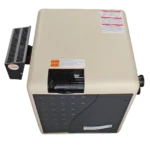
Aquacal Heat Pump Troubleshooting
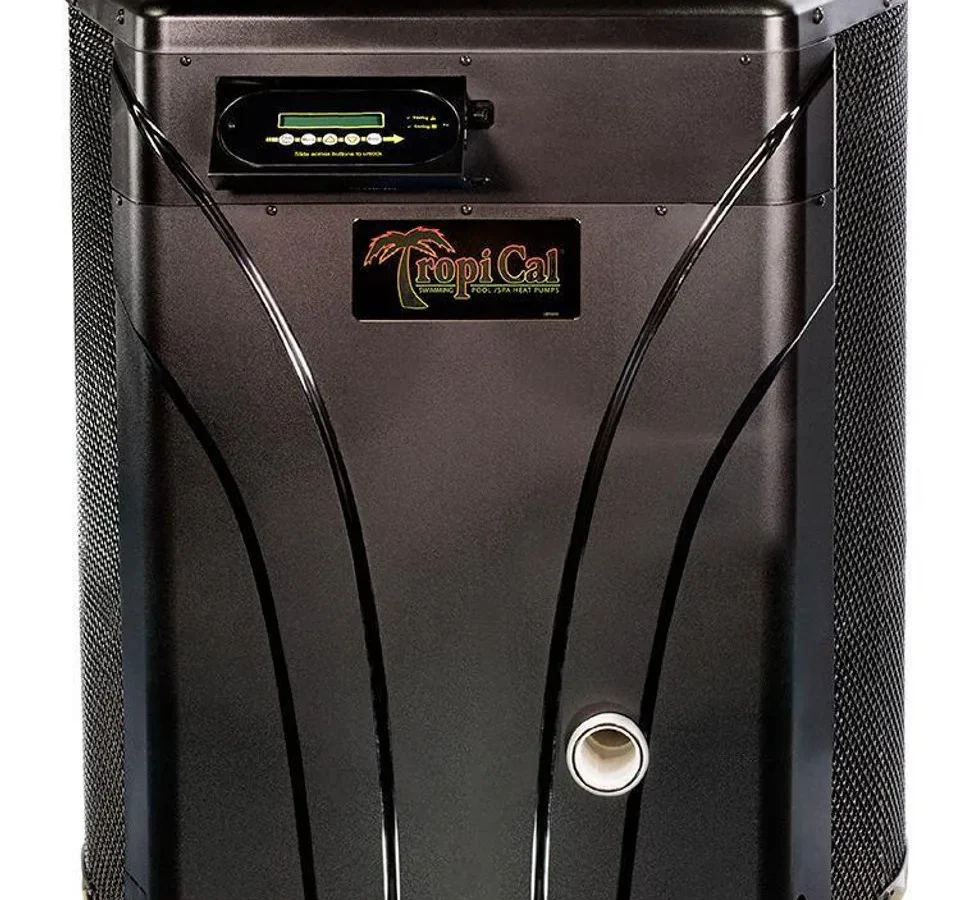
Your Aquacal heat pump is humming, but the pool is still cold. If that sounds familiar, you're in the right place. This is Aquacal Heat Pump Troubleshooting, written to help you diagnose the problem without guessing or paying for a service call that might be unnecessary.
In our research across manufacturer service bulletins and verified pool owner reports, most Aquacal failures trace back to a few root causes. As of 2026, the main culprits are airflow restrictions, water-flow interruptions, and electrical components like capacitors and contactors. Here's how to check each one logically, starting with the fastest fixes.
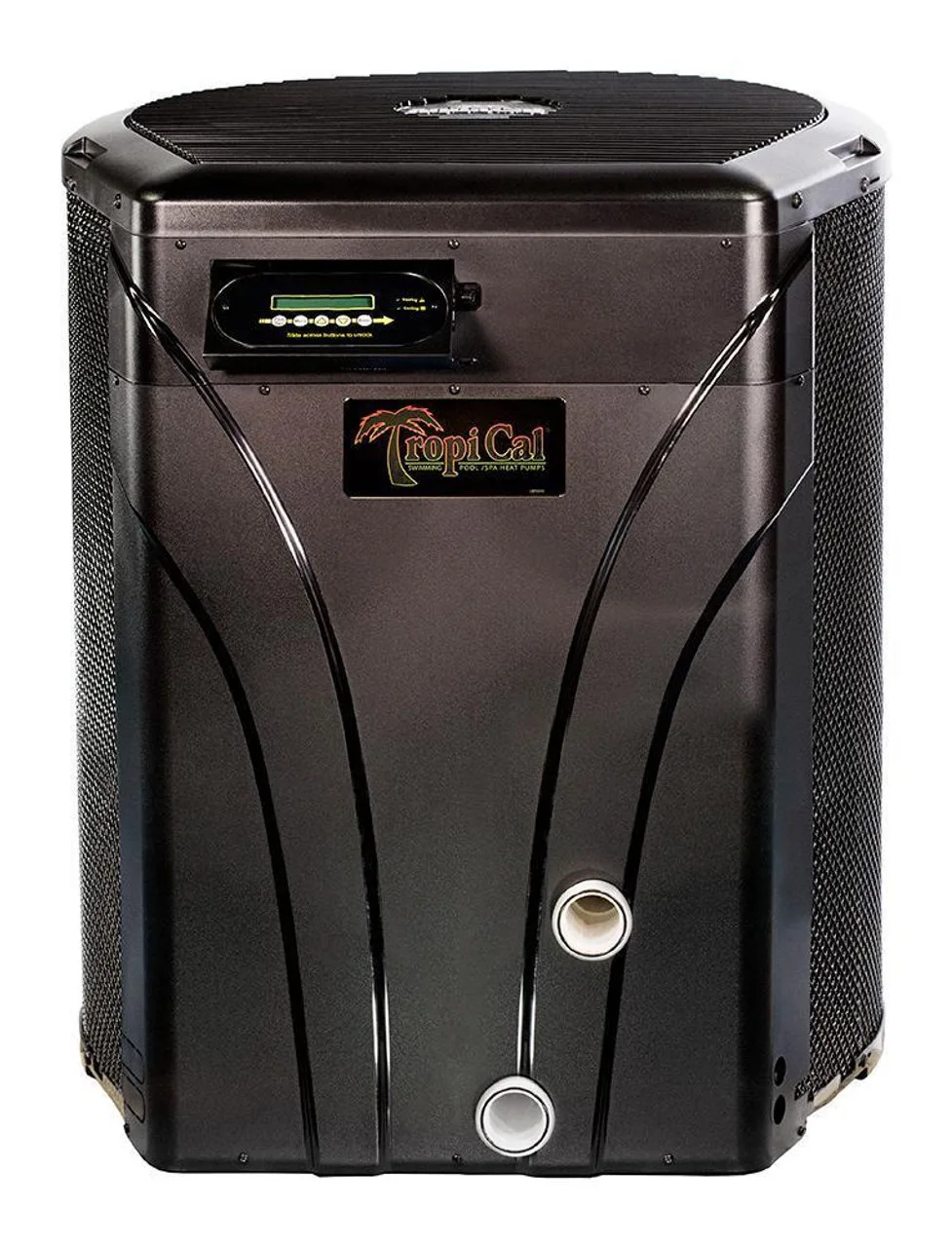
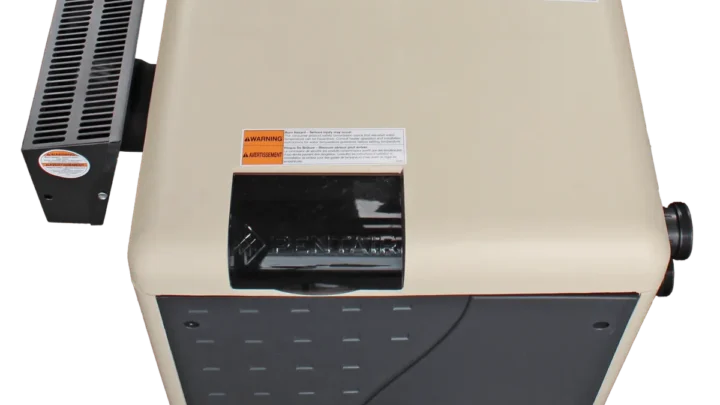
Image source: Bing (Web (fair-use with source credit))
Quick Answer
Start by reading the error code. Check the condenser coil for dirt. Confirm water is flowing through the unit.
Make sure the heater has power. Most fixes need only a clean coil and a breaker reset.
When Your Aquacal Won't Heat: Where to Start
Beginners overcomplicate this, but the diagnostic order is simple. Work from the outside in. Start with the things you can see and feel, then move toward internal parts.
First, confirm the pool pump is actually moving water. Aquacal heat pumps need steady flow through the titanium heat exchanger. No flow means no heat, and often no error code until the flow switch opens.
Check the pressure gauge on your filter. A dirty cartridge or DE grid can cut flow even when the pump sounds fine.
Next, look at the display. Is it even on?
- Display is blank: Check the breaker, the disconnect box, and the GFCI. Many pools have a separate disconnect mounted near the heater. Flip it off, wait 30 seconds, and flip it back on. That resets the control board.
- Display shows a water temp below 70°F: Raise the setpoint above the current water temp. The heater won't run if the setpoint is already lower than the pool water.
- Display shows an error code: Refer to the code list in the next section.
Now listen carefully. Stand next to the unit and wait two to three minutes after startup. You should hear the fan spin up, then the compressor kick in.
That time delay is normal. It protects the compressor from short-cycling on a pressure switch that's slow to reset.
If the compressor never engages, the problem is usually electrical. A bad capacitor is the most common cause, followed by a stuck contactor. You can hear the difference.
A click without a rumble means the contactor closed but the compressor didn't start. That points to a capacitor or a seized compressor.
Also feel the air blowing out of the top. If it feels warm, the compressor is running and generating heat. Cool air on a hot day means the compressor isn't working or there's no refrigerant to move.
We'll cover that later.
Finally, check the fan grille. Leaves, grass, and plastic bags are the number one cause of high-pressure lockouts. A blocked coil starves the system of airflow, which sends pressure through the roof.
Clean that coil before you call anyone and you'll fix a surprising number of issues.
Reading the Signs: What Each Error Code Actually Means
Aquacal units give you clues through the LCD display or a series of colored blinking lights. Modern TropiCal and Hurricane models use two-character codes. Older models often blink red or amber in a pattern.
The exact code names vary by model, but the logic stays consistent across the brand.
Here's the code chart we keep handy:
| Code | Meaning | First Thing to Check |
|---|---|---|
| E1 | High pressure lockout | Dirty coil, fan failure |
| E2 | Low pressure lockout | Water flow, refrigerant leak |
| E3 | Freeze protection active | Water temp below 40°F |
| E4 | Water flow failure | Filter, pump, bypass valves |
| E5 | Ambient sensor error | Sensor wiring and location |
| CO | Compressor overload | Wait 30 min, then reset |
If you see E1, the high-pressure switch has opened to protect the compressor. The system isn't cooling itself properly. More on that in a moment.
If E2 appears, the pressure on the low side dropped too low. That often means low airflow causing ice, low refrigerant, or a water-flow problem. We'll walk through that in the next section.
E3 is different. It means the water temperature dropped into the low 40s and the freeze sensor activated. That's the unit protecting your heat exchanger from freezing.
In most cases, letting the pump run at night prevents this lockout.
E4 means the heater isn't sensing enough water flow. This is almost always a filter or pump issue, not a heater issue. Backwash the filter, empty the skimmer baskets, and verify the pump doesn't have a suction-side air leak.
E5 is trickier. The ambient temperature sensor is either unplugged, shorted, or not mounted correctly. Reconnecting the sensor inside the electrical panel sometimes clears it.
One important detail: after fixing whatever caused the error, you still need to reset the unit. Power down the heater at the breaker for one minute, then power it back on. The error will clear and the heater will restart.
If you don't have the manual for your exact model, the manufacturer's documentation on Aquacal's official site lists the code sets for each series. Don't guess based on another brand, because the codes aren't universal.
No Heat, No Error Code: The Flow, Air, and Power Check
This is the most confusing situation. The unit runs, the display is fine, but the pool isn't warming. If that's you, follow this branch.
Check the water flow first. A heat pump can look fine and still trip a hidden flow sensor if the pump is struggling. Feel the inlet and outlet pipes where they connect to the heater.
The inlet should feel slightly cooler than the outlet after the unit runs for a while. If they feel the same temperature, water isn't moving through the heat exchanger.
Here's what could be blocking flow:
- A dirty filter cartridge that's been running for weeks
- A partially closed bypass valve around the heater
- A suction-side air leak on the pump intake
- Closed isolation valves on the heater lines
Clear those first. Then let the unit run for 20 minutes and check pipe temps again.
Next, feel the air coming off the top fan. It should be noticeably warmer than the surrounding ambient air when the heater is running in heat mode. If the air is warm, the compressor is working and the problem is probably water flow or a low refrigerant charge.
If the air is cool, the compressor isn't compressing.
The quickest diagnostic is the temperature rise. A healthy Aquacal heat pump will raise the water temperature by roughly 0.5 to 1.5 degrees per hour, depending on pool size and ambient conditions. Track the temp over four hours.
If it's rising at all, the heater is doing its job and you just need patience. If it hasn't moved in six hours, there's a real problem.
While you wait, verify the electrical supply. Heat pumps need steady voltage between 208 and 230 volts. Low voltage makes the compressor run hot and inefficiently, but it won't always trip a breaker.
If you have a multimeter, check the voltage at the disconnect panel when the compressor starts. Under load, the voltage should stay above 200 volts.
One more check. On very hot days, high ambient heat can cause the unit to run but reduce heat output. That's physics.
The heat pump works by moving heat out of the air, and hotter air always helps. It's a temporary dip, not a failure.
High Pressure Lockout (HPS): The Most Common Culprit
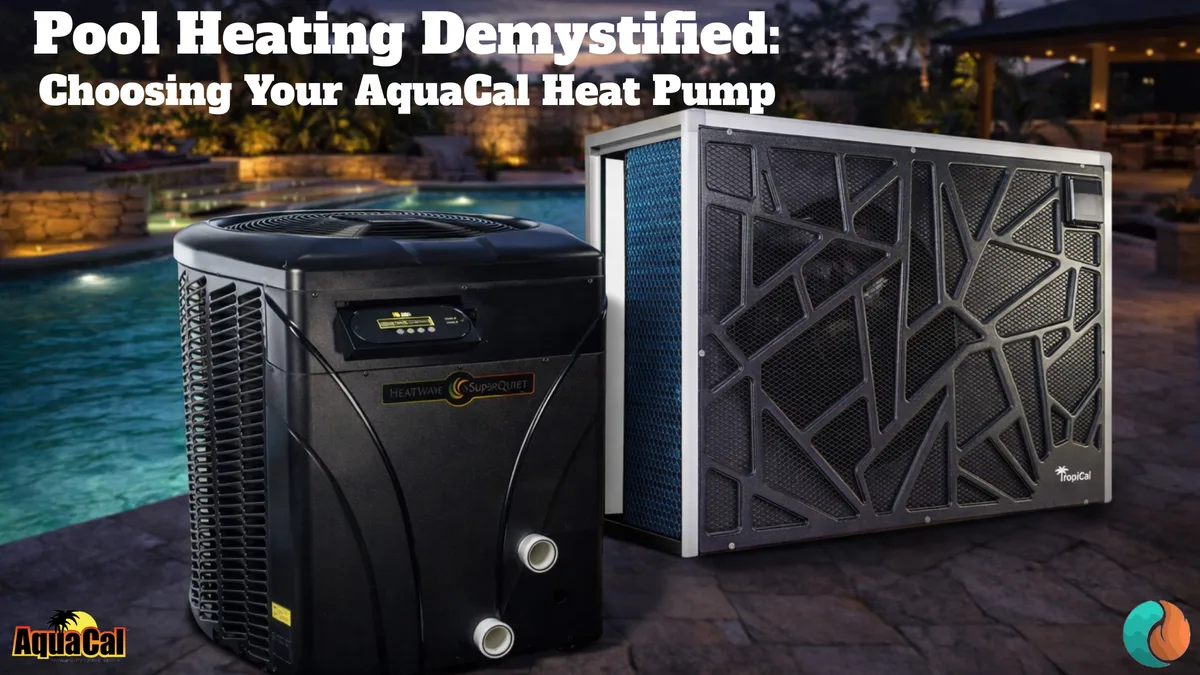
Image source: Bing (Web (fair-use with source credit))
The high-pressure switch is the safety net that saves your compressor from cooking itself. It triggers when refrigerant pressure inside the system climbs too high. The most common cause isn't a faulty switch.
It's a heat pump that can't get rid of heat.
Start with airflow. The condenser coil is the outdoor metal mesh, and it acts like a radiator. When it gets covered in dust, pollen, grass clippings, or cottonwood, the heat has nowhere to go.
Pressure spikes. The switch trips.
If your unit trips on E1 within a few minutes of startup, feel the air blowing out the top while it runs. Weak airflow means the fan motor or its capacitor isn't doing the job. The fan should push enough air to feel like a strong hairdryer from a few feet away.
Here's your high-pressure troubleshooting branch:
- Coil visibly dirty? Shut off power. Spray the coil from the outside with a hose and a mild coil cleaner. Wait five minutes, then rinse from the inside out. Let it dry before restarting.
- Coil clean and fan spinning slowly? The fan capacitor is failing. Run capacitor values are printed on the side, typically 30 to 70 microfarads. Replace with the same size.
- Coil clean, fan strong, but still tripping? The refrigerant charge is likely overcharged or contaminated. That's a tech job.
Don't ignore HPS lockouts. Every trip stresses the compressor, and repeated trips cook internal components. In our research, replacing a dirty condenser coil fix cost is under $30.
Ignoring it can lead to a $1,200 compressor replacement.
Also remember to check the time delay. After an HPS lockout, the unit won't restart for at least three to five minutes. That's normal, not another failure.
If the pressure switch itself is faulty, you can test it with a multimeter. The switch should be closed to ground. A switch that reads open at room temperature with zero pressure is bad.
Replace it with the manufacturer's original part, not a generic local one.
Low Pressure / Low Refrigerant: When Cleaning Won't Fix It
The low-pressure switch is the opposite story. It opens when pressure on the suction side of the compressor drops below a safe level. That usually means the compressor is starving for refrigerant.
But not always.
Start with water flow. Seriously, check it first. If water isn't moving through the heat exchanger, the refrigerant doesn't absorb enough heat, which drops suction pressure.
A clogged filter or closed bypass valve can look exactly like a refrigerant leak.
After that, inspect the evaporator coil for ice. In cooler night air, condensation freezes on the coil. A light frost is normal during the defrost cycle.
Solid ice across the whole coil is not. That blocks airflow and causes suction pressure to drop. Running the heater through a manual defrost or simply restarting it often clears the ice.
If water flow is good and the coil is clear, suspect a leak. Aquacal heat pumps use R-410A or R-32, depending on the year and model. These systems run at high pressure, so even a tiny pinhole in the titanium heat exchanger leaks slowly.
Do not add refrigerant without fixing the leak first. It's tempting, but a partial charge makes the compressor work harder. And if you overcharge the system, you can blow the compressor. You need a certified technician with a manifold gauge set, an electronic leak detector, and a recovery machine.
Here's what to expect when a pro works on it:
- Recover the remaining refrigerant
- Pressure test the system with nitrogen
- Find the leak with electronic detection
- Repair or replace the faulty component
- Evacuate and recharge to the rated amount
Per EPA regulations, refrigerant handling requires Section 608 certification. That's not a suggestion. The official rules about refrigerant recovery and repair are published by the EPA.
It's a criminal offense to knowingly vent refrigerant into the atmosphere.
Some leaks are repairable. Others, like a pinhole in the titanium heat exchanger, require a new exchanger. That's not cheap, but it's often cheaper than replacing the whole unit.
LPS trips that happen right after a clean coil install usually mean the installer opened the system and didn't pull a proper vacuum. That's why we always tell people to use a certified technician rather than an unlicensed handyman.
Unit Runs, Then Shuts Off After a Few Minutes
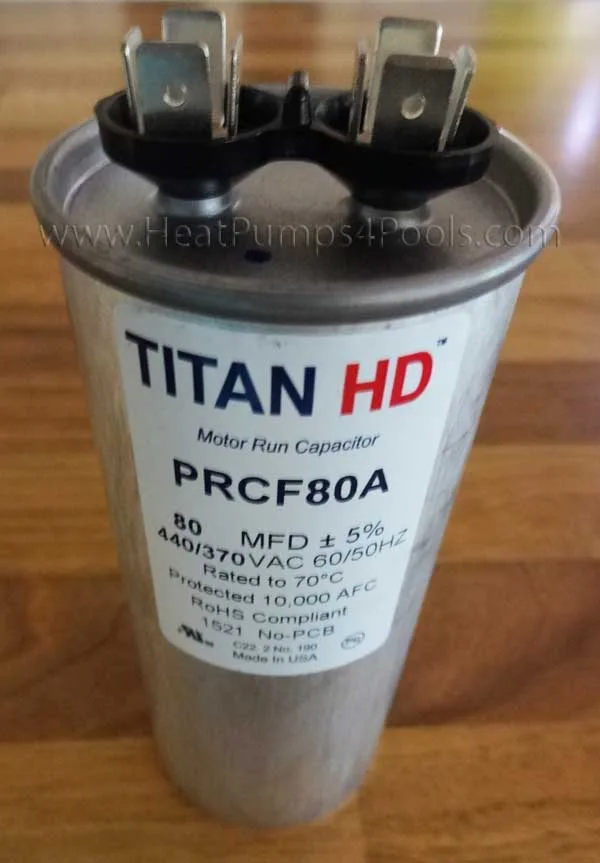
Image source: Bing (Web (fair-use with source credit))
This pattern points to a part that works until it heats up. Then it fails. The most common offender is the start capacitor.
As it degrades, it loses capacitance. The compressor tries to start, can't spin up fast enough, and trips the overload protector.
Check the capacitor first. It's a cylindrical metal or plastic component inside the electrical compartment. Look for bulging, leaking oil, or a burnt smell.
If the case is swollen, replace it. Use a multimeter set to microfarads. A proper reading should be within 10 percent of the value printed on the side.
If it's lower, the capacitor is weak.
If the capacitor tests fine, check the contactor. The contactor is a large relay that sends power to the compressor and fan. Over time, the contacts pit and burn.
That creates resistance, which generates heat. The thermal overload trips and shuts the unit down. Remove power, pull out the contactor, and inspect the contacts.
Discard if they look charred or uneven.
Also listen to the fan. If the fan stops spinning after a few minutes, the fan motor's thermal overload is tripping. That means the motor is overheating from worn bearings or a bad capacitor.
A failing fan motor usually hums or buzzes before it stops. Replace the fan motor or the capacitor.
A less common cause is a blocked condensing coil that traps heat internally. Even if the coil looks clean on the surface, debris can pack inside the fins. Use a fin comb or a water spray from inside to clear any hidden blockages.
If all that checks out, the compressor itself may be failing. A compressor that runs for a few minutes and shuts off repeatedly is drawing high amps. A clamp meter can confirm.
Compare the run amps to the nameplate rating. If draw exceeds the rating by 20 percent or more, the compressor is dying. That's a replacement job.
Loud Noises, Vibration, or Fan Won't Spin
Unusual sounds usually trace back to one of three places: the fan, the compressor, or loose mounting hardware.
Fan issues. If the fan won't spin, the motor might be seized. Try spinning the blades by hand with the power off. If they resist or feel gritty, the bearings are gone.
Replace the motor. If the fan spins freely but won't start, the fan capacitor is bad. A humming sound without rotation is a dead giveaway.
A rattling noise often means the fan blade is loose on the motor shaft. Tighten the set screw. If the blade is cracked, replace it.
Compressor noise. A low humming or buzzing from the compressor is normal. A high-pitched screech or a loud clatter is not. That indicates internal damage.
Seized compressors often trip the breaker immediately. A compressor that rattles on startup may have broken internal valves. Neither is a DIY fix.
Loose components. Vibration can loosen screws and panels over time. Tighten all external screws. Check the compressor mounting bolts.
A loose compressor rattles loudly and transfers vibration through the chassis. Snug them down evenly, but don't overtighten.
If you hear a steady vibrating hum that changes when you touch the cabinet, the issue is resonance. Add rubber isolation pads under the unit or tighten the cabinet screws.
The Freeze Protection Problem (For Cold Weather Users)
Aquacal heat pumps have a built-in freeze protection sensor. It monitors the water temperature inside the heat exchanger. When the water drops toward 40°F, the sensor forces the pump to run or the heater to fire.
This prevents the titanium tube from cracking.
The problem happens when the sensor fails or gets confused. The unit may lock out with E3 even when the water is above 40°F. That usually means the sensor is out of calibration or has a bad connection.
Check the sensor wiring at the control board. Look for corrosion or loose terminals. Clean with electrical contact cleaner and reseat.
If the sensor itself is bad, you'll need an exact replacement part from Aquacal. Using a generic sensor won't match the resistance curve and will cause false readings.
In cold climates, freeze protection alone isn't enough. You still need to keep the pump running when temps drop below freezing. Many pool owners set a 24-hour pump timer during winter.
The heat pump's freeze protection only protects the heater, not the rest of the plumbing.
If you live where hard freezes happen, consider draining the heat exchanger if you plan to shut the pool down for winter. Follow the manufacturer's winterization procedure exactly. A cracked heat exchanger costs almost as much as a new unit.
Mistakes That Cost Money: What Not to Try at Home
Some repairs are safe. Others are expensive lessons. Here are the common mistakes we see.
Jumping the pressure switch. A few online forums suggest bypassing the high-pressure switch to force the heater to run. Don't do it. The switch exists to protect the compressor.
Bypassing it will destroy the compressor within minutes.
Adding refrigerant to a partial charge. Without fixing the leak first, you're just wasting money. The system will leak out again. Worse, overcharging raises both high and low side pressures, which strains the compressor and can blow valves.
Using a garden hose nozzle on high pressure. Cleaning the coil is fine, but a narrow jet can bend the aluminum fins. Use a gentle spray or a coil cleaning foam. Bent fins restrict airflow and reduce efficiency.
Ignoring error codes. An occasional reset might work, but repeated error codes mean a real problem. Each lockout stresses the compressor. Track how often it happens.
Three or more in a week means something is wrong.
Operating the heater without water flow. This is a sure way to destroy the heat exchanger in seconds. Always make sure the pump is running before the heater fires. Most units have flow switches that prevent this, but they can fail.
Mixing capacitor types. If you replace a capacitor, use the same voltage rating and microfarad value. A higher voltage rating is safe, but a higher microfarad rating will overheat the motor or compressor. Read the side of the old part before buying.
When to Call a Pro vs When DIY Makes Sense
Not every problem needs a technician. Some repairs are simple and safe. Others require certification and expensive tools.
DIY safe fixes:
- Cleaning the condenser coil
- Replacing a capacitor (with power off, after discharging)
- Replacing a fan motor (requires basic wiring skills)
- Clearing debris from the fan area
- Resetting a tripped breaker
Call a pro for:
- Any work involving refrigerant (EPA certification required)
- Replacing a compressor
- Diagnosing a sealed-system leak
- Replacing the heat exchanger
- Electrical work you're not confident handling
A good rule: if the repair involves opening refrigerant lines, touching compressor wiring, or working inside the sealed system, hire someone. The cost of hiring a tech for a refrigerant leak is typically $300 to $600. The cost of a new compressor or heat exchanger is $1,200 to $2,500.
If you have a multimeter and basic hand tools, you can handle capacitor and fan repairs safely. If you're not comfortable working around live 230V circuits, let a professional do it.
Simple Maintenance That Prevents Most Problems
Most Aquacal heat pump failures come from neglect. Regular cleaning and seasonal checks cost almost nothing and save hundreds in repairs.
Monthly (during pool season):
- Inspect the condenser coil for dirt and debris. Rinse with a hose if dusty.
- Check the fan grille for leaves, grass, and spider webs.
- Verify the water flow gauge on the filter stays in the normal range.
- Listen for unusual noises during startup.
Seasonal:
- Before winter, clean the unit thoroughly. Remove any nests or debris.
- In spring, check the capacitor with a multimeter. They degrade over time, even if the unit worked fine last year.
- Tighten all electrical connections. Vibration loosens screws.
- Lubricate the fan motor if it has grease fittings. Most modern motors are sealed, so skip this if they aren't.
Before first use each year:
- Turn on the pump and verify flow.
- Set the heater temperature to 80°F and wait 15 minutes.
- Check for error codes.
- Verify the fan spins freely.
That simple checklist catches 80 percent of problems before they cause a lockout.
Frequently Asked Questions
Why does my Aquacal heat pump trip the breaker immediately?
A shorted capacitor or a seized compressor is the usual cause. Turn off power, discharge the capacitor, and test it with a multimeter. If the capacitor reads zero or bulges, replace it.
If the capacitor is fine, the compressor likely has a winding short. That needs a pro.
How often should I clean the condenser coil?
Clean it whenever you see dirt buildup. In dusty or high-pollen areas, every four to six weeks during pool season. If you live near cottonwood trees or construction sites, check it weekly.
A clean coil is the easiest way to avoid high-pressure lockouts
Can I run my Aquacal heat pump in freezing weather?
Yes, but only if the water is flowing and the unit has a freeze protection sensor. The heater works down to about 40°F ambient. Below that, efficiency drops sharply and the defrost cycle runs frequently.
Keep the pump running 24/7 during freeze warnings.
What does it mean when my Aquacal shows no display?
No power. Check the main breaker, the disconnect switch near the heater, and any GFCI outlets. Reset each one.
If the display stays dark, the control board may have failed. Contact a qualified technician to test the transformer and board.
How long should an Aquacal heat pump last?
With proper maintenance, 10 to 15 years. The titanium heat exchanger resists corrosion well. The compressor and fan motor are the parts that wear out.
Regular cleaning and capacitor replacement at the first sign of weakness can extend the life significantly.
Is it worth repairing an older Aquacal unit?
If the compressor or heat exchanger has failed and the unit is more than 10 years old, replacement often makes more financial sense. A new unit is more efficient and has a warranty. For minor repairs like a capacitor or fan motor, it's almost always worth fixing.

Similar Posts