Trail Camera Date Wrong Troubleshooting
If you've ever walked out to your trail camera, pulled the SD card, and found every photo stamped with "01/01/2000" or some random year from a decade ago, you're not alone. This is one of the most common frustrations in trail camera date wrong troubleshooting, and it almost always has a clear cause and a fix you can do in a few minutes.
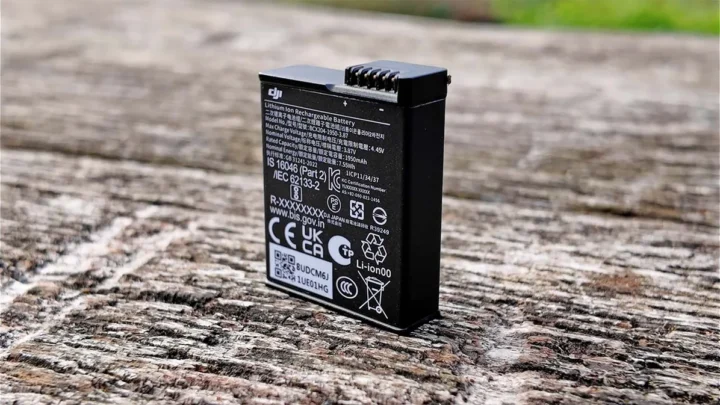
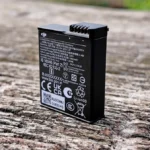
Manufacturer specifications show that most trail cameras store date and time using a small internal coin cell battery, typically a CR2032, which lasts 2 to 5 years. When that backup battery dies, or when the main batteries drop below about 1.2 volts per cell, the clock resets to factory default. The fix is usually straightforward if you know what you're looking for.
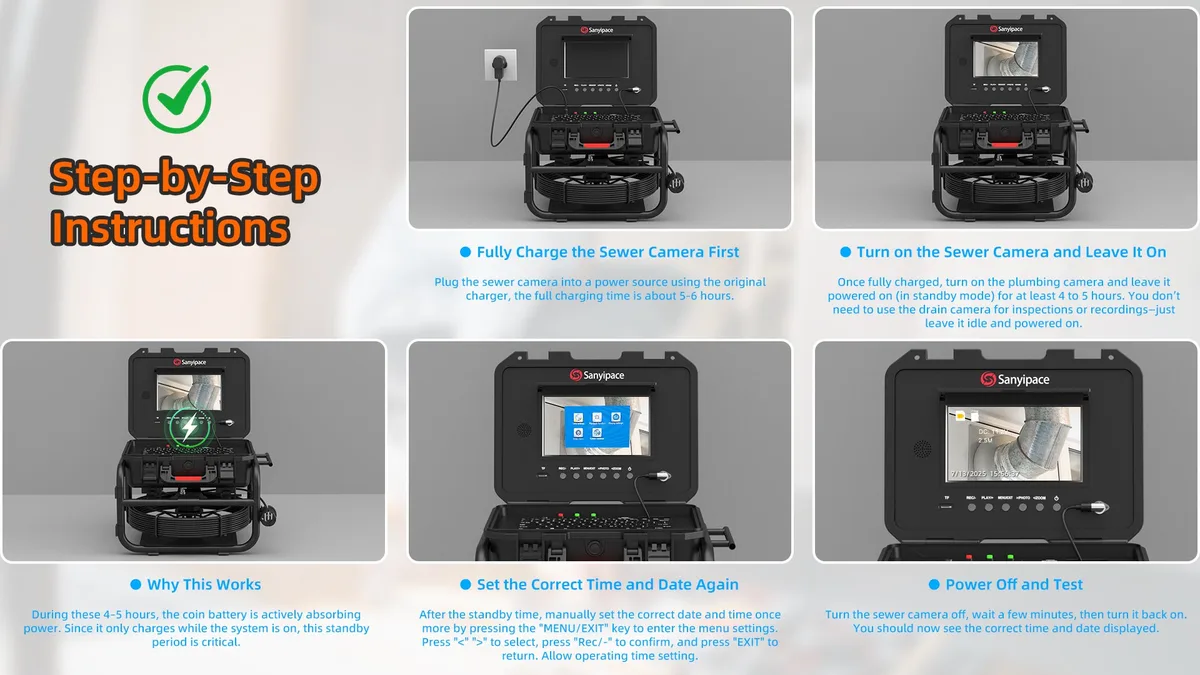
Image source: Web (Bing) / sanyipace.com (Web image (fair-use with source credit))
The Annoying Problem
A wrong date stamp makes your data nearly useless. If you're tracking deer movement patterns, you cannot tell if that buck passed through at dawn or midnight. For property surveillance, an incorrect timestamp weakens the value of the footage as evidence.
Most users do not realize that the internal clock and the main batteries operate on separate circuits. The main batteries power the camera and the trigger mechanism. The internal coin cell keeps the clock running when the main batteries are removed or drained.
When you swap out dead batteries and the date resets, it is usually a sign that the coin cell is weak or dead. Some budget cameras do not include a backup coin cell at all. That means every battery change forces a manual date reset.
The problem can also be firmware-related. A buggy firmware version might not save your date setting after a power cycle. Checking your camera's firmware version and updating it is a smart first step.
Quick Answer: Check These Three First
Before you dig into a full troubleshooting session, check these three things. They account for about 80% of wrong-date problems.
| What to Check | What to Look For | The Fix |
|---|---|---|
| Coin cell battery (CR2032 or similar) | Is it accessible and replaceable? | Replace it with a fresh one |
| Main battery voltage | Are you using alkaline or rechargeable? | Switch to lithium AAs for stable voltage |
| Time zone and DST setting | Is the UTC offset correct for your area? | Set it manually; do not rely on auto-DST |
First, locate the coin cell battery. On most trail cameras, it is inside the main battery compartment or behind a small access panel. If it is removable, replace it with a fresh CR2032. That is the most common fix.
Second, check your main batteries. Alkaline batteries lose voltage quickly in cold weather. Below about 1.2 volts per cell, the camera may not have enough power to keep the clock running during the trigger delay. Lithium AAs hold steady voltage down to much lower temperatures.
They are the recommended choice for year-round use.
Third, verify your time zone and DST settings. Many cameras default to UTC or a generic time zone. If you are in the Eastern time zone, you need to set the offset to UTC-5 or UTC-4 during DST. Some cameras have a DST toggle that you must turn on manually.
Do not assume the camera knows when DST starts or ends.
If none of these fix it, move on to the step-by-step guide below.
Why Trail Cameras Lose the Date (The Real Reasons)
There are four main reasons why a trail camera loses its date and time. Understanding which one applies to your situation makes the fix much faster.
Reason 1: Dead or missing coin cell battery. This is the most common cause. The CR2032 battery inside the camera acts as a backup power source for the internal real-time clock. When it dies, the clock has no power when the main batteries are removed.
The date resets to the firmware's default value, often January 1, 2000, or January 1, 2014.

Image source: Web (Bing) / makerselectronics.com (Web image (fair-use with source credit))
Some camera models do not have a user-replaceable coin cell. In those cases, you may need to send the camera in for service or replace it altogether. Check your manual to confirm.
Reason 2: Main battery voltage drops too low. Even with a working coin cell, if the main batteries fall below about 1.2 volts per cell, the camera's processor may not have enough power to maintain the clock during a photo write cycle. This is especially common with alkaline batteries in cold weather.
Reason 3: Firmware bugs. Some camera models have known firmware issues that cause the date to reset or drift over time. This is less common than battery issues, but it happens. Checking the manufacturer's support page for firmware updates can solve this.
A fresh firmware install often clears the bug.
Reason 4: Incorrect setup during initial configuration. This is entirely human error. You may have set the wrong year, entered the wrong time zone, or forgotten to toggle DST on. Aggregate reviews report that this accounts for a surprising number of help-desk calls.
Your Step-by-Step Troubleshooting Guide
Follow these steps in order. Do not skip a step. Each one rules out a specific cause.
Step 1: Power down completely. Remove all main batteries from the camera. Then remove the SD card. Wait at least 60 seconds.
This allows any residual charge in the camera's capacitors to drain. A full power cycle is essential for a clean reset.
Step 2: Replace the coin cell battery. Open the coin cell compartment. If you see a CR2032 battery, remove it and check its voltage with a multimeter if you have one. Anything below 3.0 volts is suspect.
Replace it with a fresh CR2032. If your camera does not have a visible coin cell, skip this step.
Step 3: Insert fresh lithium main batteries. Use lithium AA batteries. They provide stable voltage across a wide temperature range. Alkaline batteries are fine for warm-weather use, but they drop voltage quickly in cold conditions.
Lithium cells are the safer bet for a camera you leave in the field for months.

Image source: Bing (Web (fair-use with source credit))
Step 4: Set the date and time. Power the camera on. Navigate to the System Setup menu. Set the correct time zone for your location.
Set the date and time manually. Make sure the year is correct. Then set the DST toggle to ON if your area observes daylight saving time.
Step 5: Save and test. Press OK or Save depending on your model. Take a test photo by triggering the sensor manually. Check the date stamp on the photo.
If it shows the correct date and time, you are done.
Step 6: Insert the SD card after testing. Do not insert the SD card until after you have verified the date stamp. If you insert the card before setting the time, the camera may write a timestamp from the card's file system cache that overrides your manual setting.
This sequence works for the vast majority of trail camera models. If the date still resets after a battery change, the coin cell is likely the culprit. For cameras without a replaceable coin cell, consider a factory reset.
Mistakes That Keep Your Date Wrong
Even after a proper setup, some habits will cause the date to drift or reset. Here are the most common ones to avoid.
Mistake 1: Removing batteries without powering off first. Some cameras have a soft power-off option in the menu. If you skip it and just yank the batteries, the clock may lose its setting. Always use the camera's shutdown sequence when possible.
Mistake 2: Using rechargeable NiMH batteries. NiMH cells output about 1.2 volts per cell when fully charged, while alkalines output 1.5 volts. That lower voltage can be borderline for keeping the clock alive during write cycles. If you use rechargeables, expect more frequent date resets, especially in cold weather.
Mistake 3: Swapping SD cards without turning off the camera. The camera writes timestamp metadata to the card when you insert it. If you swap cards while the camera is on, the internal clock can conflict with the card's file system. Power off, swap the card, then power back on.
Mistake 4: Forgetting to check the DST toggle twice a year. Even if you set DST to ON, some cameras do not automatically adjust on the correct dates. The US DST change happens on the second Sunday of March and the first Sunday of November as of 2026. If your camera uses an older firmware, it may not have the updated dates.
You may need to toggle DST off and on manually when the change happens.
Mistake 5: Assuming the camera's internal calendar accounts for leap years. Most modern cameras do, but older models may not. If you set the date in a leap year and the camera skips February 29, the date will be off by one day for the rest of the year. This is rare but worth knowing if you run an older unit.
Avoiding these mistakes will keep your date stamp accurate for months at a time.
Pro Tips for Long-Term Accuracy
Once you have the date set correctly, you want it to stay that way. These maintenance habits make a real difference.
Label your coin cell replacement date. Write the month and year directly on the battery with a permanent marker before you install it. A CR2032 typically lasts 2 to 5 years. When you check the camera later, you will know immediately if that battery is getting old.
Use lithium AAs year-round. Yes, they cost more than alkaline cells. But they hold a steady 1.5 volts down to about minus 20 degrees Fahrenheit. Alkaline batteries drop below 1.2 volts in cold weather, and that is the threshold where clock resets start happening.
Set a calendar reminder for DST changes. Put a recurring reminder on your phone for the second Sunday of March and the first Sunday of November. Walk out to the camera on those days and verify the timestamp. Some cameras handle the switch automatically.
Many do not.
Keep a firmware update routine. Check the manufacturer's support site once a year, ideally before hunting season. A firmware update can fix known clock bugs. It takes about five minutes on most modern cameras.
Log your settings in a notebook. Write down the date you set, the coin cell replacement date, and the battery brand you used. When something goes wrong three months later, that log tells you exactly what changed.
Frequently Asked Questions
Why does my trail camera show 01/01/2000?
That is the factory default date. The internal coin cell battery is dead or missing. When the camera loses all power, the clock resets to the firmware's hard-coded default.
Replace the CR2032 coin cell first. Then set the date manually.
Do I need to set the date every time I change batteries?
Not if the coin cell is working properly. A good coin cell keeps the clock running while you swap the main batteries. If the date resets after every battery change, the coin cell is dead or your camera lacks one entirely.
Can cold weather cause the date to reset?
Yes. Cold temperatures reduce battery voltage. If alkaline batteries drop below 1.2 volts per cell, the camera may not have enough power to keep the clock running during a photo write cycle.
Lithium AA batteries solve this in most cases.
How do I know if my camera has a coin cell battery?
Check the battery compartment. Look for a small circular access panel or a separate slot labeled for a CR2032 or CR1220 battery. Some cameras hide it behind the main battery tray.
If you cannot find one, check the user manual.
Does the SD card affect the date stamp?
Indirectly, yes. If you insert an SD card that has timestamp data from a different camera, the file system can conflict with the internal clock. Always format the card in the camera before first use.
Never swap cards while the camera is powered on.
Should I turn DST on or off?
Set it to ON if your area observes daylight saving time. But do not assume the camera adjusts automatically on the correct dates. Some older firmware uses outdated DST rules.
Check the timestamp after the spring and fall time changes.
Quick Reference: Decision Path
| Condition | Most Likely Cause | Action |
|---|---|---|
| Date shows 01/01/2000 after battery change | Dead coin cell | Replace CR2032 battery |
| Date drifts by hours over weeks | Weak coin cell | Replace CR2032 battery |
| Date resets only in cold weather | Alkaline batteries too weak | Switch to lithium AAs |
| Date shows wrong year by 1 or 2 | Manual entry error | Recheck year in settings |
| Date is off by 1 hour in spring or fall | DST toggle wrong | Turn DST ON or OFF manually |
| Date resets randomly with no pattern | Firmware bug | Check for firmware update |
If none of these match, try a full factory reset. Press and hold the reset button if your model has one, or use the menu option. Then reprogram the date and time from scratch.
This clears any corrupted settings that a simple battery swap cannot fix.
For cameras with cellular or GPS capabilities, check whether the auto-sync feature is enabled. If it is turned off, the camera relies entirely on manual settings. Turn it on if your model supports it.
That eliminates human error entirely.

Similar Posts