Why Is Amazon Fire TV Stick 4K Max Restarting: Fixes That Work

Amazon Fire TV Stick 4K Max usually restarts because of power, overheating, software, or app issues.
If your Fire TV Stick 4K Max keeps rebooting, you are not alone. I have seen this problem come up again and again on streaming devices, and the cause is often something simple hiding in plain sight. In this guide, I’ll walk you through the real reasons why Amazon Fire TV Stick 4K Max restarting happens and show you the fixes that actually work.
Why your Fire TV Stick 4K Max keeps restarting
When an Amazon Fire TV Stick 4K Max keeps restarting, it is usually trying to protect itself from a problem it cannot handle. Think of it like a phone that keeps shutting down when the battery is unstable or the system gets too hot. The most common causes include weak power, bad cables, software glitches, corrupted apps, storage overload, and HDMI connection problems.
In my experience, power issues are the biggest reason. A lot of people plug the device into a TV USB port and expect it to run well, but the Fire TV Stick 4K Max often needs the full power from the included adapter. Once that power supply becomes unstable, the device may boot-loop, freeze, or restart randomly.
Common reasons include
- Not enough power from the USB port or adapter
- Loose or damaged power cable
- Overheating from poor ventilation
- Outdated Fire OS software
- Corrupted app cache or app data
- Full storage or too many background apps
- HDMI port problems or a weak HDMI extender connection
- Faulty remote input or accessory conflict
Power problems are the most common cause
The Fire TV Stick 4K Max is small, but it still needs steady power. If the device is not getting enough current, it may restart over and over because it cannot finish loading the system. This is one of the first things I check when someone says their Fire TV Stick 4K Max keeps restarting.
Amazon recommends using the included power adapter instead of a TV USB port for a reason. Many TV ports do not give enough power, especially when the TV is in a low-power mode or when other devices are connected. Even if the stick turns on, unstable power can still trigger random reboots.
What to check
- Use the original Amazon power adapter
- Plug it directly into a wall outlet
- Replace the USB cable if it looks bent or worn
- Avoid using third-party adapters with low output
- Make sure the outlet itself is working properly
If the device becomes stable after moving it to the wall outlet, you have likely found the problem. That is one of the easiest and most common fixes for Amazon Fire TV Stick 4K Max restarting.
Overheating can force the device to reboot
Heat can make a streaming stick act like a phone left in the sun. When the Fire TV Stick 4K Max gets too hot, it may restart to protect the internal hardware. This is more likely if the stick is tucked behind a TV with little airflow.
I have seen this happen in setups where the stick is pressed tightly against the back of a wall-mounted television. The HDMI extender is not just a convenience piece; it can help create space and lower heat buildup. If your device only restarts after long viewing sessions, overheating could be the real issue.
Ways to reduce heat
- Use the HDMI extender that came in the box
- Keep the stick away from hot surfaces
- Unplug nearby devices that produce heat
- Avoid stacking the TV stick behind other electronics
- Let the device cool down before testing again
If the Fire TV Stick 4K Max restarting stops after better ventilation, that is a strong sign the issue was heat-related.
Software glitches and bad updates can cause reboot loops
Like any smart device, Fire OS can develop bugs after an update or app install. A bad update, corrupted system file, or stuck background process can make the device restart before it fully loads. This is one of those problems that feels random, but it usually has a logic behind it.
Sometimes a restart begins right after a Fire OS update. Other times it starts after a new app is installed or after a settings change. In my own testing, a device that repeatedly rebooted often became stable again after a restart, cache cleanup, or full update check.
Try these software fixes
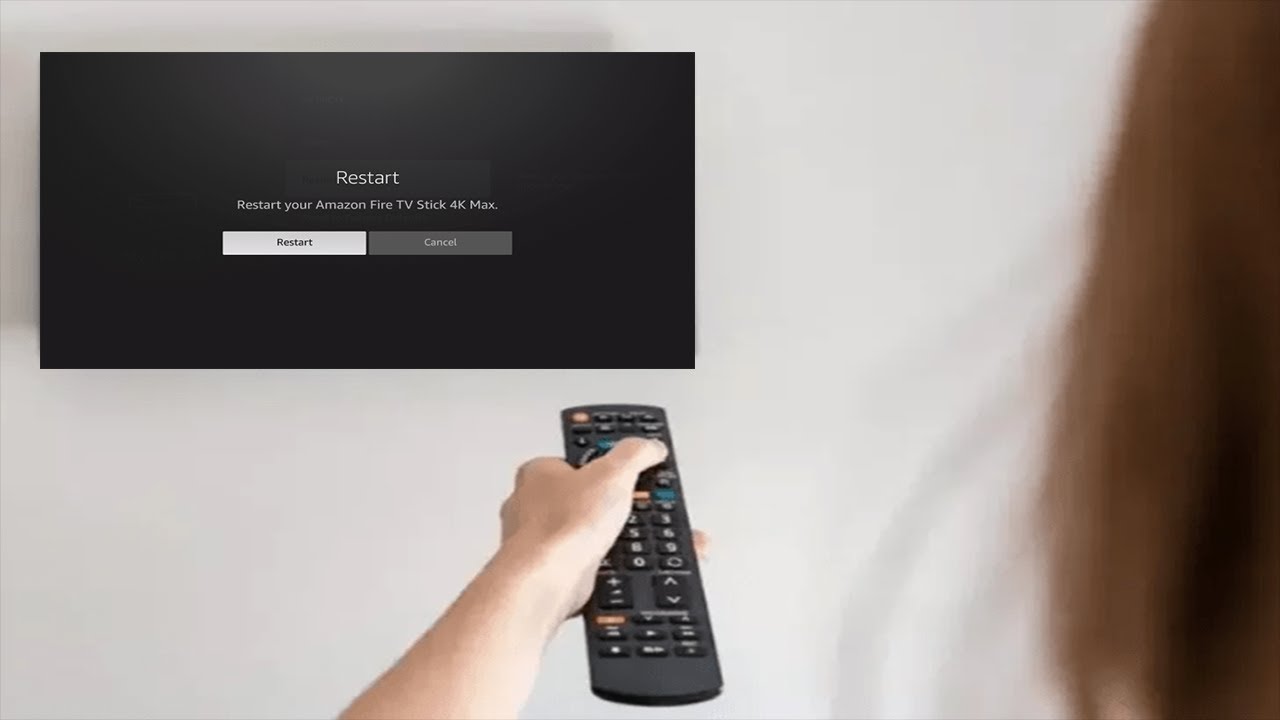
- Restart the device manually
- Check for Fire OS updates
- Remove recently installed apps
- Clear app cache and data for heavy apps
- Uninstall apps you do not use
- Reset the device if the problem keeps coming back
If you notice the Fire TV Stick 4K Max restarting after an update, wait for the device to settle, then check for another patch. Software issues often get fixed in follow-up updates.
App crashes can make the system unstable
Some apps are simply heavier than others. Streaming apps, live TV apps, and launchers can sometimes crash in a way that affects the whole device. If one app keeps forcing the system to freeze or restart, the Fire TV Stick 4K Max may seem broken even though the real problem is the app.
A few years ago, I helped troubleshoot a stick that restarted every time a certain streaming app opened. Once we removed the app and cleared the device cache, the restarts stopped. That kind of pattern is common, especially on devices with limited storage.
Signs an app is the problem
- Restarts happen only when opening one app
- The device runs fine until a specific screen loads
- The problem started after installing a new app
- The device lags before rebooting
What to do
- Delete the problematic app
- Clear cache for large apps
- Reinstall the app after restarting the device
- Check if the app needs an update
This is one of the most overlooked reasons for Amazon Fire TV Stick 4K Max restarting, but it is often easy to fix.
Low storage can create performance problems
The Fire TV Stick 4K Max has limited internal storage, so it does not take much to fill it up. When storage gets too full, the system can slow down, freeze, or restart because it cannot manage temporary files well. That is especially true if you use several streaming apps, sideloaded apps, or downloaded content.
A device with almost no free storage is like a closet packed so full the door will not close. It may still work for a while, but eventually the strain shows up. Freeing space often improves both speed and stability.
Best ways to free storage
- Remove unused apps
- Clear cache from streaming apps
- Delete old downloads
- Turn off apps you no longer need
- Check storage in Fire TV settings
If your Fire TV Stick 4K Max keeps restarting and feels slow too, storage may be part of the problem.
HDMI and TV connection issues can trigger restarts
Sometimes the Fire TV Stick 4K Max is not really restarting on its own. It may be losing signal because of a loose HDMI connection, a bad port, or a TV compatibility issue. That can look like a reboot even when the stick is actually just disconnecting and reconnecting.
This is especially common when the stick is plugged directly into a crowded HDMI area with poor contact. A loose fit, broken HDMI port, or damaged extender can create the same kind of symptoms. If the Amazon Fire TV Stick 4K Max restarting happens when you move the TV or change inputs, the connection may be to blame.
What to test
- Try a different HDMI port
- Use the HDMI extender
- Reseat the stick firmly in the port
- Test the device on another TV
- Check whether the TV has HDMI-CEC conflicts
A simple port swap can save a lot of frustration. I have seen a “broken” stick turn out to be a bad HDMI port more than once.
Remote or accessory conflicts can confuse the device
Accessories can create more trouble than people expect. Faulty USB hubs, unsupported OTG adapters, external drives, or even a glitchy remote can sometimes lead to unstable behavior. The Fire TV Stick 4K Max is designed to work best with basic, supported accessories.
If you recently added a new adapter, speaker setup, or third-party device, test the stick without it. A bad accessory can pull power, interfere with booting, or create repeated restarts. That is especially worth checking if the issue started right after connecting something new.
Remove and retest
- Disconnect all accessories
- Use only the power adapter and HDMI connection
- Remove extra USB adapters
- Replace remote batteries
- Re-pair the remote if needed
Sometimes the fastest fix is simplifying the setup.
How to fix Amazon Fire TV Stick 4K Max restarting step by step
If you want the most practical path, start with the basics and move upward. This order saves time and helps you avoid resetting the whole device before it is necessary.
Step-by-step troubleshooting
- Unplug the Fire TV Stick 4K Max from power.
- Wait at least 60 seconds.
- Plug it into the original wall adapter.
- Use the HDMI extender if you have one.
- Try a different HDMI port on the TV.
- Remove any extra accessories.
- Let the device cool down if it feels hot.
- Check for Fire OS updates.
- Clear app cache and remove problem apps.
- Factory reset only if the rest of the fixes fail.
I always tell people not to jump straight to a reset unless they have to. A factory reset can help, but it also wipes your apps and settings. It is best used after simpler fixes do not solve the Amazon Fire TV Stick 4K Max restarting issue.
When a factory reset makes sense
A factory reset is the last step, not the first one. It is useful when the software is deeply corrupted or the system is stuck in a boot loop that basic troubleshooting cannot fix. If the device still restarts after trying power, heat, HDMI, and app fixes, a reset may be the cleanest solution.
Before resetting, write down your login details and app preferences. You will need to sign back into your streaming services after the reset. That extra step can feel annoying, but it often gives the device a fresh start.
Use a reset when
- The restart loop continues after all basic fixes
- The device freezes during startup every time
- Multiple apps crash after reinstalling
- The Fire TV interface is badly corrupted
How to keep the problem from coming back
Once your Fire TV Stick 4K Max is stable again, a few habits can keep it that way. Good device care matters more than people think, especially for compact streamers that run hot and depend on steady power. A little prevention goes a long way.
Smart prevention tips
- Always use the original power adapter
- Keep the stick cool and well ventilated
- Remove unused apps often
- Update Fire OS regularly
- Avoid cheap third-party accessories
- Clear cache every so often
- Use a stable Wi-Fi connection
In my experience, the most reliable Fire TV Stick 4K Max setups are the simple ones. Fewer accessories, better airflow, and proper power usually mean fewer surprises.
Frequently Asked Questions
Why does my Amazon Fire TV Stick 4K Max keep restarting randomly?
Random restarts usually come from power issues, overheating, or software problems. The most common fix is to use the original wall adapter and check for updates.
Can a bad HDMI port cause Fire TV Stick 4K Max restarting?
Yes, a loose or faulty HDMI port can make the device appear to restart when it is actually losing signal. Try a different HDMI port and use the included extender.
Does low storage make the Fire TV Stick 4K Max restart?
It can. When storage is too full, the device may slow down, freeze, or reboot because it cannot manage apps and temporary files properly.
Is overheating dangerous for the Fire TV Stick 4K Max?
Yes, heat can make the device unstable and cause restarts. Give it room to breathe, use the HDMI extender, and avoid crowding it behind the TV.
Should I factory reset my Fire TV Stick 4K Max right away?
No, a reset should be the last step. Try power, HDMI, app, and storage fixes first, because many restart problems can be solved without wiping the device.
Conclusion
An Amazon Fire TV Stick 4K Max restarting issue usually comes down to power, heat, software, storage, or connection trouble. The good news is that most of these problems are fixable without replacing the device. If you work through the basics in order, you have a strong chance of getting it back to normal.
The biggest lesson here is simple: do not assume the device is failing too soon. Start with the power adapter, then check heat, apps, storage, and HDMI connections. If you want your Fire TV Stick 4K Max to stay stable, keep the setup simple and maintain it regularly. If this guide helped, bookmark it, share it with someone having the same issue, or leave a comment with the fix that worked for you.

Similar Posts