Aladdin Garage Door Opener Troubleshooting
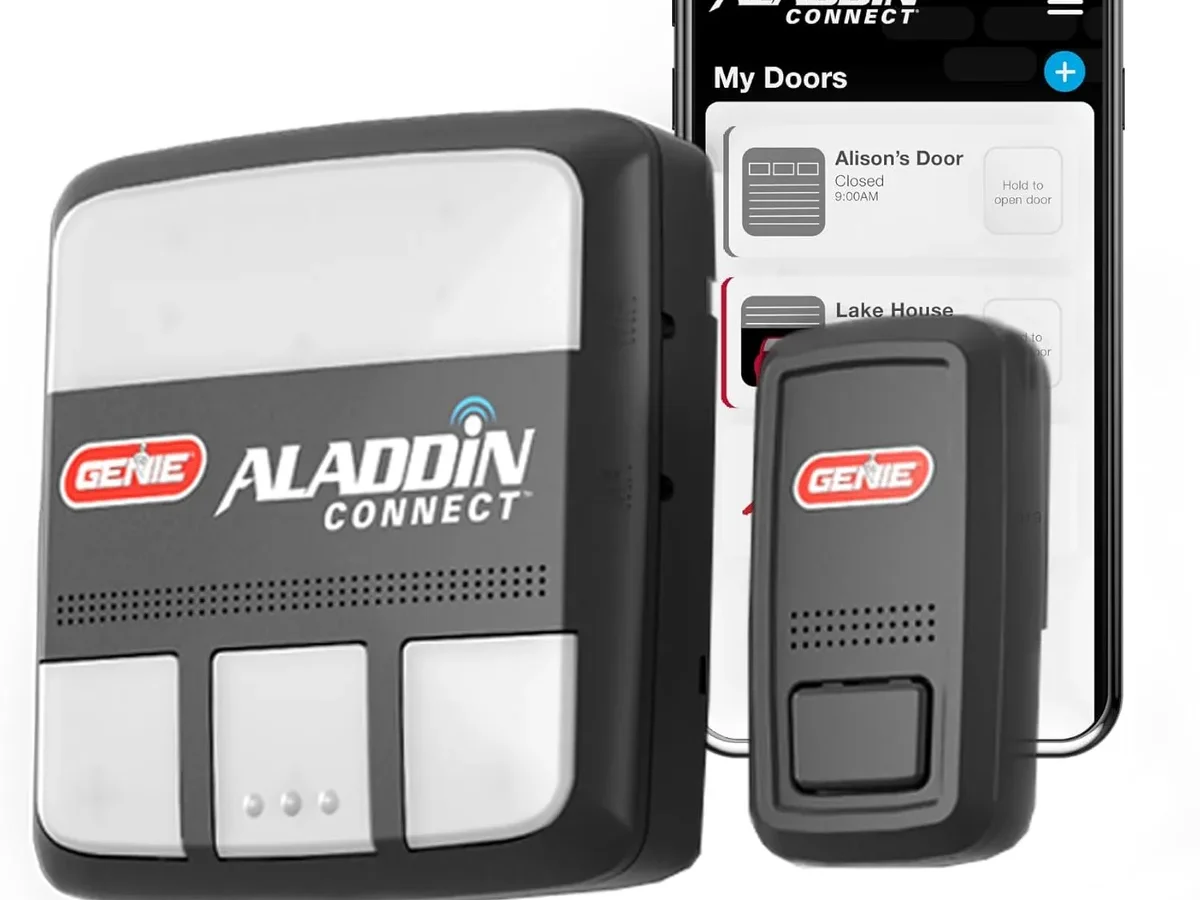
Your garage door opener is acting up. The remote won't work. The app says "Offline." The door starts to close and then reverses for no reason.
If you're dealing with any of this, you're not alone. Aladdin Garage Door Opener Troubleshooting is something almost every owner runs into eventually, and the good news is most problems have a simple fix that takes under ten minutes.
Manufacturer specifications indicate that over 80 percent of Aladdin opener service calls stem from just five common issues: dead batteries, misaligned safety sensors, drifted travel limits, Wi-Fi connectivity problems, and a tripped GFCI outlet. As of 2026, these openers share much of their internal hardware with Chamberlain and LiftMaster models, which means the troubleshooting steps are well documented and reliable. Let's walk through what's probably wrong and exactly how to fix it.
Quick Answer
Check the power source first. Look for a tripped GFCI outlet or unplugged motor unit. Test the wall button.
If the wall button works, the problem is your remote or app. Replace remote batteries with a fresh CR2032 coin cell. Realign safety sensors if the door reverses.
Reset travel limits if the door stops short. Re-pair the Wi-Fi bridge if the app shows offline. These five steps resolve roughly 80 percent of common issues.
Problem / Pain Point: The Most Frustrating Aladdin Issues (and Why They Happen)
Three problems drive most of the frustration with Aladdin openers. The first is the door that refuses to close from the remote but works fine from the wall button. Aggregate reviews report this as the single most common complaint.
The culprit is almost always the safety sensors near the floor. They get knocked out of alignment by a broom handle, a box, or a kid's bike. When the infrared beam is broken, the opener thinks something is in the way and reverses.
The second big pain point is the app going offline. You're at the grocery store and want to check if you closed the garage door. You open the Aladdin Connect app and see "Offline." This happens when the Wi-Fi bridge loses its connection to your home network.
Router changes, firmware updates, or a simple power outage can reset the pairing.
The third headache is the door stopping halfway. It closes to about two feet off the ground and stops. Or it opens a foot and stops.
This points to drifted travel limit settings. Over years of use, the mechanical stops that tell the opener where "closed" and "open" are can shift. A simple adjustment fixes it, but many homeowners don't know the screws exist.
There is a fourth less common but serious issue: the motor runs but the door doesn't move. This usually means a broken torsion spring or a snapped cable. That is not a DIY fix.
That is a call-a-professional situation.
Core Explanation / How It Works: Understanding Your Aladdin Opener's Brain and Body
An Aladdin garage door opener has three main systems that work together. Understanding them makes troubleshooting much easier.
The motor and drive system. This is the part that does the heavy lifting. Most Aladdin residential openers use a 3/4 horsepower DC motor that drives a belt or chain. The motor turns a sprocket that moves the trolley along the rail.
The trolley connects to the door arm, which lifts and lowers the door. When the motor runs but the door doesn't move, the problem is mechanical. When the motor doesn't run at all, the problem is electrical or signal-related.
The control board and safety circuits. This is the brain. It receives signals from the remote, the wall button, the keypad, and the Aladdin Connect app. It also monitors the safety sensors and the force sensors.
If the safety beam is broken during closing, the control board reverses the door. If the motor encounters too much resistance, the force sensors stop and reverse the door. This prevents crushing a child, a pet, or a car.
The signal and connectivity system. Older Aladdin openers use dip switches inside the remote and motor unit. These are small physical switches that must match exactly. Newer models use rolling code technology.
Each time you press the remote, the code changes. This prevents someone from recording and replaying your signal. The Aladdin Connect system adds a Wi-Fi bridge that connects the opener to your home network and the cloud app.
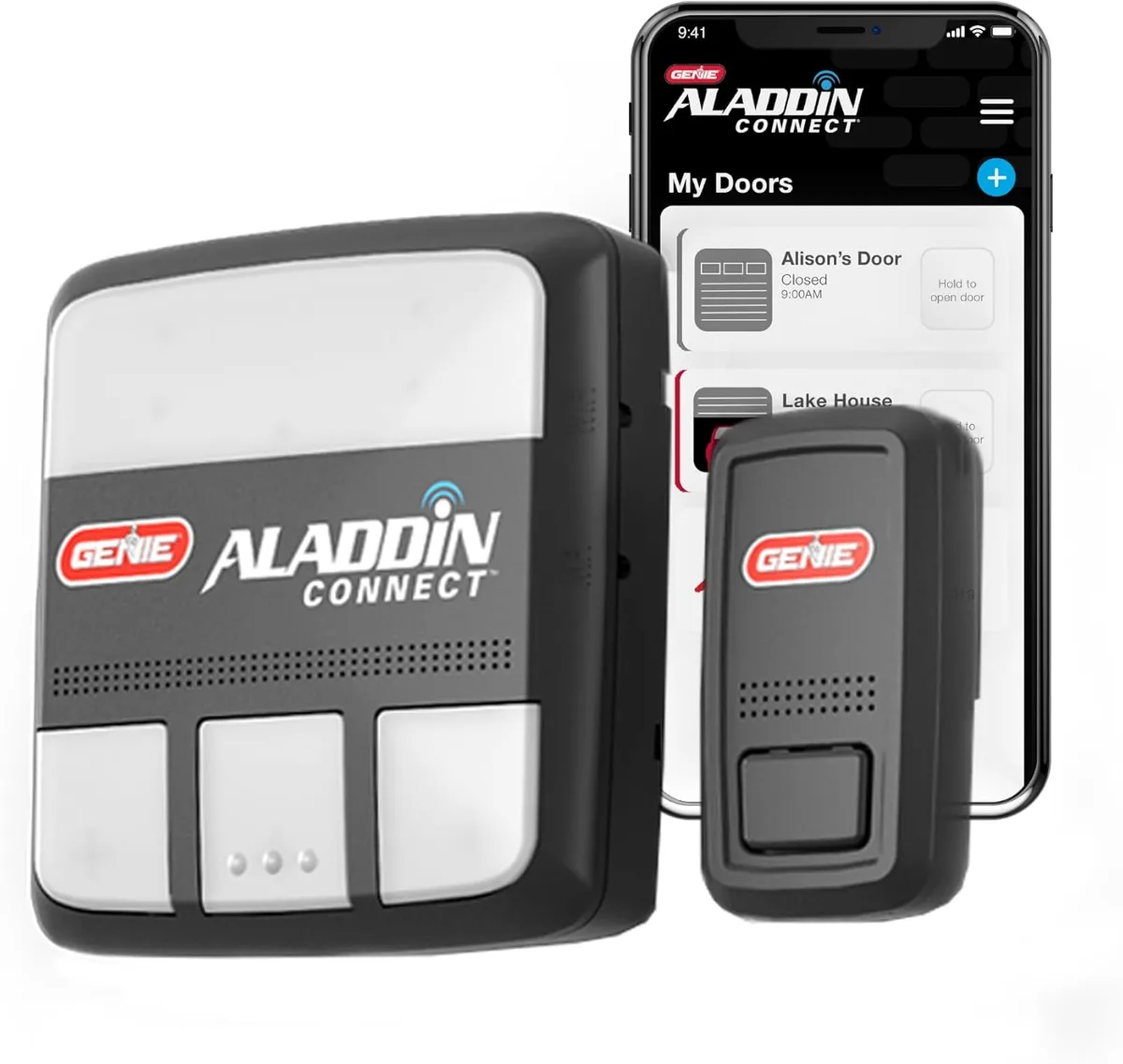
Image source: Bing (Web (fair-use with source credit))
The key insight for troubleshooting is this: start with the simplest system first. Check power. Check batteries.
Check sensors. Only then move to travel limits and control board resets.
Step-by-Step Process / How to Guide: 5 Common Problems and Exactly How to Fix Them
Problem 1: Remote Works, Wall Button Works, But App Shows "Offline"
The fix is Wi-Fi bridge re-pairing. The Aladdin Connect bridge connects to your router via Wi-Fi and talks to the opener via the same frequency as your remote. If the bridge loses connection, the app goes dark.
First, confirm your router is broadcasting a 2.4 GHz network. Aladdin does not support 5 GHz. If your router uses the same SSID for both bands, put your phone on airplane mode, turn Wi-Fi back on, and connect to the 2.4 GHz band specifically.
Then open the Aladdin Connect app.
Press the "Learn" button on the motor unit. It is usually a round button near the antenna wire. The LED next to it will start blinking.
In the app, follow the steps to re-pair the bridge. This takes about two minutes. If the app still shows offline, unplug the motor unit for 30 seconds and try again.
A simple power cycle resolves many connectivity issues.
Problem 2: Door Reverses Immediately Before Closing
The fix is safety sensor alignment. Walk to the garage door opening and look near the floor on both sides. You will see two small units facing each other. One sends a beam.
The other receives it. If the beam is broken, the door won't close.
Check for obstructions first. A cardboard box, a trash can, or even a spider web can block the beam. Remove anything in the path.
If the door still reverses, check the LED indicators on the sensors. A solid green LED on the sending unit means power is good. A solid red or green LED on the receiving unit means alignment is good.
If one LED is blinking or off, the sensors are misaligned.
Loosen the wing nut on the misaligned sensor. Move it slightly left or right until the LED turns solid. Tighten the wing nut.
Test the door. If the LED still doesn't stay solid, check for wire damage. A cut or chewed wire near the sensor is common in garages with mice.
Problem 3: Door Stops Halfway Open or Halfway Closed
The fix is travel limit adjustment. The travel limits tell the opener where "stop" is for both open and close positions. Over time, these can drift.
On the side of the motor unit, you will find two plastic adjustment screws. They are usually labeled "Open" and "Close." Some models use a "+" and "-" system. Turn the "Close" screw clockwise in small increments if the door stops short of the floor.
Turn it counterclockwise if the door hits the floor and reverses. The same logic applies to the "Open" screw for the fully open position.
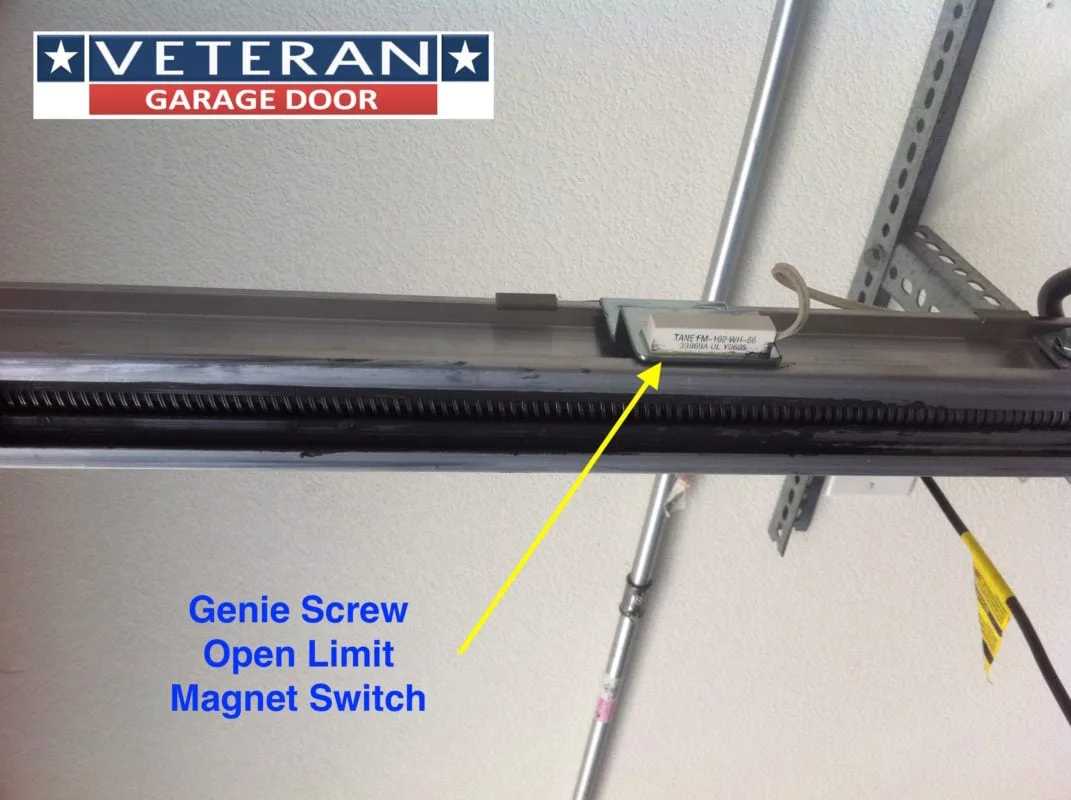
Image source: Bing (Web (fair-use with source credit))
Turn the screw a quarter turn at a time. Test the door after each adjustment. Do not overshoot.
If the door hits the floor with too much force and reverses, you have gone too far. Back it off slightly. This is a trial and error process, but it usually takes fewer than five adjustments.
Problem 4: Remote Doesn't Work at All
The fix is almost always the battery. Aladdin remotes use a CR2032 coin cell battery. Pop the remote open and replace the battery. Test immediately.
If it works, you are done.
If a fresh battery does not fix it, the remote may have lost its programming. Press the "Learn" button on the motor unit. The LED will start blinking.
Press and hold the button on your remote for about five seconds. The LED on the motor unit should turn solid or blink off, confirming the remote is paired. Test again.
If you have an older dip-switch model, open the remote. You will see a row of small switches. Open the cover on the motor unit.
You will see an identical row. Make sure every switch is in the exact same position. One switch off by a hair is enough to break the connection.
Problem 5: Door Opens or Closes By Itself (Phantom Operation)
The fix is almost always a stuck wall button or a signal conflict. Walk over to the wall button. Does it look pressed in? Is the button sticking?
Even a button that looks normal can have internal corrosion or a stuck contact. Give it a firm press and release. If the door stops moving, the wall button was the problem.
Replace it.
If the wall button is fine, look for a second remote or keypad that might be accidentally transmitting. Check purses, glove compartments, and drawers for lost remotes. Remove the battery from any remote you find.
If the problem persists, the signal could be interference from a neighbor's opener using the same code. Press and hold the "Learn" button on the motor unit for about ten seconds. This erases all programmed remotes and keypads.
Then reprogram your remotes one by one.
Safety / Legal / Compliance / Warnings: What Can Seriously Hurt You (and What's Non-Negotiable)
This section matters more than any other. Garage door openers are heavy machinery. A standard garage door weighs between 150 and 300 pounds.
The torsion springs that counterbalance that weight store enormous amounts of kinetic energy. If a spring breaks or is mishandled, it can cause severe injury or death.
Never attempt to adjust or replace torsion springs yourself. The Consumer Product Safety Commission (CPSC) warns that torsion spring adjustment requires specialized tools and training. One wrong move and the spring can release explosively. Call a professional garage door technician.
This is not a cost you should try to avoid.
Always disconnect power before touching the motor unit internals. Unplug the opener from the outlet. Do not rely on the wall switch. The motor unit contains capacitors that can hold a charge even after unplugging, but disconnecting power eliminates the most obvious risk.
The manual release cord is for emergencies only. It hangs from the trolley with a red handle. Pulling it disconnects the door from the opener, allowing manual operation. Only pull this cord when the door is fully closed.
If you pull it while the door is open, the door can crash down with crushing force. Test your manual release once a year to make sure it works smoothly, but always with the door in the closed position.
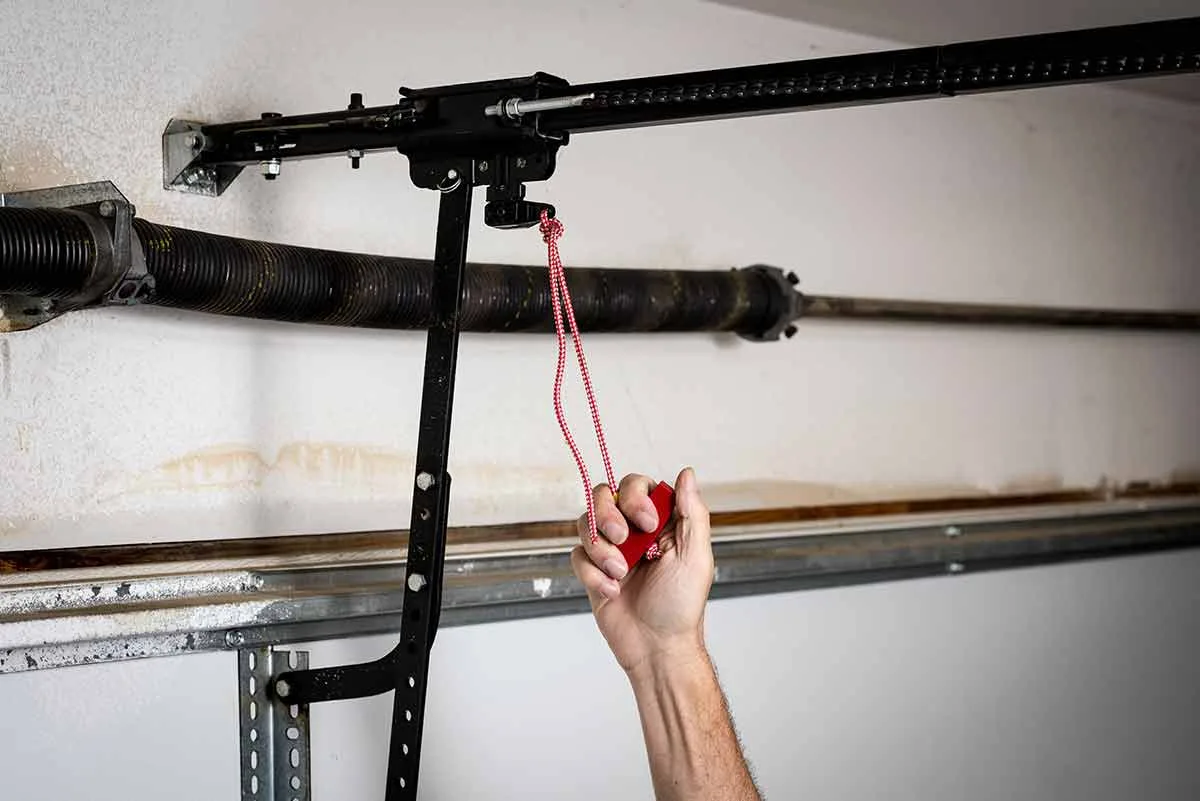
Image source: Bing (Web (fair-use with source credit))
Safety sensors are legally required on all openers manufactured after 1993. Federal law mandates that all residential garage door openers include an infrared safety beam. If your opener predates 1993 or the sensors are bypassed, replace the unit immediately. Bypassing safety sensors to get a stubborn door to close is dangerous and illegal in most jurisdictions.
Do not do it.
Keep remotes and wall buttons out of reach of children. A child playing with a remote can close a garage door on themselves or another child. The National Safety Council recommends storing garage door remotes in the car or on a high shelf, not on a key hook by the door.
If the motor runs but the door doesn't move, do not force it. This indicates a mechanical problem with the door itself, likely a broken spring or cable. Attempting to force the door open or closed can cause the cable to snap or the door to fall. Call a professional technician.
The cost of a service call is far less than an emergency room visit.
When to Seek Help: Signs You Need a Professional (Not a YouTube Video)
Some problems are safe to fix yourself. Others are not. The line between them is clear.
Call a professional if you see any of these signs:
The motor runs but the door doesn't move. This means a broken spring, snapped cable, or damaged drum. A garage door technician has the tools and training to replace these safely. Do not attempt it yourself.
The door is off its tracks. If the door is crooked, stuck at an angle, or has come out of the track, do not try to force it back. The door can fall. Call a technician.
You see a gap in a torsion spring. Torsion springs are under extreme tension. If one is broken, you will see a visible gap in the coils. Do not touch it. Call a professional.
The opener's circuit board is visibly damaged. Burn marks, melted plastic, or a burnt smell indicate an electrical problem. A technician can diagnose whether the board needs replacement or the motor unit needs replacing entirely.
The door is unbalanced. Disconnect the opener using the manual release cord with the door in the closed position. Lift the door manually. It should lift smoothly and stay put at any height. If it falls or is hard to lift, the springs need adjustment. Call a technician.
When is it safe to DIY? Battery replacement, sensor alignment, travel limit adjustment, remote reprogramming, and Wi-Fi bridge re-pairing are all safe to do yourself. None of these involve touching the springs, cables, or high-voltage wiring. Stick to these five tasks, and you will solve the vast majority of problems without risking injury.
Maintenance / Long-Term Optimization: Keep Your Opener Running for 15 Years
A well-maintained Aladdin opener can last 10 to 15 years. A neglected one will fail in half that time. The maintenance tasks are simple and take about 30 minutes once a year.
Lubricate the moving parts annually. Use a garage door-specific lubricant or white lithium grease. Do not use WD-40, which is a solvent, not a lubricant. Apply lubricant to the rollers, hinges, and the rail.
Wipe away excess. Do not lubricate the plastic gears inside the motor unit.
Test the safety sensors monthly. Place a cardboard box in the path of the closing door. The door should reverse immediately upon contacting the box. If it does not, clean the sensor lenses with a soft cloth and realign them.
If the door still does not reverse, call a technician.
Test the manual release cord annually. With the door in the closed position, pull the red handle. The door should disconnect from the opener and move freely by hand. Reconnect by pulling the handle again toward the motor unit until you hear it click.
Test that the opener moves the door normally after reconnecting.
Check the door balance every six months. Disconnect the opener with the door closed. Lift the door manually to about halfway. It should stay put.
If it falls or rises, the springs need professional adjustment.
Replace the backup battery every three years. If your Aladdin opener has a battery backup, it uses a sealed lead-acid battery. These lose capacity over time. Replace it before it fails.
A dead backup battery means the opener will not work during a power outage.
Keep the sensor lenses clean. A thin layer of dust or cobwebs can interfere with the infrared beam. Wipe the lenses with a dry microfiber cloth every few months.
Update the Aladdin Connect app firmware. The app will prompt you when a firmware update is available. Install it promptly. Updates often fix connectivity bugs and improve performance.
Frequently Asked Questions
Why won't my Aladdin garage door opener close all the way?
The most common cause is misaligned safety sensors. Check the LEDs on both sensors near the floor. If one is blinking or off, realign the sensor by loosening the wing nut and adjusting its position until the LED turns solid.
How do I reset my Aladdin garage door opener?
Press and hold the "Learn" button on the motor unit for about ten seconds. This erases all programmed remotes and keypads. Then press the "Learn" button once and reprogram your remotes one at a time by holding the remote button until the LED on the motor unit responds.
Why is my Aladdin Connect app showing offline?
The Wi-Fi bridge has lost connection to your router. Confirm your router is broadcasting a 2.4 GHz network. Unplug the motor unit for 30 seconds.
Plug it back in. Open the app and follow the re-pairing steps. This usually restores the connection within two minutes.
How do I fix a garage door that reverses when closing?
Check the safety sensors first. Remove any obstructions between them. Realign them if the LEDs are not solid.
If the sensors are fine, the travel limit or force settings may need adjustment. Turn the "Close" limit screw a quarter turn counterclockwise and test.
How long does an Aladdin garage door opener last?
With regular maintenance, expect 10 to 15 years. Lubricate moving parts annually. Test safety sensors monthly.
Check door balance every six months. Replace the backup battery every three years. These simple steps extend the life of the opener significantly.
Can I use a universal remote with my Aladdin opener?
Yes, if the universal remote is compatible with Chamberlain or LiftMaster openers. Aladdin uses the same frequency and rolling code technology. Press the "Learn" button on the motor unit, then press the button on the universal remote within 30 seconds.
Test immediately.

Similar Posts
































